

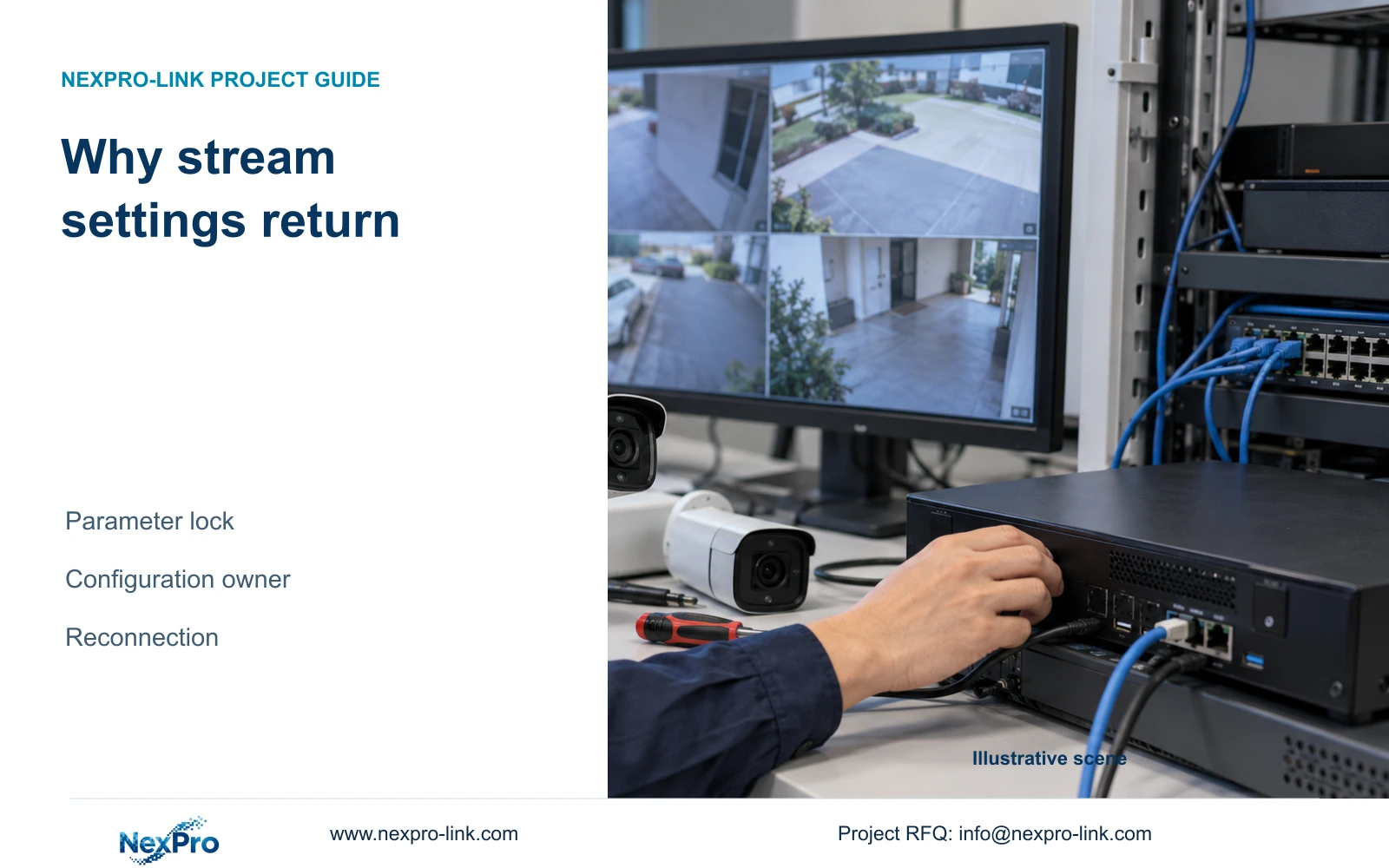
A camera profile that returns after reconnection may be receiving settings from the recorder. Establish the approved configuration owner and verify both ends before diagnosing a memory fault.
Section 01
Find the interface that reapplies the profile
When a camera's bitrate returns after reconnection, check whether the recorder is binding its local stream parameters to that camera. The supplied manual describes a parameter-lock function that can reapply recorder settings, including locally adapted values where parameters were not explicitly configured. Establish which interface should own the approved profile, compare the camera and recorder values, and test one authorized change through reconnection. Also review related automatic controls and copied profiles. A return to an earlier value is an observation; it does not by itself prove failed camera memory. Completion requires the intended values to persist and the recording task to remain usable.
This guide follows NVR4.0 user manual CH_V2.4.doc, whose body identifies V2.2. Sections 4.4.5, 4.12.7 and 4.12.5 describe stream binding and automatic controls. Section references take priority over page numbers, and the procedure must match the actual recorder model and firmware.
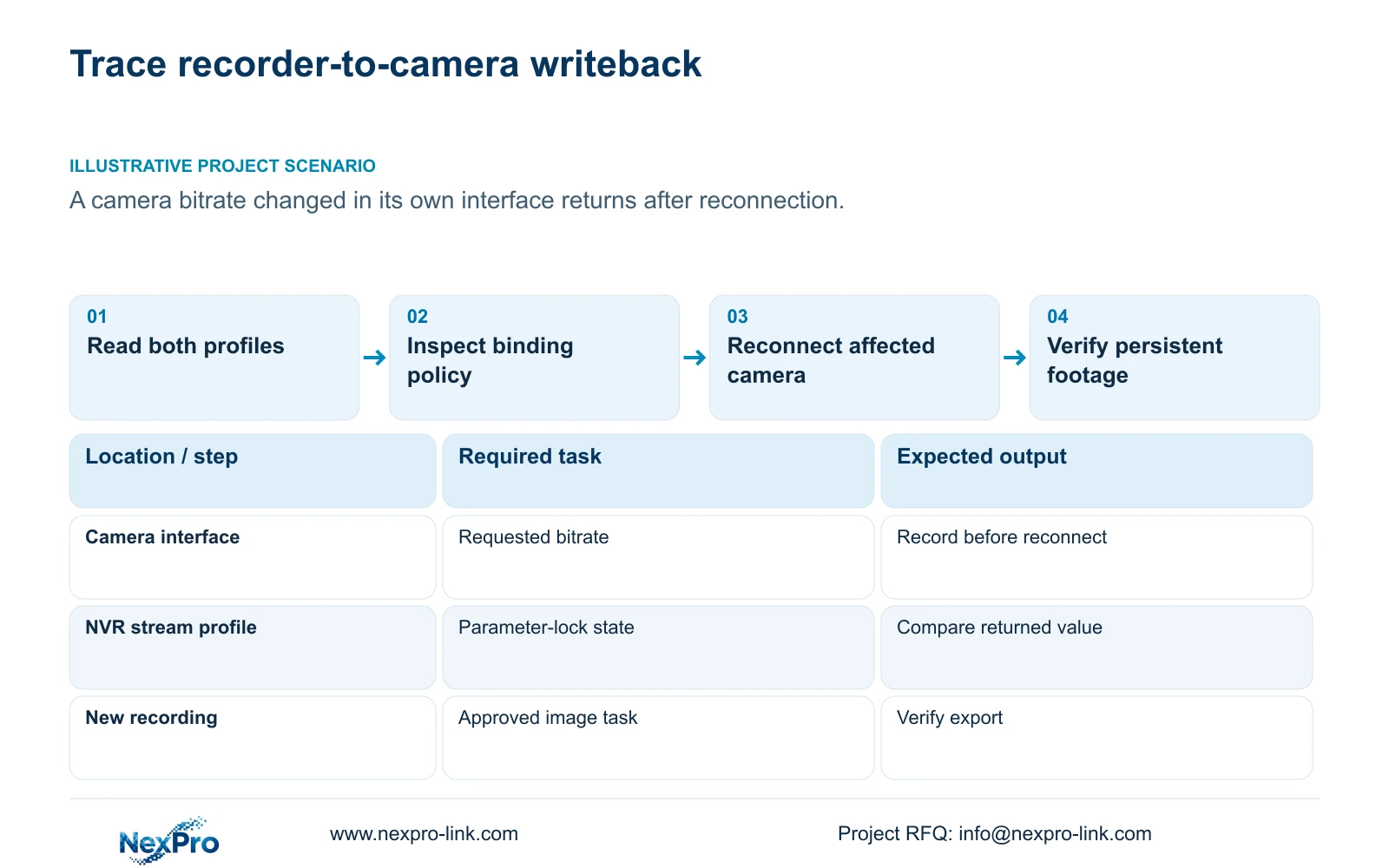
Record the old camera value, the requested value and the recorder's local value before editing either interface. If the returned value matches the recorder profile, binding becomes a supported branch to investigate. If it does not, retain that discrepancy instead of assigning every reversion to the lock.
Section 02
Read the automatic-control side effects
Section 4.12.5 describes Disable All Intelligent Changes through specific configuration effects. It disables video-management automatic addition, IP-conflict adaptation and stream-parameter locking, and prohibits recorder changes to the IP addresses of already added devices. These effects concern device configuration; the option is not described as the master control for intrusion or line-crossing analytics.
Inspect the listed settings before choosing that broader switch. If only stream ownership needs correction, determine whether the applicable interface permits the necessary targeted adjustment. Preserve the other approved behaviors unless the project also requires them to change.
The address-related controls deserve separate consideration on a fixed-address site. Record the approved addressing policy and any observed automatic behavior. If an actual IP change is required, obtain authorization, preserve the connection mapping and relevant data, and arrange the interruption. Changing addresses is not necessary merely to test a suspected stream writeback.
Section 03
Confirm the affected camera reconnects correctly
A profile comparison is useful only when both interfaces refer to the same physical camera. Keep its location and channel mapping visible in the controlled record. Confirm the authorized current address, selected protocol and account before checking what happens after reconnection.
Section 4.3.1 provides an edit-device workflow for connection fields, including protocol, username and password. If those details have changed, update the affected channel's connection information. Do not reset the recorder's entire configuration to repair one camera connection.
Treat authentication failure and parameter reversion as separate results. A channel that fails to reconnect has not completed the writeback test. Resolve the authorized connection first, without publishing credentials or using recovery bypasses, then compare the stream values at both ends again.
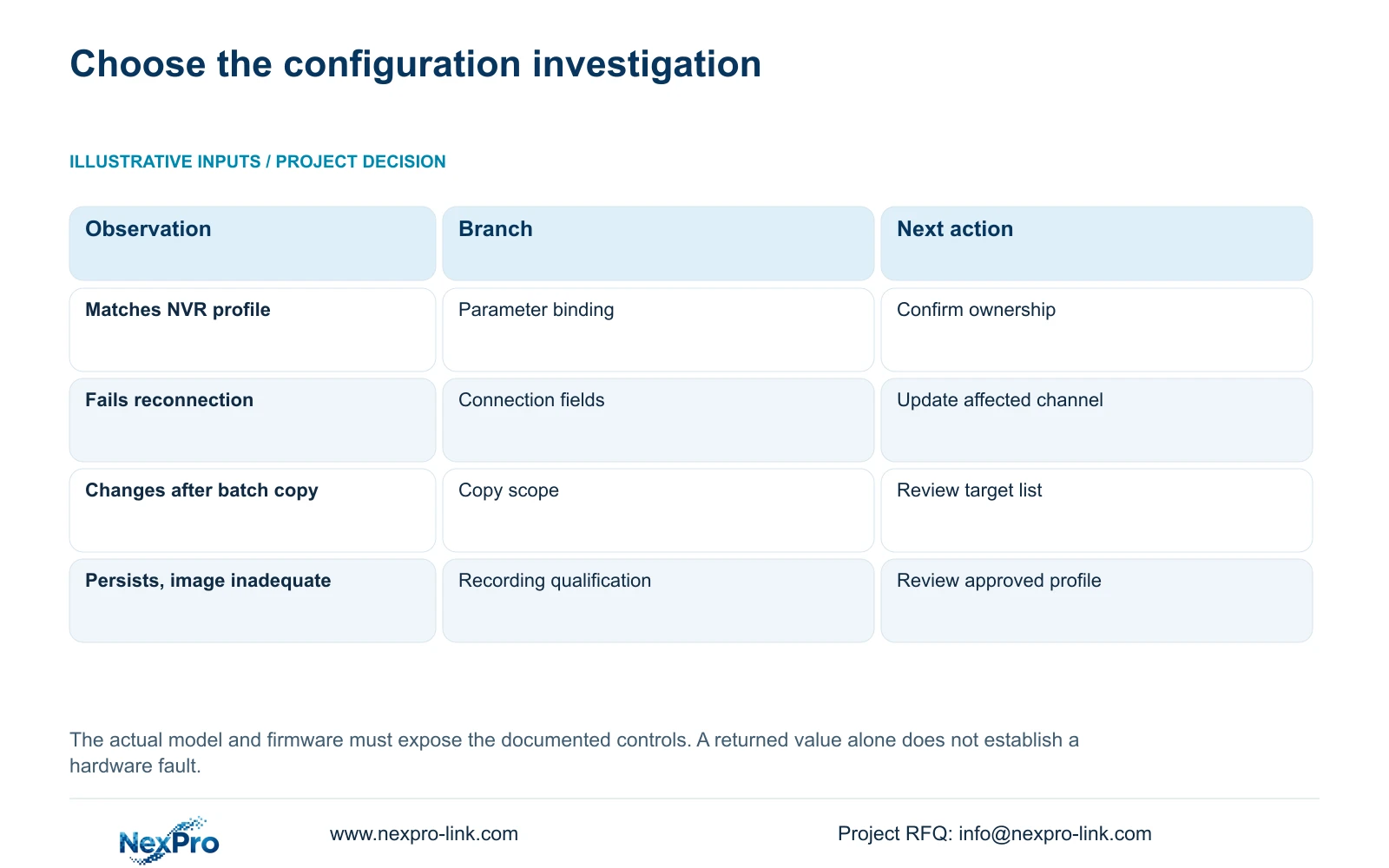
| Observed state | Likely investigation branch | Next action |
|---|---|---|
| Returned value matches recorder profile | Local parameter binding may be active | Confirm lock state and approved owner |
| Camera does not reconnect | Connection or authentication needs attention | Correct the affected channel's authorized fields |
| Several channels change after copying | The copy source or target selection may be wrong | Review source profile and destination list |
| Values persist but footage fails the task | Configuration persistence alone is insufficient | Qualify the recorded image and export |
Section 04
Exclude unwanted copy and edit sources
Review whether a later batch operation copied the old profile back to the channel. The manual includes copy functions across recording and camera-setting workflows. A copy action can save effort, but it does not decide whether every destination shares the same capability or observation task.
Keep the source channel and destination list with the change record. Separate entrance cameras with specific detail requirements from ordinary corridor channels. Where a channel has an approved exception, exclude it from the batch until its intended profile is explicit.
During the diagnostic interval, coordinate edits through the chosen configuration owner. Alternating between camera settings, recorder settings and broad copies creates several possible causes for the same returned value. After the targeted change persists, any wider rollout still needs checks of actual destination values and resulting footage.
Section 05
Keep settings, logs and footage as separate records
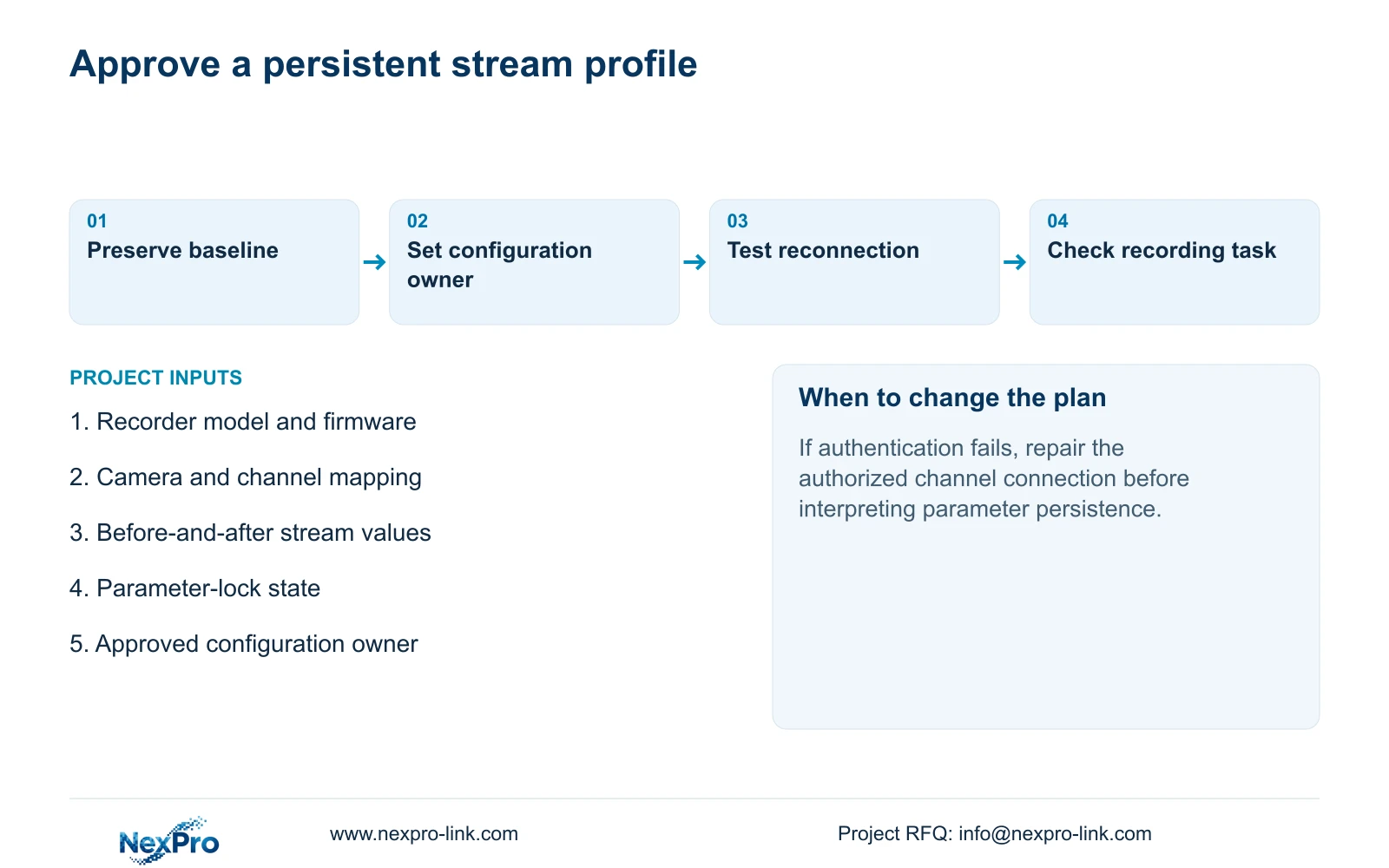
Before a formal change, preserve the approved baseline using the applicable configuration-export workflow in section 4.12.18. Label the file with the recorder identity and version so it can be distinguished from an unrelated backup. Confirm that the saved file is recognizable and belongs to the device under review.
Exported configuration, exported logs and video backup are different objects. Section 4.11.4 covers footage backup; a settings file does not contain an incident recording or a disk image. Preserve required footage independently when the maintenance task could affect its availability.
The manual does not establish universal configuration import across models. Keep a backup for the documented target and confirm suitability before any authorized restore. A restore requires preservation of relevant data and an agreed interruption; it should not be used as the first response to a suspected stream-lock effect.
Section 06
Check persistence and the operating result
After reconnection, read the camera and recorder values again. Record the changed variable, the connection result and whether the intended profile persisted. If a restart is needed for the agreed verification, obtain authority, preserve relevant data and arrange the recording interruption before stopping the running recorder.
Follow persistence with an operating check: current video, correct time, newly produced footage, a relevant historical sample and a usable export. Check the intended accounts and required events too. An online icon or version label cannot establish that those tasks still work.
If the profile returns again, retain the before-and-after values and the event that preceded the return. Seek the next supported action for the actual firmware. The source does not guarantee automatic rollback, and an unexplained result does not justify an unplanned upgrade or full reset.
Illustrative project scenario: An engineer lowers a camera's bitrate using its own interface, but a later connection restores the old value. The controlled test compares that returned value with the recorder's binding profile, establishes an approved owner and repeats the connection check. The revised bitrate is accepted only if persistence and the recorded image task both pass.
Section 07
Does a reverted bitrate prove camera memory failure?
No. Recorder binding and later copy operations are separate explanations to check. Preserve the exact returned value and reconnection sequence before pursuing a hardware diagnosis.
Section 08
Does Disable All Intelligent Changes disable analytics?
The supplied section describes automatic addition, address adaptation, stream locking and recorder address changes. It does not describe a universal analytics-off control.
Section 09
Provide the before-and-after profile
Send NexPro-Link the recorder model and firmware, affected channel, lock state and redacted values before and after reconnection at info@nexpro-link.com.
Engineering references
These sources support the general planning principles. Always use the selected product's current datasheet and applicable project standards for final design.


