

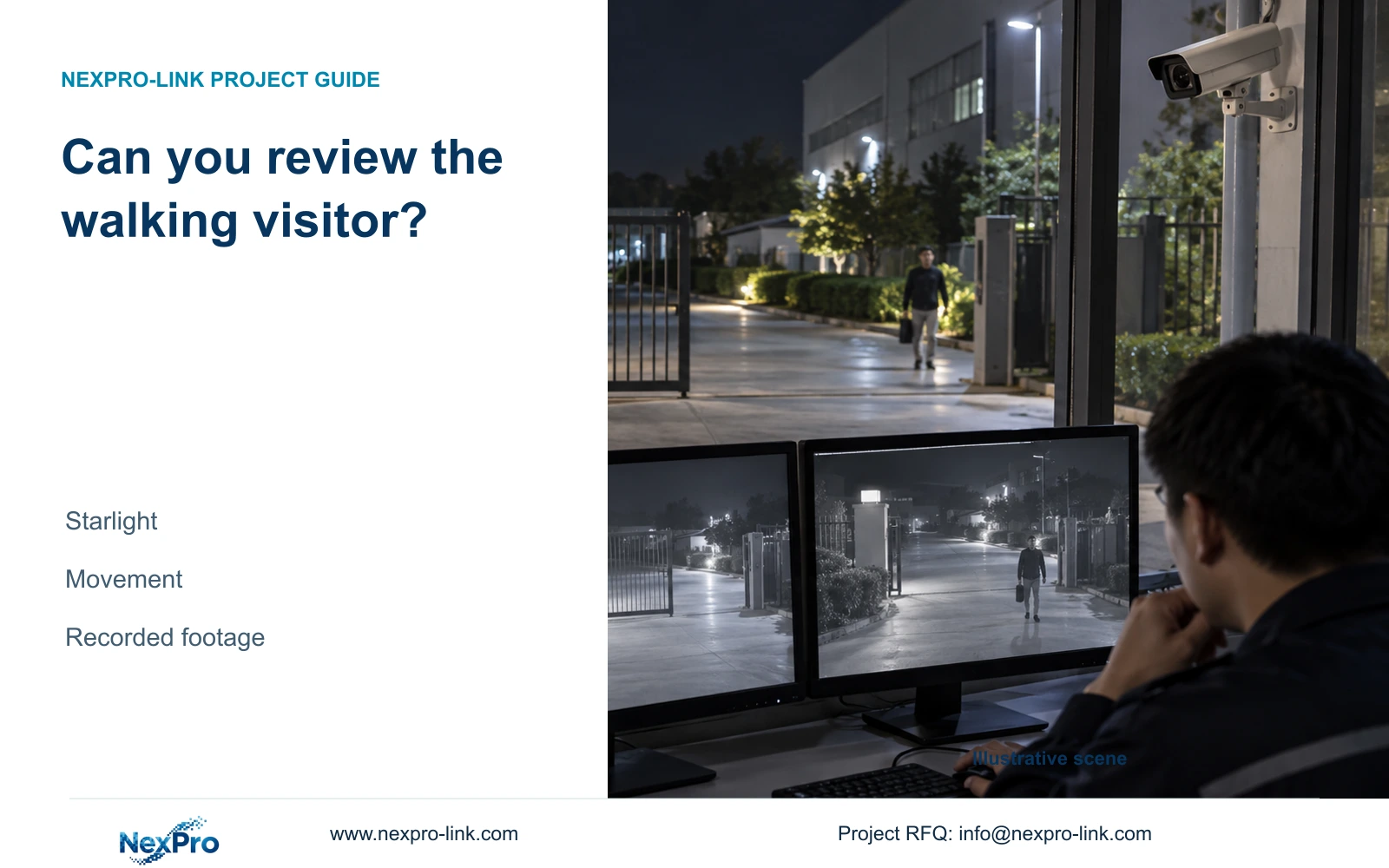
A bright empty gate scene cannot establish whether a walking visitor is reviewable. Use a repeatable recorded test with known lighting and stream settings.
Section 01
Define what operators must see during movement
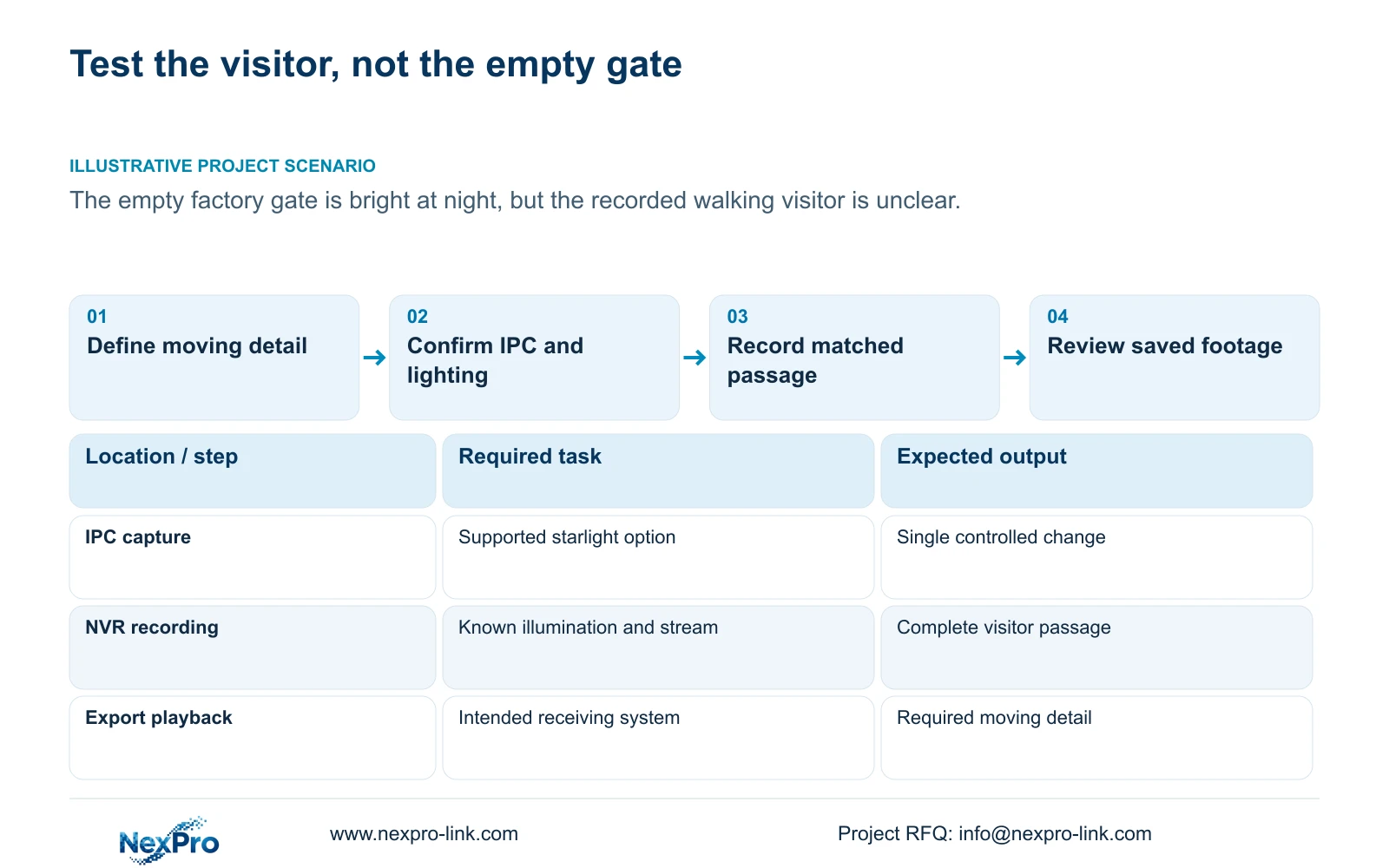
A bright static night image does not establish whether operators can review a moving visitor. Evaluate starlight mode through the actual camera and NVR recording path, using a representative subject on the required route. Record the illumination state and preserve comparable stream settings before changing one supported capture option. Retrieve the resulting footage and check the information needed while the person is moving. If that information remains unclear, report the failed task and choose another controlled test. The mode name alone cannot supply a performance guarantee, a universal shutter setting or an explanation for the loss of detail.
Write the observation requirement before choosing a preset. A factory gate may need a movement overview, a review of the visitor at an entrance point, or both. Identify the portion of the route where the required information must remain visible. An attractive view of the empty gate cannot answer that requirement.
Section 4.4.3 lists starlight among IPC capture options, alongside brightness, saturation, sharpness, contrast, flips, digital WDR and corridor mode. Select a relevant supported control without changing the whole capture profile at once. Preserve the baseline so the next recording has a useful reference.
Section 02
Record the illumination throughout the passage
Note the normal lighting state during the test, including visible illumination and whether the camera is producing color or black-and-white imagery. The manual separates ordinary lighting, IRCut and switching threshold or delay controls from analytic light and sound actions. Keep these workflows distinct when interpreting the sample.
If an event-triggered light appears during the visitor's passage, record when it begins and which part of the route it covers. A sample containing that illumination cannot establish the same result for an unlit passage. Repeat the relevant normal-state task if the project must review people before an event action occurs.
A missing alarm light does not by itself establish an infrared fault. Likewise, seeing the light does not confirm an event recording or notification. Those results require their own checks if they are part of the gate requirement.
Section 03
Confirm that starlight is supported by this IPC
Identify the camera model and firmware, then check the connection method and relevant permissions. The recorder depends on the operations the IPC exposes and accepts. A manual screenshot or shared menu does not establish that every connected camera has the same starlight option.
If the option is unavailable, stop that branch and obtain the applicable camera instructions. If it is available, record the previous value, apply one supported change and confirm the resulting operation on the affected channel. Do not invent a third-party menu path or substitute a universal shutter value for the missing device information.
ONVIF profile scope is useful when reviewing interoperability, but basic video reception remains separate from support for a particular image-control command. Keep the tested device combination in the result record.
Section 04
Preserve comparable recording-stream conditions
For the initial comparison, keep codec, resolution, frame rate, bitrate setting and CBR or VBR selection consistent. Record the actual stream used for the footage under review. A live-view sample and a recording made under a different profile do not isolate the starlight change.
CBR and VBR describe control choices; an entered bitrate is not a measurement of all future traffic or stored volume. Document lighting and movement with any traffic sample. Use representative averages if retention must be reassessed, and appropriate peaks or limits for the network question.
If a sample was made under substantially different illumination or activity, repeat it before concluding that the mode caused an improvement. This topic has no supplied power, storage or timing figures, so the decision rests on observed footage and documented conditions.
Section 05
Retrieve the passage and test the receiving playback path
Find the recorded interval containing the complete relevant passage. Confirm the camera identity and time, then review the visitor through the difficult part of the route. Compare the information available during movement with the baseline. Keep the display method consistent so a viewing change does not become another variable.
Export a sample and open it on the intended receiving system. Section 4.11.4 mentions players such as VLC without guaranteeing every codec and operating-system combination. Check actual playback and any required audio, and retain the source footage until the copy has been verified.
If the export fails to play, resolve that delivery problem before judging the sample on the receiving system. A backup progress indicator cannot establish that the night review task has passed.
Section 06
Report the visible result without inventing its cause
Describe what the recording shows and where the task fails. 'The empty scene is bright, but the visitor's required detail is unclear during the entrance passage' is a useful observation. It does not establish a particular shutter mechanism, camera defect or recorder fault.
Connect that observation to the smallest next test. Confirm the recording profile if it is unknown, repeat under the required normal illumination if a light changed during the sample, or review another supported capture adjustment. Stop when a required control lacks confirmed support.
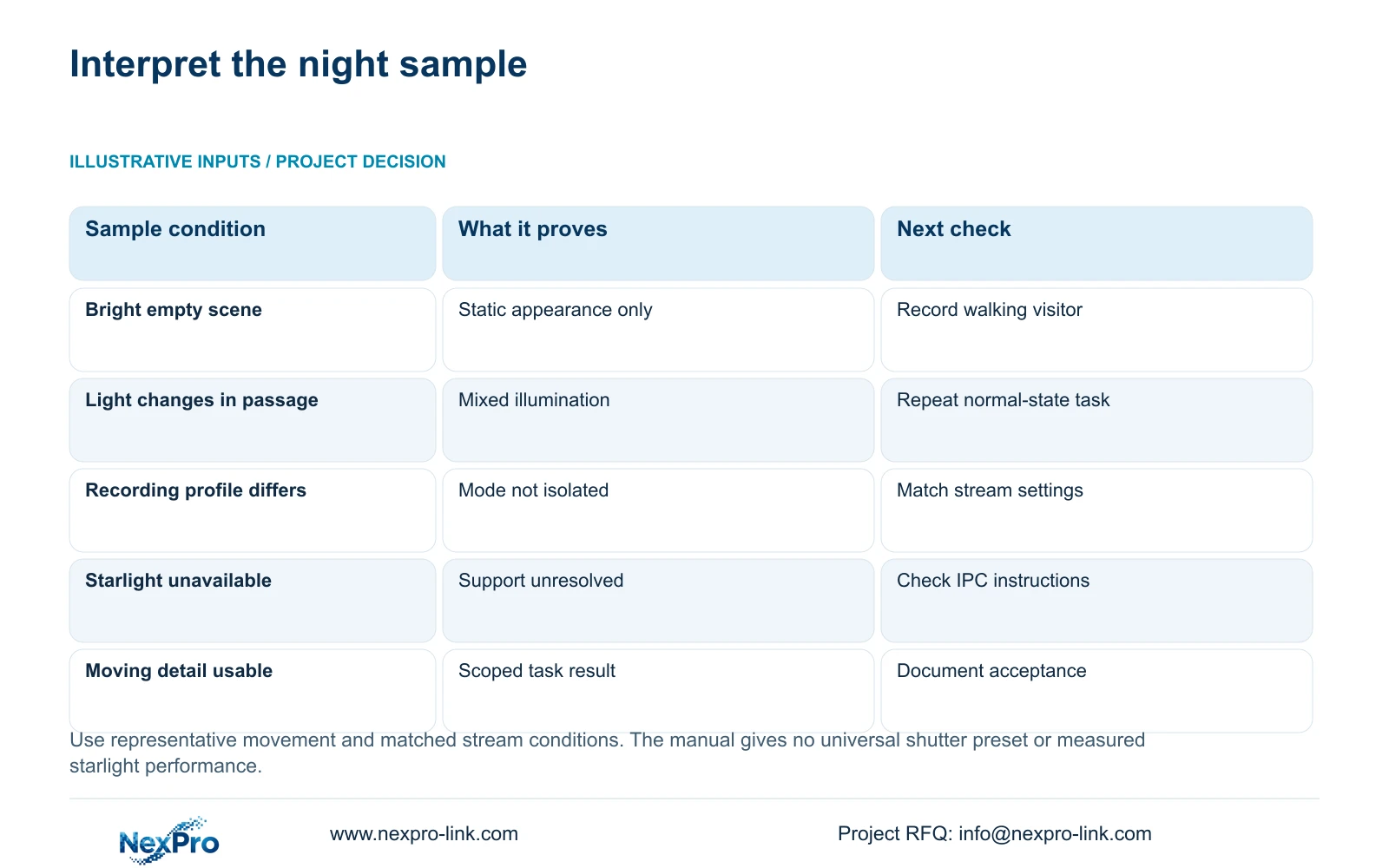
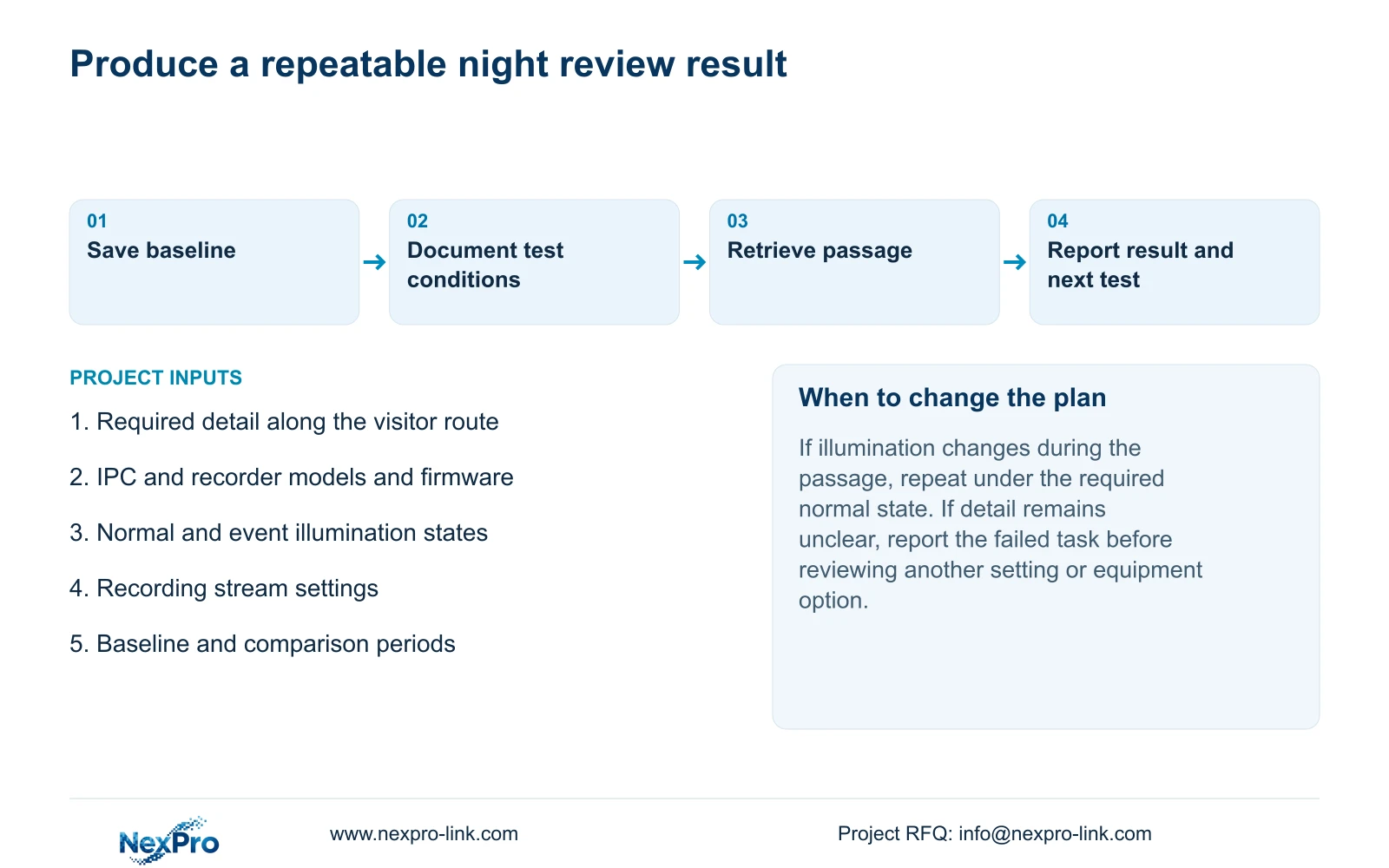
Use the decision table to keep acceptance and unresolved diagnosis separate. Report the configuration, viewing method and failed target region so another engineer can repeat the check.
| Observed result | Meaning | Next action |
|---|---|---|
| Empty scene bright; visitor detail unclear | Static appearance passes only a limited check | Evaluate recorded movement under documented settings |
| Light changes during the passage | Illumination conditions differ | Repeat the required normal-state passage |
| Starlight control is unavailable | Mode support remains unresolved | Obtain camera-specific instructions |
| Live and recorded samples use different profiles | The comparison does not isolate the mode | Match stream conditions and repeat |
| Required moving information remains visible | The tested task has a usable result | Document conditions and acceptance scope |
Section 07
Apply the test to a factory gate
Illustrative project scenario: A factory gate looks bright in an empty night scene but operators cannot confidently review a walking visitor. Preserve that recording, document its illumination and stream settings, and define the information missing during the passage. Test one supported IPC adjustment under comparable conditions. If the result remains inadequate, carry the failed moving-target requirement into a camera or lighting review rather than accepting the empty scene as the baseline.
Section 08
Does this manual provide a universal starlight shutter value?
No. The supplied basis lists the mode without establishing a universal shutter mechanism or numerical preset. Use applicable camera information and the recorded moving-target task.
Section 09
Can an empty night demonstration approve the gate camera?
It can show the empty scene's appearance. Approval of a visitor-review task also needs representative recorded movement under the required lighting and playback conditions.
Section 10
Source and test scope
This guide uses NVR4.0 user manual CH_V2.4.doc, with V2.2 in its body, sections 4.4.3, 4.4.7, 4.4.8, 4.12.15, 4.4.5, 4.3.3.3, 4.10, 4.11.4 and 5.3. The proposed comparisons are engineering checks, not a reported device test.
Section 11
Provide the failed moving-target task
Send NexPro-Link the IPC and recorder identities, night illumination state, recording profile and detail that remains unclear during movement at info@nexpro-link.com.
Engineering references
These sources support the general planning principles. Always use the selected product's current datasheet and applicable project standards for final design.


