

Configure recorder email from the provider's actual requirements, then distinguish a successful SMTP test from delivery of a configured alarm notification.
Section 01
Match the sending fields to the approved mail service
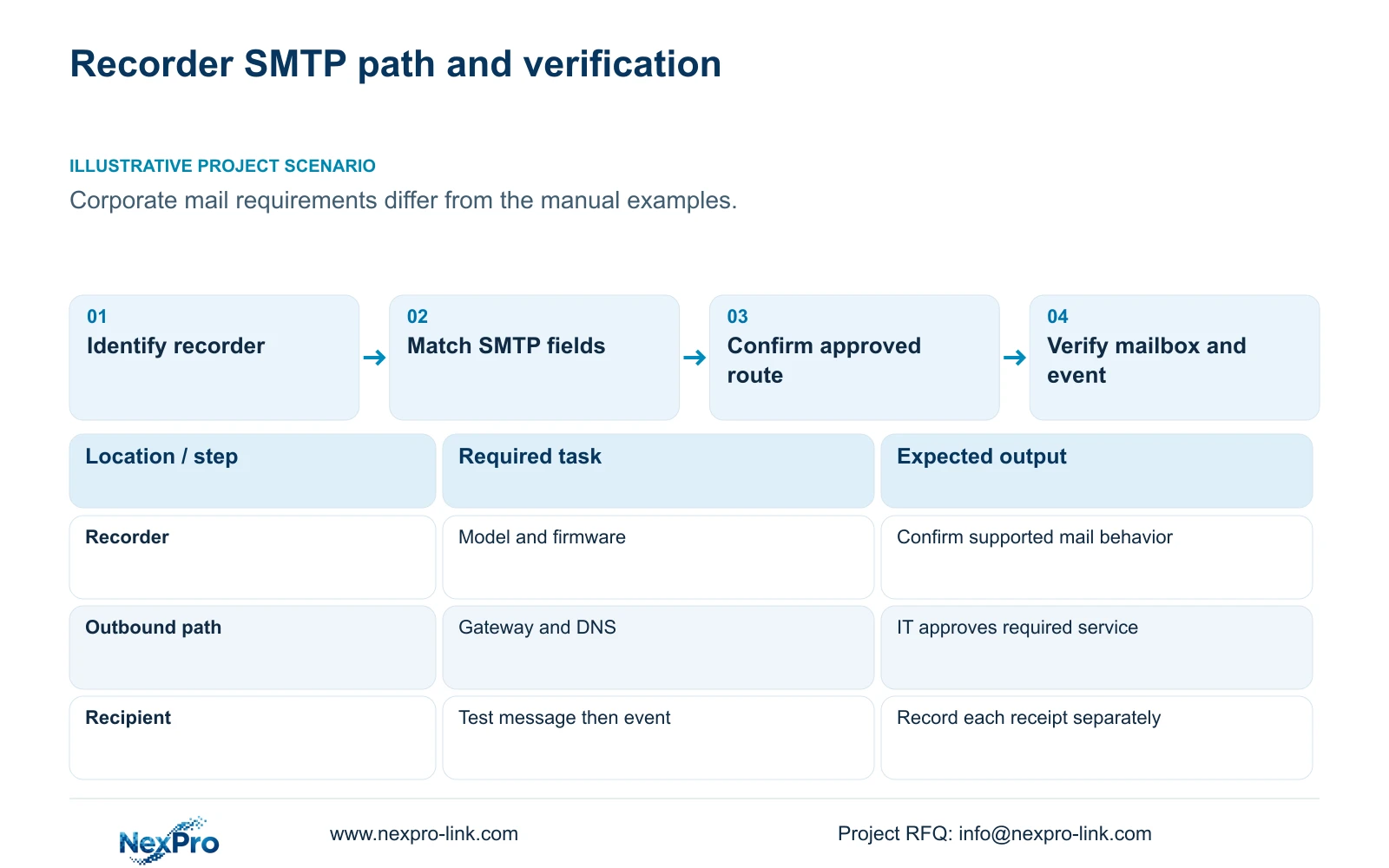
Use the mail provider's requirements for the SMTP server, port, encryption and authentication, then confirm that the identified recorder can support them. The supplied manual's default port 25 and TLS control describe that document's configuration interface; they are not universal settings for corporate email. A successful setup also needs an approved network route and a receiving mailbox that passes the test. Once those work, test an actual armed event separately. If the provider requires behavior that the recorder's firmware cannot establish, retain the site's security requirements and resolve the compatibility question before deployment.
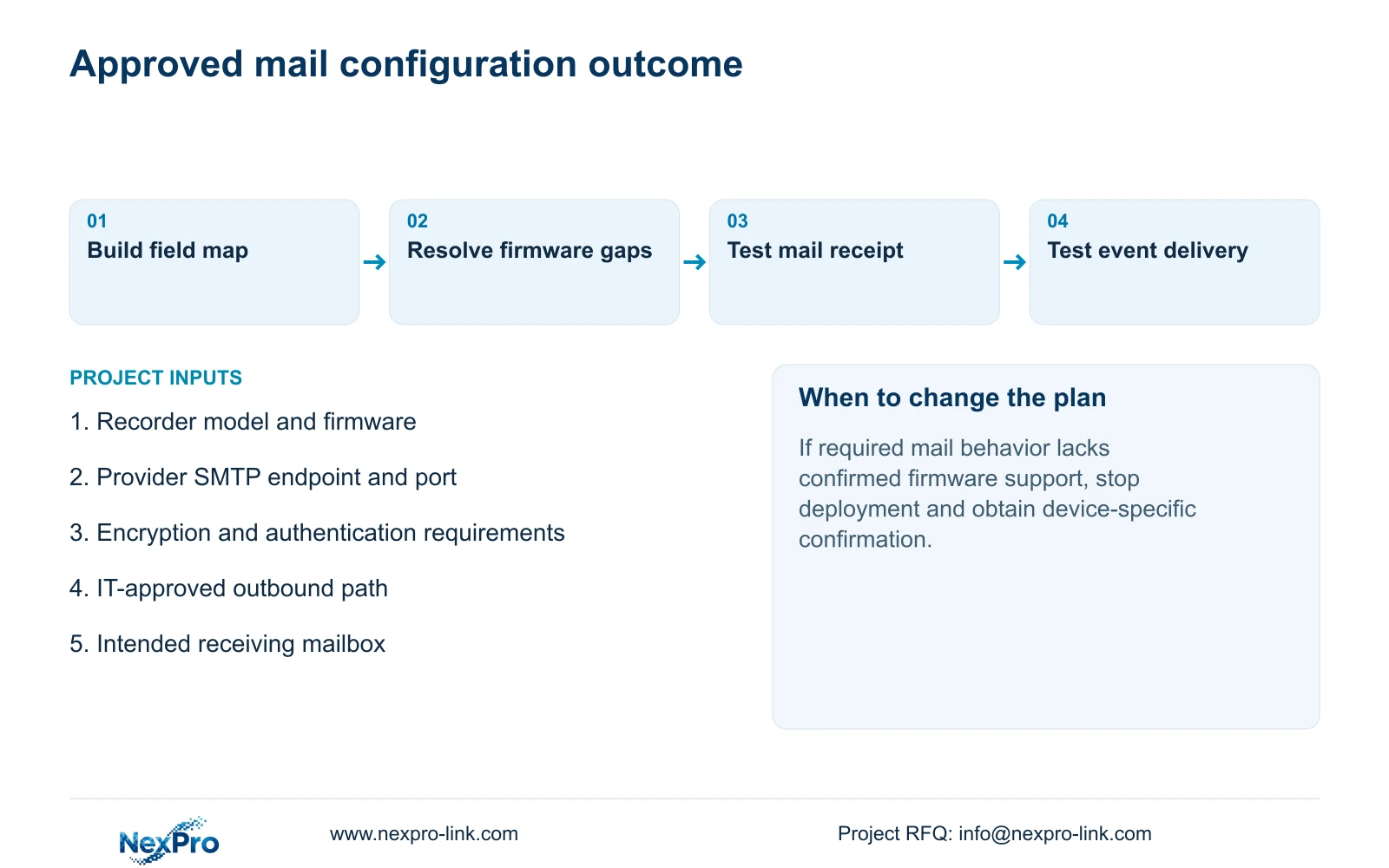
Create a field map before entering settings. Against each recorder field, record the provider's required value or behavior and whether the installed firmware supports it. Keep credentials outside this comparison. A server name copied from an old example is unsuitable evidence for a different organization's service, even when the interface accepts it.
The manual describes preset and custom SMTP settings. Select a preset only when its actual values match the approved service. A TLS checkbox alone does not establish every encryption or authentication behavior the provider may require; unresolved differences need device-specific confirmation.
Section 02
Identify the recorder before judging compatibility
Record the product model, hardware version, software version and software date from System Information. Attach these details to the field map so the compatibility discussion concerns the installed unit. A family name or a claim that software is current cannot establish support for the requested mail service.
This guide follows the private supplied file NVR4.0 user manual CH_V2.4.doc, whose body identifies V2.2. Section 4.12.10 supplies the SMTP field description, and section 4.12.19 supplies the identity checks. Sections 4.3.3.2, 4.12.8 and 4.12.11 support the route and alarm checks below. Section references take priority over page numbers.
If the installed interface differs, preserve the exact mismatch and request applicable instructions. Do not substitute Seetong PC settings for the recorder's local interface. The manual also establishes no mapping between its TS models and NexPro-Link commercial SKUs.
Section 03
Have IT confirm the outbound route and DNS
Local camera pictures demonstrate the camera-to-recorder path. The recorder's connection to a mail service can use a different route. Check the selected default route, gateway and DNS with the site IT team, then use the applicable remote-network diagnostic view to separate reachability from name resolution.
Ask IT to confirm the approved destination and outbound service requirement. Keep this request specific enough that a failed test can be traced to the intended path. Blanket public port exposure and unrelated firewall changes do not resolve an unknown encryption or authentication requirement.
Cloud status provides a separate observation. Cloud activation and account authorization are not proof that SMTP works, just as a working mailbox does not prove cloud access. Record which service fails before choosing the next check.
Section 04
Test the approved sender and actual recipient
Use the approved sending account and receiving mailbox for the recorder's email test. Record the test time, the result shown by the recorder and whether the intended recipient received the message. Keep screenshots redacted and omit authentication secrets from the diagnostic record.
If the test fails, compare the field map with the provider requirements and the firmware scope. Then investigate the specific route, DNS or service observation that remains unresolved. Change one identified variable at a time so the next result has a useful explanation.
If the test succeeds, leave the proven sending configuration in place while checking event linkage. The test verifies the configured mail route. Detection, arming and the email action still need their own acceptance test.
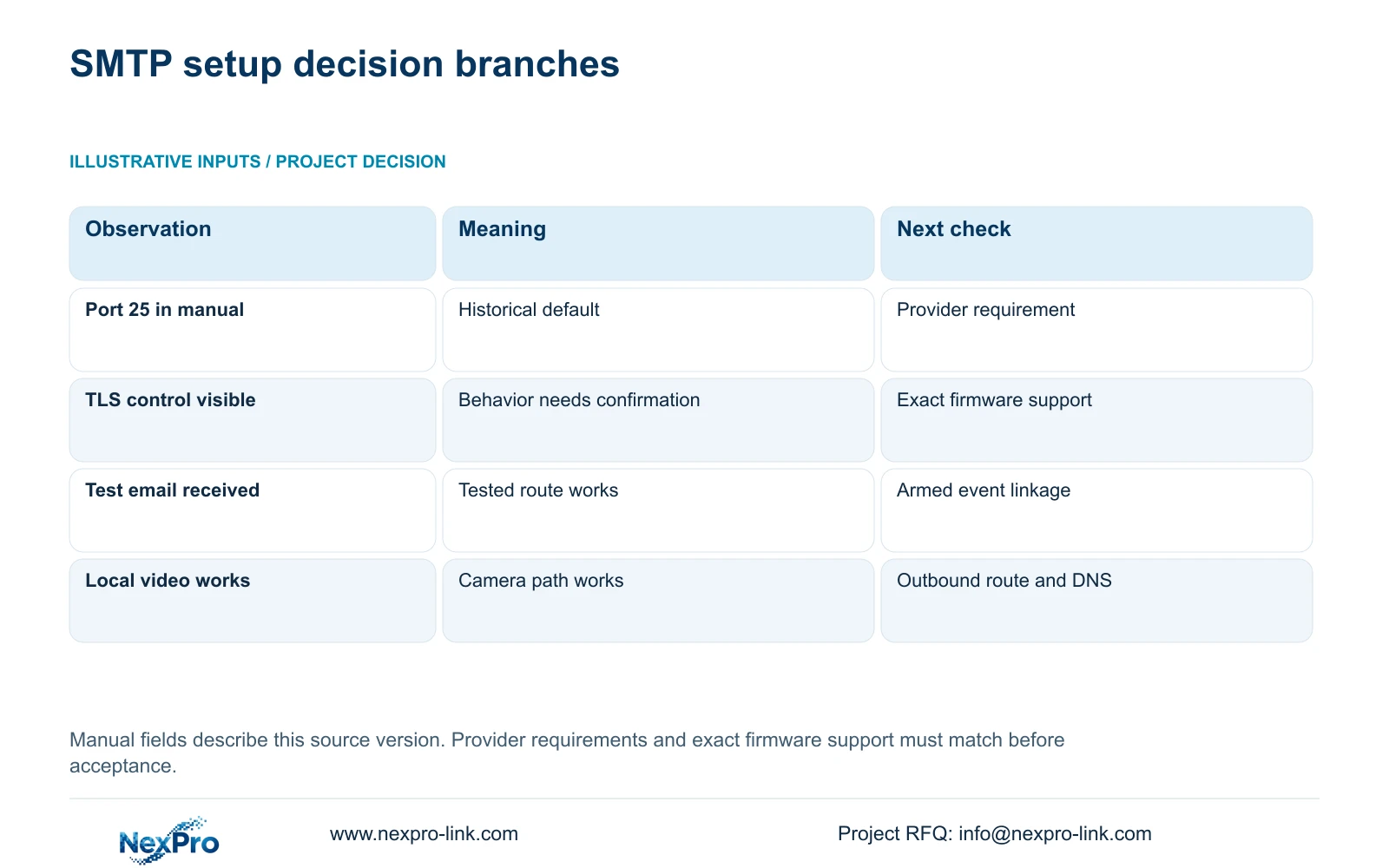
| Observation | What it establishes | Next action |
|---|---|---|
| Live cameras work; email test fails | The local video path works | Check SMTP scope, outbound route and DNS |
| Provider requirement has no confirmed firmware support | Compatibility remains unresolved | Obtain device-specific confirmation before deployment |
| Test message reaches the intended mailbox | The tested sending route works | Trigger an approved armed event |
| Popup appears; alarm email does not | The visible action occurred | Check email linkage and send interval |
Section 05
Verify the event response after mail connectivity
Choose an identifiable channel and an approved test event. Check detection, its arming period and the selected email linkage before triggering it. Compare the event time with mailbox receipt and any other required result. The manual describes a default one-minute sending interval during which other emails are suppressed, so event count cannot be treated as message count.
Section 4.12.11 lists buzzer, popup, email, sending a screenshot, snapshot capture, preset call, recording, flashing and app push as distinct actions. Inspect each required destination. A popup confirms neither stored footage nor receipt of an attachment.
Where recording is part of the requirement, inspect the relevant timeline or verified export. Keep an action's duration separate from the required footage retention period. Neither setting can be inferred from a successful SMTP test.
Section 06
Resolve incompatibility without weakening site policy
Illustrative project scenario: An overseas buyer uses a corporate mail service whose requirements differ from the examples in the manual. The engineer compares the service requirements with the recorder identity and firmware behavior, obtains IT approval for the required outbound path, and tests mail receipt before event delivery. These are proposed checks, not a delivered project result.
If the firmware cannot support the approved service, document that specific gap for the owner and supplier. Do not turn successful transmission under weaker settings into acceptance of the required configuration. Any alternative arrangement needs separate agreement and evidence.
NexPro-Link's BOQ and tender support scope can help place this unresolved requirement in the equipment schedule, including who confirms device compatibility and who approves network access. That project record should retain the test method and remaining issue without carrying passwords.
Section 07
Should port 25 remain because it is the manual default?
Only if it matches the approved provider requirement and supported recorder configuration. The historical default does not establish the correct port for another service.
Section 08
Does a TLS option prove corporate mail compatibility?
No. Confirm the required encryption and authentication behavior against the exact recorder and firmware. Menu visibility alone leaves that compatibility question open.
Section 09
Submit the unresolved compatibility requirement
Send NexPro-Link the recorder model and firmware with the provider's non-secret SMTP requirements at info@nexpro-link.com.
Engineering references
These sources support the general planning principles. Always use the selected product's current datasheet and applicable project standards for final design.


