

The SMTP password field belongs to the sending service. Establish its credential requirements and ownership separately from recorder, camera and cloud access.
Section 01
Identify whose account sends the alarm message
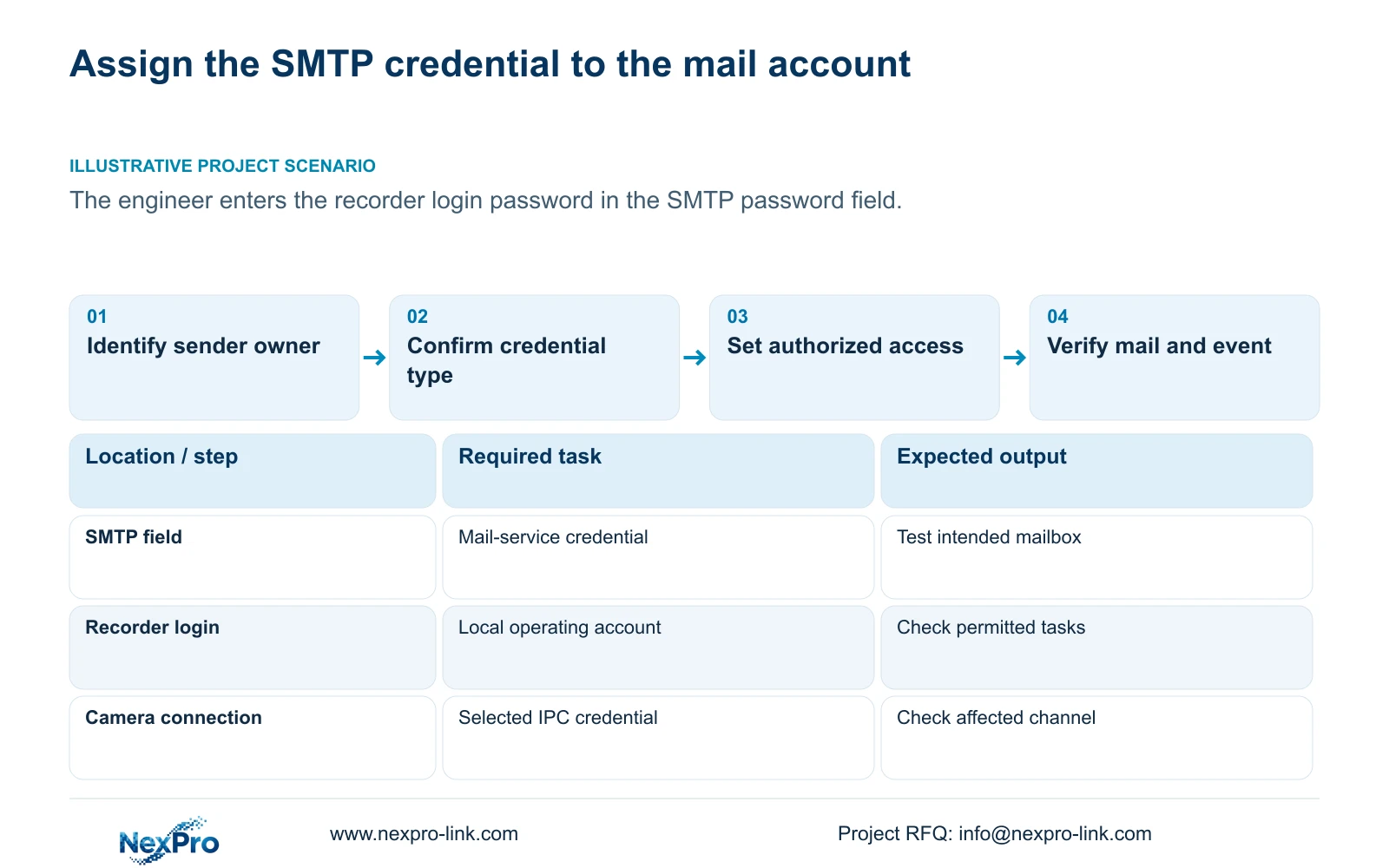
Enter the credential required by the approved mail service in the recorder's SMTP password field. The recorder login password does not authenticate an unrelated sending mailbox. Some examples in the supplied manual use a provider authorization code for third-party access, but that workflow applies to the particular service, not every provider. Before setup, identify the mailbox owner and confirm the required credential type against the recorder's supported behavior. Restrict who may edit the settings, verify receipt without exposing secrets, and transfer administration through a controlled process. Repeat the mail and event tests whenever the sending credential changes.
Assign responsibility for the sending account before configuration. The owner should identify who approves its use, who maintains its credential and who authorizes a recipient change. Record these responsibilities in the service record so an installer leaving the project does not leave an unexplained mail dependency.
The manual's preset and custom SMTP examples describe fields, including port 25 and TLS controls. Obtain the service's actual server, port, encryption and authentication requirements. Choosing the correct credential type does not resolve a separate firmware compatibility gap.
Section 02
Map each credential to its own operating object
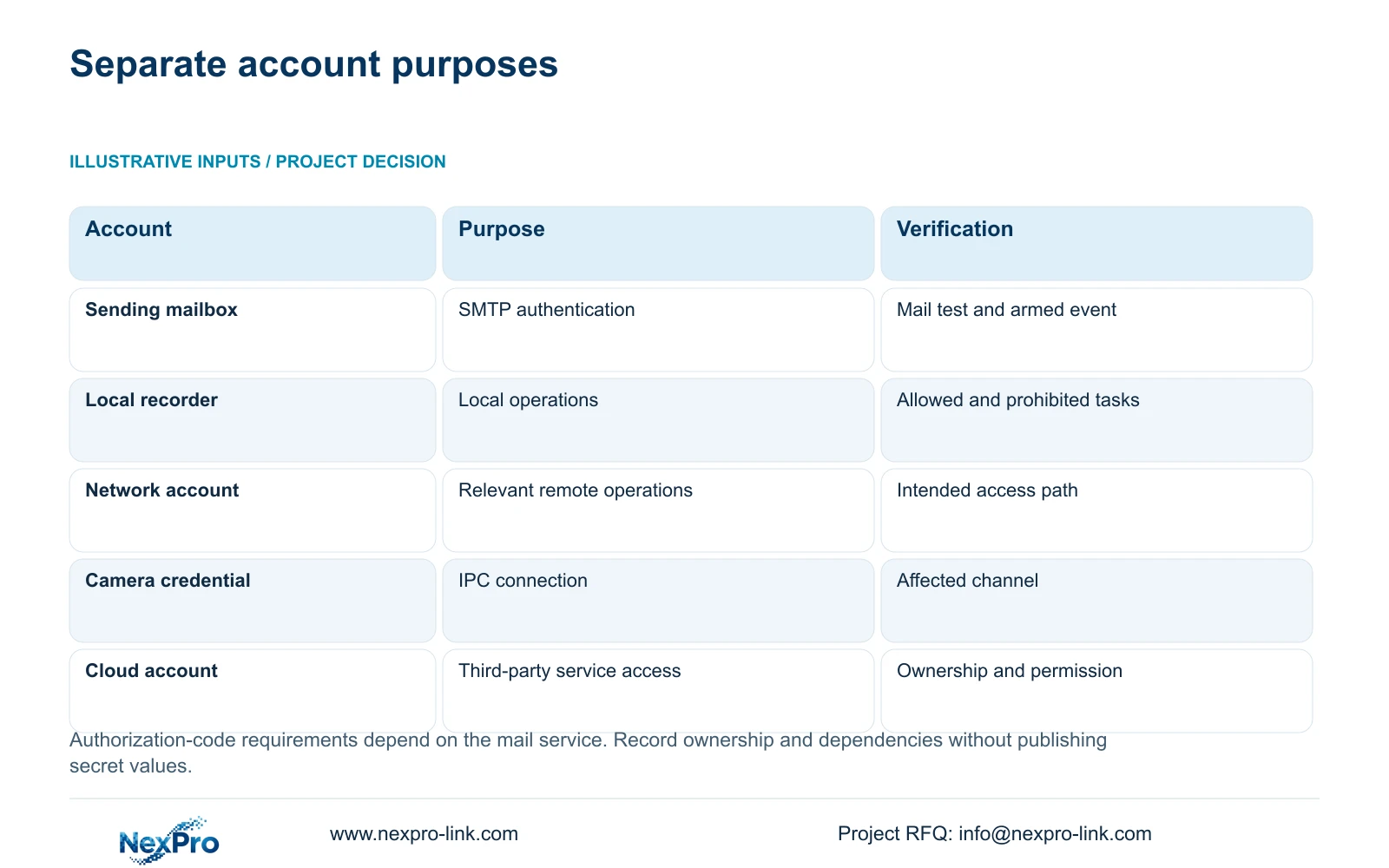
Separate the sending-mail credential from the recorder's local user, its relevant network-user permissions, the camera connection credential and the third-party cloud account. Each belongs to an identified operation. Similar field names do not establish a shared password or shared ownership.
A channel's connection settings authenticate its IPC. Editing that channel does not change every camera or the mail service. Likewise, successful local recorder login does not prove that the same account can perform a remote task. Mark dependencies by object and responsible holder, without storing plaintext secrets in a BOQ or general project email.
This guide follows the private supplied NVR4.0 user manual CH_V2.4.doc, with V2.2 in its body. Sections 4.12.10, 4.1, 4.3.1 and 4.12.3 support the mail and account distinctions. Sections 4.11 and 4.12.17 through 4.12.20 support the handover and validation workflow. Locate instructions by section, not old page numbers.
| Object | Credential purpose | Change dependency |
|---|---|---|
| Sending mailbox | Authenticate the approved mail service | Retest SMTP and alarm receipt |
| Local recorder user | Authorize local recorder operations | Retest allowed and prohibited local tasks |
| Network access account | Authorize the relevant remote task | Retest that account on its intended path |
| Camera connection | Authenticate the selected IPC | Check the affected channel |
| Third-party cloud account | Access the relevant cloud service | Confirm cloud ownership and permissions separately |
Section 03
Limit who can modify the sending configuration
Use the manual's local and network permission distinctions to assign configuration access deliberately. Preview, playback, system settings and PTZ are separate tasks; local recording backup also has a separate permission. A duty operator who needs live viewing does not automatically need authority to replace the sending account.
Test the intended account on the intended access path. Confirm that its required task succeeds and that a prohibited configuration task remains unavailable. This two-sided check catches excessive access as well as missing rights. Do not treat a successful administrator session as evidence that the operator's account is correctly scoped.
The remote-upgrade permission row contains inconsistent descriptive text in the source. It cannot establish that operation's behavior. Keep the mail-setting permission test tied to the installed interface and obtain applicable confirmation if the relevant control is unclear.
Section 04
Verify sending without exposing the credential
Enter the approved credential through the authorized configuration process and run the recorder's email test. Record the time, selected recipient and receipt result. A redacted record should describe the credential type and its owner without revealing its value.
If sending fails, first establish whether the correct service credential was used. Then compare the server and encryption requirements with the recorder's supported behavior. Avoid changing camera or cloud credentials to troubleshoot an isolated SMTP failure, because those changes affect different operating objects.
After the test message arrives, trigger an approved armed event and check actual alarm delivery. Detection, arming and linkage remain separate conditions. The source describes a default one-minute send interval that suppresses other emails within that interval; receipt counts therefore need context.
A screenshot of a successful test should not include passwords, cloud identifiers or QR codes. Keep any sensitive account details in the owner's controlled record rather than the technical acceptance sheet.
Section 05
Transfer responsibility as well as access
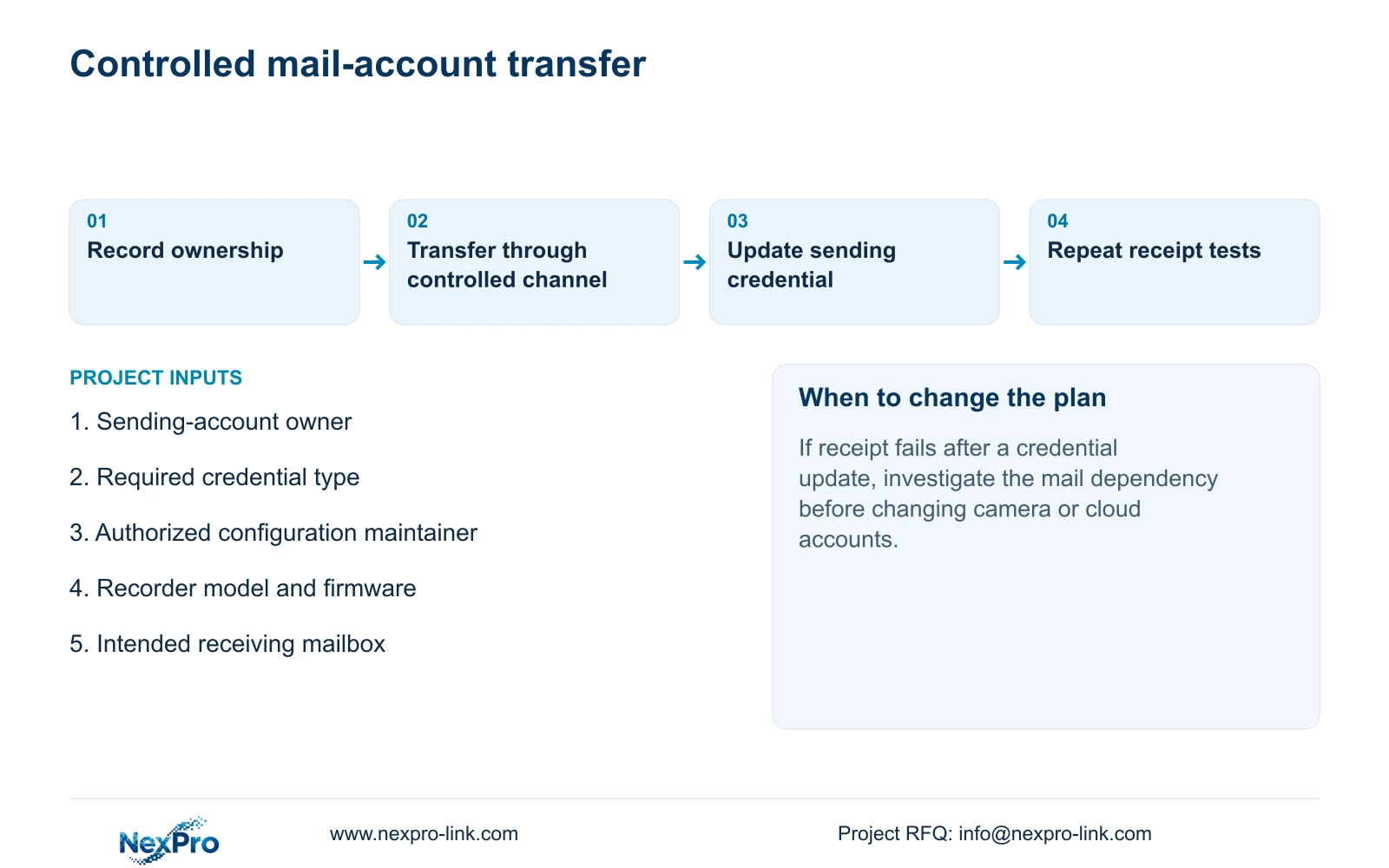
The handover record should name the sending-account owner, the authorized configuration maintainer and the recipient-list approver. Keep the applicable recorder version and configuration-backup location with that record. Transfer credentials through the owner's approved controlled channel.
Demonstrate what the new responsible operator can do. For this task, the operator should understand where alarm email goes, how to report a failed receipt and whom to contact for a credential update. Broader recorder handover should also demonstrate channel identification, retrieval of a required period and a playable export.
NexPro-Link's BOQ and tender support can help keep these configuration responsibilities distinct from equipment supply. A completed document folder does not prove that the owner has accepted account administration or can repeat the operating task.
Section 06
Repeat functional checks after the mail credential changes
Illustrative project scenario: A project engineer fills the SMTP password field with the recorder login password during setup. The corrective workflow identifies the sending mailbox, confirms its required credential type, and replaces only the wrongly assigned mail credential through an authorized process. It then tests receipt and an armed event. No completed result is assumed.
After a later credential change, repeat those same tests and record the changed variable. Check the intended accounts and confirm live view, recorder time, newly produced footage, a relevant historical sample and export as the operating acceptance requires. These observations establish what still works instead of relying on an online indicator.
If the mail test fails after the update while recording remains usable, keep the investigation focused on the sending dependency. If another task also fails, record it separately for support. Do not assume a device has an automatic rollback mechanism or use a wider system change to obscure the credential issue.
Section 07
Does every mail provider require an authorization code?
No. The manual's examples are provider specific. Use the credential type required by the approved service and confirm that the recorder supports the corresponding authentication behavior.
Section 08
Should the equipment schedule contain account passwords?
No. Record account purpose, ownership and update dependencies there. Transfer the actual secrets through a separate controlled process.
Section 09
Clarify the sending-account requirement
Send NexPro-Link the recorder model and firmware with the mail service's required credential type, excluding the secret itself, at info@nexpro-link.com.
Engineering references
These sources support the general planning principles. Always use the selected product's current datasheet and applicable project standards for final design.


