

Smart fast-forward applies different review speeds to existing recording types. Use it for broad navigation, then inspect candidate incidents carefully without treating it as new AI detection.
Section 01
Use existing recording types to organize the review
Smart fast-forward changes playback speed for ordinary and alarm footage in the supplied manual. Use that distinction to navigate a long review period, then return to an appropriate speed for each candidate incident and its surrounding context. The description establishes no retrospective face, plate or object detection. Before relying on the feature, confirm the correct channel, date and available recording types. If a known alarm interval is absent, check the search selection and event path rather than assuming the feature has searched every image. Preserve a usable incident export and report the interval actually reviewed, including any remaining coverage or classification uncertainty.
Section 4.11.3 defines the function through different playback speeds for ordinary and alarm recordings. Its value is review organization: the operator can give existing classified intervals different attention. The source does not supply universal speed settings or a measured review-time reduction, so choose the available settings against the task on the identified recorder.
This guide follows the private supplied NVR4.0 user manual CH_V2.4.doc, with V2.2 in its body. Sections 4.11.2, 4.11.3, 4.12.15 and 4.11.4 support the workflow; sections 4.3.3 and 5.3 support controlled diagnostic reporting. Section references take priority over pagination. Recorder footage is separate from Seetong PC local recordings.
Section 02
Confirm the footage being prioritized
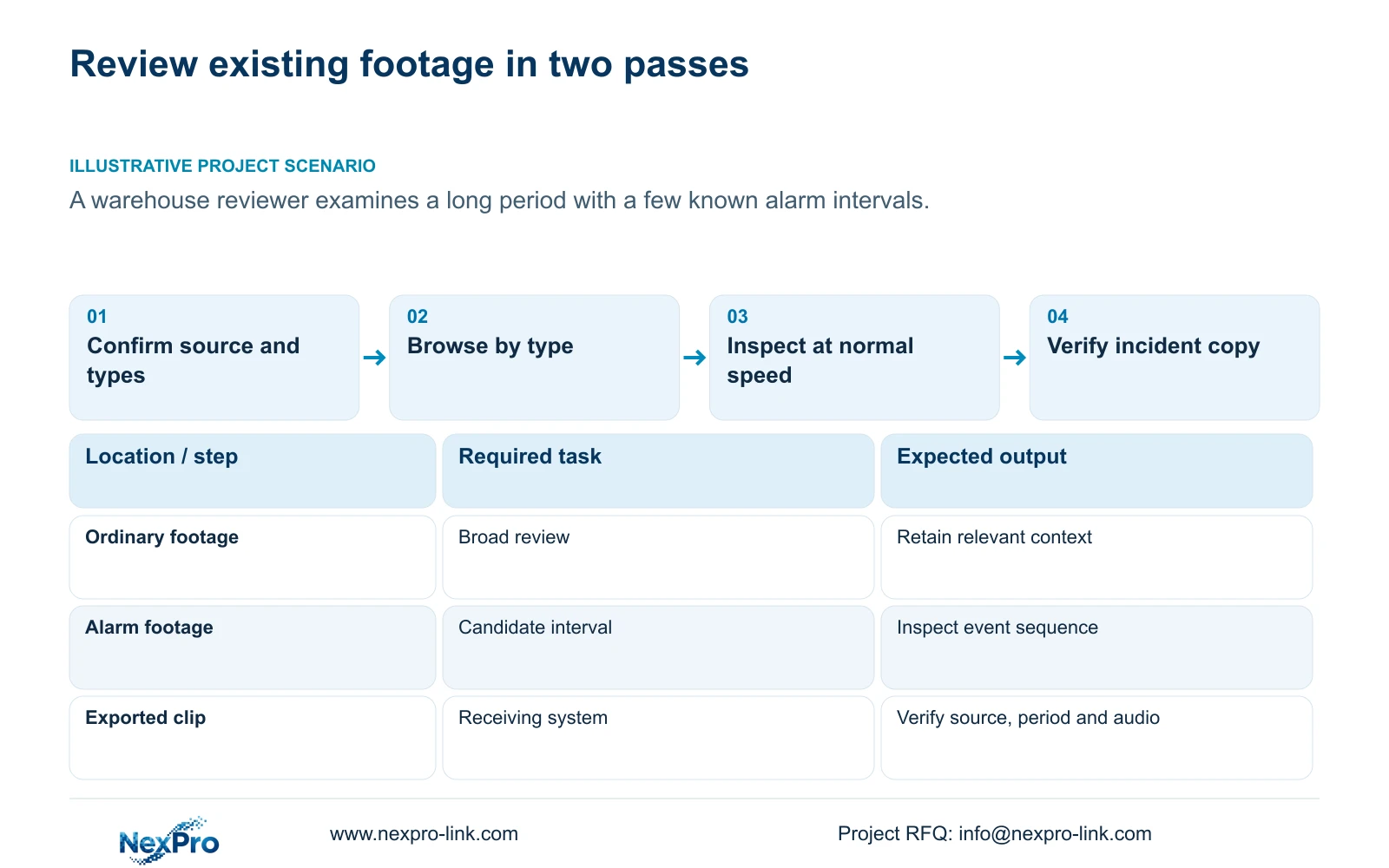
Section 4.11.2 says playback initially follows the channel selected in preview. Explicitly select the warehouse camera before applying a review strategy. Confirm the date, incident time reference and enabled ordinary, alarm and motion selections. An unintended type restriction can remove relevant context before speed controls are used.
Orange dates indicate recordings and grey dates indicate none in the documented workflow. A colored date does not establish full coverage of the review period, and the presence of some alarm footage does not establish that every relevant event has an alarm classification.
Compare the known alarm intervals with footage actually available. If the expected interval appears, use it as a candidate for closer review. If it does not, broaden the relevant selections on the same camera and date. Preserve the distinction between a recording that cannot be found and an activity that did not happen.
| Review state | Interpretation | Next action |
|---|---|---|
| Ordinary and alarm footage available | Type-based navigation can be used | Browse broadly, then inspect candidate intervals |
| Expected alarm interval missing | Selection or event path needs checking | Broaden types and trace the event source |
| Short event passed during coarse navigation | The operator may have skipped its interval | Position directly and review at normal speed |
| No target found after review | Only the reviewed scope is established | Record coverage and remaining uncertainty |
Section 03
Move from broad navigation to close inspection
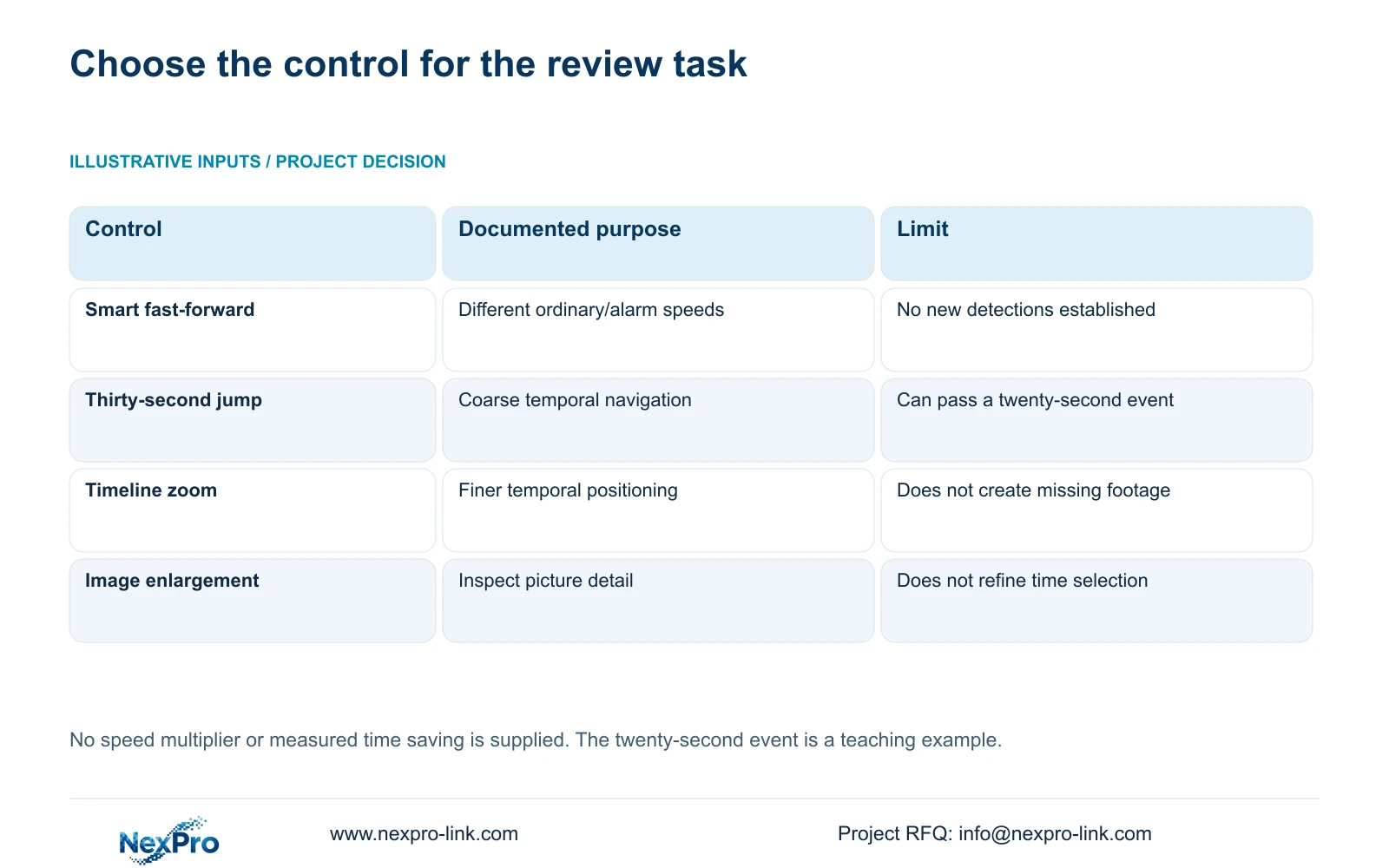
Use smart fast-forward to locate periods worth examining, then narrow the time window. Section 4.11.3 also provides direct time positioning, timeline zoom and thirty-second forward/backward jumps. These controls solve different navigation problems and should not be treated as interchangeable proof of review completeness.
The source's twenty-second teaching event can fit between positions separated by a thirty-second jump. Even when footage exists, coarse navigation can miss the activity. Once a likely interval is identified, position before it and play through the relevant span at normal speed. Include enough context to understand what happened before and after the target action.
Timeline zoom refines temporal positioning. Electronic image enlargement changes picture inspection. If the reviewer needs both, use each deliberately and retain the camera and time reference. When a detail remains unclear, describe that limitation instead of claiming that a faster review has ruled out an event.
Section 04
Trace alarm classification to its actual event source
Smart fast-forward does not establish a new analysis process over previously stored images. Section 4.12.15 describes a separate event workflow: enable the NVR-side function, then open Front-end Settings to configure the IPC region or line, direction and sensitivity. The camera's event capability and the recorder's response must both suit the task.
If the reviewer expects an intrusion or line-crossing interval to receive special attention, verify that event path on the actual camera and recorder. A checkbox does not supply an unsupported camera algorithm or guarantee that a third-party event arrives in the required form.
Do not change the historical conclusion merely because a future event configuration is corrected. Improving detection settings affects the proposed operating workflow; it does not establish that earlier footage received the same classification. ONVIF profiles can help frame device/client requirements, but the actual event behavior still needs model-specific evidence.
Section 05
Preserve a clip that supports normal-speed review
After identifying the incident, select its source and start/end time in the backup workflow described by section 4.11.4. The fast-forward session is a navigation method. The required deliverable is footage that the authorized recipient can inspect at normal speed, including the relevant context.
Open the exported file on the intended receiving system. Confirm the channel, period, actual event sequence and any required audio. The manual mentions players such as VLC, without guaranteeing every operating-system and codec combination. Record the tested viewing method.
Protect the relevant original footage until the required copy has been verified. A completed backup progress indicator does not establish that the target interval or correct camera was selected. If the file omits the event, return to the export scope and timeline checks before treating the copy as accepted.
Section 06
Limit the conclusion to the footage examined
A review record should identify the source, date, time range, enabled types and intervals inspected closely. Note whether the target was found, whether required context was available and whether the exported file was verified. These observations allow another reviewer to understand the basis of the conclusion.
If no target is found, separate the possibilities still supported by the evidence: the search may exclude relevant footage, the event may lack the expected classification, or the required interval may be unavailable. Choose the next smallest check instead of assigning a storage or analytics fault from an empty result.
Where actual menus or behavior differ from the manual, stop extending the documented workflow and obtain the applicable model/firmware explanation. Report a bounded result such as no target observed in the reviewed available interval, rather than claiming that the system proved no incident occurred.
Section 07
Plan the warehouse review in two passes
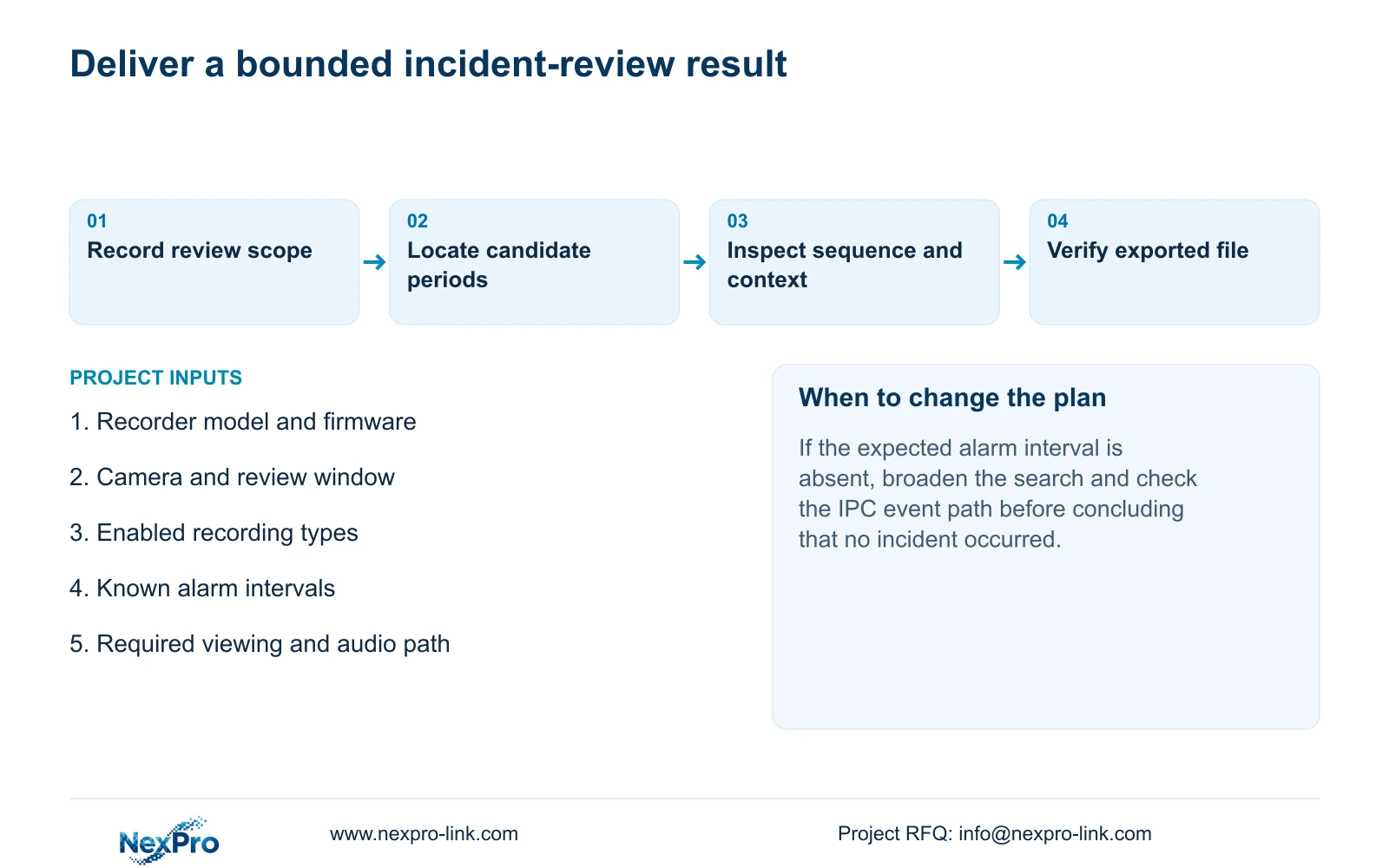
Illustrative project scenario: A warehouse reviewer needs to examine a long period containing a few known alarm intervals. The first pass confirms the source and uses type-based speeds to locate candidate periods. The second pass narrows those periods and checks the event sequence at normal speed before export. Ordinary footage remains relevant when the activity may not have generated an alarm. No measured time saving or completed investigation is implied.
Section 08
Can smart fast-forward find new faces or number plates?
The supplied description establishes playback speeds by recording type, not retrospective face or plate analysis. Any separate analysis requirement needs its own supported function and model evidence.
Section 09
Can ordinary footage be omitted from an incident review?
Only when the defined review purpose permits that scope. Relevant activity can lack the expected alarm classification, so review ordinary context where it affects the conclusion.
Section 10
Clarify the review task
Send NexPro-Link the recorder model and firmware, review window and available ordinary/alarm types at info@nexpro-link.com.
Engineering references
These sources support the general planning principles. Always use the selected product's current datasheet and applicable project standards for final design.


