

Resolve NVR SIP registration errors by mapping the receiving platform's parameter sheet to separate server, authentication and channel fields.
Section 01
Map the approved parameter sheet before entering values
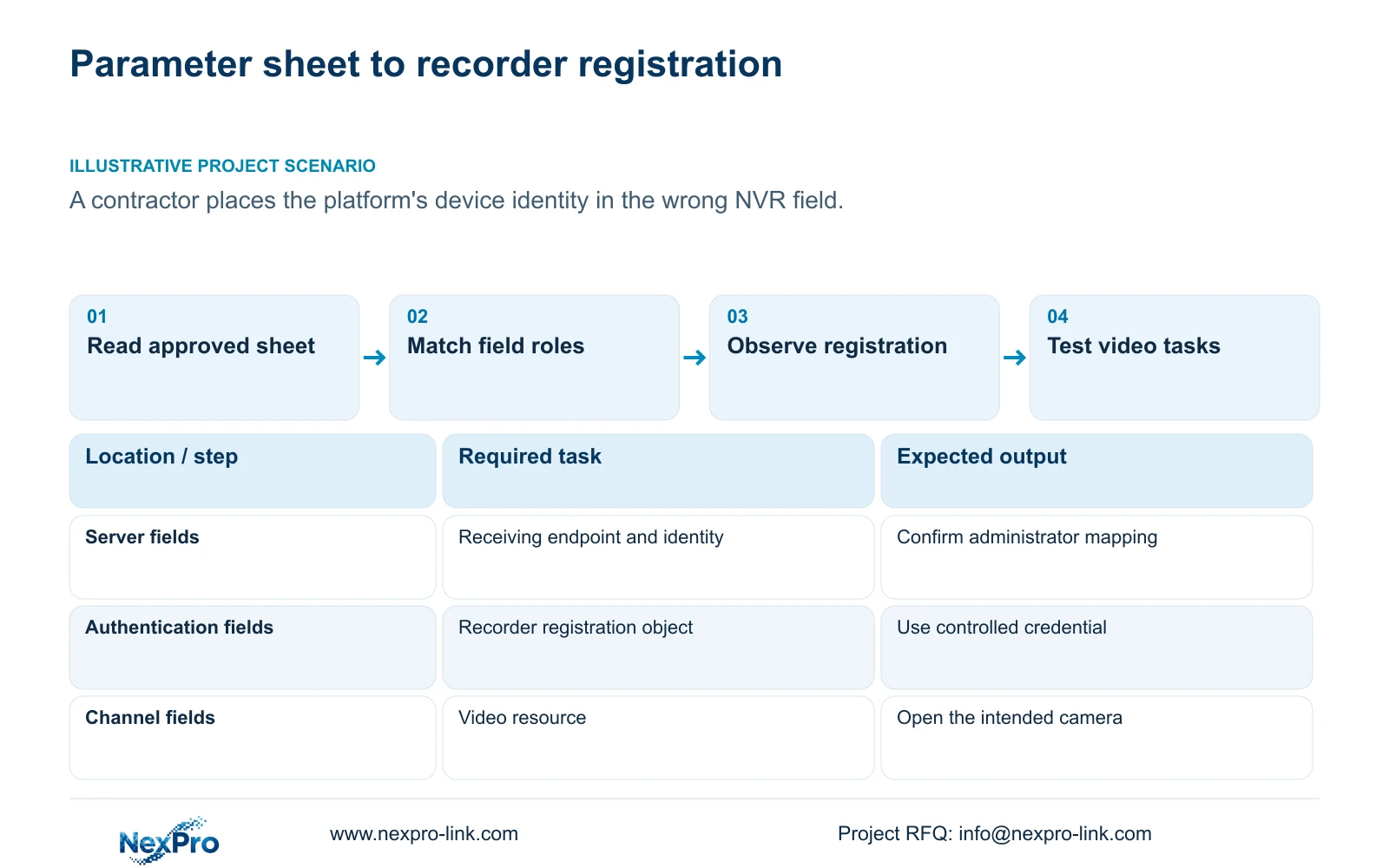
Use the receiving platform's approved configuration to populate the NVR's GB28181 fields, keeping server information, authentication identity and channel identity separate. When registration fails, compare the parameter sheet with the installed recorder field by field before changing passwords or network settings. A value entered successfully can still belong to the wrong object. Confirm ambiguous field names with the platform administrator, record the actual recorder version, and retest after correcting the identified mismatch. Registration is the first verification result; live video and playback need their own checks. This workflow addresses parameter-placement errors without treating every failed platform task as an authentication problem.
Build a working mapping with the platform's field name, the corresponding recorder field and the party responsible for confirming the value. Record confirmation status without putting credentials in the general equipment schedule. If the sheet lacks a required value, request that value instead of borrowing a superficially similar identifier.
Section 02
Identify the interface covered by the instructions
This guide follows the private NVR4.0 user manual CH_V2.4.doc, whose body identifies V2.2. Section 4.12.9 describes GB28181 settings. Sections 4.1, 4.3.1 and 4.12.3 distinguish relevant account and camera-connection objects; sections 4.3.3.2 and 4.12.8 support network checks. Device identification comes from section 4.12.19, and sections 4.3, 4.11 and 4.12.21 support recording verification.
Use section titles when locating instructions because pagination can change. Match the installed model and firmware before translating the sheet into interface entries. A Seetong PC settings page is a different operating object and cannot substitute for the recorder's GB28181 page. The manual's TS codes are not established commercial-SKU equivalents.
Section 03
Separate the server identity from recorder authentication
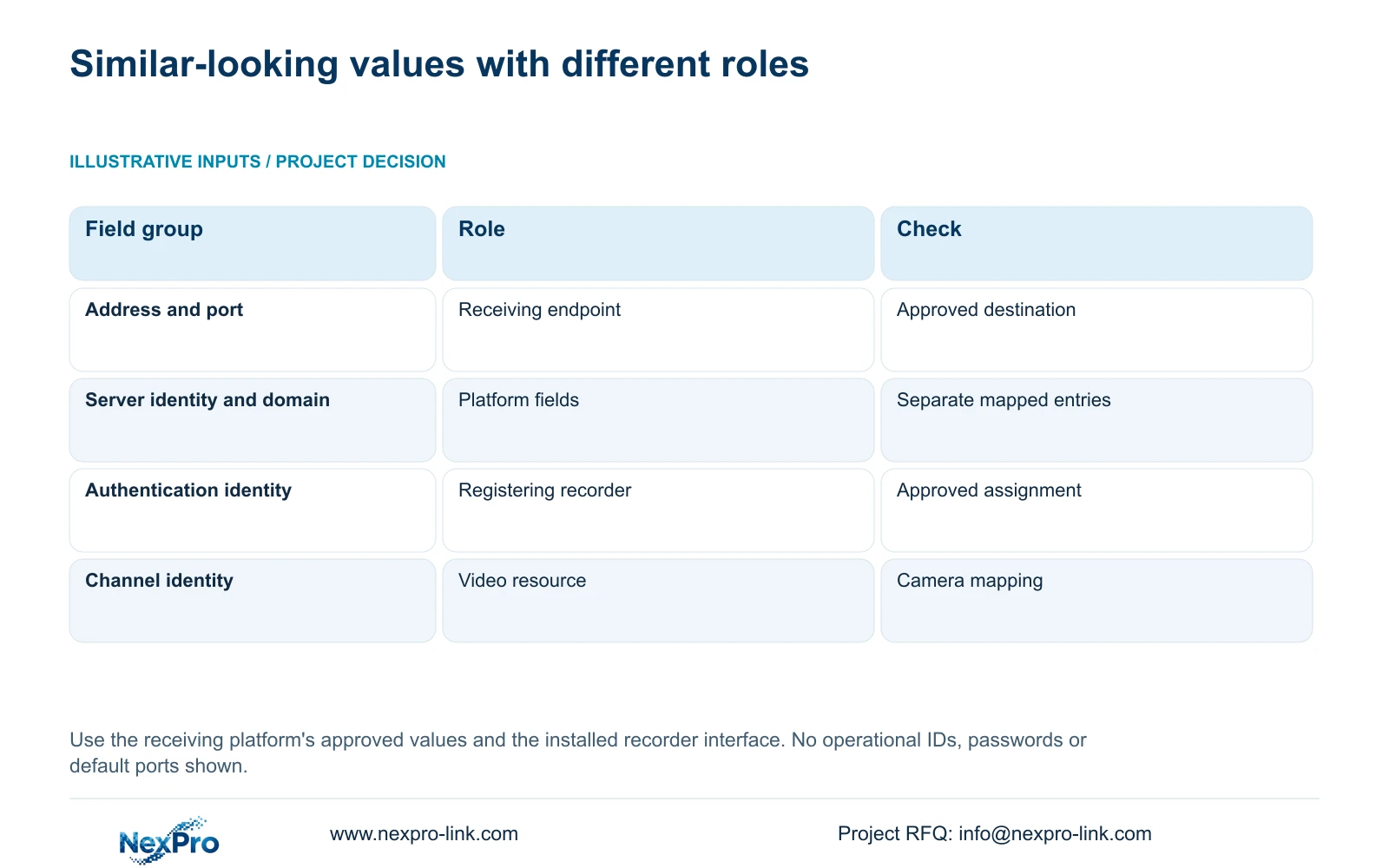
The server address and port describe the receiving endpoint. The server identity describes the platform-side object, while the recorder authentication identity belongs to the registering device's approved relationship with that platform. Keep the domain value in its own mapped field. Similar formatting does not make these entries interchangeable.
Channel-identification values describe video resources. Entering a channel value where the platform expects a recorder authentication identity can leave the configuration looking complete while the receiving side interprets a different object. Where the parameter sheet uses an unclear label such as device ID, ask the administrator which recorder field it is intended to populate.
Retain separate confirmation entries for endpoint, server identity, domain, authentication identity and channel identity. The following table describes their roles without publishing operational identifiers.
| Field group | Object represented | Mismatch action |
|---|---|---|
| Server address and port | Receiving network endpoint | Confirm the approved destination with the platform administrator. |
| Server identity and domain | Platform-side identification fields | Resolve labels individually; do not substitute the recorder identity. |
| Authentication identity | Recorder's approved registration identity | Match the platform assignment and controlled credential. |
| Channel identity | A video resource | Check its mapping to the intended recorder channel. |
Section 04
Transfer the credential for the correct account object
The local recorder account governs local operations. Camera connection credentials authenticate the IPC, and a third-party cloud account has its own access relationship. The platform's registration credential must be handled according to its approved configuration. Treat these as separate objects unless the exact product workflow establishes a shared relationship.
Changing a channel's connection password does not update all recorder, camera and platform accounts. Identify the credential owner and the settings that depend on it before arranging a change. The general project register should contain ownership and change status; transfer the required secret through the owner's controlled channel.
If the approved registration credential is unavailable, refer the issue to its responsible administrator. Repeated guesses can obscure a field-placement problem and do not establish which authentication object the recorder is using.
Section 05
Confirm endpoint reachability without disturbing camera settings
After resolving field roles, compare the configured server address and port with the approved destination. Check the selected default route, gateway and DNS separately. Local camera traffic can work through a path that does not reach the platform, so an image on the recorder monitor cannot close this check.
Use the recorder's remote-network diagnostic view for the recorder-side situation. If it reports a relevant network problem, address that observation through the authorized network owner. If the network observations do not explain the rejection, return to the receiving platform's response and the approved mapping.
Avoid changing the endpoint, authentication identity and credential together. A targeted correction followed by a new observation leaves a usable diagnostic record. Blanket public port exposure is not a substitute for confirming the platform's intended path.
Section 06
Keep physical equipment and assigned identities traceable
Collect the recorder model, hardware version, software version and software date from System Information. In the private register, associate that physical equipment with its approved platform assignment and channel mapping. Check proposed assignments against the receiving platform's register before commissioning another recorder or replacement.
A readable recorder name does not establish uniqueness in the platform's identity scheme. If an assignment appears duplicated or unclear, ask the platform administrator to resolve it. Preserve the current mapping while that question is open. Public screenshots should conceal identifiers, QR codes and recognizable site information.
The manual lists defaults of 86400 seconds for registration validity, 60 seconds for heartbeat period and 5 for the timeout count. Keep units with those fields. Period × count gives 60 seconds × 5 = 300 seconds nominally; timer agreement does not correct an identity mismatch or guarantee video delivery.
Section 07
Verify registration before opening the video tasks
Observe registration on the actual receiving platform and retain the result with the corrected mapping. Once registration is established, request live video from an identified channel. Then request a known recorded period from that channel. Keep each result separate so a successful registration does not hide failed playback.
For playback, first confirm that the recorder locally contains the requested footage. Check the selected disk and recording policy, retrieve the test period, and verify a recorder-side export on another device. If local retrieval succeeds but platform retrieval fails, the next investigation remains with the platform workflow and its access path.
Section 08
Correct a misplaced device identity
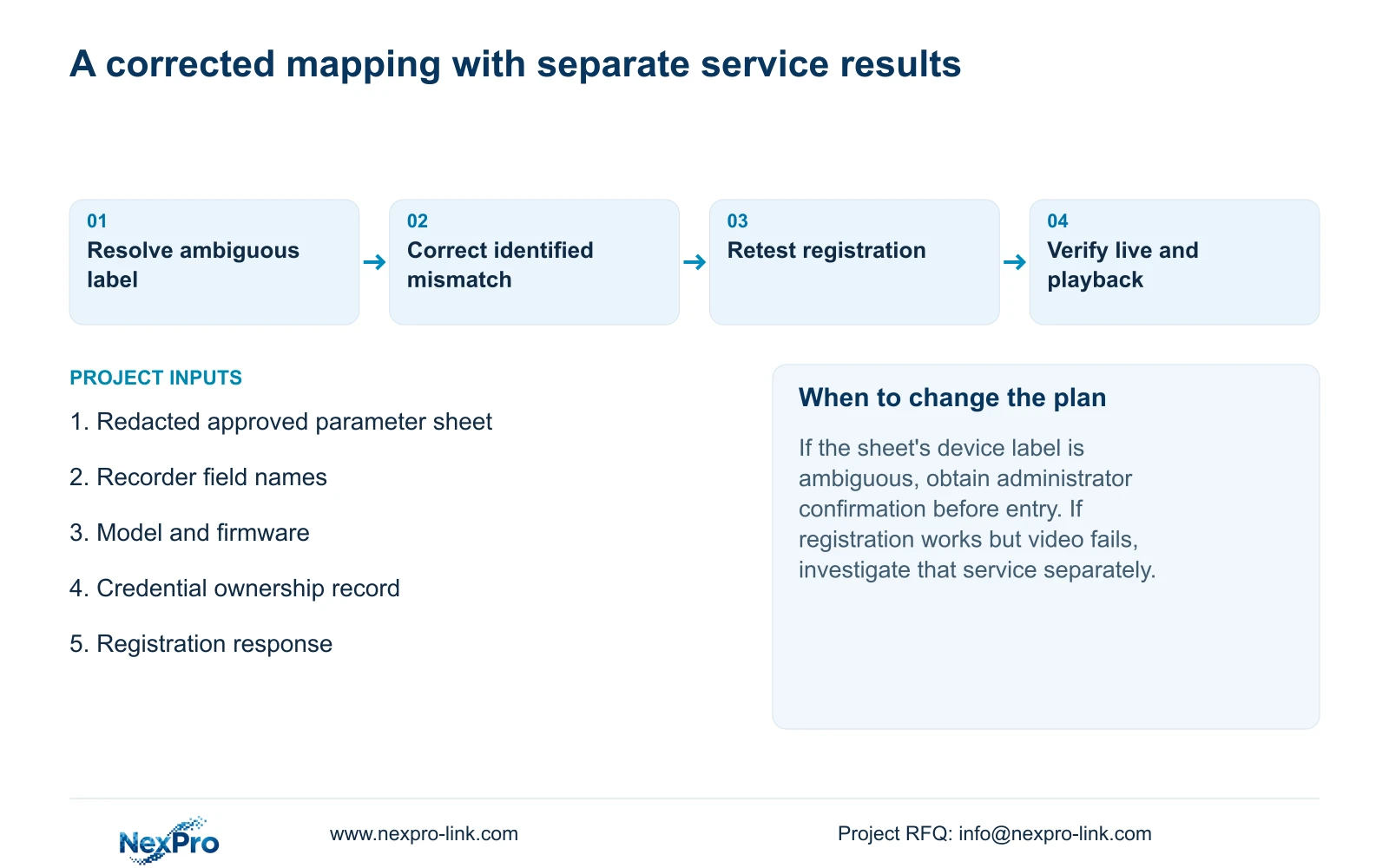
Illustrative project scenario: A contractor receives a platform parameter sheet but places the device ID in the wrong field. The correction begins by asking which object that label represents, then mapping it to the intended recorder entry. The contractor preserves the other approved values, records the equipment identity and retests registration. Live preview and recorded playback follow only after that result. No successful installation outcome is assumed.
A redacted mapping can accompany technical-scope discussion through NexPro-Link's BOQ and tender support service. It lets the parties distinguish a configuration question from an unconfirmed equipment function.
Section 09
Can an online recorder still have the wrong channel mapping?
Yes. Registration and video-resource identification are separate checks. Confirm that the platform's requested channel resolves to the intended camera, then verify both live viewing and its recorded period.
Section 10
Submit the unresolved field mapping
Send NexPro-Link a redacted parameter-to-field mapping and the recorder model and firmware at info@nexpro-link.com. Exclude passwords and operational identifiers.
Engineering references
These sources support the general planning principles. Always use the selected product's current datasheet and applicable project standards for final design.


