

Configure the shared recorder console around the next operator's work. Verify views, alarm actions, permissions and a known recording interval across the handover.
Section 01
Prepare the views the incoming operator needs
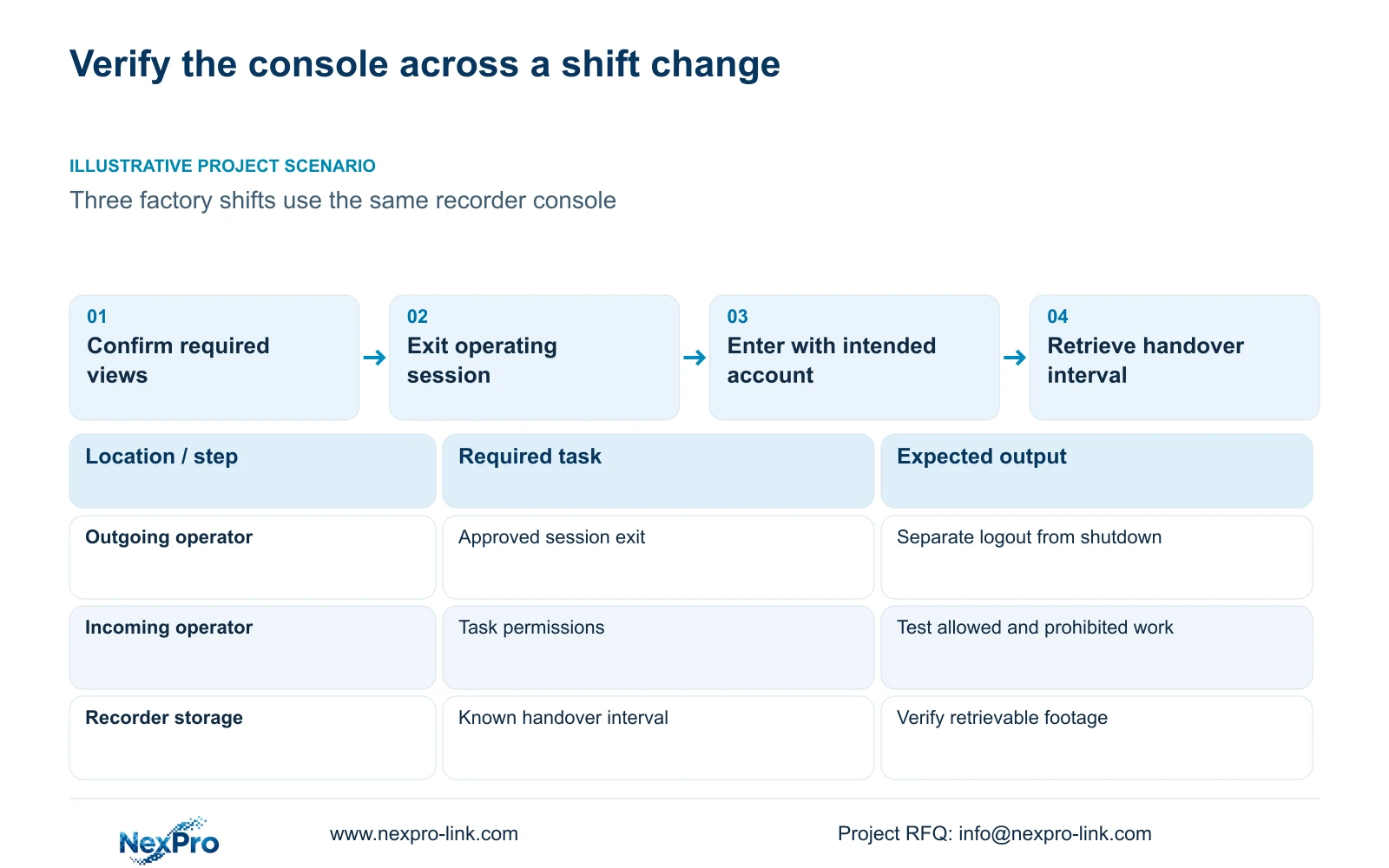
Set up the shift desk so the incoming operator can identify the required cameras, respond to the agreed events and retrieve the previous shift's footage using an appropriate account. Verify those tasks across a controlled handover instead of treating a populated monitor as completion. Choose a useful layout within the recorder's supported workload, test alarm outputs separately, and distinguish logout or locking from shutdown. Then check a known recording interval before and after the session change. A usable desk combines an understandable display with permissions and retrieval instructions that the next member of staff can actually follow.
List the views required for each shift and connect them to the camera schedule. Section 4.5 lists layouts from a single view through the documented multi-window options, including corridor 8 and 36 windows. Section 5.2 separately limits device capabilities. Check each proposed stream and the useful detail available in the chosen arrangement. Do not use the largest grid simply because the menu offers it, or assume automatic shift-specific layouts without confirming actual behavior.
Section 02
Give important events an explicit response
Define what the operator should do when each important event occurs and which output brings it to their attention. Section 4.12.11 lists popup, flashing border, buzzer, email, screenshot sending, snapshot, preset call, recording and app push separately. Check the selected action at its destination. A popup on the console does not verify an email, app notification or recording.
Demonstrate the event while the incoming operator uses the normal display. Observe whether the notification is understandable and whether it interferes with another required view. Inspect the recording timeline for the footage requirement and check any intended recipient path. Keep alarm-action duration distinct from retention. If an output fails, identify that part of the chain in the handover record rather than labeling every event function unavailable.
Section 03
Grant the shift task without unnecessary configuration rights
Section 4.12.3 distinguishes local and network permissions for preview, playback, system settings and PTZ. Local recording backup is a separate task. Build the account scope around what staff are authorized to do at the console and, where relevant, remotely. Success in local preview does not establish permission for remote playback or export.
Test the intended account with an allowed task and a prohibited task. The operator should be able to complete required review without gaining unrelated system-setting authority. If retrieval fails, confirm whether the task belongs in the approved role before changing permissions. Keep credentials outside public desk instructions and transfer them through the site's controlled process. The remote-upgrade permission row has inconsistent descriptive text; use applicable device information to resolve that behavior rather than relying on the row.
| Observed condition | Check | Next action |
|---|---|---|
| Incoming operator sees video but cannot retrieve footage | Playback permission on the intended access path | Review the approved role and retest retrieval |
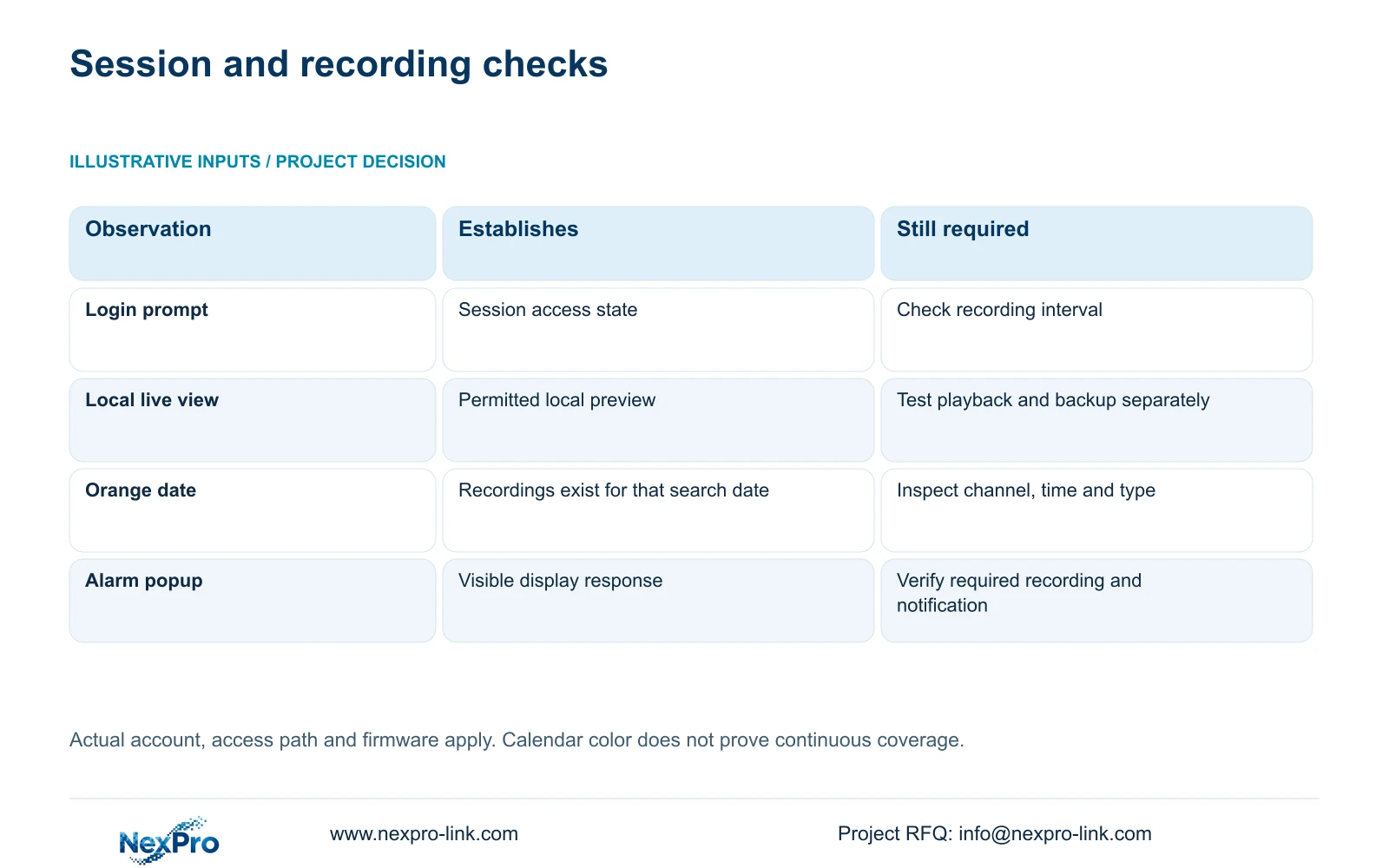
| Login prompt appears after logout | Known recording interval across the session change | Verify continuity without assuming shutdown |
| Orange playback date is visible | Selected channel, time and recording type | Inspect the actual shift interval |
| Operator can alter unrelated settings | Granted system-setting rights | Revise the approved account scope and test refusal |
Section 04
Rehearse leaving the console without stopping the recorder
Sections 4.1.4, 4.1.5 and 4.12.1 distinguish logout, shutdown, restart and automatic locking. Logout ends the operating session. Automatic locking handles inactivity and access. Shutdown changes the recorder's operating state. Teach staff which action belongs to leaving the desk and which belongs to authorized maintenance; a login prompt is not evidence that storage has stopped.
Mark a known period around the controlled handover, let the outgoing operator leave the session, and have the incoming operator enter through the approved route. Retrieve footage across that period to verify the required recording task. Do not include shutdown as an ordinary shift-change step. Stopping a running recorder requires authority, preservation of relevant footage and an agreed interruption plan. If recording is absent, retain the exact interval and investigate that finding.
Section 05
Check the previous shift with the correct search scope
Section 4.11.2 says playback opens on the channel selected in preview. Confirm that channel before searching the previous shift, then check the date, requested time and recording-type filter. The documented filters distinguish ordinary, alarm and motion recordings. A search can miss relevant footage because it is querying another channel or excluding the required type.
The manual uses orange for a date with recordings and gray for a date without recordings in that workflow. An orange date does not demonstrate uninterrupted recording of every camera throughout the day. Inspect the required interval and any specific incident carried over from the previous operator. If the shift crosses a date boundary, check the relevant dates. Keep the unresolved time and channel in the handover note so the next person can repeat the same search.
Section 06
Use a short task rehearsal to test readiness
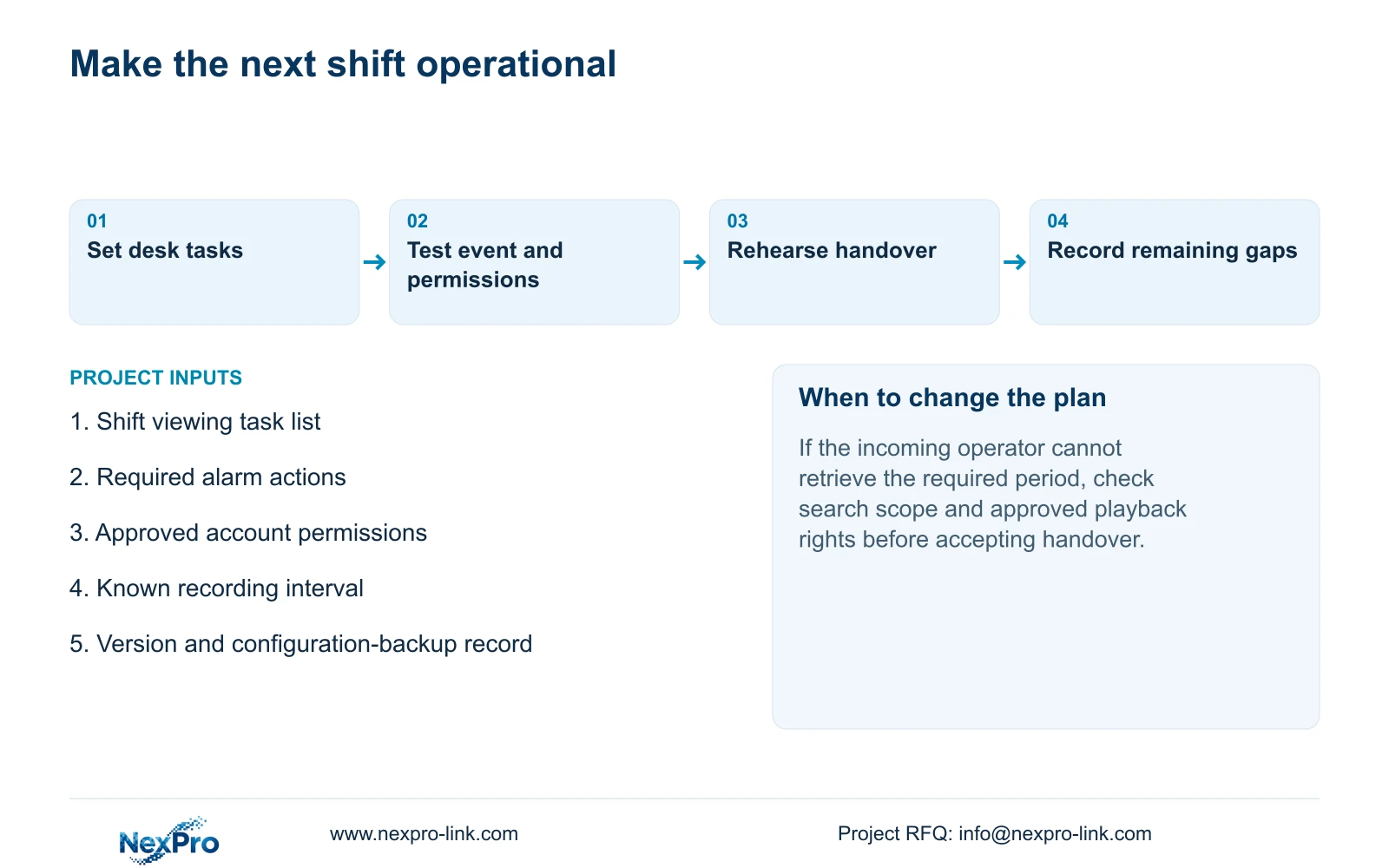
Use a ten-minute rehearsal as a training format, not a promise that every operator can be trained in that time. Ask the incoming operator to identify a location, respond to a selected event, retrieve an agreed period and produce a playable export if authorized. Demonstrate the approved session exit and identify the support route. Where a task takes longer or fails, continue training and resolve the specific gap.
Keep the applicable model and firmware, configuration-backup location and maintenance responsibilities with the desk instructions. Sections 4.11, 4.12.3 and 4.12.17 to 4.12.19 support the underlying operations and records. Document both the completed user task and any remaining limitation. If equipment or configuration support is needed, carry that defined gap into the NexPro-Link BOQ and tender support discussion rather than requesting an unspecified replacement package.
Section 07
A factory console used across shifts
Illustrative project scenario: A factory operates three shifts with different staff using the same recorder console. Rehearse the outgoing session exit and incoming retrieval task, then verify footage around the change. Keep the unresolved incident reference with the desk instructions so the next shift can continue the review without relying on the previous operator's memory.
Section 08
Is a complete handover folder enough to accept the desk?
No. The incoming operator should demonstrate the required task using the intended account. Correct documents and successful operation are separate checks; both belong in acceptance.
Section 09
Source scope and the handover input
This guide uses NVR4.0 user manual CH_V2.4.doc, body V2.2, sections 4.5, 5.2, 4.12.11, 4.12.3, 4.1.4 to 4.1.5, 4.12.1, 4.11.2, 4.11 and 4.12.17 to 4.12.19. NVR disk recordings and Seetong PC local recordings are different storage objects.
Send NexPro-Link the shift task list and the specific handover step the incoming operator cannot complete at info@nexpro-link.com.
Engineering references
These sources support the general planning principles. Always use the selected product's current datasheet and applicable project standards for final design.


