

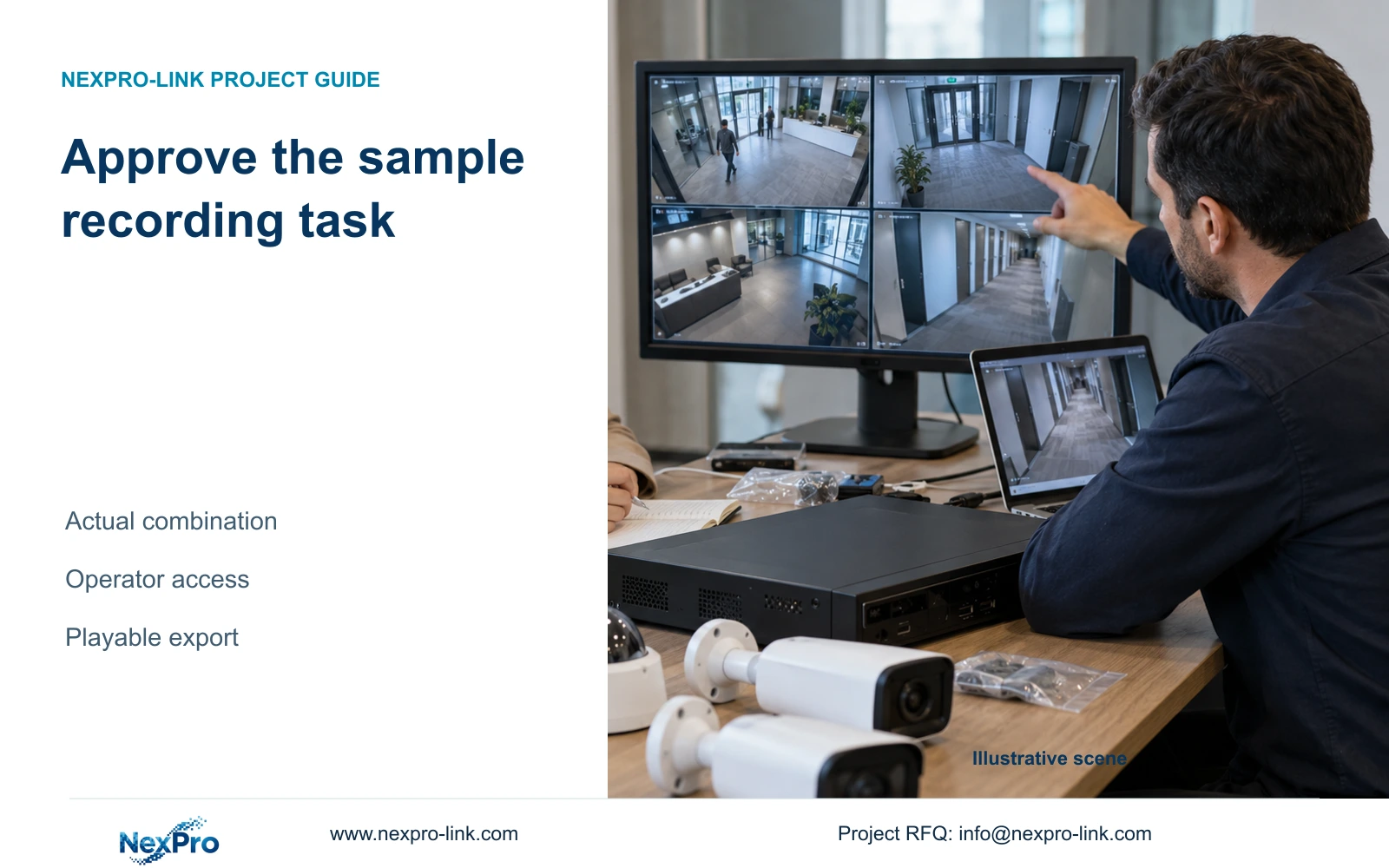
Approve an NVR sample against the intended camera combination and operator task. Verify retained footage and the receiving-system export, then preserve the configuration baseline for the later order.
Section 01
Approve a retrievable recording with a reproducible configuration
Approve the sample against a defined camera combination and the buyer's intended recording, retrieval and export task. Record the recorder and camera versions, run the relevant recording policy, then use the intended operator role to retrieve the selected period and produce a file that plays on the receiving system. A live screen proves that a viewing path is working; it does not establish retained footage or usable export. Keep the evaluated configuration and any outstanding changes with the approval record so the later order refers to the tested arrangement. A changed camera, firmware or operator path should trigger review of the affected result.
Agree the scope of sample approval before testing. Identify the required channel and period, whether audio matters, the local or remote operating path and the intended file recipient. Distinguish a representative combination test from a demonstration of the full hotel's installed capacity. The record should say what was evaluated and what remains outside the sample.
Section 02
Capture recorder and camera identities before the test
Use section 4.12.19 to record the sample recorder's product model, hardware version, software version and release information. Add the actual camera models and relevant firmware identities. Keep the observed equipment record separate from the proposed purchase schedule, then reconcile any differences before treating the sample as the order baseline.
The private source is NVR4.0 user manual CH_V2.4.doc, whose body identifies V2.2. Sections 4.4, 4.10, 4.11.1, 4.11.4, 4.12.3, 4.12.18 and 4.12.19 underpin this workflow. Section references take priority over page numbers. The manual does not establish a TS-to-NexPro commercial SKU mapping, so applicability must follow the actual sample identity.
Section 03
Evaluate the camera combination intended for purchase
Connect the proposed camera types through the intended connection method and check the functions the buyer needs. Sections 4.4 and 4.10 describe dependencies on camera capability and protocol, including PTZ. A convenient bench camera may produce a picture while failing to represent the controls needed from the planned devices.
If a control is unavailable or ineffective, record the affected camera, protocol, firmware and operating role. Check the applicable permissions and test that operation separately from basic video. Avoid classifying a greyed-out control as a hardware failure without that investigation. ONVIF profile matching can inform the requirement, but it does not replace verification of the actual camera-recorder operation.
Section 04
Run a period that demonstrates the selected policy
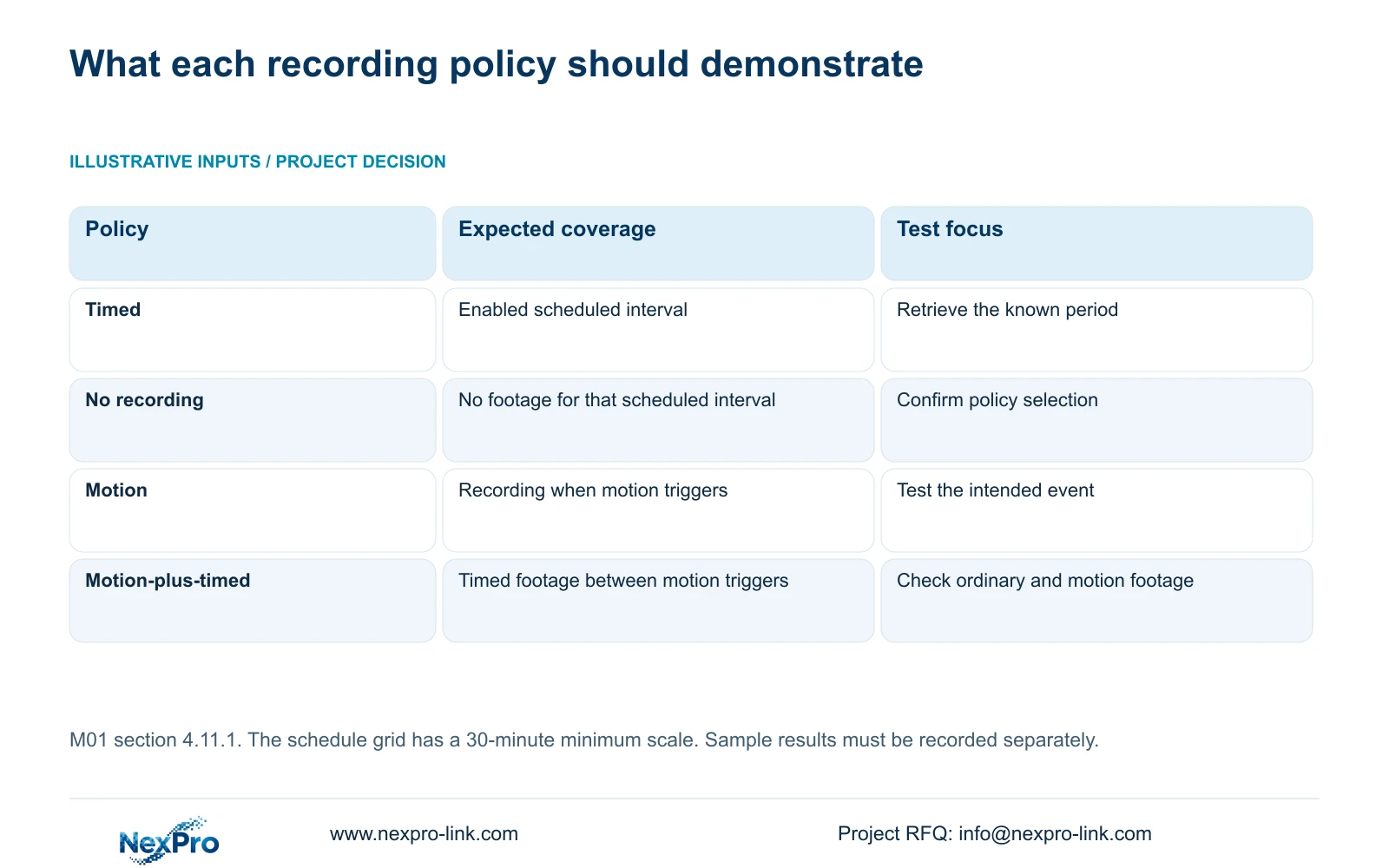
Section 4.11.1 describes timed recording, no recording, motion recording and motion-plus-timed recording, with a 30-minute minimum scale in the plan grid. Choose an enabled interval containing the agreed sample task. Record the channel and time bounds so the subsequent search refers to the same period.
Timed recording supports a test that requires coverage throughout the selected interval. No recording should not produce footage for that scheduled interval. Motion-only depends on a trigger, so test the intended event and distinguish an uneventful interval from a failed recording. Motion-plus-timed keeps ordinary timed footage between triggers and records motion-type footage when triggered. If the retrieved result is unexpected, inspect the policy and search conditions before changing unrelated settings.
Section 05
Use the intended duty role for retrieval
Run the retrieval and backup task through the intended operator account. Section 4.12.3 separates local and network permissions for tasks such as preview, playback, system settings and PTZ; local recording backup is also a separate permission. A local preview success cannot establish remote playback authorization.
Test both an allowed task and a task that the role should be prohibited from performing. If an administrator can retrieve footage but the duty role cannot, record the permission or access-path issue separately from recording availability. Do not solve the sample test by giving every operator unrestricted access. The remote-upgrade permission row contains inconsistent descriptive text, so its behavior should not be inferred from that row alone.
| Observation | Interpretation | Next action |
|---|---|---|
| Live picture works; selected period is absent | Viewing passed, recording task remains unresolved | Check channel, time, policy and search conditions |
| Administrator playback works; duty-role playback fails | Footage availability and operator access differ | Review the intended account and access path |
| Video works; required camera control fails | Basic reception does not prove control support | Verify protocol, capability and permissions |
| Copy completes; receiving system cannot play it | Export deliverable remains unverified | Check the file and tested viewing method |
| Configuration file exists; incident video was not exported | Settings and footage are separate backups | Preserve the required video through its backup workflow |
Section 06
Check the exported file where it will be used
Follow section 4.11.4 for the video backup selection, then open a sample export on the intended receiving system. Confirm the camera identity and start/end period against the test record. Watch the actual file and check any required audio. A completed copy indicator establishes neither correct selection nor successful playback.
The manual mentions players such as VLC, but it does not guarantee every operating-system and codec combination. Record the viewing method that was actually checked. If the file fails on the receiving system, retain the original footage while investigating the selection and playback path. Do not replace the verification with an assumption that another recipient will find suitable software.
Section 07
Keep the approved baseline and pending changes together
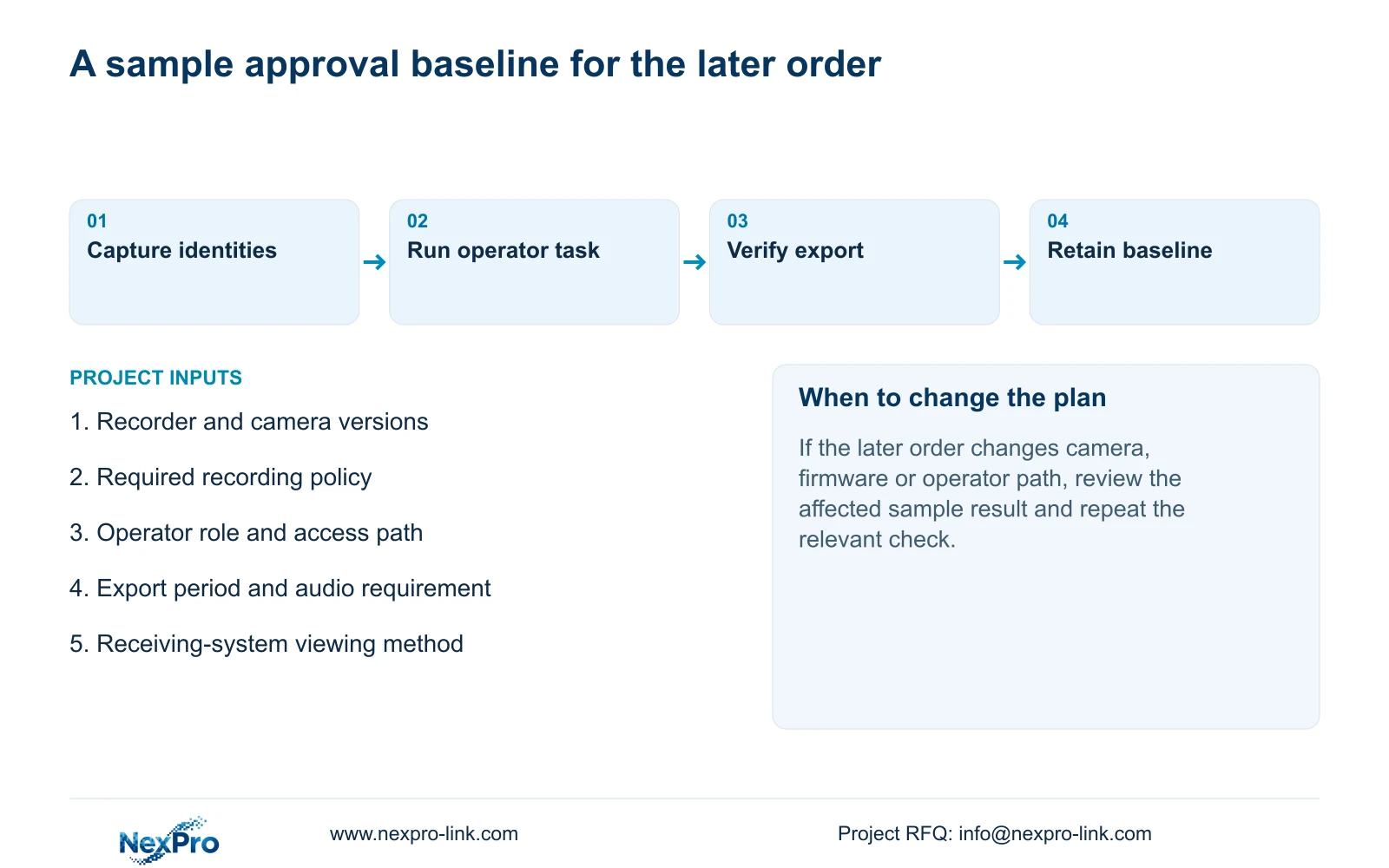
Store configuration export, log export and video backup as separately named objects. Sections 4.12.18 and 4.11.4 describe different workflows for these purposes. A settings file is not a disk image or a copy of the evaluated footage. The manual also gives no universal cross-model import guarantee.
Retain the sample identities, recording policy, role tests and export result with the proposed order reference. List pending changes and the result each may affect. If the later supply differs from the approved combination, repeat the relevant checks before carrying approval forward. NexPro-Link's BOQ and tender support can be used to discuss that equipment and configuration boundary; it does not turn an unperformed sample test into an approved result.
Section 08
Define the hotel sample decision
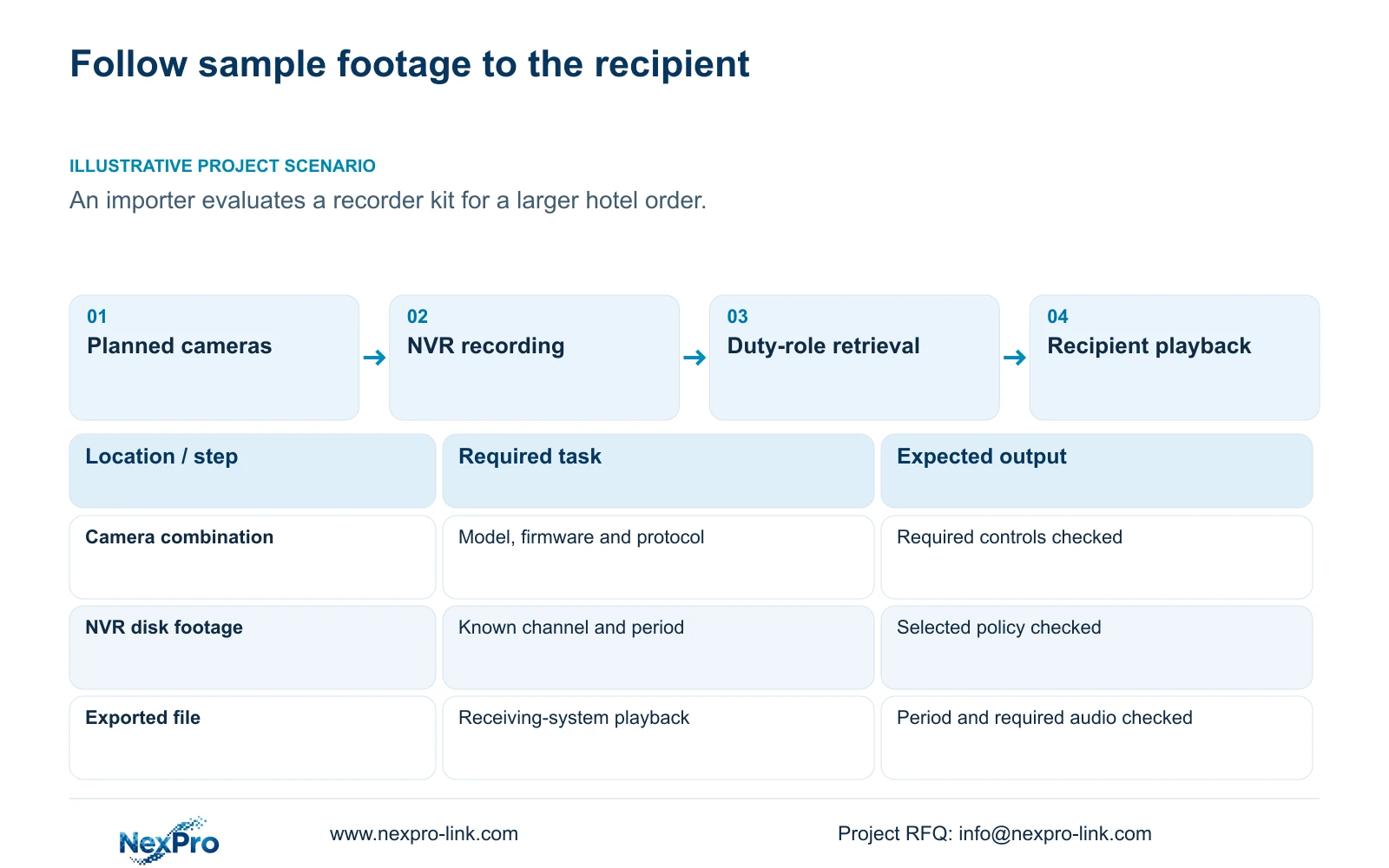
Illustrative project scenario: An importer evaluates a recorder kit before approving a larger hotel order. The importer uses the intended camera combination, records a representative period and asks the proposed duty role to retrieve and export it. The recipient checks playback and required audio. The approval record identifies the evaluated configuration and unresolved changes, allowing the later order to reference a specific baseline without claiming that the sample has proved every installed hotel condition.
Section 09
Can administrator access stand in for the duty operator test?
No. The intended operator must complete the allowed task through the intended access path. Administrator success can help isolate a permissions issue, but it does not close that issue.
Section 10
Does the saved configuration include the sample footage?
No. Export the required video separately and verify it. Keep configuration and logs with their own identities and purposes.
Section 11
Specify the sample task
Send NexPro-Link the proposed recorder-camera combination and one recording-to-export task, including the operator role and receiving-system requirement, at info@nexpro-link.com.
Engineering references
These sources support the general planning principles. Always use the selected product's current datasheet and applicable project standards for final design.


