Qualify a spare recorder against the sites it will serve, with separate decisions for hardware capability, settings reuse, historical recordings and controlled access.
Section 01
Define which sites the spare can actually cover
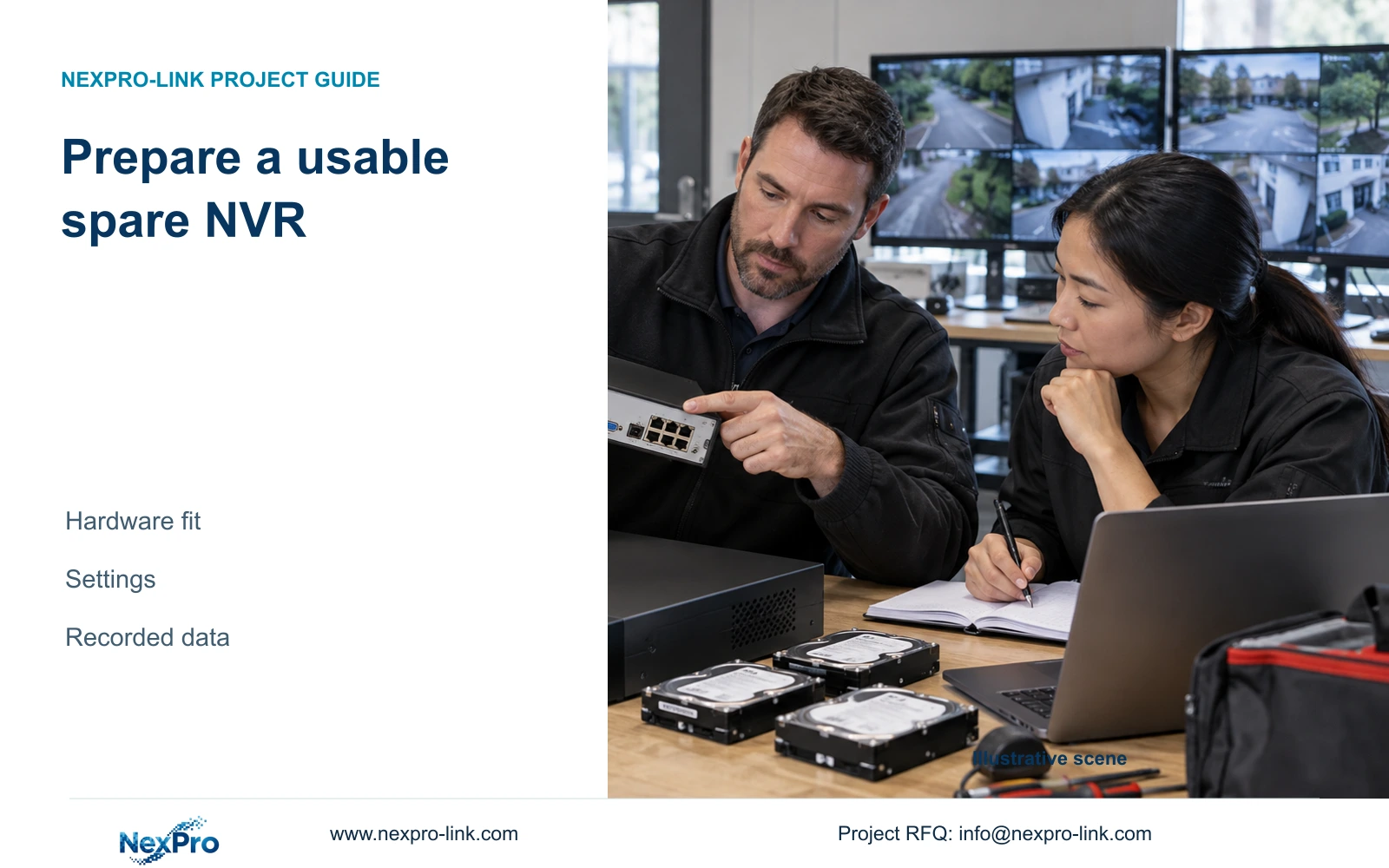
Choose a spare NVR by matching the recording and retrieval tasks of the sites it may replace, then check settings reuse and historical footage separately. An exported configuration does not clone any recorder model and does not carry the old recordings. For a shared spare serving sites with different firmware and disk arrangements, record which configurations are supported and which need another replacement route. Verify the proposed spare through a representative live-view, recording, playback and export task before labeling it ready. This gives the maintenance team a defined recovery option without assuming instant substitution, automatic disk migration or uninterrupted access to previous video.
Collect each installed recorder's model, hardware version, software version and release information using section 4.12.19. Record the spare's identity in the same format. Group sites by actual operating requirements, not just the logo or nominal channel count. Keep individual serial references private and exclude cloud identifiers from broadly shared comparison records.
Section 02
Compare storage, throughput and playback independently
For each site, compare channel and stream modes, incoming bitrate, disk arrangement, usable storage requirement, physical interfaces and remote tasks. The spare must satisfy every required constraint. Passing the channel-count check does not resolve a missing interface or an inadequate playback combination.
The private NVR4.0 user manual CH_V2.4.doc, with V2.2 in its body, supplies model distinctions in sections 5.1 and 5.2. Its TS examples have no established mapping to NexPro-Link commercial SKUs. Use separate model evidence for a commercial spare candidate.
Preserve the appendix's alternative local playback modes: TS8108D7 lists 1×3MP; TS8116D7 lists 1×5MP OR 2×2MP; TS8232C4 lists 1×4K OR 4×2MP OR 2×5MP. These are model-specific alternatives, not cumulative allowances. If a site's required review task exceeds the applicable combination, classify the spare as unsuitable for that task even if camera enrollment is sufficient.
| Check | Ready condition | Different next action |
|---|---|---|
| Incoming streams and bitrate | Actual spare specifications cover the site workload | Select a different candidate or redefine coverage |
| Disks and required retention | Supported storage arrangement meets the site requirement | Resolve storage provision before deployment |
| Playback and interfaces | Required review modes and connections are supported | Do not approve on channel count alone |
| Settings import | Target model and version applicability is confirmed | Prepare the supported configuration separately |
| Historical video | Required footage has its own preservation route | Keep old recording access unresolved until protected |
Section 03
Confirm configuration applicability before reuse
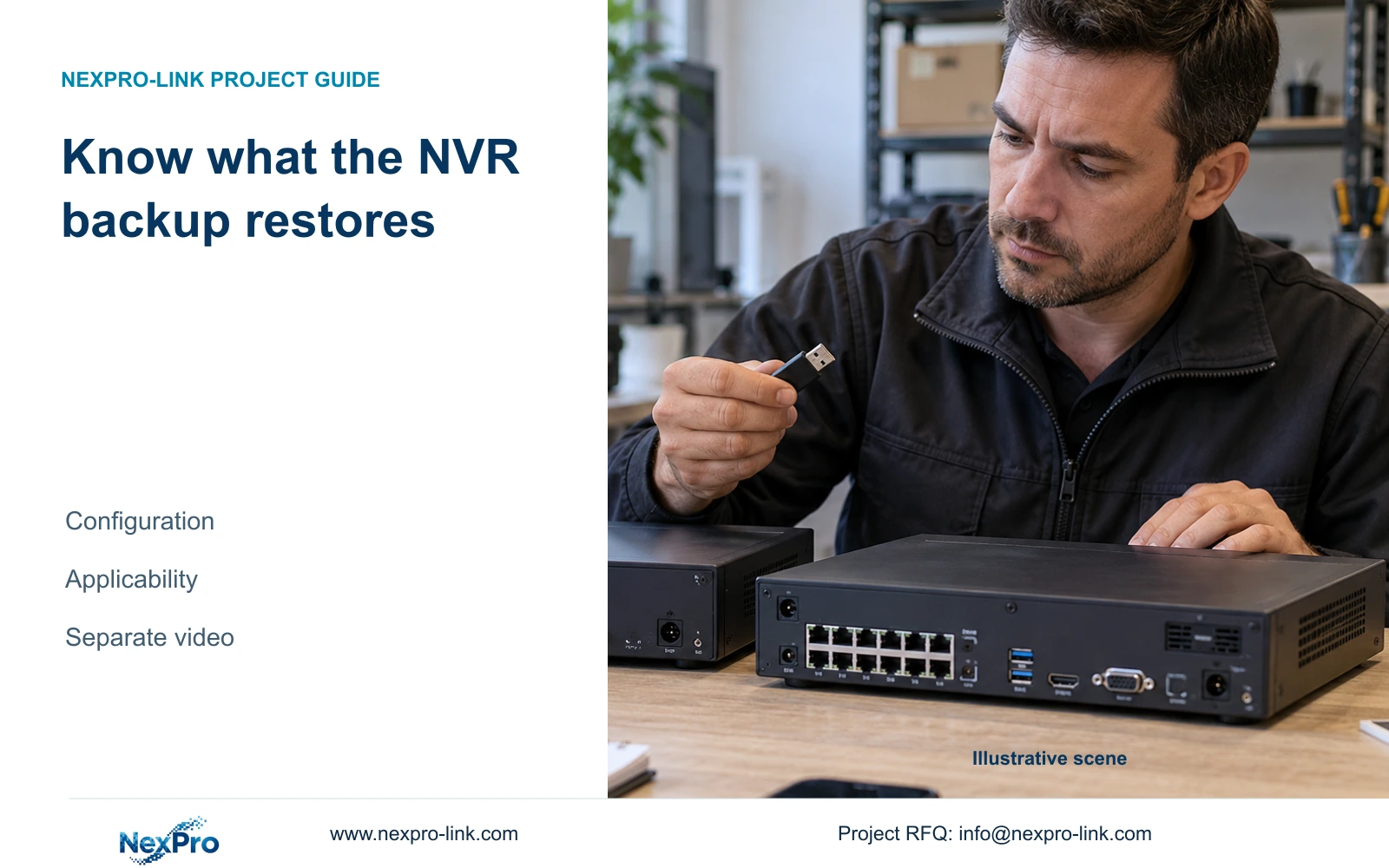
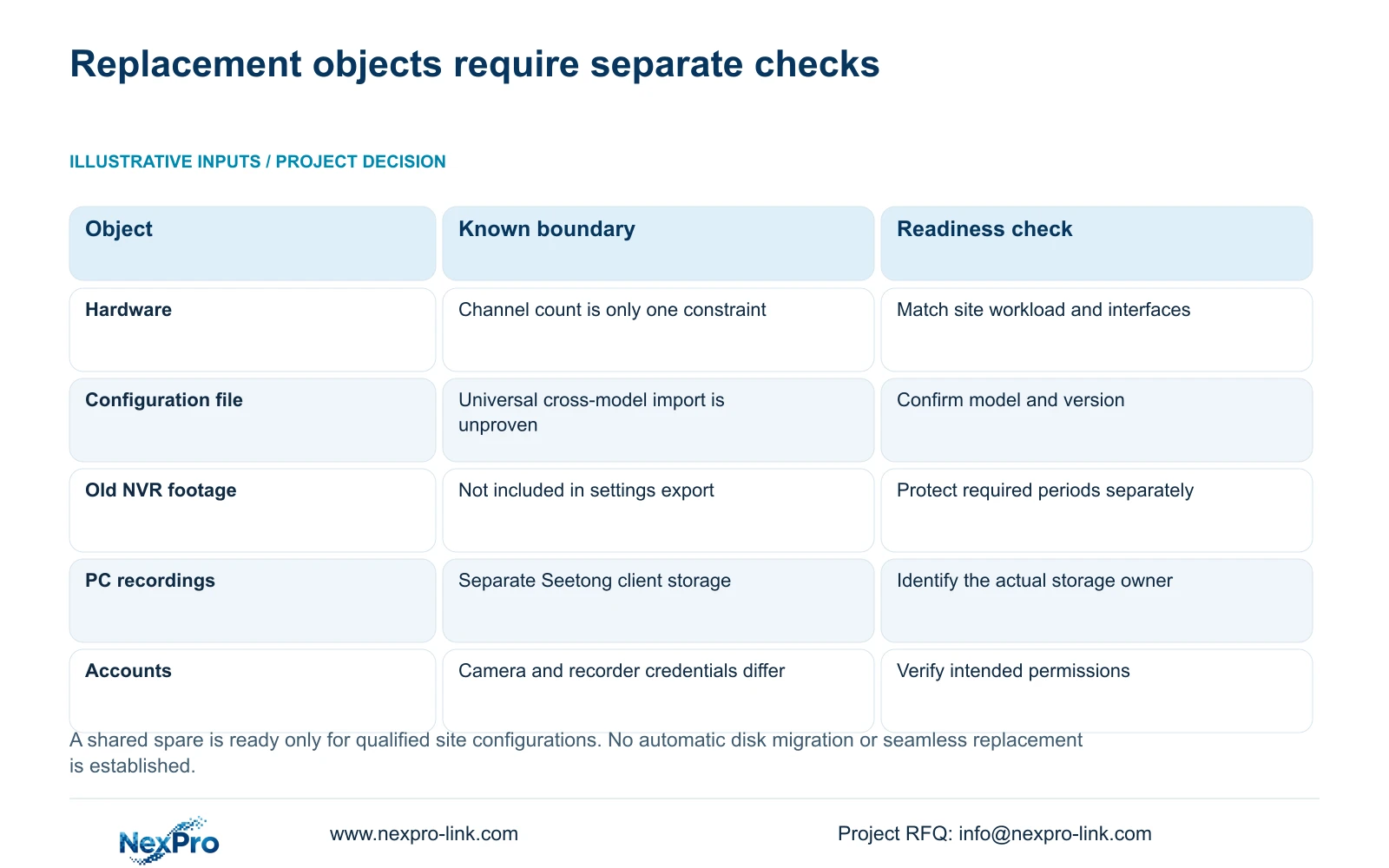
Section 4.12.18 describes configuration export, while section 4.11.4 describes video backup. Name and store settings, logs and footage separately. The configuration record should identify its source model and version, the approved settings and the intended target. Confirm that the file is recognizable and applicable before relying on it for replacement preparation.
The manual does not guarantee cross-model configuration import. If applicability is unconfirmed, obtain the supported preparation method for the target recorder. Keep the settings reference as evidence of the intended arrangement, without describing it as a universal cloning file.
Record any differences between the accepted site configuration and the spare's prepared configuration. Resolve differences that affect recording or retrieval before releasing the spare for that site.
Section 04
Preserve old footage at its actual storage location
Identify whether the needed video belongs to the old recorder, Seetong PC schedule recording or an existing export. M01 sections 1.2 and 4.11 cover the recorder workflow. The auxiliary Seetong Windows client manual V1.0.0, section 7.1, directs users to Remote Playback for NVR recordings and Local Playback for PC schedule recordings.
A PC recording folder and an NVR disk are different storage objects. Keeping one does not preserve the other. Select required recorder footage by channel, recording type and time window, update the backup capacity estimate and verify the copied files. Do not infer that moving disks to the spare will make historical footage readable.
If replacement work requires stopping the running recorder, obtain authority, preserve relevant data and arrange the interruption first. Where the old unit cannot export required video, record the limitation and agree the preservation route before proceeding.
Section 05
Prepare access without treating every password as one account
Sections 4.1, 4.3.1 and 4.12.3 distinguish recorder operation and camera connection settings. Keep local recorder users, relevant network users, camera authentication and third-party cloud accounts separate. Updating a channel's camera credentials changes that connection entry; it does not establish a change to every device or account.
Record the authorized account owner and update dependencies, without putting plaintext passwords in the spare schedule. Arrange any necessary credential updates through the controlled site process. If a camera fails to authenticate, check the corresponding connection and ownership path before changing unrelated remote accounts.
Verify the intended operator's required tasks after access preparation. An administrator's successful demonstration does not prove the maintenance or duty account can retrieve and export the required footage.
Section 06
Test the spare through a representative recording task
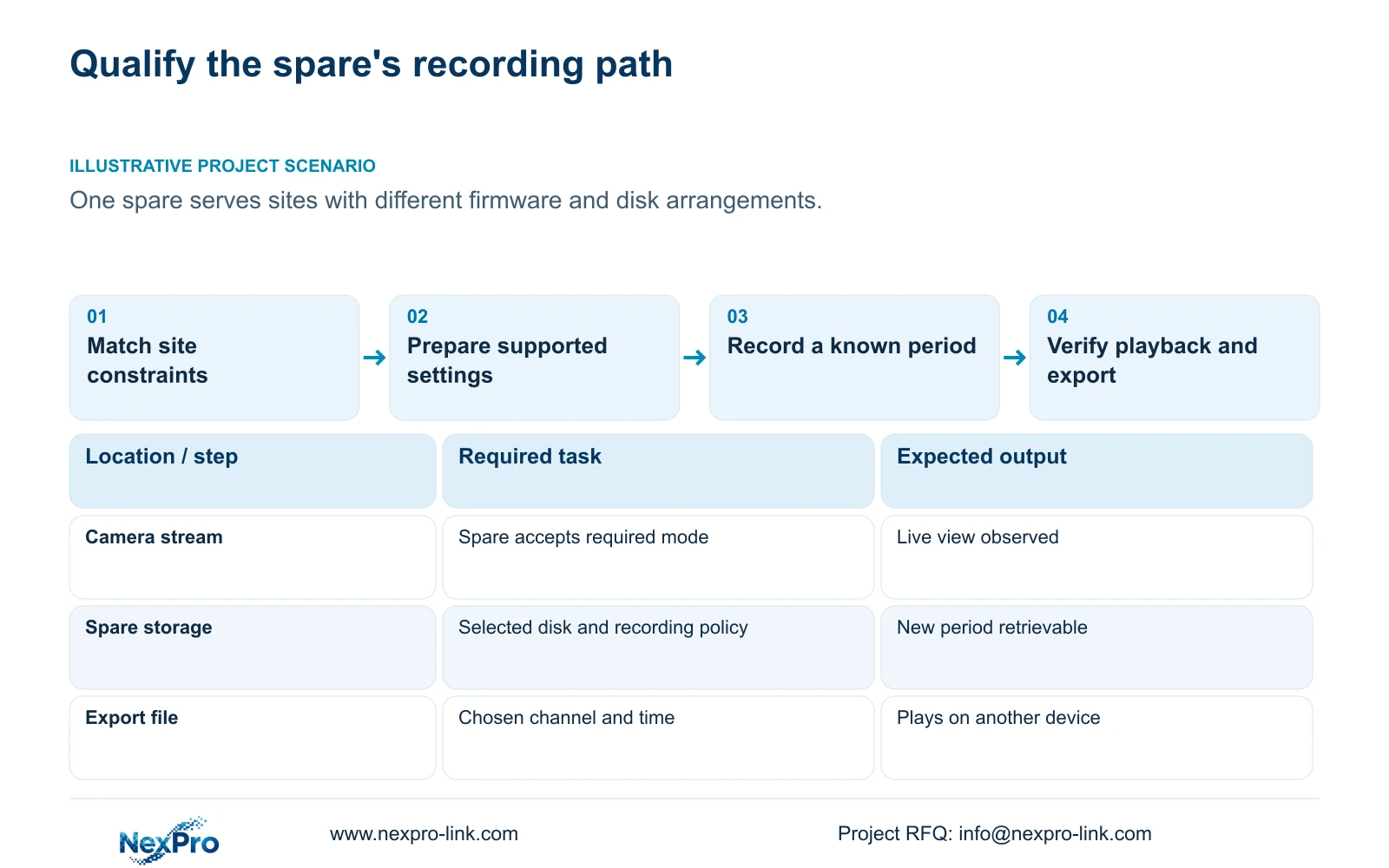
Use a site workflow that exercises the constraints the spare must cover. Identify a channel, observe live video and recording status, inspect the selected disk and recording policy, then wait for a defined test period. Retrieve that period and export it for playback on another device. This engineering acceptance sequence uses sections 4.3, 4.11 and 4.12.21; it is not a built-in automatic recovery test.
Record expected and observed results. If live view passes but playback fails, investigate the recording and retrieval stage before approving readiness. Retain failed steps and configuration differences in the site coverage record.
Section 07
Use a coverage register for the shared spare
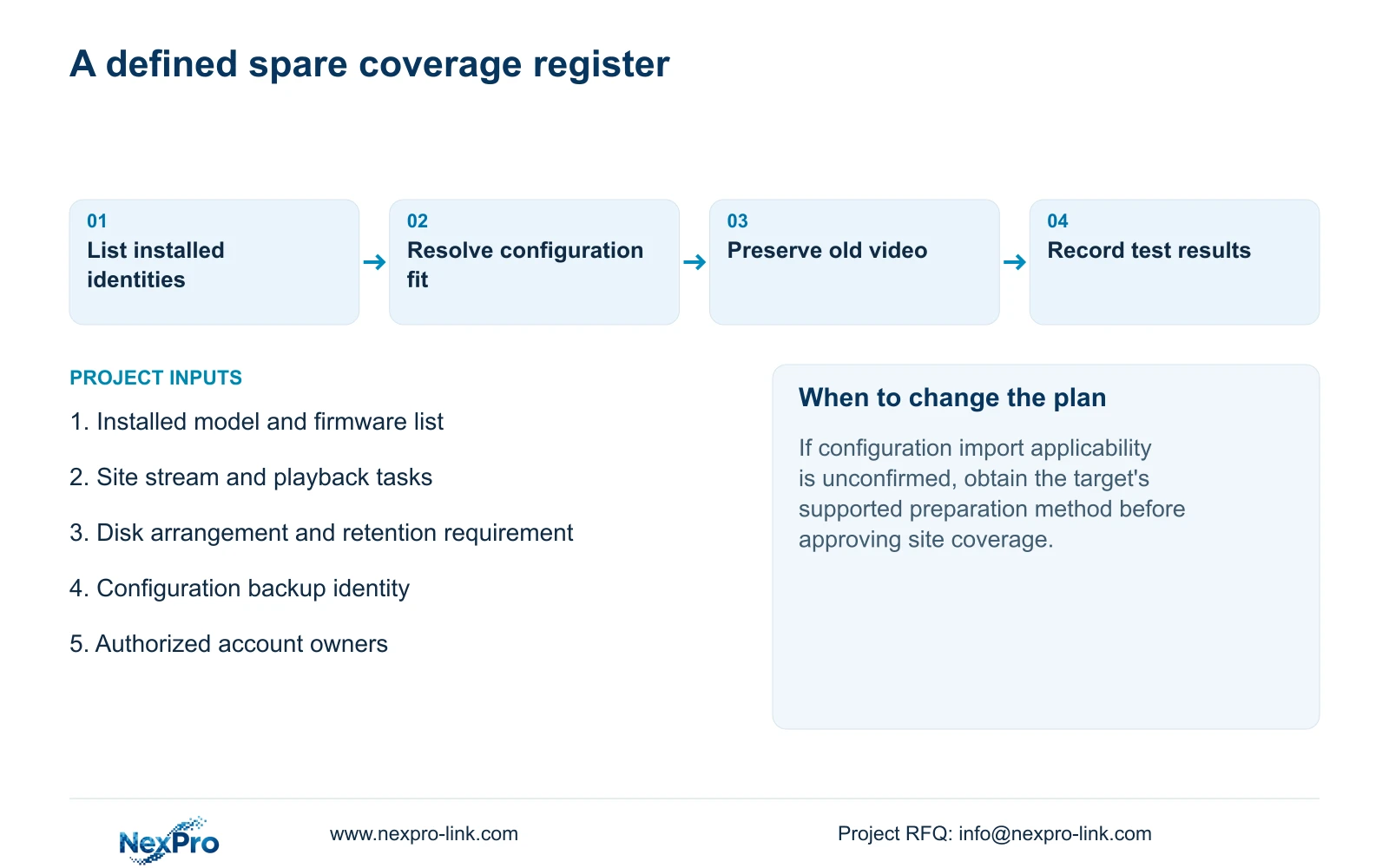
Illustrative project scenario: A maintenance team keeps one spare recorder for several sites with different firmware and disk arrangements. The team qualifies its hardware against each site's task, confirms configuration applicability and preserves old footage separately. A representative workflow supports readiness only for the configurations it actually exercises. Sites with unresolved storage, interface or access differences remain outside confirmed coverage.
Section 08
Does a settings backup include the old recordings?
No. Configuration export and video backup are separate workflows. Plan historical-video preservation independently of spare preparation.
Section 09
Is a live image enough to mark the spare ready?
No. Confirm newly recorded playback, a usable export, the selected storage arrangement and the intended account's required tasks.
Section 10
Define the spare's site coverage
Send the installed recorder models and site recording, storage and playback requirements to info@nexpro-link.com for a scoped spare comparison.
Engineering references
These sources support the general planning principles. Always use the selected product's current datasheet and applicable project standards for final design.