

Calculate remote viewing from simultaneous sessions and their selected streams. Keep branch uplink demand separate from camera recording inputs and account limits.
Section 01
Count the streams crossing the branch uplink
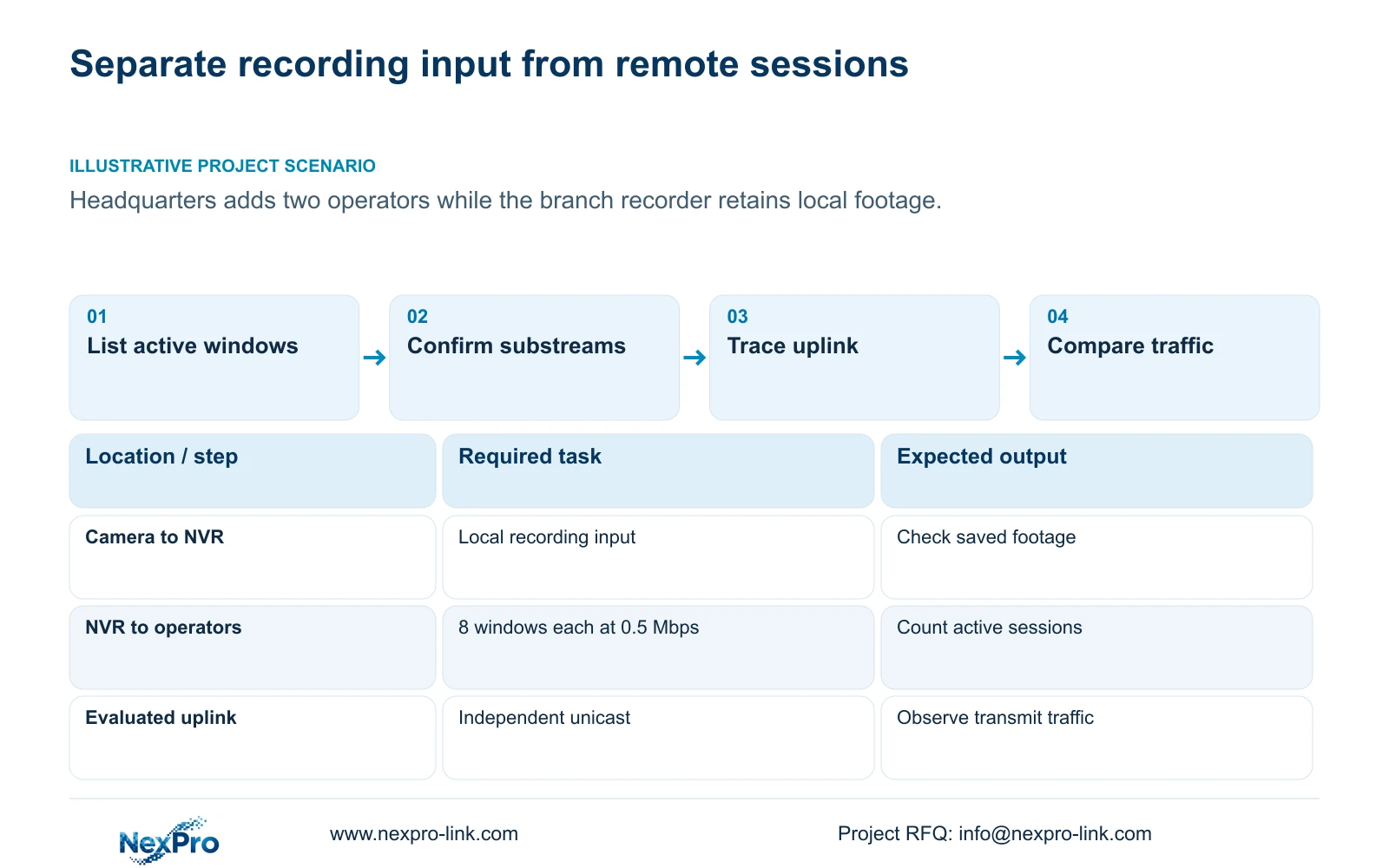
Calculate remote viewing bandwidth from the sessions active at the same time, their open channels and the bitrate of each requested stream. Keep that outgoing workload separate from camera traffic entering the recorder for local recording. In the supplied example, one operator viewing eight 0.5 Mbps substreams creates 4 Mbps of video payload; three operators create 12 Mbps when each uses independent unicast sessions across the same uplink. Those results exclude overhead and other business traffic. They also depend on the actual direct or relay architecture. Registered account count, cloud reachability and usable simultaneous video capacity must therefore be checked separately.
Start with the operator's normal layout and the busiest required workflow. Record selected channels, main or substream viewing, playback and downloads. A person with an account but no open video session contributes no viewing workload to this particular calculation.
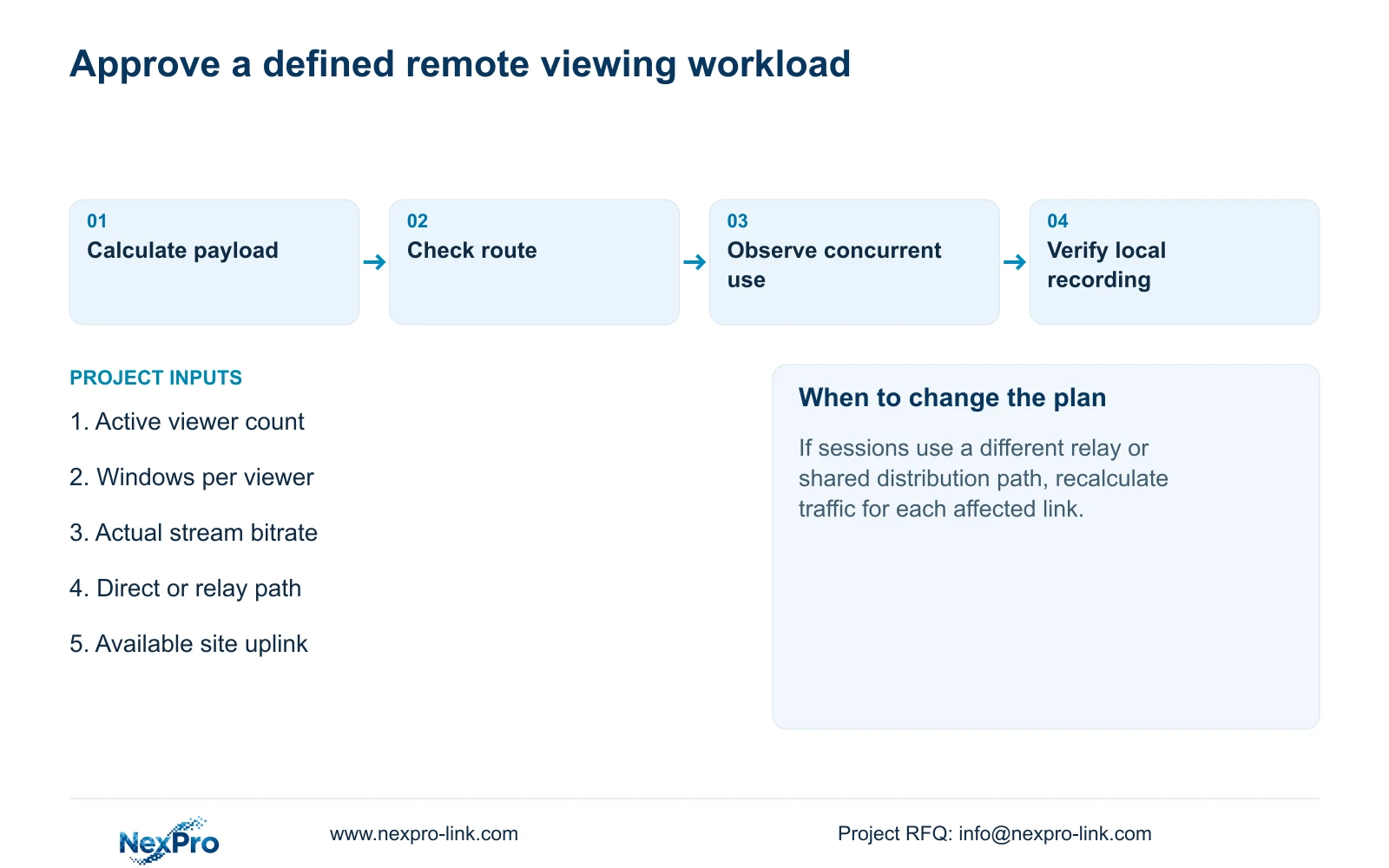
Identify the branch link being evaluated. If a relay or another distribution arrangement is involved, determine which sessions cross that link before multiplying streams. The manual's support for multiple remote users supplies no unlimited-concurrency or unlimited-cloud-bandwidth promise.
Section 02
Keep the account limit outside the traffic calculation
The NVR4.0 family overview mentions up to 38 users, while section 4.12.3 describes user permissions. This is an account-management statement within the manual's scope. It is not evidence that 38 people can simultaneously open every channel at full resolution.
For an access review, count accounts and assign permissions. For a bandwidth review, count active sessions and their requested media. The two records can share user roles, but they answer different questions. An authorized operator can still encounter a network or recorder limit.
Test the intended concurrent workload on the identified device and access path. If accounts can log in but video becomes unreliable as more sessions open, preserve the session pattern and traffic observations. Do not treat successful authentication as proof that the full media workload is supported.
Section 03
Confirm viewing streams without assuming recording changes
Sections 4.4.5 and 4.12.7 expose main- and substream parameters. Record which stream each remote window actually requests. A reduced viewing layout can change the remote workload without establishing that the NVR's recording source changed.
Keep the configured camera stream, remote viewing selection and saved recording sample separate in the check record. If the owner needs detailed local recordings and lower-bandwidth remote overview, verify both outputs. A smooth substream preview cannot establish that the required recording mode was retained.
When the result differs from the plan, inspect a saved sample before changing camera encoding. Determine whether the issue belongs to the viewing selection or the recorded source. A default in the Seetong PC manual cannot be transferred into a universal NVR recording rule.
Section 04
Calculate the supplied session comparison
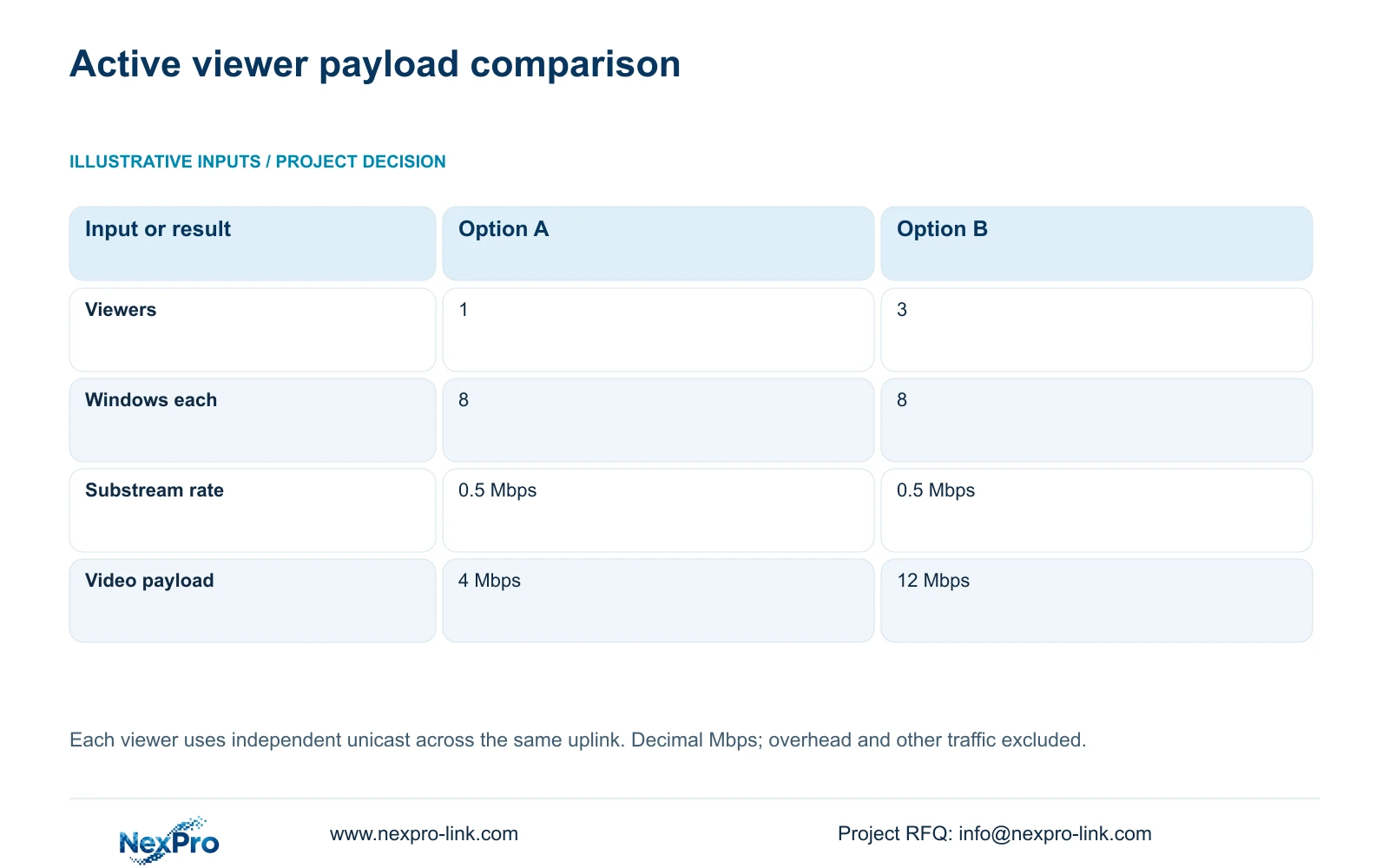
The illustrative inputs are eight viewing windows per operator and 0.5 Mbps per substream. Option A has one active viewer. Option B has three active viewers. Each viewer uses independent unicast, and every counted stream crosses the same evaluated uplink. Mbps uses decimal megabits per second.
Uplink video payload in Mbps = active viewers × windows per viewer × stream bitrate in Mbps. Option A: 1 × 8 × 0.5 Mbps = 4 Mbps. Option B: 3 × 8 × 0.5 Mbps = 12 Mbps. The additional two operators contribute 2 × 8 × 0.5 Mbps = 8 Mbps, so 4 Mbps + 8 Mbps = 12 Mbps.
The comparison changes the active viewer count while holding window count, bitrate and path constant. It does not calculate camera recording input or establish a sufficient internet service. If relay behavior, stream reuse or link routing changes, recalculate the workload for the affected link.
| Item | Option A | Option B |
|---|---|---|
| Active viewers | 1 | 3 |
| Windows per viewer | 8 | 8 |
| Bitrate per substream | 0.5 Mbps | 0.5 Mbps |
| Uplink video payload | 1 × 8 × 0.5 = 4 Mbps | 3 × 8 × 0.5 = 12 Mbps |
| Decision | Check capacity above payload and other traffic | Verify the larger concurrent load on the actual path |
Section 05
Compare transmit and receive over a defined interval
Section 4.3.3.3 presents interface transmit and receive traffic independently. Camera recording input, remote live viewing, playback and downloads create different paths. Their values need not match, and an interface reading may include protocol overhead or other activity outside the stream-bitrate sum.
Observe a baseline interval, then the required remote layout, while recording which tasks are active. Compare the same interface and time scope. If measured traffic differs from the calculation, check actual stream selections and session routing before assuming the bitrate arithmetic is wrong.
Also check the site's usable upstream capacity and competing business traffic. Local camera success does not establish the recorder's internet path. Sections 4.3.3.2 and 4.12.8 support checking the default route, gateway, DNS and remote-network state. Cloud activation and account authorization remain separate checks; blanket public port exposure is not a substitute.
Section 06
Match the workload to the recorder's actual limits
After evaluating the uplink, compare the identified recorder's incoming bitrate, channel and stream modes, playback combinations, interfaces and required remote tasks. An incoming-bandwidth figure does not automatically describe outgoing session capacity. Keep unconfirmed remote limits visible in the selection record.
Playback alternatives in the manual remain OR relationships. For example, TS8232C4 lists 1×4K OR 4×2MP OR 2×5MP for local playback. Those modes cannot be added, and they do not establish remote session capacity. TS models have no established mapping to NexPro-Link commercial SKUs.
The source is NVR4.0 user manual CH_V2.4.doc, with V2.2 in its body. This guide uses sections 1.2, 4.12.3, 4.4.5, 4.12.7, 4.3.3.2, 4.3.3.3, 4.12.8 and 5.1 to 5.2. The calculations are planning examples, not device measurements.
Section 07
Evaluate the added headquarters operators
Illustrative project scenario: A head office adds two remote operators while the branch NVR keeps recording locally. Applying the supplied example changes the total active viewers from one to three and the common-uplink video payload from 4 Mbps to 12 Mbps. The engineer verifies the remote layout while checking that local footage remains retrievable. If remote viewing fails while local recording remains usable, the next investigation follows the session and uplink path.
Section 08
Buyer questions about session capacity
Is a 12 Mbps uplink enough for Option B? The example establishes 12 Mbps of video payload only. Overhead, other traffic and actual session behavior require separate assessment.
Should transmit equal camera input? No. They represent different workflows and may traverse different interfaces.
Does choosing substreams reduce recorded detail? That depends on the actual recording source. Verify a saved recording separately.
Section 09
Provide the simultaneous viewing schedule
Send NexPro-Link the concurrent viewer count, windows and stream rates per viewer, plus the evaluated uplink path, at info@nexpro-link.com.
Engineering references
These sources support the general planning principles. Always use the selected product's current datasheet and applicable project standards for final design.


