

A preset missing from the recorder list may need synchronization rather than recreation. Refresh the correct channel, verify the target view and retest the actions that depend on it.
Section 01
Establish where the preset was changed
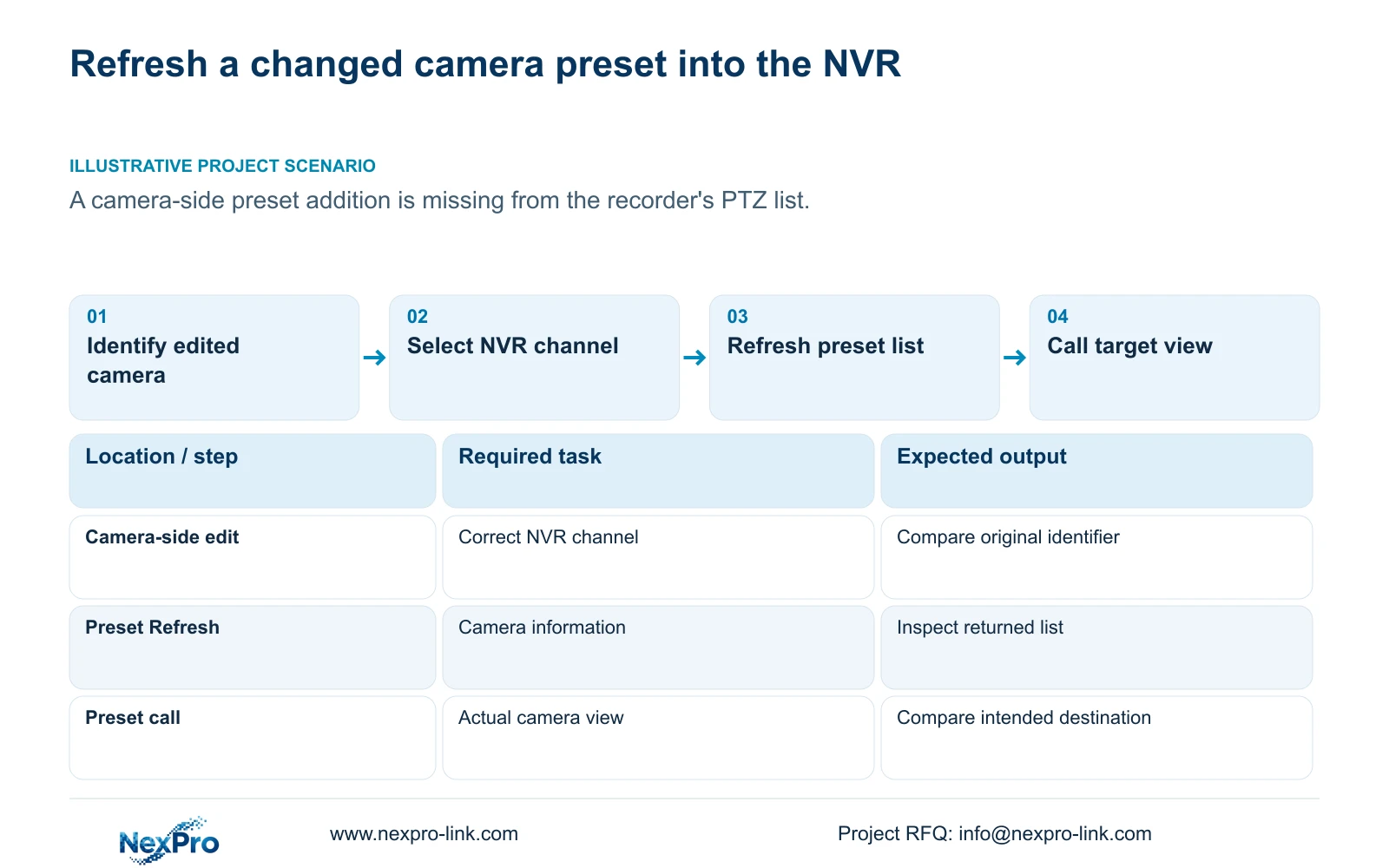
When a preset added at the camera does not appear in the recorder, use the applicable NVR Refresh function before treating the preset as lost. Section 4.10.1 of the supplied NVR4.0 manual describes synchronization between recorder and IPC preset information. Select the correct camera channel and connection protocol, refresh its list, then call the intended target and inspect the actual view. An updated list and a correct physical position are separate results. If the entry remains absent, preserve the camera-side change record and check the device pair, protocol and permissions. If the entry appears but reaches the wrong view, investigate the stored position.
Record whether the authorized edit took place at the camera interface or through the NVR. Keep its time, intended target and original identifier with the maintenance record. This baseline lets you compare the edited device with the recorder's displayed information without assuming both were updated together.
Avoid immediately creating another entry with the same readable name. A duplicate name can obscure whether the original entry was retrieved or a different preset was added. First establish which camera holds the intended configuration and which list is being inspected.
Section 02
Confirm the selected channel and connection
Check that the displayed channel corresponds to the camera where the edit occurred. Similar yard views and reused names can make the wrong selection look plausible. Compare physical camera identity and the channel record before interpreting a missing preset.
Record the actual connection protocol. The manual describes private-protocol presets numbered from 1 to 255 and ONVIF identifiers that may contain letters and numbers. Keep the edited identifier in its original form; a numeric convention from another camera does not establish what this device should return.
Collect recorder product model, hardware version, software version and software date from System Information under section 4.12.19. Add the camera model and firmware. These details identify the instructions that apply if Refresh is unavailable or behaves differently from the supplied manual.
Section 03
Refresh the list and classify the result
Use the preset Refresh function for the identified channel where the device and interface support it. Compare the resulting list with the camera's intended preset information. Record whether the entry is now present, remains absent, or is visible under an unexpected association.
If the control is unavailable, check camera capability, connection method, firmware and relevant permissions. Sections 4.4 and 4.10 identify camera-dependent controls. A live picture confirms video availability but does not establish that preset information or preset calls work through that connection.
Keep the result of synchronization separate from the next movement test. Refresh retrieves preset information; it is not evidence that the camera reached the desired target or that a dependent action still uses the correct entry.
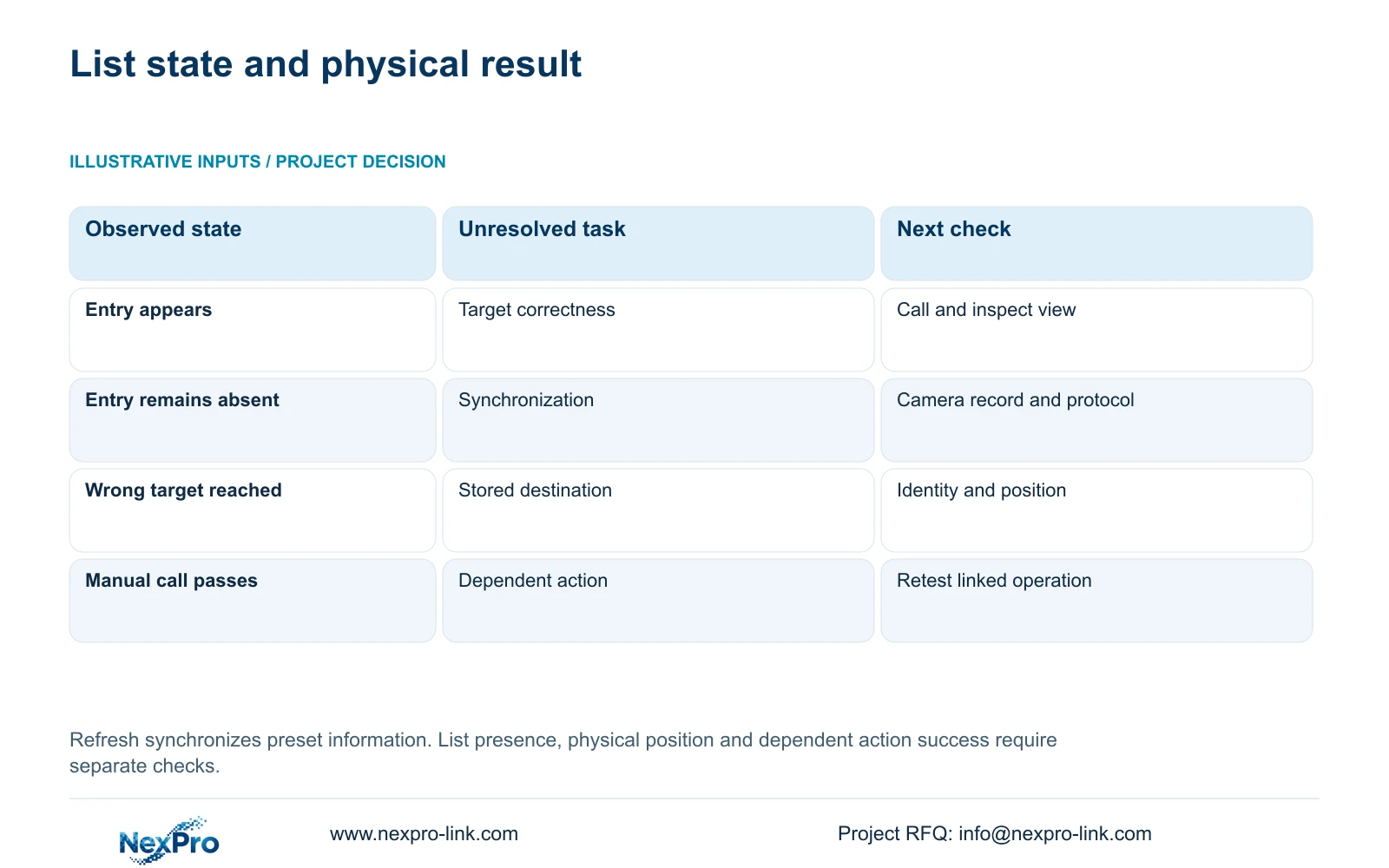
| After refresh | Decision | Next action |
|---|---|---|
| Expected entry appears | Proceed to target verification | Call its original identifier on the same channel |
| Expected entry remains absent | Synchronization discrepancy remains | Compare camera-side record, protocol and permissions |
| Entry appears; call reaches wrong view | List presence does not validate position | Check camera identity and stored target |
| Call works; dependent action fails | Manual call and linked action differ | Inspect and retest that action's association |
| Refresh unavailable | Applicable control scope is unresolved | Obtain device-specific instructions |
Section 04
Call the preset and inspect its destination
The manual requires an IPC that supports PTZ configuration. Confirm that the selected camera has the requested physical movement or lens operation before judging its response. Optical zoom, focus and electronic enlargement cannot be treated as proof of pan or tilt capability.
Call the refreshed entry and compare the actual scene with the intended target description. Record the outcome against the same channel and identifier used for synchronization. A familiar label does not prove that the stored view still matches its description.
If the camera reaches the wrong location, preserve the existing mapping while investigating. Check whether the stored target was changed, whether the camera identity differs, or whether the wrong entry was selected. Any authorized correction should be followed by another call and view comparison before the entry returns to accepted use.
Section 05
Retest the actions that depend on the preset
A successful manual call does not establish that every dependent operation uses the right preset. Identify the configured cruise route or event action that refers to the changed entry, if such a function is supported and used at the site. Test its destination separately from the direct call.
Record the changed variable and each failed task. For a preset-only change, focus first on the target and its dependencies. If the maintenance work also affected recorder configuration, extend verification to live view, correct time, newly produced footage, relevant older footage, export and intended operator accounts.
Inspect recording evidence where an event is expected to produce footage. A preset call and a visible response do not prove the recording requirement. Review the timeline or a playable export for the relevant test period. Arrange the next supported action with the supplier if a failure remains, rather than assuming the unit has an automatic recovery mechanism.
Section 06
Update the instructions used at the operating position
Illustrative project scenario: A preset added at the camera interface does not yet appear in the recorder's PTZ list. The engineer records the camera-side edit, selects the corresponding NVR channel and refreshes the preset information. If the entry appears, the next check is its destination. Only after that view and any dependent action pass should the operating instructions describe the entry as ready for use.
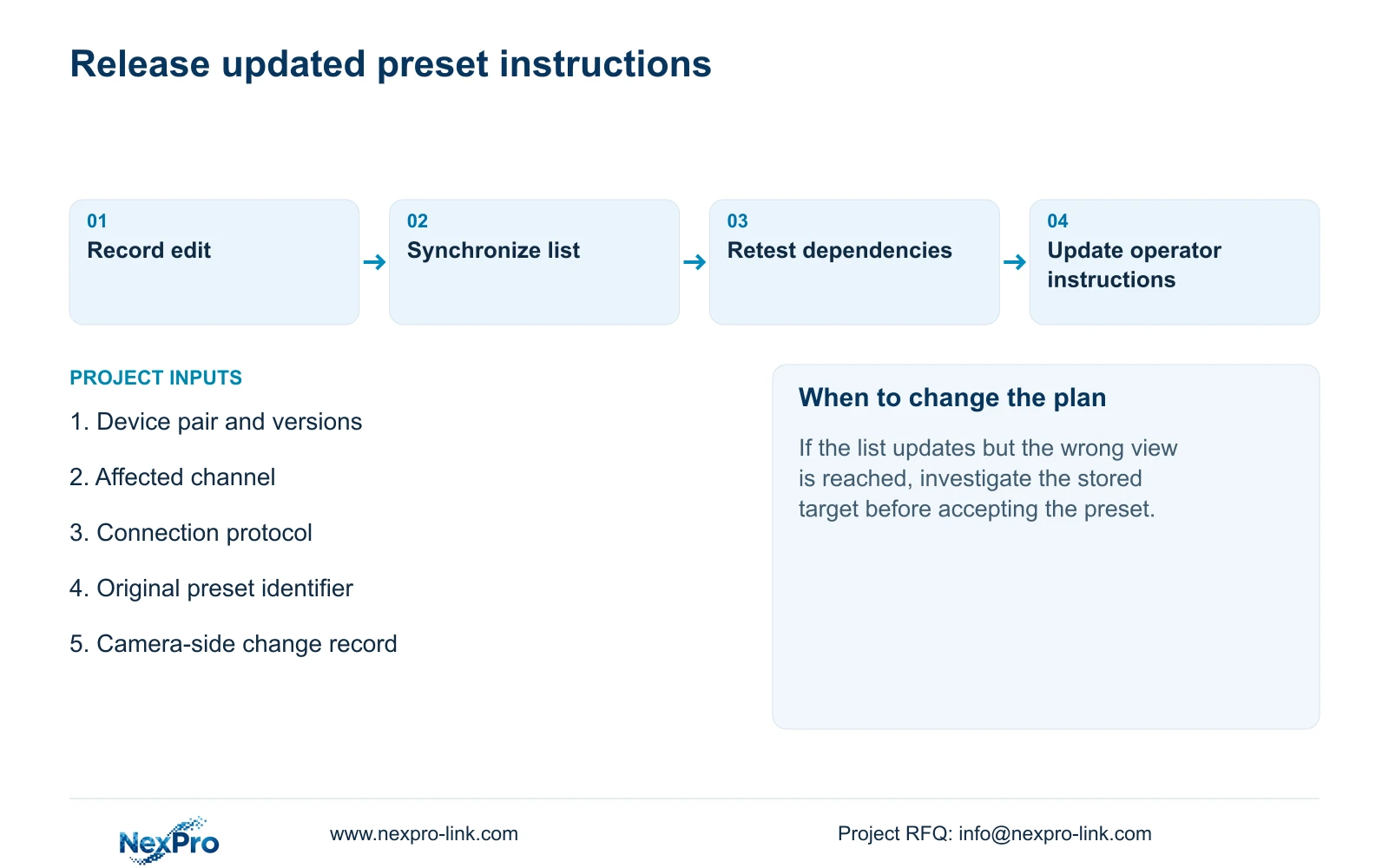
Update the channel, target description, original identifier and verification result in the local preset instructions. Keep applicable equipment versions and the responsible maintenance contact with the record. If a linked action remains unresolved, describe that limitation explicitly so an operator does not assume synchronization completed the entire task.
Demonstrate the updated operation to the receiving user. Where the role includes incident review, the wider handover should also let that user identify the channel, retrieve the required period and export a playable file. Credentials belong in a controlled transfer process, outside the preset instructions.
This workflow uses 'NVR4.0 user manual CH_V2.4.doc', whose body shows V2.2. Sections 4.10.1, 4.10 and 4.12.19 cover the immediate operation. Sections 4.11, 4.12.3 and 4.12.17 to 4.12.20 support surrounding maintenance and handover checks. These checks are engineering extensions, not an additional built-in test feature.
Section 07
Questions after a preset list refresh
- Does a missing NVR entry prove the camera preset was deleted? No. Compare the camera-side configuration and the refreshed recorder list before concluding that.
- Can Refresh correct a wrongly stored target position? Its documented role is list synchronization. Verify the actual destination and investigate its stored position separately.
- What if the direct preset call works but the alarm call does not? Retest the alarm action and its preset association as a separate task.
Section 08
Describe the unresolved synchronization result
Send NexPro-Link the device pair and versions, protocol, original preset identifier and before/after refresh result at info@nexpro-link.com.
Engineering references
These sources support the general planning principles. Always use the selected product's current datasheet and applicable project standards for final design.


