

A half-hour recording grid cannot be assumed to provide minute-level boundaries. Document the covering window, verify clocks and test the required start and end.
Section 01
Map the required interval to supported boundaries
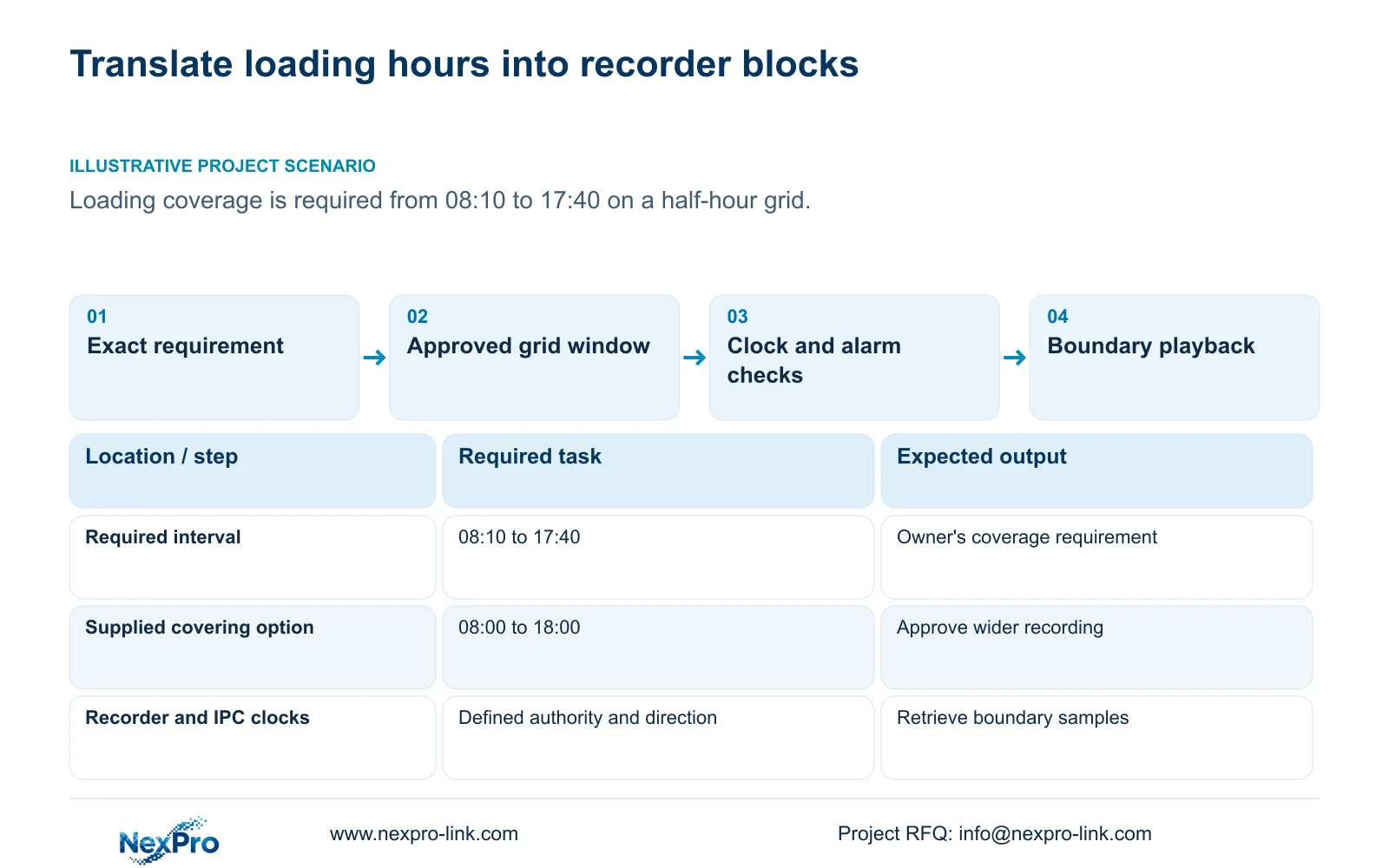
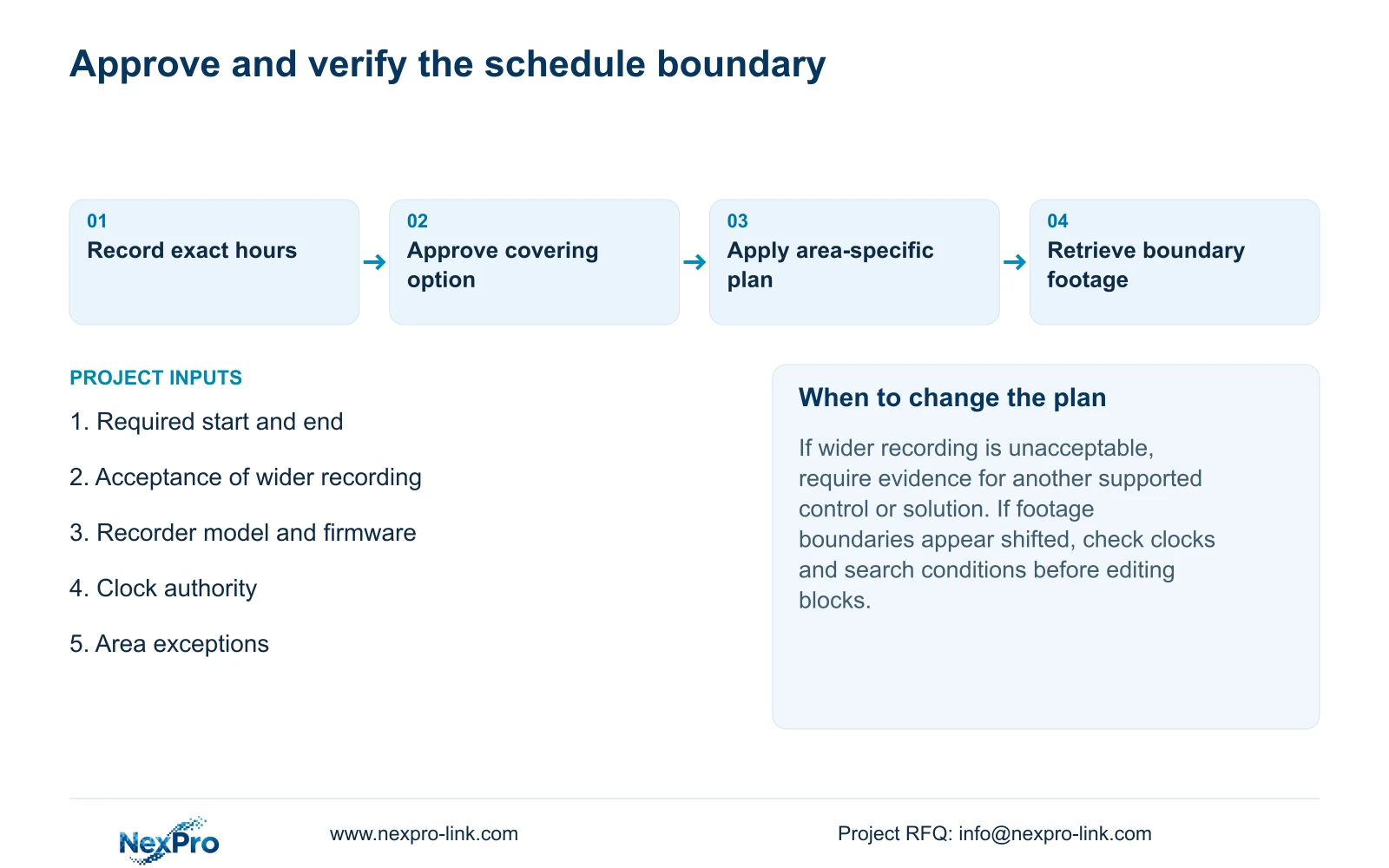
The documented recording grid has a 30-minute minimum scale, so an exact requirement such as 08:10 to 17:40 must be translated into a supported coverage window. The supplied covering example is 08:00 to 18:00, with the extra recording explicitly accepted by the owner. Check the recording type, separate alarm arming periods and device clocks before applying it. Preserve different area requirements when copying the plan, then retrieve footage around the required start and end. If recording outside the exact requested interval is unacceptable, obtain model-specific evidence for another control or solution instead of promising minute-level settings that this manual does not establish.
The source is NVR4.0 user manual CH_V2.4.doc, whose body identifies V2.2. Sections 4.11.1, 4.12.11, 4.4.2 and 4.12.2 define the relevant controls. The covering-window arithmetic below is illustrative and uses decimal video units.
Section 02
Confirm the grid and the selected recording behavior
Inspect the recorder's own plan under section 4.11.1. Identify the channel, applicable day and smallest selectable block. The documented minimum is 30 minutes. A written operating requirement with minute-level times does not change that control's resolution.
Read the type assigned to the blocks as well as their boundaries. The choices are timed recording, no recording, motion recording and motion-plus-timed recording. Timed coverage provides ordinary scheduled footage. Motion-only depends on triggers, while motion-plus-timed continues ordinary footage without a trigger and records motion-type footage when triggered. Selecting the right window with the wrong type can still leave the requested quiet periods unavailable.
Section 03
Keep alarm timing separate from the covering window
Section 4.12.11 provides motion enablement, arming time, detection area and linkage, separately from the recording plan. If the loading area also needs a motion action, compare those conditions with its required operating interval. Extending recording coverage does not establish that alarm arming or notification coverage changed.
Test a relevant event inside and outside the intended alarm period and inspect the requested output. Do not infer the alarm control's exact resolution from the recording grid. Where its behavior or available settings differ from the requirement, record the difference and consult the applicable device documentation. The acceptance record should state separately whether footage and the required event action exist.
Section 04
Check which clock defines the boundary
A correctly drawn plan can appear to start late when the recorder or camera clock differs from the site's intended time. Sections 4.4.2 and 4.12.2 describe IPC manual time, network synchronization, time zone and daylight-saving controls, plus separate NVR network time and an IPC synchronization interval measured in hours.
Document the intended authority and synchronization direction before enabling competing mechanisms. Keep PC, NVR and IPC clock observations distinct. The manual's network-time controls do not establish support for every local NTP server arrangement. After authorized clock configuration, observe a known event across the relevant cameras and compare its displayed and retrieved times. Matching clocks at one moment does not prove long-term synchronization.
Section 05
Preserve each area's approved timing exception
Copy a plan only to channels sharing the required days, coverage window and recording behavior. A loading view and an office corridor can have different approved start and end conditions even when their cameras are identical. Record the source channel, target group and excluded channels before copying.
Inspect the applied values on destination channels. If a channel needs a different window, retain it as a separate profile and verify it independently. A successful copy message does not establish that the operational exception survived. Keep the selected grid window beside the owner's exact requirement so a later maintainer can see why the two times differ.
| Condition | Decision | Verification |
|---|---|---|
| Wider recording is accepted | Use the approved covering grid | Retrieve required start and end |
| Recording outside exact hours is unacceptable | Seek another supported control or solution | Require model-specific evidence |
| Motion action also required | Check arming separately | Test the intended event output |
| Destination area has different hours | Exclude it from the copy group | Inspect its own plan and footage |
Section 06
Retrieve footage at the times the owner specified
Use section 4.11.2 to select the intended channel explicitly, because playback entry defaults to the preview-selected channel. Choose the test date and include relevant ordinary, alarm and motion types. Orange calendar dates indicate recording existence, not complete coverage of the operating interval.
Inspect footage around the required 08:10 start and 17:40 end, as well as the configured 08:00 and 18:00 boundaries in this example. Confirm that the needed activity is retrievable and that the observed wider coverage matches the approved plan. If the result appears shifted, compare clock observations and search conditions before altering schedule blocks. Retain the exact failed timestamp to make the next test meaningful.
Section 07
Calculate the effect of the wider recording period
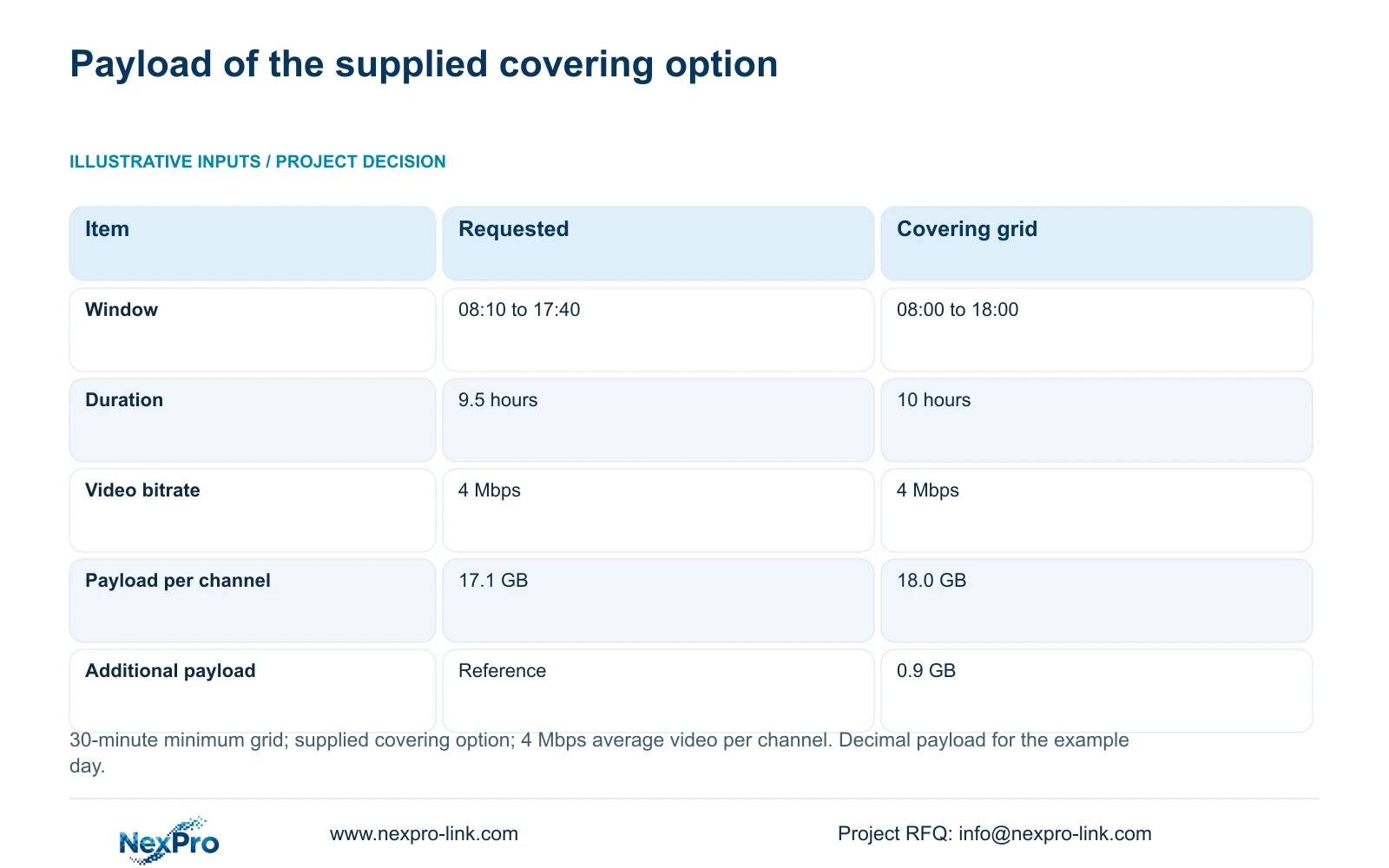
The supplied example uses a requested interval of 08:10 to 17:40, a covering grid of 08:00 to 18:00, and an average video bitrate of 4 Mbps per channel. The requested duration is 9 hours 30 minutes = 9.5 hours. The covering duration is 10 hours. Its additional duration is 10 - 9.5 = 0.5 hours.
Decimal video GB = Mbps × 3600 × hours ÷ 8 ÷ 1000, equivalent to Mbps × hours × 0.45. Requested payload: 4 × 9.5 × 0.45 = 17.1 GB per channel. Covering payload: 4 × 10 × 0.45 = 18.0 GB per channel. Extra data GB = (10 - 9.5) × 4 × 0.45 = 0.9 GB per channel for the example day.
This is the source's stated covering option, not a claim that every recorder requires that exact window. Use the actual approved window when preparing retention and disk quantities. Compare quotations using the same hours, camera modes, retention, playback task and service scope. Without matched prices, the calculation establishes a payload difference, not a financial saving.
| Item | Requested interval | Covering grid |
|---|---|---|
| Time window | 08:10 to 17:40 | 08:00 to 18:00 |
| Recording duration | 9.5 hours | 10 hours |
| Average video bitrate | 4 Mbps | 4 Mbps |
| Video payload per channel | 17.1 GB | 18.0 GB |
Section 08
Document the loading-area decision
Illustrative project scenario: A loading area needs coverage from 08:10 to 17:40 but the recorder uses half-hour schedule blocks. The owner reviews the supplied 08:00 to 18:00 covering option and its additional 0.5 hours and 0.9 GB per channel. The engineer checks clocks and any alarm requirement, excludes different areas from copying, and retrieves boundary samples. Approval and test results remain separate records; no delivered outcome is implied.
Section 09
Can the documented grid be set directly to 08:10?
The manual establishes a 30-minute minimum scale. Obtain evidence for the actual model and firmware before specifying a finer boundary.
Section 10
Does a matching camera clock prove the schedule boundary is correct?
No. Check the recorder clock, time settings and stored footage at the boundary. Camera time and recorder scheduling are related controls that still require verification.
Section 11
Confirm the acceptable coverage window
Send NexPro-Link the required start and end times and whether wider recording is acceptable at info@nexpro-link.com.
Engineering references
These sources support the general planning principles. Always use the selected product's current datasheet and applicable project standards for final design.


