

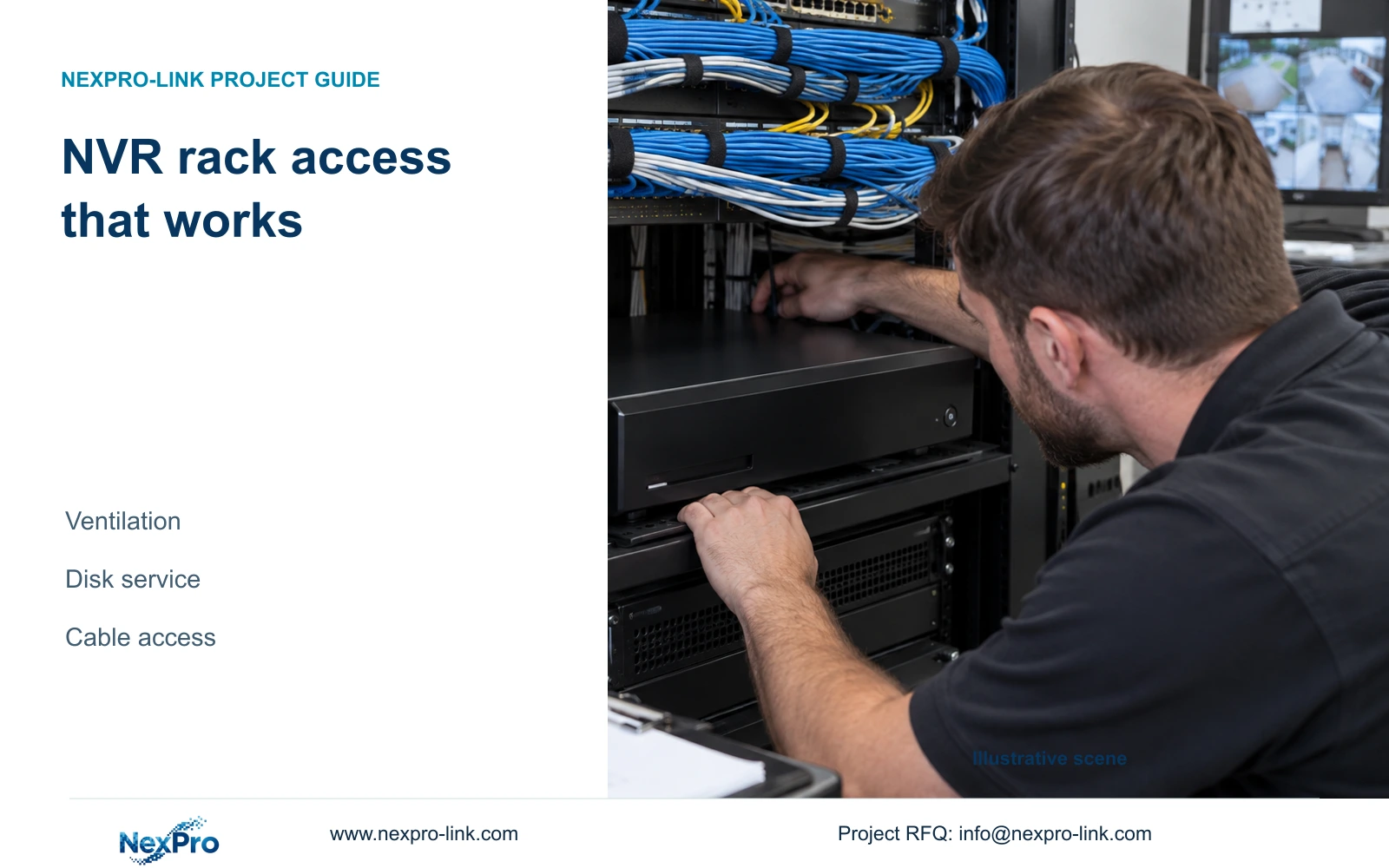
Approve an NVR rack position by checking its environment and the actual disk-service route, rear connections and shutdown access, rather than chassis space alone.
Section 01
Approve a position that remains serviceable
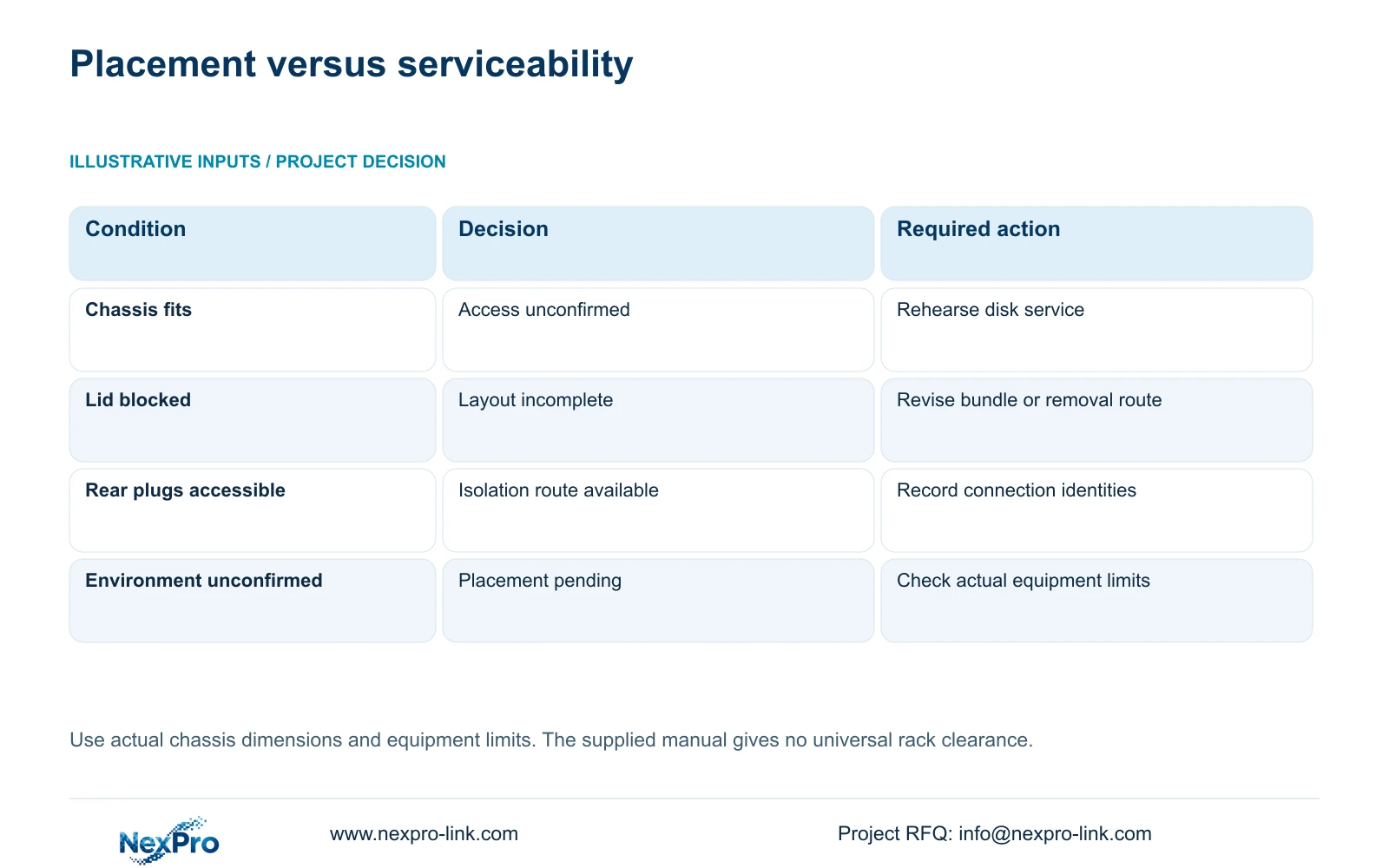
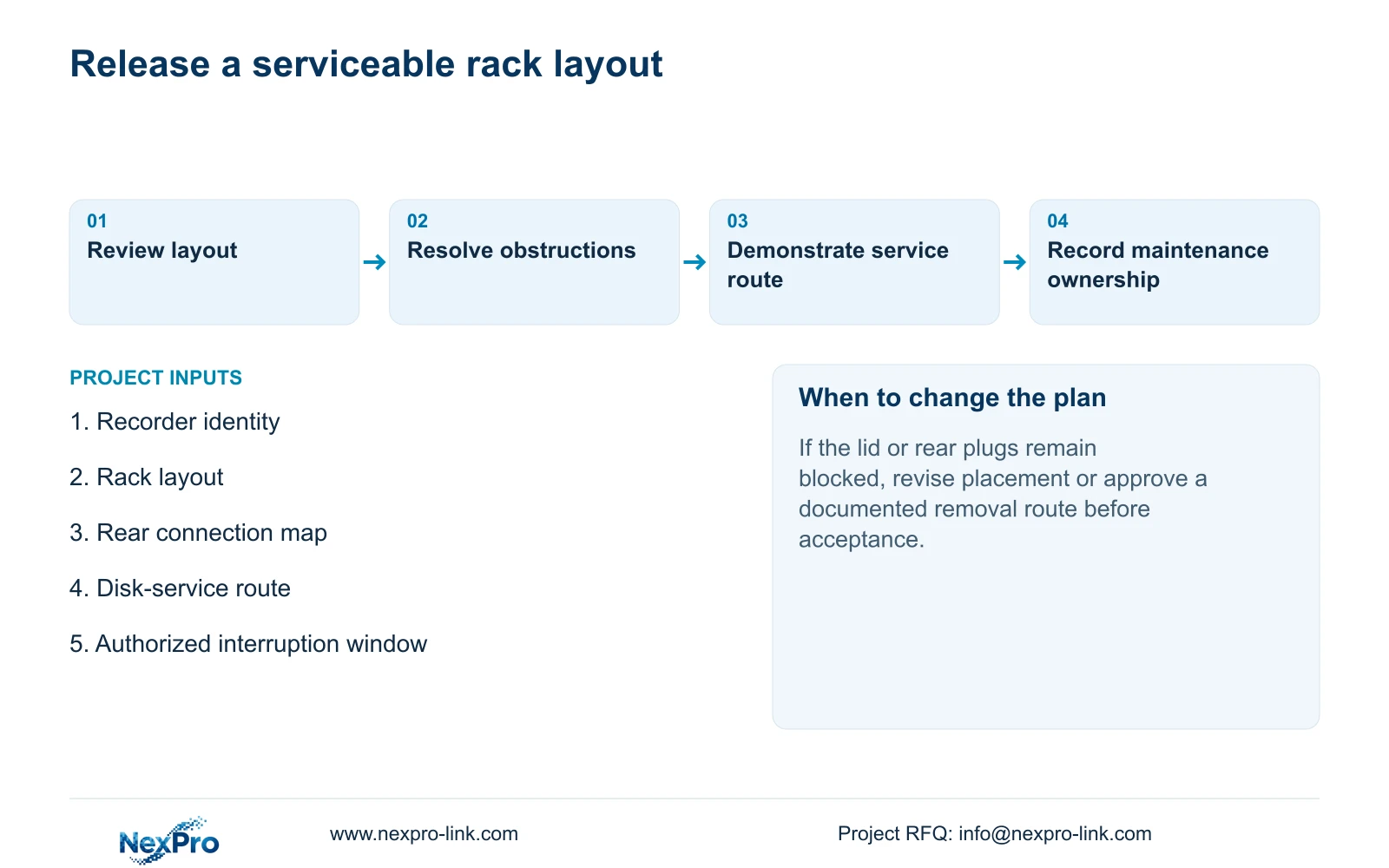
Choose a ventilated position where the recorder can operate within its documented conditions and a technician can later reach its lid, disk connections and rear plugs. Rack occupancy alone cannot establish that access. Check the actual chassis and cable arrangement, then walk through the powered-down disk-service sequence before approving the layout. If a cable bundle prevents opening the cover or disconnecting the recorder safely, revise the arrangement before installation is accepted. The maintenance plan must also identify who may stop recording, how required footage will be preserved and which party handles power and grounding. Use equipment-specific dimensions and limits instead of assumed universal clearances.
The operating source is the private supplied NVR4.0 user manual CH_V2.4.doc, whose body identifies V2.2. Sections 3.1, 3.2 and 3.3.1 cover environment, disk installation and connections. Sections 4.1.4 and 4.1.5 cover system actions. The layout checks below are engineering extensions of those instructions, not a published rack-clearance specification.
Section 02
Check the installed environment before allocating rack space
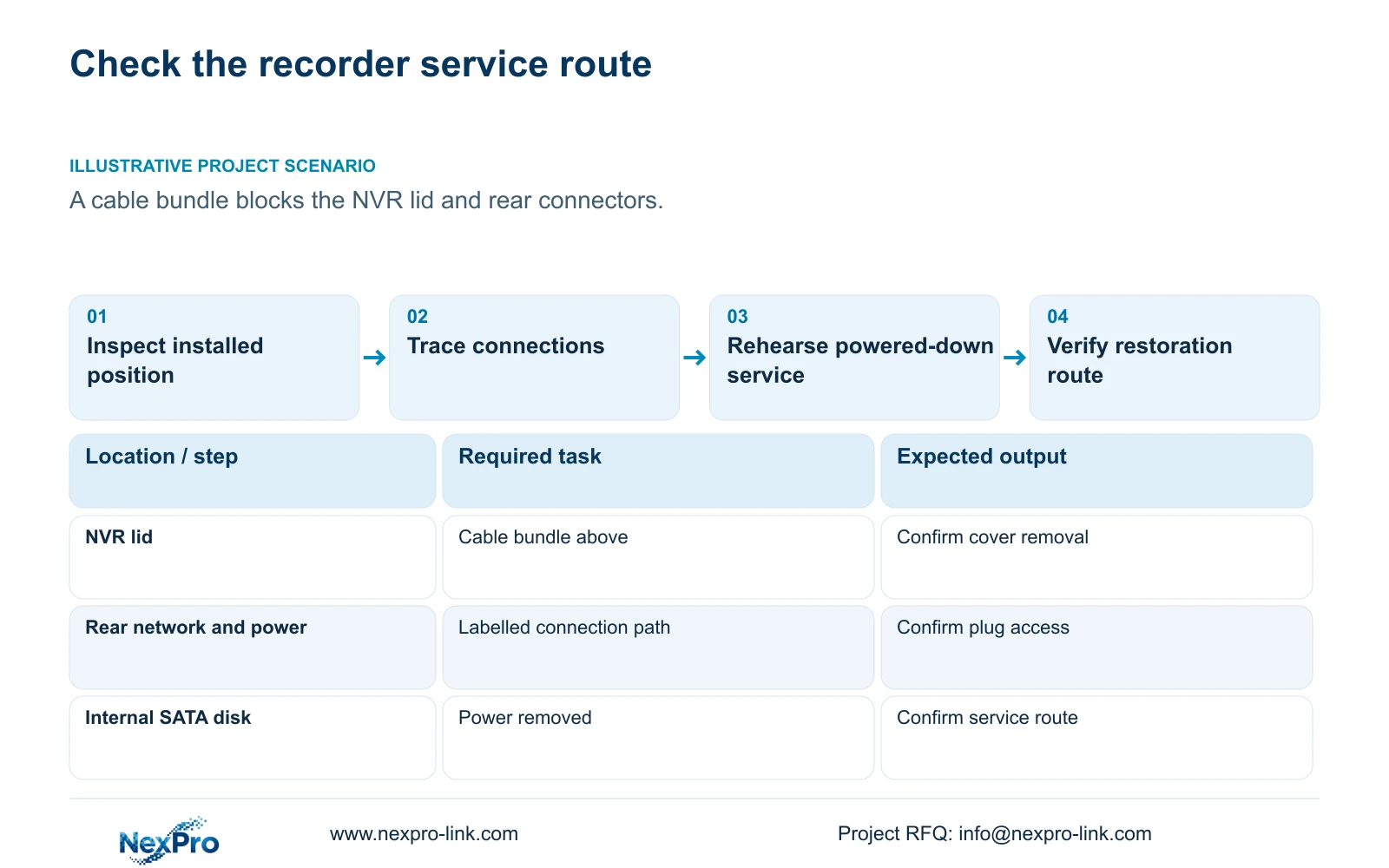
Section 3.1 calls for ventilation and avoidance of moisture, high temperature and strong magnetic environments. Assess the recorder's intended position with the surrounding equipment and cabling in place. A cabinet location that appears open during assembly can become obstructed when the final cable bundle is installed. Record any obstruction against the actual recorder so the contractor can resolve it before handover.
Use the selected equipment's environmental limits for approval. This manual does not supply universal temperature ratings, cabinet depths or ventilation gaps, and an ordinary equipment-room arrangement does not establish suitability for a hazardous area. If the installation location requires a rating that has not been confirmed, obtain the model-specific evidence or choose another location. Keep responsibility for the room conditions separate from responsibility for mounting the recorder.
Section 03
Rehearse the disk-service route with power removed
Section 3.2 describes disconnecting power, opening the case, securing the disk, connecting SATA data and power cables, and replacing the cover. Use that sequence to determine the service space. Check whether the cover can be removed, its fasteners reached and the disk connections inspected without disturbing unrelated equipment. If the recorder must leave its installed position, document how it will be released and where the work will take place.
For an operating recorder, obtain authority for the interruption and preserve required footage before rehearsing physical service. Identify the installed disk and any data that must remain available. Physical disk installation and formatting are separate actions; access approval does not authorize initialization. The manual does not establish hot-swap support for these internal connections, so do not treat an accessible connector as permission to work on it while powered.
Section 04
Trace rear connections without mixing data and camera power
Mark the display, mouse, network and recorder power connections separately on the rack drawing. Section 3.3.1 shows a non-PoE recorder and cameras communicating through a switch, with camera power supplied separately. The ordinary recorder LAN socket in that diagram is not a camera-power output. Where the design requires PoE, identify a suitable external power-sourcing device or an exact recorder specification that includes it.
Inspect the finished cable arrangement from the service position. The technician should be able to identify the recorder's plugs and reach them without pulling an unlabelled bundle. Record the cable path before any approved rearrangement. If moving the recorder would disturb a camera-power or switch connection, include that dependency in the maintenance scope instead of describing the work as an isolated recorder task.
| Observed condition | Meaning | Next action |
|---|---|---|
| Cable bundle blocks the lid | The documented disk-service sequence cannot be completed in place. | Revise cable routing or define an approved removal route. |
| Rear plugs cannot be identified or reached | Safe isolation and restoration are difficult to reproduce. | Label the connections and demonstrate access. |
| Only chassis occupancy has been checked | Ventilation and maintenance access remain unconfirmed. | Review the installed environment and service sequence. |
| Camera power is assigned to an ordinary LAN socket | The non-PoE drawing has been misinterpreted. | Identify the actual camera power source. |
Section 05
Assign power and grounding checks to the responsible party
Confirm the recorder and adapter identities from their labels. The manual recommends the supplied adapter and operation within the equipment's power range. A plug that fits does not confirm voltage, current capability or polarity. Leave the actual label information in the equipment record so a future replacement is not selected from connector appearance.
The project should name who checks the supply and grounding arrangement and who approves changes to it. If startup or disk recognition becomes unstable after disks or peripherals are added, record the connected load conditions and adapter identity. That observation calls for a controlled supply and connection investigation. It does not establish that poor ventilation, an adapter fault or the recorder itself is the cause.
Section 06
Keep the shutdown method accessible after installation
The manual requires software shutdown before power is disconnected. Logout ends an operating session; restart and shutdown change the recorder's operating state. The rack arrangement should therefore preserve an authorized way to reach the software controls before the technician isolates power. An idle screen or login prompt does not establish that the recorder has stopped.
Write the maintenance window around the recording interruption. Preserve needed exports first and identify the equipment whose connections will be affected. If the operator cannot access the shutdown controls through the installed arrangement, resolve that limitation before accepting routine service access. Automatic restart after an unexpected event does not establish uninterrupted recording or remove the need to plan the power path.
Section 07
Hand over the actual layout and its remaining responsibilities
Keep the final rack layout, connection identification, applicable recorder versions and configuration-backup location together. Record who authorizes an interruption, who performs disk work and who restores the connections. Transfer credentials through a controlled route. The property team should be able to identify a channel, retrieve a required period and produce a playable export, as well as locate the correct service contact.
Illustrative project scenario: A contractor places an NVR below a cable bundle that blocks access to its lid and rear connectors. The review identifies both obstructions before acceptance. The contractor must revise the bundle or document an approved recorder-removal route, then demonstrate that the disk-service and reconnection tasks can be completed. This is an illustrative decision path, not a delivered NexPro-Link project result.
A preparation or supply discussion can use the NexPro-Link BOQ and tender support scope to identify the equipment and documentation involved. Keep local electrical work and ongoing maintenance responsibilities explicit in the project agreement.
Section 08
Does the manual specify a standard rack clearance?
No universal clearance is established here. Use the actual chassis, its applicable environmental limits and the space needed to complete disk and connector service.
Section 09
Can the lid be opened while the recorder is running?
The documented internal disk-work sequence begins with power removed. Plan authorized software shutdown and data preservation before physical service.
Section 10
Submit the proposed service layout
Send NexPro-Link a redacted rack layout showing the recorder position, cable bundle and intended disk-service route at info@nexpro-link.com.
Engineering references
These sources support the general planning principles. Always use the selected product's current datasheet and applicable project standards for final design.


