

Identify what each NVR QR code does before using a screenshot. Keep device and recovery identifiers private while preserving useful instructions in the English handover guide.
Section 01
Identify the workflow before releasing a screenshot
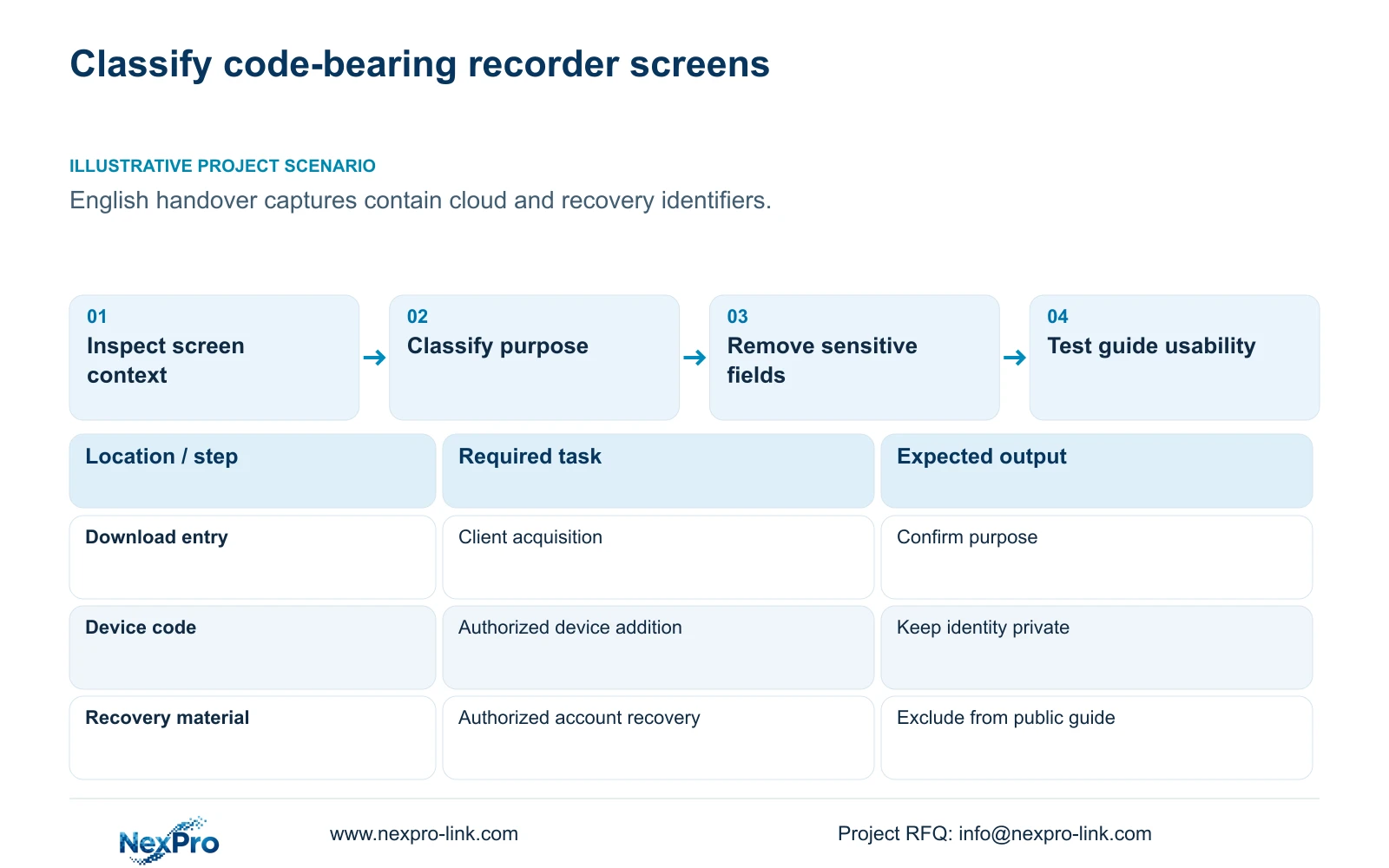
Classify an NVR QR code by the task beside it before scanning, copying or publishing the screen. An App download entry, a device-addition identifier and a password-recovery challenge belong to different workflows and need different handling. Keep device and recovery material out of public product photographs and project brochures. For an English handover guide, preserve the relevant controls and explain their purpose while removing sensitive identifiers. If a code's purpose is uncertain, exclude it from the distribution copy until the authorized project team confirms the applicable model and workflow. A familiar square pattern alone does not establish who may use it.
The operating basis is the supplied NVR4.0 user manual CH_V2.4.doc, with V2.2 in its body. Relevant sections include 2.4.3, 4.1.1, 4.1.3, 4.12.8 and 4.12.19. These instructions describe the supplied manual's scope, not every recorder or App release.
Section 02
Label device-addition material using its surrounding context
Use the top cloud-status area, network page and System Information as separate observations. The manual associates usable cloud operation with activation, the documented network path and valid device identity. A device-related code should therefore be identified through its actual screen context, not through a cropped image that removes the surrounding labels.
If the recorder does not report a usable cloud state, record which observation failed. A network problem and an invalid identity call for different next actions. The identity abnormalities described in the manual require supplier assistance; they do not justify altering the recorder's identity. Keep the detailed device record private and publish only the explanation needed to locate the relevant screen.
Section 03
Separate obtaining the App from activating the recorder
A download entry helps the user obtain the intended client. It does not prove that the recorder is activated, added to an account or producing usable recordings. In the guide, label the entry by its download purpose and retain enough surrounding context to avoid confusing it with a device identifier.
Sections 4.1.1 and 4.12.8 describe cloud-password setup for an initially unactivated recorder. This version requires uppercase and lowercase letters with numbers, and rejects empty or default cloud passwords. Explain that activation belongs to the recorder's cloud-service workflow. Do not imply that downloading the App changes local login, initializes a disk or approves the recording schedule.
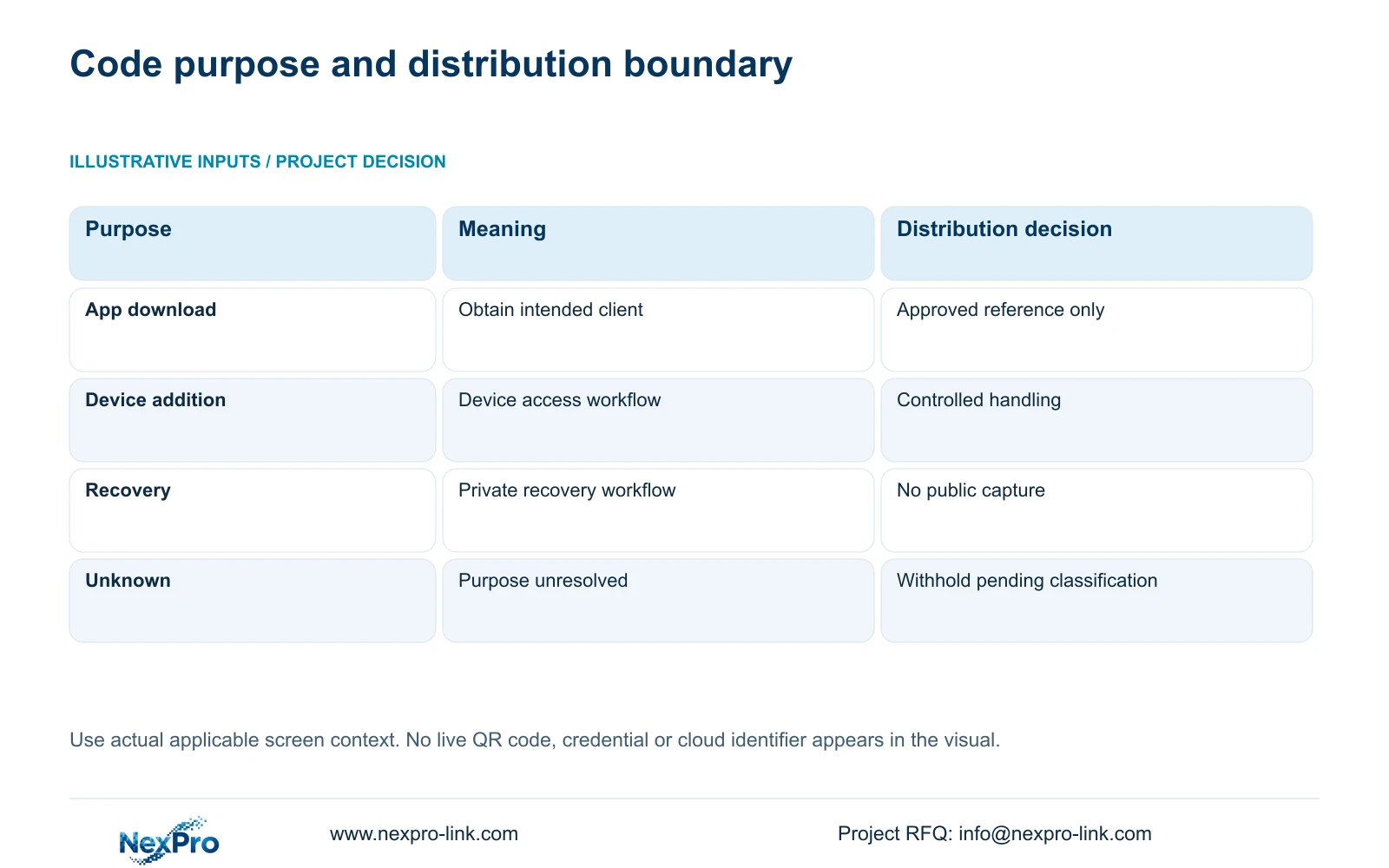
| Screen purpose | Handling decision | Verification |
|---|---|---|
| App download | Use an approved download reference; exclude adjacent device details. | Confirm the entry's purpose and intended client. |
| Device addition | Keep the device code and cloud identifier in the controlled workflow. | Confirm recorder identity and authorized account responsibility. |
| Password recovery | Exclude the challenge and temporary credential from public guides. | Use only the authorized model-specific process. |
| Unidentified code | Hold the screenshot out of the distribution edition. | Obtain the applicable screen context before classifying it. |
Section 04
Keep recovery material within authorized handling
Section 4.1.3 and question 2 in section 5.3 describe a Seetong-assisted authorized recovery workflow. Recovery material belongs with the authorized owner or installer, not with a graphic designer, brochure recipient or general project mailing list. This article does not provide the recovery challenge, temporary credential or operating sequence.
The manual says its temporary credential expires after use or one hour after generation. That time limit does not make a recovery screenshot suitable for publication. Remove the material from the guide even if the original task has finished. After an authorized credential change, the responsible technician should recheck the relevant dependent connections and record the result without reproducing the new secret.
Section 05
Name the account object without reproducing its secret
Sections 4.1, 4.3.1 and 4.12.3 distinguish local recorder users, network permissions and camera authentication settings. The third-party cloud account also has its own role. A guide should explain which object a step concerns so readers do not enter a camera credential into an unrelated account workflow.
Record who controls each object and where the controlled handover information is maintained. Leave passwords out of the equipment schedule and ordinary project correspondence. If access fails after scanning a device-related code, identify whether the problem concerns account authorization, recorder cloud state or the selected device. Repeating scans cannot establish that those separate conditions have been satisfied.
Section 06
Retain useful identity context while removing sensitive fields
System Information in section 4.12.19 provides the product model, hardware version, software version and software date. Those details help match the guide to the recorder. A private support record can contain the actual device identity, while a distributed screenshot should conceal cloud identifiers, QR codes and recognizable site information.
Review the complete image, including neighboring panels and background camera views. Redacting the central code alone is insufficient when an identifier remains elsewhere on the same screen. Preserve the original applicable interface where suitable, with English explanations added separately. Do not create an English menu that appears to be native firmware when the source capture is Chinese.
Section 07
Release a guide that operators can use without exposed identifiers
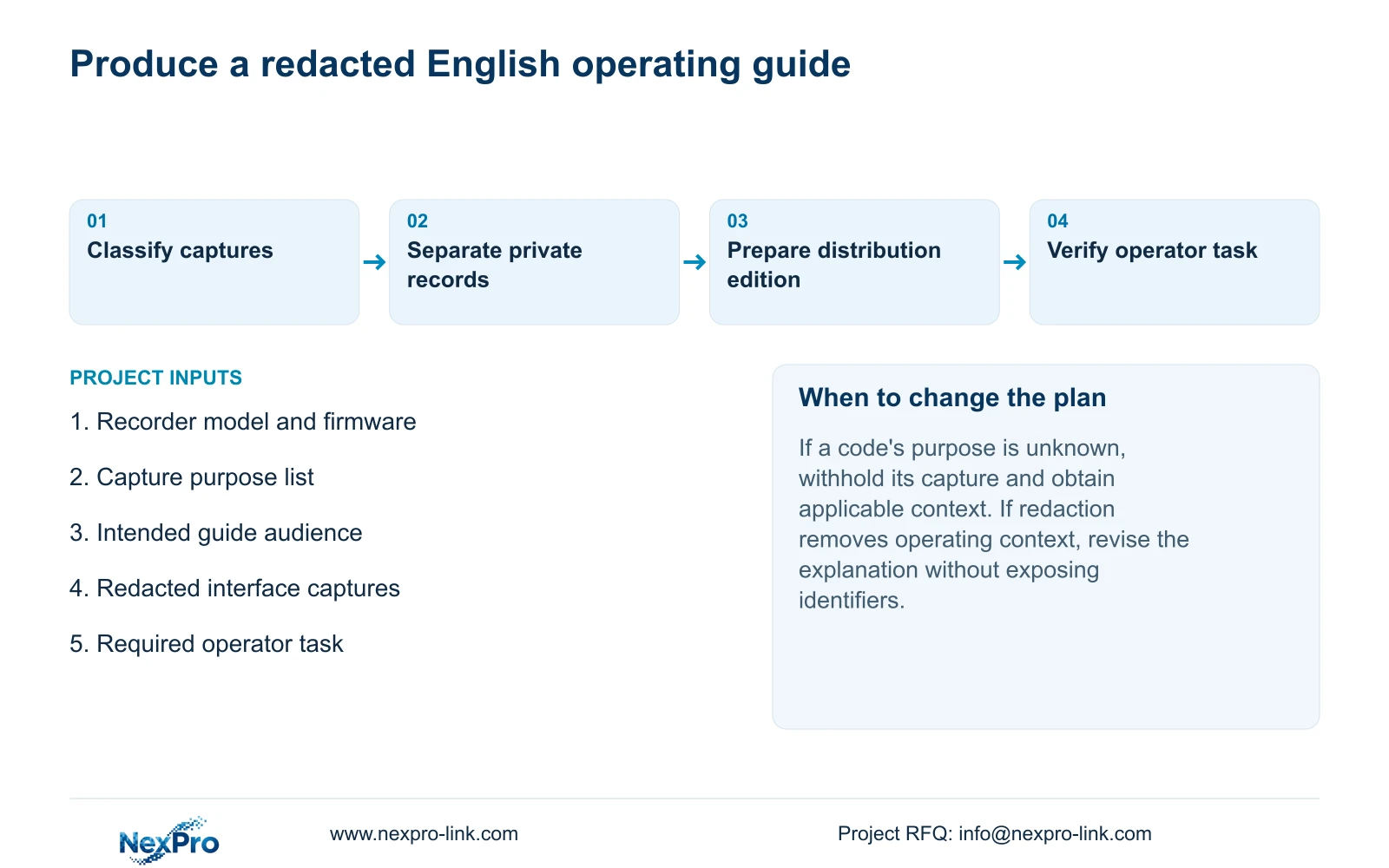
Illustrative project scenario: A project team wants screenshots for an English handover guide but the images contain cloud and recovery identifiers. The team classifies each capture, withholds unresolved code-bearing images, and prepares a distribution edition that explains the controls without including the sensitive values.
The finished guide should still let the owner identify a channel, find a requested recording period and follow the applicable export workflow in section 4.11. Include the recorder version, configuration-backup location and support responsibilities. Sensitive account transfer remains a separate controlled activity.
Before accepting the guide, ask an intended operator to use it for an agreed task. If redaction has removed necessary context, improve the explanation or choose a different applicable capture. Do not reinsert a device or recovery identifier merely to make the illustration easier to follow. NexPro-Link's project support route can be used to discuss the required handover-document scope.
Section 08
Can an expired recovery screenshot appear in a brochure?
Keep recovery screenshots out of public copy. Expiry of the temporary credential does not establish that the entire image contains no device or account information.
Section 09
Does an App download code prove remote access is ready?
No. Obtaining the client, activating the recorder and completing authorized device access are separate outcomes. Verify the intended account task on the applicable system.
Section 10
Provide the screenshot purpose list
Send NexPro-Link a redacted screenshot-purpose list at info@nexpro-link.com to discuss which interface explanations belong in the handover edition.
Engineering references
These sources support the general planning principles. Always use the selected product's current datasheet and applicable project standards for final design.


