

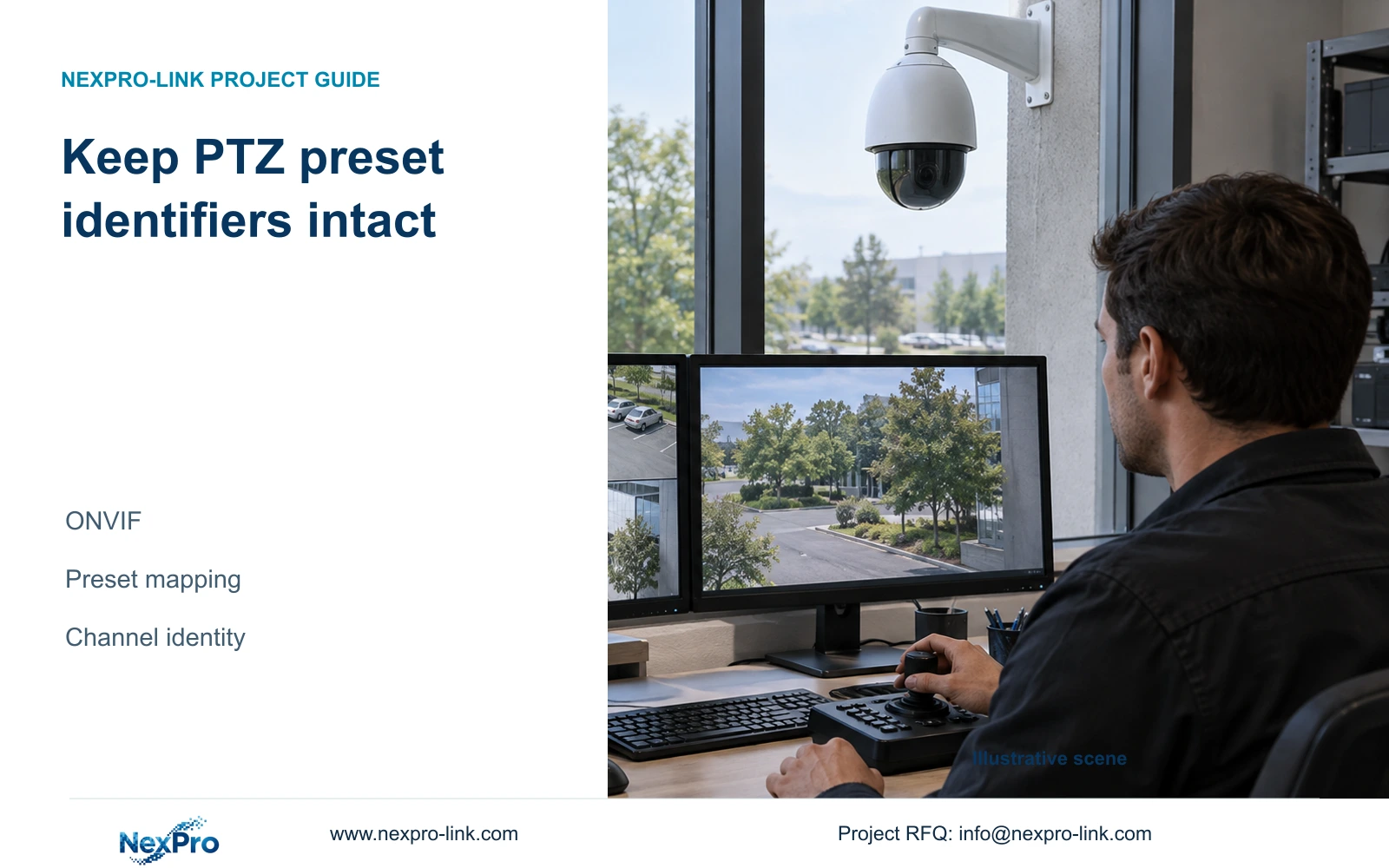
Private-protocol numbers and ONVIF preset identifiers need different handling. Keep the camera's original identifier separate from the location name and verify each call on the correct channel.
Section 01
Preserve the identifier returned by the camera
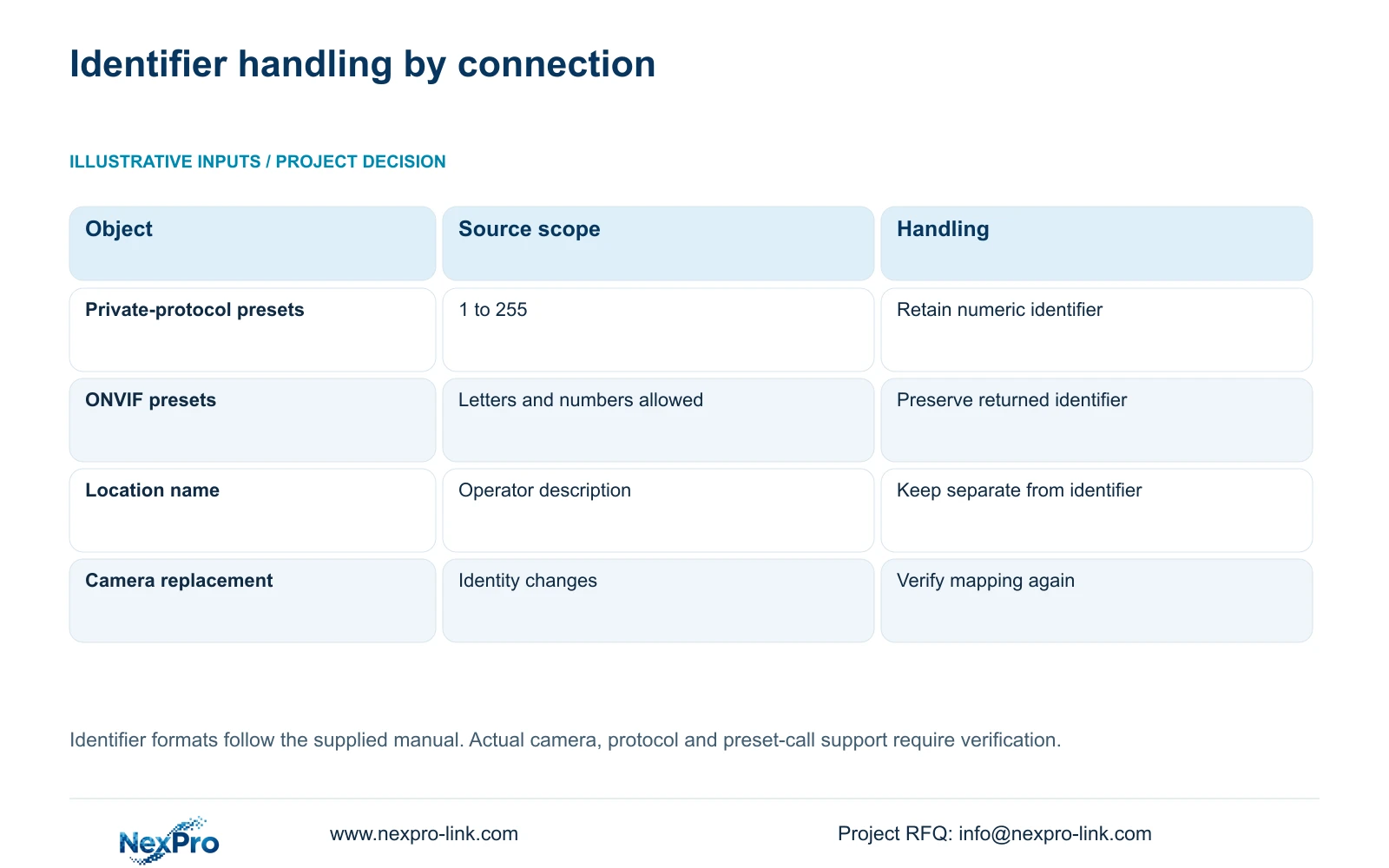
Keep the preset identifier supplied by the camera in its original form. The supplied NVR4.0 manual describes private-protocol presets numbered from 1 to 255, while ONVIF preset identifiers may contain letters and numbers. A mixed-camera installation therefore needs a mapping that separates the command identifier from the operator's location name. Refresh the recorder's preset information, confirm the actual protocol, and call each required target on the correct channel. Do not automatically renumber a non-numeric identifier to make the list look consistent. Completion means the operator can select the intended camera and reproduce the intended view using the documented identifier.
Start with the connection actually used by the NVR. A camera's advertised protocol options do not tell you which method is active on its channel. Record that method beside the camera identity, then inspect its returned preset list through the applicable interface.
The private-protocol range belongs to this manual's scope. It is not a numbering rule for every connected device. Likewise, permission to use mixed identifiers does not establish that every ONVIF camera and recorder combination can perform every preset operation.
Section 02
Capture the list before interpreting its entries
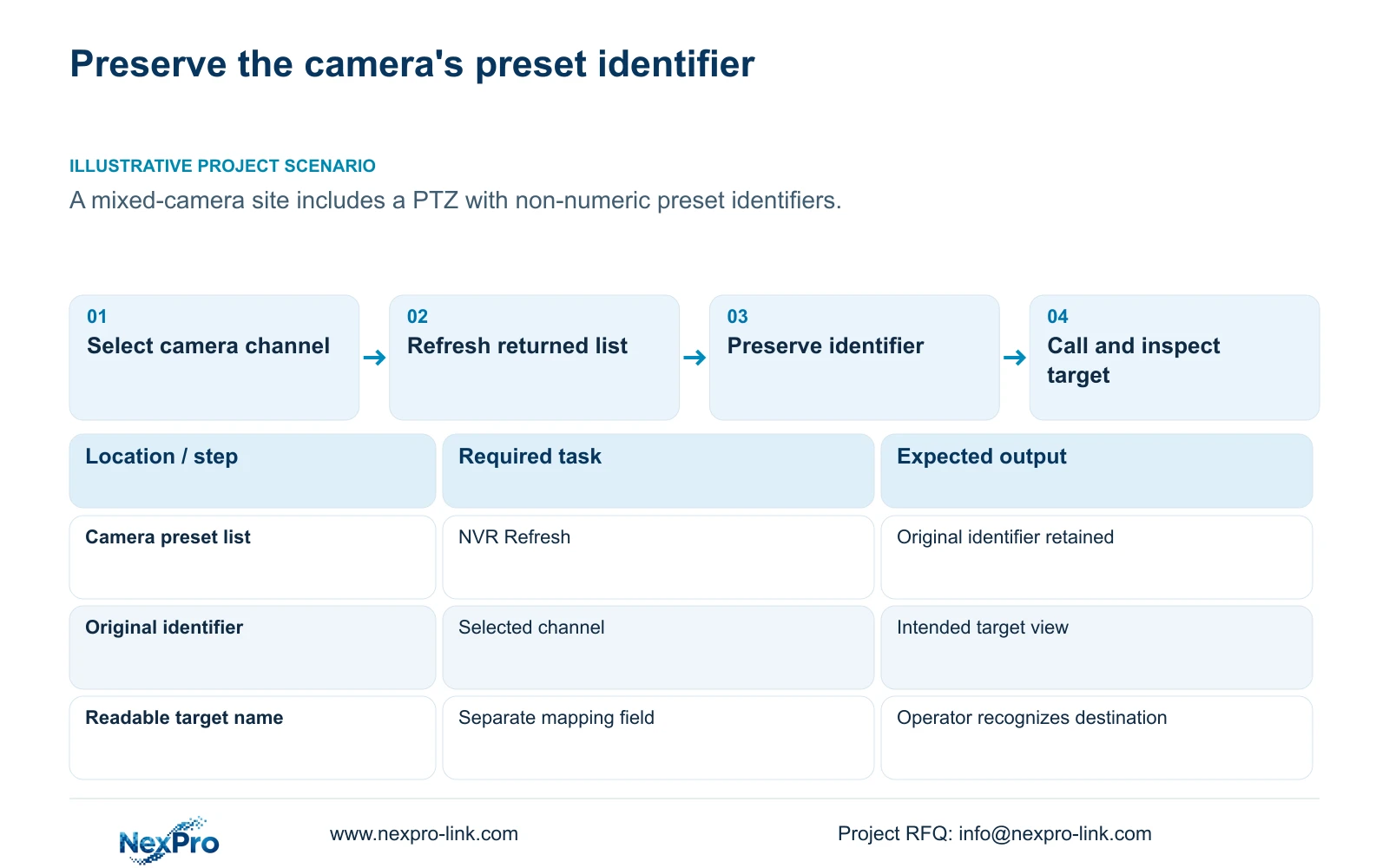
Section 4.10.1 describes Refresh as the function for synchronizing the NVR's preset information with the camera. Select the correct camera channel before refreshing. Record the returned identifiers exactly, retaining their association with that camera and connection.
If the expected preset is absent, compare the camera's authorized configuration record with the refreshed recorder list. If the identifier appears but calling it fails, investigate the supported command path. Basic video can work while a requested control is unavailable or ineffective.
Sections 4.4 and 4.10 make camera capability relevant to recorder controls. Check the camera model, firmware, relevant account permissions and connection scope before declaring a preset invalid. An unavailable control is a diagnostic clue; it does not by itself prove either hardware damage or loss of the camera's stored configuration.
Section 03
Separate a location name from a command identifier
The operator may recognize a target by its drawing location or workplace name. The recorder needs the identifier associated with the camera's preset operation. Put these in separate fields so an edited display name cannot silently become a different command.
Record the NVR product model, hardware version, software version and software date from System Information, as described in section 4.12.19. Keep the camera model and firmware beside those details. This version context explains which equipment produced the list and helps another engineer reproduce the same check.
A useful mapping also distinguishes an entry awaiting verification from one whose call reached the intended view. Preserve the observed result rather than treating a familiar name as confirmation. The table below gives handling decisions without inventing sample preset tokens.
| Entry or state | Handling decision | Required verification |
|---|---|---|
| Private-protocol numeric preset | Retain the number within the manual's 1 to 255 scope | Call it on its own camera channel |
| ONVIF mixed identifier | Preserve the returned letters and numbers | Confirm the requested operation works |
| Readable location name | Store separately from the command identifier | Compare the view with the named target |
| Entry missing after refresh | Keep the discrepancy unresolved | Check camera configuration and connection scope |
| Same label on different cameras | Keep separate camera-specific records | Verify each target independently |
Section 04
Call each target and inspect the actual view
Verify that the camera supports the operation before testing presets. The manual explicitly requires a supporting IPC for PTZ configuration. Physical movement, optical zoom, focus and electronic enlargement are separate capabilities, so a fixed motorized lens does not establish directional preset movement.
Call each required preset individually and compare its resulting view with the intended target. Record the channel, original identifier and outcome together. If the camera reaches another location, stop using that entry as an accepted target until its stored position and identity are checked.
Avoid correcting several fields at once. A label change, a different identifier and a different camera channel can each alter what the operator sees. Keep the test attributable to a single operation so the resulting record explains which association was confirmed.
Section 05
Bind the preset to the physical camera
Maintain separate fields for drawing location, physical camera identity, IP address, recorder channel and displayed name. Sections 4.3.1, 4.4.4 and 4.12.6 provide channel-name and OSD controls; maintaining the project mapping is an engineering responsibility built around those controls.
Attach the preset identifier and target description to that camera record. A matching label elsewhere in the system does not authorize copying the identifier to another device. After replacement or channel reordering, verify the associations again before reusing the operator's preset instructions.
For incident retrieval, identify the recorded channel and time rather than relying on the current monitor window. The camera may have faced different targets during the recorded period. The preset register explains control destinations, while playback establishes what the camera actually captured.
Section 06
Hand over a mapping another operator can use
Illustrative project scenario: A mixed-camera site includes a PTZ with non-numeric preset identifiers. The engineer refreshes that channel's list, retains the returned identifiers and adds readable target names in separate fields. Each required call is then checked against its intended view. The handover record preserves this association without imposing the numeric convention used by another camera.
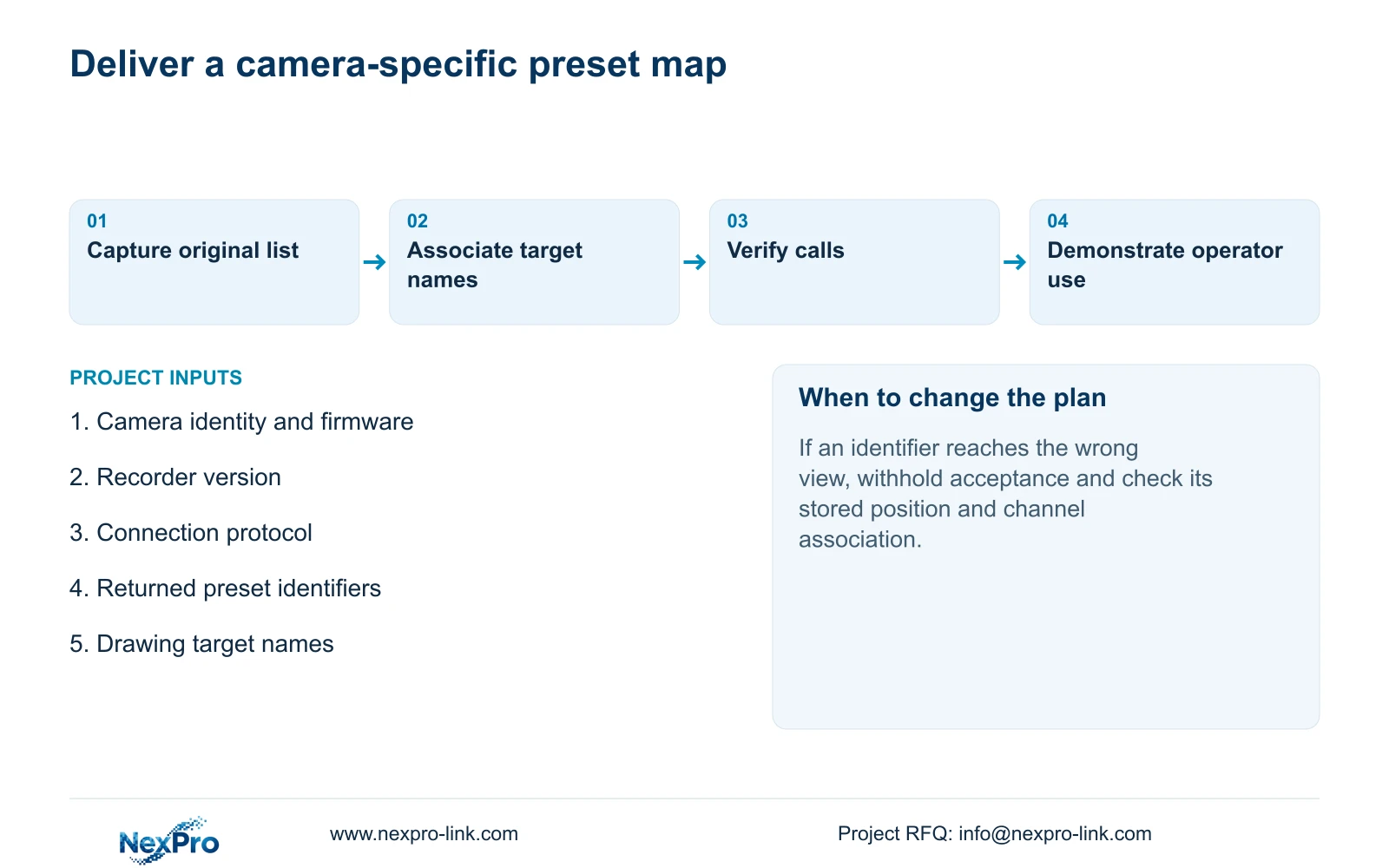
Provide the original identifier mapping, applicable camera and recorder versions, test outcomes and responsibility for future edits. Keep configuration-backup location information with the maintenance record. Transfer credentials through the buyer's controlled process, not inside the operator's public preset chart.
Ask the receiving operator to select the right channel and call a required target using the record. Where incident retrieval is part of the role, also demonstrate playback and a playable export. Sections 4.11, 4.12.3 and 4.12.17 to 4.12.19 support those surrounding handover tasks; the mapping workflow is an engineering extension.
The primary source is 'NVR4.0 user manual CH_V2.4.doc', with V2.2 in its body. Use the cited sections to locate instructions. Its TS models have no established mapping to NexPro-Link commercial SKUs, so apply the workflow to the actual device pair rather than assuming a brand-wide interface guarantee.
Section 07
Questions about mixed preset formats
- Can an ONVIF preset identifier contain letters? Yes, the supplied manual allows mixed identifiers. Preserve the actual returned value.
- Can the same location name be used on different cameras? A readable name can describe the target, but each camera needs its own verified identifier association.
- What proves the mapping is ready for handover? The operator selects the correct channel and calls the documented identifier to reach the intended view.
Section 08
Review an identifier mismatch
Send NexPro-Link a redacted preset mapping showing the camera model, recorder version, connection protocol and the identifier that fails at info@nexpro-link.com.
Engineering references
These sources support the general planning principles. Always use the selected product's current datasheet and applicable project standards for final design.


