

A PTZ cruise cycle includes movement between presets and the return leg. Compare dwell time with the resulting time away from each target before accepting patrol as suitable coverage.
Section 01
Count movement as part of the patrol cycle
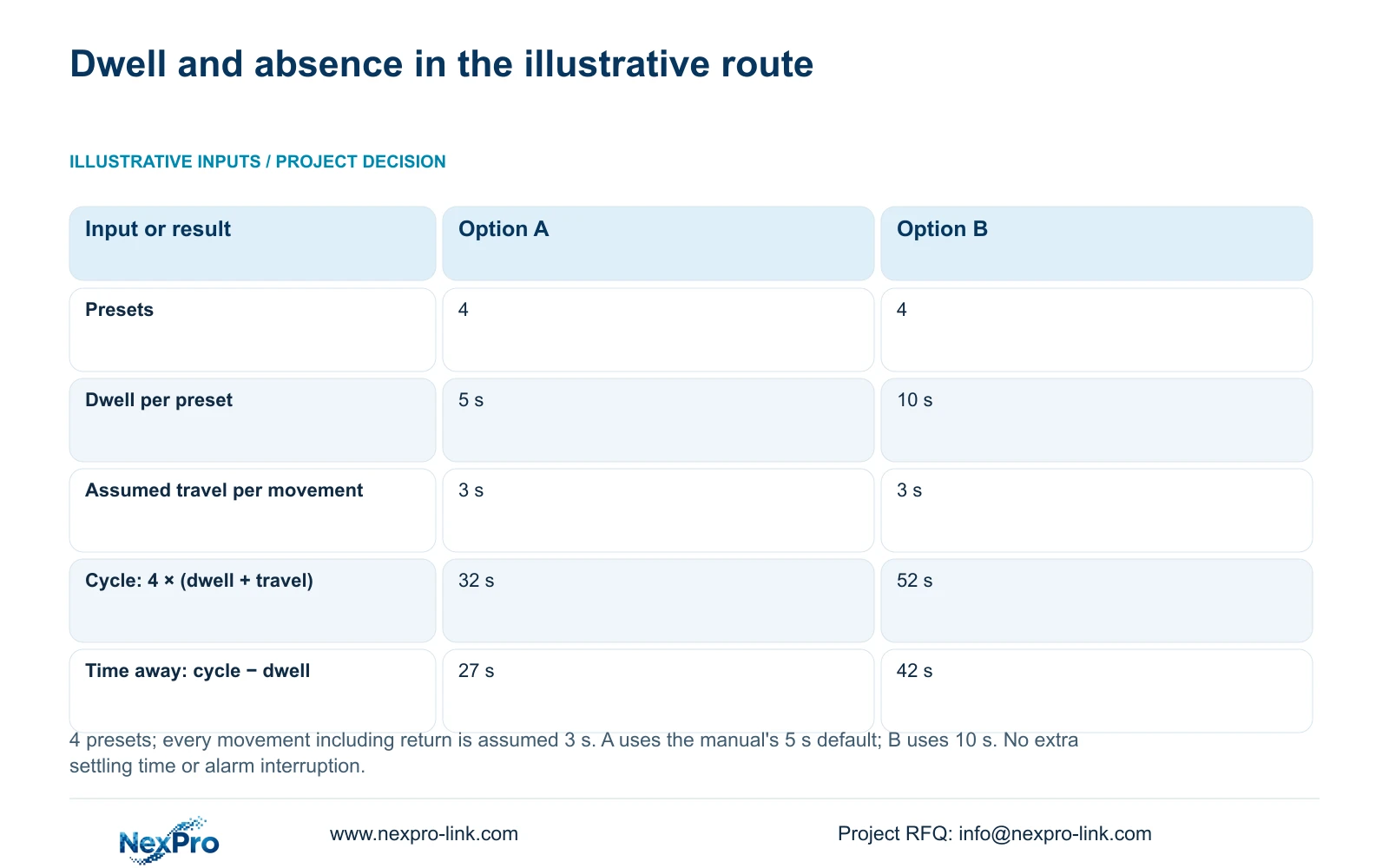
A PTZ cruise cycle includes dwell at each preset and travel between presets, including the return to the starting position. The supplied manual gives a five-second default dwell, but it does not make movement instantaneous. In the illustrative four-preset calculation here, each movement is assumed to take 3 seconds. A 5-second dwell produces a 32-second cycle and approximately 27 seconds away from one target; a 10-second dwell produces a 52-second cycle and 42 seconds away. These figures describe the stated inputs, not measured camera performance. If a loading position needs continuous detailed footage, retain a suitable fixed view.
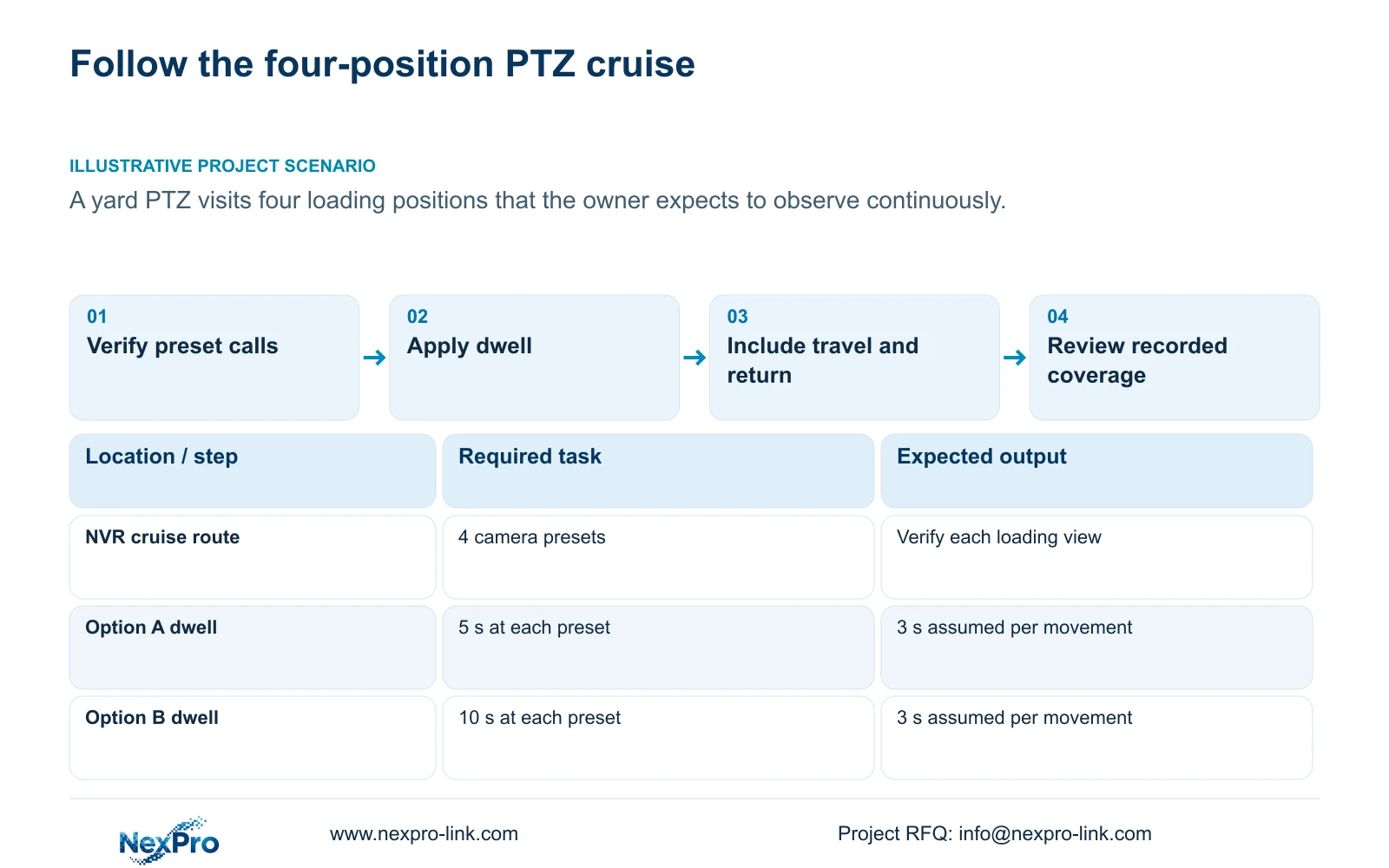
Write down the route order and dwell at all four loading positions before comparing options. Option A uses 5 seconds at every preset. Option B uses 10 seconds at every preset. The first value corresponds to the manual's default dwell field; the second is an illustrative alternative.
Keep this route definition distinct from a display tour. Section 4.10.2 describes a physical cruise through presets, while sections 4.6 and 4.12.5 describe sequential screen views. Both involve intervals, but only the physical cruise redirects what this camera captures.
Section 02
Verify the destinations before timing the route
Confirm that each required preset call reaches its intended loading position. A route using an incorrect entry can complete a repeatable cycle while observing the wrong target. Refresh the recorder's preset information where applicable, then call each entry on the identified camera channel.
Section 4.10.1 distinguishes private-protocol preset numbers from ONVIF identifiers that may contain letters and numbers. Preserve the actual identifiers and associate them with readable target descriptions. Do not copy a numbering assumption from another camera into this route.
Inspect the resulting view at each destination. Record whether the framing supports the intended observation before assigning its dwell. More time at an unsuitable view does not resolve a target-position problem, so correct and verify that association before calculating patrol intervals.
Section 03
Measure travel or label it as an assumption
The calculation assumes 3 seconds for each of four movements, including the movement back to the starting preset. This is a teaching input, not a value specified for the camera. For an actual route, measure the relevant movements under the intended operating conditions and identify any additional settling time needed before the view becomes useful.
Confirm that the camera and selected protocol support the movement being timed. Section 4.10 requires a supporting IPC for PTZ configuration. Lens adjustment and electronic enlargement do not establish a physical patrol mechanism.
If movement or settling differs between route legs, use the individual observations rather than forcing them into the equal-travel example. Document whether a timing value includes settling so another engineer does not count it twice or omit it.
Section 04
Calculate the full cycle and time away
For this equal-dwell, equal-travel example, cycle time = preset count × (dwell time + travel time). Time away from one preset, measured from departure until the next dwell begins, is approximately cycle time − that preset's dwell time. All durations below are in seconds.
Option A: cycle = 4 × (5 s + 3 s) = 4 × 8 s = 32 s. Time away = 32 s − 5 s = 27 s. Option B: cycle = 4 × (10 s + 3 s) = 4 × 13 s = 52 s. Time away = 52 s − 10 s = 42 s.
The cycle is the interval between successive arrivals at the same preset in this repeating route. Time away excludes the dwell at that target. These definitions matter when the owner asks how long a loading position lacks the selected detailed view.
Choose the dwell based on the task at each stop, then compare the resulting absence with the coverage requirement. Longer dwell gives more viewing time at the current target and delays the next useful visit elsewhere. Neither option provides continuous detailed coverage of every loading position.
| Input or result | Option A | Option B |
|---|---|---|
| Preset count | 4 | 4 |
| Dwell at each preset | 5 s | 10 s |
| Assumed travel per movement | 3 s | 3 s |
| Full cycle | 32 s | 52 s |
| Time away from one preset | 27 s | 42 s |
Section 05
Test alarm calls separately from routine cruise
Section 4.12.11 lists preset calls among distinct alarm actions, alongside recording, popup, border flashing, buzzer, snapshots, email and app push. A routine cruise reaching a target does not establish that an event calls the correct preset, and a popup does not prove the event was recorded.
Test the intended alarm response on the actual supported configuration. Observe the called view, inspect the relevant recording period and verify any required notification destination separately. Record what happens to the patrol during and after that response without assuming a universal priority or automatic return behavior.
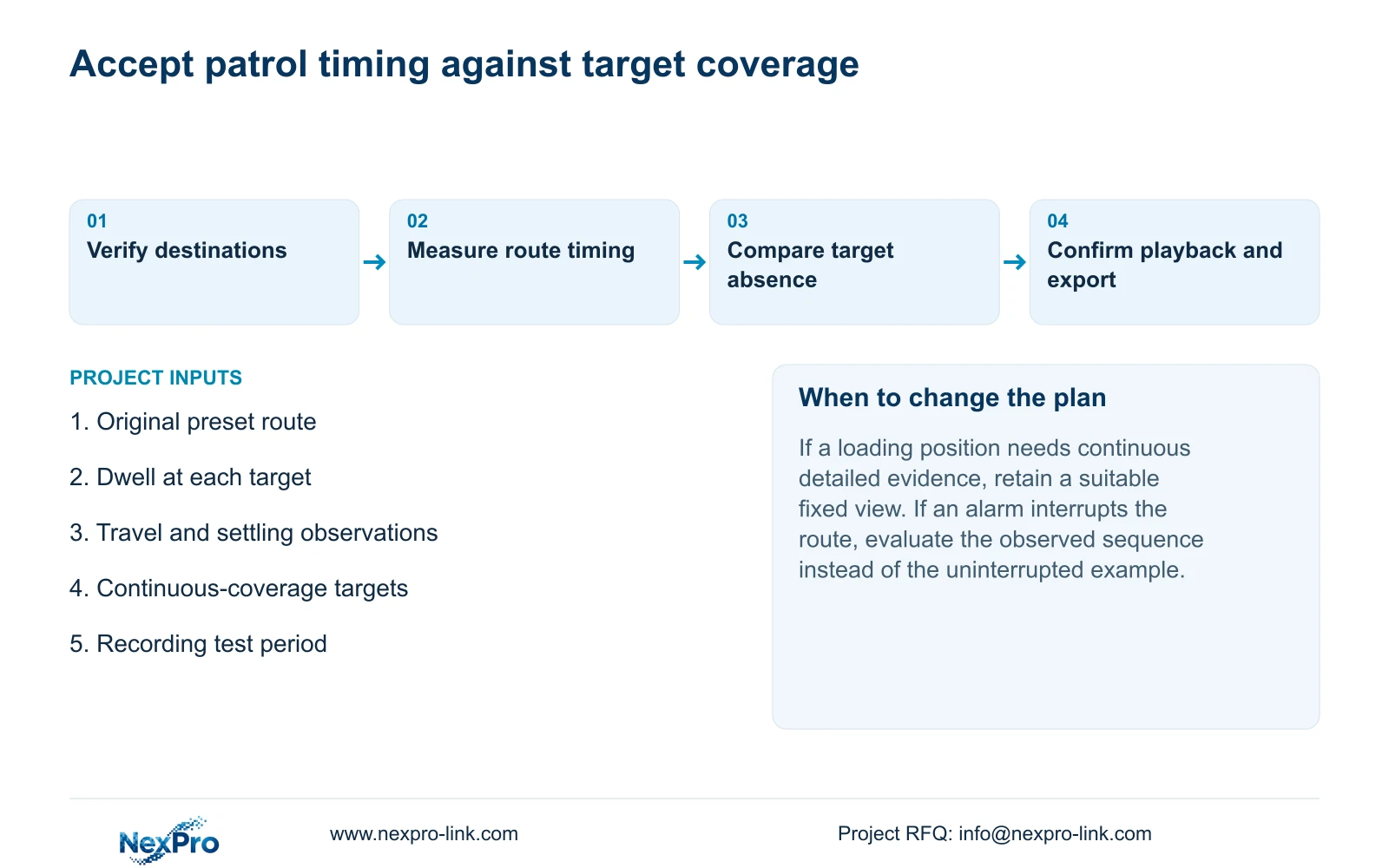
Keep alarm-action duration separate from footage retention. If an event changes the camera's route, the uninterrupted-cycle figures above no longer describe that period. Use the observed operating sequence when evaluating the resulting time away from other targets.
Section 06
Accept the recorded coverage the owner needs
Illustrative project scenario: A yard PTZ visits four loading positions while the owner expects each position to be observed continuously. The 32-second and 52-second options show why that expectation needs a coverage decision. The camera spends part of each cycle facing elsewhere, even if recording runs throughout.
Where those absence intervals are acceptable, verify the route and recorded detail under the intended workflow. Where a position must retain continuous evidence, keep a suitable fixed camera view and use the PTZ for the defined inspection or response task. This is a coverage requirement, not a claim that one architecture always costs less.
Follow an identifiable channel from live view through a known recording period, playback and export. Check the selected disk and recording policy, then play the exported sample on another device. Review both the PTZ route and any fixed view retained for continuous evidence.
The source is 'NVR4.0 user manual CH_V2.4.doc', with V2.2 in its body. Sections 4.10.1 and 4.10.2 support presets and dwell configuration; sections 4.3, 4.11 and 4.12.21 support the surrounding acceptance workflow. The arithmetic and coverage interpretation are engineering explanations, not product test results. NexPro-Link's BOQ support can help reflect the accepted coverage scope in an equipment schedule.
Section 07
Questions about patrol timing
- Is the five-second default the complete time per stop? No. Include travel and any relevant settling time separately.
- Does continuous recording provide continuous detail at every preset? No. The PTZ records the direction it faces during that period.
- Can the example predict timing during an alarm call? No. Verify the event response and subsequent route behavior on the actual configuration.
Section 08
Review the target absence requirement
Send NexPro-Link the preset route, proposed dwell times, measured travel times and targets requiring continuous coverage at info@nexpro-link.com.
Engineering references
These sources support the general planning principles. Always use the selected product's current datasheet and applicable project standards for final design.


