

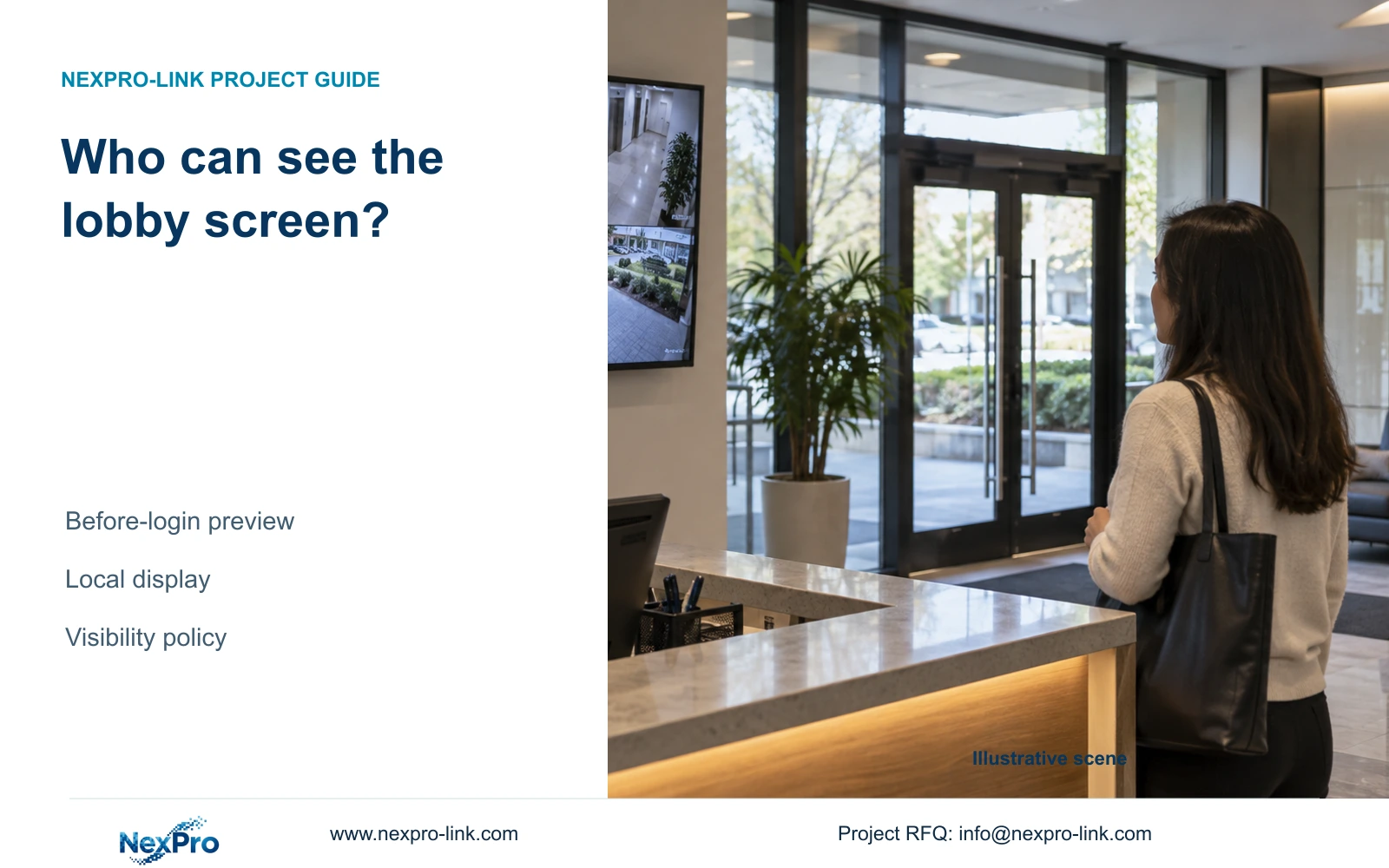
A logged-out lobby monitor may still display camera images. Define permitted visibility, test operating restrictions, and verify the result from the visitor's position.
Section 01
Define what visitors may see at the desk
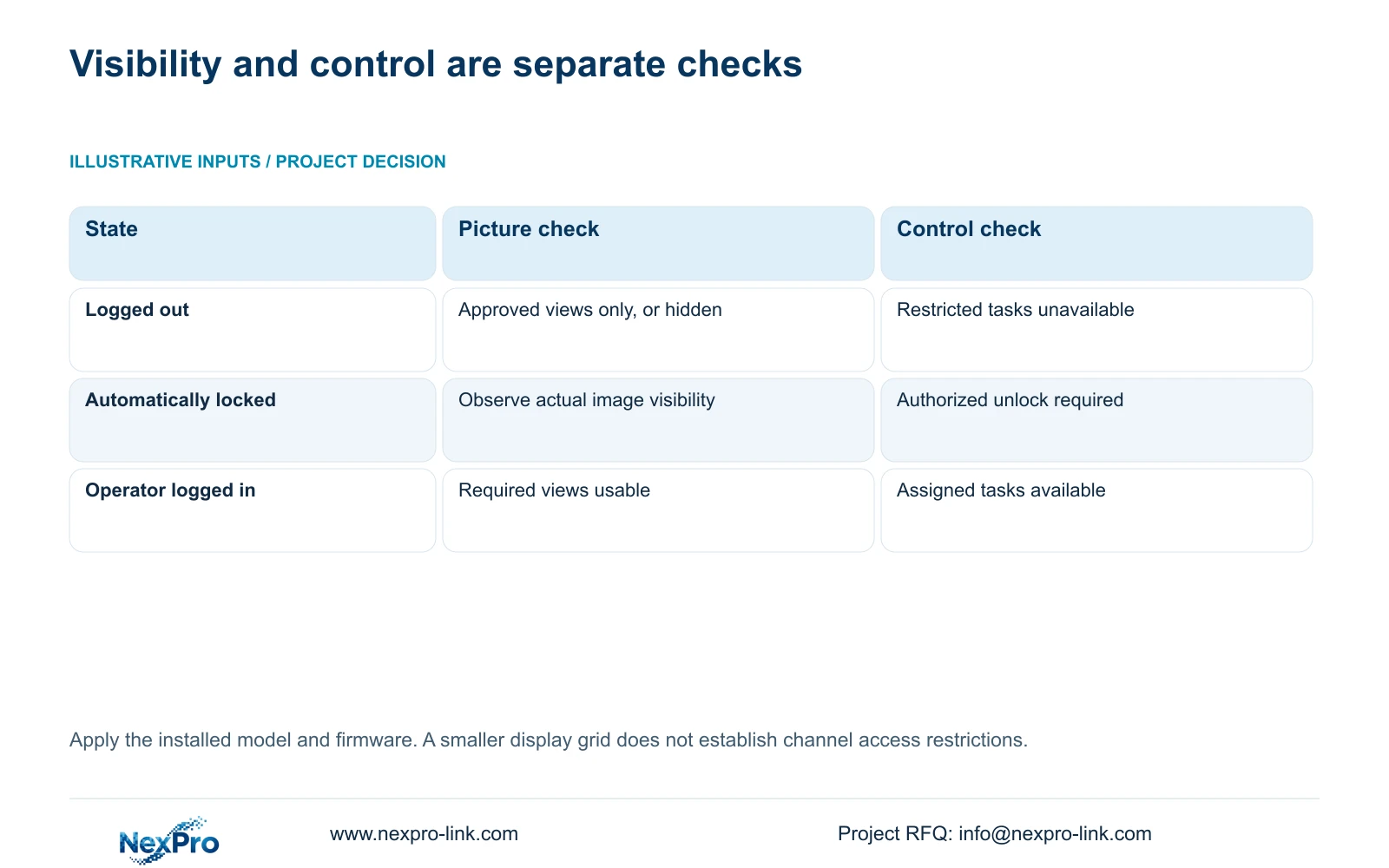
A login prompt does not establish that camera images are hidden. The supplied NVR4.0 manual includes a separate option to prohibit preview by users who are not logged in, so screen visibility and operating restrictions need separate checks. For a lobby desk, first decide which pictures visitors may see, then observe the monitor after logout and automatic locking. Test restricted controls independently. If the owner requires images to disappear, verify that result on the actual recorder and firmware. If some public viewing is acceptable, approve the displayed channels and labels explicitly, while keeping configuration and footage retrieval under the intended account permissions.
Begin with the viewing position, not the menu. Stand where a visitor waits and identify which monitor areas are readable. Ask the owner whether the display is intended for public observation, staff awareness or restricted security work. These purposes can lead to different visibility requirements even when the same operator uses the recorder.
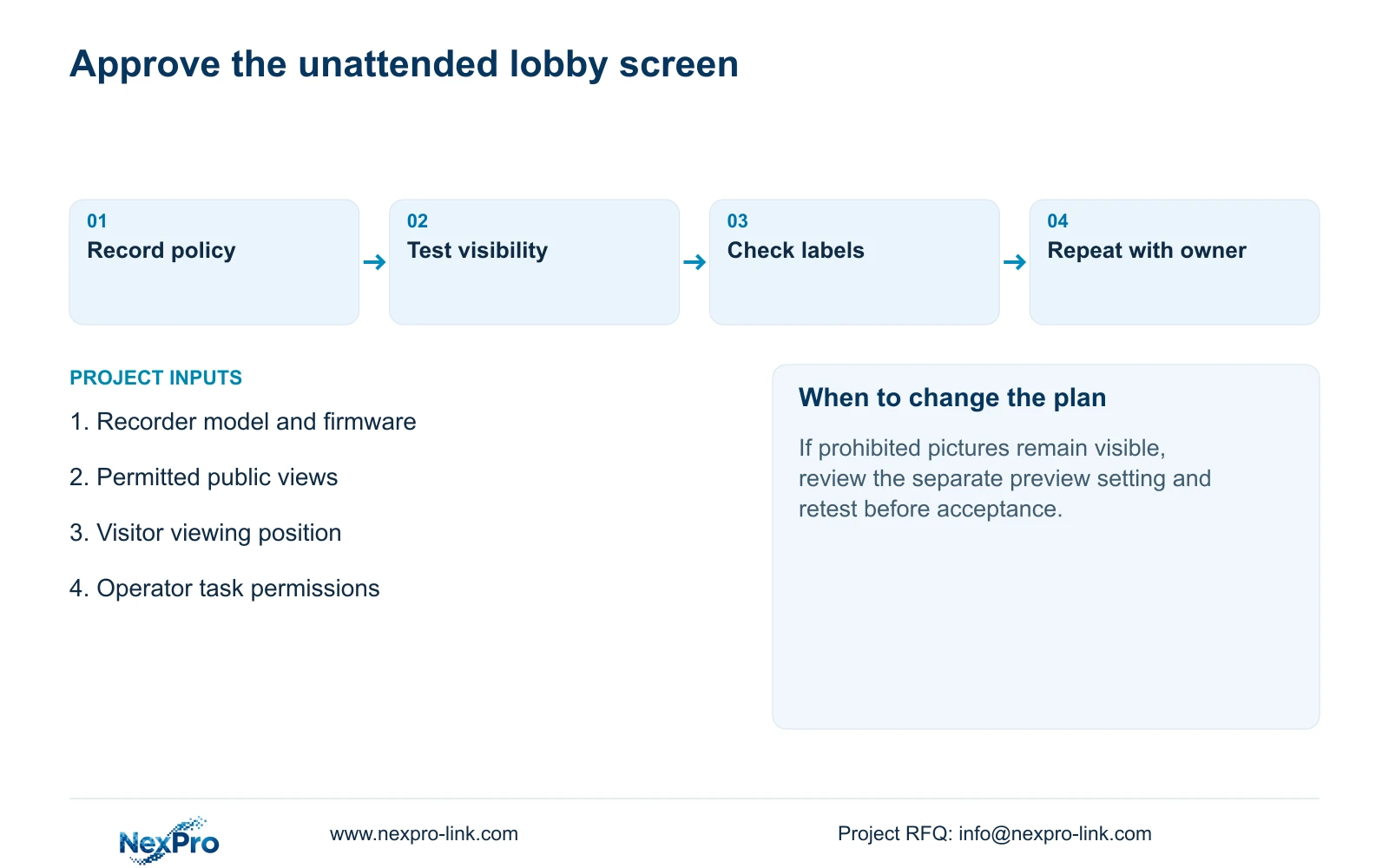
Write the approved result in concrete terms: pictures permitted while logged out, or pictures prohibited until an authorized login. If the requirement applies only to selected views, check whether the actual device supports that arrangement. The supplied material does not establish channel-selective guest visibility. A smaller grid alone should not be accepted as an access restriction.
Section 02
Observe logout without interrupting recording
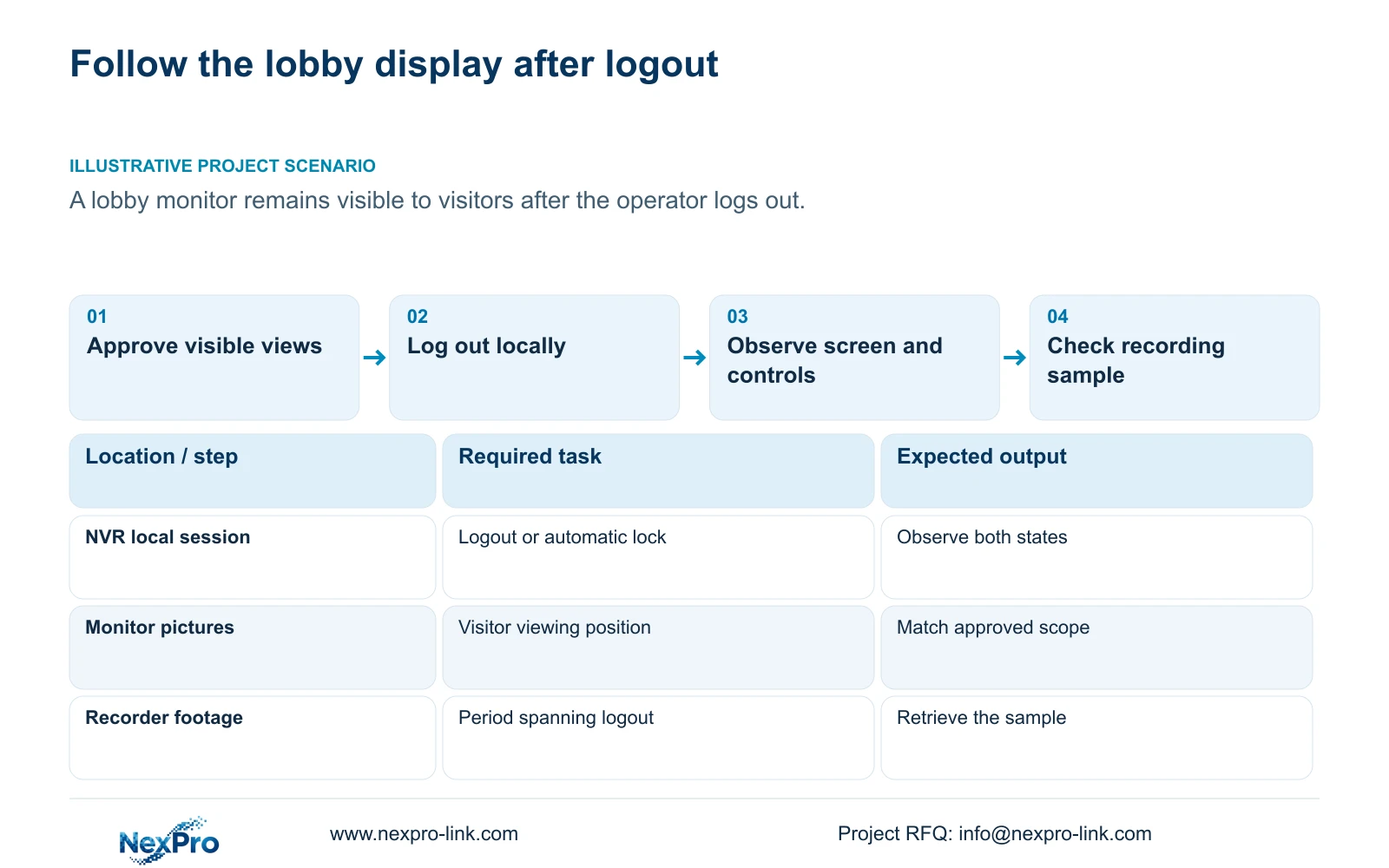
Use logout to end the operating session, then record what remains on screen and which controls are available. Repeat the observation after the configured automatic lock takes effect. Keep these results separate because a policy can require both unattended control protection and restricted picture visibility.
The manual lists logout, shutdown and restart as different actions. A return to a login screen does not prove that recording has stopped. Retrieve an agreed sample spanning the controlled logout test to confirm the required recording task. Do not use shutdown as a privacy shortcut. Stopping a running recorder requires authorization, preservation of relevant footage and an agreed interruption.
This guide uses the private supplied file NVR4.0 user manual CH_V2.4.doc, whose body identifies V2.2. Sections 4.12.5, 4.1.4, 4.1.5 and 4.12.1 support these distinctions. Section titles take priority over page numbers; the instructions require confirmation against the installed model and firmware.
Section 03
Check picture access and operating rights separately
After observing the unattended screen, test the tasks the desk user actually needs. Section 4.12.3 separates local and network permissions, including preview, playback, system settings and PTZ. Local recording backup is also a separate permission. Successful live viewing therefore cannot approve playback, export or remote access.
Use the intended account and access path for each check. Demonstrate an allowed task, then attempt a task the owner has prohibited through the normal interface. Record whether the restriction takes effect. If a prohibited operation succeeds, review that permission before expanding the test; avoid changing several unrelated controls together.
Use the following decision table to interpret the lobby observation. These are proposed acceptance branches, not recorded test results.
| Observation | Meaning | Next action |
|---|---|---|
| Pictures remain; settings are blocked | Control protection passed; visibility needs its own approval | Compare displayed views with the public-screen requirement |
| Pictures remain although viewing is prohibited | The visibility requirement is unmet | Check the separate before-login preview setting and retest |
| Pictures disappear; allowed login restores operation | Visibility behavior matches a restricted-screen policy | Verify required recording and operator tasks |
| Local preview works; remote playback fails | Different access paths or permissions need examination | Test the intended network account and playback permission |
Section 04
Limit the displayed views to the desk's purpose
Once visibility and rights are agreed, choose a layout that presents the necessary channels. Section 4.5 lists 1, 2, 4, 6, 8, corridor 8, 9, 10, 16, 24, 25 and 36 windows. Select the arrangement around the operator's task and the owner's approved public-screen scope.
Window count describes screen arrangement. Section 5.2 separately limits decoding and playback by model, so a selectable grid does not establish full-resolution processing across every window. Identify the stream resolution and rate used by the proposed display, then verify the actual live workload.
If a required view fails in the selected arrangement, preserve the observation and check the relevant model capability. Do not approve an unreadable layout simply because all channel numbers fit. Changing the layout also requires a fresh visitor-position check because a larger window can reveal detail that was previously difficult to read.
Section 05
Review labels that reveal sensitive locations
Inspect the text over each approved picture. Sections 4.4.4 and 4.12.6 describe OSD enablement, channel names, title and time positions, date formats, weekday display and optional resolution or bitrate information. A location name can reveal information even when the picture itself is acceptable for visitors.
Keep enough identification for staff to find the correct channel, using the owner's approved naming convention. Position text where it does not obscure the image area needed for the viewing task. Check each destination before copying settings because different scenes have different useful areas.
Camera overlays and the recorder desktop clock are separate objects. Confirm that the selected camera accepts an OSD change and inspect the resulting picture. A visible field in the NVR interface does not establish universal third-party camera support.
Section 06
Hand over the approved screen behavior
Illustrative project scenario: A lobby monitor remains visible to visitors even when the operator has logged out. The owner must decide whether those pictures are acceptable. The engineer then tests the separate visibility control, retains only the necessary display arrangement and checks labels from the visitor's position.
Record the installed identity, approved unattended appearance, allowed operator tasks and any unresolved differences. Keep the configuration-backup location and maintenance responsibility with this record. Transfer credentials through the controlled handover route, without placing them in public screenshots or general project documents.
Ask the owner to repeat the logout observation and restore the intended operating session. Separately demonstrate channel identification, retrieval of an agreed period and a playable export where the assigned role permits them. Document receipt and successful operation are separate outcomes.
Section 07
Can automatic locking alone approve a public monitor?
No. Test the pictures visible while locked and the controls available without login. Approve both against the desk policy.
Section 08
Does removing a view from the grid restrict access to it?
The supplied material does not establish that. Treat layout selection as presentation and test account permissions separately.
Section 09
Provide the intended unattended-screen result
Send NexPro-Link the desk's permitted logged-out viewing scope and the recorder model and firmware at info@nexpro-link.com.
Engineering references
These sources support the general planning principles. Always use the selected product's current datasheet and applicable project standards for final design.


