

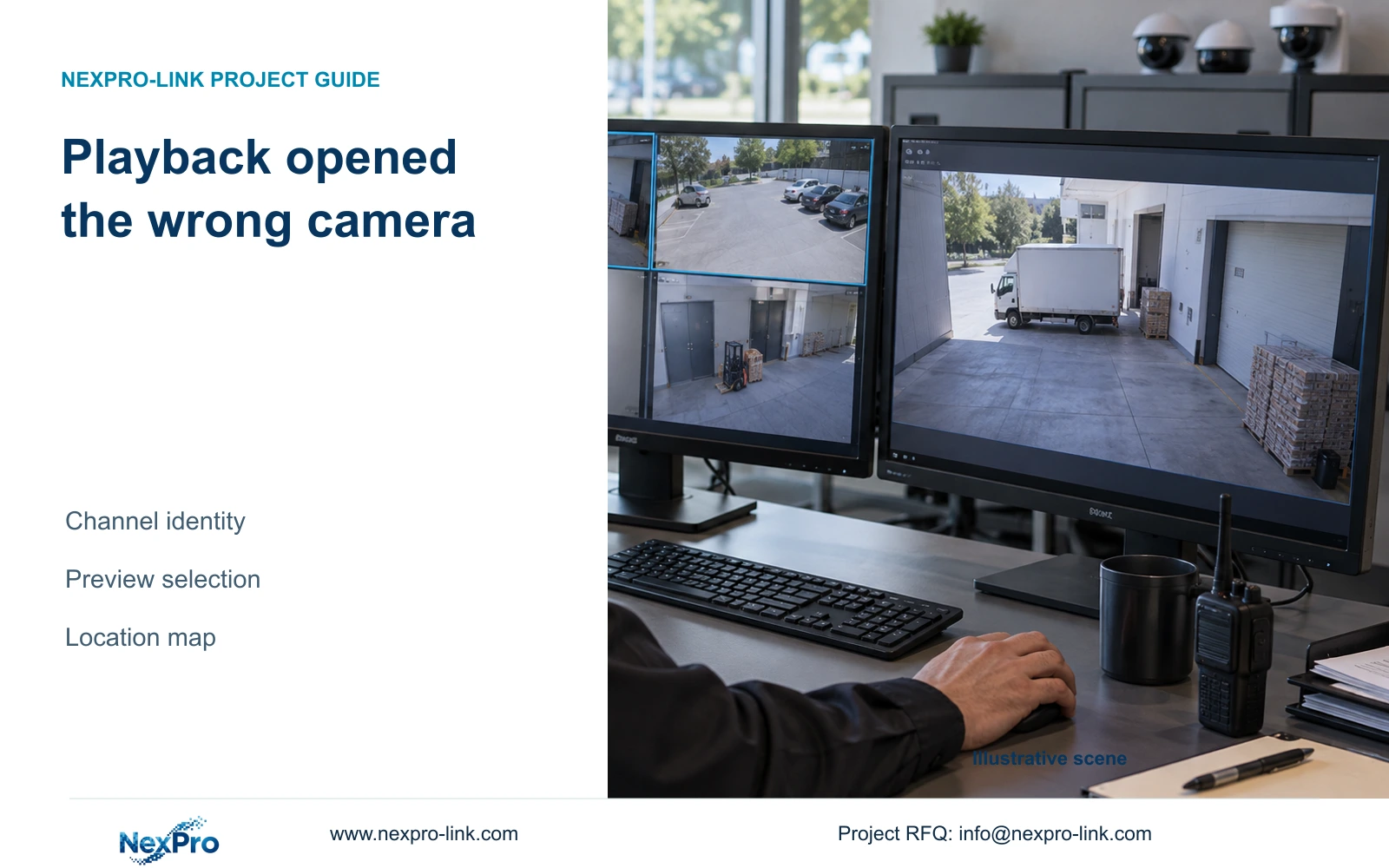
Reproduce the complaint from the operator's preview selection to the playback entry, recording the selected source at each step. Check the behavior only against the applicable version's instructions.
Section 01
Confirm the camera carried into playback
Reproduce the complaint from the operator's preview selection to the playback entry, recording the selected source at each step. Check the behavior only against the applicable version's instructions. If the source changes unexpectedly, preserve that sequence for authorized support. Correct source selection before searching wider dates or declaring the incident absent.
When playback opens the wrong camera, check which channel was selected in preview before searching another date or reporting missing footage. The documented recorder workflow initially uses that preview selection. Confirm the playback channel explicitly, match it to the physical camera location and inspect the required date and recording types. Then check whether window dragging or an outdated OSD name has confused the operator's location reference. Once the correct source is established, locate the incident time and verify the exported file against that same camera. A familiar screen position or loading-area label is insufficient when cameras have been reordered, renamed or replaced.
Section 4.11.2 describes ordinary, alarm and motion playback filters, with orange dates indicating recordings and grey dates indicating none. Those states need to be interpreted after confirming the source. Write down the selected channel before changing the filter. If correcting that channel reveals the expected scene, continue the incident search without changing unrelated recorder settings.
The source is the private supplied NVR4.0 user manual CH_V2.4.doc, with V2.2 in its body. Sections 4.11.2, 4.3.1, 4.4.4, 4.12.5, 4.12.6, 4.11.3 and 4.11.4 support this workflow. Section references take priority over pagination. Recorder footage and Seetong PC local footage remain separate recording objects.
| Situation | Required record | Decision boundary |
|---|---|---|
| Preview source selected | Actual source identity | Record the starting selection |
| Playback entered | Version-specific entry and selected source | Compare transition with applicable instructions |
| Source unexpectedly changes | Reproduced sequence | Send bounded evidence to authorized support |
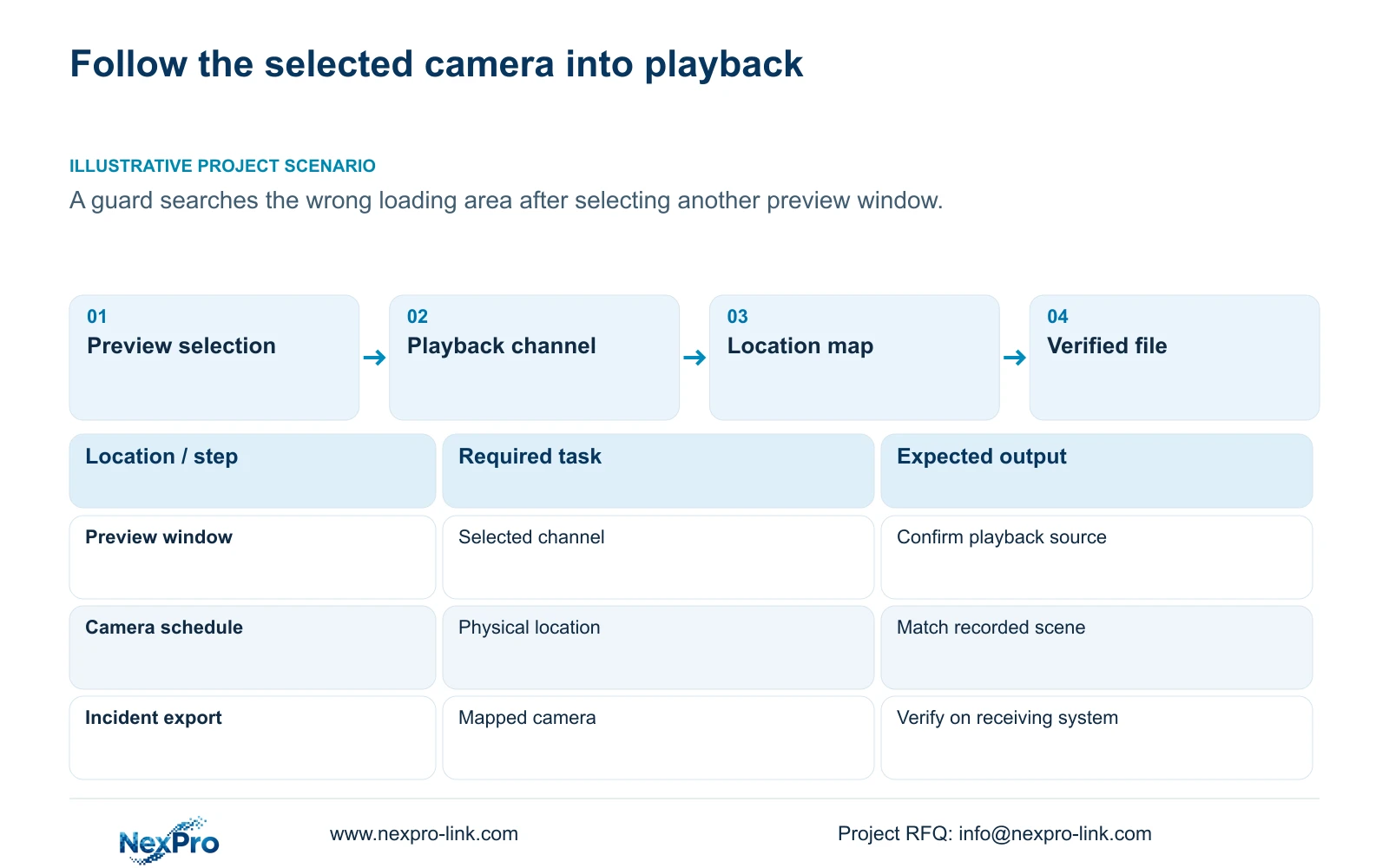
Section 02
Reconcile the channel with the installed camera
Use a camera schedule that separates drawing location, physical IPC identity, IP address, recorder channel and displayed name. These fields answer different questions. A drawing point identifies where the camera belongs; its physical identity distinguishes the installed device; the recorder channel identifies the source the operator must search.
Compare the playback scene with the location record. Where a camera has been replaced or channels reordered, consult the change record before assuming that the current map describes older footage. Renaming a display label and replacing a physical camera are different changes and should be recorded separately.
If the map and scene disagree, pause attribution of the incident. Establish which camera produced the recording through the available channel and installation records. A label correction can improve future operation, but it cannot by itself establish the source of an earlier file.
| Observed mismatch | Check | Next action |
|---|---|---|
| Playback shows another loading area | Preview selection and playback channel | Select the mapped incident source |
| Familiar window contains a different scene | Drag mode and channel-location map | Confirm identity before searching |
| OSD name disagrees with the schedule | Camera overlay and rename history | Resolve the label discrepancy |
| Historical scene differs from today's camera | Replacement or reorder record | Confirm the source for the incident date |
Section 03
Separate window arrangement from location identity
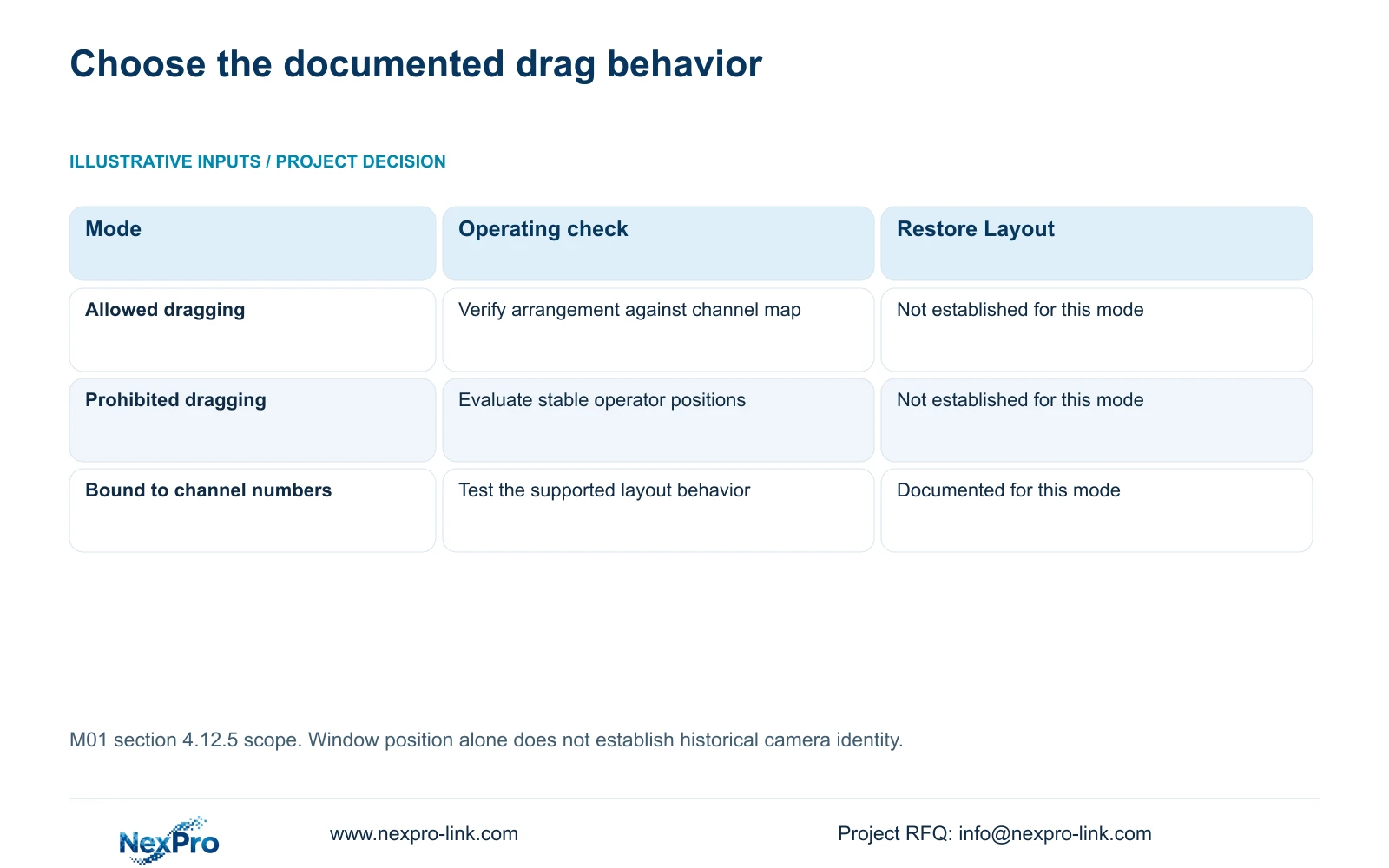
Section 4.12.5 distinguishes allowed dragging, prohibited dragging and dragging bound to channel numbers. Restore Layout is documented as effective only in the bound mode. Do not prescribe restoration as a universal fix for every reordered screen.
Check the actual drag mode and compare the current arrangement with the operator's expected layout. If the window order has changed, use the channel map to identify the incident camera. Avoid inferring undocumented behavior about whether every drag operation changes underlying channel allocation.
At handover, choose the supported behavior that fits the owner's operating practice and test it on the identified recorder. Where stable positions are important, evaluate prohibited dragging. Where dragging is required, document the selected mode and demonstrate how operators recover the expected arrangement within its supported scope.
Section 04
Check the label on the recorded picture
Sections 4.4.4 and 4.12.6 list OSD enablement, channel names, title and time positions, date formatting, weekday display and optional resolution or bitrate information. Compare the visible camera overlay with the channel schedule. Keep that overlay separate from the recorder desktop clock and the location of the preview window.
If a displayed name needs correction, verify that the selected IPC accepts the setting. A shared menu does not establish that every third-party camera responds identically. Check the resulting picture after the change before copying settings to other cameras.
Position text against each camera's useful image area. A name that obscures the loading activity can make the correct source harder to review. Record the revised name and its camera association; keep any historical mismatch in the incident notes instead of silently treating old labels as corrected.
Section 05
Locate the event after resolving the source
With the camera identity settled, select the incident date and relevant recording types. Use direct time positioning and timeline zoom from section 4.11.3 to inspect the reported period. Thirty-second forward and backward jumps are useful for broad navigation, but can pass over a short event.
The source's twenty-second teaching incident can fit between coarse jump positions. Review the surrounding interval at an appropriate speed before concluding that the event is absent. Electronic image enlargement helps inspect picture detail; it does not refine the temporal search.
If the expected loading activity still does not appear, preserve the confirmed channel identity and the time range actually reviewed. The next question concerns recording availability or incident timing, rather than another unrecorded change to the camera map.
Section 06
Carry the verified camera identity into the export
Before copying footage under section 4.11.4, recheck the selected channel and start/end time. Open the resulting file on the intended receiving system and confirm the loading area, period and any required audio. This catches an export selection that drifted from the source established during review.
The manual mentions playback software such as VLC, without guaranteeing every platform and codec combination. Record the tested viewing method and protect the relevant original footage until the required copy is verified. Deliver the camera-location reference with the incident scope so the recipient does not have to infer the location from a filename or screen position.
Section 07
Review the loading-area search
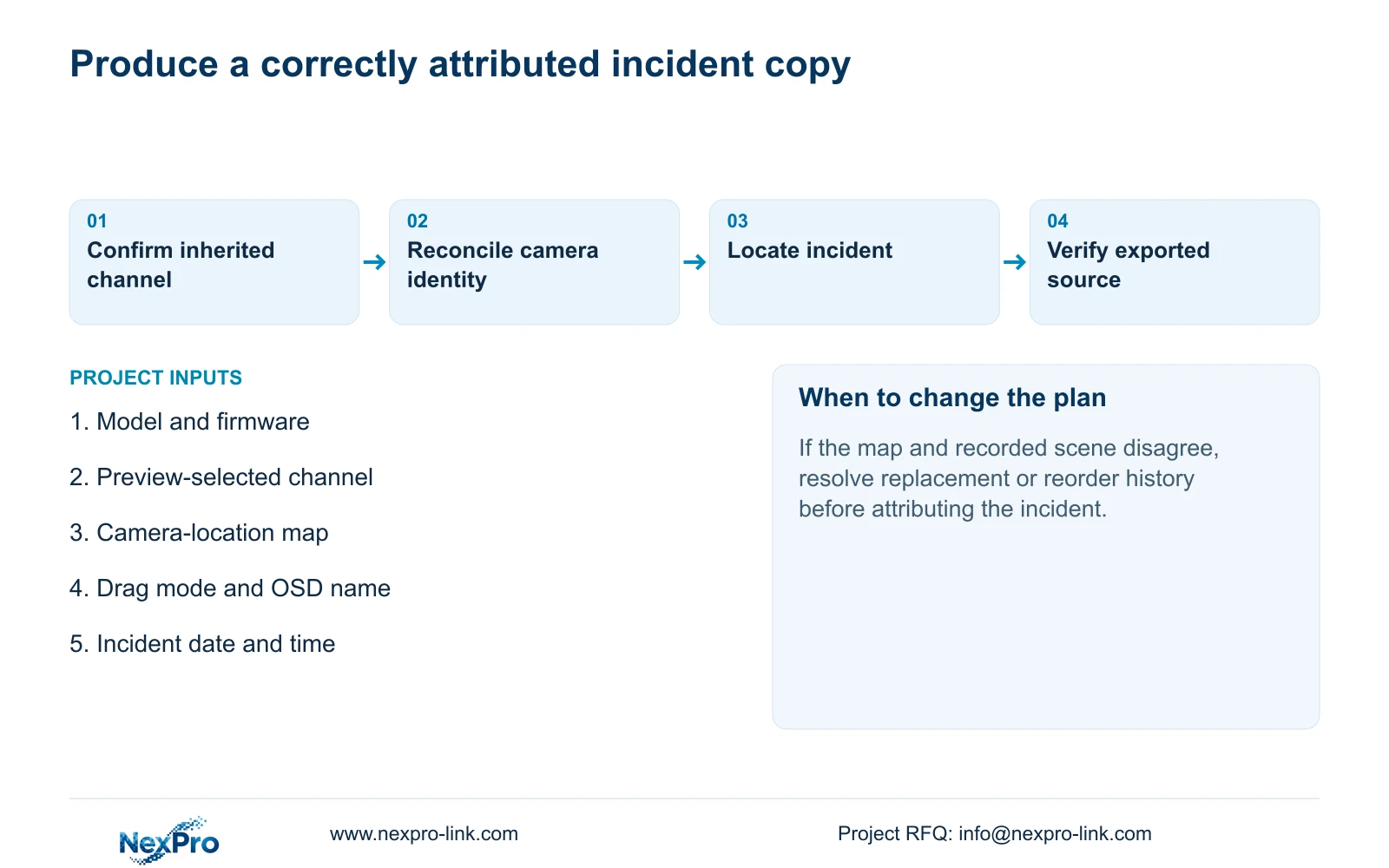
Illustrative project scenario: A guard starts playback after clicking another preview window and searches the wrong loading area. The first controlled check is the inherited channel selection. The reviewer then reconciles that channel with the location map, drag mode and OSD name before locating the event. The intended result is a correctly attributed, playable incident file. No successful field outcome is implied.
Section 08
Will Restore Layout always recover the camera order?
No. The manual limits Restore Layout to dragging bound to channel numbers. Check the active mode and retain the camera map as the location reference.
Section 09
Does renaming a channel prove which camera made an old recording?
No. Confirm historical source identity through the channel map and replacement or reorder records. A current alias is only one part of that evidence.
Section 10
Resolve the remaining camera mismatch
Send NexPro-Link the recorder model and firmware plus a redacted channel-location map showing the expected and observed playback source at info@nexpro-link.com.
Engineering references
These sources support the general planning principles. Always use the selected product's current datasheet and applicable project standards for final design.


