

The initial-play option starts playback ten minutes before the current time. It does not establish a ten-minute alarm buffer or guarantee that the selected interval was recorded.
Section 01
Identify the time reference used when playback opens
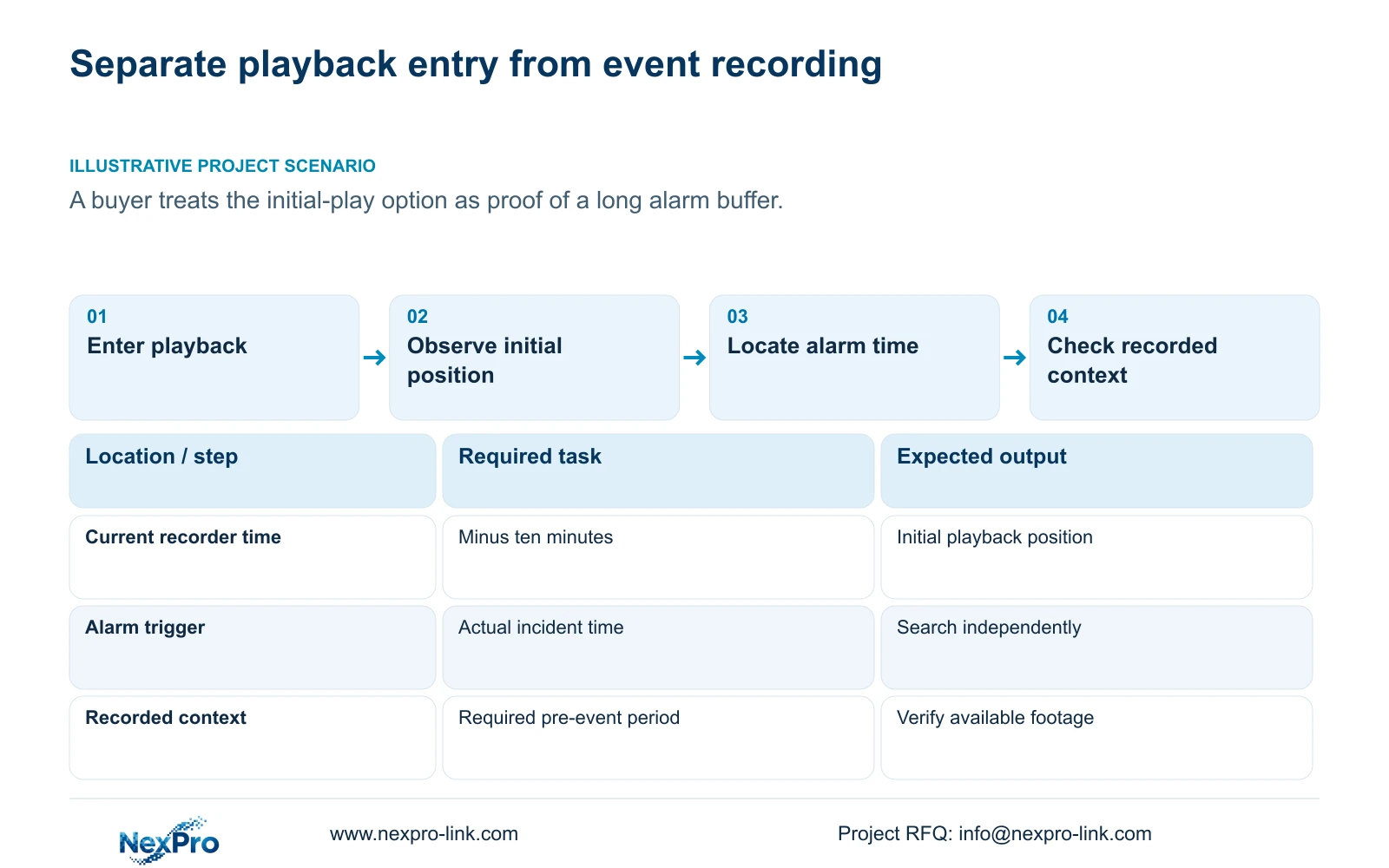
The initial-play option described in section 4.11.3 starts playback ten minutes before the current time when entering the playback screen. That is a navigation position, not evidence of a ten-minute recording buffer before an alarm. To establish whether the required incident context exists, select the correct channel, inspect its recording plan and search the actual event period. Verify alarm recording separately from popup or notification actions. If pre-event footage is a purchase requirement, specify it explicitly and obtain evidence for the candidate model and firmware. A playback screen opening earlier cannot establish how those earlier images were captured or retained.
Observe the current recorder time and the initial playback position as separate values. The documented relationship is playback start = current time minus ten minutes. Its reference is entry into playback, not an alarm trigger. If the incident occurred outside that interval, use direct time positioning instead of searching around the automatic starting point.
This guide follows the private supplied NVR4.0 user manual CH_V2.4.doc, whose body states V2.2. Sections 4.11.1 through 4.11.3, 4.12.11, 5.1 and 5.2 support the distinctions here. Section references take priority over pagination. The documented behavior concerns recorder playback, not Seetong PC local recording.
Section 02
Check what could have recorded the earlier period
Section 4.11.1 describes timed recording, no recording, motion recording and motion-plus-timed recording. Its plan grid has a thirty-minute minimum scale. Read the applicable channel plan around the incident rather than inferring recording behavior from the initial-play checkbox.
Motion-only recording occurs when motion detection triggers. Motion-plus-timed continues ordinary timed recording without a trigger and records motion-type footage when triggered. The mixed mode can therefore provide ordinary footage around an event, subject to its actual plan and available recording. This does not establish a specific alarm-buffer duration.
If earlier footage is present under timed recording, describe it as available recorded context. Do not use that result to approve an unsupported event pre-recording specification. If the plan says no recording during the required period, changing playback entry behavior cannot supply the missing footage. Keep any later configuration correction separate from the historical availability finding.
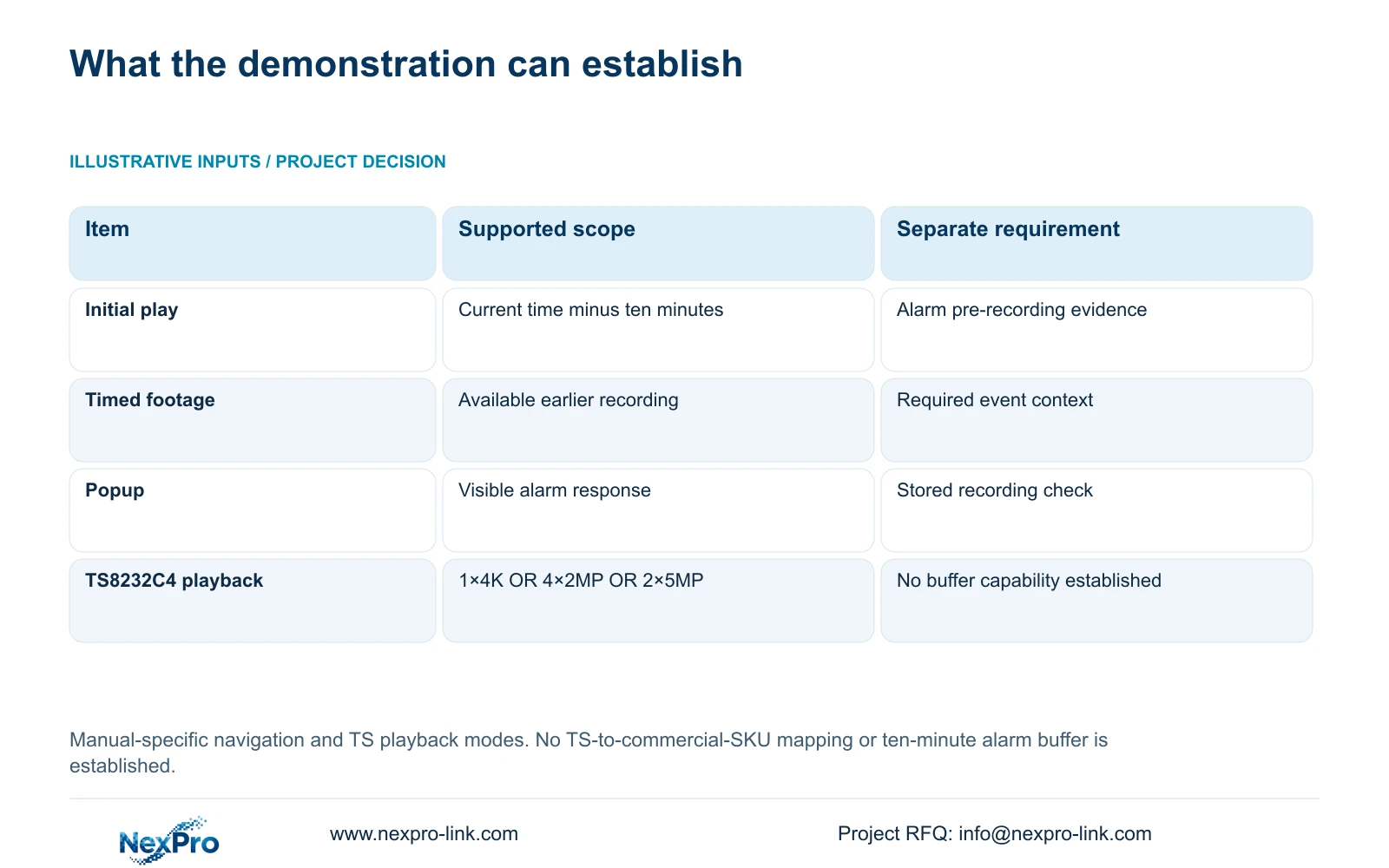
| Observation or requirement | What it establishes | Next action |
|---|---|---|
| Initial play starts ten minutes earlier | Playback-entry navigation behavior | Locate the actual incident time |
| Timed footage exists before the alarm | Recorded context is available | Review its required start and end |
| Popup appears when an event occurs | The visual response operated | Check recording independently |
| Buyer requires alarm pre-recording | A separate procurement requirement | Obtain model-specific evidence and a test |
Section 03
Verify the source and period behind the calendar
Section 4.11.2 says playback initially follows the preview-selected channel. Confirm that source explicitly, then select the incident date and relevant ordinary, alarm or motion types. An automatic start at a plausible time is of little value if the selected camera covers another location.
Orange dates indicate recordings and grey dates indicate none in the documented workflow. An orange date does not prove uninterrupted coverage of the whole day or of the ten minutes before a particular alarm. Inspect the timeline around the required event and identify what actually plays.
If the expected interval is empty, repeat the search with the correct source and relevant broader types before concluding that it was never recorded. Record the checked range and distinguish an absent search result from a proven explanation for that absence.
Section 04
Test the recording action without inferring a buffer
Section 4.12.11 lists recording alongside separate actions such as popup, border flashing, buzzer, email, screenshot sending, snapshot capture, preset call and app push. Demonstrating one action does not establish the others. A successful popup cannot confirm that footage before the trigger was buffered.
For an authorized event test, identify the camera, event time and required output before triggering the condition. Review the resulting recording to determine which surrounding images are actually available. Check notifications at their receiving path when they are part of the requirement.
Keep action duration, footage available before the event and retained history as distinct observations. The supplied initial-play description supports only its navigation function. Any proposed pre-recording capability needs separate evidence for the exact configuration, even if the same interface contains both playback and alarm controls.
Section 05
Navigate to the event independently of the default start
Use the reported incident time as the search target. Section 4.11.3 provides direct time positioning, timeline zoom and thirty-second forward or backward jumps. Broad navigation can locate the neighborhood; a narrower timeline and appropriate playback speed are needed to review a short action.
The source's twenty-second teaching event can fall between thirty-second jump positions. If it is missed during coarse navigation, inspect the interval continuously before reporting missing recording. Electronic image enlargement is useful for picture detail, but does not change the temporal search.
For an incident review, document the requested context before and after the event separately from the ten-minute initial-play offset. This keeps the review scope stable when another operator enters playback at a different current time.
Section 06
Put actual pre-recording needs in the selection brief
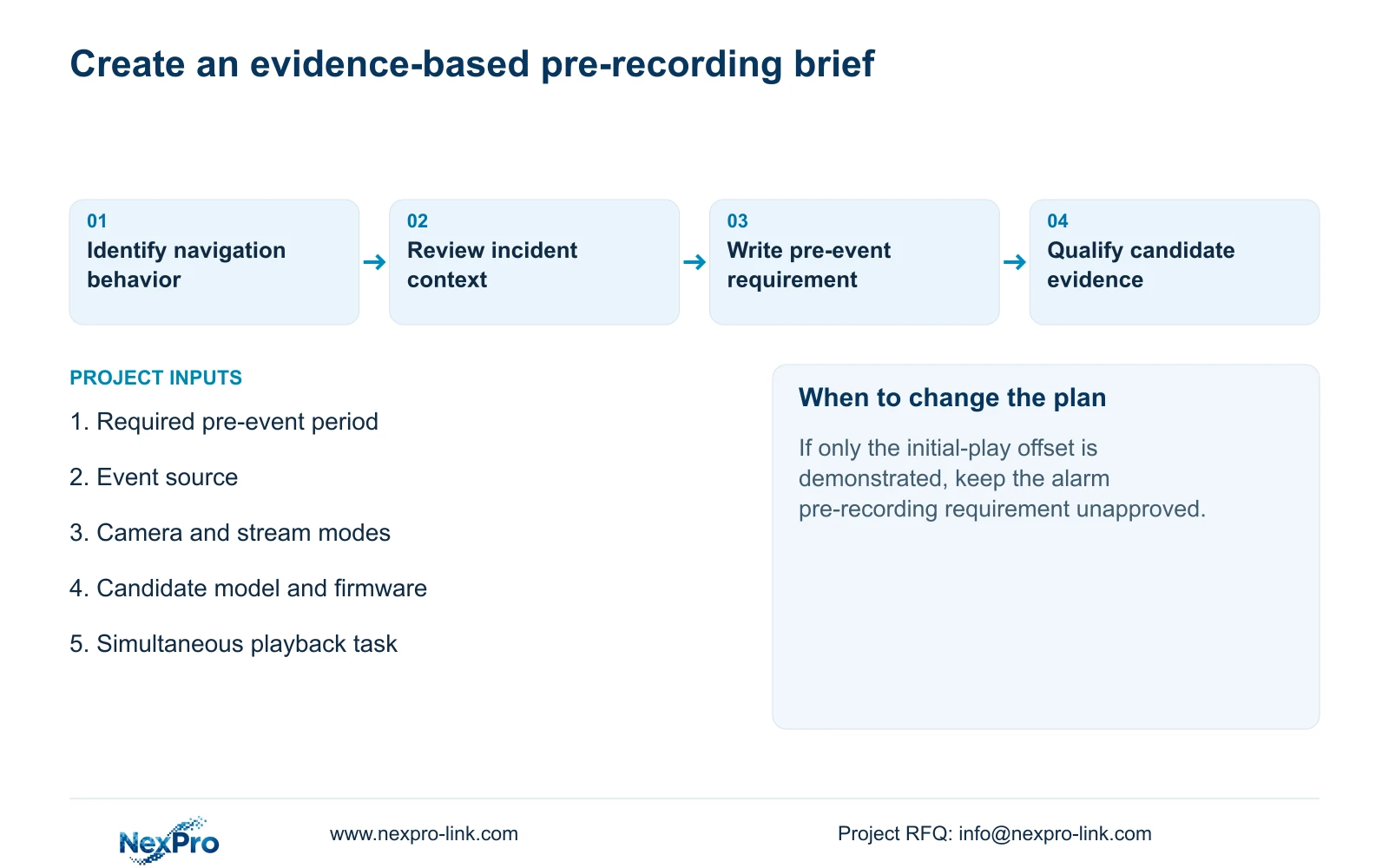
Specify the required event source, channels, stream modes and pre-event period. Ask what configuration supports that requirement and how it will be demonstrated. Alongside it, compare total incoming bitrate, usable storage, interfaces, remote tasks, environment and simultaneous local playback.
Keep playback alternatives as OR relationships. Section 5.2 lists TS8232C4 local playback as 1×4K OR 4×2MP OR 2×5MP. TS8116D7 is listed as 1×5MP OR 2×2MP. Those rows illustrate model limits; they do not establish alarm-buffer capability and have no established mapping to NexPro-Link commercial SKUs.
For a current candidate, use separate model evidence. NexPro-Link's BOQ and tender support can provide a route for discussing the written requirement and relevant technical documents. A mandatory pre-recording function should remain unresolved until the candidate evidence and agreed demonstration address it; a general 4K or channel-count label cannot substitute.
Section 07
Correct the buyer's interpretation before approval
Illustrative project scenario: A buyer interprets the initial-play option as proof of a long alarm pre-recording feature. The comparison record should separate the demonstrated navigation offset from the requested pre-event recording period. The buyer then reviews the recording plan and requires model-specific evidence for the actual alarm task. This scenario describes an approval method, not a delivered capability or measured outcome.
Section 08
Is the ten-minute offset measured from the alarm?
No. The documented initial-play position is ten minutes before the current time when entering playback. It is not defined as an offset from an alarm trigger.
Section 09
Can ordinary timed footage provide pre-event context?
Yes, when the required period was recorded and remains available. Verify that footage directly; its existence does not establish a dedicated alarm pre-recording buffer.
Section 10
Specify the pre-event recording requirement
Send NexPro-Link the required pre-event period, event source and proposed recorder model/firmware at info@nexpro-link.com.
Engineering references
These sources support the general planning principles. Always use the selected product's current datasheet and applicable project standards for final design.


