


A live bitrate overlay cannot establish retention by itself. Separate the displayed value, configured stream and representative recording average before calculating storage.
Section 01
Establish what the displayed value describes
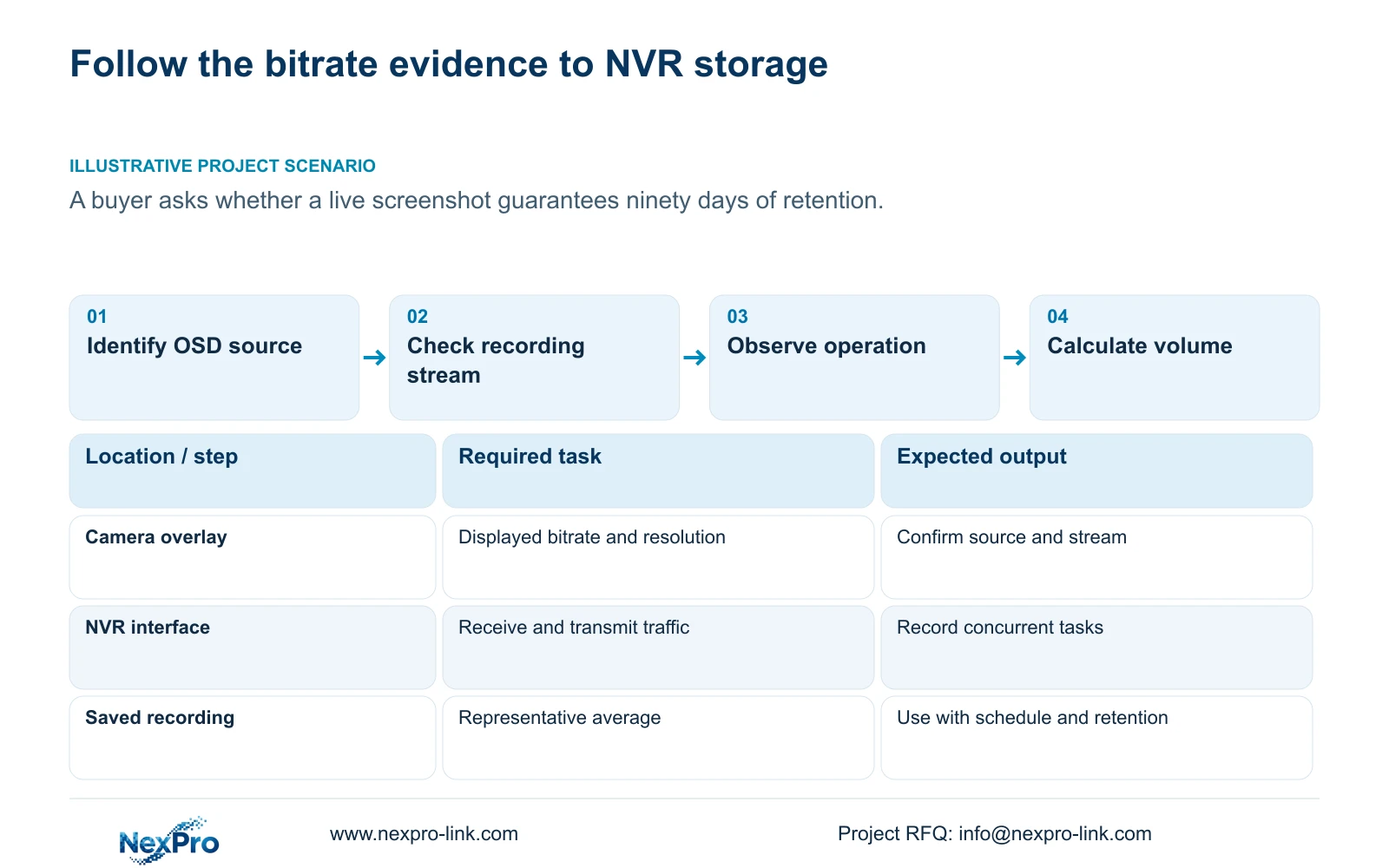
A live screenshot cannot guarantee a retention period. First identify where its bitrate and resolution values originate, which stream the operator is viewing, and whether that stream matches the recording source. Save the configured parameters, then observe representative operation before selecting an average for storage calculations. Use interface traffic separately to assess the relevant network path. A displayed value can help locate a discrepancy, but it does not establish daily recording volume or simultaneous recorder performance. For a buyer asking about ninety days, the missing inputs include the recording schedule, channel groups, representative average bitrate and supported usable disk capacity.
The manual lists optional resolution and bitrate information alongside OSD names and time controls. Determine whether the value belongs to a camera overlay or the recorder interface. Keep the camera's image text separate from the recorder desktop clock. If the source of the number remains unclear, describe it as an observed display value and avoid treating it as a measured recording average.
Section 02
Save CBR or VBR settings with the operating conditions
Section 4.4.5 provides encoding settings, including CBR or VBR and bitrate fields. These describe the configuration. They do not demonstrate that every scene produces the same stored volume throughout the day. Neither control method establishes better reliability merely through its name.
Record the camera identity, relevant stream, resolution and bitrate setting before comparing samples. Include lighting and movement conditions because a quiet view is a weak basis for a busy site's average. Use a representative average for retention and an appropriate peak or configured limit for network evaluation. If the sample does not cover the operating pattern, keep the capacity conclusion provisional and collect a more representative interval.
Section 03
Check viewing and recording streams independently
The manual exposes main- and substream parameters in sections 4.4.5 and 4.12.7. A change in a preview window does not establish that the recording source changed. Identify the configured object, the actual viewing stream and a saved recording sample separately.
If the preview looks less detailed, examine the saved footage before altering camera encoding. Where the recording retains the required detail, the viewing path may be the relevant adjustment. Where the saved sample also fails the task, investigate its source settings. Do not transfer a Seetong PC default into the NVR workflow: PC recording and recorder-held footage have different storage owners and configuration contexts.
| Evidence | Supported use | Next check |
|---|---|---|
| OSD bitrate or resolution | A clue from an identified display layer | Confirm source, stream and observation time |
| Configured CBR or VBR parameters | Documented encoding setup | Compare representative recorded operation |
| Interface receive and transmit traffic | Load on the observed network interface | Separate recording, viewers and exports |
| Representative recording average | Video-volume planning input | Combine with schedule and usable capacity |
Section 04
Observe incoming and outgoing traffic over a defined interval
Section 4.3.3.3 presents interface transmit and receive information. Camera recording input, remote live viewing, playback and downloads follow different traffic paths. Outgoing traffic therefore does not need to equal incoming camera traffic.
Record which activities were running during the observation interval. Compare like scopes: the sum of video bitrates describes planned video payload, while an interface measurement can include protocol overhead and other activity. If the values differ, first check stream scope and concurrent tasks. A mismatch alone does not identify an overloaded recorder or failed camera. Preserve the observation before changing one variable for a controlled comparison.
Section 05
Calculate the storage effect of changing only selected cameras
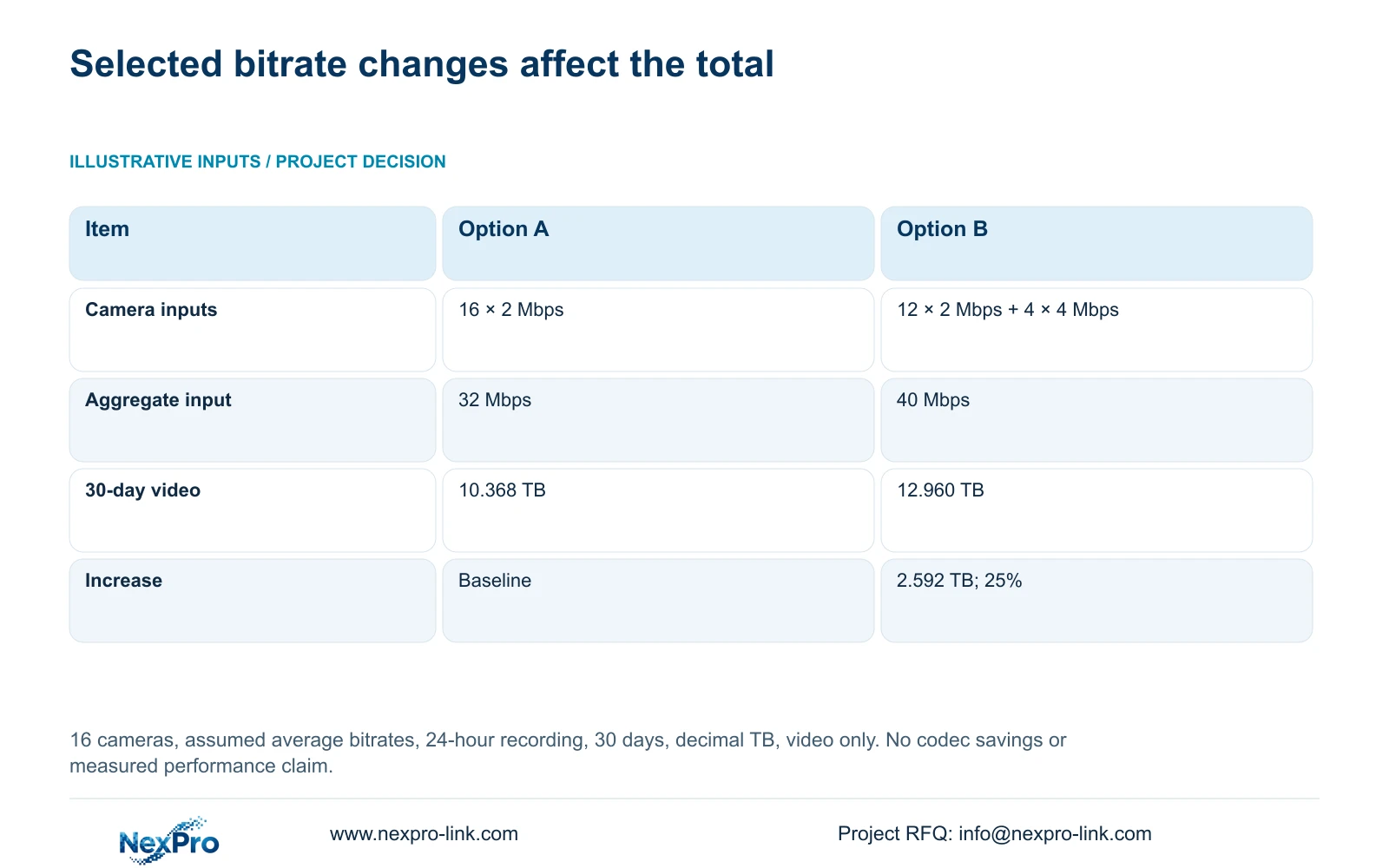
The supplied illustrative comparison uses 16 cameras, continuous recording for 24 hours per day, and 30 days. Option A assumes every camera averages 2 Mbps. Option B keeps 12 cameras at 2 Mbps and changes 4 cameras to an average of 4 Mbps. These are planning inputs, not measured camera specifications or a codec comparison.
Aggregate video input = Σ(group camera count × average Mbps). Option A: 16 × 2 Mbps = 32 Mbps. Option B: (12 × 2 Mbps) + (4 × 4 Mbps) = 24 Mbps + 16 Mbps = 40 Mbps.
In decimal units, video TB = 0.00045 × aggregate Mbps × recording hours per day × days. At 24 hours per day this becomes aggregate Mbps × 0.0108 × days. Option A: 32 × 0.0108 × 30 = 10.368 TB. Option B: 40 × 0.0108 × 30 = 12.960 TB.
The increase is 12.960 TB - 10.368 TB = 2.592 TB. Its percentage is (2.592 / 10.368) × 100 = 25%. Only the four changed cameras double their assumed bitrate; the system total rises by 25%. Accept the change only after confirming the image task and checking recording input and usable storage against the revised requirement.
| Item | Option A | Option B |
|---|---|---|
| Camera inputs | 16 × 2 Mbps | 12 × 2 Mbps + 4 × 4 Mbps |
| Aggregate video input | 32 Mbps | 40 Mbps |
| Video volume | 10.368 TB | 12.960 TB |
| Increase from Option A | Baseline | 2.592 TB; 25% |
Section 06
State the screenshot's limits in the retention decision
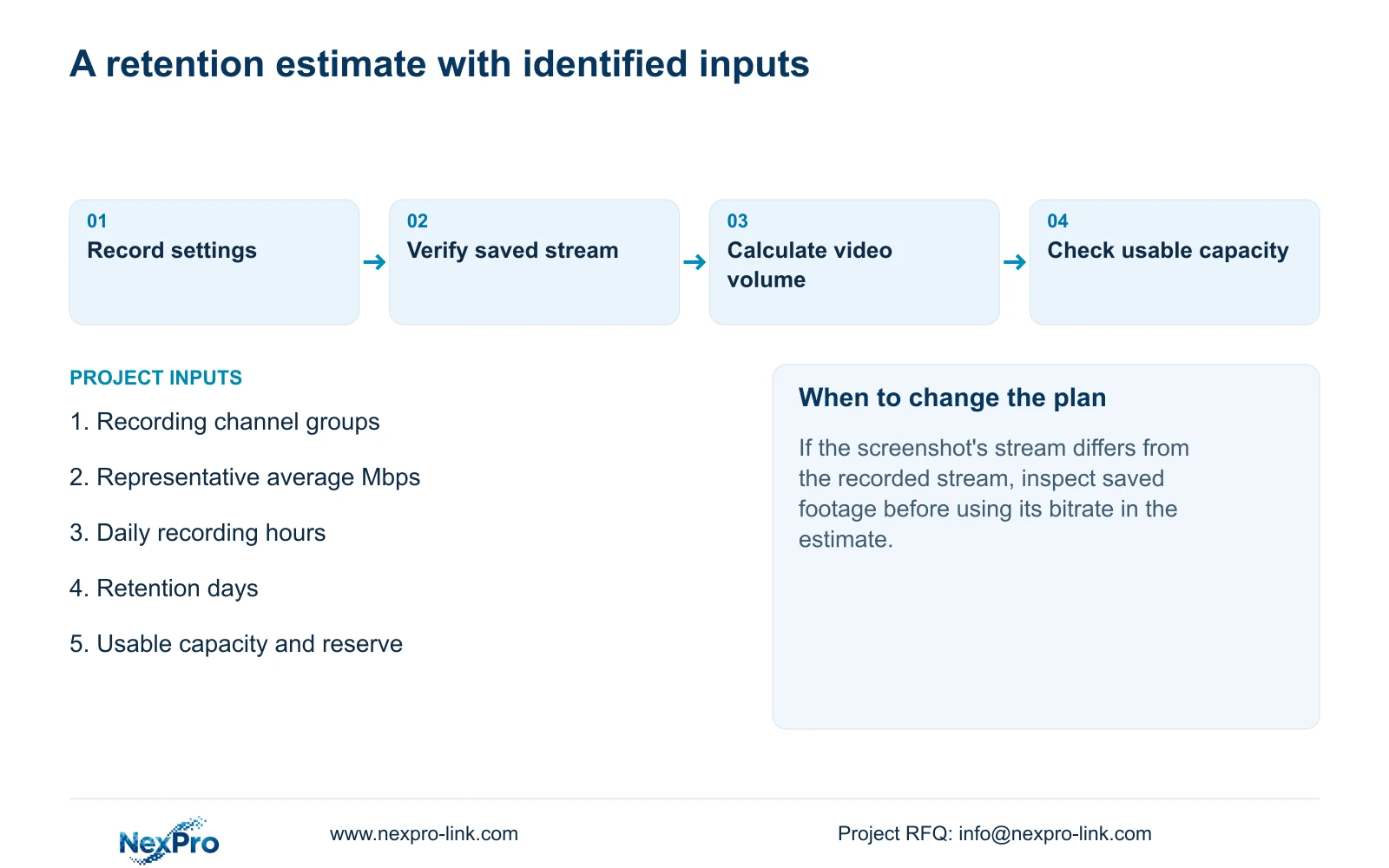
Illustrative project scenario: A buyer sends a live screenshot and asks whether the displayed bitrate guarantees ninety days of retention. The engineer identifies the display layer, obtains the recording settings and schedule, and requests a representative recording average. The worked comparison above remains a 30-day example; it does not answer the buyer's ninety-day requirement without those project inputs.
Document the observation, its possible explanation and the next check separately. If the recording sample meets the detail requirement, retain that conclusion within the tested conditions. If storage remains unresolved, keep the retention commitment open. NexPro-Link's project support can discuss the equipment schedule and capacity assumptions together, without presenting the screenshot as an acceptance test.
Section 07
Does choosing a substream reduce stored video automatically?
A viewing selection does not establish a recording change. Check the actual saved sample and its source configuration before recalculating storage.
Section 08
Source scope and the next input
This guide follows NVR4.0 user manual CH_V2.4.doc, with V2.2 in its body, sections 4.4.4, 4.4.5, 4.12.6, 4.12.7, 4.3.3.3 and 5.1. Diagnostic boundaries also draw on sections 4.3.3 and 5.3. The arithmetic is an independent engineering calculation using the supplied assumptions.
Send NexPro-Link the recording channel groups, representative average bitrates, daily recording hours and required retention period at info@nexpro-link.com.
Engineering references
These sources support the general planning principles. Always use the selected product's current datasheet and applicable project standards for final design.


