

Map camera enrollment, platform integration and remote access separately before approving an NVR system. Each connection needs its own functional checks.
Section 01
Identify the endpoints before judging compatibility
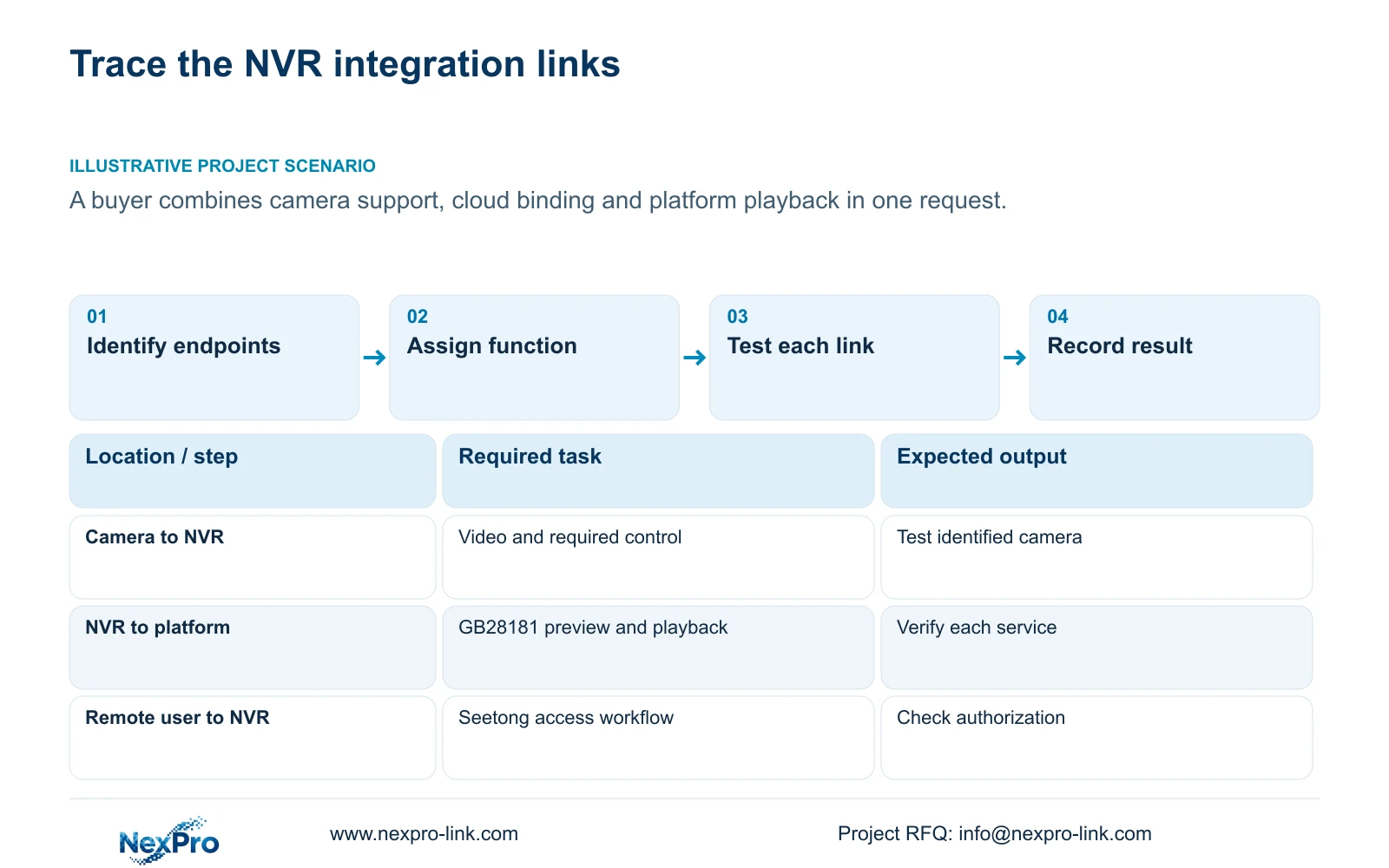
ONVIF camera support does not automatically provide Seetong cloud enrollment or GB28181 platform playback. In the supplied NVR material, these names describe different connections: cameras joining a recorder, a recorder connecting to a receiving platform, and users reaching video through a cloud-service workflow. Identify both endpoints of the requested function before choosing settings or accepting a compatibility claim. Then verify the required operation on that connection, including playback when recorded footage matters. A live image establishes only the tested viewing path. It does not establish camera control, cloud-account authorization, platform retrieval or the location of retained recordings.
Draw the camera-to-NVR connection separately from the NVR-to-platform and remote-user access paths. Beside each line, write the operation required by the owner. A request to receive camera video belongs on the first connection; a request to retrieve recordings through a platform belongs on the second.
For camera controls, check the camera model, firmware, selected protocol and relevant permissions. Sections 4.4 and 4.10 make IPC capability relevant, with an explicit dependency for PTZ. If a control is unavailable, test that operation on the identified camera before classifying it as hardware failure.
Section 02
Keep platform registration separate from camera enrollment
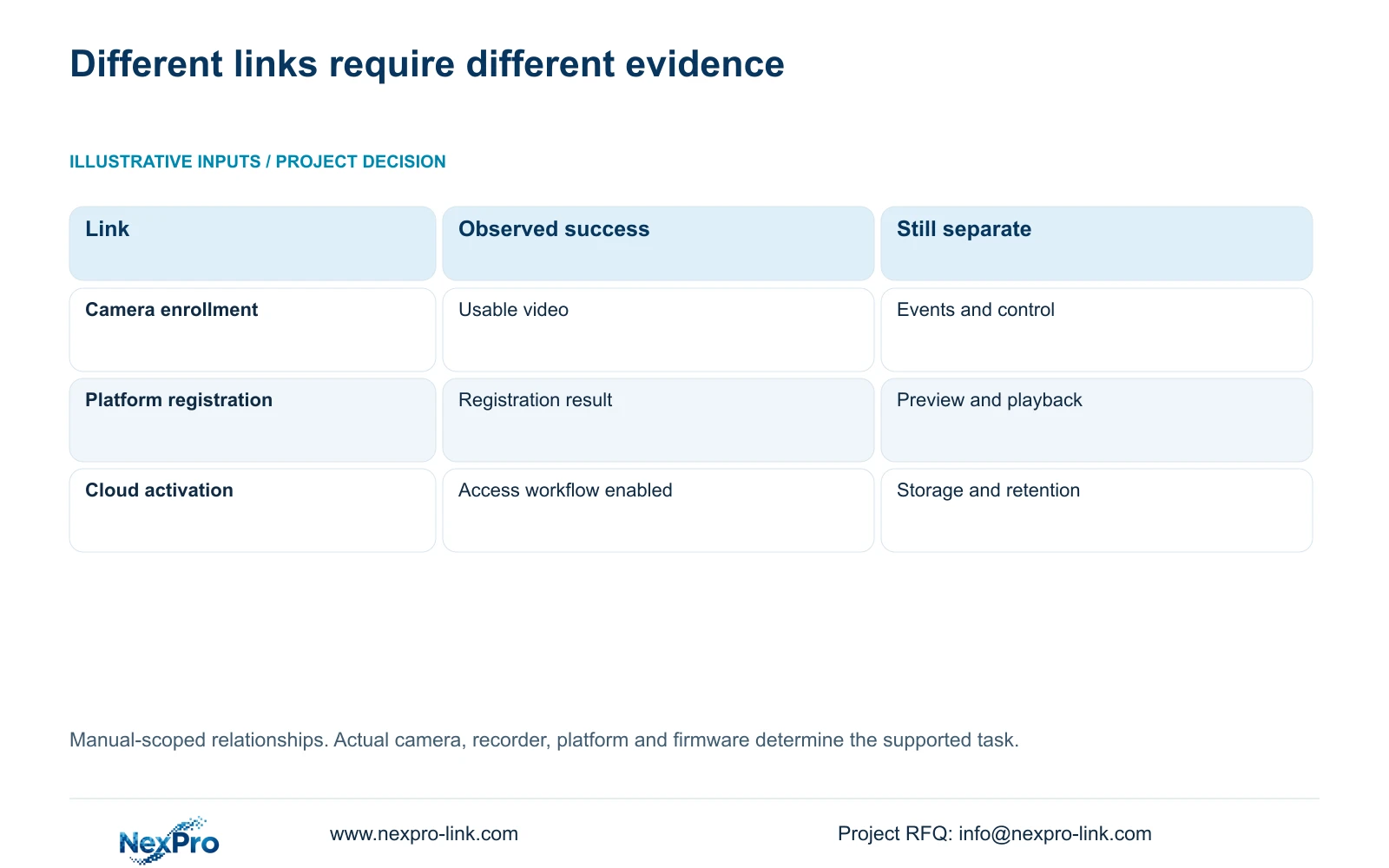
Section 4.12.9 describes GB28181 platform connection for live preview and playback. Its configuration includes SIP service information, authentication, registration, heartbeat and channel-identification fields. These belong to the receiving-platform relationship and should remain separate from the camera enrollment record.
Ask the platform administrator for the approved service requirements and identification scheme through the project's private process. Match those requirements to the recorder's applicable configuration, then test live preview and recorded playback independently. A registration result alone cannot confirm that the receiving platform can retrieve the requested video.
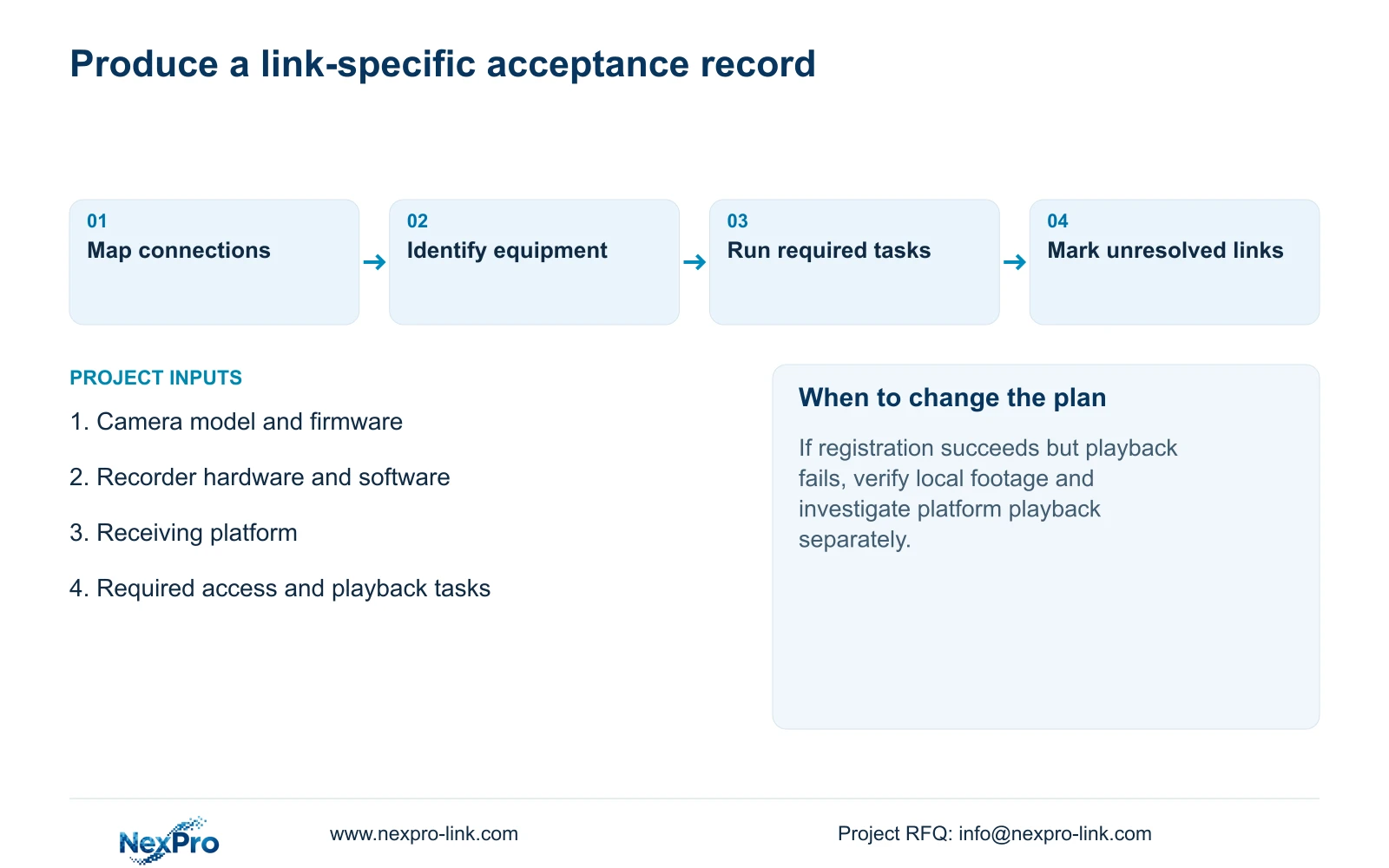
If preview works but playback fails, preserve that distinction in the test record. Check the requested channel and period against footage available on the recorder, then investigate the platform playback task. The manual's stated scope does not establish every alarm, talkback or regulatory acceptance requirement.
| Connection | Evidence to collect | Next decision |
|---|---|---|
| Camera to NVR | Selected protocol, usable video and required control result | Accept only the demonstrated camera functions |
| NVR to GB28181 platform | Registration, live preview and playback results recorded separately | Investigate the failed service without changing unrelated camera settings |
| Remote user through Seetong cloud access | Applicable activation state and authorized viewing result | Confirm access separately from recording and storage |
Section 03
Treat cloud activation as an access workflow
Sections 4.1.1 and 4.12.8 describe entering the cloud-service workflow after the documented cloud-password setup and network conditions are satisfied. The manual distinguishes this from local login. Its version-specific password requirements include uppercase and lowercase letters and numbers, with no empty or default password.
Keep the recorder's cloud-password setup, local user permissions and application account relationship as separate entries in the operating record. Do not assume that they share credentials or that successful local login authorizes a remote account. Use the applicable device and client instructions for the actual access arrangement.
After activation, test the intended user's permitted viewing task. If the cloud state appears ready but access fails, record which account and path were tested without disclosing credentials. Activation also does not establish that a recording schedule is configured or that footage is available for the requested period.
Section 04
Name the device that holds the recordings
NVR disk recordings, Seetong PC schedule recordings and exported files are separate objects. Label the storage owner on the system diagram before describing any playback capability. This prevents an application window showing the same camera from concealing a different recording destination.
The supplied Seetong PC manual, section 7.1, directs users to Remote Playback for NVR recordings and Local Playback for PC schedule recordings. A PC recording setting therefore cannot be used as evidence of the recorder's own recording policy. Closing the PC also does not establish that an independently configured NVR stopped recording.
To verify platform playback, identify a channel and interval that can first be retrieved from the intended recorder. If that recording is absent locally, investigate recording and storage before treating the receiving platform as the cause. Cloud access does not establish an automatic off-site archive.
Section 05
Attach every result to the tested equipment
Use System Information, described in section 4.12.19, to record the NVR product model, hardware version, software version and software date. Add the camera identity and the receiving platform or client involved in the test. An unqualified description such as 'ONVIF supported' is insufficient for repeating a particular result.
Keep sensitive identifiers in an appropriate private project record. Public screenshots should exclude cloud identifiers, QR codes and recognizable customer information. Equipment versions help select the applicable instructions; a newer software label alone does not explain a failed operation.
The operating source is NVR4.0 user manual CH_V2.4.doc, whose body identifies V2.2. Section references take priority over page numbers. Its TS model identities have no established mapping to NexPro-Link commercial SKUs, so a family-manual feature must not become an unqualified current-product promise.
Section 06
Write compatibility questions as complete operating tasks
Replace a broad question about supporting all three names with a functional brief. State which cameras must record to the NVR, which platform must preview or retrieve that footage, and which authorized users need remote access. Include the required playback task and retention target where those affect equipment selection.
Use separate outcomes for supported, failed and requiring confirmation. A missing result should produce a request for the applicable evidence, not a declaration that every device using the same protocol is incompatible. NexPro-Link's BOQ and tender support scope can use this defined equipment and task schedule for a model-matching discussion.
Section 07
Resolve the buyer's combined request
Illustrative project scenario: A buyer asks whether ONVIF camera support automatically provides cloud-account binding and platform playback. The engineer separates the request into camera recording, authorized Seetong access and GB28181 playback. Each receives its own equipment identity and acceptance result. If camera recording succeeds while platform playback remains unverified, the buyer retains the successful camera result and requests evidence for the platform task before approving that part of the package.
Section 08
Buyer questions about the separate connections
Can a camera recorded through ONVIF be assumed to enroll independently in Seetong cloud services? No. Local protocol access and enrollment in a particular account ecosystem require separate confirmation.
Does GB28181 registration prove playback support for the project? No. Test retrieval of an available recording through the receiving platform.
Does a grey PTZ control prove the camera is defective? No. Check camera capability, protocol support and permissions for that operation.
Section 09
Provide the connection task
Send NexPro-Link a connection diagram naming the camera, recorder, receiving platform and required operation on each link at info@nexpro-link.com.
Engineering references
These sources support the general planning principles. Always use the selected product's current datasheet and applicable project standards for final design.


