Simultaneous playback does not prove synchronized event time. Confirm locations, calculate observed offsets and preserve the timing context with the exported footage.
Section 01
Establish a shared event reference before comparing channels
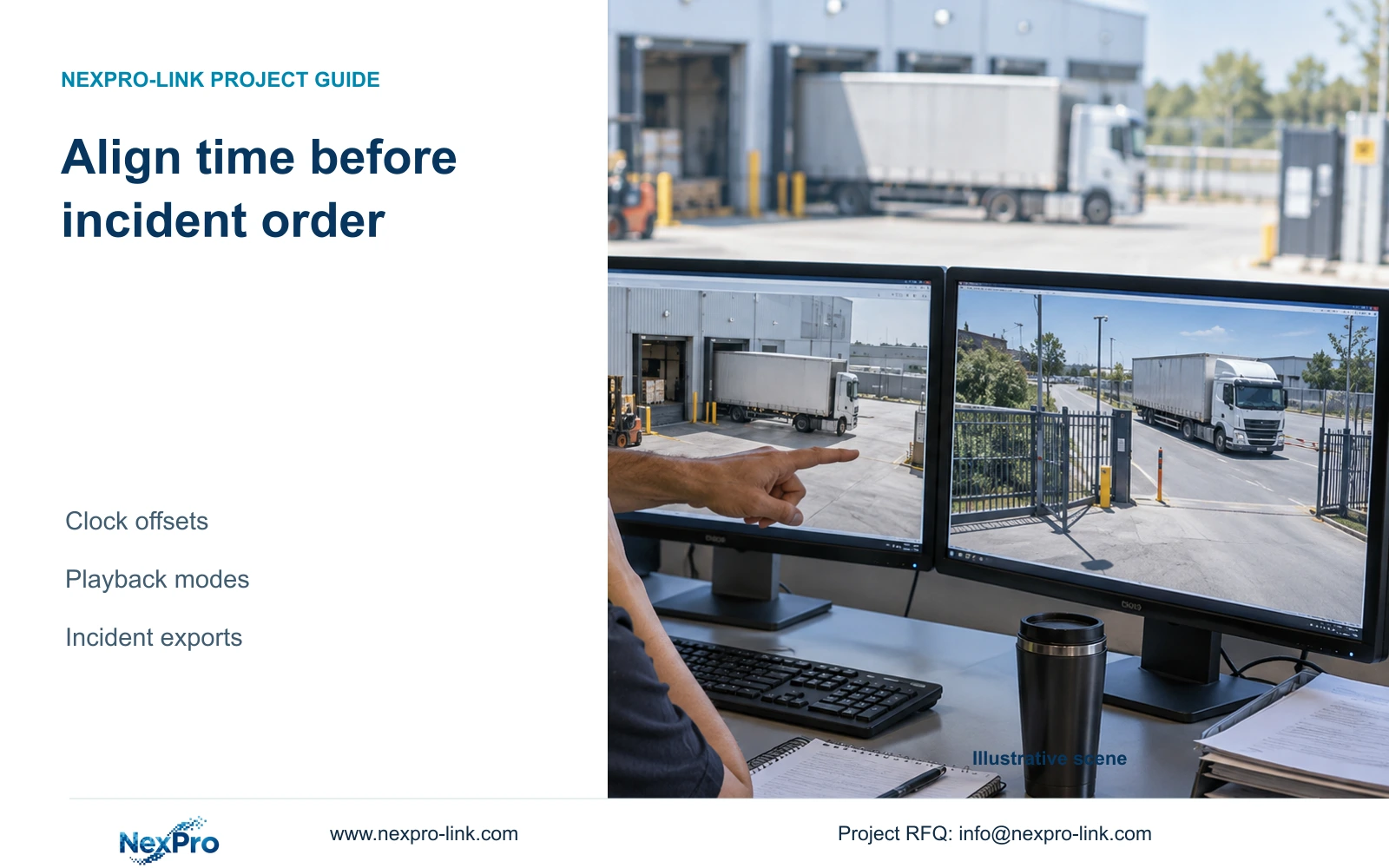
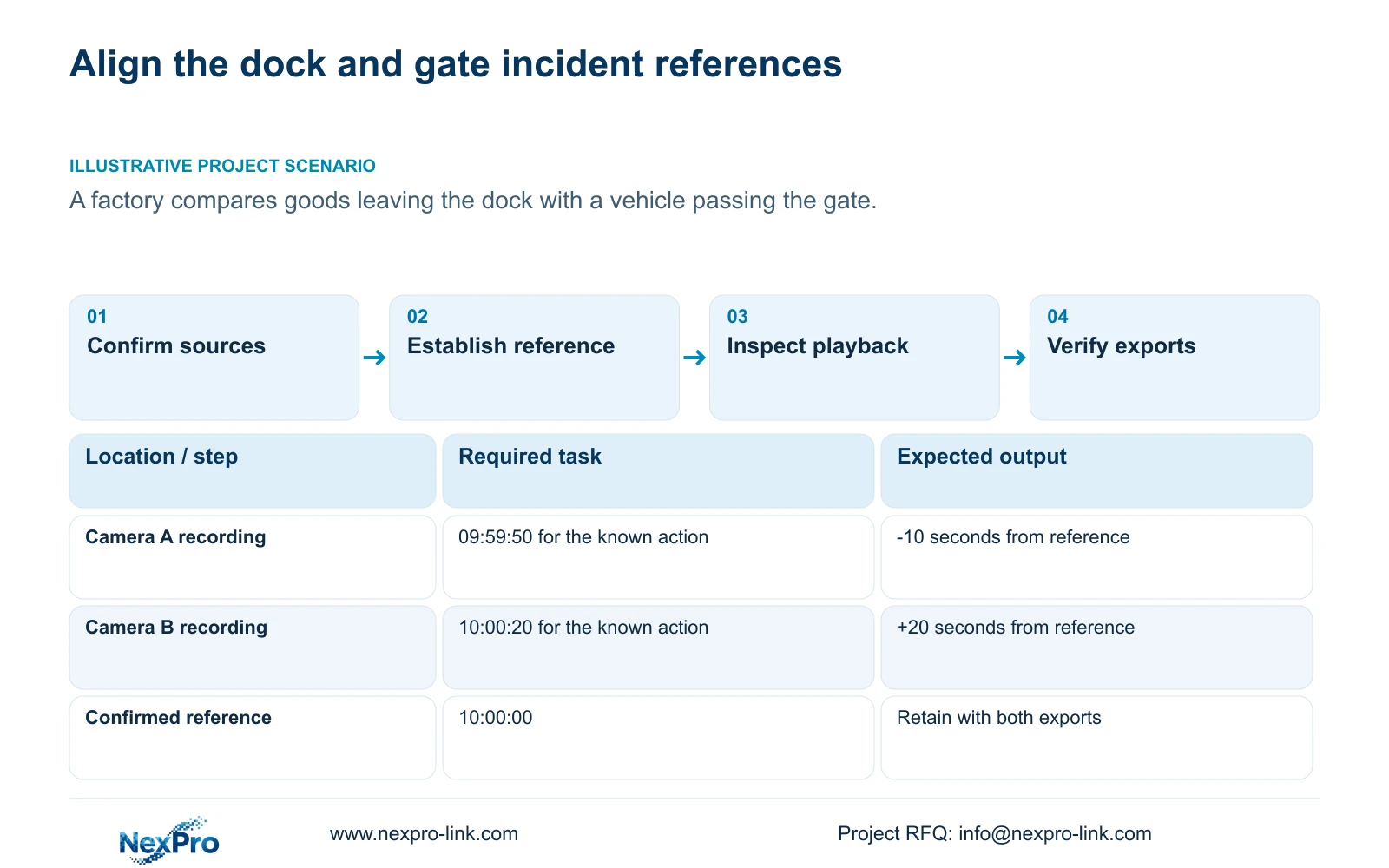
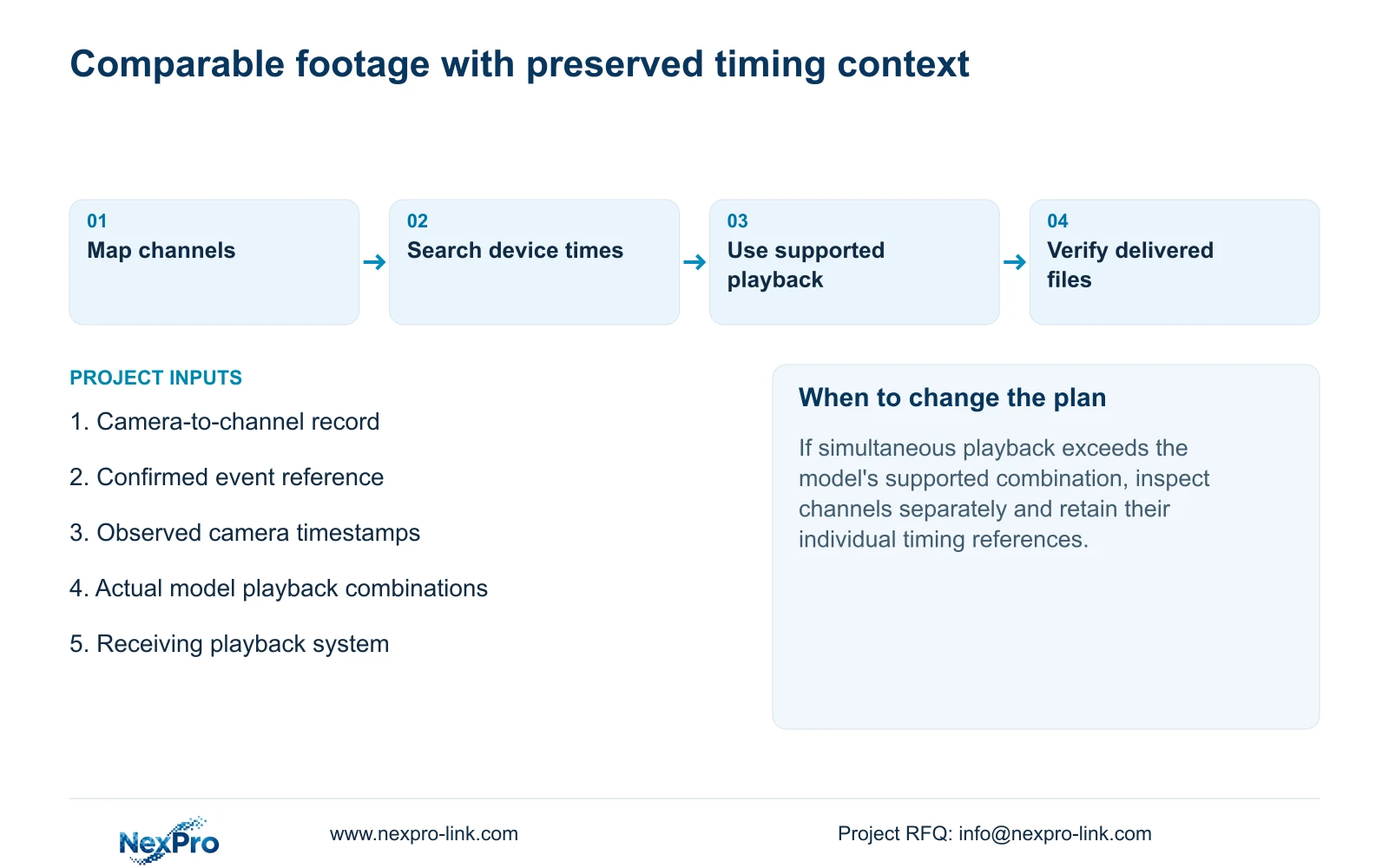
Compare incident order only after confirming camera locations and establishing how each recorded time relates to a known reference. Two channels playing together can still carry different clock offsets or search conditions. Identify a shared visible action where possible, record its reference time and compare the camera timestamps without changing the historical material. Search each channel using its applicable time context, choose a playback combination supported by the actual recorder, and inspect short events at a sufficiently fine interval. Preserve any remaining offset with the exported files. If no reliable shared reference exists, state that limitation instead of assigning precise timing from the display alone.
Review the time authority behind the recordings. The manual provides IPC manual and network time controls, time-zone and daylight-saving settings, and separate NVR time settings with an IPC synchronization interval measured in hours. These settings explain what should be checked; they do not prove that the incident footage was synchronized when recorded.
Section 02
Confirm the loading dock and gate sources
Keep drawing location, physical camera identity, IP address, recorder channel and displayed name as separate fields. Match each required view to its channel assignment before searching. A familiar window position or current alias can be misleading after a replacement or layout change.
For an older incident, check the assignment relevant to its recording period. Record any unresolved source identity beside the search result. If the retrieved scene does not match the expected dock or gate, resolve the mapping first. Timing arithmetic cannot make a comparison valid when the channels represent the wrong places.
Section 03
Calculate the observed offsets with their signs
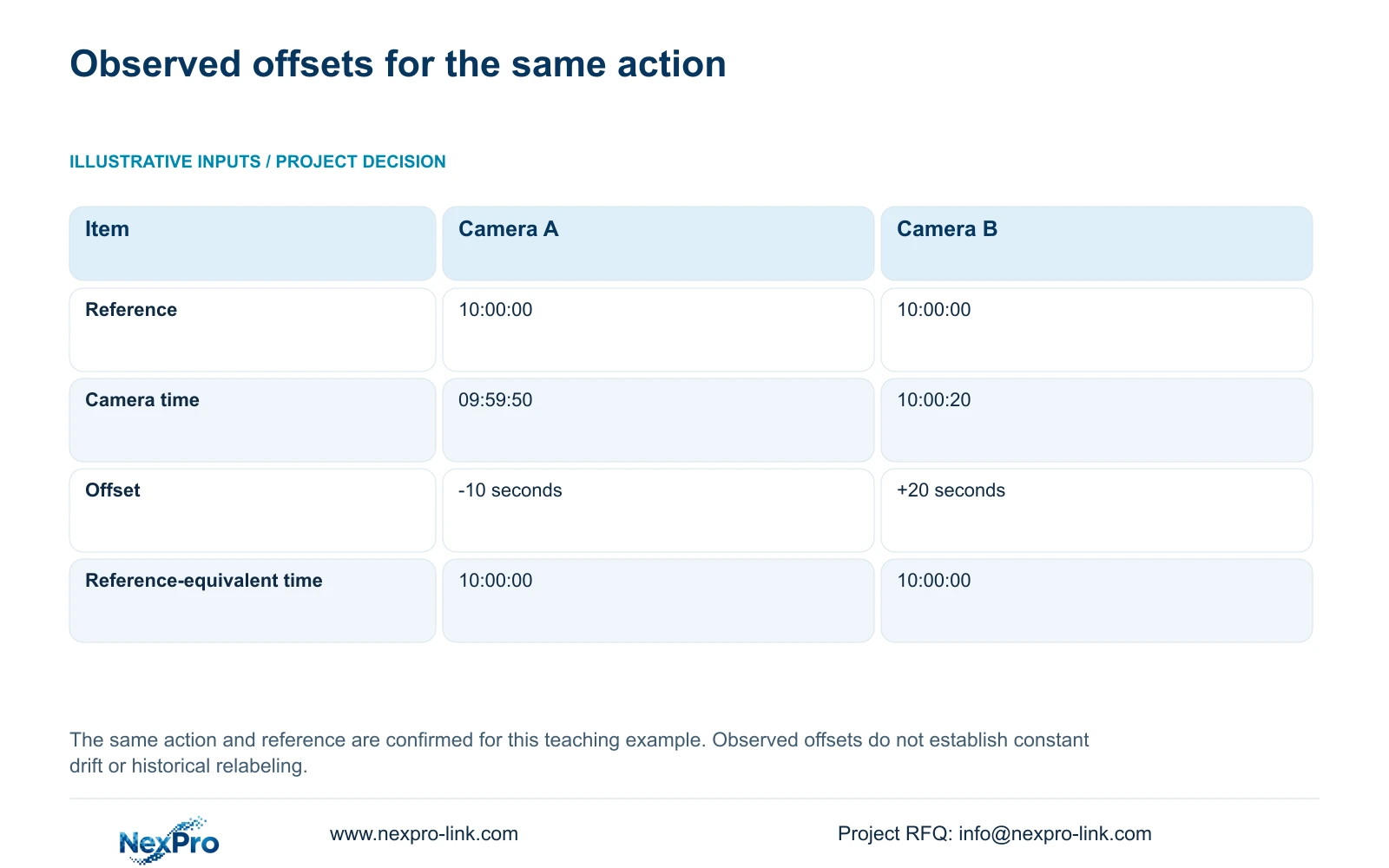
The supplied teaching example assumes the same confirmed action has a business reference time of 10:00:00. Camera A shows 09:59:50 and camera B shows 10:00:20. Offset = device displayed time - confirmed reference time.
Camera A: 09:59:50 - 10:00:00 = -10 seconds. Camera B: 10:00:20 - 10:00:00 = +20 seconds. For this observation, A is behind the reference and B is ahead. The same action therefore appears at 09:59:50 on A's displayed timeline and 10:00:20 on B's.
Reference-equivalent time = device displayed time - observed offset. A: 09:59:50 - (-10 seconds) = 10:00:00. B: 10:00:20 - (+20 seconds) = 10:00:00. Use this interpretation only where the reference and applicability of the observed offsets are established. It does not prove permanent linear drift or a constant offset throughout earlier footage.
Check time zone and daylight saving before diagnosing the cause. If a current clock correction is proposed, obtain authority and preserve relevant footage, settings and event references first. A correction does not establish that old recordings will be relabeled automatically.
| Item | Camera A | Camera B |
|---|---|---|
| Confirmed reference | 10:00:00 | 10:00:00 |
| Observed camera time | 09:59:50 | 10:00:20 |
| Offset from reference | -10 seconds | +20 seconds |
| Reference-equivalent time | 10:00:00 | 10:00:00 |
Section 04
Search each channel with the appropriate time context
Section 4.11.2 says playback defaults to the preview-selected channel. Explicitly select the mapped source, date, time range and recording-type filter. Ordinary, alarm and motion filters can produce different results for the same period.
An orange calendar date indicates that recordings exist in the documented workflow; grey indicates no recordings in that search context. Neither a colored date nor simultaneous display establishes complete incident coverage. If the expected action is absent, recheck identity and query conditions before reporting lost footage. Search around the applicable device time using the preserved reference, and record the exact interval found.
Section 05
Use the actual model's alternative playback combinations
Recording input and local playback decoding are different constraints. Section 5.2 lists model-specific alternatives. TS8108D7 is shown with 1×3MP. TS8116D7 supports the listed alternatives 1×5MP OR 2×2MP. TS8232C4 lists 1×4K OR 4×2MP OR 2×5MP.
For TS8836M/TS8436M, the listed alternatives are 1×4K 30fps OR 2×5MP OR 4×4MP@20fps OR 4×2MP@25fps. These modes cannot be added together. The TS models have no established mapping to NexPro-Link commercial SKUs.
If the required simultaneous combination is unsupported, check each original channel separately and preserve its timing reference for comparison. Do not lower the accepted recording quality solely to make a local display arrangement work. For procurement, specify the required playback task and obtain the exact model's supported combination.
| Condition | Interpretation | Next action |
|---|---|---|
| Required combination supported | Local comparison can use that mode | Still check source identity and offsets |
| Combination exceeds listed mode | Local decoding limit may affect viewing | Inspect original channels separately |
| No reliable common reference | Precise cross-channel timing remains unresolved | Preserve footage and state the limitation |
Section 07
Export the comparison with its timing explanation
Illustrative project scenario: A factory compares goods leaving a loading dock with a vehicle passing the gate. The engineer confirms both channel locations, establishes the available event reference and retrieves the relevant intervals. The timing comparison remains conditional on that reference and the observed clock relationship.
Keep channel identity, recorded period, reference event and offset explanation with each exported file. Open samples on the intended receiving system and check coverage, playback and required audio. Section 4.11.4 mentions players such as VLC without guaranteeing every platform and codec combination. Preserve originals until the copies are verified. A completed export indicator does not establish a usable comparison or justify an event-order conclusion by itself.
Section 08
Does simultaneous playback prove the cameras were synchronized?
No. It demonstrates a viewing arrangement. Confirm the recorded clock relationship through a reliable reference and retain any unresolved timing limitation.
Section 09
Source scope and the next input
This guide follows NVR4.0 user manual CH_V2.4.doc, with V2.2 in its body, sections 4.4.2, 4.12.2, 4.3.1, 4.4.4, 4.12.6, 4.11.2 to 4.11.4 and 5.2. Offset arithmetic uses the supplied illustrative inputs and is not a device test.
Send NexPro-Link the recorder model, required channel-resolution playback combination and a redacted record of the confirmed event reference and observed camera times at info@nexpro-link.com.
Engineering references
These sources support the general planning principles. Always use the selected product's current datasheet and applicable project standards for final design.