

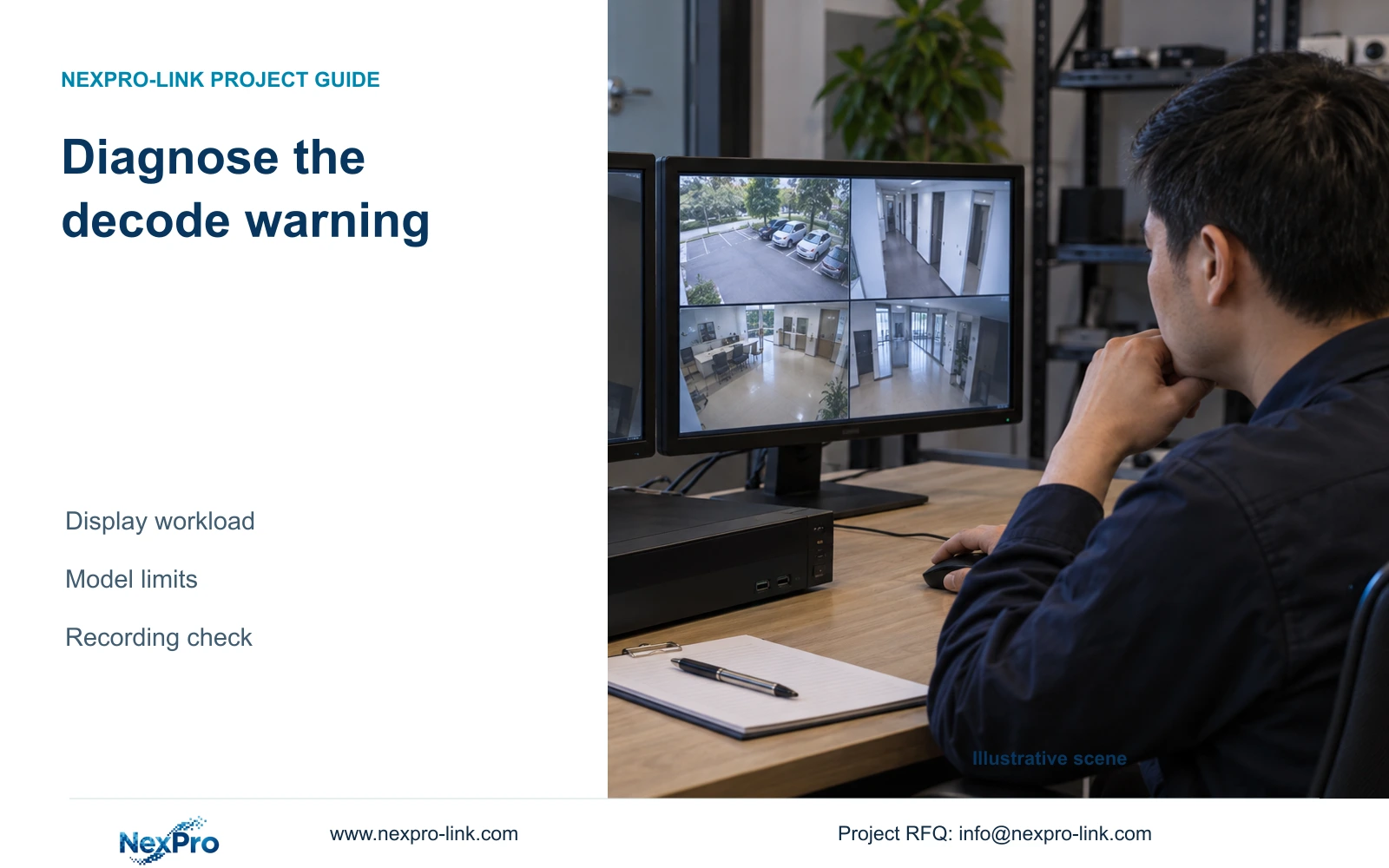
A warning in a high-resolution display window does not establish that every recording has failed. Test the local decoding workload and retrieve the affected interval separately.
Section 01
Identify the warning before changing recording quality
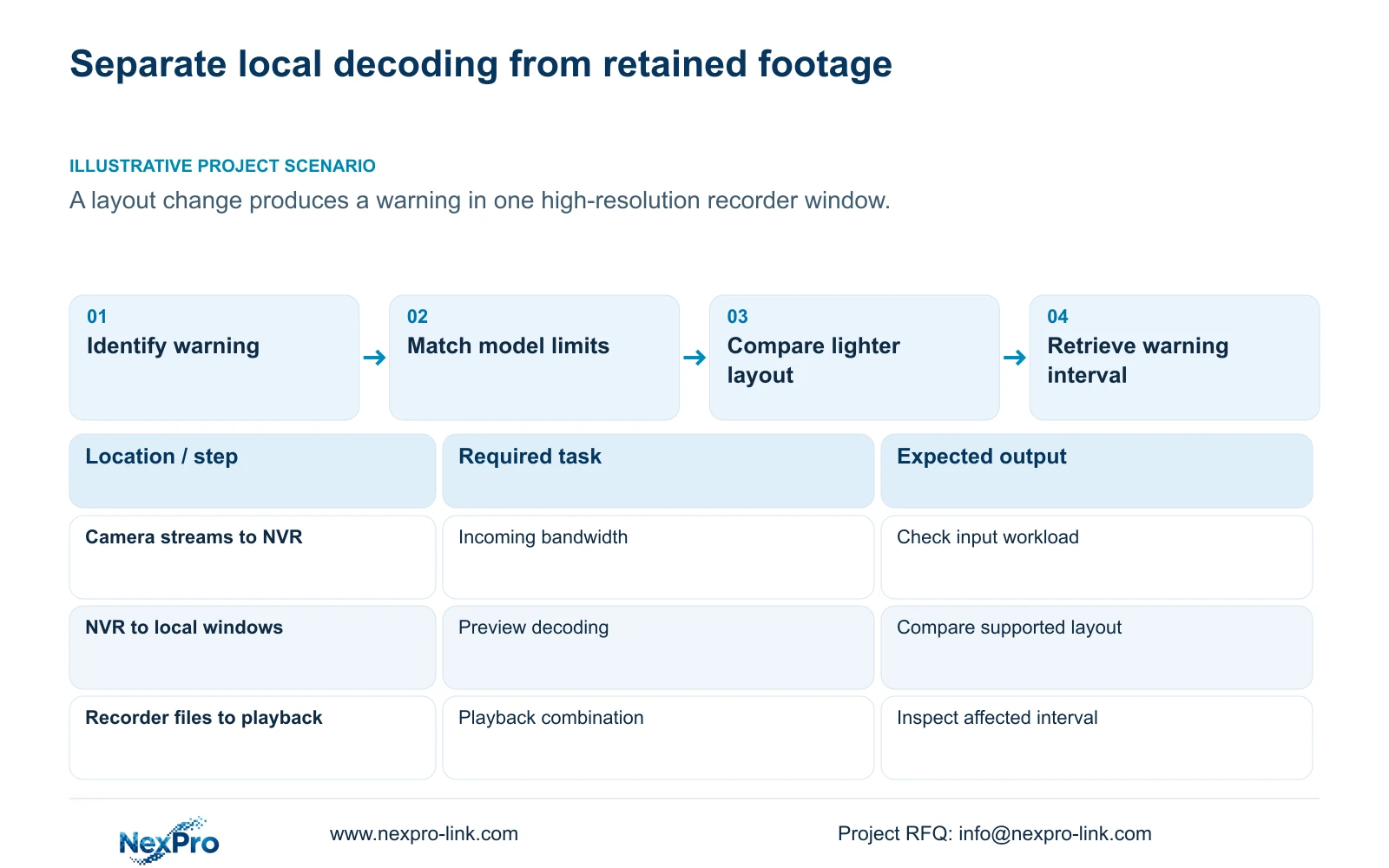
When a warning appears in a high-resolution window after a layout change, first check whether it matches the applicable recorder's decode-limit indication. Record the affected window, stream and operating mode, then compare the workload with the actual model's supported combinations. Reduce the display workload for a controlled comparison while leaving recording settings unchanged. Check playback limits separately and investigate total incoming IPC bandwidth if the symptom points to an input-resource problem. Finally, retrieve the affected channel and interval. A display warning alone cannot establish that recording failed, and restoring a picture by lowering quality does not establish that the footage still meets the owner's task.
Use the interface descriptions in §§2.3.3 and 2.4.4 to distinguish status indications. A recording, remote-preview or alarm symbol has a different meaning from a resource warning. If the actual symbol cannot be identified from the applicable instructions, preserve a redacted view and the conditions that produced it before selecting a troubleshooting branch.
Section 02
Read the model limits as separate resource fields
List recording-channel capacity, incoming bandwidth, preview decoding, simultaneous playback and monitor output separately. Each answers a different question. The ability to receive and retain a stream does not establish that the recorder can decode many such streams locally at the same time, and an HDMI output specification does not define every supported decoding combination.
The source is the supplied private NVR4.0 user manual CH_V2.4.doc. Its filename says V2.4 and body headers say V2.2. Section 5.2 provides model-specific tables, so match the actual recorder and firmware before applying a row. The TS model identifiers have no established mapping to NexPro-Link commercial SKUs.
Section 03
Reduce the local display workload for comparison
Section 4.5 lists layouts with 1, 2, 4, 6, 8, corridor 8, 9, 10, 16, 24, 25 and 36 windows. A selectable grid describes window arrangement. It does not prove that every window can show a full-resolution stream at its requested rate.
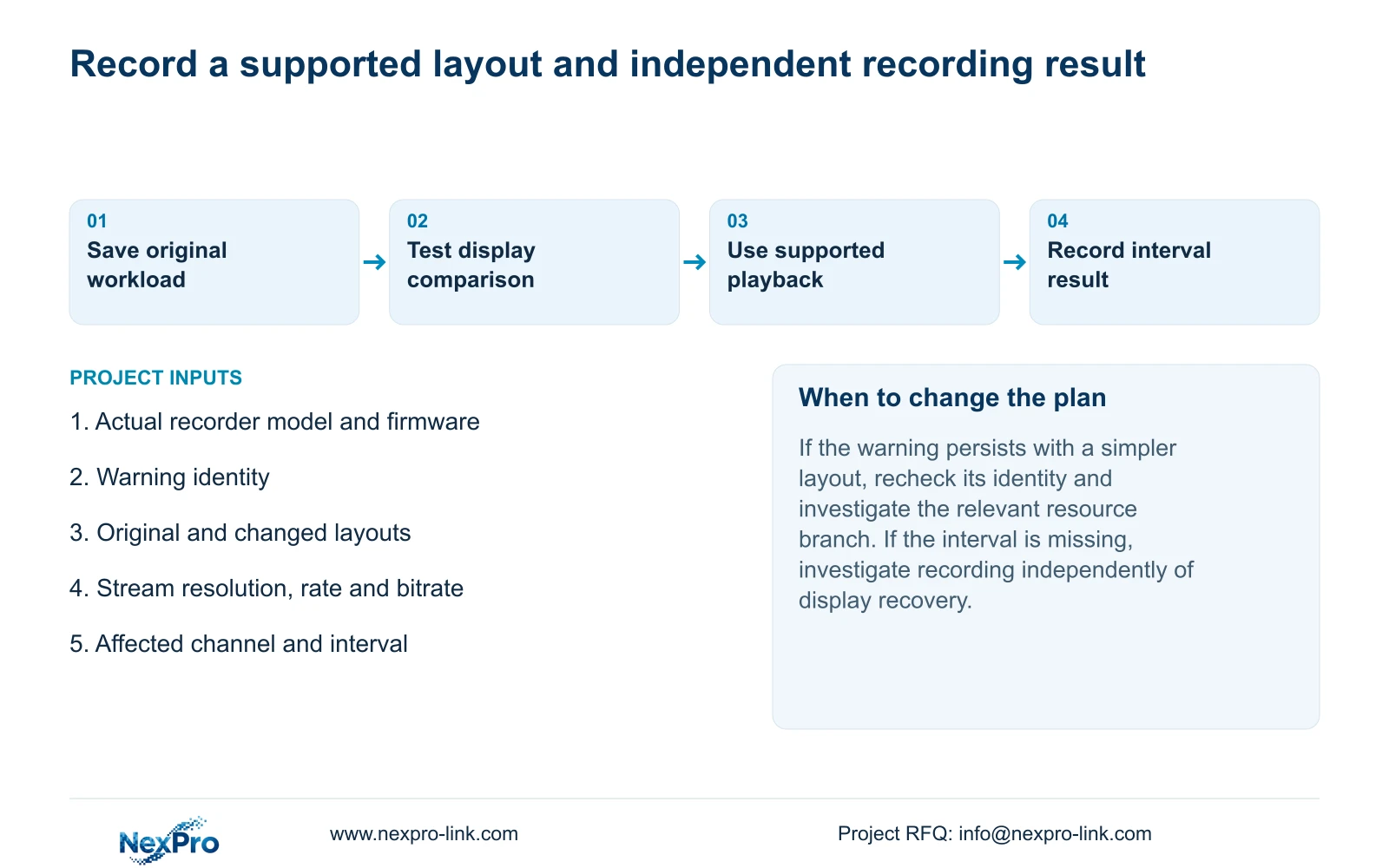
Record the original layout and the stream resolution and rate used in each affected window. Compare a simpler supported viewing arrangement without changing camera recording parameters. If the warning disappears, retain that observation as evidence that the symptom changes with display workload. Then choose a layout that serves the operator's task within the model's limits.
If the warning remains in a simpler arrangement, do not keep reducing unrelated image settings. Confirm the warning identity and stream conditions again, then investigate the relevant input or playback branch. The comparison narrows the problem; it does not by itself identify a failed component.
Section 04
Use the listed playback modes as alternatives
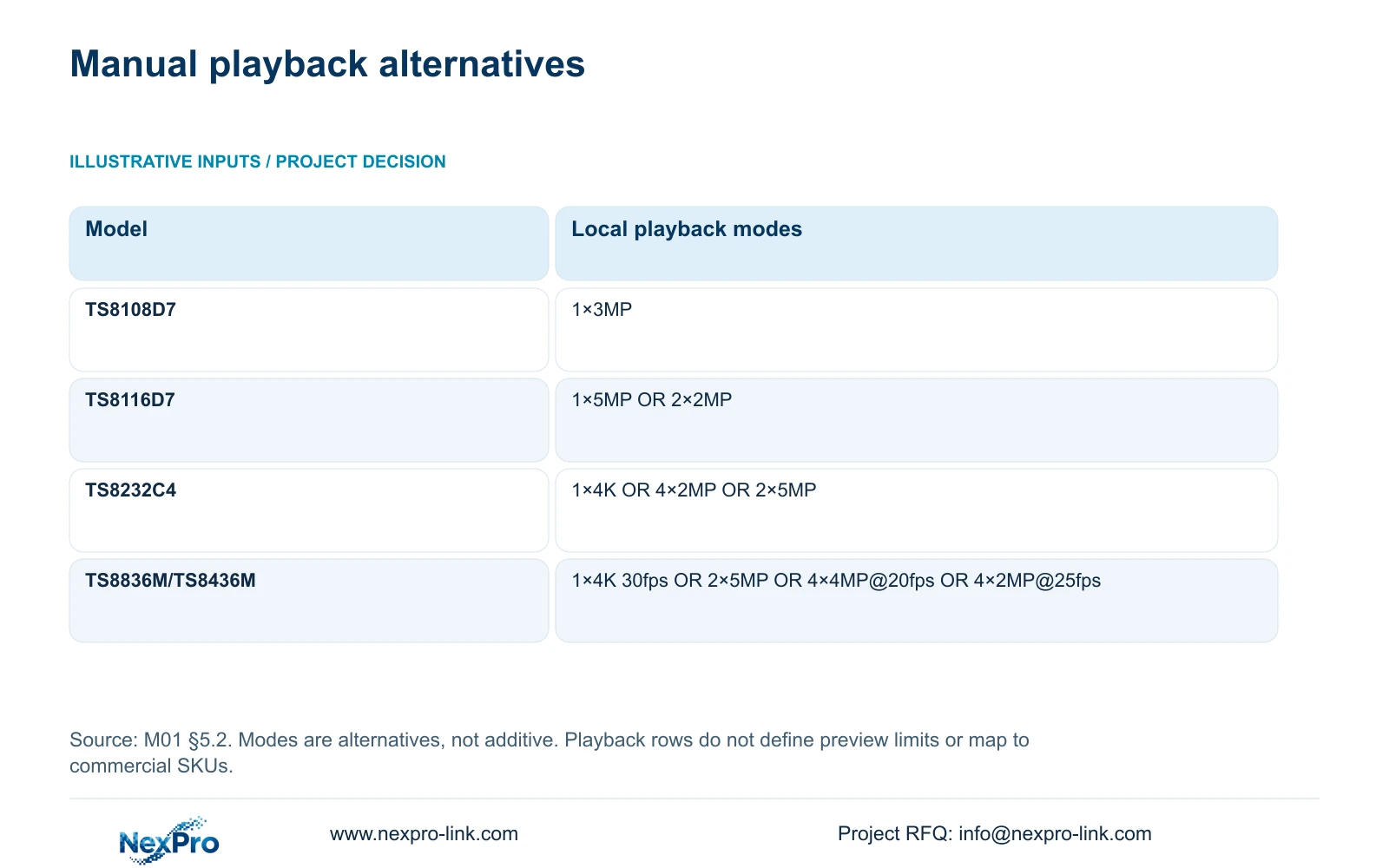
Local playback has its own limits. Section 5.2 lists TS8116D7 with 1×5MP OR 2×2MP, and TS8232C4 with 1×4K OR 4×2MP OR 2×5MP. These are alternative combinations, not quantities to add into a larger simultaneous workload. Keep the mode labels intact when preparing a test.
TS8108D7 is listed with 1×3MP. For TS8836M/TS8436M, the supplied table lists 1×4K 30fps OR 2×5MP OR 4×4MP@20fps OR 4×2MP@25fps. Preserve the stated rates where supplied and do not invent a missing rate for another mode. These playback rows must not be used as substitute preview-decoding specifications.
| Manual model | Listed playback modes | Interpretation |
|---|---|---|
| TS8108D7 | 1×3MP | Use this row only for the matching model. |
| TS8116D7 | 1×5MP OR 2×2MP | Choose a listed alternative; do not add the modes. |
| TS8232C4 | 1×4K OR 4×2MP OR 2×5MP | Playback capacity is separate from input and preview limits. |
| TS8836M/TS8436M | 1×4K 30fps OR 2×5MP OR 4×4MP@20fps OR 4×2MP@25fps | Keep each alternative and its supplied rate together. |
Section 05
Investigate input bandwidth only when that branch applies
Question 7 in §5.3 associates insufficient channel resources with total incoming IPC bandwidth and suggests reducing the affected bitrate. This is a separate diagnostic branch from a warning caused by a local display arrangement. Preserve the original channel count, stream mix, bitrates and operating state before changing them.
Compare the incoming workload with the actual recorder's input limit, then check the relevant individual streams. If a bitrate change is justified, qualify the resulting footage against the original image task. A restored live picture can still leave motion or required detail unacceptable. Where the required streams exceed the documented capacity, review recorder selection instead of accepting an unqualified quality reduction.
Section 06
Retrieve footage from the warning period
Select the affected channel explicitly before entering playback. Section 4.11.2 says the initial playback selection follows the preview-selected channel, so confirm that the search has not moved to a different camera. Check the warning date, time and ordinary, alarm or motion type filter.
Orange indicates that recordings exist for the selected date in the documented workflow; grey indicates no recordings there. Neither substitutes for inspecting the requested interval. Play that period using a supported playback combination. If footage is absent after search conditions are corrected, investigate the recording path separately. Do not report recording continuity merely because the warning has disappeared.
Section 07
Test the layout change without sacrificing evidence
Illustrative project scenario: A larger recorder shows a warning in one high-resolution window after the operator changes its layout. The engineer records the original and changed arrangements, checks the matching model's preview limits and tests a simpler display workload. Playback of the warning interval then runs within a documented playback mode. The proposed outcome is a usable operator layout and a separate recording result, with any missing interval retained as an unresolved fault.
Section 08
Does a 32-channel label establish full-resolution multi-view?
No. Channel count, input bandwidth, preview decoding, playback and monitor output require separate checks against the selected model.
Section 09
Should every resource warning lead to lower recording resolution?
No. Identify the resource first. A local display comparison can leave recording unchanged; an input-bitrate change needs its own evidence-quality check.
Section 10
Provide the warning workload
Send NexPro-Link the recorder model and firmware, a redacted warning view and the live or playback stream mix that produced it at info@nexpro-link.com.
Engineering references
These sources support the general planning principles. Always use the selected product's current datasheet and applicable project standards for final design.


