

Before correcting an NVR clock, preserve the old time reference, relevant logs and playable incident footage. Verify new recording time and older retrieval as separate outcomes.
Section 01
Record the old clock relationship before making a correction
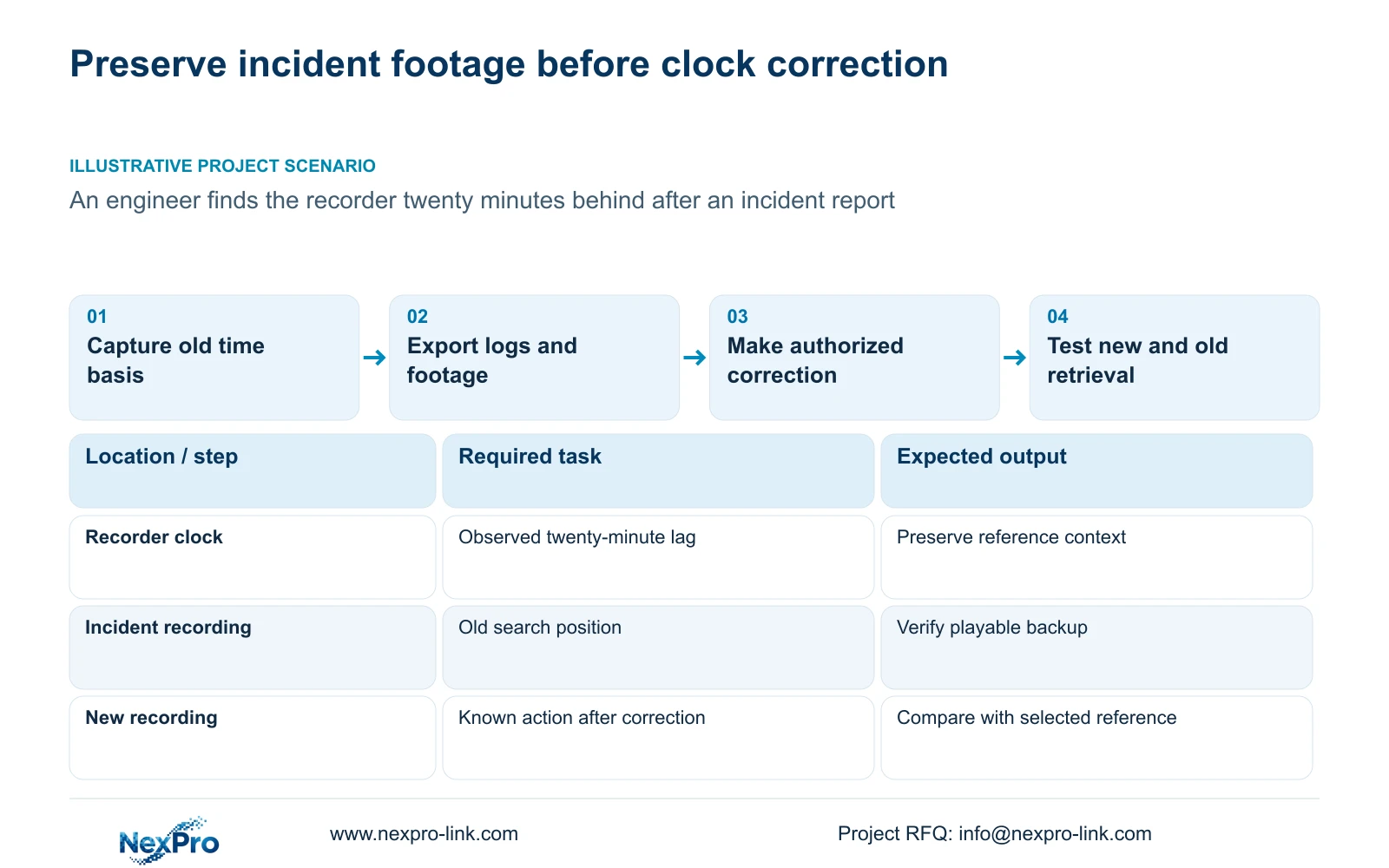
Before changing an NVR clock after an incident, preserve the old device time, its difference from a confirmed reference and the footage needed for the investigation. Check time-zone and daylight-saving settings before choosing the correction, export relevant logs, and verify an incident backup on the intended receiving system. Make the authorized change only after those preservation needs are resolved. Then test newly generated footage and the required historical search separately. The supplied manual describes time configuration, playback and backup, but does not establish that changing the clock automatically rewrites older recording timestamps or reconciles every historical search position.
Record the reference source and the moment when the comparison was made. Keep the recorder desktop time separate from any camera overlay. A difference observed during troubleshooting may not describe the entire earlier recording period, so avoid treating it as a permanent offset without supporting observations.
The operating source is NVR4.0 user manual CH_V2.4.doc, with V2.2 in its body. Sections 4.4.2 and 4.12.2 describe separate IPC and NVR time settings. Section references take priority over page numbers, and the actual model and firmware determine which instructions apply.
Section 02
Resolve the time basis and intended authority first
Inspect the recorder time zone and daylight-saving configuration, then compare the relevant camera settings. The manual directs users to select the correct time zone before network synchronization. A presentation-setting error and a clock offset require different observations, even when both produce an apparently wrong screen time.
Record how the NVR obtains time and whether it synchronizes the cameras. Its IPC synchronization interval is measured in hours; the IPC page also includes manual and network-time controls. Establish which mechanism should remain authoritative after the correction so a later synchronization operation does not leave the cause unresolved.
If the settings differ from the instructions or a proposed time source is unsupported by the available documentation, obtain the applicable guidance before proceeding. The source does not establish every local NTP deployment. Keep the correction limited to the identified cause instead of changing unrelated configuration.
Section 03
Export relevant logs while the old context is available
Section 4.12.17 describes detail viewing and text export for log records. The default search uses the current day and includes type filters. Adjust those controls to cover the incident and the troubleshooting period; a current-day result alone can miss earlier records.
When the date condition is not selected, the manual describes an all-log query. Use the available query scope when the device's old date complicates the search, then retain the relevant records with the observed clock relationship. Record the query conditions so another engineer can understand what was inspected.
An empty result needs a filter check before it becomes a fault conclusion. Exported logs support diagnosis, but the manual does not establish unlimited retention or tamper-proof auditing. Keep log export separate from video backup: each preserves a different part of the incident context.
Section 04
Protect a playable incident copy before changing time
Locate the required footage using the preserved device-time context and export it through section 4.11.4. Confirm the selected camera and interval before starting the backup. Include the scene context needed to identify the reported action rather than relying only on a timestamp label.
Open the exported file on the intended receiving system. Check its channel, start and end coverage, playback and any required audio. The manual mentions players such as VLC without guaranteeing every platform and codec combination. Keep the original recording protected until the needed copy has been verified.
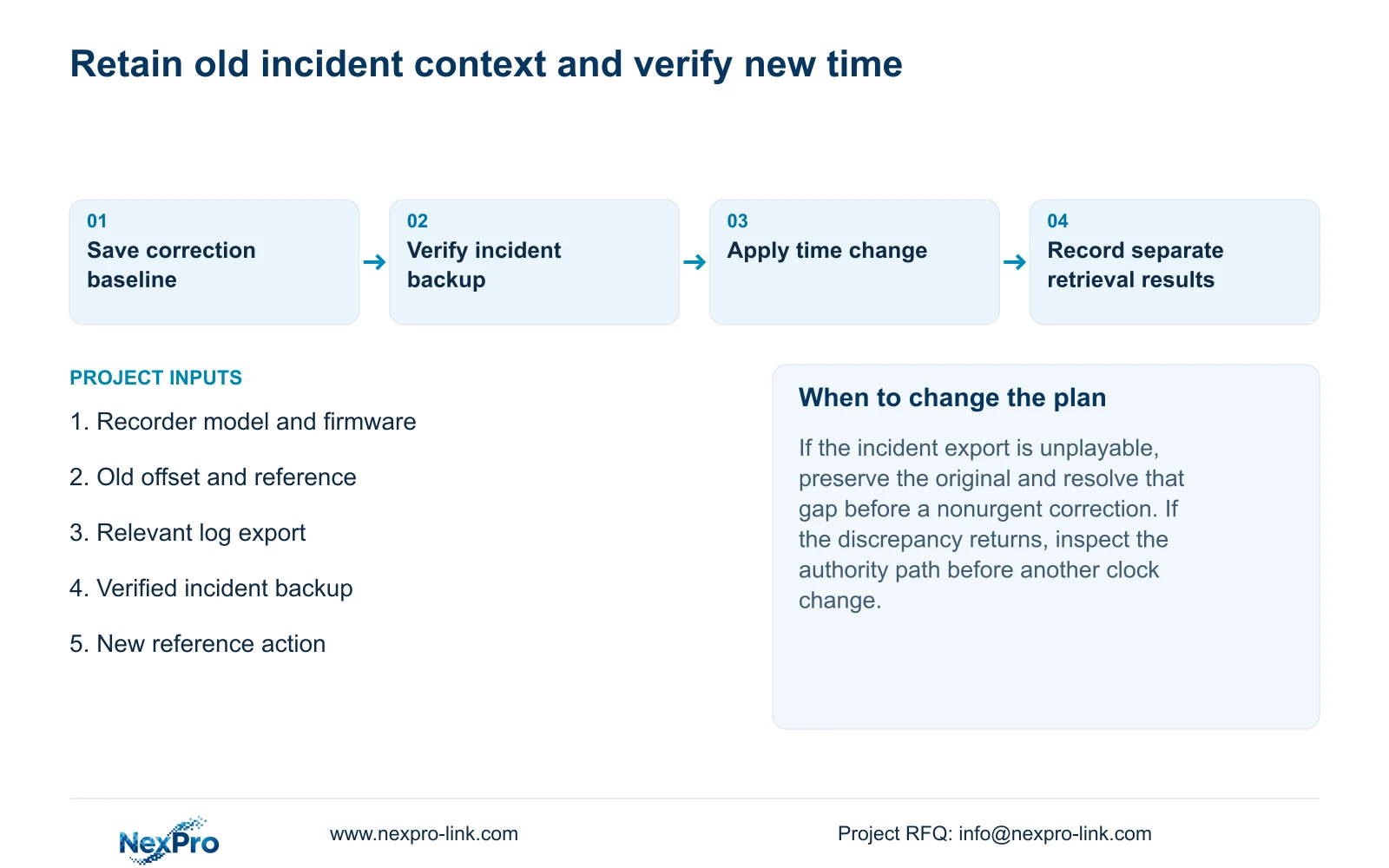
If the export fails or the recipient cannot play it, resolve that preservation gap before a nonurgent correction. A progress indicator cannot prove the investigation material is usable. Record the failed step and retain the current search context for a supported next action.
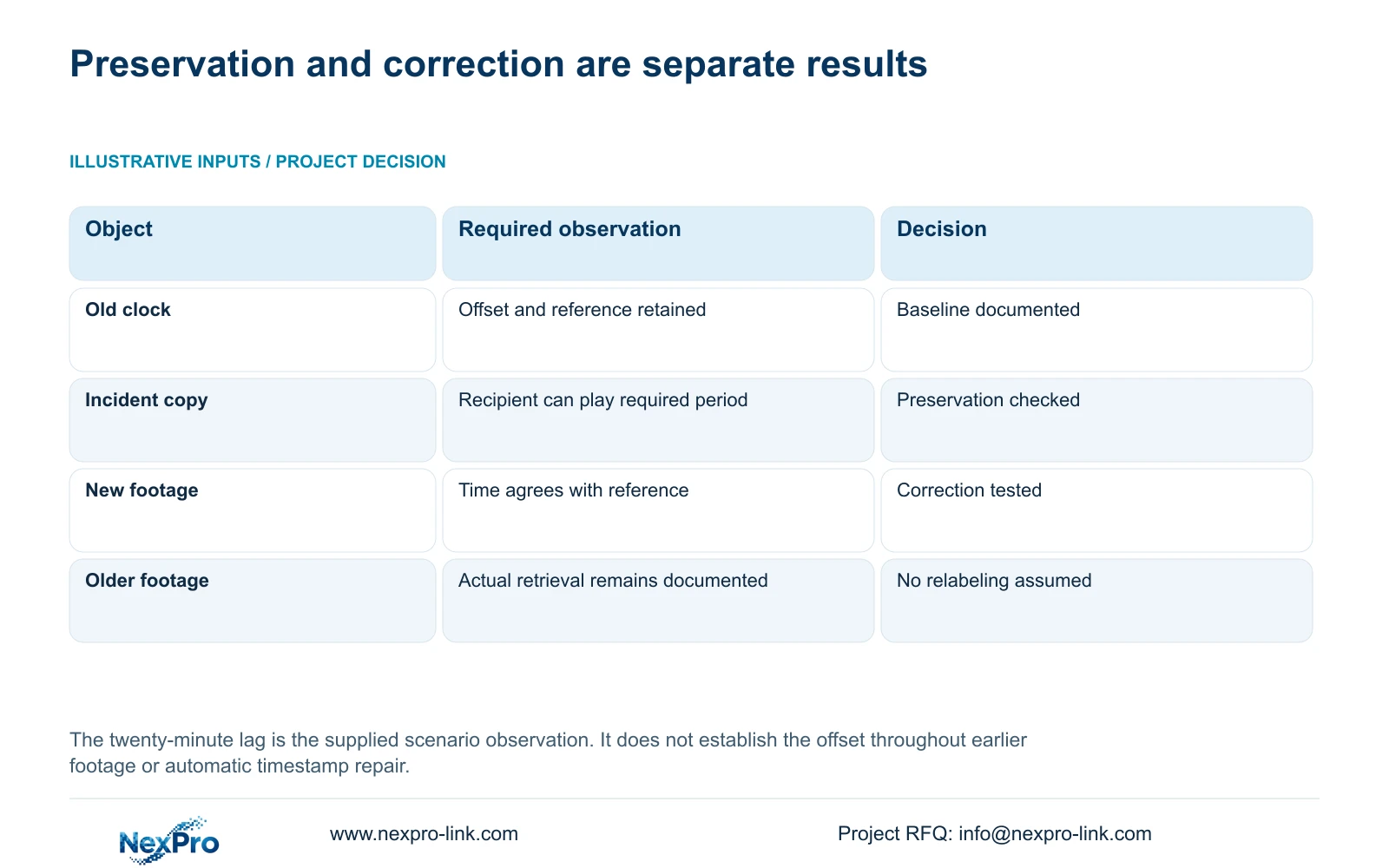
| State | Decision | Next action |
|---|---|---|
| Old offset and reference are recorded | The correction has a documented baseline | Check time-zone and authority settings |
| Incident export is unverified | Preservation remains incomplete | Check file playback before a nonurgent correction |
| New footage has correct time; old search differs | New and historical outcomes need separate records | Retain the actual historical search instructions |
| Time discrepancy returns | The cause remains unresolved | Inspect synchronization direction and applicable firmware |
Section 05
Retest the older search using the preserved reference
Section 4.11.2 says playback starts with the preview-selected channel. Confirm the incident camera, then inspect the date, time and ordinary, alarm or motion filter. Record the search that successfully finds the old event before the correction, and repeat that retrieval afterward.
Orange shows that recordings exist on a date in the documented workflow. It does not prove that the incident interval is complete. If the expected position is empty, inspect the preserved device-time range and neighboring date where relevant before reporting that footage disappeared.
Keep the observed result explicit. Older footage may still require the original search context; the manual does not promise automatic relabeling. If the actual device presents a different result, retain the details and seek model-specific guidance rather than forcing a general explanation onto the recorder.
Section 06
Accept the correction through newly generated footage
Illustrative project scenario: An engineer finds the recorder twenty minutes behind after an incident has already been reported. The engineer preserves that observation and the incident reference, checks the time basis, exports relevant logs and verifies the required footage before making an authorized correction. The scenario does not establish that the same difference applied throughout the earlier recording.
After the change, observe a known new action and retrieve its recording. Compare the resulting time with the selected reference. Also check live view, the required historical sample, export, the intended operator account and any event workflow affected by the change.
Record the changed setting and each failed task separately. If a further supported action would stop the running recorder, require authority, data preservation and an arranged interruption before proceeding. Do not assume firmware rollback or restart will repair an unresolved discrepancy. The final record should preserve both the old incident-search context and the accepted new time basis.
Section 07
Can the correction be treated as historical timestamp repair?
No. Automatic historical relabeling is not established by the supplied manual. Verify the required older recording through actual playback and retain its observed search context.
Section 08
What if the incident backup cannot be played?
Keep the original footage and resolve the viewing or export problem before a nonurgent change. Record the intended receiving system and the failed playback step.
Section 09
Provide the correction baseline
Send NexPro-Link the recorder model and firmware, observed old offset, incident reference and status of the verified backup at info@nexpro-link.com.
Engineering references
These sources support the general planning principles. Always use the selected product's current datasheet and applicable project standards for final design.


