

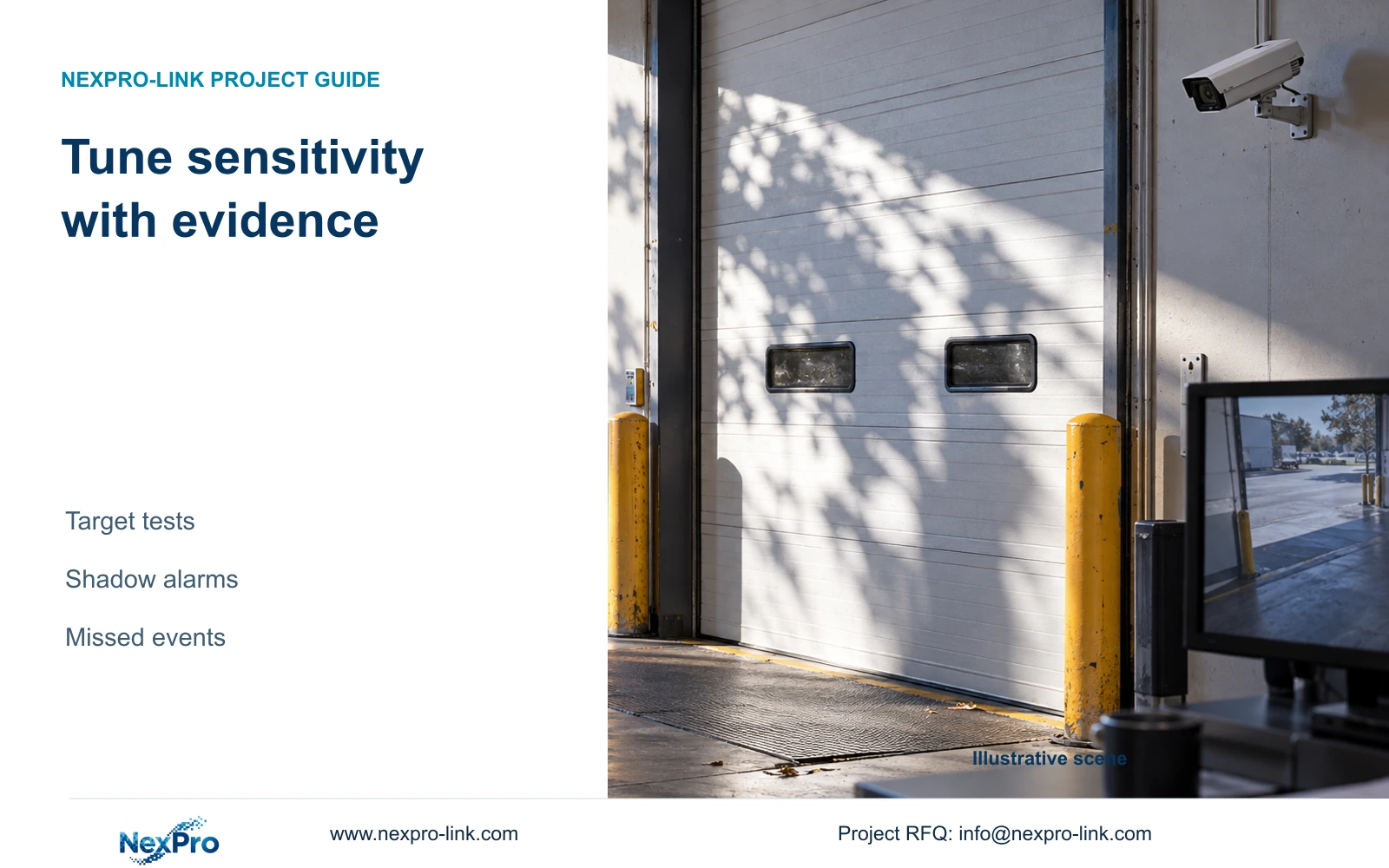
Tune motion sensitivity against the same required movement and nuisance condition. Preserve lighting, arming and output observations so fewer alerts do not conceal missed activity.
Section 01
Test the loading-door movement before changing sensitivity
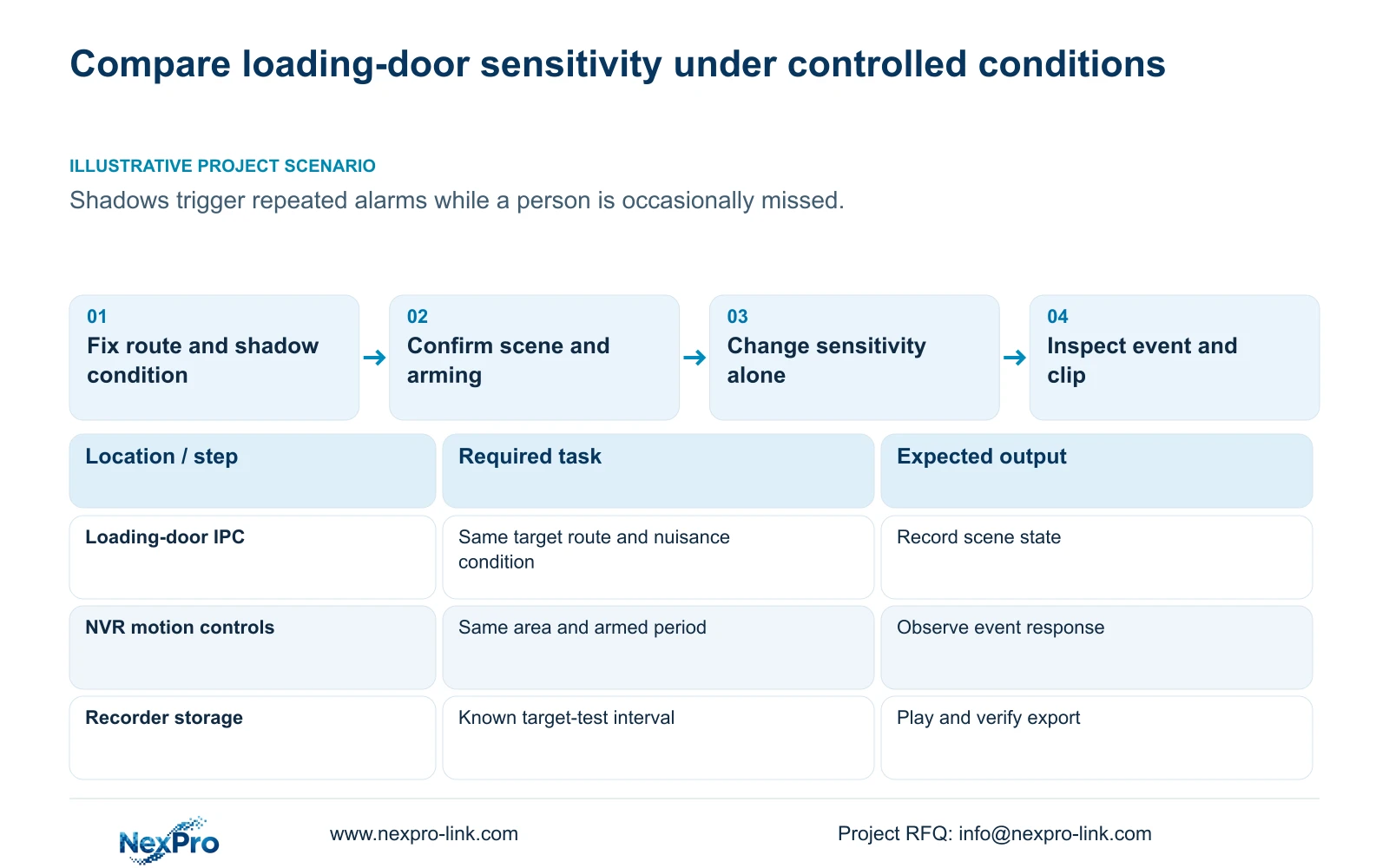
Adjust motion sensitivity by repeating a defined target movement and a defined nuisance condition in the same scene, changing one setting at a time. At a loading door where shadows trigger alarms and a person is sometimes missed, fewer notifications alone cannot establish improvement. Confirm channel enablement, the detection area, arming time and required output before comparing settings. Record whether the person moved through the area, whether an event appeared and whether the selected response completed. The sensitivity value is a configuration input, not a measured probability of detection, and ordinary motion does not establish human classification.
Define the target route through the door and identify the shadow condition that causes unwanted responses. Use those same observations for each comparison. Keep the required movement inside the intended detection area; otherwise a missed response may concern area coverage rather than sensitivity.
Record the original setting and the expected action before testing. If the target movement produces no response at baseline, first check the alarm chain. Changing sensitivity while the channel is disabled or outside its armed period provides no useful comparison.
Section 02
Keep the image and lighting baseline visible
Note the lighting condition, framing and camera-side capture settings used for each test. A daytime comparison should not silently become a comparison against a different nighttime image. Retain the same viewing task and document any scene change before interpreting the event result.
Section 4.4.3 lists brightness, saturation, sharpness, contrast, image flips, digital wide dynamic range, starlight and corridor modes. These controls concern IPC capture and processing, distinct from adjustment of the recorder's monitor output. Their availability depends on the connected camera.
If an image adjustment is needed to assess the loading-door task, make it a separate trial. Repeat the target route and nuisance observation after that change before returning to sensitivity. Do not combine a new detection area, new image processing and new sensitivity value into a single result whose cause cannot be identified.
Section 03
Run every comparison inside the intended armed period
Check the actual test time against motion arming in section 4.12.11. Recording time is separately configured in section 4.11.1. Video can exist while the alarm is outside its armed period, so a playable image without an event does not automatically indicate a sensitivity problem.
Record the arming condition beside each test result. If one comparison occurs outside the intended period, exclude it from the setting comparison and repeat under the correct condition. Preserve the observation as a scheduling issue rather than treating it as a missed detection.
Where the loading door operates across a shift change, test the required response on each relevant side of the schedule boundary. The result should show whether the operator's intended coverage is met, without using one successful daytime test to represent every operating period.
Section 04
Compare the setting through the required output
Change sensitivity alone, then repeat the target movement and nuisance observation with the same area and relevant lighting. Inspect the selected response each time. Use the actual device's supported control range; the supplied source does not establish a universal recommended value.
The manual lists popup, border flashing, buzzer, email, snapshot, preset call, recording and app push separately. Choose a stable observation path for the comparison, while still verifying the output the owner needs. An event visible locally with a missing remote notification points to a different problem from an absent event.
If shadow responses decrease but the person is also missed, do not accept the setting solely because the guard sees fewer alerts. Return to the prior baseline or continue a controlled comparison. If useful events remain visible and the required output completes, preserve that configuration for the final recording test.
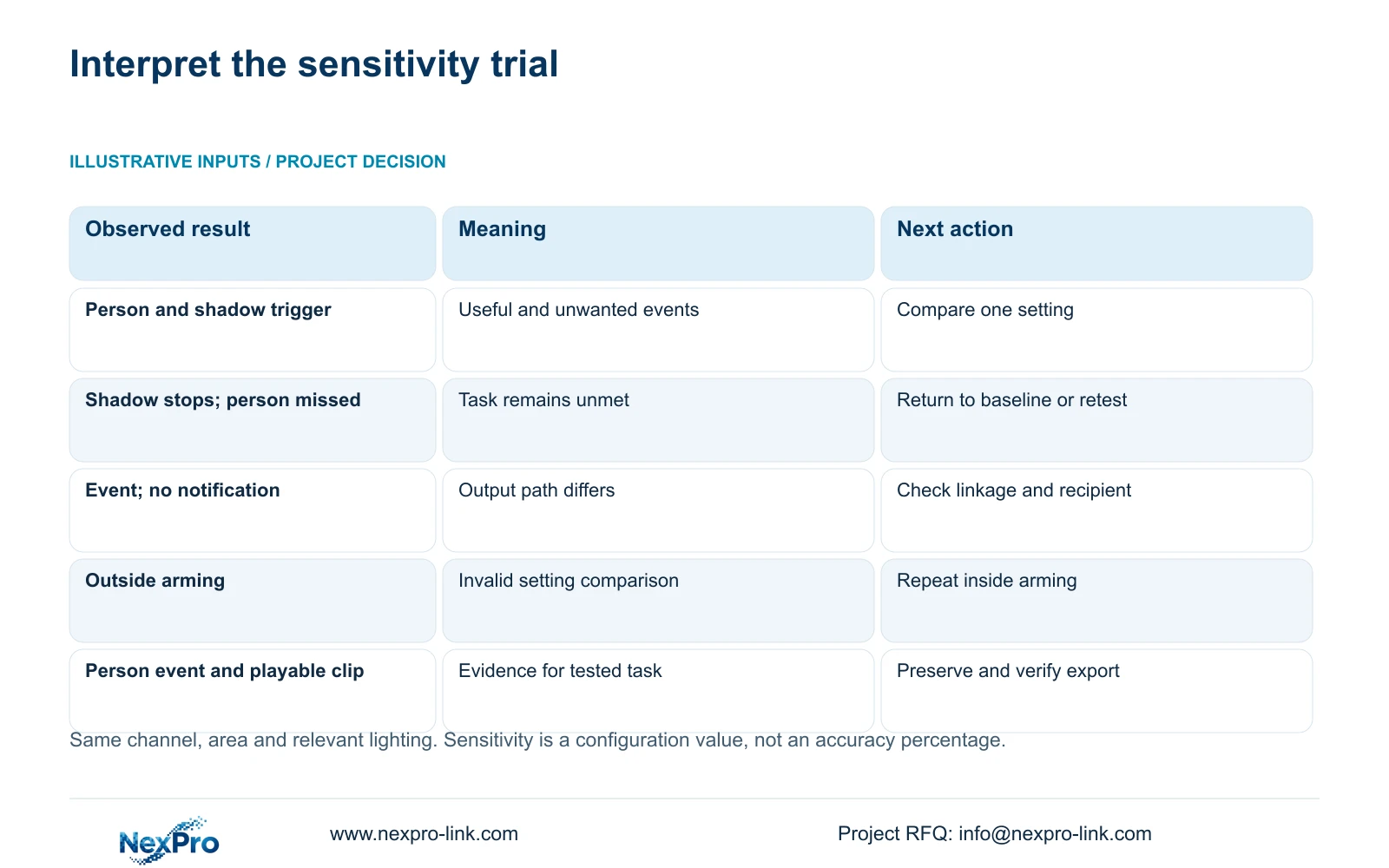
| Observation | Interpretation | Next action |
|---|---|---|
| Person and shadow both trigger | The current setting responds to useful and unwanted activity. | Compare one adjustment using the same scene conditions. |
| Shadow stops triggering; person is missed | Lower notification volume has not met the target task. | Return to baseline or continue controlled testing. |
| Event appears; recipient receives nothing | Detection and notification results differ. | Investigate linkage and the recipient path. |
| Test occurs outside arming | The result cannot support this sensitivity comparison. | Repeat inside the intended armed period. |
| Person triggers; required clip plays | The tested task has useful supporting evidence. | Preserve settings and verify the export. |
Section 05
Keep missed activity beside the event records
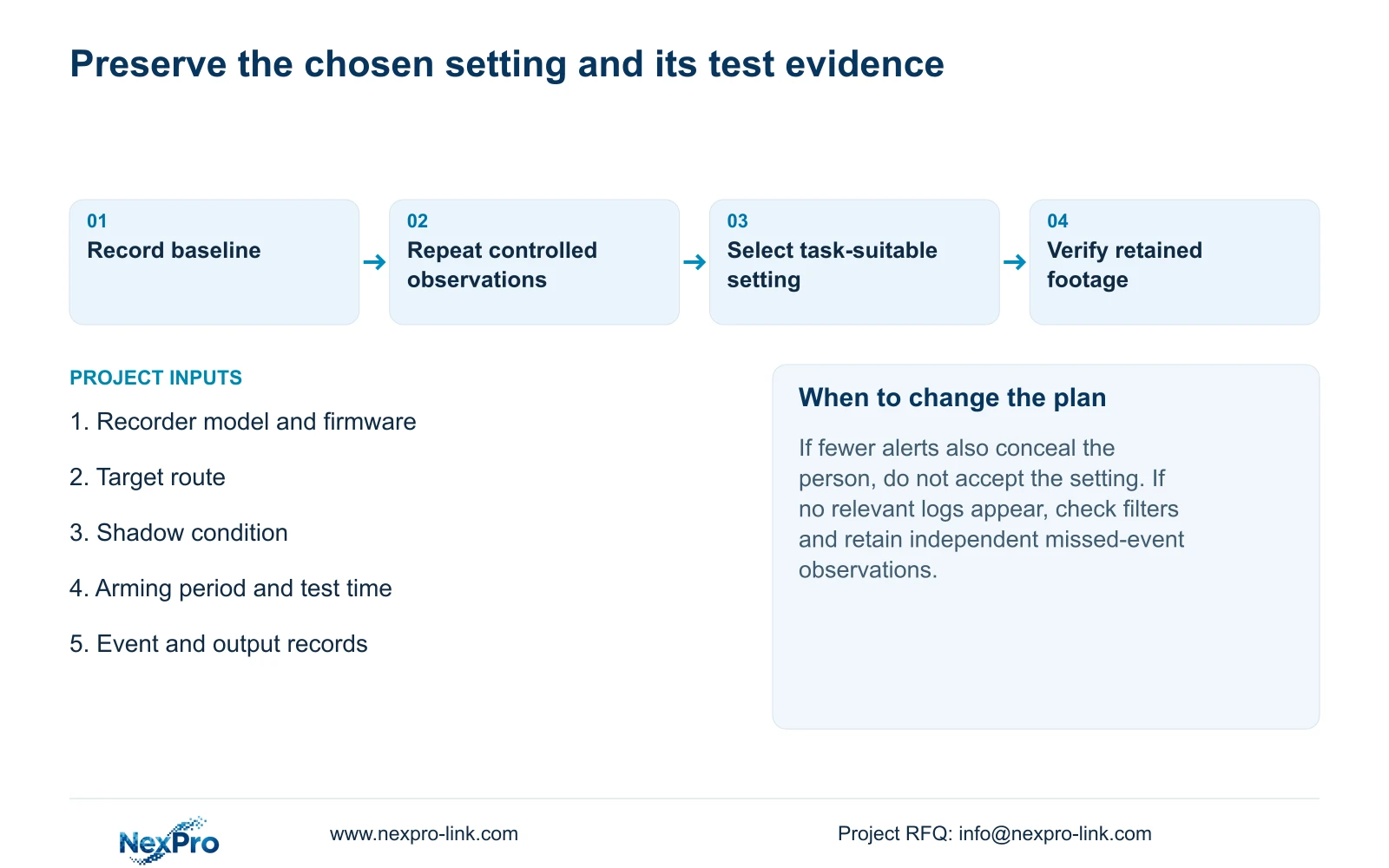
Maintain a test record containing the channel, test time, scene condition, changed setting, observed movement, event result and output result. Include target movements that produced no event. An event list alone cannot represent activity the detector missed.
Section 4.12.17 describes a default current-day log search, type filtering, detail viewing and text export. Check the filters before concluding that a relevant record is absent. When the date condition is not selected, the manual describes an all-log query.
Use exported logs alongside the independent test observations and relevant footage. A missing log entry does not by itself explain why a person was missed. Log export also does not establish unlimited retention, tamper-proof auditing or evidentiary certification. Its role here is to preserve the diagnostic context for the comparison.
Section 06
Accept a configuration only after retrieving the test footage
For the selected configuration, identify the live channel, observe recording status and retain a known test interval. Retrieve that period, inspect the movement and export the required clip. Open the copy through the intended receiving path. This engineering workflow uses sections 4.3, 4.11 and 4.12.21 to check more than the live picture.
Illustrative project scenario: A loading door receives repeated alarms from shadows while an occasional person is missed. The integrator records the scene baseline, repeats the same route inside arming and changes one setting at a time. A setting is recommended only when the useful movement and required response are demonstrated under the tested conditions.
The operating source is NVR4.0 user manual CH_V2.4.doc, whose body identifies V2.2. Sections 4.12.11, 4.4.3, 4.11.1 and 4.12.17 anchor the comparison. This procedure does not produce a universal accuracy rating or establish behavior for every recorder, camera or firmware.
Section 07
Is the sensitivity value an accuracy percentage?
No. It is a configuration value. Report the observed target and nuisance results under stated conditions instead of converting the setting into a probability.
Section 08
Why is an expected event missing from the log search?
Check date and type filters first, then compare the independent test record. The search result alone cannot distinguish an unlogged observation from a missed event.
Section 09
Provide the controlled comparison
Send NexPro-Link the recorder model and firmware plus the target, shadow and output observations for the compared settings at info@nexpro-link.com.
Engineering references
These sources support the general planning principles. Always use the selected product's current datasheet and applicable project standards for final design.


