

Quiet-period gaps can follow directly from a motion-only plan. Check the event chain and playback search before treating an unrecorded interval as lost data.
Section 01
Decide whether the quiet interval was meant to exist
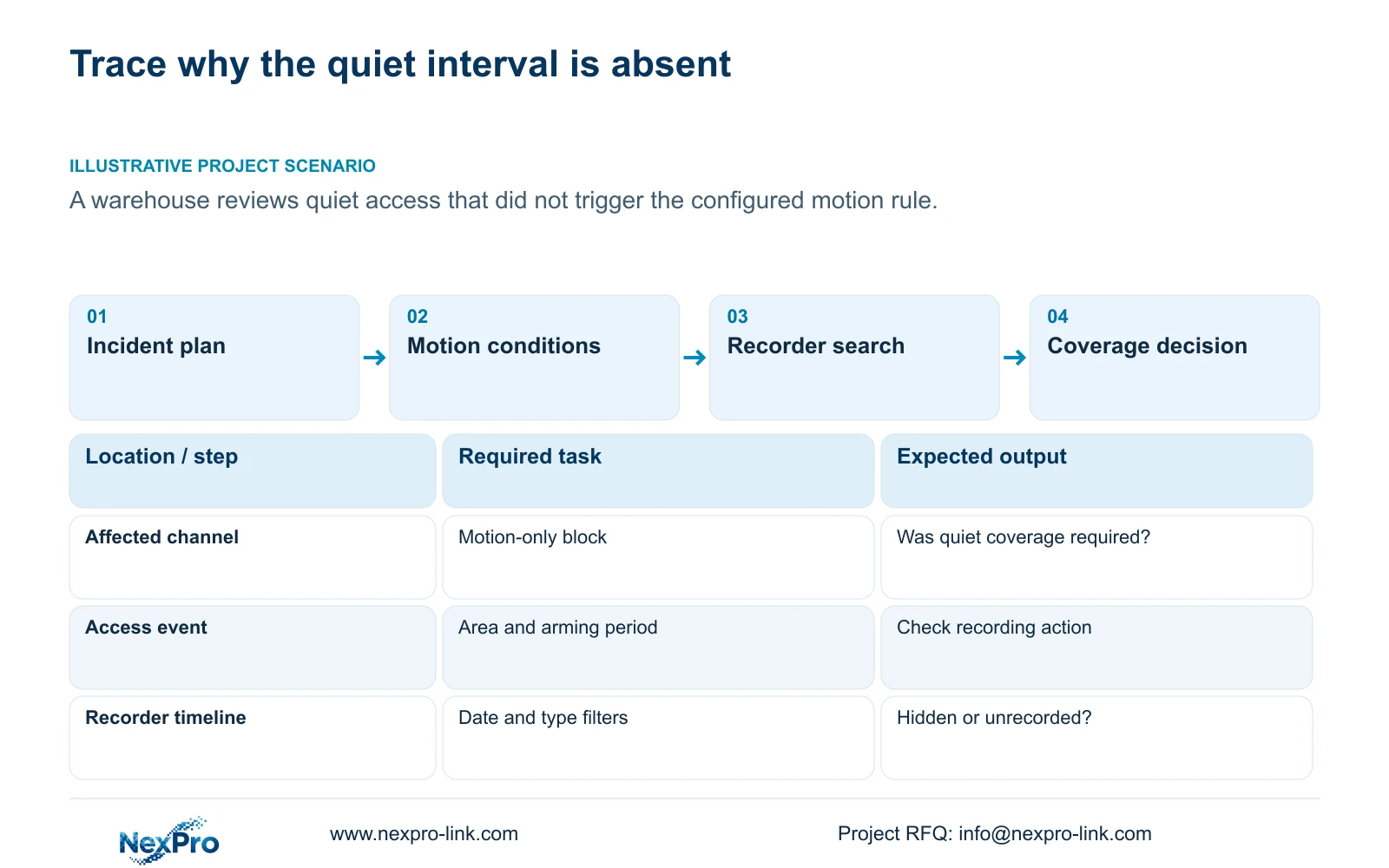
A quiet interval can be absent because a motion-only plan records only when motion detection triggers. Before calling the footage lost, identify the channel, incident time and recording type configured for that period. Then check the motion enablement, detection area, arming period and recording action. Search the recorder with the correct date and type filters to distinguish hidden footage from an interval that was never recorded. If the owner needs to review activity that might not trigger the rule, motion-only coverage does not meet that requirement. Continuous timed or motion-plus-timed coverage should be evaluated with the additional storage it requires.
The operating basis is NVR4.0 user manual CH_V2.4.doc, with V2.2 in its body, sections 4.11.1, 4.11.2 and 4.12.11. The storage example is independent arithmetic related to section 5.1, not a measured product result. Apply the workflow to the actual recorder and firmware.
Section 02
Read the plan that applied at the incident time
Find the affected channel's recording plan and establish which setting applied during the missing period. Section 4.11.1 lists timed recording, no recording, motion recording and motion-plus-timed recording, using a 30-minute minimum grid. Preserve the observed configuration before making an authorized change, since today's setting alone may not describe the incident period.
Motion-only leaves quiet periods dependent on whether the detector triggered. Motion-plus-timed continues ordinary timed footage without motion and records motion-type footage when triggered. A no-recording block is another direct explanation for an absent interval. If the original requirement was continuous coverage, record the mismatch between that requirement and the selected mode before investigating disk loss.
Section 03
Check the event conditions in an observable order
Under section 4.12.11, inspect motion enablement, the detection area and the selected linkage action. Confirm that the area covers the access activity the owner wants to review. A person moving within the camera view does not establish that the configured detection rule generated the required action.
Use a controlled event in the intended area and inspect the recording output. If detection occurs but footage is absent, focus on the recording action and plan. If notification is absent while footage exists, investigate that notification task separately. Snapshot, email and App outputs each require their own verification when requested. Ordinary motion detection does not establish human or vehicle classification, and a sensitivity setting is not an accuracy percentage.
Section 04
Compare the alarm period with the recording period
Recording time and alarm arming time are separate controls. Compare both against the incident timestamp, especially when access crosses a shift boundary. A motion recording block can be selected while the required event conditions are not active for that period. One colored schedule cannot establish the complete chain.
Test the intended event inside and outside the relevant arming periods, while keeping its location identifiable. Record the plan type and expected action for each test. If the owner expects the same recording result outside the armed period, revise the coverage requirement or configuration deliberately. Do not assume that expanding one schedule also changes every alarm setting.
| Finding | Interpretation | Next action |
|---|---|---|
| Motion-only; no trigger | Quiet coverage was not provided by the plan | Review the owner's coverage requirement |
| Event outside arming period | Required alarm conditions did not agree | Compare both schedules at that time |
| Footage appears with another type filter | Search conditions hid the recording | Retrieve the correct interval |
| Controlled trigger; no expected recording | Recording action still needs investigation | Check linkage and channel plan |
Section 05
Remove search ambiguity before diagnosing data loss
Playback entry defaults to the preview-selected channel in section 4.11.2. Select the affected camera explicitly and search its incident date and time. Check ordinary, alarm and motion filters. A search limited to one type can omit footage retained under another.
The manual uses orange for a date with recordings and gray for a date without recordings in this workflow. An orange day does not prove that the quiet interval exists. If broader search conditions reveal it, retrieve and verify the clip. If the interval remains absent, compare that result with the original plan and event conditions. Keep the distinction between unrecorded time and unavailable previously recorded footage in the investigation record.
Section 06
Calculate storage from recorded hours, not an assumed event ratio
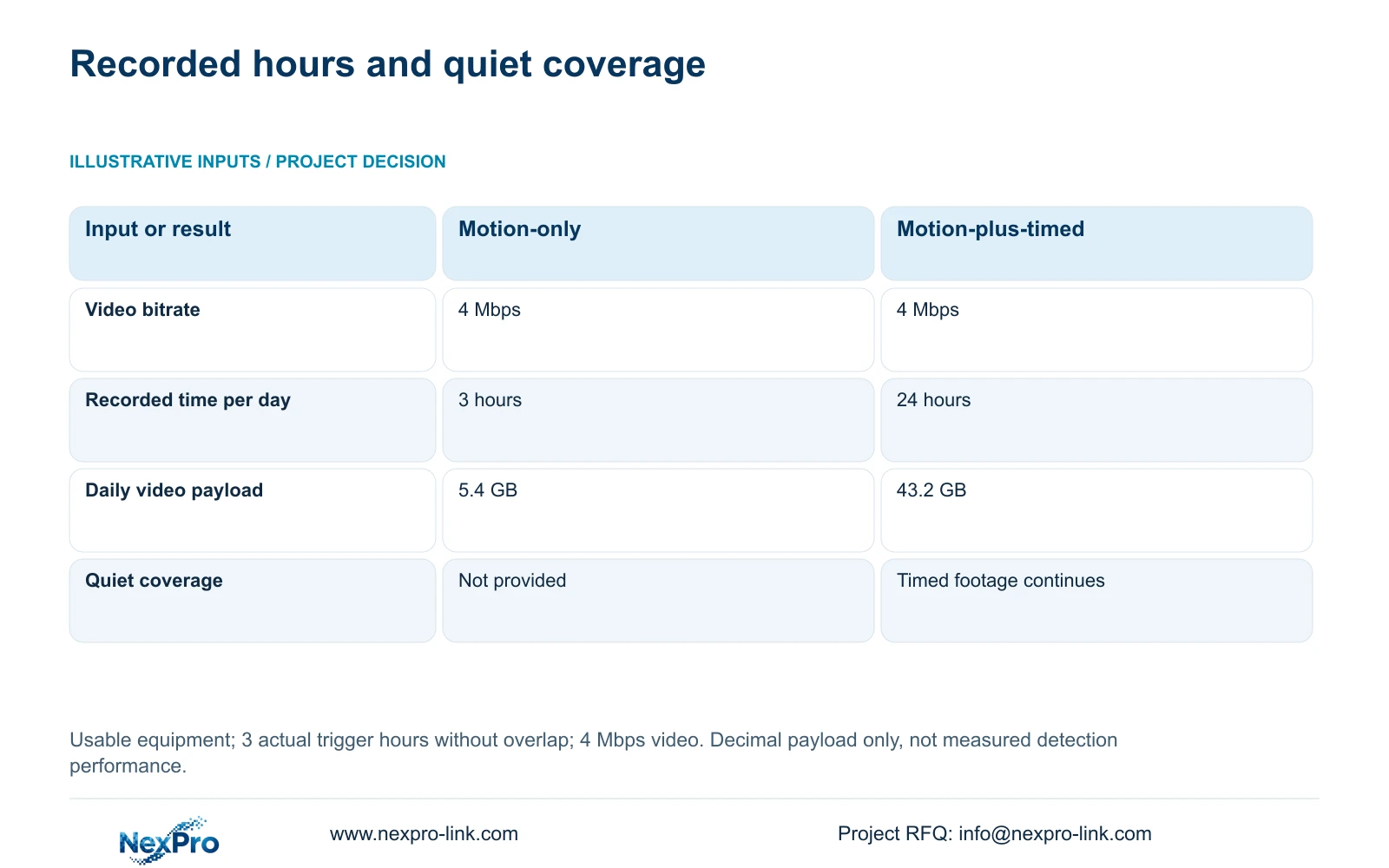
The supplied example assumes usable equipment for both options, an average video bitrate of 4 Mbps, and 3 hours of actual motion-triggered recording per day without overlap. Option A is motion-only. Option B is motion-plus-timed covering 24 hours. The 3-hour input describes this example, not detector performance or a fixed event proportion for a warehouse.
Using decimal units, video GB = Mbps × 3600 × hours ÷ 8 ÷ 1000. The conversion changes megabits to bytes and decimal gigabytes. Option A is 4 × 3600 × 3 ÷ 8 ÷ 1000 = 5.4 GB per day. Option B is 4 × 3600 × 24 ÷ 8 ÷ 1000 = 43.2 GB per day.
The lower payload accompanies omitted quiet-period coverage. If quiet access must remain reviewable, the 5.4 GB option cannot satisfy the same outcome as the 43.2 GB option. Account separately for actual alarm buffering, overlapping intervals, audio and additional streams. For grouped retention planning, decimal video TB = 0.00045 × Σ(channels × Mbps × hours per day × days). A reserve fraction r requires division by 1-r; no reserve value is assumed here.
| Item | Motion-only | Motion-plus-timed |
|---|---|---|
| Average video bitrate | 4 Mbps | 4 Mbps |
| Recorded hours per day | 3 hours | 24 hours |
| Video payload per day | 5.4 GB | 43.2 GB |
| Quiet-period coverage | Not provided by motion-only | Ordinary timed footage continues |
Section 07
Compare quotations on the coverage the owner accepts
Normalize camera count, effective recording modes, retention period and playback task before comparing disk packages or prices. Include accessories, software and the site-service boundary. A smaller event-only package and a continuous package serve different retrieval requirements unless the owner has explicitly accepted the missing quiet periods.
Illustrative project scenario: A warehouse needs to review an apparently quiet access event that did not trigger the configured motion rule. The engineer first checks the original plan and search conditions, then tests the trigger chain. If quiet-period review is required, the buyer compares continuing coverage options using suitable storage inputs. No historical footage or successful detection outcome is assumed.
Section 08
Can changing to continuous recording recover the earlier gap?
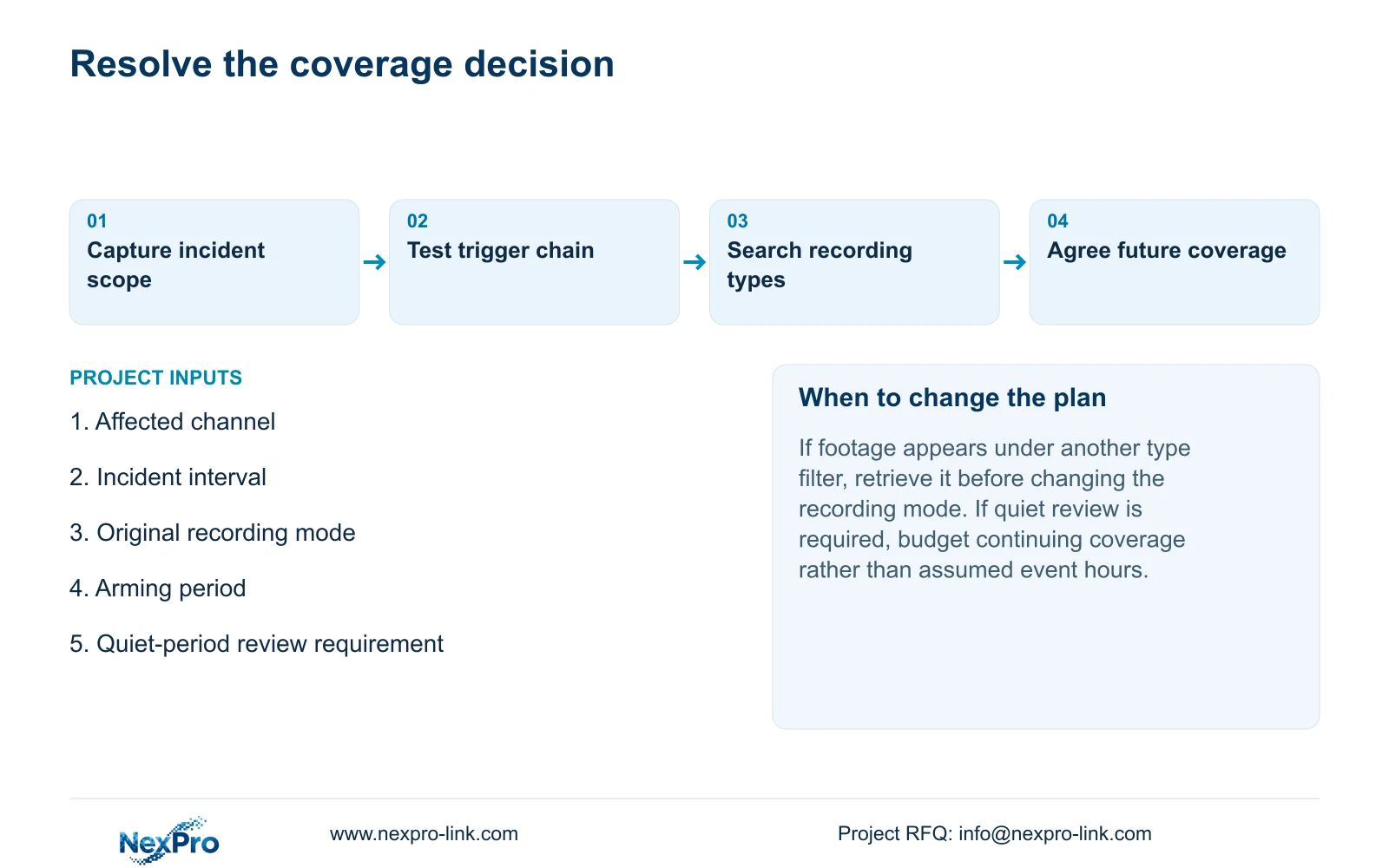
It changes future coverage. The documented schedule behavior gives no basis for reconstructing an interval that motion-only recording never retained.
Section 09
Can every warehouse be budgeted for 3 event hours per day?
No. That is an illustrative input. Use actual or explicitly assumed recorded durations for the site's activity and account for the configured recording behavior.
Section 10
Clarify the missing interval
Send NexPro-Link the affected channel, incident interval and recording mode that applied at info@nexpro-link.com.
Engineering references
These sources support the general planning principles. Always use the selected product's current datasheet and applicable project standards for final design.


