

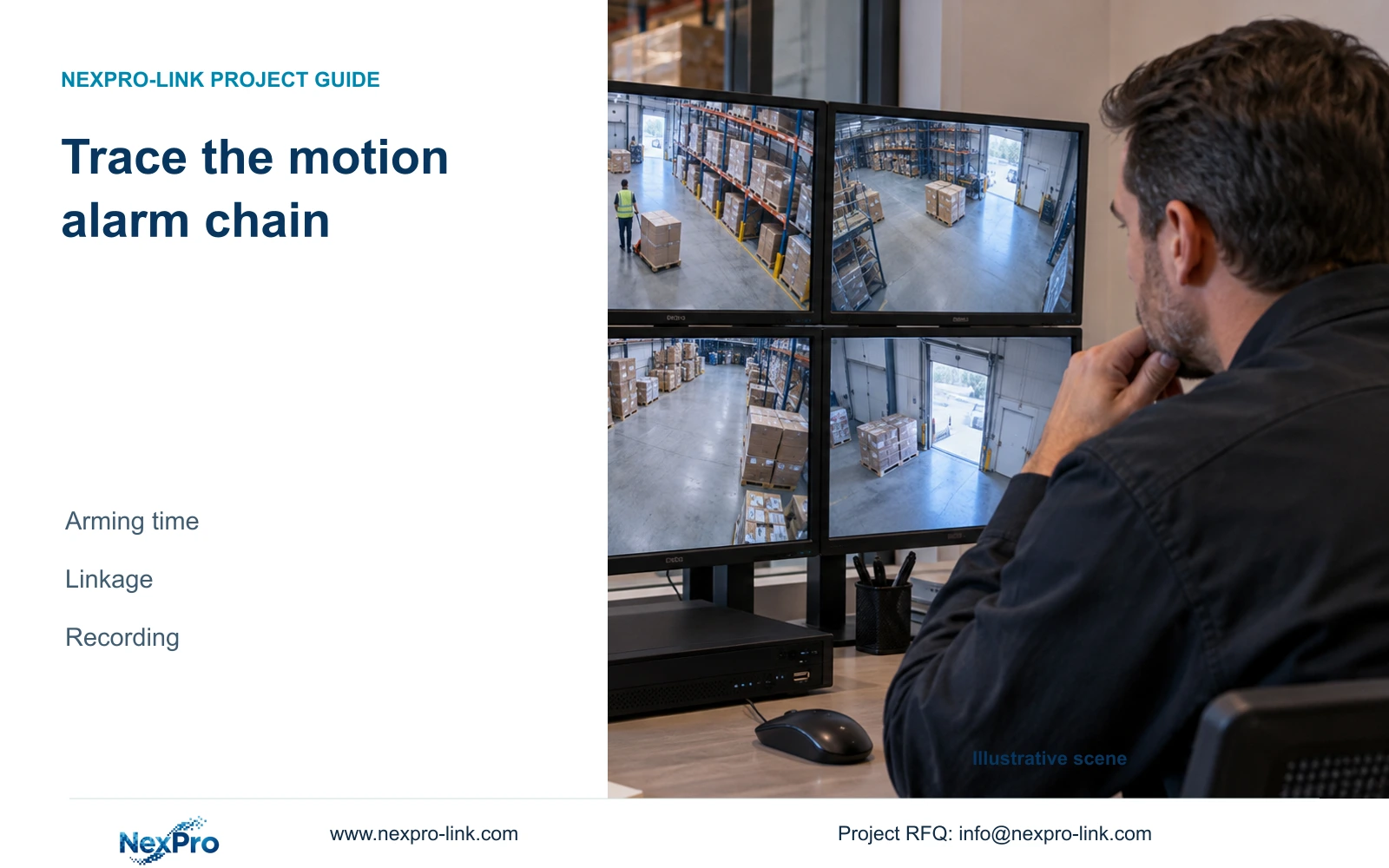
When movement produces no expected alarm action, check the channel, detection area, armed period and output separately, then verify the associated recording.
Section 01
Find the condition that failed after closing
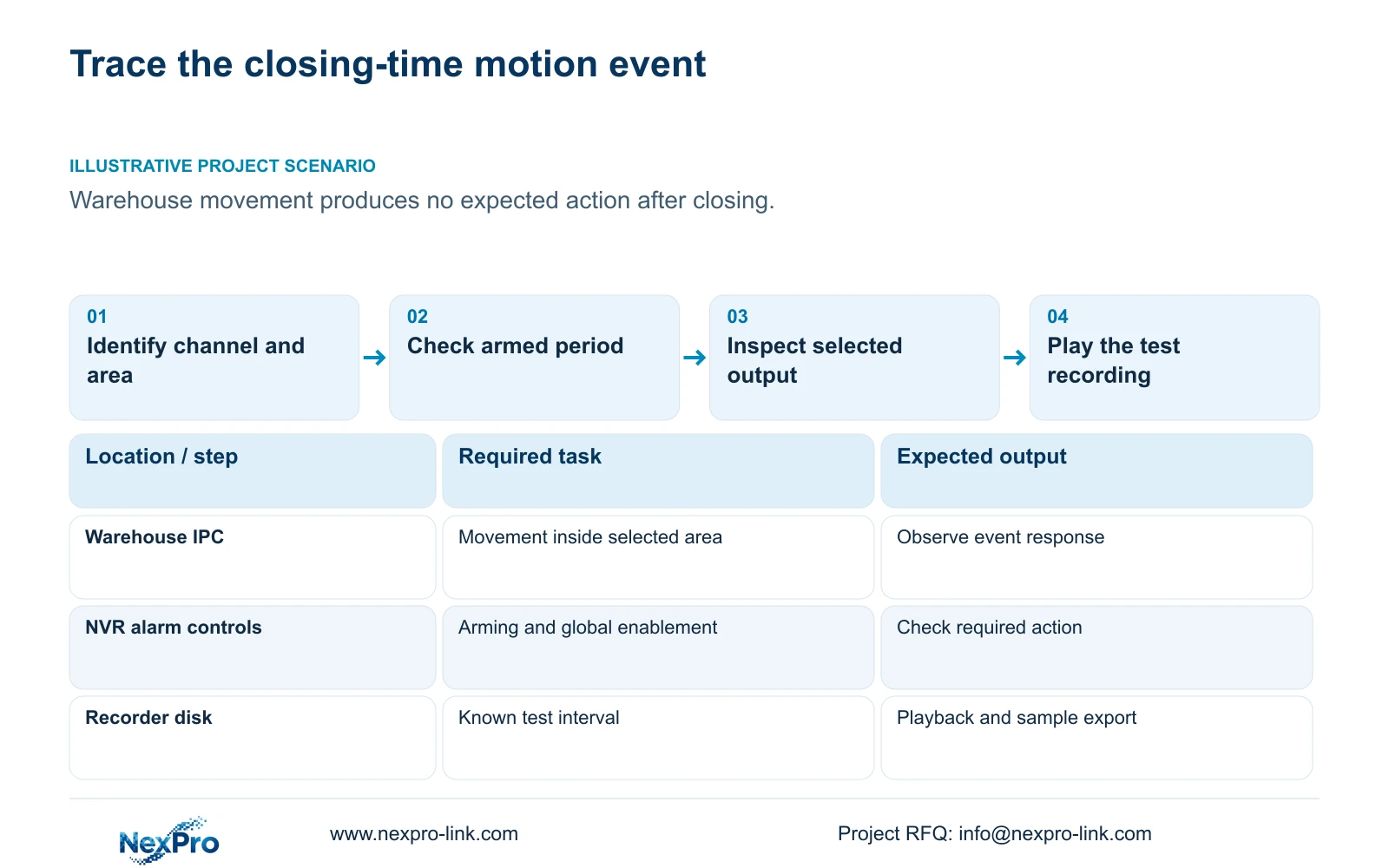
When a warehouse camera responds to daytime movement but produces no expected action after closing, check the affected channel's motion enablement, detection area, arming period and selected linkage. Then inspect global alarm controls and the recording plan if footage is required. Each condition answers a different question: whether the event is enabled, where it can originate, when it can trigger a response and which response should follow. A popup, snapshot, audible indication and saved recording need separate checks. Use a known movement at the affected time and inspect the required output before changing another setting.
Begin with the actual camera view and channel identity. Compare the selected detection area with the route a person takes through the warehouse. Movement elsewhere in the picture may be visible to an operator without falling inside the configured area. Record the starting configuration so a later comparison has a clear baseline.
The operating basis is the supplied NVR4.0 user manual CH_V2.4.doc, particularly sections 4.12.11 and 4.11.1. Its body identifies V2.2. Section references take priority over page numbering, and the described controls must match the actual recorder and firmware.
Section 02
Compare the event time with both schedules
Read the motion arming period against the time of the failed test. A recording schedule can permit footage while the alarm is outside its armed period. Conversely, a visible alarm response does not establish that the recording plan permits the required footage. Inspect both schedules on the same channel.
For an after-hours requirement, test the intended movement inside the armed period and repeat outside it. Write down the expected response before each test. This distinguishes a deliberate daytime suppression from an unexplained nighttime failure and prevents a colored schedule bar from becoming the only acceptance evidence.
If daytime and nighttime behavior differ, correct the specific schedule mismatch first. Keep the detection area and linkage unchanged for the repeat test. If the same movement still fails inside the intended period, continue to the action and global-control checks.
Section 03
Inspect the output selected for that event
Section 4.12.11 lists popup, border flashing, buzzer, email, sending screenshots, snapshot capture, preset call, recording and app push as separate actions. Select the outputs the warehouse actually needs, then identify where each result can be observed. A visible popup confirms the display action alone.
For recording, inspect the channel timeline and play the test period. For a snapshot, inspect the resulting image. For email or app notification, check the intended recipient path. A preset call needs a suitable connected camera and verification of the requested movement. Do not treat a successful local display response as confirmation of every remote action.
Keep the output-effect duration separate from footage retention. Also keep ordinary motion detection separate from human or vehicle classification. Neither a selected action nor a sensitivity value establishes an object category or a detection accuracy percentage.
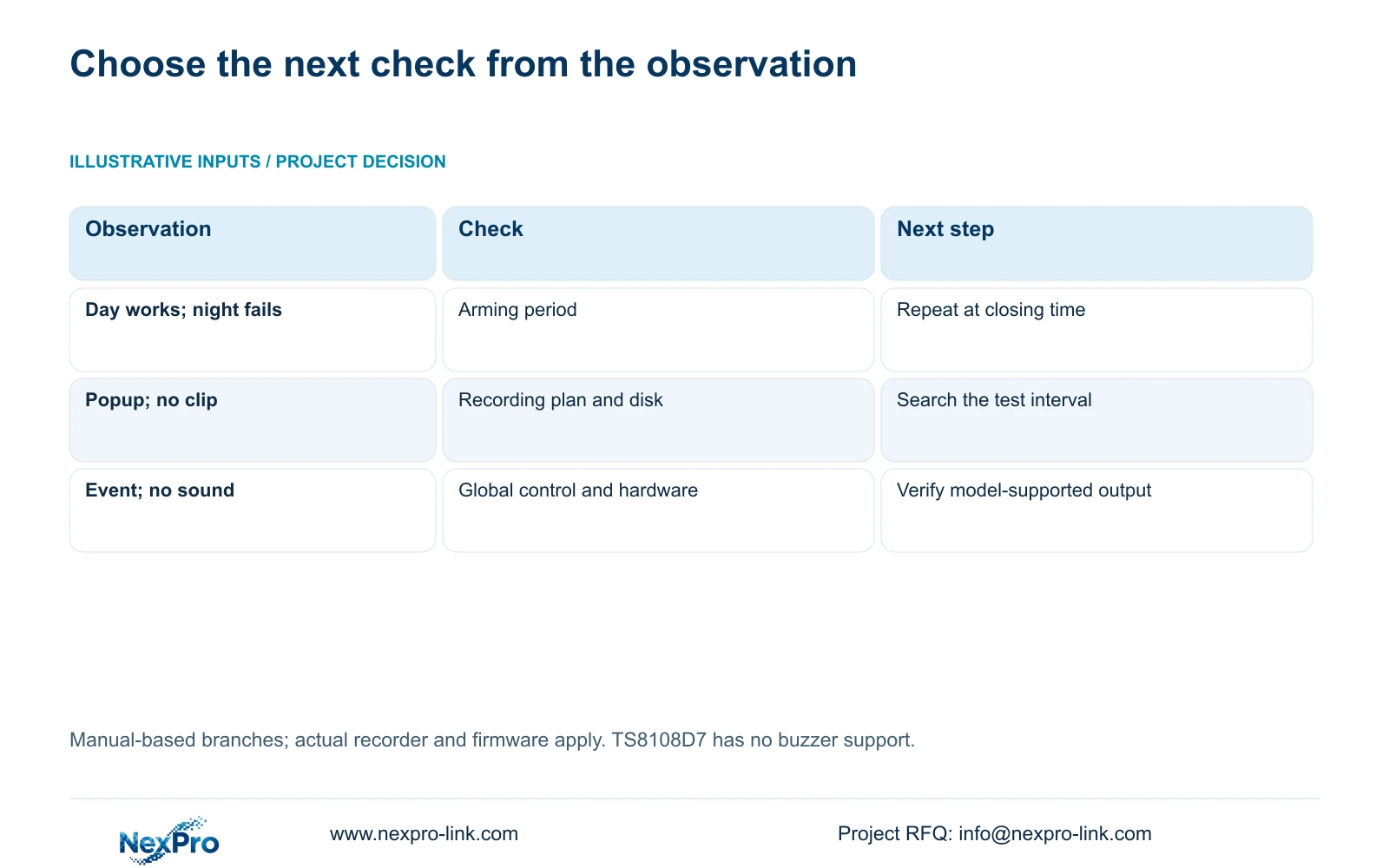
| Observation | What to inspect | Next action |
|---|---|---|
| Movement occurs outside the selected area | Channel detection area | Repeat the intended route inside the required area. |
| Daytime response works; nighttime response fails | Arming period at the test time | Resolve the schedule mismatch and repeat unchanged movement. |
| Popup appears; required clip is absent | Recording linkage, plan and disk | Trace recording independently from the display response. |
| Event appears; no local sound | Global controls and buzzer support | Check enablement and the actual model before promising sound. |
Section 04
Resolve silence at the global and model levels
Section 4.12.16 describes global alarm and buzzer controls. Check whether alarms have been globally disabled, then compare the buzzer control with the channel's selected linkage. Record whether the symptom is no event, no sound or no notification; these observations lead to different checks.
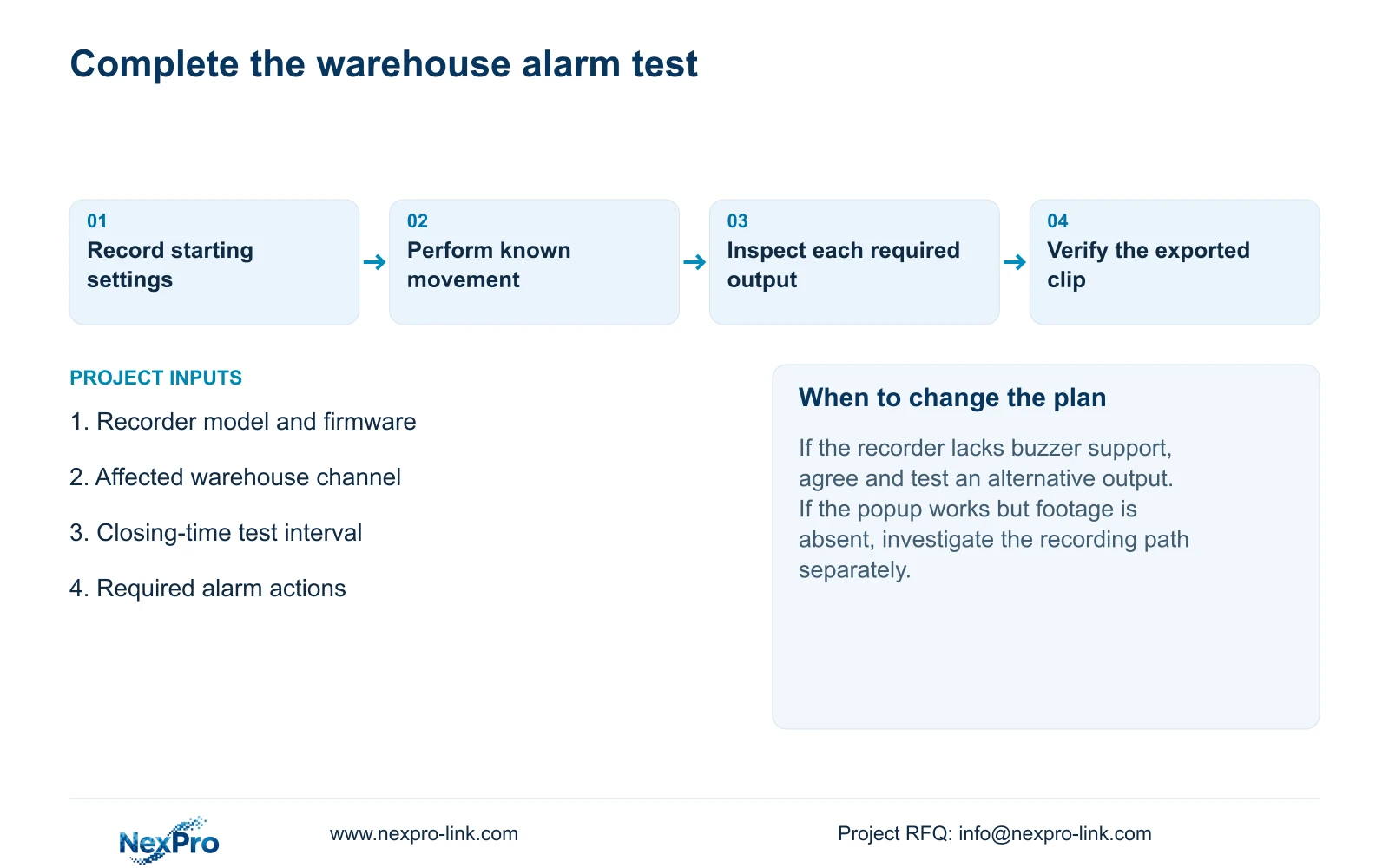
Hardware scope matters. The appendix in section 5.2 lists TS8108D7 without buzzer support. Enabling a menu cannot create that hardware. Where local sound is unavailable, verify another specified action and agree whether it satisfies the warehouse response requirement.
The TS designation belongs to the manual. It has no established mapping to a NexPro-Link commercial SKU. For an unidentified recorder, obtain its model and firmware before deciding that the missing sound is a configuration fault.
Section 05
Match recording policy to the required evidence
Section 4.11.1 provides timed recording, no recording, motion recording and motion-plus-timed recording, with a 30-minute minimum plan-grid scale. Timed recording covers the configured period. No recording does not provide that scheduled footage. Motion-only recording depends on motion triggering.
Motion-plus-timed continues ordinary timed recording between triggers and records motion-type footage when triggered. It should therefore not be specified as event-only storage saving. If the owner needs the complete delivery sequence, including quiet intervals, evaluate that requirement before selecting motion-only recording.
Review the affected channel's selected disk and recording policy before the acceptance test. Seetong PC local storage is a separate recording destination; a client-side schedule does not establish the recorder's disk policy.
Section 06
Verify one movement through to a usable file
Identify the channel, observe its live picture and recording status, and perform the known movement during the intended armed period. Record the test interval, retrieve it in playback and export the required footage. Open the copy on another intended viewing device and confirm that it covers the movement.
This acceptance workflow combines the manual's live-view, recording, backup and disk functions in sections 4.3, 4.11 and 4.12.21. It is an engineering check, not a separate built-in test feature. If one output fails, retain the successful observations and investigate that output's path.
Illustrative project scenario: A warehouse camera detects movement in the daytime but produces no expected action after closing. The integrator first compares the closing-time test with the arming period, then checks global controls and the required recording policy. The result remains conditional until the repeated event produces the agreed outputs and a playable copy.
Section 07
Does a flashing border prove the event was saved?
No. It confirms a display response. Retrieve the affected channel and period from recorder storage, then verify the required exported file.
Section 08
Can every recorder provide a buzzer alarm?
No. The manual lists TS8108D7 without buzzer support. Confirm the actual model and test an agreed alternative where sound is unavailable.
Section 09
Provide the failed closing-time test
Send NexPro-Link the recorder model and firmware, affected channel, test time and missing output at info@nexpro-link.com.
Engineering references
These sources support the general planning principles. Always use the selected product's current datasheet and applicable project standards for final design.


