

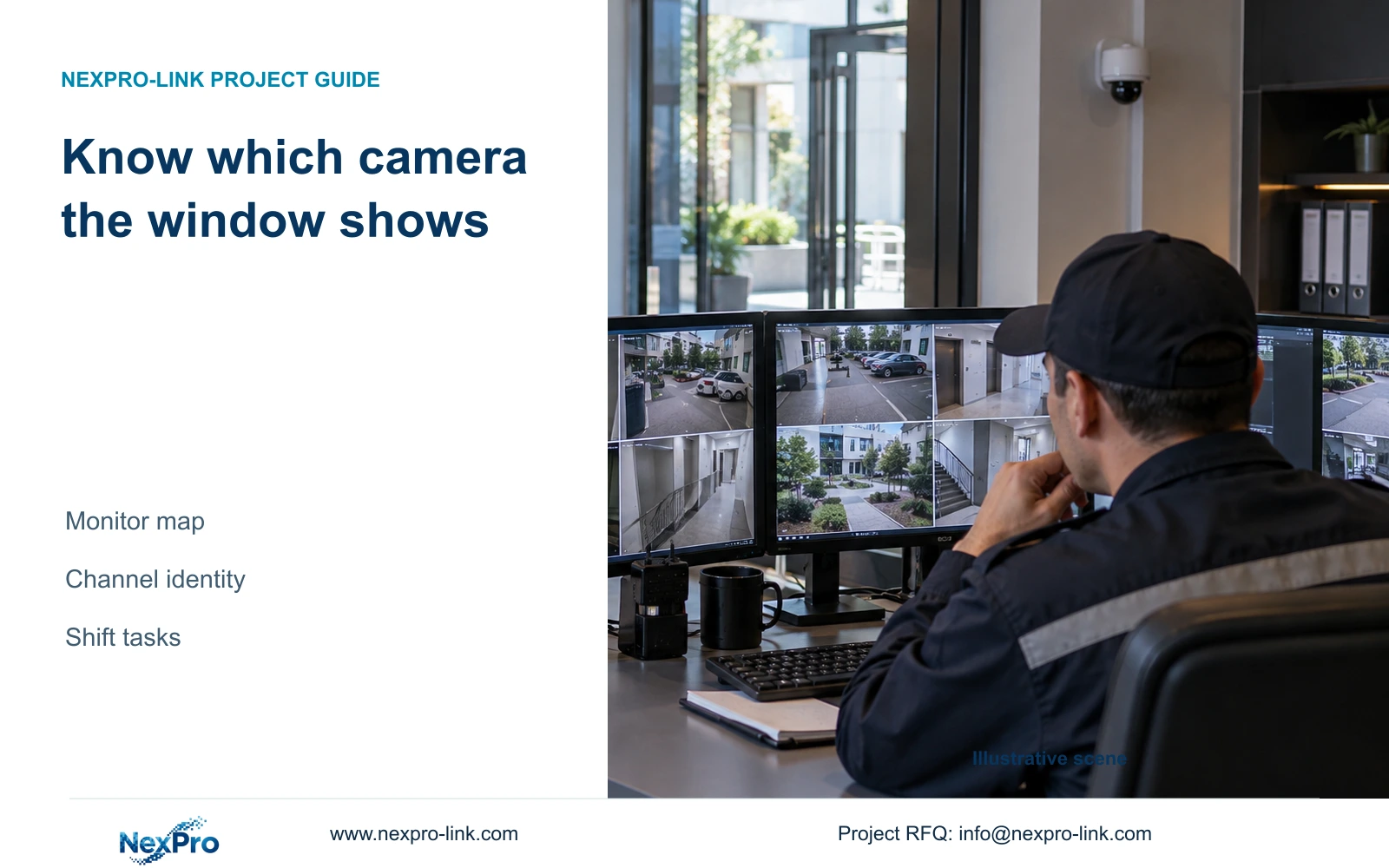
Give reception and night staff separate task layouts tied to the same source-identity register. Have each role retrieve one agreed location using its permitted workflow.
Section 01
Give each view a traceable location identity
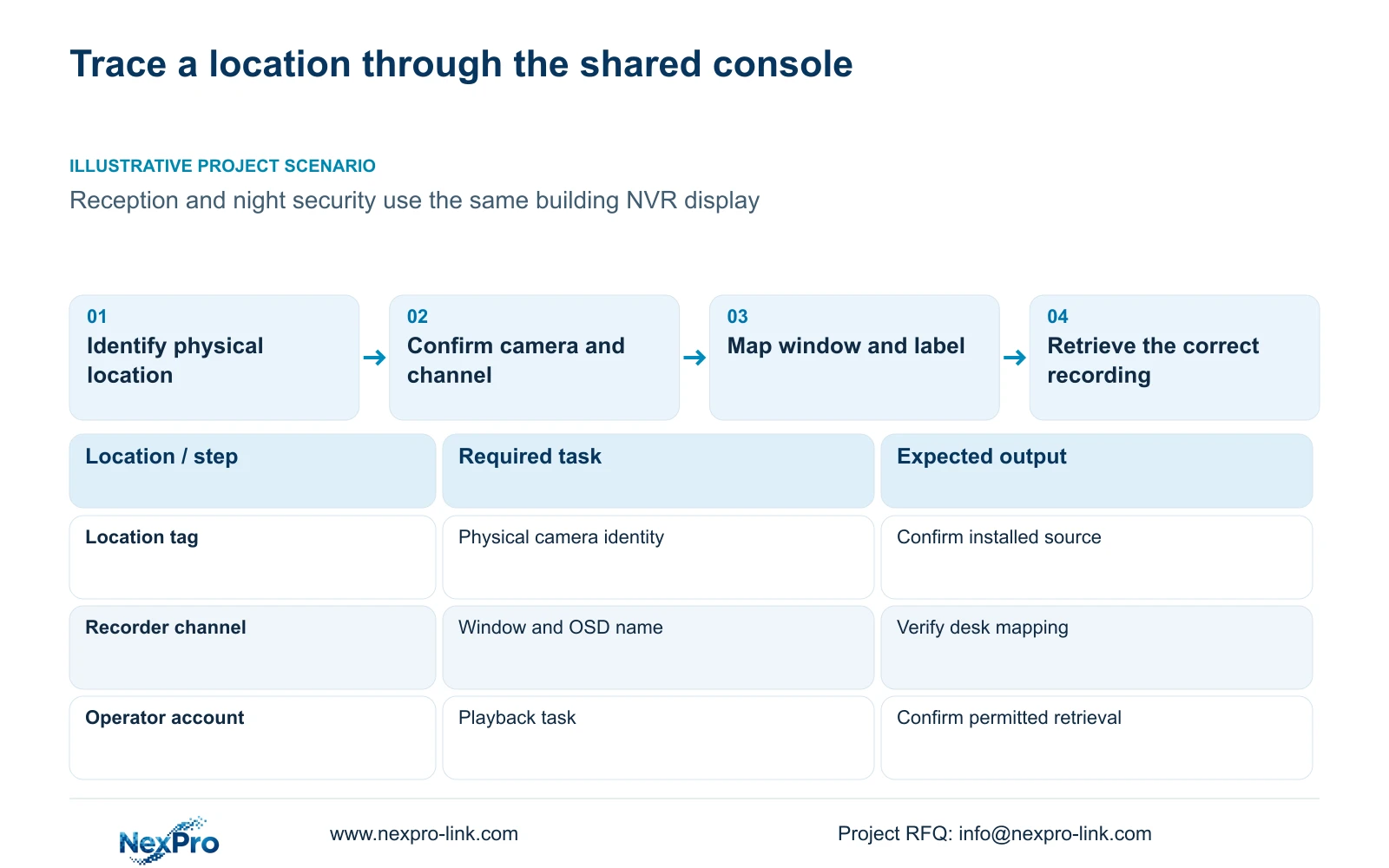
Give reception and night staff separate task layouts tied to the same source-identity register. Have each role retrieve one agreed location using its permitted workflow. Record any manual selection or unavailable task. A shift-specific view arrangement may differ, but its incident attribution must remain tied to the actual camera rather than a shared window nickname.
Build the monitor map by keeping the drawing location, physical camera identity, IP address, recorder channel and displayed name in separate fields. Add the window position and the task performed at that view. This lets reception and night security identify the same source even when they use different layouts. A moved window or familiar alias should never be the sole basis for attributing an incident to a location. Confirm the mapping against the actual image, update it after replacement or reordering, and test retrieval through the identified channel. The map is complete when an operator can use it to find the correct recording.
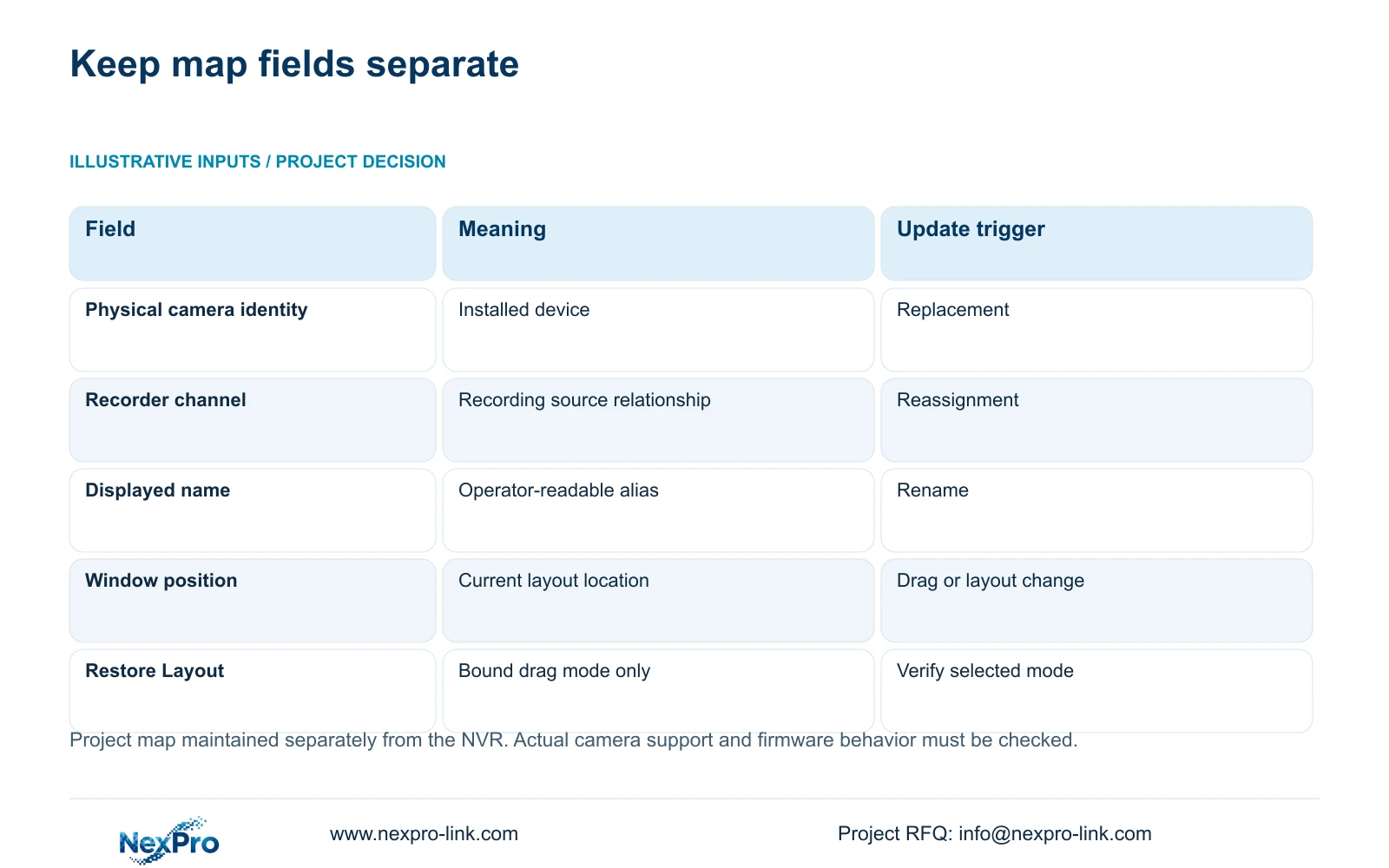
Start with the project's location tags and check each against the camera installed there. Sections 4.3.1, 4.4.4 and 4.12.6 supply channel information, names and OSD controls, but the project maintains the relationship between them. Record a renamed alias separately from a physical replacement. Preserve the previous relationship when equipment changes so an older recording can still be interpreted against its applicable mapping.
Section 02
Group views around reception and night duties
Ask each team which locations it needs to watch together and which views it only retrieves when an event occurs. Arrange the display around those duties and recognizable movement paths. Keep the underlying location and channel references stable across the desk maps, even if the window arrangement changes by shift. A visually tidy grid is insufficient if the operator cannot explain where a movement occurred.
Section 4.5 lists 1, 2, 4, 6, 8, corridor 8, 9, 10, 16, 24, 25 and 36-window layouts. Section 5.2 separately describes model constraints. Check the proposed stream resolutions and rates against the actual recorder and test the layout's useful detail. Window quantity is an arrangement choice, not proof of full-resolution decoding or a reason to display every camera simultaneously.
| Situation | Required record | Decision boundary |
|---|---|---|
| Reception layout handed over | Permitted sources and actual camera IDs | Demonstrate its location-retrieval task |
| Night layout differs | Same source-identity baseline | Verify its authorized task independently |
| Nickname causes ambiguity | Physical source and mapping | Correct attribution before incident review |
Section 03
Verify names in the image and at the console
Use clear names that connect the operator's language to the approved location tag. Sections 4.4.4 and 4.12.6 describe OSD enablement, names, title and time positions, date formatting, weekday display and optional resolution or bitrate information. Distinguish the camera's overlay from the recorder's desktop clock and from the written desk map. They are separate information objects.
Position labels where they do not cover the part of the image needed for the task. Check each view before copying a position across other cameras, since their useful areas differ. Verify that the connected camera accepts the setting; a shared menu field does not establish universal third-party behavior. If a label fails to change, record the device-specific result and maintain the confirmed map rather than assuming the image now carries the intended name.
Section 04
Choose drag behavior that matches the map
Section 4.12.5 distinguishes allowed dragging, prohibited dragging and dragging bound to channel numbers. It limits Restore Layout to the bound mode. Choose the behavior deliberately: a stable shared desk may need protection against accidental movement, while an operator with a justified rearrangement task needs a documented way to identify the moved source.
Test the chosen mode with an authorized operator and compare the resulting window arrangement with the map. If restoration is part of the workflow, verify it in bound mode on the applicable device. Do not promise one-click restoration in every mode. Where the result differs from the intended desk arrangement, correct the mode or map before handover. Record the selected behavior so later staff do not infer location from screen position alone.
| Change | Record to check | Verification |
|---|---|---|
| Display alias renamed | Displayed name and location tag | Confirm the same physical camera remains mapped |
| Physical camera replaced | Camera identity and channel relationship | Confirm new footage and preserve historical mapping |
| Window dragged | Window position and selected drag mode | Identify source independently of its new position |
| Reception changes to night duties | Task grouping and account permissions | Test the intended layout and permitted retrieval |
Section 05
Test each shift's permitted and prohibited tasks
Define what reception and night security may do on the shared console. Section 4.12.3 separates local and network permissions, including preview, playback, system settings and PTZ; local recording backup is also a distinct permission. A user who can see a camera locally has not thereby demonstrated remote playback or export authority.
Prepare a task matrix for the intended account and access path. Test a permitted operation and a prohibited operation, then record both results. If an operator cannot retrieve footage needed for the shift, review the approved permission scope before changing the account. Keep configuration rights with the responsible role. The manual's remote-upgrade row contains inconsistent descriptive text, so that row cannot establish the actual behavior of that permission.
Section 06
Hand over a map that can be revised
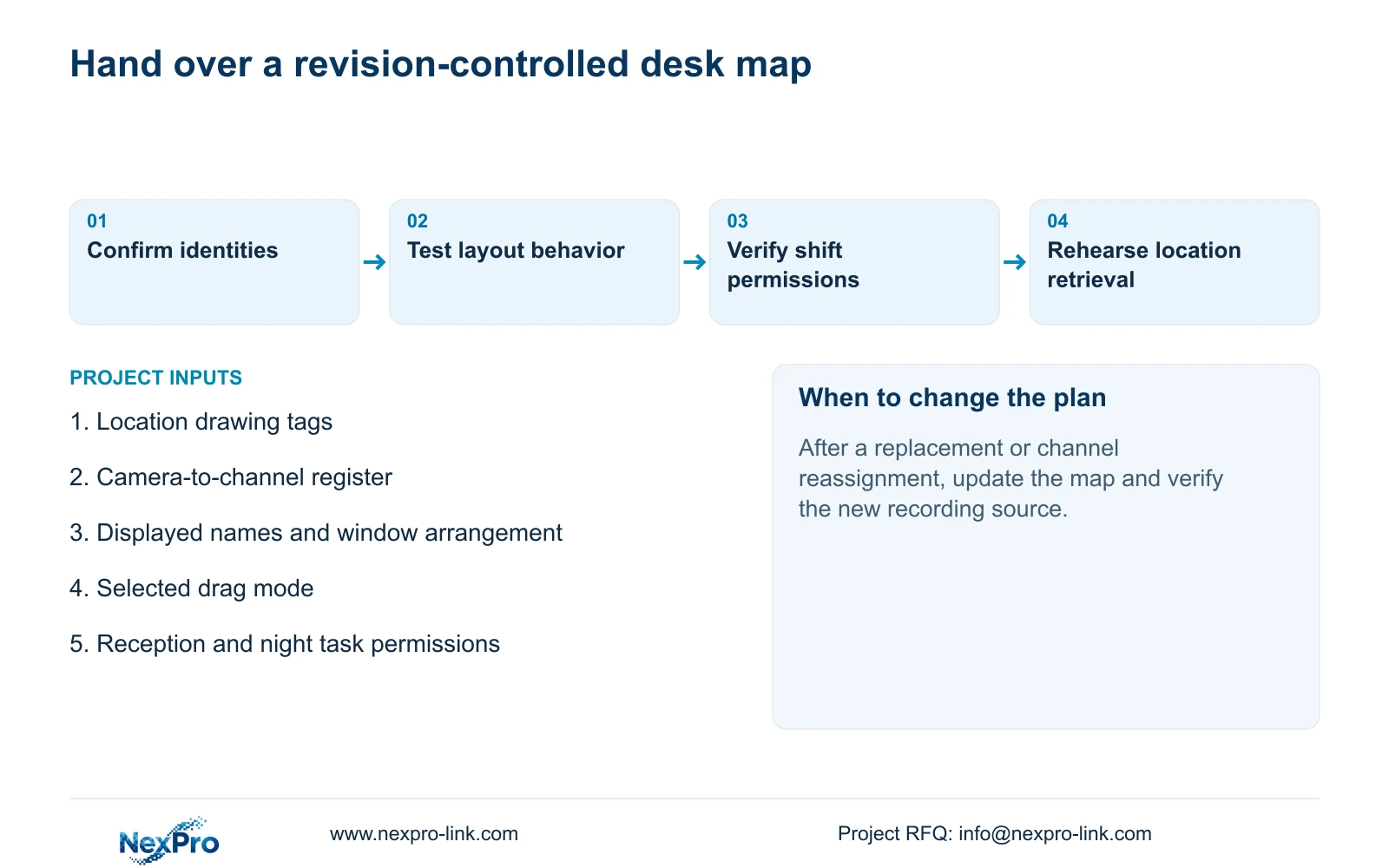
Keep the current desk map with the channel schedule, applicable model and firmware, configuration-backup location and maintenance responsibilities. Identify who updates it after replacement, renaming or layout changes. Maintain a dated revision so the current console arrangement can be distinguished from the arrangement that applied to earlier footage. Credentials belong in a controlled transfer process, outside the display map.
Ask an operator to identify a location, select its channel, retrieve an agreed period and produce a playable export where authorized. This checks the working relationship between the map and the system. A folder containing the correct records does not prove the user can complete the task. Where the project requires equipment-tag or configuration coordination, carry the confirmed map into the supply scope discussed through NexPro-Link's BOQ and tender support.
Section 07
A shared building display
Illustrative project scenario: A mixed-use building shares one NVR display between reception and the night security team. Give each team a task-based arrangement while retaining the same location-to-channel register. Test drag behavior and permissions with both teams, then have the incoming operator retrieve a location using the map rather than a remembered window.
Section 08
Can the camera name replace its physical identity?
No. A name is an editable display reference. Keep physical camera identity, location and recorder channel separately so a rename or replacement does not obscure the source of a recording.
Section 09
Source scope and the map input
This guide uses NVR4.0 user manual CH_V2.4.doc, body V2.2, sections 4.3.1, 4.4.4, 4.12.6, 4.5, 5.2, 4.12.5, 4.12.3, 4.11 and 4.12.17 to 4.12.19. The map is a project record, not a claimed built-in feature.
Send NexPro-Link a redacted channel-to-location schedule with the reception and night viewing tasks at info@nexpro-link.com.
Engineering references
These sources support the general planning principles. Always use the selected product's current datasheet and applicable project standards for final design.


