A control-room wall adds display, decoding and power requirements without automatically changing recording quality or retention. Specify those additions independently of the recorder.
Section 01
Define what the wall must let operators do
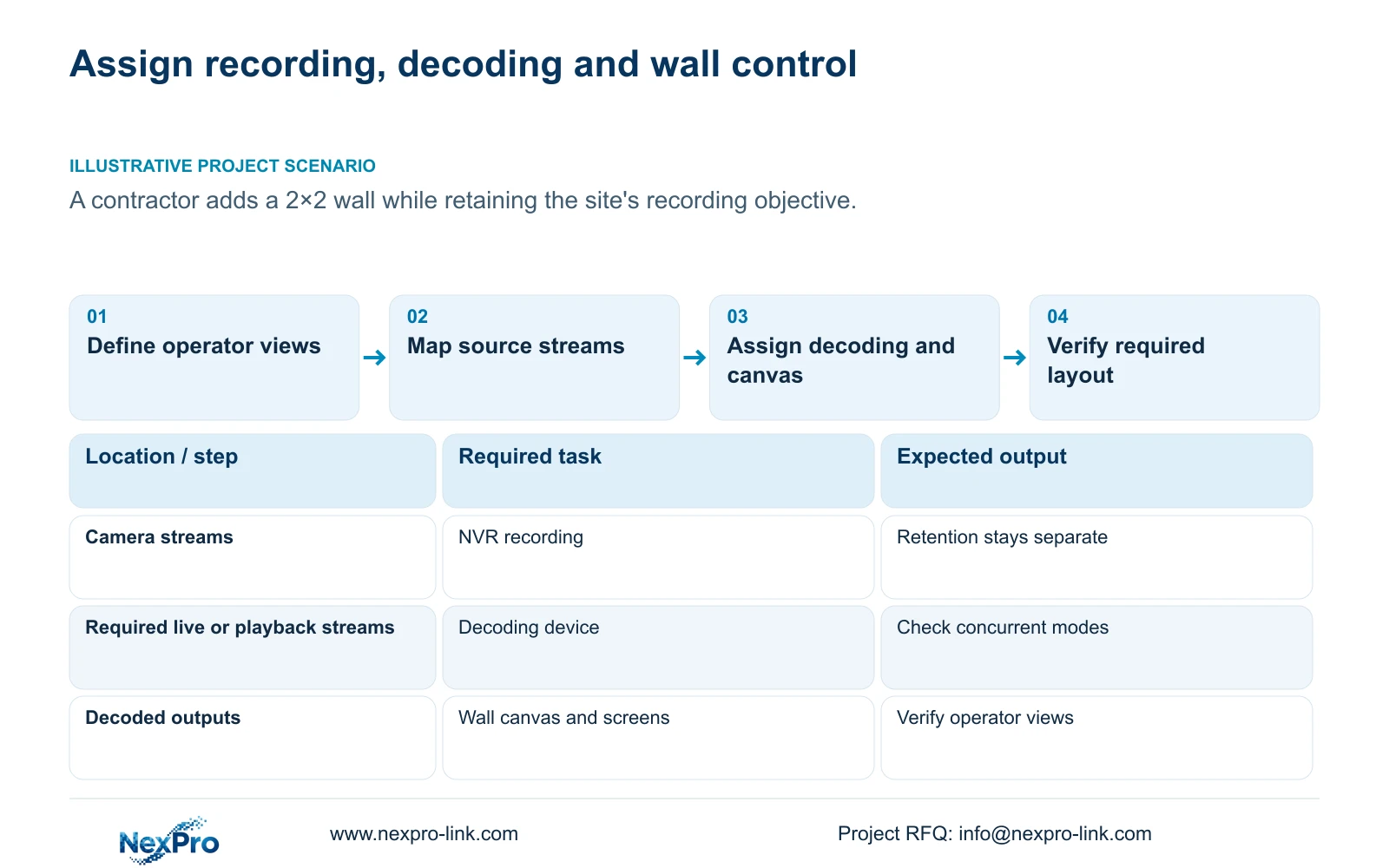
Choose a normal NVR monitor when it satisfies the operator's viewing and retrieval tasks; specify a separate decoding and wall-control arrangement when the required canvas or independent views exceed the recorder's documented capabilities. Adding screens does not automatically improve captured detail or retention. Keep recording, decoding, display layouts and control responsibilities separate, then list the additional equipment and protected load. In the supplied illustrative comparison, the recording objective stays unchanged while the protected load increases from 510 W to 1090 W. That difference supports a power and scope decision, not a claim that a wall produces better evidence or that a particular UPS guarantees runtime.
Ask which scenes must remain visible and which operator selects an incident view. Distinguish routine observation from playback and export. If the existing monitor already supports those tasks, retain it as the baseline and identify the specific operational benefit requested from expansion.
Section 02
Specify inputs and independently required outputs
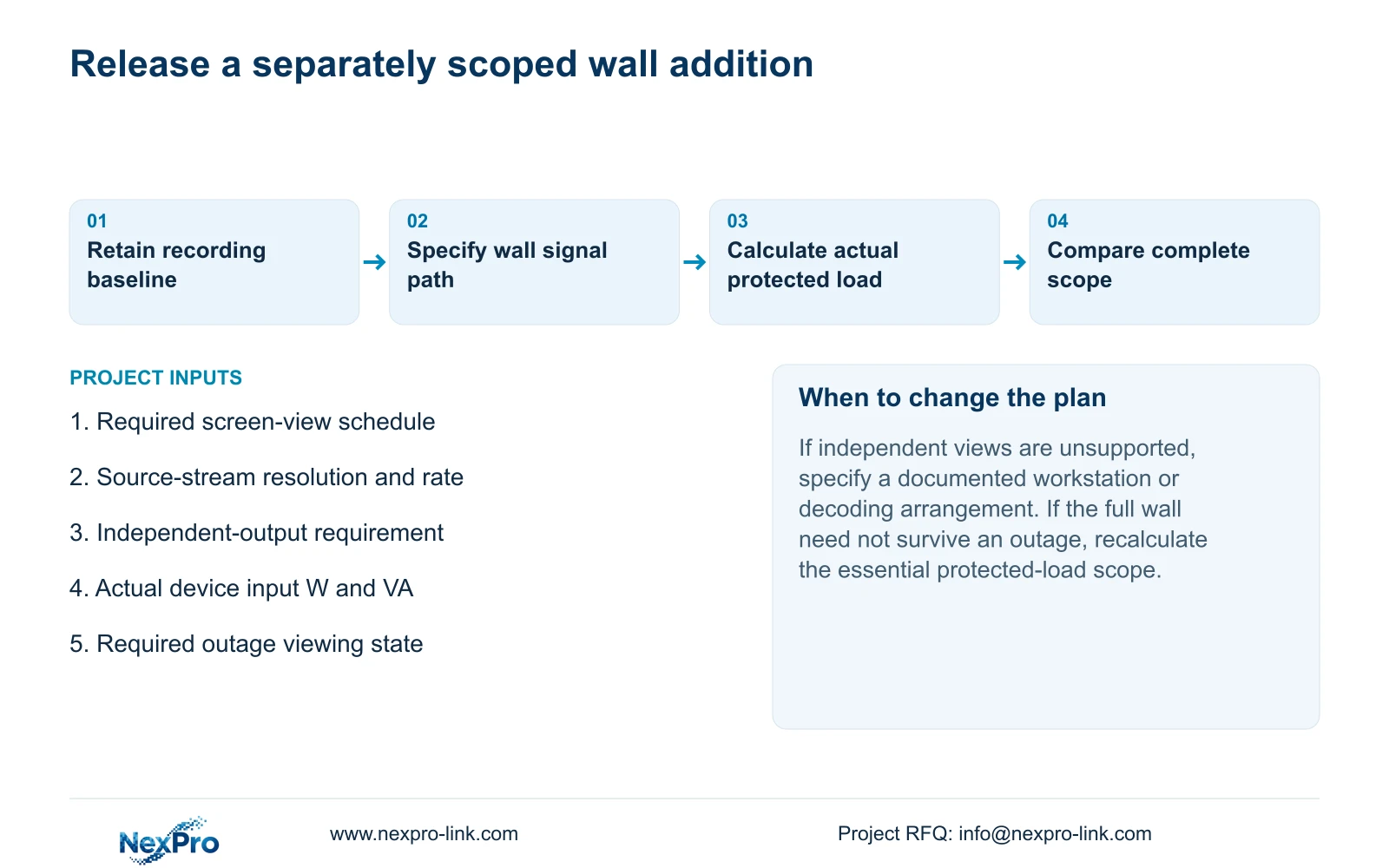
Draw the source-to-display path with an owner for stream decoding, output signals and canvas control. List the required content and resolution at each operator position. A recorder with HDMI is not thereby a complete wall controller, and two physical sockets do not establish independently managed desktops.
The supplied private NVR4.0 user manual CH_V2.4.doc has V2.4 in its filename and V2.2 in its body headers. Sections 1.2, 4.8 and 4.12.1 describe simultaneous VGA and HDMI output without establishing two independent canvases. Use the actual model and firmware documentation to confirm the proposed output behavior before allocating different views to different screens.
Section 03
Allocate useful windows across the proposed screens
Prepare a screen schedule naming each required view and its operating role. Decide whether the wall presents overview windows, an enlarged incident view or different content at separate positions. This makes the canvas requirement explicit before equipment selection.
Section 4.5 lists 1, 2, 4, 6, 8, corridor 8, 9, 10, 16, 24, 25 and 36-window layouts. These choices describe arrangements rather than full-resolution throughput. Match each required window to its stream resolution and rate, then check the actual decoding device. If the layout cannot be supported, revise the display arrangement or scope a suitable decoder without silently reducing the recording objective.
Section 04
Check simultaneous decoding and playback independently
Keep recording channels, incoming bandwidth, preview decoding, simultaneous playback and monitor output in separate specification fields. A channel-count label cannot size all wall windows. The display arrangement must support the streams actually presented, including the required playback task if operators will review incidents on it.
Section 5.2 illustrates the distinction with TS8232C4 local playback modes: 1×4K OR 4×2MP OR 2×5MP. Those alternatives cannot be added together, applied as preview limits or transferred to a NexPro-Link commercial SKU. Request the matching capabilities for the selected recorder and decoding arrangement, then verify the intended workload.
Section 05
Calculate the additional protected load
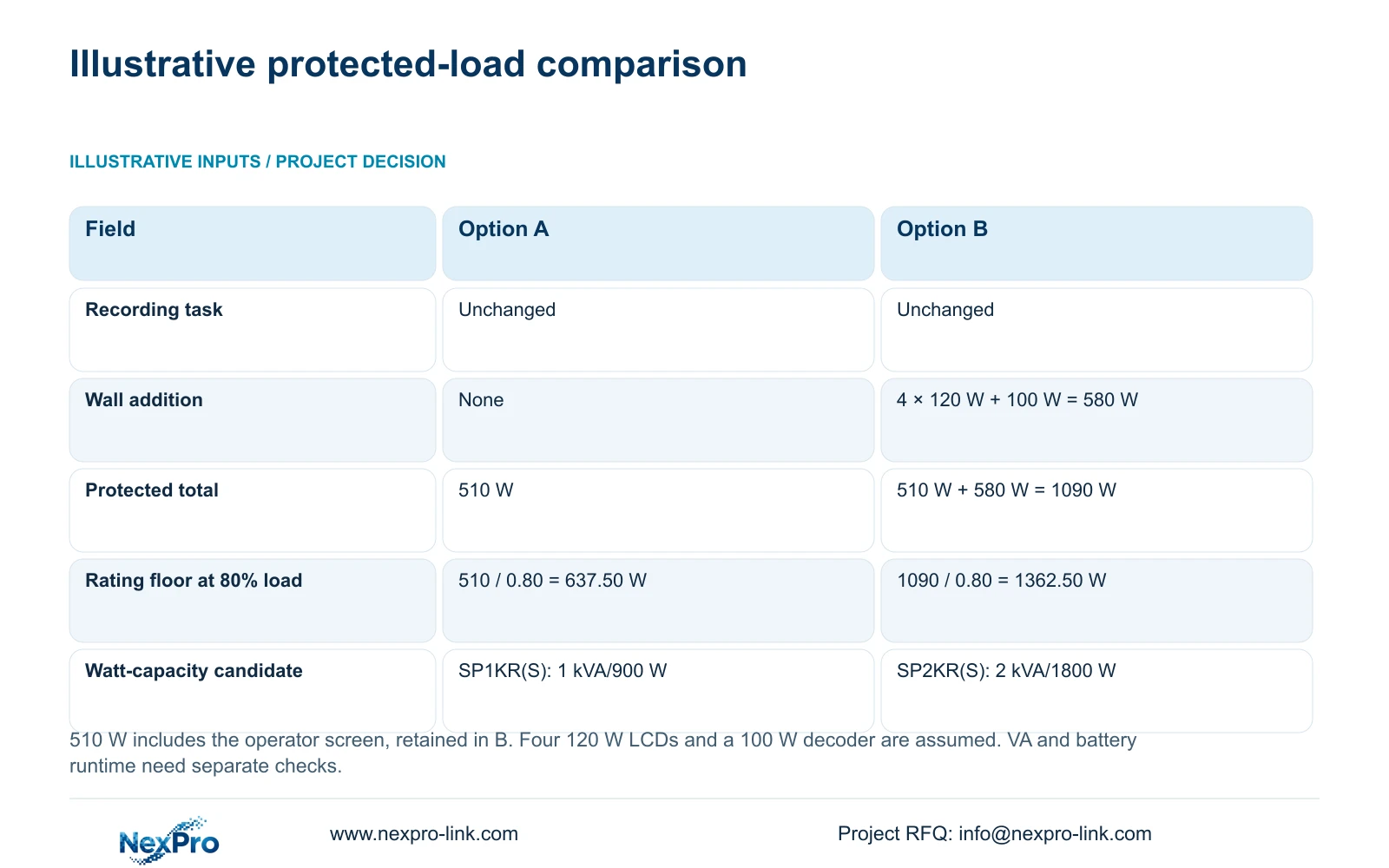
Illustrative project scenario: A contractor is asked to add a 2×2 wall without changing the site's recording objective. Option A has a defined 510 W protected baseline that already includes the operator screen. Option B retains that screen and adds four assumed 120 W LCD screens plus 100 W of decoding equipment. These are teaching inputs, not measured product loads.
The added-load formula is P_added = screen_count × screen_input_W + decoder_input_W. Substitution gives P_added = 4 × 120 W + 100 W = 480 W + 100 W = 580 W. The enhanced total is P_B = 510 W + 580 W = 1090 W. Retaining the original operator screen prevents an unstated subtraction from the baseline.
For the supplied planning ceiling of 80% load, the watt-rating floor is P_rating_min = protected_load_W / 0.80. Option A gives 510 W / 0.80 = 637.50 W. Option B gives 1090 W / 0.80 = 1362.50 W. The ceiling is an example assumption, not a universal installation requirement.
| Decision field | Option A: operator screen | Option B: retained screen plus wall |
|---|---|---|
| Core recording task | Unchanged | Unchanged |
| Additional protected load | No wall addition | 4 × 120 W + 100 W = 580 W |
| Protected total | 510 W | 510 W + 580 W = 1090 W |
| Watt-rating floor at 80% load | 637.50 W | 1362.50 W |
| Further selection checks | VA capacity and runtime | VA capacity, runtime and complete wall path |
Section 06
Keep watt capacity separate from outage duration
The public NX-UP-RM-002 series fields list SP1KR(S) at 1 kVA/900 W and SP2KR(S) at 2 kVA/1800 W. On the example's watt-rating floor alone, SP1KR(S) is a capacity candidate for Option A. Its 900 W rating is below Option B's 1090 W load; SP2KR(S) is a watt-capacity candidate for Option B. Neither conclusion completes UPS selection.
Check apparent-power demand and battery runtime separately using the actual load and battery configuration. The NVR manual provides no UPS runtime table. Protect cameras, their power or PoE access, necessary switching and the recorder if the objective is continued recording. Count a PoE-switch AC input only once when it already includes downstream cameras. Decide separately whether the full wall must remain powered during an outage.
Section 07
Compare display expansion on an equal recording scope
Hold camera modes, retention, disks and retrieval requirements equal across proposals. Put wall screens, decoding, canvas control, software and installation responsibilities in an additional scope column. Include power and service-access requirements so a screen-only offer does not appear equivalent to a complete working display arrangement.
Without matched quotations, compare scope and capability instead of inventing savings. If a normal monitor meets the task, display expansion remains optional. If independent canvases or the required stream mix cannot be supported by the baseline, obtain a specifically documented decoding arrangement and compare its complete equipment and service boundary.
Section 08
Will adding the wall extend recording retention?
No. The wall changes presentation. Retention remains a separate recorder-storage and recording-policy requirement.
Section 09
Can the watt calculation establish UPS minutes?
No. It establishes a conditional capacity floor for the stated loads. Runtime needs the selected battery configuration and applicable runtime information.
Section 10
Provide the proposed wall workload
Send NexPro-Link the screen-view schedule, signal diagram and actual equipment input loads at info@nexpro-link.com to scope the display addition.
Engineering references
These sources support the general planning principles. Always use the selected product's current datasheet and applicable project standards for final design.