

Copy stream profiles only to cameras that share the required task and supported options. Preserve entrance-camera exceptions and verify what each destination actually records.
Section 01
Choose destinations from the observation task
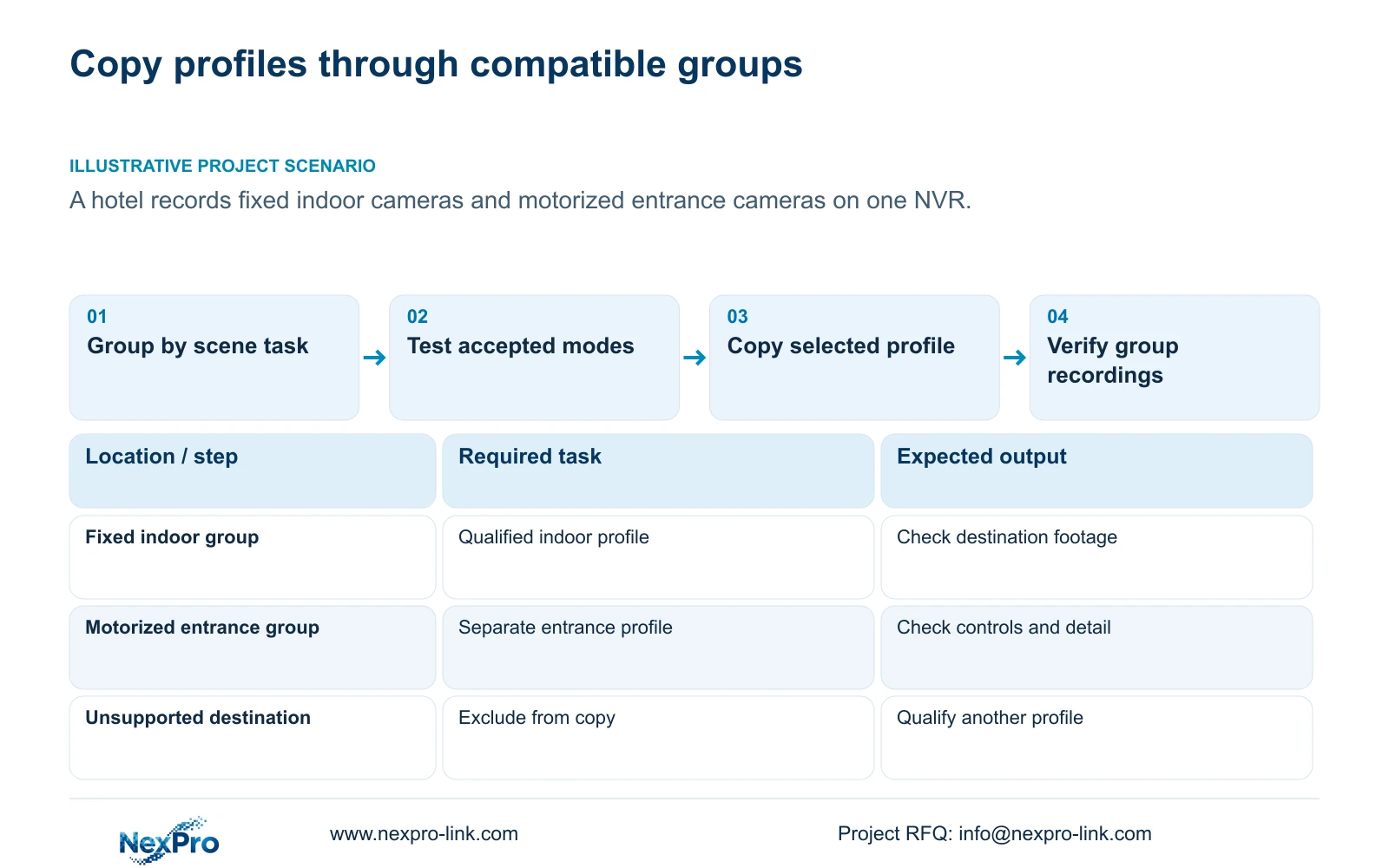
Group cameras by the task they must record and the settings they actually support before copying a stream profile. Fixed indoor cameras and motorized entrance cameras may need different outputs even when they share one NVR. Establish a suitable source profile for each compatible group, name its destinations and preserve channel exceptions. Then confirm camera acceptance, measure representative traffic and check the resulting recordings. Identical menu values do not establish equivalent evidence across different scenes. The useful completion result is a set of documented profiles that meets each view's task, with the configuration owner and failed checks visible.
This guide uses NVR4.0 user manual CH_V2.4.doc, with V2.2 in its body. Copy workflows appear in sections 4.11.1, 4.4.2, 4.12.6 and 4.12.7. Camera dependencies, stream choices and binding are covered in sections 4.4, 4.10, 4.4.5 and 4.12.5. Match the actual device and firmware rather than treating a shared menu as a universal capability.
Start the destination list with each camera's location and required view. Group ordinary indoor coverage separately from entrance detail where the task differs. Select only the settings relevant to the current copy operation; a stream-setting exercise does not automatically justify replacing channel schedules or other approved exceptions.
Section 02
Check a representative camera before copying widely
For each proposed group, record camera identity, firmware, connection protocol and relevant account permissions. The recorder can perform only operations that the connected camera and selected protocol expose and accept. The manual states that dependency explicitly for PTZ and notes camera-dependent settings elsewhere.
Test the required operation on an individual camera before using it as the group's profile source. A basic live picture does not establish that resolution changes, motorized controls or required events work through the same connection. If a control is unavailable or ineffective, inspect the capability and connection scope before diagnosing hardware damage.
Separate a capability mismatch from a task mismatch. Two cameras may accept the same encoding settings while serving different views. Conversely, cameras assigned similar indoor tasks may need separate groups because their supported modes differ. Both checks must pass before the destination belongs in the copy set.
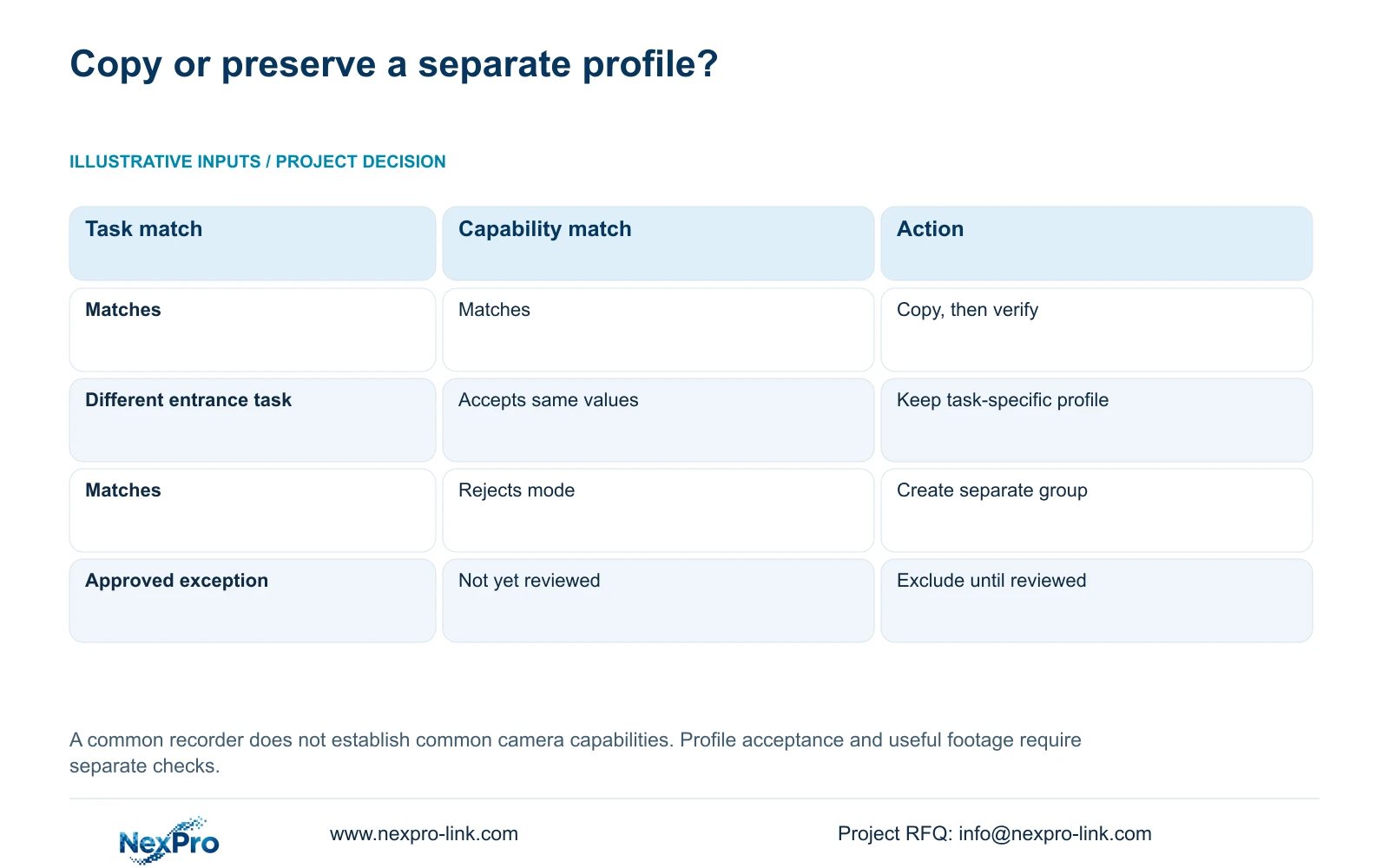
| Destination condition | Copy treatment | Verification |
|---|---|---|
| Fixed indoor cameras with matching task and supported modes | Use a qualified indoor source profile | Check destination values and recorded indoor footage |
| Motorized entrance cameras with a different detail task | Keep a separate entrance profile | Test supported controls and entrance recording |
| Camera rejects the selected mode | Exclude it from that copy group | Identify an accepted profile for its task |
| Channel has an approved local exception | Preserve the exception until reviewed | Check the requirement before batch inclusion |
Section 03
Qualify the resolution and codec together
Sections 4.4.5 and 4.12.7 list H.264, H.265 and H.265+. Available resolutions depend on the IPC. Choose from the selected camera's accepted options, then test the mode through recorder storage, playback, export and the intended client.
Preserve a comparable sample before an authorized encoding change. For an entrance group, evaluate the detail needed at the entrance under relevant activity. For an indoor group, evaluate its own coverage task. A smaller file or a successful save message does not establish that either group still provides useful recordings.
Do not assign a fixed saving to H.265+ or infer that matching codec names guarantee complete interoperability. The public ONVIF Profiles reference is supplementary context for checking functional scope. It does not substitute for testing the actual camera, recorder and requested operation.
Section 04
Record operating conditions with average and peak traffic
After qualifying the image task, record the selected rate-control mode and bitrate settings. CBR and VBR describe control choices; the entered value does not establish measured daily storage for every scene. Keep configured values separate from observed operation.
Use representative intervals that include the lighting and movement relevant to each group. An indoor camera during a quiet interval and an entrance camera during activity can produce observations with different scopes. Record those conditions so the figures can be interpreted later.
Use a representative average for retention planning and the relevant peak or limit for network evaluation. The traffic screen in section 4.3.3.3 provides interface information, which can include other activity and overhead. Identify the observed path before treating an interface reading as an individual camera's stored video rate.
If a group exceeds the planned resources, preserve its tested profile and identify the constraint. Adjusting bitrate is a new profile decision that needs another image check. Reducing every channel to the same value can erase the distinction that justified separate groups.
Section 05
Specify where the approved profile is maintained
Decide whether the approved stream profile is maintained through the recorder or the camera interface. The manual's parameter-lock option can bind local recorder settings to the camera. Locally adapted values may also apply where parameters were not explicitly configured.
With locking disabled, the recorder does not modify the device through that local binding mechanism. Record the chosen policy with the source profile so a later engineer knows where an authorized change belongs. Editing elsewhere while leaving an active conflicting binding profile can produce an unexpected return after reconnection.
Check both ends after applying the profile. If the destination shows a different value, keep it out of the completed group until the acceptance or ownership issue is understood. Avoid another broad copy while the first result remains unexplained.
Section 06
Accept each group from its recorded result
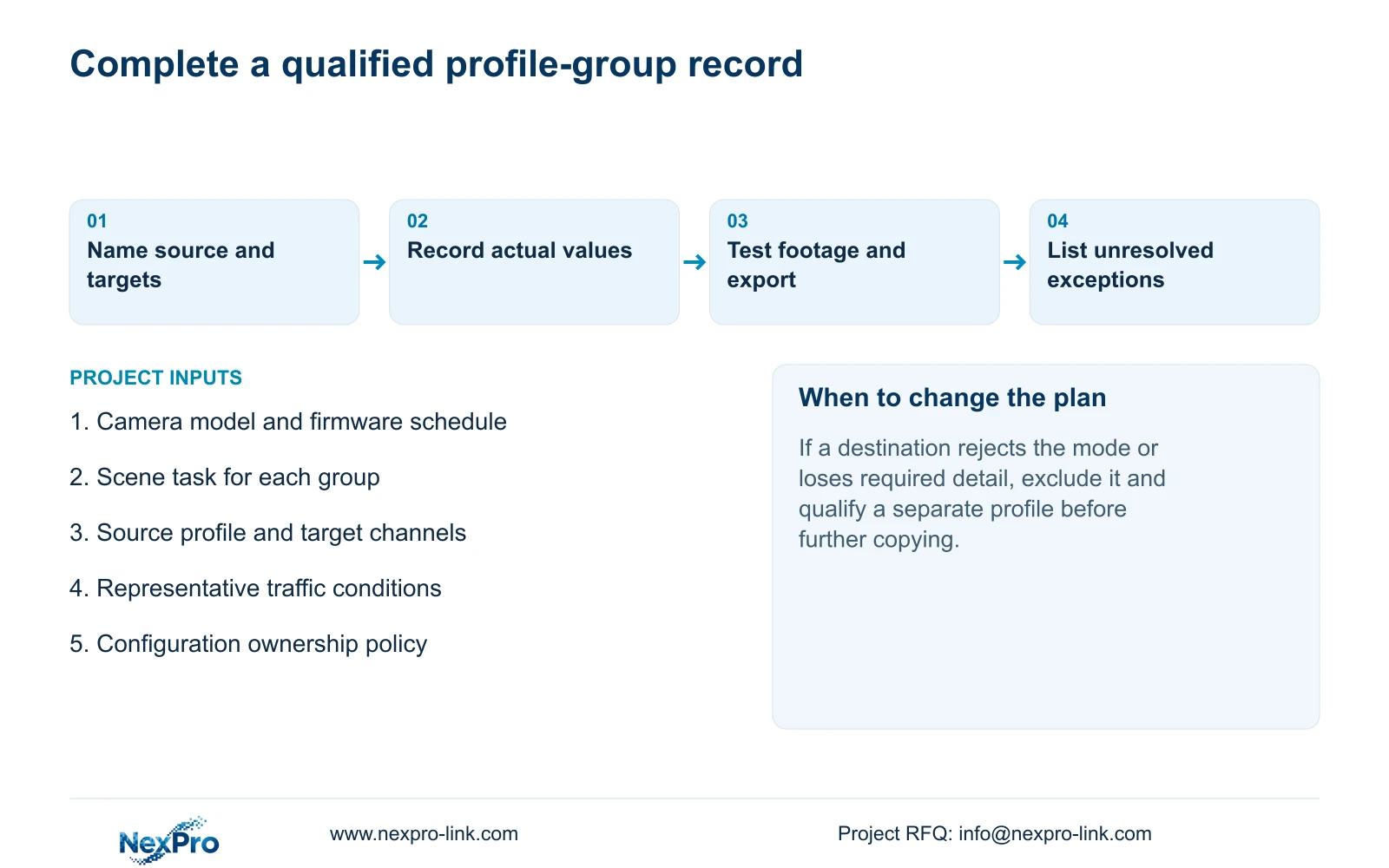
Verify actual destination values after copying, then retrieve newly produced footage. Check the channel identity and correct time, compare the required image task and open a sample export. Include intended accounts and required events in the check where they form part of that group's operating requirement.
Keep a relevant historical sample available for comparison. Record the source channel, selected destinations, changed settings and failed tasks. A group with working preview but failed export remains incomplete. Do not assume every recorder has an automatic rollback mechanism if the change fails.
Illustrative project scenario: A hotel combines fixed indoor cameras and motorized entrance cameras on one recorder. The engineer prepares separate indoor and entrance profile groups, tests the supported controls and records representative traffic conditions. An entrance camera that cannot accept the proposed mode stays outside the indoor copy operation. The project record shows the accepted profiles and outstanding checks without claiming a delivered outcome.
That record also gives procurement a defined scope for configuration assistance. It identifies which camera groups need matching, which exceptions remain and which tests belong to handover. It avoids requesting a generic replacement package when the existing cameras may support suitable profiles.
Section 08
Should all hotel cameras use identical bitrate values?
Only where the accepted task and supported profile justify them. Preserve entrance requirements and local exceptions, then use representative observations to assess storage and network demand.
Section 09
Provide the proposed copy groups
Send NexPro-Link the camera schedule grouped by scene task, model, firmware and proposed stream profile at info@nexpro-link.com.
Engineering references
These sources support the general planning principles. Always use the selected product's current datasheet and applicable project standards for final design.


