

A softer multi-camera overview does not establish the quality stored on the recorder. Trace the viewing path, inspect a saved sample and confirm who controls the camera profile.
Section 01
Trace the overview separately from saved footage
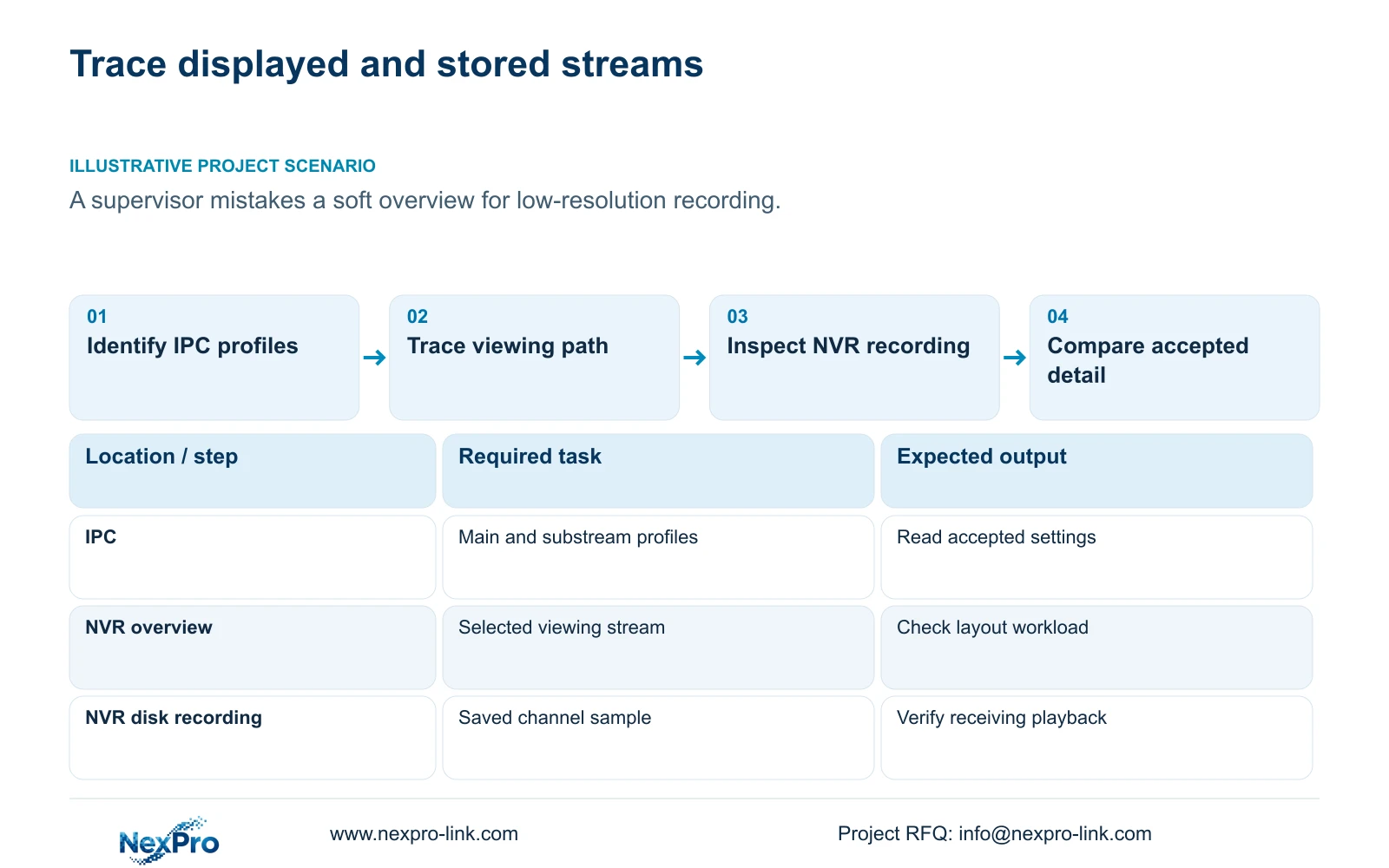
Selecting a substream for viewing does not, by itself, establish which stream the NVR records. A clear single-camera picture and a softer overview may use different viewing streams, while the saved footage follows its own configuration. Identify the camera profile, the viewing path and a recording from the affected channel before changing image settings. If the saved sample contains the required detail, investigate the overview layout and its stream selection first. If the recording also lacks detail, examine the source encoding profile. This distinction prevents a display complaint from becoming an unnecessary change to every camera's recording baseline.
Name each object in the investigation: IPC main stream, IPC substream, NVR local preview, intended client view and NVR disk recording. Seetong PC local recordings are a separate storage object. Its window behavior cannot establish a universal rule for the recorder's local interface.
The operating source is the private supplied NVR4.0 user manual CH_V2.4.doc, whose body identifies V2.2. Sections 4.4.5 and 4.12.7 describe stream parameters; sections 4.3.3.3, 4.5, 4.11.4, 4.12.5 and 5.2 support the checks below. Section references take priority over repaginated page numbers.
Section 02
Record the camera's accepted encoding profile
Read the actual main- and substream settings for the affected IPC. Record the codec, resolution, frame rate, rate-control choice and bitrate fields separately for each stream. The manual lists H.264, H.265 and H.265+, while available resolutions depend on IPC capability. A selectable label does not establish support across every camera and receiving system.
Compare the camera's accepted values with the recorder's local profile. If a requested value is unavailable or does not persist, preserve that observation and check the camera identity, firmware and connection method. Do not compensate by changing unrelated settings across the whole installation.
Keep a comparable recording sample before any encoding change. A proposed profile should retain the required image task and work through recording, playback and export. The H.265+ label alone supplies no fixed storage-saving percentage.
Section 03
Calculate preview demand with explicit stream choices
Configured bitrate and observed traffic answer different questions. CBR or VBR describes the control choice; a measured interval describes actual demand under its lighting and activity conditions. Record which viewing sessions were active when observing interface traffic, because the figure may include recording input, playback or exports.
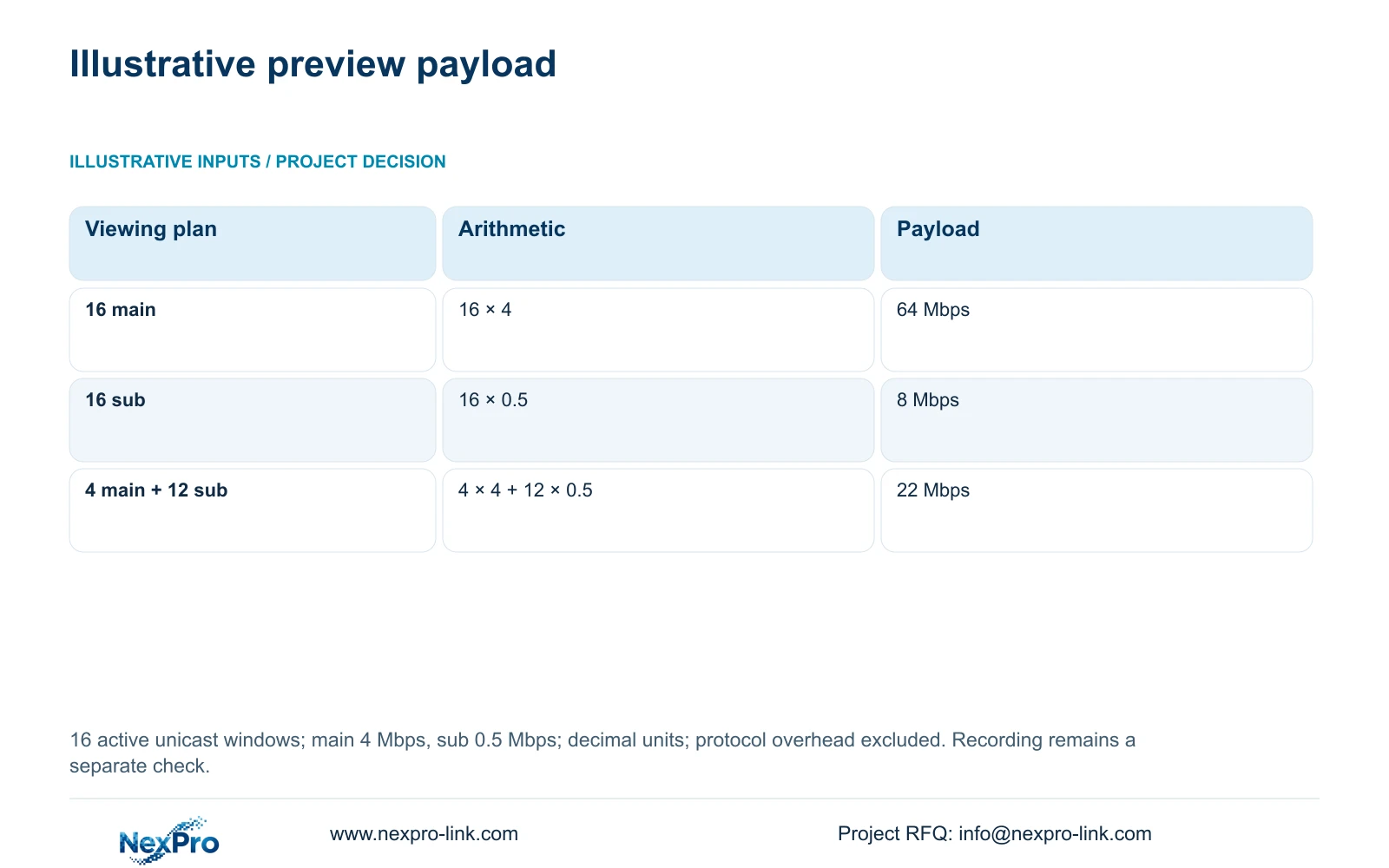
For an illustrative preview calculation, assume 16 simultaneously active windows, a main-stream average of 4 Mbps and a substream average of 0.5 Mbps. Treat each window as an independent unicast stream and exclude protocol overhead. Preview video payload in Mbps = Σ(active windows × selected stream average Mbps).
The all-main plan is 16 × 4 = 64 Mbps. The all-substream plan is 16 × 0.5 = 8 Mbps. A mixed plan is 4 × 4 + 12 × 0.5 = 22 Mbps. The all-substream reduction is (64 - 8) ÷ 64 × 100 = 87.5%. These assumptions describe preview payload only. They neither change an independently configured recording stream nor guarantee smooth workstation decoding.
| Viewing plan | Arithmetic | Video payload |
|---|---|---|
| 16 main streams | 16 × 4 | 64 Mbps |
| 16 substreams | 16 × 0.5 | 8 Mbps |
| 4 main + 12 substreams | 4 × 4 + 12 × 0.5 | 22 Mbps |
Section 04
Choose windows around the operator's task
The manual lists layouts of 1, 2, 4, 6, 8, corridor 8, 9, 10, 16, 24, 25 and 36 windows. These are arrangements, not proof that every window can decode a full-resolution stream simultaneously. Specify the views the operator needs, then check their stream modes against the actual model's decoding limits.
Keep local playback limits separate from preview. For example, the manual gives TS8232C4 playback alternatives of 1×4K OR 4×2MP OR 2×5MP. Those alternatives cannot be added together or transferred to a NexPro-Link commercial SKU.
If the overview is soft but a saved sample is suitable, test an appropriate viewing stream or fewer windows without changing source recording quality. If both paths fail the image task, return to the camera profile and inspect one controlled change.
| Observation | Interpretation | Next action |
|---|---|---|
| Overview soft; saved sample suitable | Recording quality is not established by the overview | Check viewing stream and layout |
| Overview and saved sample lack detail | Source profile needs investigation | Compare IPC and NVR parameters |
| Requested profile returns after reconnection | Configuration ownership may be involved | Inspect parameter locking |
Section 05
Verify the recording through its receiving path
Locate an identifiable recording period on the affected channel and export a sample. Confirm its channel, start and end coverage, visible detail and any required audio on the intended receiving system. Section 4.11.4 mentions players such as VLC, but does not guarantee every platform and codec combination.
A completed backup indicator confirms less than a playable deliverable. If the export fails to open while local playback succeeds, investigate the receiving path before declaring the stored recording defective. Protect the original footage until the required copy has been checked.
Section 06
Assign ownership of the final source parameters
The manual's parameter-lock option can bind local NVR stream settings to the camera. Local adaptation values may also apply when parameters were not explicitly configured. With locking disabled, those local bound parameters do not modify the device in that way.
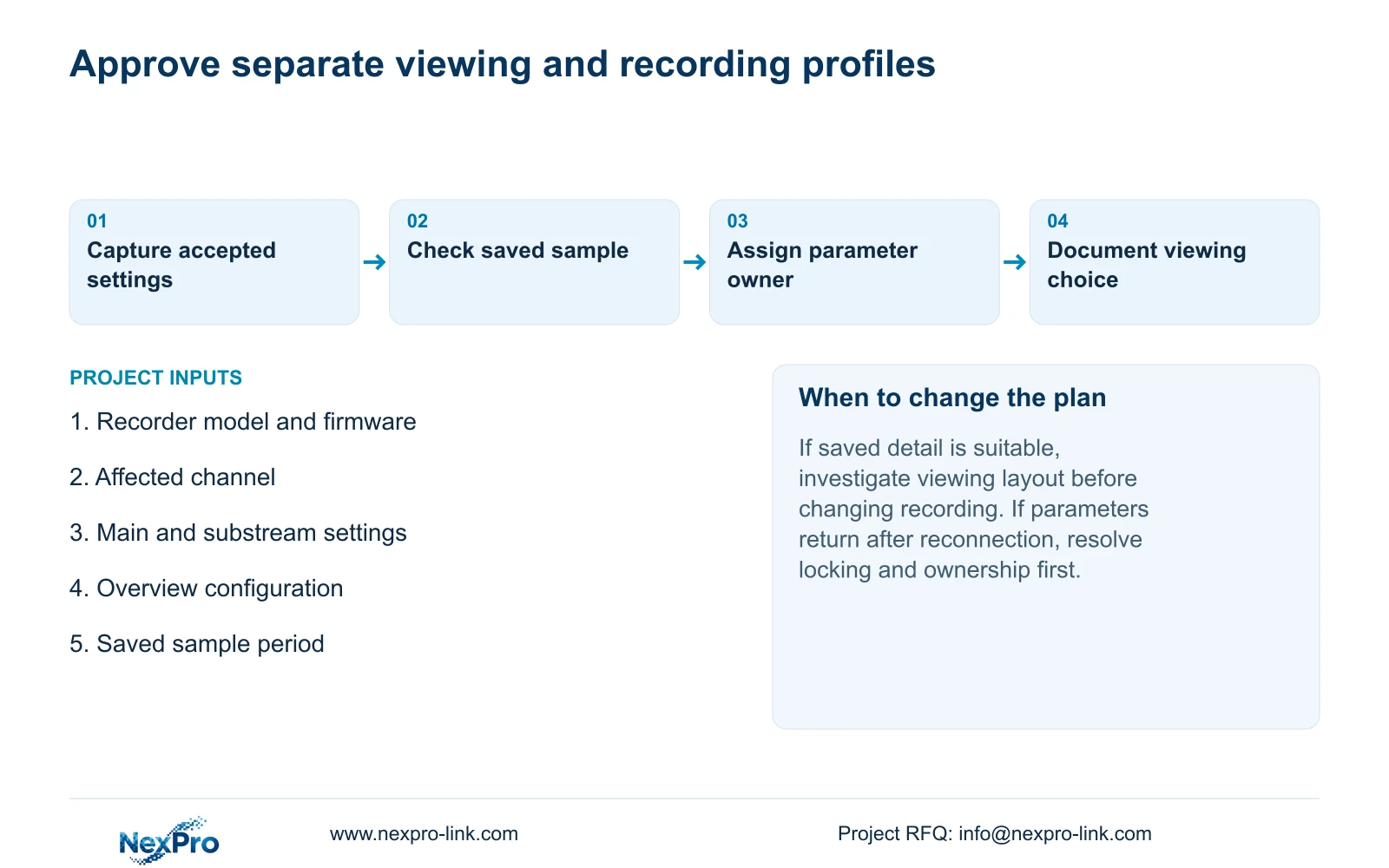
Decide which interface owns the approved profile, then compare both ends after reconnection. An unexpected return can reflect configuration policy rather than failed camera memory. Document the owner, accepted settings and verified recording sample so another operator does not reopen the same disagreement.
Section 07
Resolve a supervisor's overview complaint
Illustrative project scenario: A supervisor sees a soft overview and assumes every recorded camera is stored at the same low resolution. The engineer identifies the overview's viewing path and inspects a saved sample from the disputed period. Suitable saved detail directs the next test toward layout and viewing streams. Unsuitable saved detail directs it toward the camera profile. The proposed result is a documented distinction between displayed and recorded quality, with an agreed parameter owner.
Section 08
Can a clearer single-camera view prove better recording?
No. It establishes a difference in viewing conditions. Check a saved recording from the same channel and relevant period before drawing a recording-quality conclusion.
Section 09
Request a stream-path review
Send NexPro-Link the recorder model and firmware, affected channel's stream settings and a redacted description of the overview-versus-recording difference at info@nexpro-link.com.
Engineering references
These sources support the general planning principles. Always use the selected product's current datasheet and applicable project standards for final design.


