Local camera images and an off-site offline message concern different paths. Use the failing task to select diagnostics without disturbing working camera connections.
Section 01
Locate the failure in the operating path
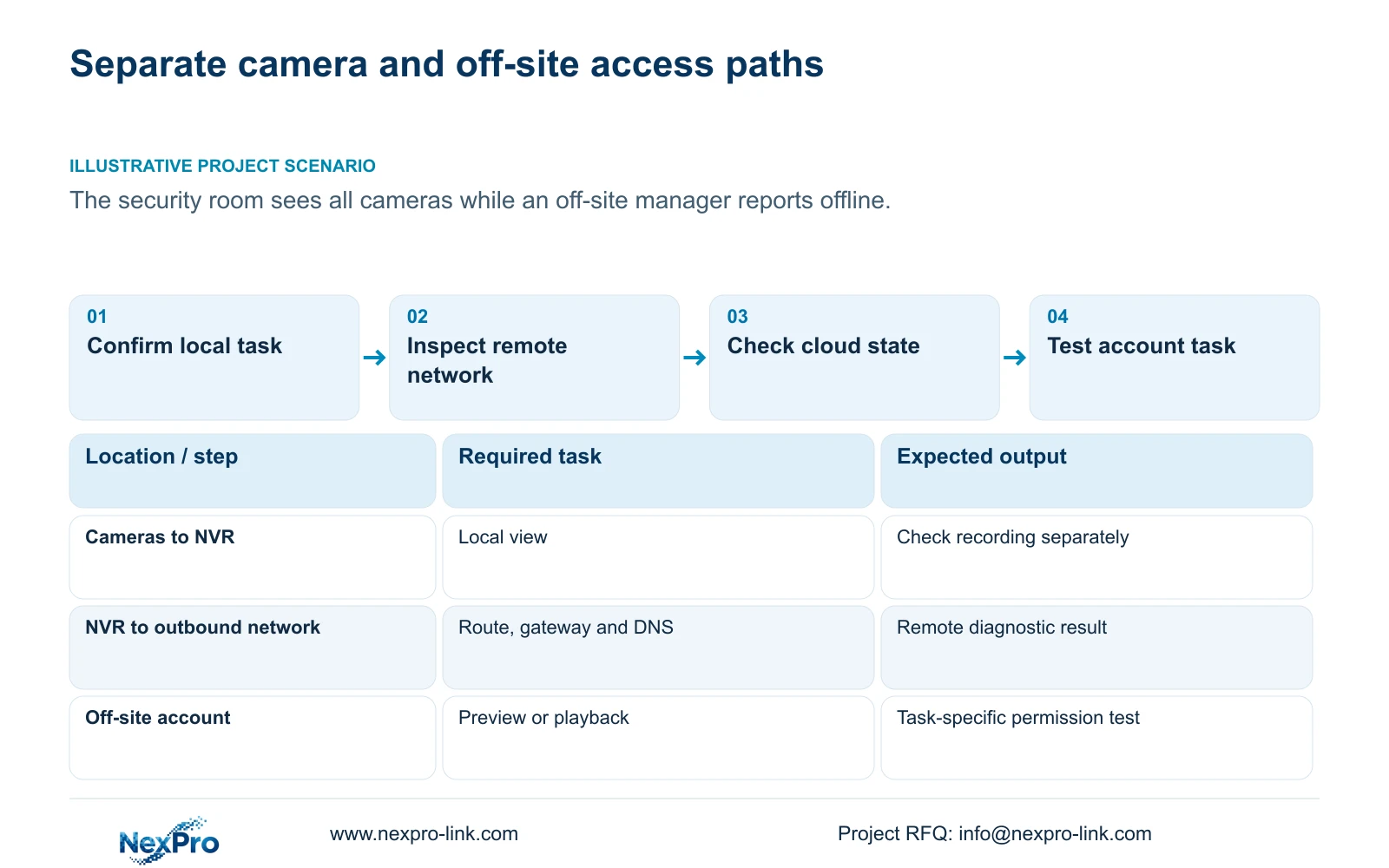
If the security room sees every camera while an off-site manager reports an offline system, investigate the recorder's remote access path before changing working camera connections. Confirm local viewing and recording separately, then use the remote-network diagnostic to examine the NVR's outbound situation. Check its selected default route, gateway and DNS, followed by cloud activation and device identity. Test the intended remote account's permissions for the actual failed task. Local success does not establish remote reachability or authorization. The supplied manual also requires an attached HDD for its local diagnostic feature, so an unavailable local history function needs its own prerequisite check.
Ask what 'offline' means in the complaint: the recorder cannot be reached, a particular channel cannot be viewed, or historical footage cannot be retrieved. Record the access location and client used. A local monitor, a LAN client and an off-site client are separate observation points.
This guide follows NVR4.0 user manual CH_V2.4.doc, whose body identifies V2.2. Sections 4.3.3.1 and 4.3.3.2 describe the local and remote diagnostic functions. The section-based workflow must be matched to the actual recorder and firmware; the manual's TS identities are not commercial SKU mappings.
Section 02
Confirm whether the local camera path is affected
Inspect the affected channel on the recorder and compare it with the operator's complaint. If every camera is visible locally, preserve that observation as evidence that the local viewing task is working at the inspection time. Verify a relevant recording sample separately when continued recording matters to the owner.
If a camera is unavailable locally, use the local diagnostic branch and preserve its available history before resetting statistics. Section 4.3.3.1 explicitly requires an attached HDD to enable this feature. A diskless unit cannot be assessed as though it has the same historical-diagnostic workflow.
Keep the local symptom and the off-site symptom in separate report entries even if they occur together. That leaves room for a shared cause without assuming one. Working live view does not establish disk recording, and an empty history screen does not establish uninterrupted camera connectivity.
Section 03
Observe the recorder's remote-network result
Section 4.3.3.2 provides remote-network results and suggestions, access to network settings, and a network tool that can show packet loss. Record the result during the failed remote task where practical, including the observation time. A result collected during a later successful session may not describe an intermittent complaint.
Use the result to choose the next check. If it points to a network-path problem, inspect the configured outbound path. If that path appears usable but one account still cannot perform a task, retain the network observation and proceed to authorization checks.
The diagnostic examines the recorder's remote-network situation. It does not certify every remote client, service provider or recording source. A successful result should therefore accompany an actual client task test, such as the manager's intended view or retrieval, rather than close the complaint by itself.
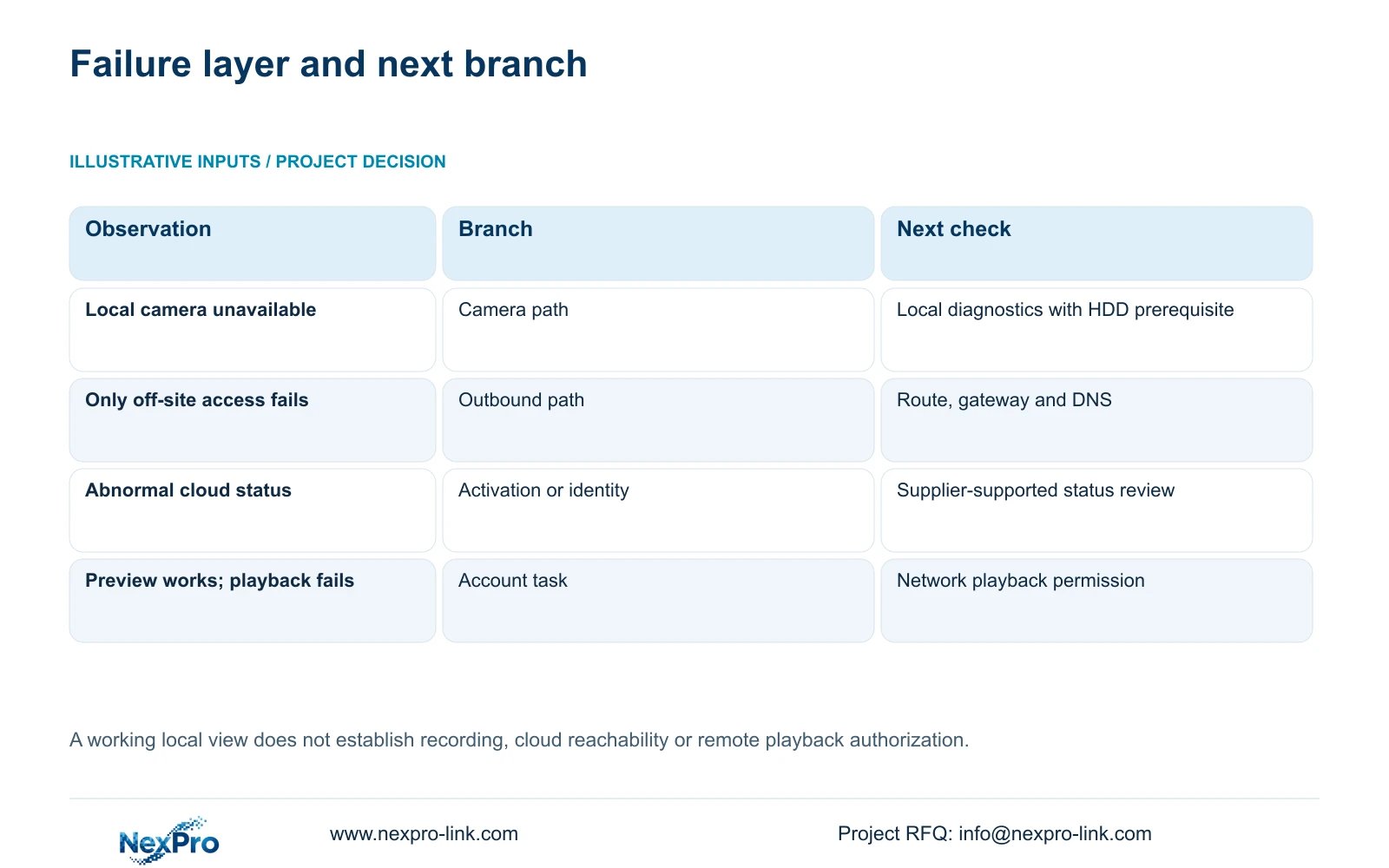
| Observed task result | Relevant branch | Next observation |
|---|---|---|
| Camera unavailable on the NVR | Local camera connectivity | Local diagnostic state and available history. |
| Local views work; off-site access fails | Recorder remote network | Diagnostic result, route, gateway and DNS. |
| Network path appears usable; cloud state is abnormal | Activation and device identity | Top status, network page and System Information. |
| Remote preview works; playback fails | Task-specific permissions | Intended account's network playback rights. |
| Live view works; footage cannot be found | Recorder recording and retrieval | Recording owner and matching channel interval. |
Section 04
Check outbound routing and name resolution separately
Local camera traffic can follow a different path from the NVR's internet or cloud connection. Sections 4.3.3.2 and 4.12.8 support checking the selected default route, gateway and DNS. Record the current configuration and compare it with the site network information supplied by IT.
Do not skip outbound checks because LAN viewing succeeds. Equally, a remote complaint does not justify rebuilding camera addressing when that path still works. Identify the specific mismatch before proposing a change.
Network settings remain subject to the site's access policy. Avoid blanket public port exposure or indiscriminate firewall changes. If an IP change is genuinely required, obtain authority, preserve relevant configuration and needed recordings, and agree the interruption and reconnection plan. Change the confirmed requirement only, then repeat the failed remote task.
Section 05
Distinguish cloud connectivity from valid activation
The manual provides separate observations in the top cloud-status area, network page and System Information. Sections 2.4.3, 4.12.8 and section 5.3, question 5, identify networking, activation and valid device identity as conditions relevant to cloud access.
Record which condition is unresolved. A working route does not establish activation, and an identifier appearing in a menu does not prove that the intended user is authorized to access the unit. Keep these checks sequential so one successful condition does not conceal another failed condition.
An invalid device identity described by the manual requires supplier support. Do not alter serial information or attempt to bypass binding. Redact QR codes and cloud identifiers from public screenshots; a support report can describe the status without publishing the device's access information.
Section 06
Test the intended account on the intended path
Section 4.12.3 separates local permissions from network permissions and distinguishes preview, playback, system settings and other tasks. Recording backup is also a separate local permission. A user who can view locally has not thereby demonstrated remote playback rights.
Build a small task matrix for the manager's account. Test an allowed action and a prohibited action on the intended access path. Record whether the result matches the approved scope; do not widen permissions merely to make a demonstration pass.
The manual's remote-upgrade permission row contains inconsistent descriptive text. It should not be used to infer upgrade behavior. If that function is relevant to a later maintenance request, obtain device-specific confirmation and handle it as a separate authorized change, with required data preserved.
Section 07
Report the remaining fault at the correct layer
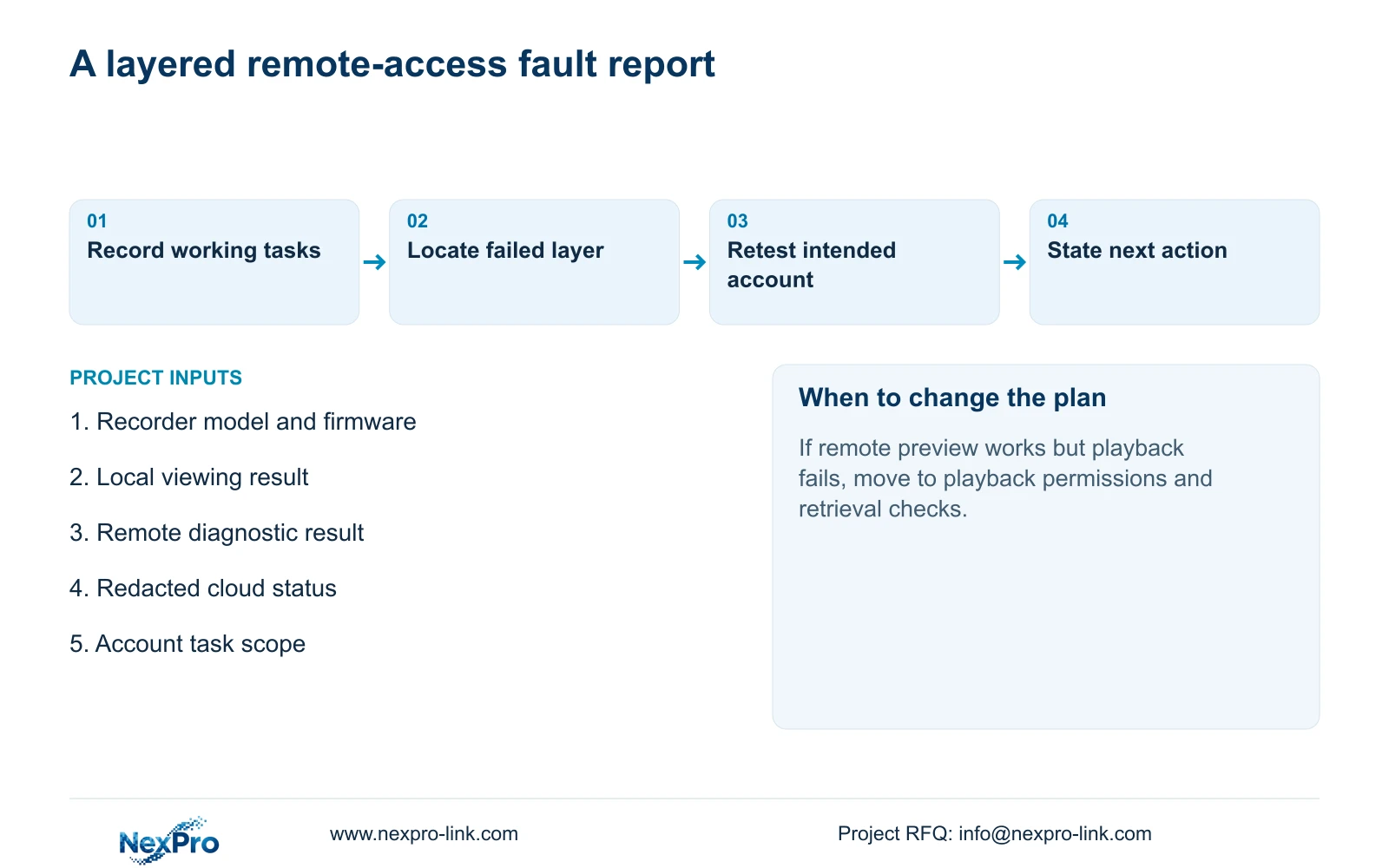
Illustrative project scenario: The security room sees every camera, while an off-site manager reports that the system is offline. Record the local viewing result, verify relevant recorder footage, then collect the remote diagnostic and cloud observations. If remote preview subsequently works but playback fails, move the investigation to the intended account's playback task.
Finish with a report naming the working tasks, failed task, access path, observation time and next controlled test. Distinguish observed status from a proposed cause. If the actual interface differs from this manual, retain that difference and request the corresponding instructions instead of guessing a substitute procedure.
Section 08
Does local video prove that cloud access should work?
No. The outbound route, DNS, activation, valid identity and remote account scope still require their own checks.
Section 09
Provide the failed path and working task
Send NexPro-Link the recorder model, firmware and a redacted comparison of the working local task and failed remote task at info@nexpro-link.com.
Engineering references
These sources support the general planning principles. Always use the selected product's current datasheet and applicable project standards for final design.