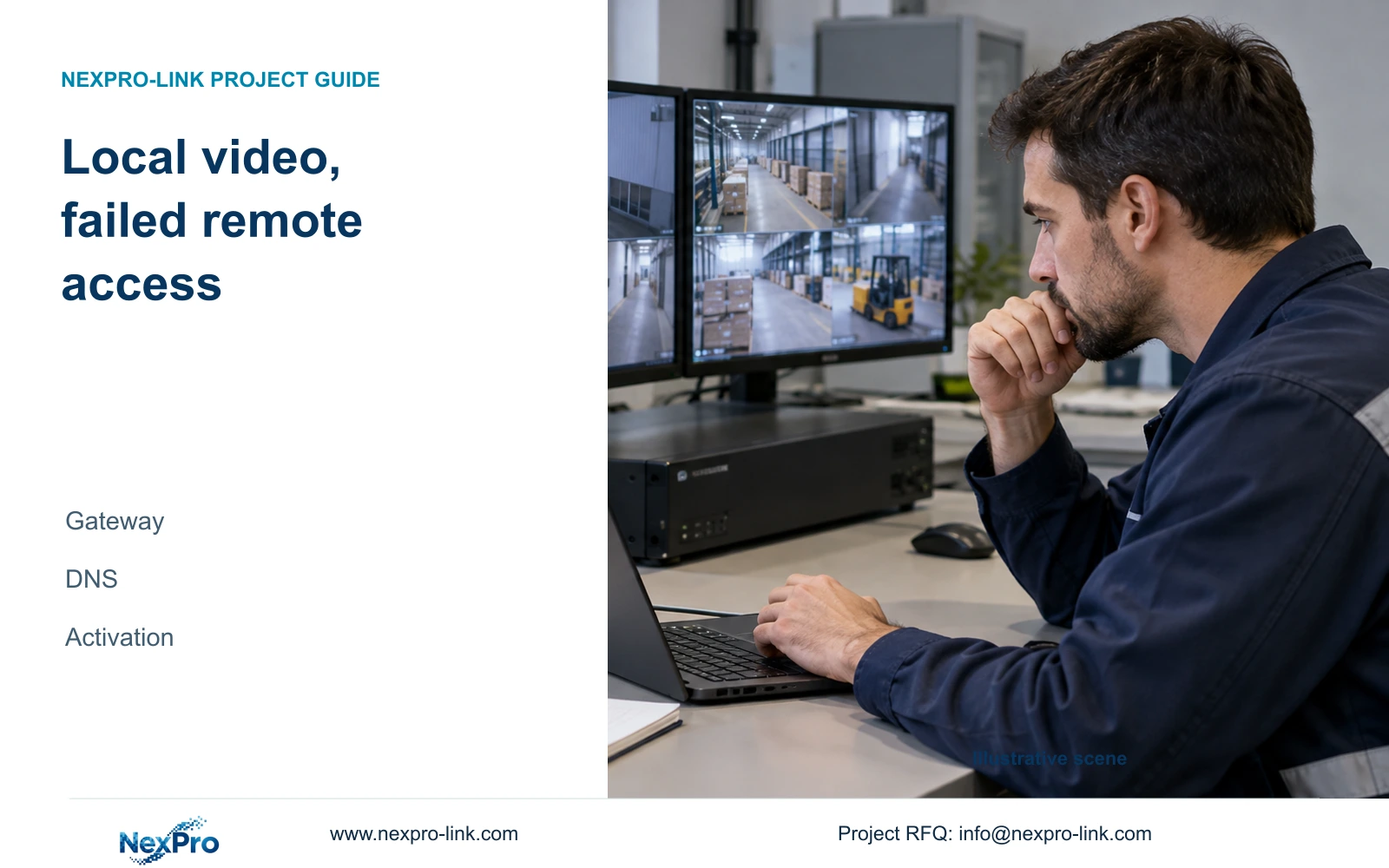
Working local cameras do not establish a working internet path. Separate gateway, DNS, activation and account checks before requesting a targeted network change.
Section 01
Trace the failed remote path while preserving local video
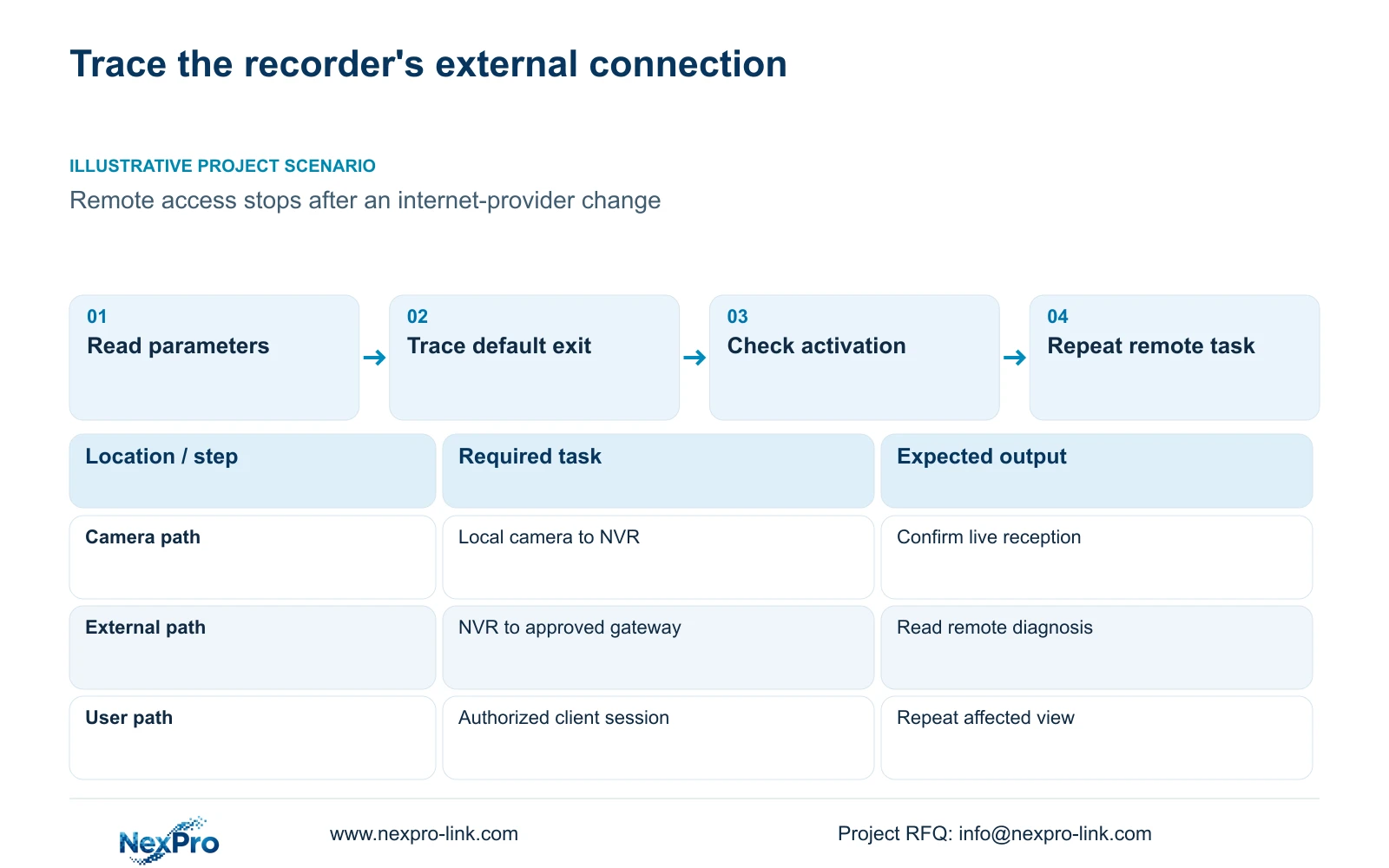
When cameras remain visible locally but remote access fails, investigate the recorder's outbound connection before rebuilding camera settings. Local camera traffic may follow a different path from the default gateway and remote service. Compare the active network parameters with the site's approved values, then examine cloud activation and account authorization separately. The NVR4.0 remote-network diagnostic can provide results and suggestions for that external path. A successful local picture does not establish that DNS, routing or cloud access works. Keep functioning camera settings unchanged while narrowing the failed dependency, and request only the network change supported by the observations.
Draw the recorder's external path through its actual interface, site gateway and internet connection. Alongside it, show the local camera path. This gives the network engineer a way to explain why replacing an internet provider can affect remote access while leaving live camera reception intact.
The operating basis is the private supplied NVR4.0 user manual CH_V2.4.doc, with V2.2 in its body. Sections 4.3.3.2 and 4.12.8 cover remote diagnostics and network settings. These instructions apply to the relevant recorder and firmware, not to Seetong PC storage or every current commercial model.
Section 02
Compare the acquired or approved network parameters
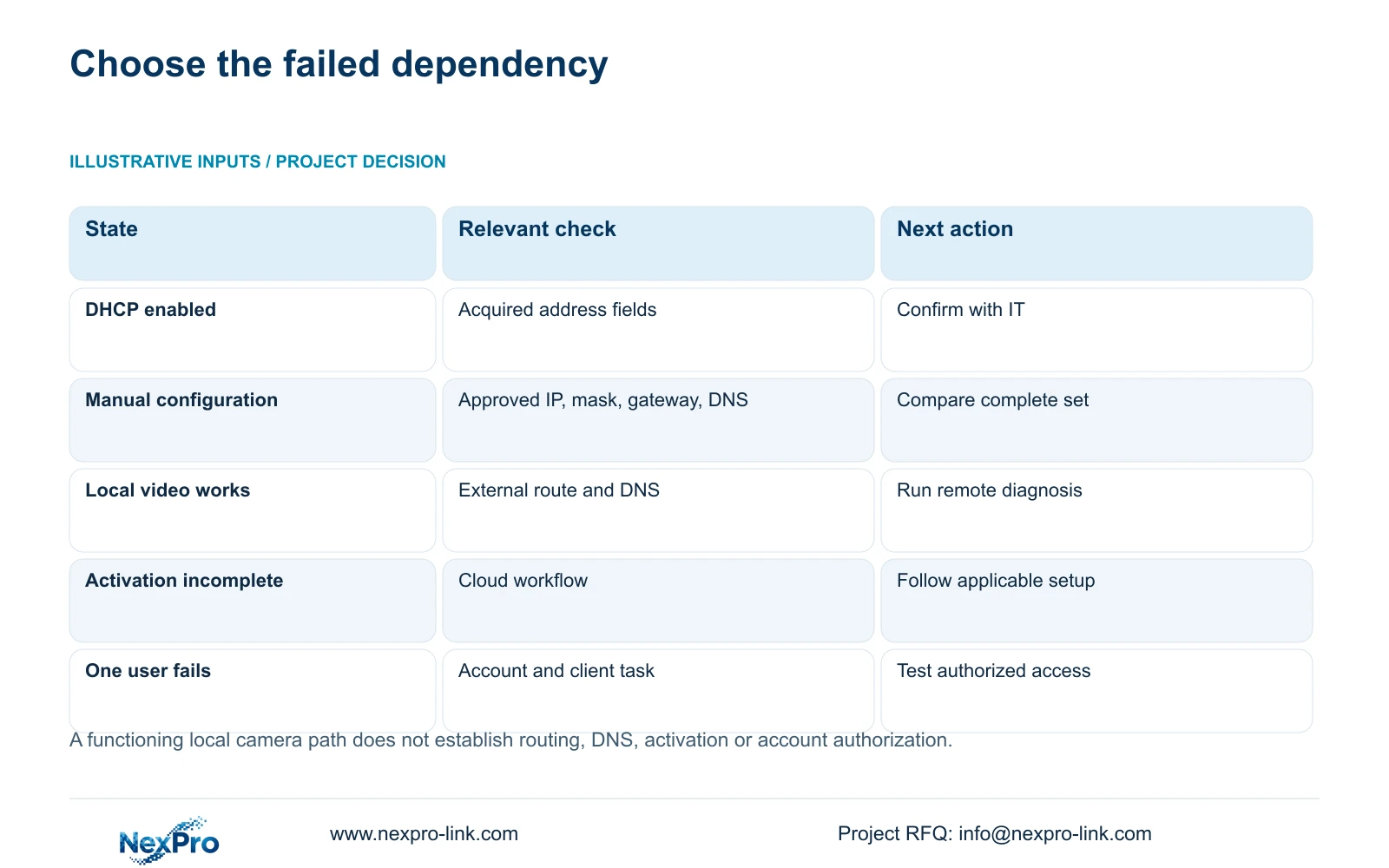
Read the current address-management method before trying to edit individual fields. Section 4.12.8 states that DHCP obtains network parameters automatically and prevents manual editing of those fields. An unavailable field under DHCP therefore has a documented explanation.
Compare the current address, mask, gateway and DNS with the new network requirements. If the recorder uses manual configuration, ask IT for the complete approved set. If DHCP is intended, have the network owner confirm the assigned parameters and any reservation policy. A reservation belongs to network management; the source does not establish a reservation server inside the recorder.
Changing the recorder's IP requires authorization and preservation of relevant configuration and footage, with an agreed interruption window. Update the address record after the change and verify local access immediately. Do not change camera addresses merely to make every device resemble the new gateway.
Section 03
Check which interface supplies the default route
A recorder with multiple addresses needs an explicit route review. Identify the actual interfaces and the selected default exit shown by the applicable configuration. Compare the gateway on that path with the site network plan rather than assuming that any connected interface provides internet access.
The manual's multi-address option and its separate references to dual ports do not prove automatic route recovery. If the intended path differs from the configured one, correct only the approved dependency and repeat the remote check. If the configuration already matches, retain it and continue to activation and service diagnosis.
Keep DNS verification separate from the gateway comparison. Record both values and the diagnostic observation that prompted further investigation. A broad statement that the internet is down does not identify whether the recorder's route, name resolution or service workflow needs attention.
Section 04
Read activation independently of network reachability
Sections 4.1.1 and 4.12.8 describe the cloud-service workflow for an initially unactivated recorder. It includes cloud-password setup and the required network conditions. Read the activation state before deciding that a route correction has completed remote commissioning.
The source's cloud-password rules require uppercase and lowercase letters with numbers, and exclude empty or default passwords. Those rules belong to this documented cloud workflow. They do not establish a shared password for local users or an App account, and they provide no basis for an authentication bypass.
If activation is complete but the intended user still cannot access video, investigate the authorized account and client task separately. Conversely, activation does not prove that recording schedules or retention work. Keep the local recording check in the test record even when the complaint concerns remote viewing.
Section 05
Use remote diagnosis to choose the next check
Run the remote-network diagnostic for the recorder's external path and preserve its results with the time of observation. Section 4.3.3.2 describes results, suggestions, network settings and a network tool that can show packet loss. Use that evidence to select a controlled next check.
The diagnostic is not a certification of every client, provider or recording source. If its observations differ from the user's complaint, reproduce the specific remote task with the intended account and channel. If local recording also fails, open a separate recording investigation instead of forcing both symptoms into a gateway explanation.
| Observation | Check next | Keep unchanged |
|---|---|---|
| Local cameras work; remote access fails | Default route, gateway and DNS | Working camera profiles |
| Manual fields unavailable under DHCP | Acquired parameters and IT address policy | Address method until approved |
| Route matches; activation incomplete | Applicable cloud setup and activation state | Verified route values |
| Recorder appears online; one user fails | Authorized account and requested client task | Unrelated recording settings |
Section 06
Request a specific IT action and retest the same task
Illustrative project scenario: A factory changes its internet provider; live cameras remain visible on the NVR but remote access stops. The engineer compares the old and new network conditions, reads the recorder's address method and verifies its selected exit. Activation and account checks follow without rebuilding the camera schedule.
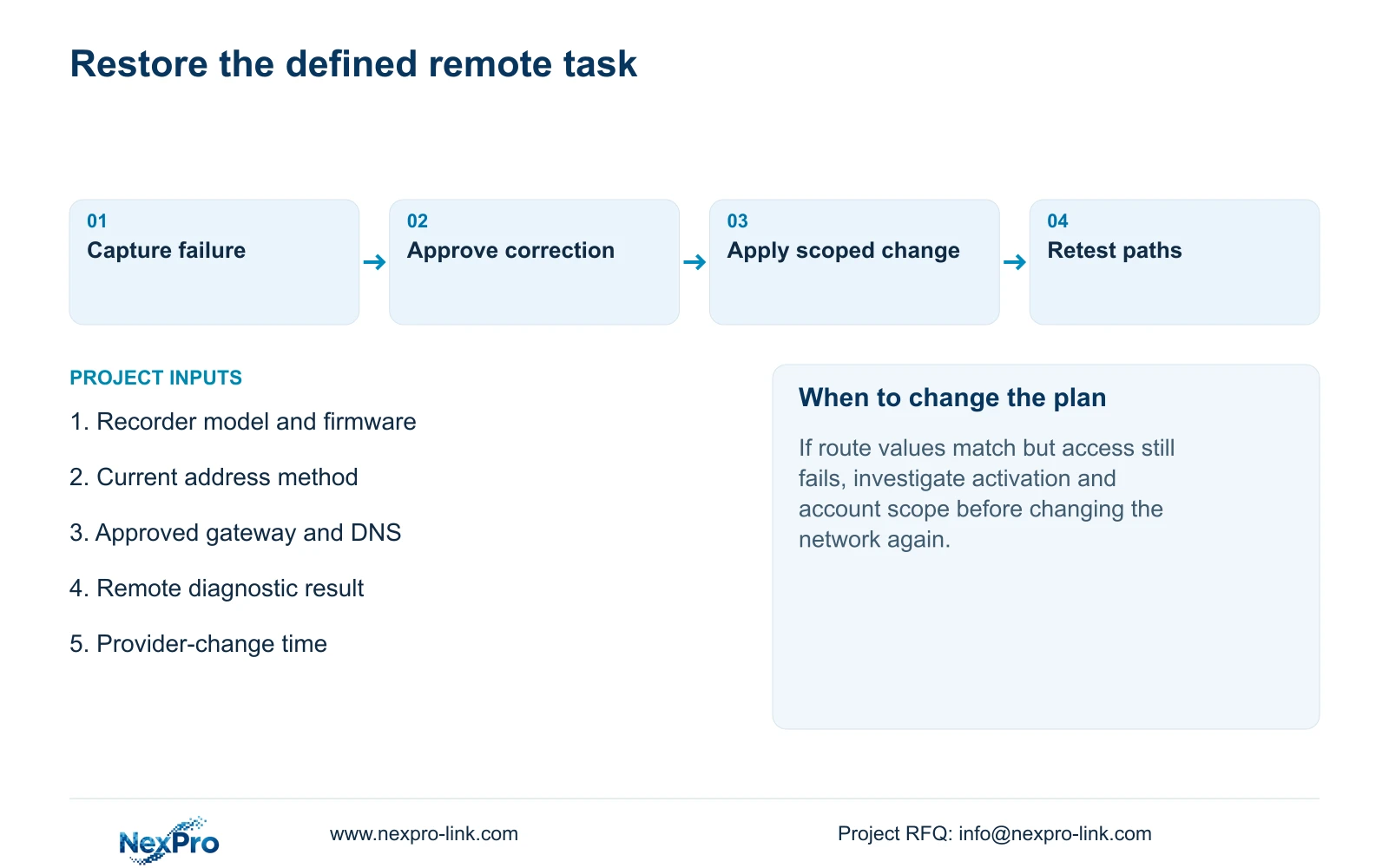
An IT request should identify the approved service, affected path and diagnostic evidence. Do not begin by exposing recorder ports publicly or disabling firewall controls. The network owner should approve the specific access change needed for the supported service.
After an approved correction, repeat the same remote viewing task and confirm that local camera reception and new recorder footage still work. Record unresolved failures with their observation times. NexPro-Link's project coordination scope can be defined around that evidence, while local network enforcement remains with the responsible site team.
Section 07
Should a working local picture rule out DNS trouble?
No. The local camera path may work independently of the recorder's external route and name resolution. Check DNS within the outbound investigation and retain activation and account checks as separate tasks.
Section 08
Share the outbound diagnostic evidence
Send the recorder model and firmware with a redacted remote-diagnostic result and the time of any recent network change to info@nexpro-link.com.
Engineering references
These sources support the general planning principles. Always use the selected product's current datasheet and applicable project standards for final design.