

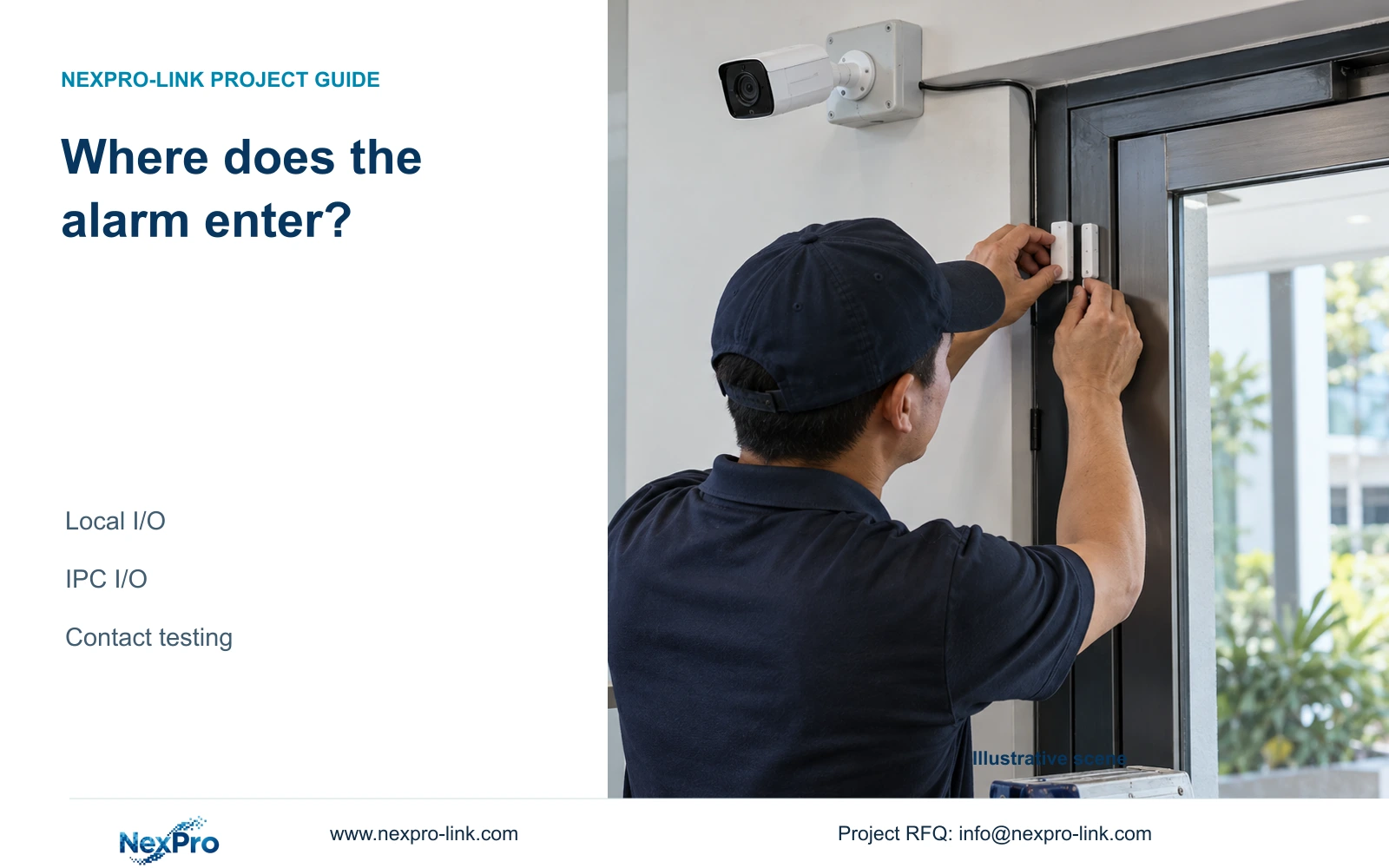
Trace a door contact to its actual recorder or camera input before configuring alarms. Keep terminal numbers, video channels and recording outcomes separate.
Section 01
Trace the contact to the device receiving it
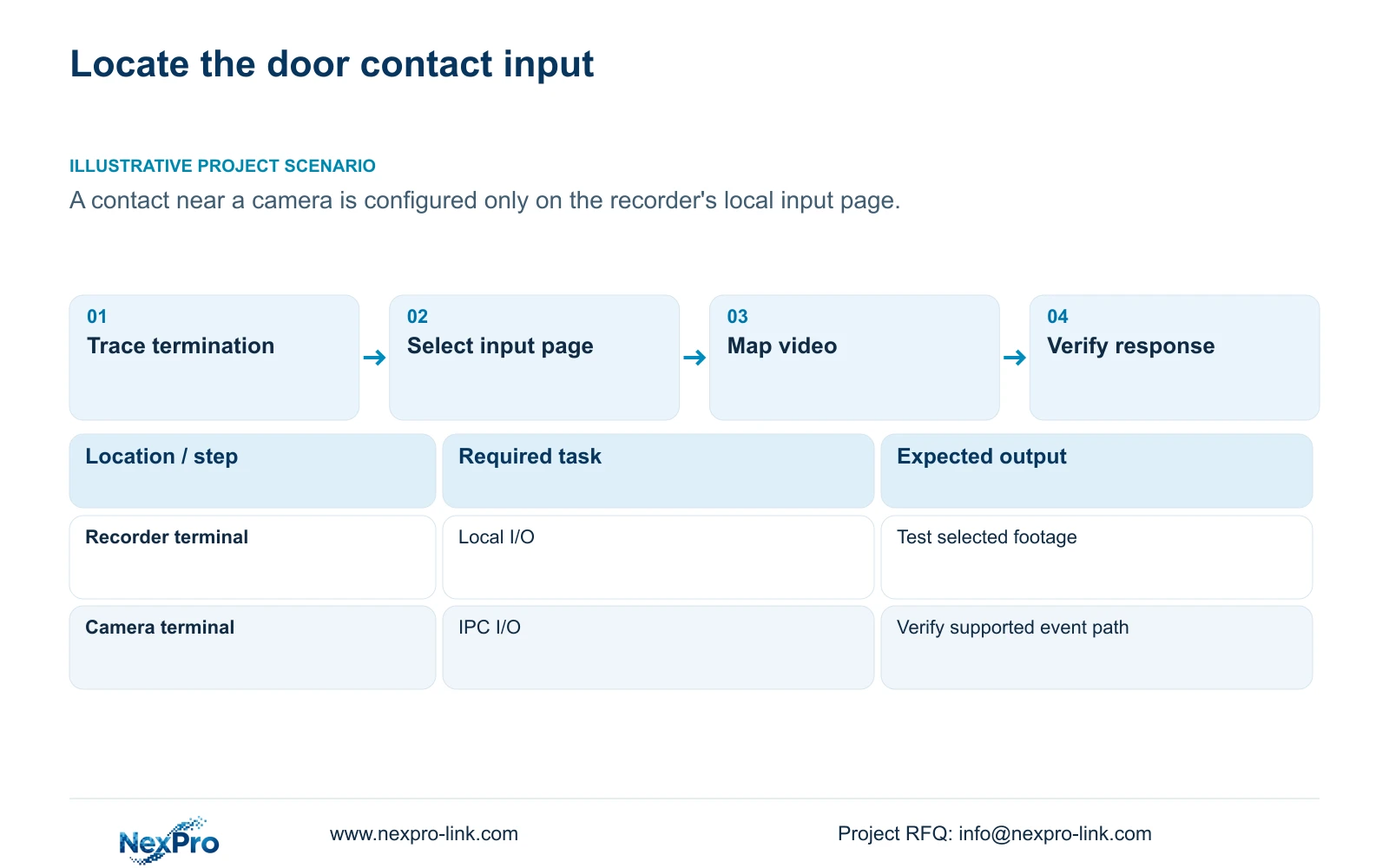
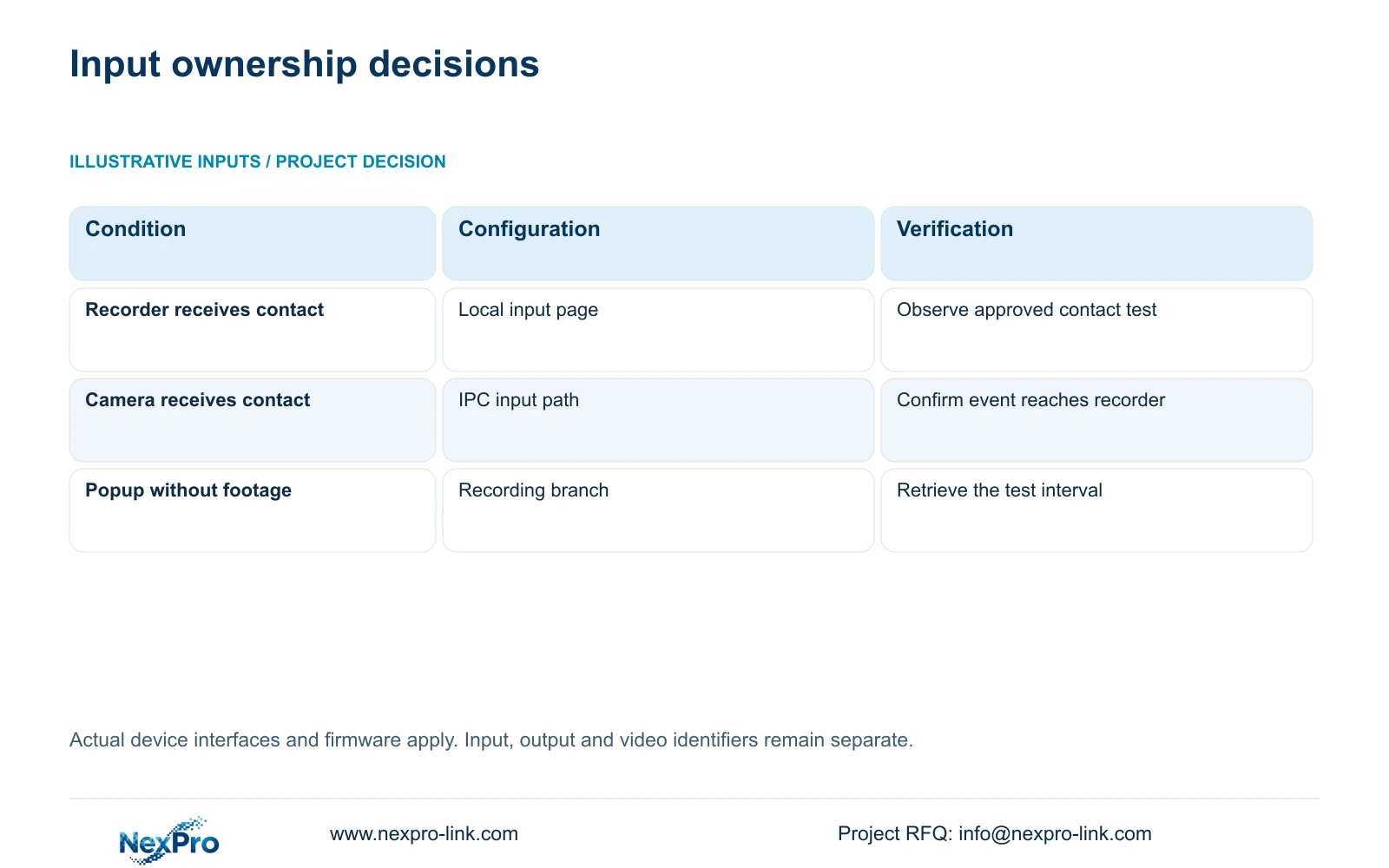
Local NVR I/O receives an alarm at an applicable physical recorder input. IPC I/O originates at a supporting camera and reaches the recorder through that camera's connection. Before configuring a door alarm, trace the contact cable to its terminating device and identify the input there. A contact installed near a camera does not establish that the camera receives it. Once the owner is confirmed, use the corresponding alarm page, match the contact logic, select the relevant video channels and test each required action. Configuring the recorder's local input page cannot establish that a camera-originating input has been configured correctly.
Start with the wiring record, then compare it with the installed termination. Record the device receiving the signal and its input identifier. Keep an alarm output identifier separate: it describes a response destination, not the source of the door event. If the drawing and installed wiring disagree, resolve that discrepancy before changing schedules.
This guide follows the private NVR4.0 user manual CH_V2.4.doc, whose body identifies V2.2. Sections 4.12.13 and 4.12.14 distinguish local and IPC I/O. Section references take priority over page numbers, and applicability depends on the actual recorder, camera and firmware.
Section 02
Confirm the interface and expected contact states
After identifying the receiving device, obtain its interface documentation and the contact device specification. The normally-open or normally-closed selection in section 4.12.13 controls logical interpretation. It does not supply the missing voltage, current or load ratings needed to approve a connection.
Write down the expected normal state and triggered state using the approved wiring arrangement. Have qualified site personnel confirm terminal suitability, power arrangements and any output load. An arbitrary sensor or powered lock must not be connected simply because the recorder has an I/O menu.
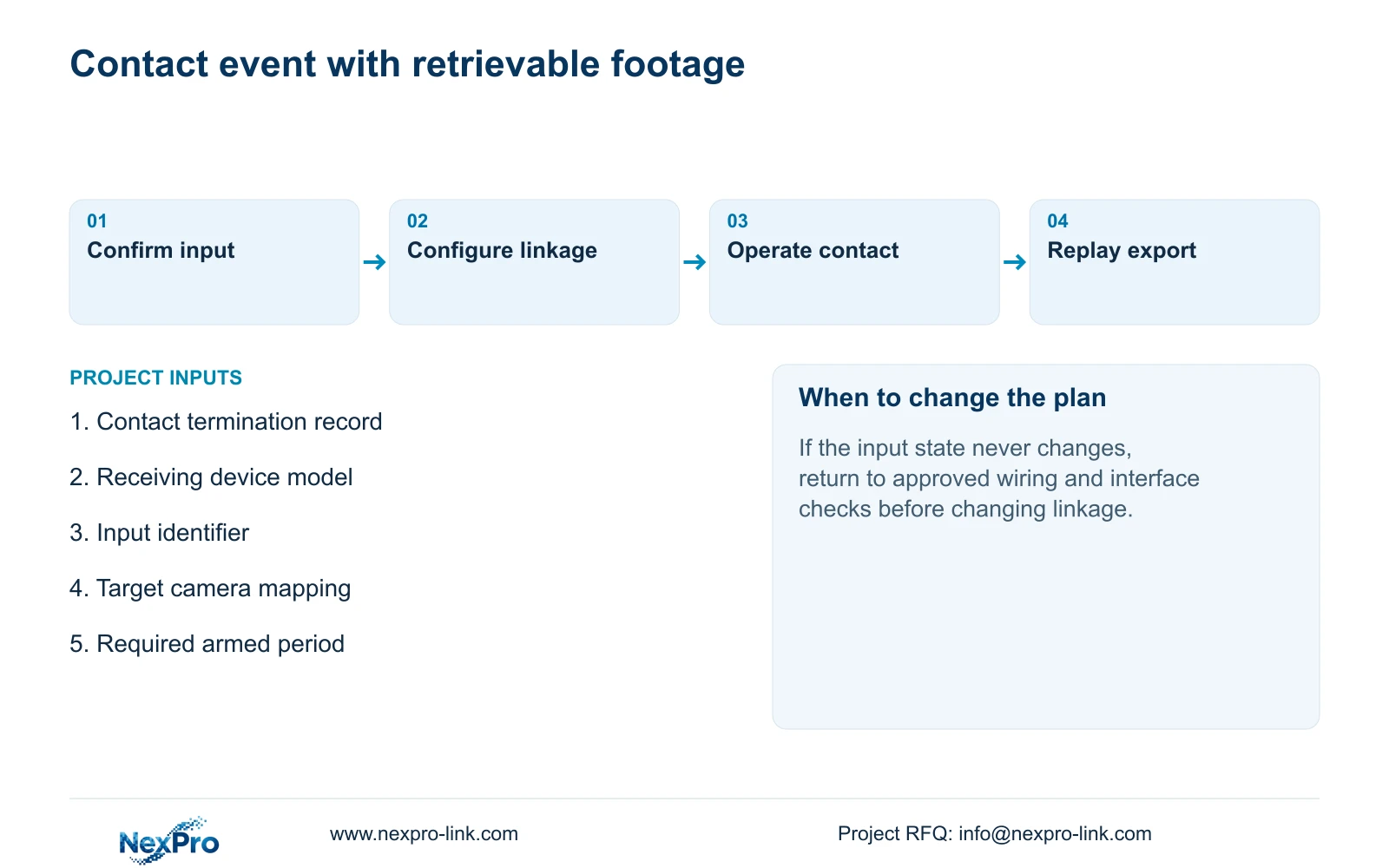
If the observed input remains active when the door is in its normal condition, compare the actual contact state with the selected logic before investigating notification delivery. If the state never changes during an approved test, return to the interface and wiring checks. Changing several linkage options would obscure that earlier failure.
| Observation | Interpretation | Next action |
|---|---|---|
| Contact terminates at the recorder | Local recorder input owns the signal | Use the applicable local I/O page |
| Contact terminates at a supporting camera | IPC input owns the signal | Check the camera-originating I/O path |
| Normal condition appears triggered | Contact logic or wiring needs checking | Compare approved normal and triggered states |
| Input changes but footage is missing | Input response and recording differ | Check target channel, linkage and recording plan |
Section 03
Connect the input to the correct recorded view
Identify the view needed to understand the door event before selecting a video channel. The physical input number does not determine which camera sees the door. Record the drawing location, physical camera identity, IP address, recorder channel and displayed name as separate fields.
Sections 4.3.1, 4.4.4 and 4.12.6 support channel identification and naming, but maintaining the project mapping is an engineering task. Check the actual live view against the location record. A familiar screen position can contain a different camera after reordering or replacement.
Record a label change separately from a physical camera replacement. When reviewing the test footage, confirm the recorded channel identity and scene. This prevents a successful alarm being accepted against a view that cannot explain the event.
Section 04
Set arming and recording periods independently
Use the alarm page belonging to the confirmed input owner and check the applicable arming period. Then inspect the recording plan for each selected camera. The alarm's availability and the camera's recording policy answer different questions.
Sections 4.11.1 and 4.12.11 distinguish recording arrangements from alarm enablement, arming and linkage. For a contact event, verify the applicable input conditions; do not substitute a motion detection area for a physical contact check.
Test the intended event inside the required armed period and check behavior outside it where that distinction matters to the operating brief. If live video remains available but the alarm response changes with the period, investigate the schedule boundary before altering the physical input.
Section 05
Inspect every selected response at its destination
The manual lists popup, border flashing, buzzer, email, screenshot sending, snapshot, preset call, recording and app push as distinct alarm actions. Confirm which are available for the chosen event and equipment, then configure only the responses the operator needs.
A popup demonstrates a visible response. It does not prove that the selected channel recorded the event or that a recipient received a notification. Inspect the recording timeline for footage, the saved output for a snapshot and the intended recipient path for messages.
Keep action duration separate from footage retention. If notification succeeds while recording fails, preserve the working notification settings and investigate the recording branch. The reverse result calls for checking the notification branch without disturbing usable footage.
Section 06
Complete a controlled contact-to-footage test
Use an approved way to operate the contact. Identify the camera, observe live video and recording status, and note the test interval. Retrieve that same interval, export the required footage and play the exported file on another device. Inspect the selected disk and recording policy as part of this workflow.
Sections 4.3, 4.11 and 4.12.21 support these recorder tasks. The combined acceptance sequence is an engineering workflow, not a claimed built-in automatic test. Record the expected response beside the observed result so a failure can be assigned to a particular branch.
Illustrative project scenario: A door contact is connected near a camera while the installer configures only the recorder's local input page. Trace the termination first. If the camera owns the input, move the investigation to its supported I/O path, retain the correct video mapping and repeat the approved event test. No successful installation outcome is assumed.
Section 07
Does camera connectivity prove IPC alarm support?
No. A connected video stream does not establish that the camera's physical input and required alarm actions work through the selected recorder. Confirm the specific device and firmware scope, then demonstrate the event path.
Section 08
Provide the input termination record
Send NexPro-Link the contact termination record, including the receiving device model and input identifier, at info@nexpro-link.com to discuss the applicable configuration or interface scope.
Engineering references
These sources support the general planning principles. Always use the selected product's current datasheet and applicable project standards for final design.


