

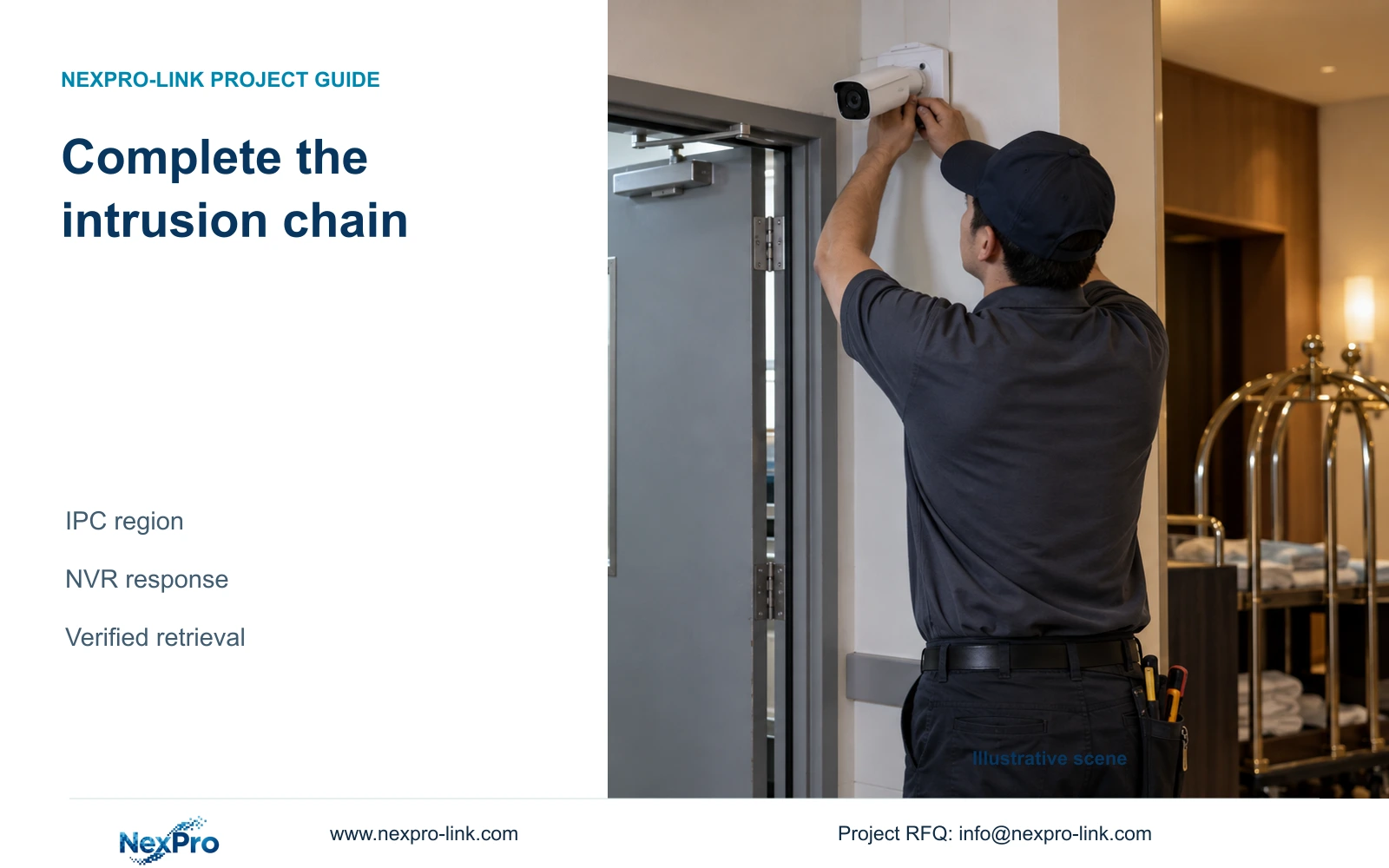
Enabling intrusion on the recorder leaves the camera-side detection task unfinished. Check IPC capability, configure the region and verify each required response.
Section 01
Confirm which device generates the intrusion event
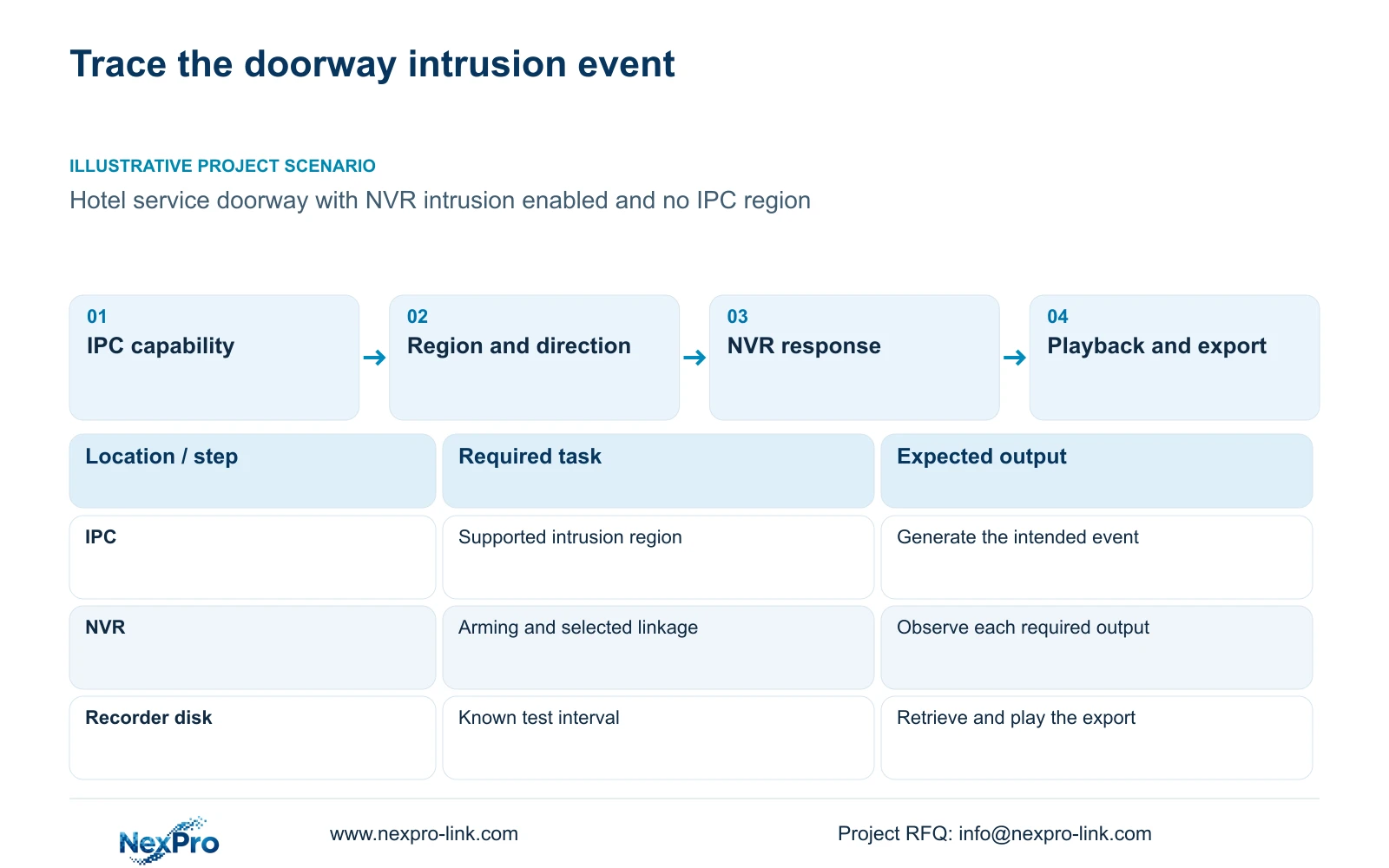
Enabling intrusion on the NVR is insufficient when the connected camera has no detection region configured. The documented workflow enables the recorder-side function, then opens Front-end Settings to define the IPC region, direction and related parameters. The camera must support the requested analysis, and the connection must carry the event in a form the recorder can use. For a doorway with live video but no intrusion response, start by checking that camera-side configuration. Then examine arming and the selected recorder actions. Complete the check with a controlled crossing and retrieved footage, because a live picture or enabled checkbox does not establish an operational alarm chain.
The operating source is the supplied private NVR4.0 user manual CH_V2.4.doc, whose body identifies V2.2. Section 4.12.15 describes analytics; sections 4.4 and 4.10 establish camera-dependent controls. Section references take priority over page numbers. Apply this workflow to the actual recorder, IPC and firmware combination, without mapping the manual's TS models to NexPro-Link commercial SKUs.
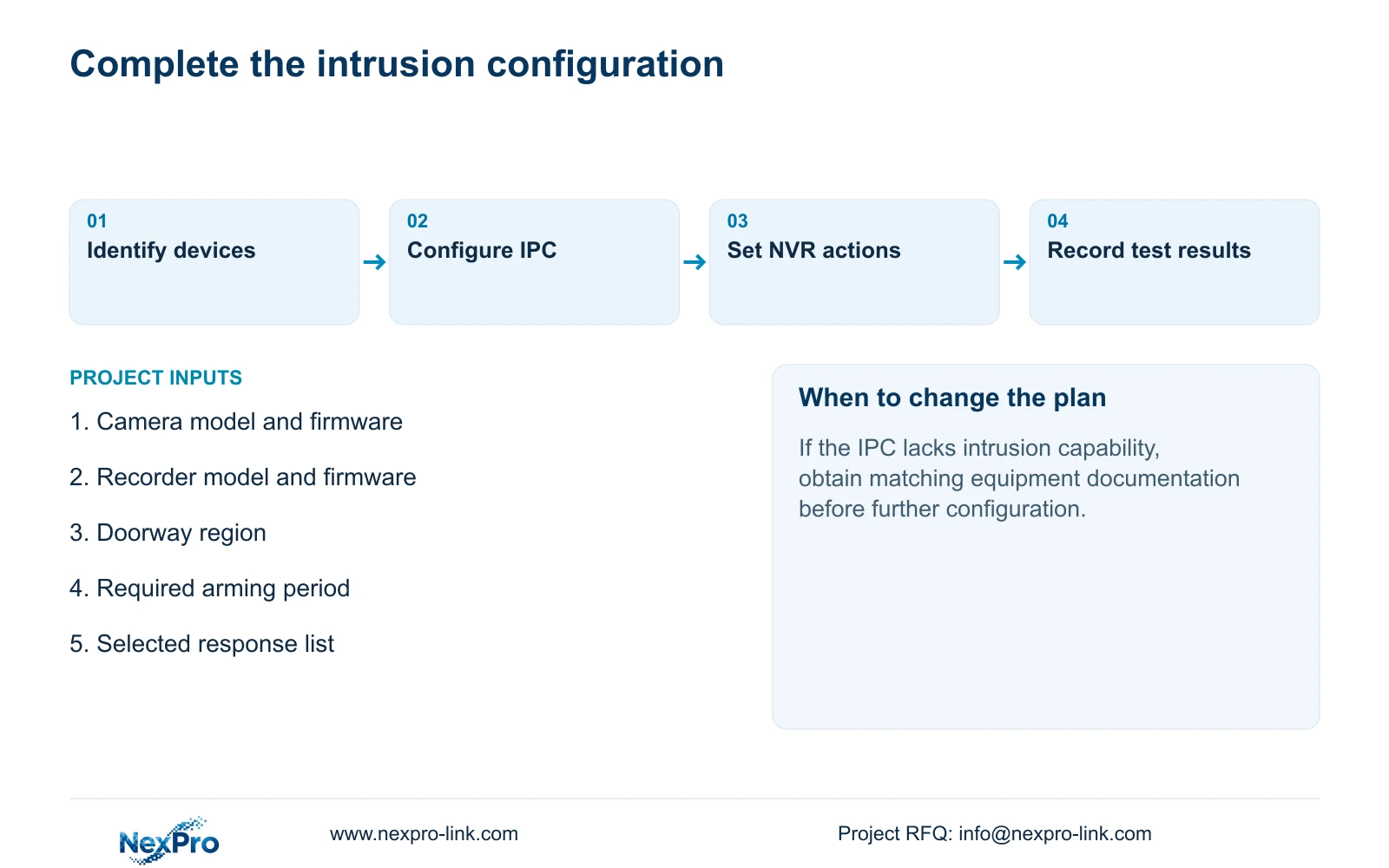
First identify the affected channel and its camera model. Confirm that the camera supports area intrusion before adjusting sensitivity or recorder responses. If the capability is absent, an NVR checkbox cannot supply the missing camera analysis. Resolve the capability requirement with the appropriate equipment documentation.
Section 02
Check what the selected connection exposes
A camera can provide video while a particular configuration control remains unavailable. Record the selected connection method, both device identities and firmware, and the permissions used for configuration. Check that the displayed settings belong to the intended channel and menu layer before interpreting a grey control as a device fault.
Where Front-end Settings exposes the required intrusion controls, inspect the current region and enablement. Where it does not, obtain the applicable camera or integration instructions instead of inventing an alternative menu path. For a third-party camera, qualify event reception separately from basic video. ONVIF profile information helps frame feature matching, but does not establish universal intrusion interoperability.
Work with one camera until the complete chain is understood. Copying an unverified configuration across several channels makes a camera-capability problem harder to distinguish from a recorder-action problem.
Section 03
Define the protected area and movement
Describe the intended event in site terms before drawing the region: a person entering the service doorway, leaving it, or moving across its boundary in either direction. The manual distinguishes entry, exit and both directions for area intrusion. Its line-crossing controls use one-way or two-way crossing, which is a separate geometry choice.
In the applicable Front-end Settings, define the region against the current view and select the required direction. Inspect sensitivity as a camera-side parameter without treating its setting as a measured accuracy percentage. Walk the intended route and its reverse under an approved test so the direction has a physical meaning.
If the lens or camera position changes, revisit the region. A boundary that looked correct before reframing can cover a different part of the doorway afterward. Directional detection alone does not establish person identification, vehicle classification or a plate-search database.
Section 04
Align arming with the required recording period
Once geometry is correct, compare the alarm arming period with the owner's required operating hours. Sections 4.11.1 and 4.12.11 describe recording and alarm settings separately. The recording plan determines recording behavior; alarm enablement, region, arming and linkage determine the response to an event.
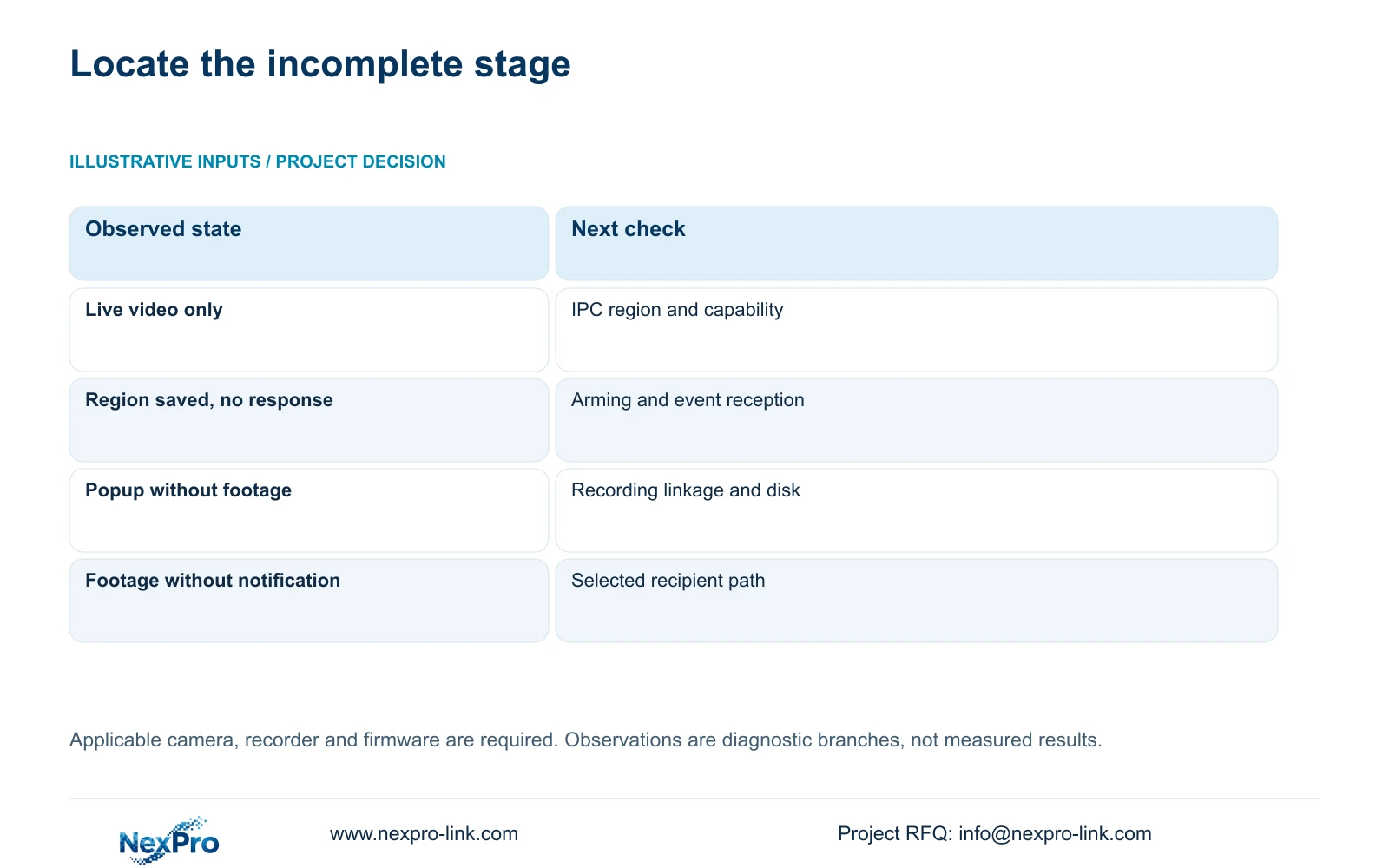
If an entry produces footage but no alarm, inspect the event and arming layers. If a popup appears but the expected footage is missing, examine recording linkage, the recording plan and the selected disk. Preserve the working settings while checking the failed layer, rather than changing schedules and sensitivity together.
| Observation | Likely boundary to investigate | Next action |
|---|---|---|
| Live video, no configured IPC region | Event definition is incomplete | Configure the supported camera region and direction |
| Region configured, no response during the required period | Enablement, arming or event reception | Check the period and test the same camera connection |
| Popup appears, required footage is absent | Recording response or storage task | Inspect linkage, recording plan and disk state |
| Footage exists, notification is absent | Recipient response path | Test the selected notification separately |
Section 05
Select actions and inspect their destinations
Section 4.12.11 lists buzzer, popup, email, screenshot sending, snapshot, preset call, recording, border flashing and app push as separate actions. Select only the outputs the doorway task requires. The presence of a menu item does not prove that every recorder or connected camera can perform it.
For each selected action, name its verification point. Observe popup or flashing locally, retrieve recording from the relevant channel, and check notification at the intended recipient. Confirm supported PTZ capability before requiring a preset call. A popup proves only its own response, while action duration remains separate from footage retention.
Keep the response list with the channel configuration so an operator knows which missing output constitutes a failure. This also gives a project equipment discussion a specific function to qualify.
Section 06
Verify a controlled entry through playback and export
Arrange a controlled entry with the responsible site team. Identify the channel, observe live video and recording state, and note the test time. After the recording period, retrieve that interval and export a suitable sample for playback on another device. Inspect the selected disk and policy as part of this engineering acceptance workflow, built around sections 4.3, 4.11 and 4.12.21.
Separate the results in the test record: movement occurred, the required event response appeared, footage was retrievable, and the export played. If one stage fails, record that stage and the current configuration. An exported file that cannot be played leaves the retrieval requirement unresolved even when local playback succeeds.
Section 07
Apply the workflow to the service doorway
Illustrative project scenario: A hotel service doorway has intrusion enabled in the NVR but no region configured at the camera. The engineer first confirms IPC capability and the connection's configuration scope, then defines entry into the doorway region. Arming and recorder actions follow the hotel's requirement. Acceptance depends on the controlled entry, expected outputs and playable footage; this scenario assumes no delivered or measured outcome.
Section 08
Can an existing camera be retained for intrusion detection?
Yes, if its documented event capability, configuration access and event reception fit the required task on the selected recorder. A successful live-video connection alone is insufficient evidence.
Section 09
Resolve an incomplete intrusion chain
Send NexPro-Link the camera and recorder models, firmware and the first failed stage of the doorway test at info@nexpro-link.com.
Engineering references
These sources support the general planning principles. Always use the selected product's current datasheet and applicable project standards for final design.


