

Choose entry, exit or both from the owner's required event. Mark the protected region, test the reverse route and verify notification and recording separately.
Section 01
Choose the movement that should produce an alarm
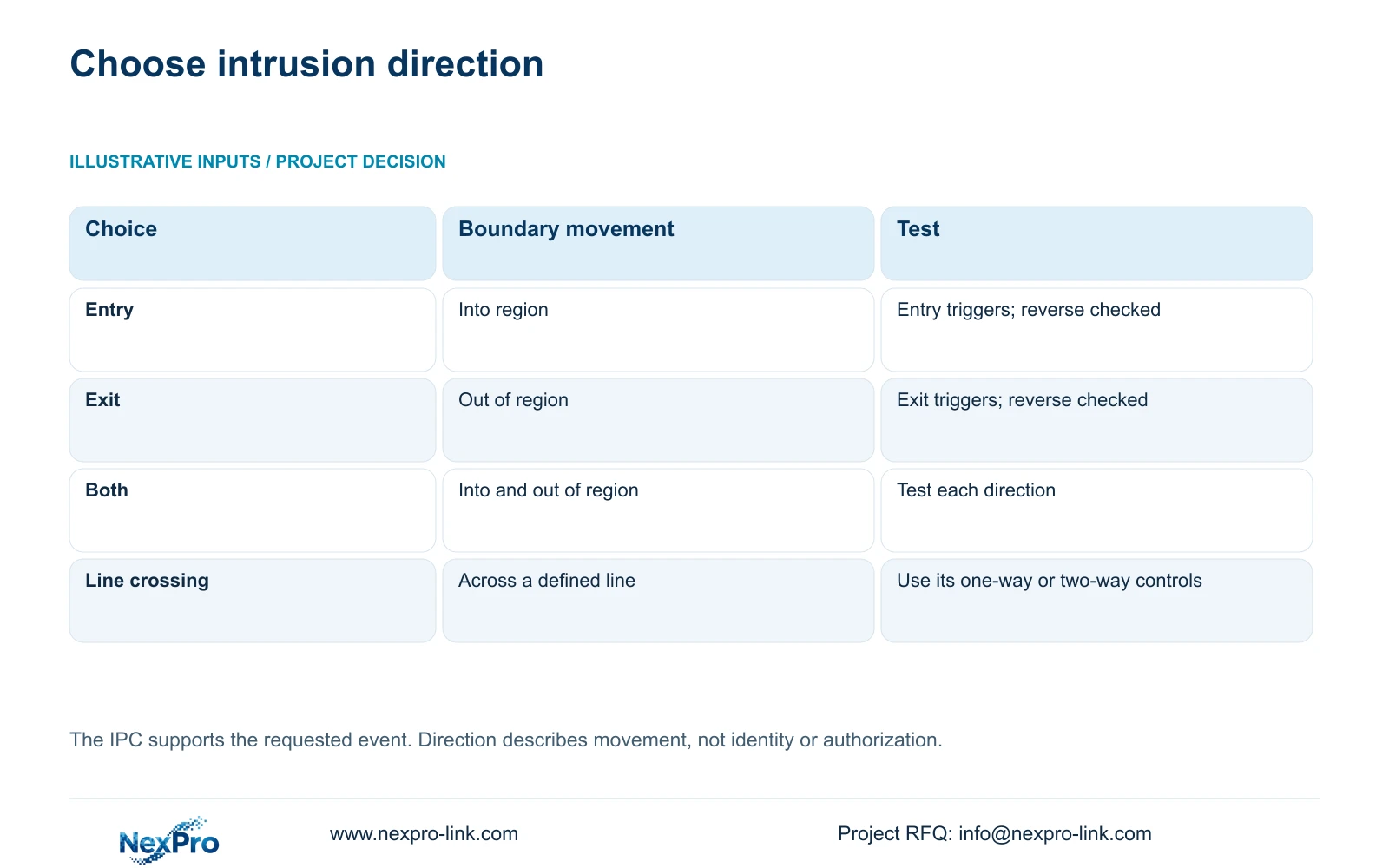
Select entry when the required event is movement into the defined region, exit when it is movement out, and both when either boundary movement requires a response. For a material store that needs notification on entry after closing while allowing an exit route, start with entry and verify the actual route in both directions. The region must identify what counts as inside and outside. Configure the capable IPC through the documented front-end workflow, then check arming and the recorder's selected responses. A directional arrow or visible region is insufficient acceptance evidence. The intended crossing must produce the required result, and reverse movement must behave as specified.
This guide uses the supplied private NVR4.0 user manual CH_V2.4.doc, with V2.2 in its body. Section 4.12.15 covers intrusion geometry, directions and display controls. Sections 4.11.1 and 4.12.11 cover recording and alarm settings; sections 4.3, 4.11 and 4.12.21 support retrieval checks. Section titles and numbers take priority over page numbering.
Mark the protected area on the current camera view and describe its physical boundary in plain language. A doorway, store interior and approach corridor are different possible regions. If two people interpret the drawing differently, resolve that disagreement before choosing a direction.
Section 02
Translate the site route into the front-end setting
The manual gives area intrusion the choices entry, exit and both directions. Line crossing instead uses one-way or two-way crossing. Use the intrusion setting when the task depends on entering or leaving a defined area; avoid carrying line-crossing terminology into the region decision without checking the actual control.
Enable the applicable NVR-side function and open Front-end Settings for the IPC. Confirm camera support and the selected connection's configuration scope, then apply the agreed region and direction. The camera produces the analytic event and the recorder handles reception and linkage. An enabled recorder checkbox cannot add intrusion analysis to an unsupported camera.
Directional triggering does not identify whether a person is authorized. In the material-store brief, the permitted exit route is a movement requirement. If the owner also requires identity-based authorization, specify that separate function and its evidence rather than inferring it from entry or exit controls.
| Required event | Intrusion choice | Acceptance movement |
|---|---|---|
| Notify on movement into the store | Entry | Enter to trigger; exit to check exclusion |
| Notify on movement out of the region | Exit | Exit to trigger; enter to check exclusion |
| Notify on movement across either boundary direction | Both | Test entry and exit separately |
| Detect crossing a route line | Use line-crossing controls | Qualify one-way or two-way against the line |
Section 03
Define when the selected direction matters
An entry requirement after closing needs an explicit arming period. Record the owner's closing and reopening conditions, then compare them with the applicable alarm settings. Do not assume that the recording schedule automatically defines when intrusion notifications are permitted.
Recording and arming answer different questions. The recording plan describes when and how footage is produced. Alarm enablement, region, timing and linkage determine whether the event causes its selected response. Continuous footage may exist through an unarmed period without the intended intrusion notification.
Test the same route within the required arming period and outside it. Write the expected notification outcome for each test before walking. If footage exists but the armed entry produces no event response, investigate enablement, timing and reception before altering the region. If only the recording result fails, retain the working directional rule and inspect the recording task.
Section 04
Compare the displayed region with the physical boundary
Recognition-frame and warning-line display controls are separate from event enablement and actions in section 4.12.15. Use the displayed geometry to inspect whether the region represents the agreed store boundary. Then verify behavior by movement; the drawing alone cannot demonstrate event reception.
Check the approach and exit paths against the actual view. A walk that never crosses the configured boundary is an unsuitable directional test, even if it passes close to the doorway. Record the route using site landmarks so another operator can repeat it.
After a camera movement or lens adjustment, inspect the region again. The relationship between image coordinates and the store changes with the view. Preserve the site meaning of entry and exit instead of assuming the previous drawing still represents the same physical area.
Section 05
Verify notification and footage as separate results
Section 4.12.11 lists popup, flashing border, buzzer, email, snapshot, screenshot sending, preset call, recording and app push separately. Decide which outputs the after-closing entry requires, and identify where each will be checked. Availability must suit the actual recorder and camera combination.
A local popup does not establish delivery to a remote recipient. Check the selected recipient path directly, then retrieve the test footage from the affected channel. Keep alarm-action duration separate from the retention requirement. Neither the notification window nor the displayed region determines how long footage remains available.
If a notification is missing while local response and recording succeed, document the recipient-path failure. Avoid changing a working entry direction to both as an attempted repair, because that introduces an additional class of event without resolving the missing output.
Section 06
Prove the reverse route has the intended outcome
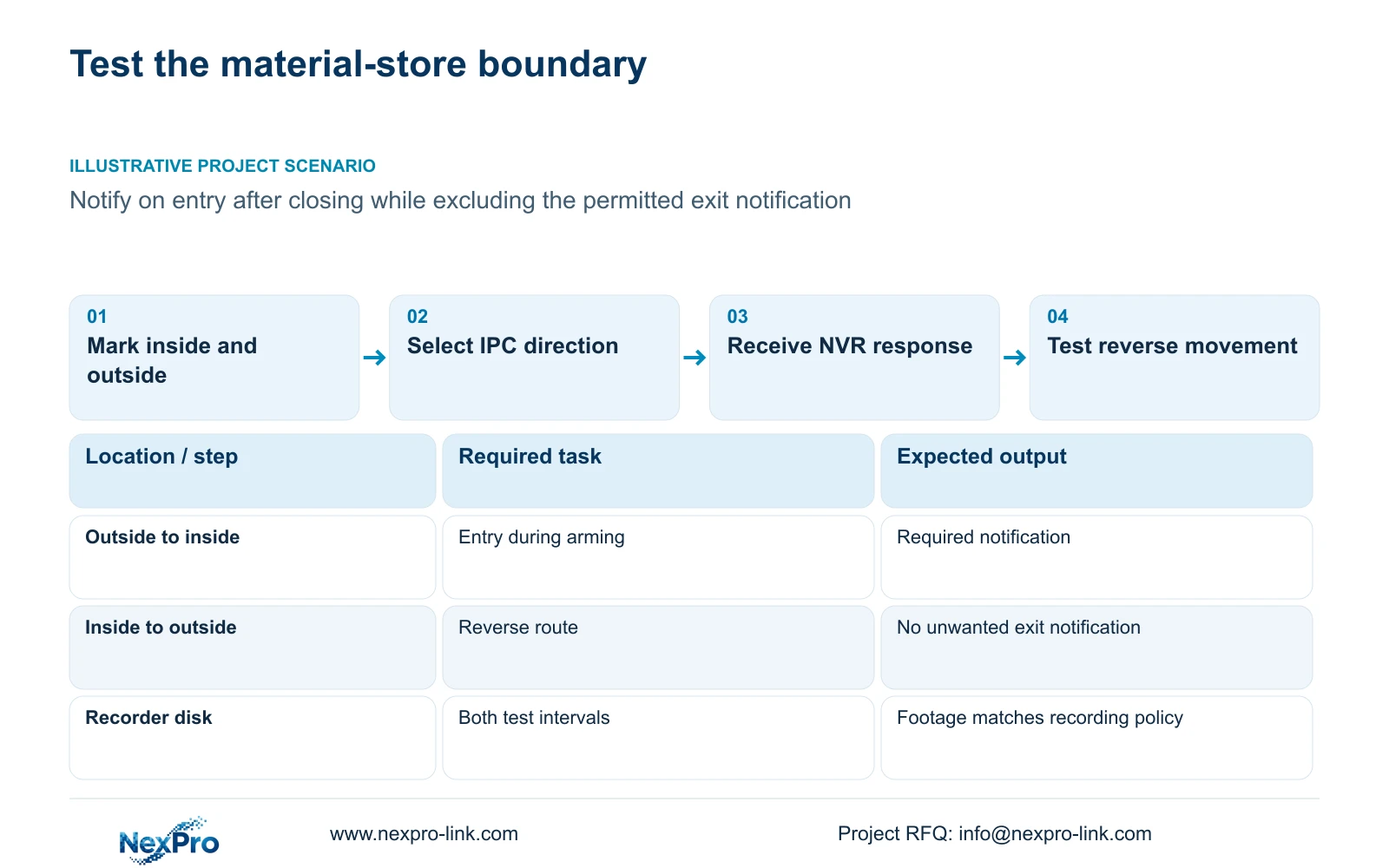
Arrange controlled movement with the site team and record the channel, time, route and expected response. First complete the movement that should trigger entry. Then walk the reverse route under the same relevant conditions. For an entry-only requirement, the reverse test checks that an unwanted exit notification is excluded.
Review the known recording interval and export a suitable sample for playback on another device. Recording of the exit can still be correct under the recording policy even when exit notification should be absent. Keep those outcomes separate in the acceptance record.
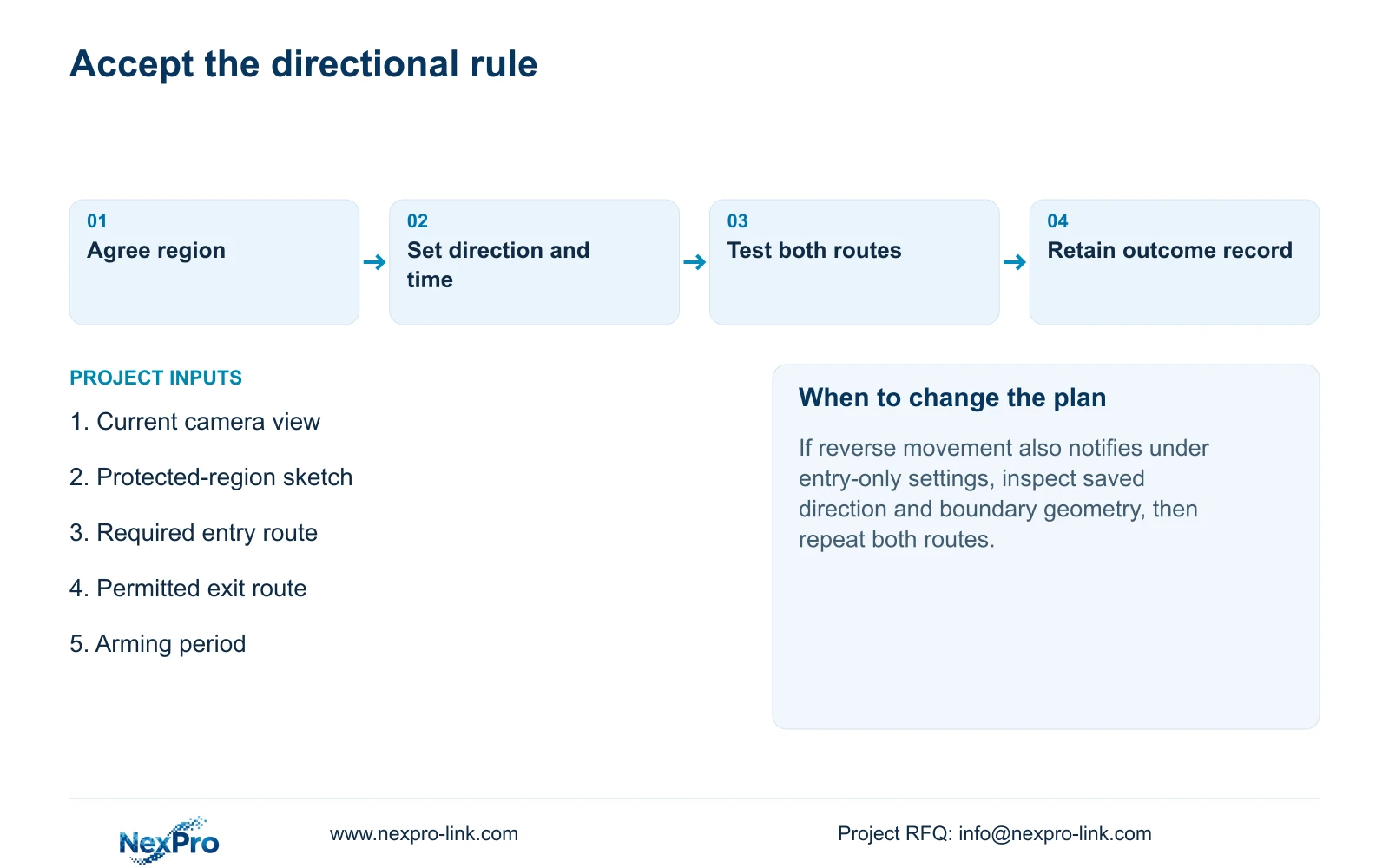
If both routes notify under an entry-only requirement, revisit the saved direction, region interpretation and actual walking path. Change one item and repeat both tests. If neither route produces a response, return to camera capability, enablement, arming and event reception before treating direction as the sole cause.
Section 07
Apply the entry-only requirement to the store
Illustrative project scenario: A material store needs notification on entry after closing but not on an authorized exit route. The engineer defines the store's inside boundary, selects entry on the capable IPC and assigns the required arming period. Controlled entry must produce the selected notification and retrievable footage. Reverse movement must exclude the unwanted notification while retaining any footage required by the recording plan. These are proposed acceptance conditions, not delivered results.
Section 08
Does entry-only detection recognize authorized staff?
No. The supplied directional controls describe movement relative to the region. They do not establish identity recognition or an authorization database.
Section 09
Define the required boundary movement
Send NexPro-Link a redacted region sketch showing the alarm route, permitted reverse route and required arming period at info@nexpro-link.com.
Engineering references
These sources support the general planning principles. Always use the selected product's current datasheet and applicable project standards for final design.


