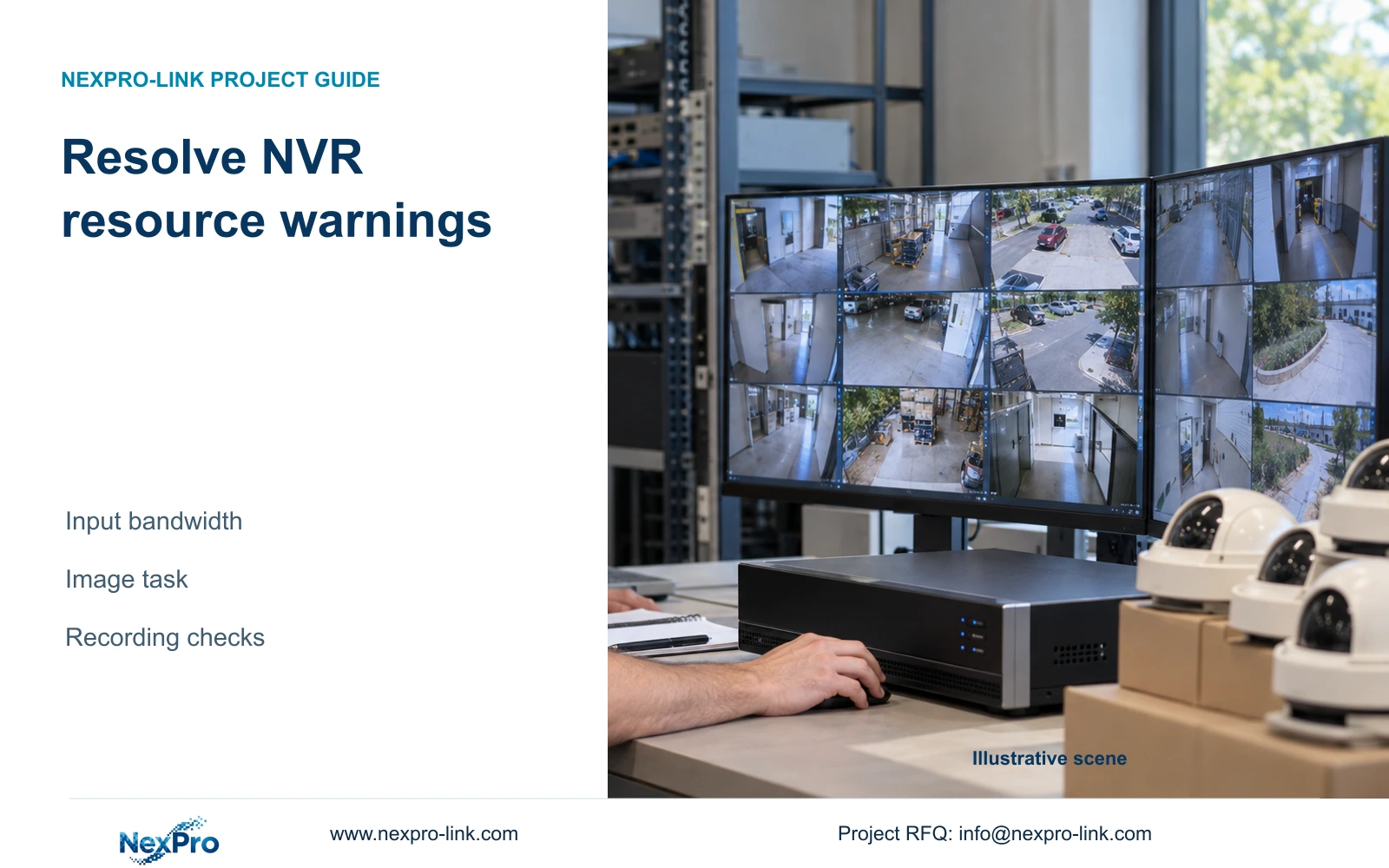
Calculate incoming video demand, preserve the original camera profiles and compare a qualified bitrate adjustment with a recorder change that retains the required image task.
Section 01
Check the warning against the incoming stream mix
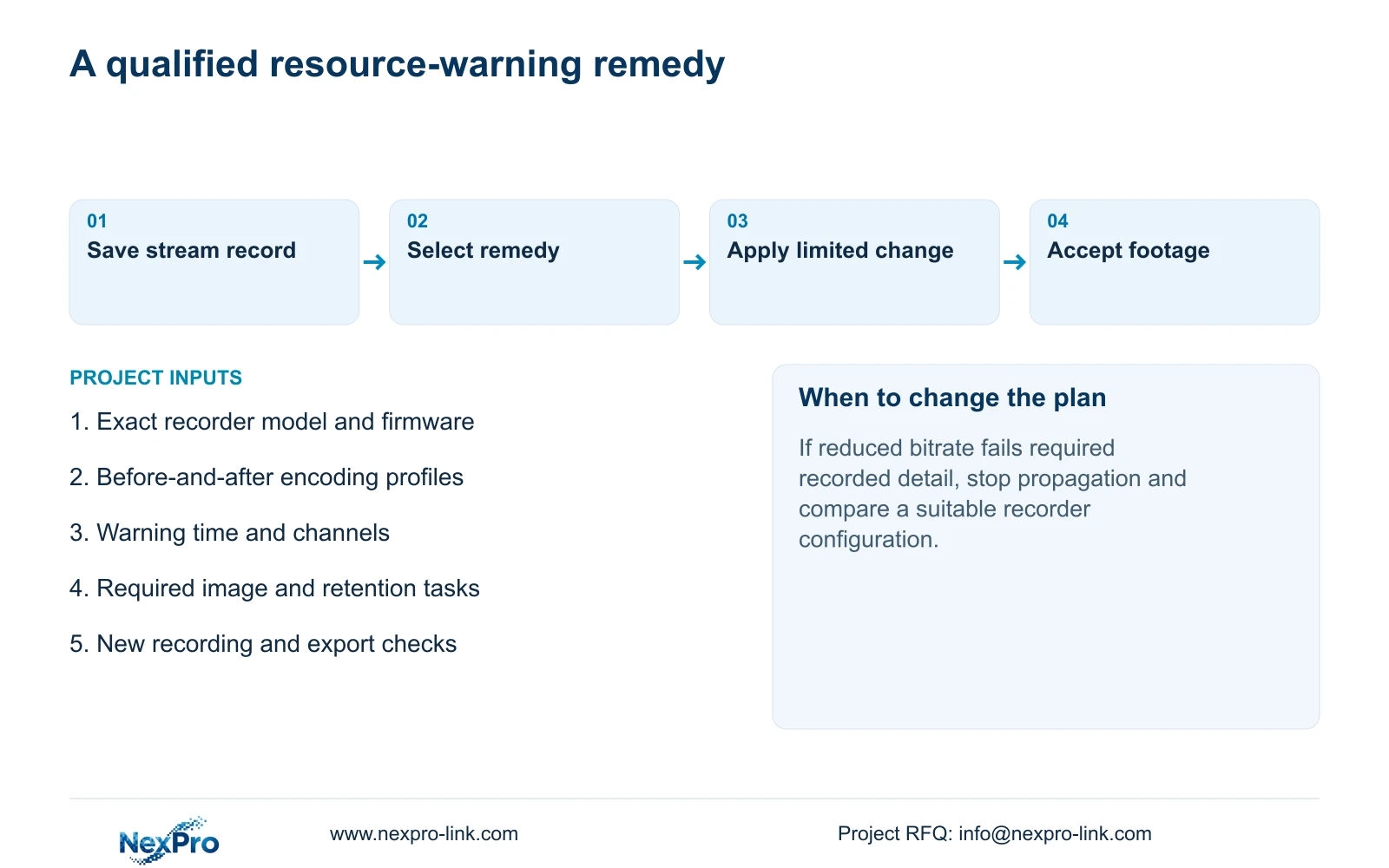
An insufficient channel resources warning calls for an incoming-bandwidth check before a general reduction in image quality. The supplied NVR manual associates this message with total IPC input bandwidth and suggests reducing the affected bitrate. First preserve the camera profiles and establish what changed when the warning began. Compare actual incoming demand with the selected recorder's limits, then test a suitable adjustment on an approved channel group. Acceptance requires usable new recordings and the required retention task, as well as removal of the warning. If an acceptable profile cannot fit the recorder, compare a replacement configuration against the same operating requirements.
This guide follows the private NVR4.0 user manual CH_V2.4.doc, with V2.2 in its body. Section 5.3, question 7, supplies the warning branch; section 5.2 separates model resources. Section references take priority over page numbers. Match the actual model and firmware before applying the branch.
Record whether the warning affects camera connection, recording, local preview or playback. A black display without this message needs its own evidence. Channel enrollment, incoming bandwidth and decoding are separate constraints, so spare channel slots cannot establish spare throughput.
Section 02
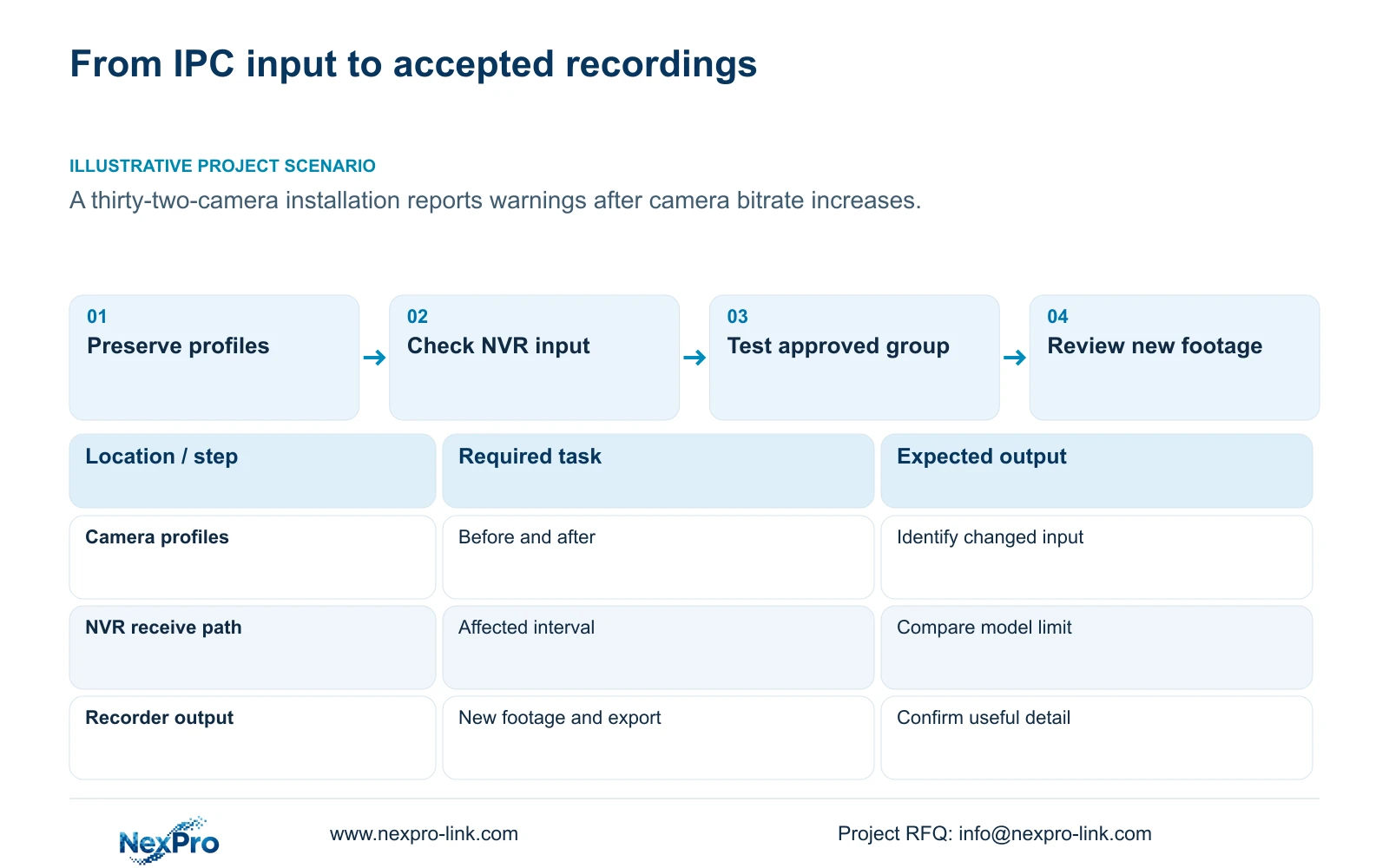
Preserve the before-and-after encoding record
For each changed camera, retain its original and current bitrate setting, CBR/VBR mode and relevant output profile. Add the change time and the camera's assigned observation task. This gives the engineer a specific comparison instead of an instruction to lower every camera.
Sections 4.4.5 and 4.3.3.3 distinguish encoding settings from observed traffic. An entered rate is configuration evidence; a representative measurement describes operation. Record lighting and motion conditions when comparing samples, because a quiet scene does not establish the demand of the full operating period.
Use representative average demand for retention planning and an appropriate peak or limit for input evaluation. Neither CBR nor VBR is a general reliability ranking. Keep the original profile record available until the revised configuration has passed its recording checks.
Section 03
Compare input demand with an explicit planning allowance
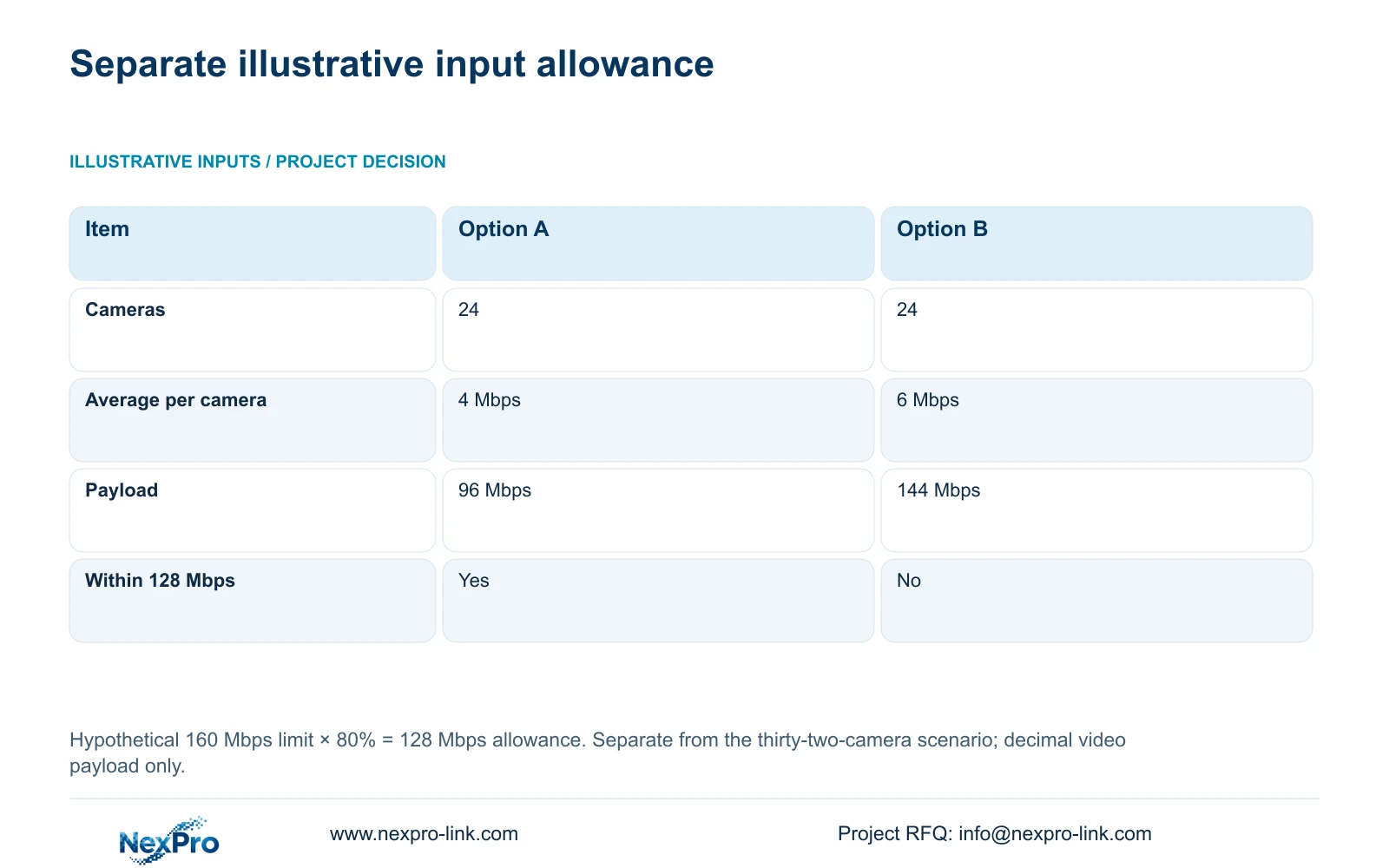
The following arithmetic is a separate hypothetical example, not a specification for the warning scenario. It uses 24 cameras averaging either 4 Mbps or 6 Mbps. The assumed candidate input limit is 160 Mbps, with a chosen planning allowance of 80%. Neither figure is a universal NVR rating or mandatory utilization rule.
Allowed planning input = 160 Mbps × 0.8 = 128 Mbps. Option A video payload = 24 × 4 Mbps = 96 Mbps. Option B video payload = 24 × 6 Mbps = 144 Mbps. These are decimal video-payload values.
Option B exceeds the chosen 128 Mbps allowance, although its 144 Mbps payload is below the hypothetical 160 Mbps limit. Exceeding a planning allowance is not proof of a hardware-limit violation. Check the real specification, operating peaks and other applicable constraints before attributing a warning to this comparison.
| Item | Option A | Option B |
|---|---|---|
| Camera count | 24 | 24 |
| Average per camera | 4 Mbps | 6 Mbps |
| Total video payload | 96 Mbps | 144 Mbps |
| Within 128 Mbps allowance | Yes | No |
Section 04
Check receive traffic over the affected interval
Observe the NVR interface during the operating condition associated with the warning. Identify camera recording input separately from outgoing viewing, playback and downloads. Receive and transmit values need not match, and reducing an outgoing viewing task does not establish that camera input has fallen.
Compare the incoming stream sum with measurements covering the same interface and interval. Interface values can include overhead and other activity, so a payload sum and a measured total may differ. If the scope is unclear, establish the path before using the reading as a selection figure.
When the warning does not follow the expected input pattern, retain the discrepancy. Check the individual stream and the local display or playback requirement instead of changing resolution, bitrate and viewing layout together.
Section 05
Compare stream adjustment and recorder replacement fairly
Define the minimum useful camera task before comparing remedies. An adjustment is a candidate only if its recorded output retains the required detail and operating coverage. A replacement must accept the required streams while also meeting playback, storage and interface needs.
Keep those requirements identical in both alternatives. Include retention, disks, accessories, software and the service boundary when a replacement requires a quotation. NexPro-Link's BOQ and tender support route can support that scoped comparison without treating a recorder-only offer as a complete installed-system price.
Manual TS limits remain model-specific. For example, TS8232C4 has alternative local playback combinations of 1×4K OR 4×2MP OR 2×5MP. They cannot be added together, and there is no established mapping from that code to a NexPro-Link commercial SKU.
| Finding | Candidate action | Acceptance condition |
|---|---|---|
| Lower bitrate retains required detail | Test an approved profile adjustment | Warnings clear and new footage remains useful |
| Useful profile exceeds qualified capacity | Compare a suitable recorder configuration | Same image, retention and playback tasks are covered |
| Input fits but local review fails | Check decoding and playback mode | Required review combination works within model scope |
Section 06
Apply changes only to compatible approved channels
Copy controls can speed up a qualified change, but they cannot judge camera purpose or supported options. Sections 4.11.1, 4.4.2, 4.12.6 and 4.12.7 support copying within their respective setting scopes. Identify exactly which profile or schedule is being copied.
Group destinations by task and capability. Preserve exceptions, record the source channel and selected targets, and check actual applied values afterward. A gate camera and a corridor camera should not receive the same profile merely because both appear in the affected group.
Test the approved adjustment before extending it. If it fails the image task, do not propagate it. Retain the failed result and choose the next supported comparison; the manual does not establish an automatic rollback mechanism for every unit.
Section 07
Accept the remedy through recorded results
Illustrative project scenario: A thirty-two-camera installation shows resource warnings after several cameras are set to higher bitrates. Preserve the changed channel profiles and warning times, then compare incoming demand under the affected conditions. The separate 24-camera arithmetic above illustrates budgeting and supplies no measured values for this installation.
After an approved change, check live view, correct time and newly generated footage. Review relevant older footage and export a sample through the intended workflow. Include the required accounts and events where those tasks form part of acceptance.
Record the changed variable and every failed check. Reassess retention using the qualified recording demand; clearing the message cannot establish how long the disks will retain footage. Sections 4.11 and 4.12.17 through 4.12.20 support the relevant review and system-information tasks.
Section 08
Buyer questions about resource warnings
Must every affected camera use a lower bitrate? No. Qualify the relevant camera groups against their image tasks and the actual constrained resource.
Does 144 Mbps violate the example's 160 Mbps limit? No. It exceeds the selected 128 Mbps planning allowance, not the hypothetical rated limit.
Is a clear live picture enough to accept the change? No. Check new recordings, retrieval and the required retention basis.
Section 09
Provide the changed stream group
Send NexPro-Link the recorder model/firmware and affected channels' before-and-after bitrate profiles, with the warning time, at info@nexpro-link.com.
Engineering references
These sources support the general planning principles. Always use the selected product's current datasheet and applicable project standards for final design.