

Move a demonstration recorder into service with separate credential ownership, verified operator permissions and a controlled handover that keeps passwords out of public records.
Section 01
Replace bench credentials before operational acceptance
A demonstration recorder should enter service only after its credential objects, account owners and operator permissions have been reviewed. Replace demonstration secrets through the applicable authorized setup process, handle local login and cloud activation separately, and confirm who will control administration after delivery. Then test the intended daily account, including an action it must be denied, and inspect what remains visible without login. A successful cloud connection does not establish that recording works. Complete acceptance with a known recording, playback and export task, while keeping passwords out of carton labels, equipment schedules and public handover documents.
This guide follows the supplied NVR4.0 user manual CH_V2.4.doc, whose body identifies V2.2. Sections 4.1.1, 4.3.1, 4.12.3, 4.12.5 and 4.12.8 govern the relevant account objects. Match those instructions to the actual recorder and firmware before applying them.
Section 02
Complete cloud initialization on its own terms
For an initially unactivated recorder, sections 4.1.1 and 4.12.8 describe cloud-password setup as part of entering the cloud-service workflow. This version requires uppercase letters, lowercase letters and numbers, and rejects an empty or default cloud password. These are the documented rules for that credential object; they do not establish identical requirements for every local user or third-party account.
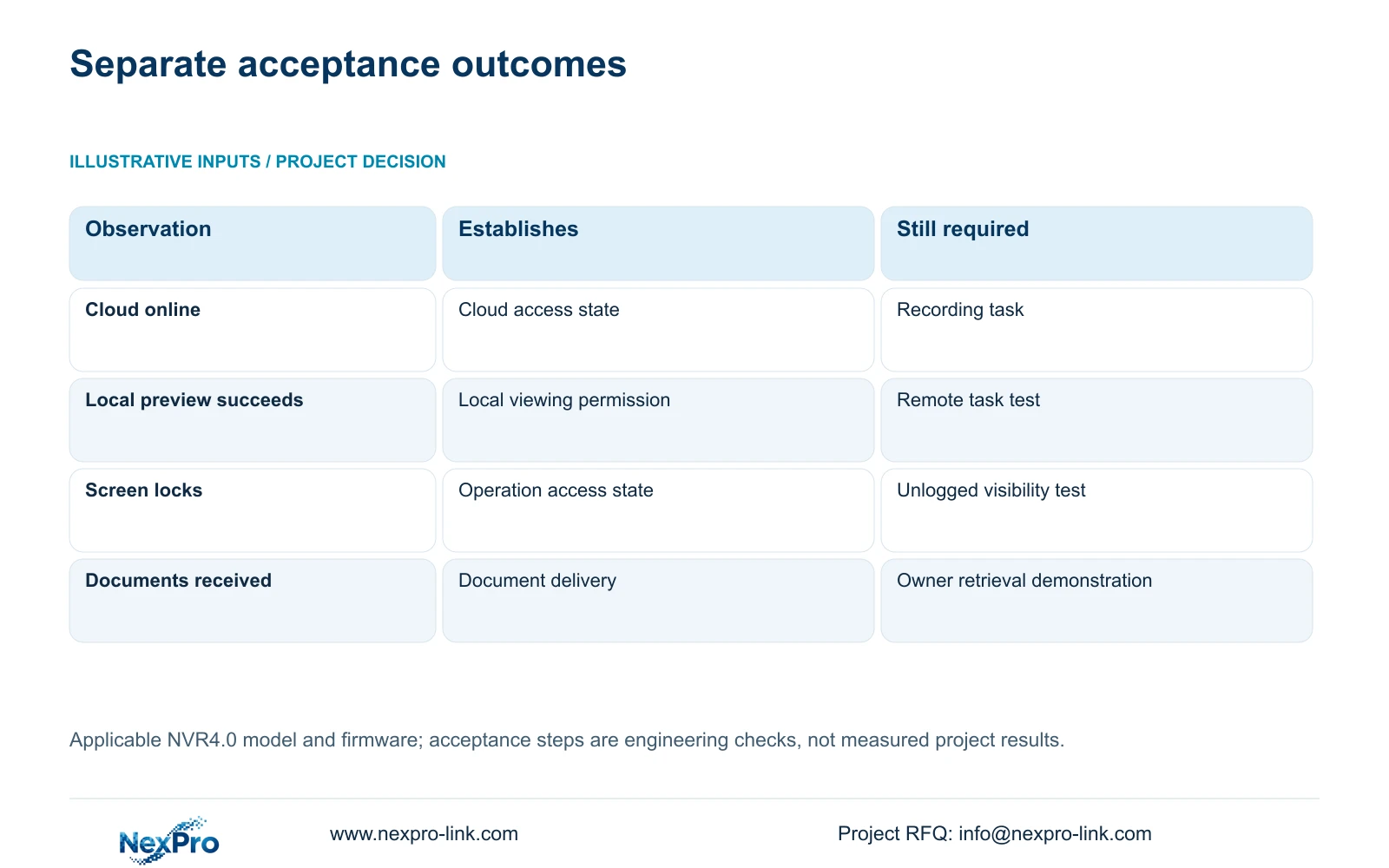
Observe the resulting cloud state after the applicable network conditions are met. If activation remains incomplete, keep that result open as a cloud-access issue. Do not mark disk preparation, recording policy or retention as accepted because the recorder is online. Those outcomes need their own operating checks.
Section 03
Assign each credential to the connection it controls
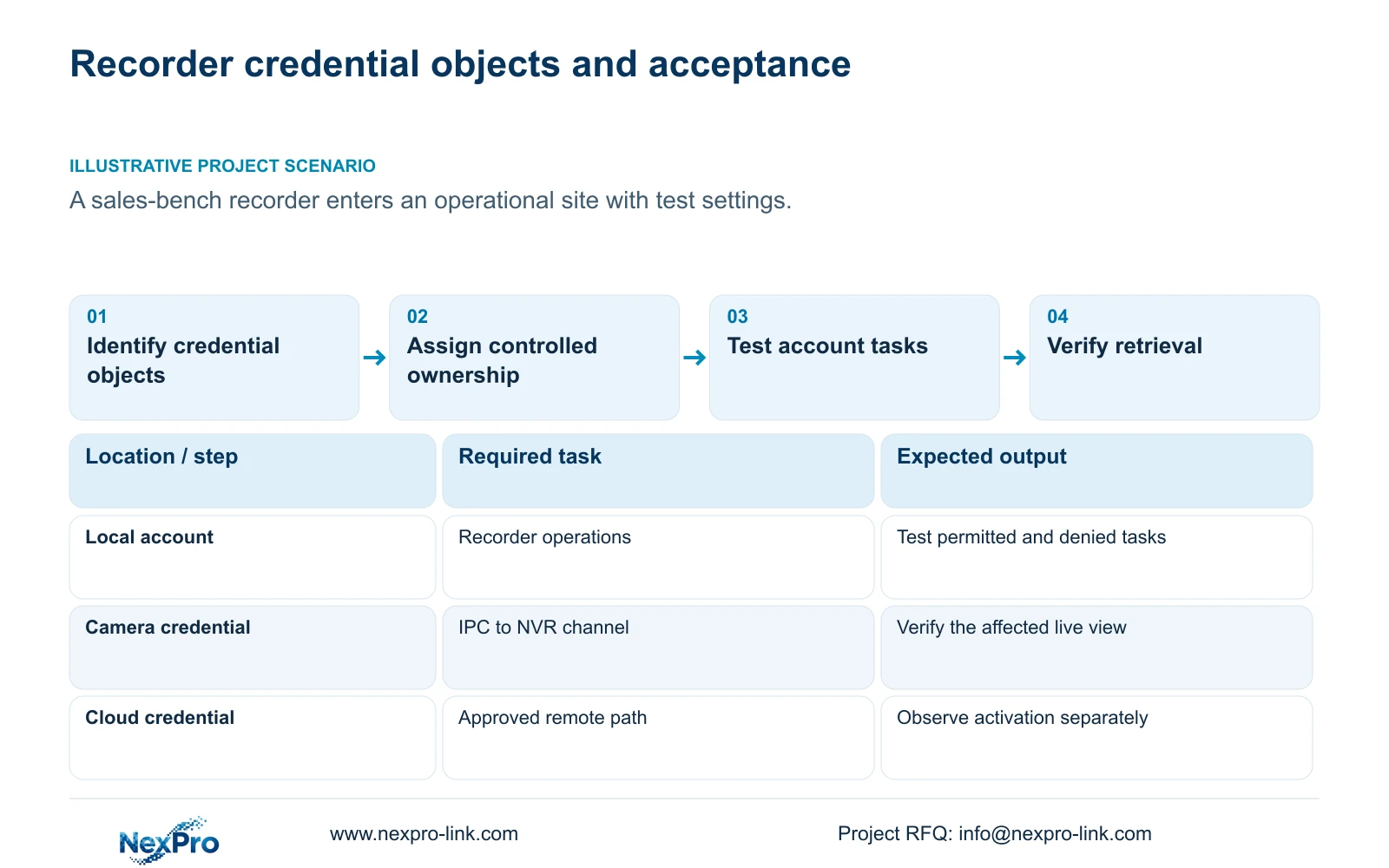
Build a private ownership record covering local recorder users, network users, camera connection credentials and the relevant third-party cloud account. Record the responsible holder and change status without inserting the secret. This lets the project distinguish an unfinished credential change from an unfinished account transfer.
A channel's username and password authenticate its IPC connection. Editing that entry does not change every camera or the recorder's administrator password. When replacing a camera secret, coordinate the corresponding connection entry and verify that channel afterward. If a picture disappears, inspect the affected authentication relationship before changing unrelated accounts.
| Object | Observed condition | Next action |
|---|---|---|
| Cloud setup | Activation remains incomplete | Check the applicable cloud-password rules and network conditions. |
| Camera connection | An IPC secret has changed | Update the authorized matching connection and verify that channel. |
| Local administration | Bench staff still control the account | Complete controlled ownership handover before acceptance. |
| Daily operator | Preview works, other rights are untested | Test required and prohibited tasks on each intended access path. |
Section 04
Keep administrative control with a named owner
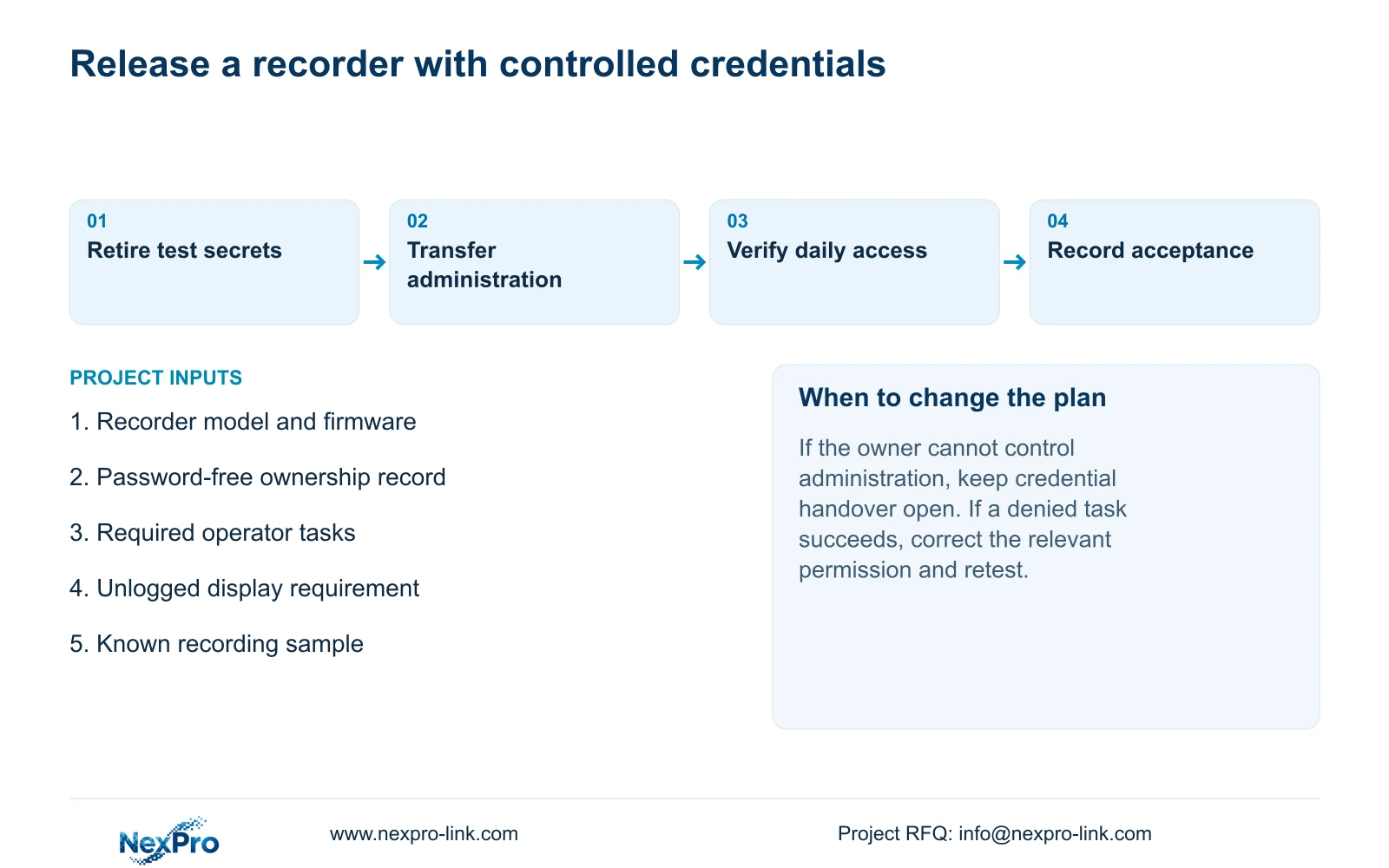
Section 4.12.3 says admin cannot be disabled or deleted and retains all permissions. Plan around that limitation. The owner should nominate the person responsible for administration and the controlled route through which that responsibility is handed over.
Daily guards or reception staff should use separate accounts with the permissions their work needs. Giving everyone the administrator secret makes the ownership record less useful and expands access beyond routine viewing. If a daily task fails, review its relevant permission before granting administrative access. Creating an operator account alone does not establish compliance with an access-control certification.
Section 05
Check the screen from the public side of the desk
Section 4.12.5 separates automatic locking from the option that prohibits preview by users who are not logged in. Agree whether the desk may continue displaying images while operations are locked. A controlled security room and a publicly visible reception monitor may need different outcomes.
Observe the actual screen without login and compare it with the owner's requirement. If images remain visible where they should be concealed, inspect the unlogged-preview setting independently of automatic locking. Record the result, including whether configuration access and image visibility each meet the requirement. Avoid changing several access settings together, which would obscure the cause of a mismatch.
Section 06
Test the daily account on the intended access path
The manual separates local and network permissions for preview, playback, system settings and PTZ, with local recording backup also treated separately. A successful local view cannot approve remote playback. Specify the action and path together, then use the intended account to perform it.
Include a denied action in acceptance. For example, an account approved for viewing should not gain configuration access unless the owner has requested it. Record both outcomes. The remote-upgrade permission row has inconsistent descriptive text, so its actual behavior needs model-specific confirmation if that task forms part of the maintenance scope.
Section 07
Deliver operating evidence without publishing secrets
Illustrative project scenario: A sample recorder is moved from a sales bench to an operational site with its test settings still present. The project manager separates completed bench preparation from unresolved credential ownership, verifies the installed account tasks, and keeps acceptance open until the owner can retrieve an identifiable recording.
The handover record should identify the applicable versions, channel map, configuration-backup location and maintenance responsibilities. Using the functions in section 4.11, the owner should find a requested period, export it and open the file on the intended receiving system. Transfer credentials separately through the approved controlled route. Never print passwords on box labels or include them in public guides.
NexPro-Link's BOQ and tender support can provide a project-document discussion route when the equipment schedule and handover responsibilities need coordination. Document receipt and demonstrated operator capability should remain separate acceptance entries.
Section 09
Can cloud activation close commissioning?
No. It establishes the cloud-service workflow under the documented conditions. Recording, playback, export and operator permissions still require verification.
Section 10
Provide the credential ownership split
Send NexPro-Link a password-free account ownership and required-task list at info@nexpro-link.com to discuss the remaining credential handover scope.
Engineering references
These sources support the general planning principles. Always use the selected product's current datasheet and applicable project standards for final design.


