

The same I-frame count produces different nominal durations at different frame rates. Convert the units, group compatible cameras and test playback before copying a GOP profile.
Section 01
Calculate duration from the stream's frame count
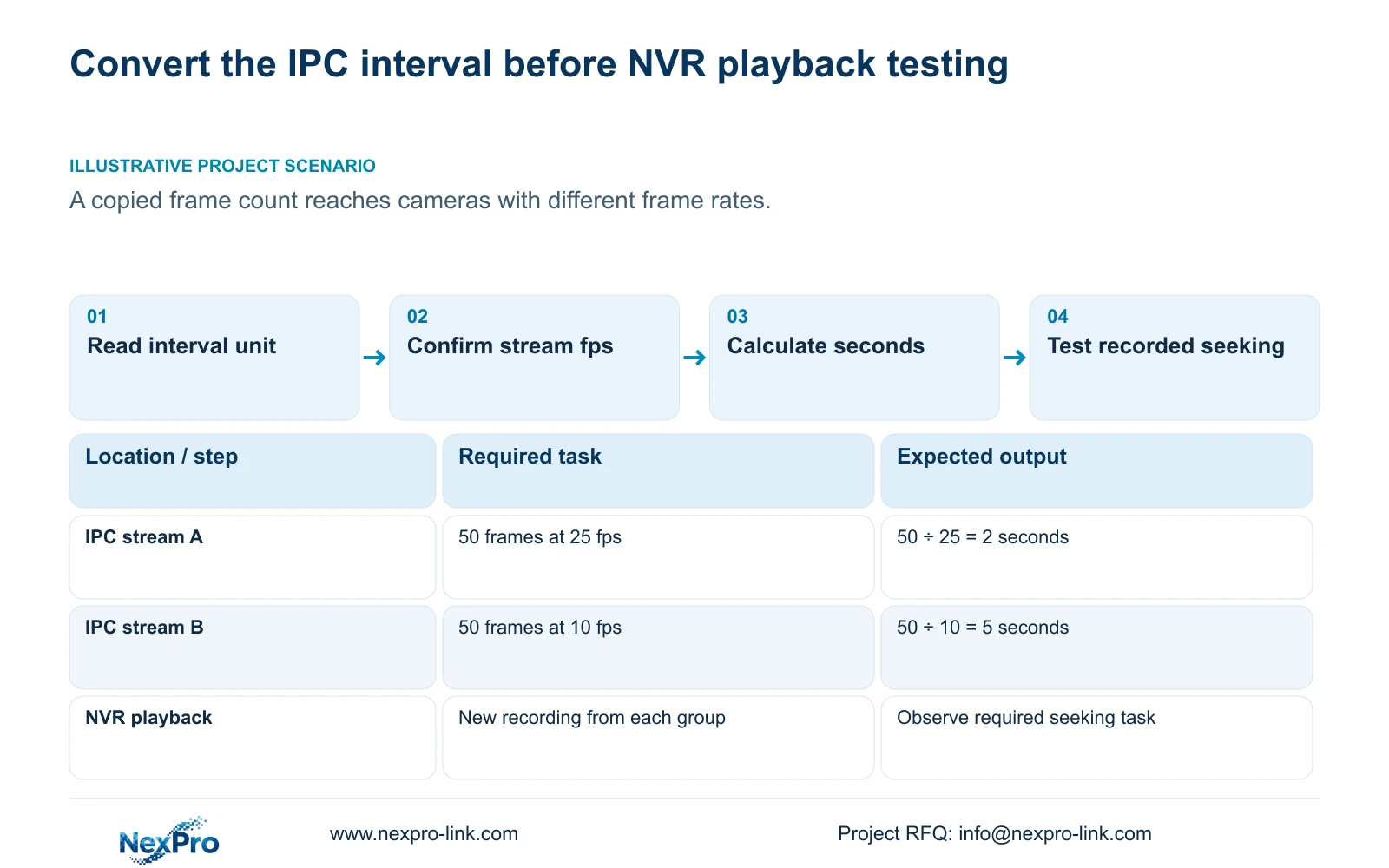
For an I-frame interval expressed in frames, divide the interval by the stream's actual frame rate to obtain its nominal duration in seconds. An interval of 50 frames at 25 fps is 2 seconds; the same 50 frames at 10 fps is 5 seconds. Copying the number therefore does not preserve the same duration across cameras. Confirm the field's unit and supported stream mode before changing GOP settings, then verify the operator's playback task on new recordings. The calculated interval is not a promise of startup time, network latency or seek performance, and the largest or smallest allowed value is not automatically the best choice.
Sections 4.4.5 and 4.12.7 of the private NVR4.0 user manual CH_V2.4.doc describe a keyframe interval setting from 1 to 200. The filename states V2.4 while the body states V2.2. Use the section identity when checking applicability; the range belongs to this source and is not a recommendation for every camera.
Write the field as a frame count in the profile record. A value of 100 must not be labelled 100 seconds. If the actual interface uses a different unit or the model's behavior is unclear, obtain its applicable instructions before using this conversion.
Section 02
Record actual fps before comparing intervals
Identify the main or substream being configured and read its accepted frame rate. Keep the configured value separate from any observed sample information. If the applicable frame rate is unresolved, a frame count alone cannot establish a reliable duration.
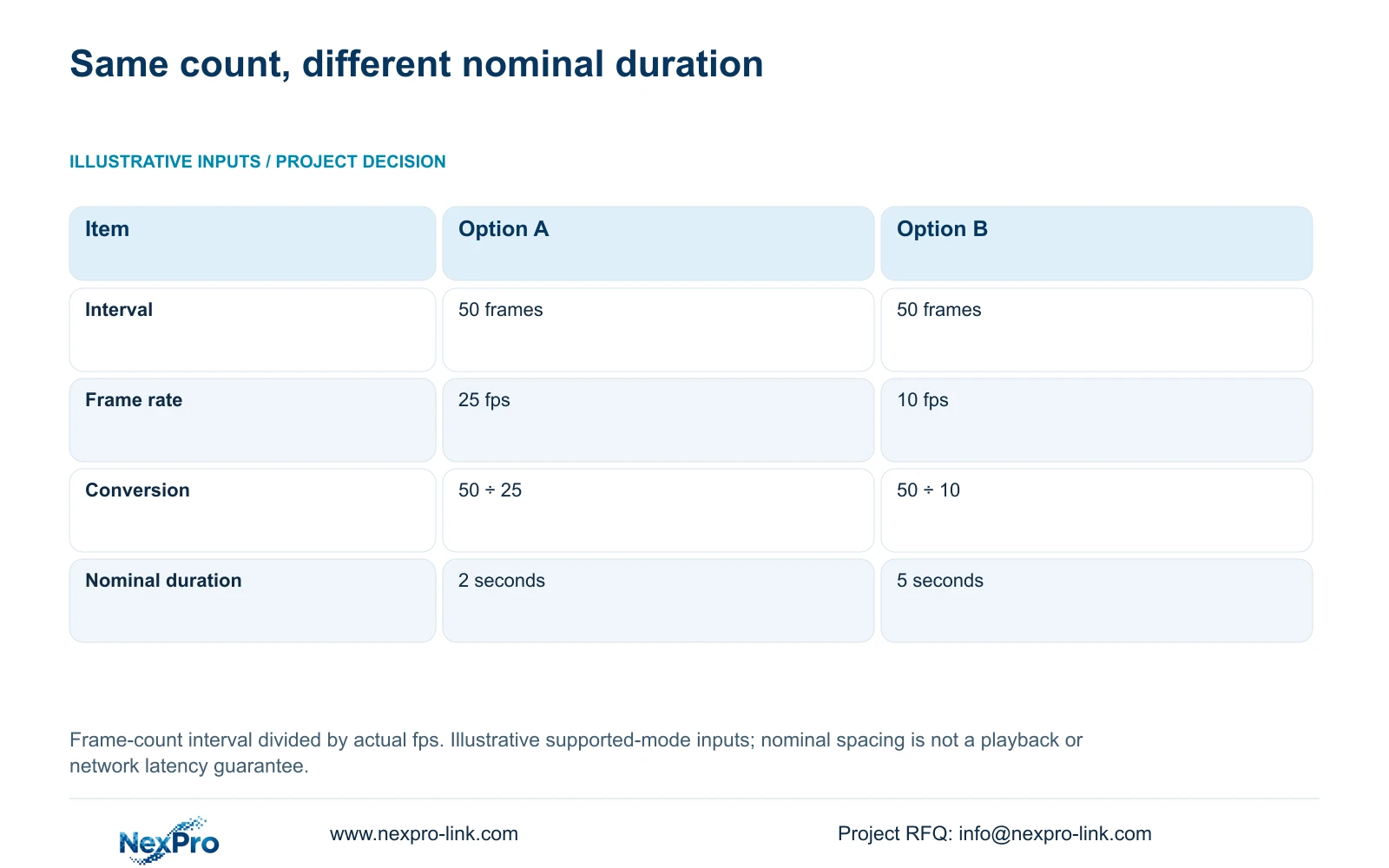
The illustrative inputs are two streams with a 50-frame interval: Option A operates at 25 fps and Option B at 10 fps. Nominal interval in seconds ≈ interval frames ÷ actual frames per second. A gives 50 ÷ 25 = 2 seconds; B gives 50 ÷ 10 = 5 seconds.
The table shows why identical fields do not imply identical time spacing. It does not measure playback responsiveness. If a common nominal interval is required, assess each camera's supported frame rate and allowed interval together, then qualify the result through playback instead of copying the source channel blindly.
Also record CBR or VBR and bitrate settings as context for the test. Configuration fields do not establish actual traffic or daily stored volume. Observe representative conditions if the change requires a new storage or interface assessment.
| Item | Option A | Option B |
|---|---|---|
| I-frame interval | 50 frames | 50 frames |
| Actual frame rate | 25 fps | 10 fps |
| Arithmetic | 50 ÷ 25 | 50 ÷ 10 |
| Nominal duration | 2 seconds | 5 seconds |
Section 03
Keep the camera's supported encoding combination
Read the interval in the context of the complete stream profile. The manual lists H.264, H.265 and H.265+, with available resolutions dependent on IPC capability. Confirm the selected camera accepts the intended codec, resolution and frame rate before treating the interval as an approved setting.
Preserve a comparable recording before changing the profile. If a required option is missing or a value does not persist, investigate the camera identity and connection scope. Changing codec and interval together makes the playback comparison harder to interpret.
A smaller exported file or a smart-codec label cannot establish that a GOP change succeeded. Success depends on usable recording and the required retrieval behavior. Keep source support, accepted settings and observed results in separate parts of the test record.
Section 04
Group destinations before copying a profile
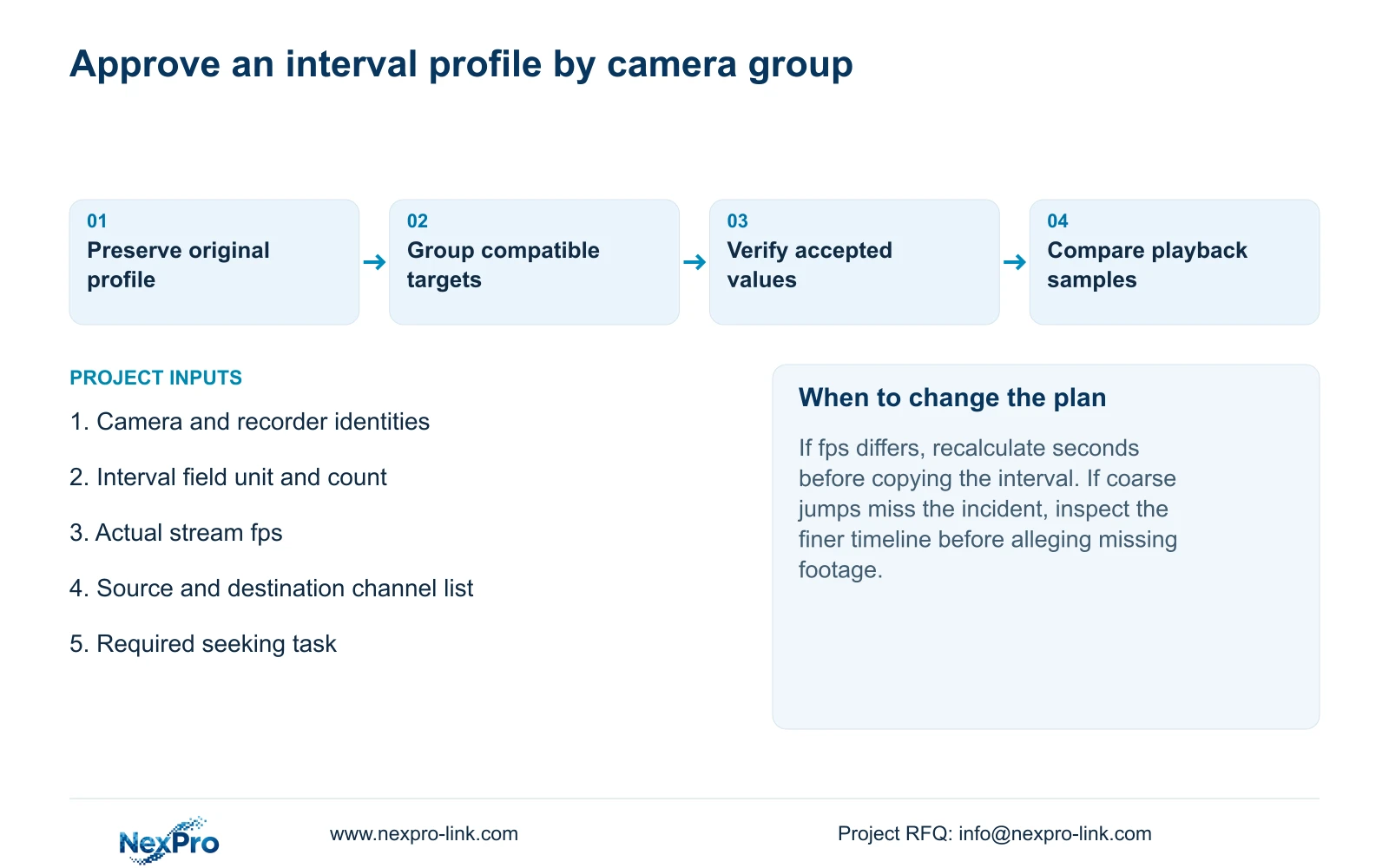
Sections 4.11.1, 4.4.2 and 4.12.6 through 4.12.7 describe copy-related settings. Copying helps apply a suitable profile efficiently, but it does not assess the destination camera's capability or recording purpose. Group targets by supported options and operational task before selecting them.
Record the source channel and destination list. Retain exceptions where cameras use different frame rates or require different recorded detail. After copying, inspect accepted destination values and a new recording from each relevant group; a save confirmation proves less than a successful operating result.
If an unexpected target changes, stop further copying and compare its current profile with the preserved record. Avoid expanding the change until its cause and accepted settings are understood.
| Destination condition | Decision | Verification |
|---|---|---|
| Same supported mode, fps and task | Candidate for grouped copying | Check accepted values and new playback |
| Different fps | Recalculate nominal seconds | Confirm frame rate and interval together |
| Different recording purpose | Preserve a separate profile | Test that camera's retrieval task |
Section 05
Test seeking without confusing navigation with missing footage
Section 4.11.3 provides thirty-second forward and backward jumps, time positioning and timeline zoom. These controls serve different search tasks. Image electronic enlargement changes the viewed image area; it does not refine the time interval being searched.
A 20-second illustrative event can fall between inspection points when an operator advances in 30-second jumps. That navigation outcome is not proof of missing recording. Locate the likely period broadly, then use finer timeline inspection and playback through the event.
For a GOP trial, repeat the same retrieval task on comparable before-and-after recordings. Note the requested time and observed behavior without assigning a guaranteed delay from the calculated interval. If the target event is still absent, check the recording period separately from the navigation method.
Section 06
Keep the before-and-after operating record
Recheck live view, correct time, newly produced footage and relevant older footage after the interval change. Test export on the intended receiving system, along with relevant accounts and required events. Record the single changed variable and any failed task.
The source's operating and maintenance scope is in section 4.11 and sections 4.12.17 through 4.12.20. An online state or version label cannot close the comparison. If an unresolved failure requires supplier guidance, retain the samples and accepted configuration rather than assuming an automatic rollback mechanism.
Approve the profile for the tested camera group and retrieval task. The resulting record should preserve frames, fps and nominal seconds as distinct fields, preventing a later frame-rate change from silently invalidating the duration assumption.
Section 07
Review a copied interval across mixed frame rates
Illustrative project scenario: A site engineer copies the same I-frame value to cameras running at different frame rates. The engineer identifies each destination's accepted fps, calculates the corresponding nominal seconds and separates incompatible targets into different groups. A new playback trial then checks the required seeking task. The proposed outcome is a documented profile comparison, not a measured latency guarantee.
Section 08
Does a two-second interval guarantee a two-second playback response?
No. The conversion describes nominal keyframe spacing for the stated frame count and fps. Playback response requires observation on the actual recorder and viewing path.
Section 09
Request a grouped interval review
Send NexPro-Link the affected camera-group interval counts, actual fps and required playback task at info@nexpro-link.com.
Engineering references
These sources support the general planning principles. Always use the selected product's current datasheet and applicable project standards for final design.


