HDMI and VGA connectors do not establish separate operator workspaces. Define the content and permissions at each desk, then qualify the recorder or an independent viewing arrangement.
Section 01
Specify what each operator must see
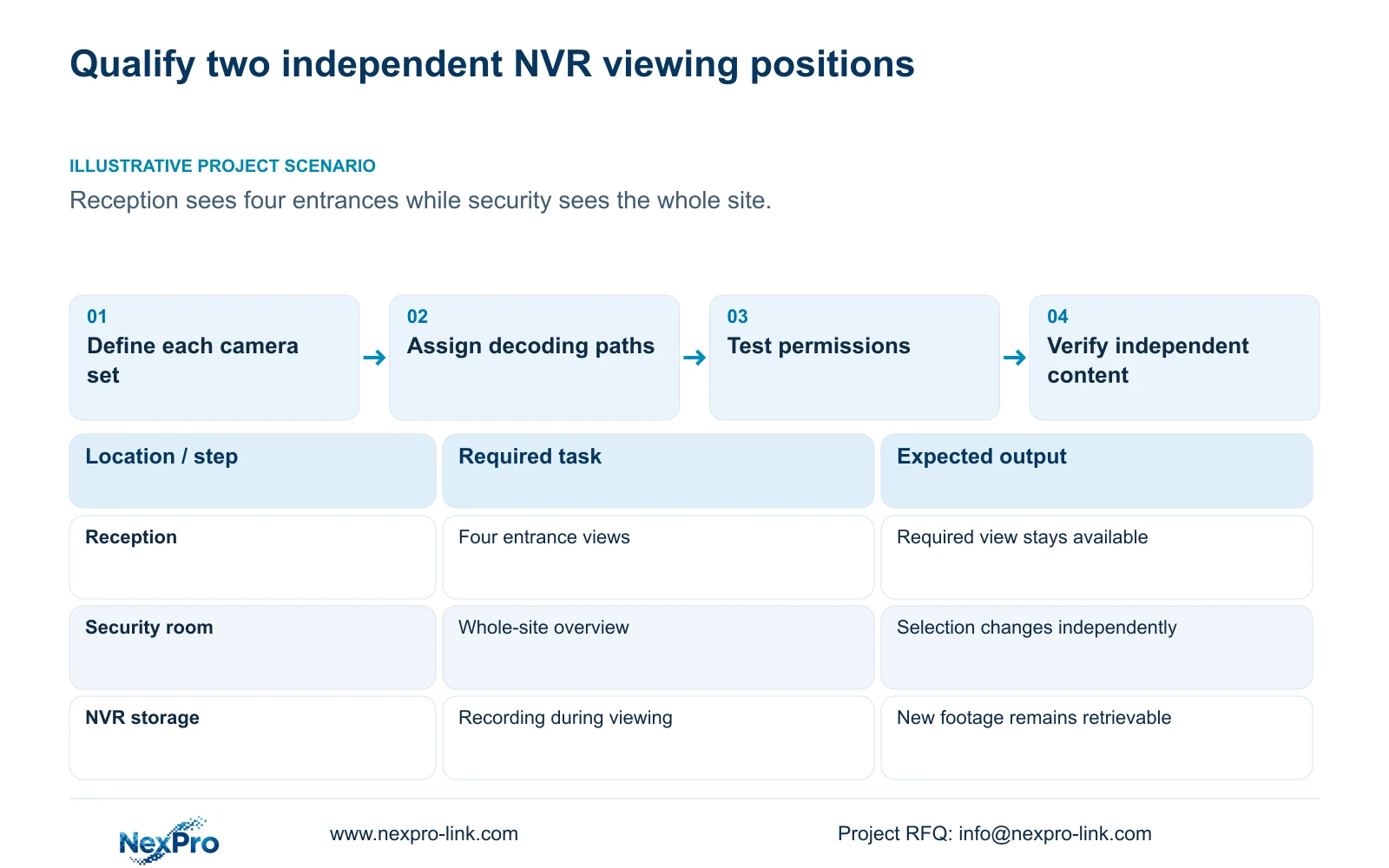
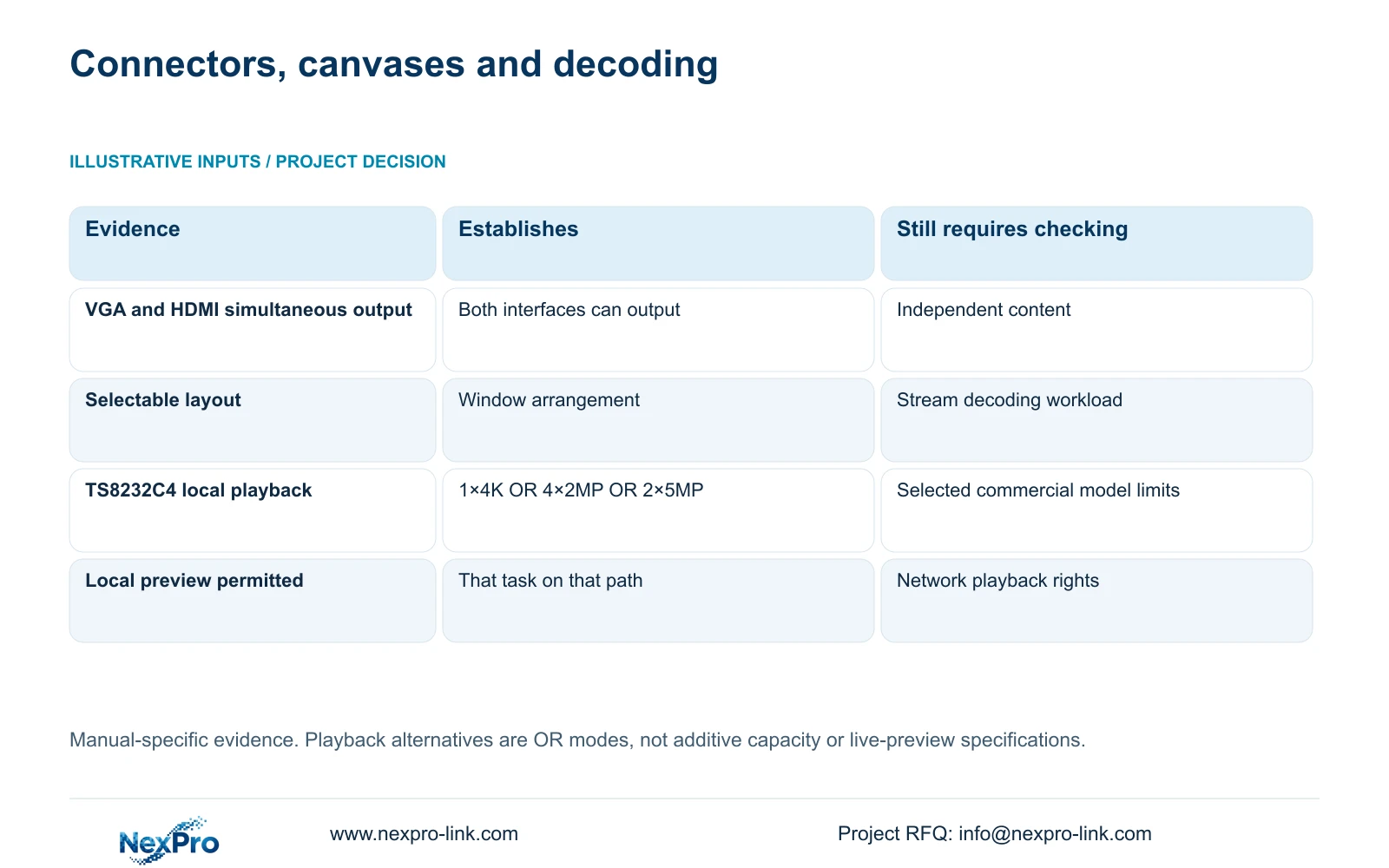
Simultaneous VGA and HDMI output does not establish two independently managed operator views. The supplied NVR4.0 manual states that both interfaces can output simultaneously, but it does not prove separate canvases with different camera selections. For reception to watch four entrances while security watches the whole site, write the required content at each position before selecting hardware. Then qualify each layout, stream workload and access permission on the actual recorder and firmware. If independent content cannot be demonstrated, compare a supported workstation or decoding arrangement. Keep the recording requirement unchanged while resolving the viewing requirement, and accept the configuration only when both positions perform their intended tasks.
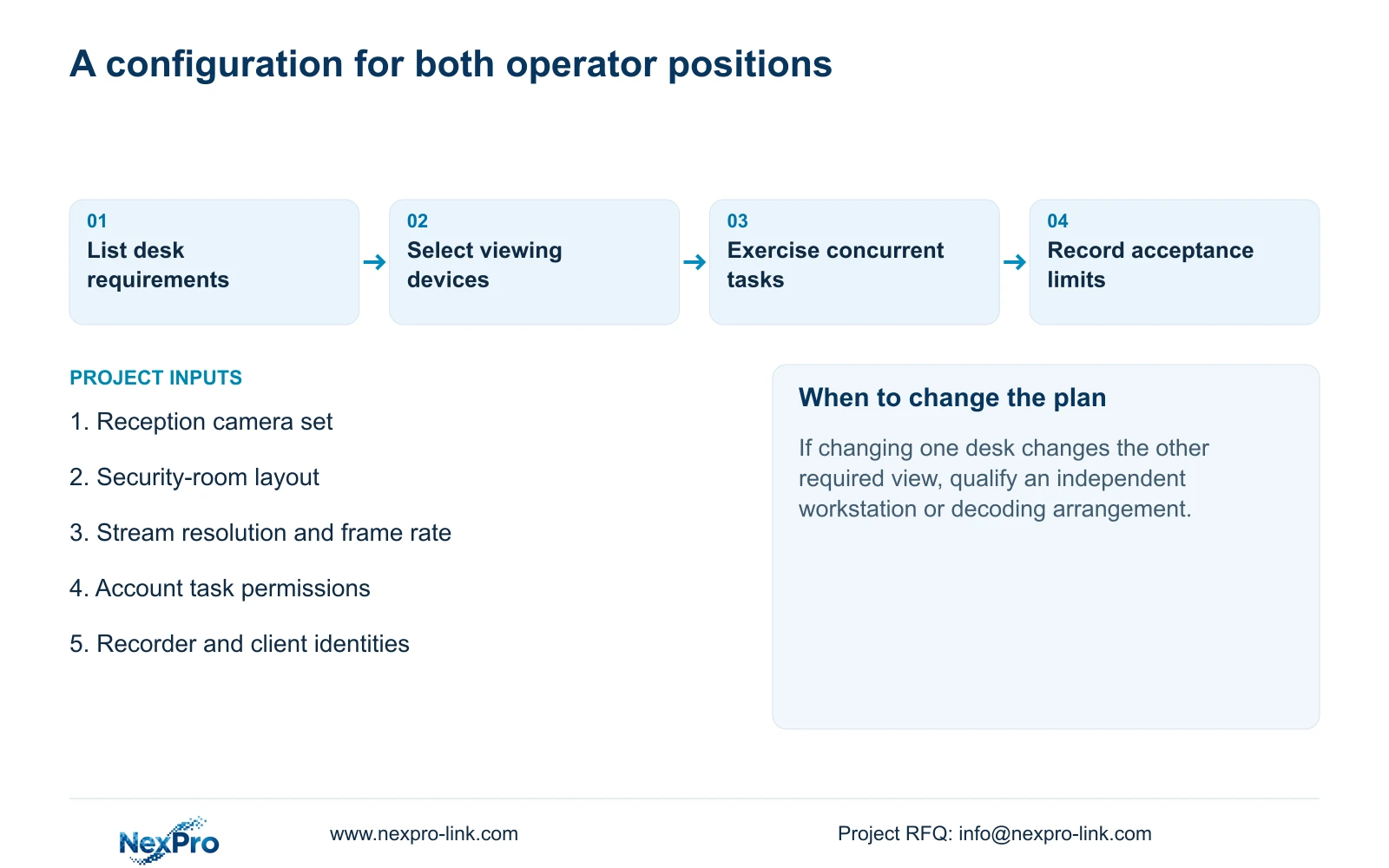
Describe the normal view and the permitted operator action at each desk. Reception may need a stable entrance view, while security may need to select cameras for incident review. State whether changing one position must leave the other unchanged. This gives the supplier an observable requirement instead of the ambiguous instruction to connect two monitors.
Section 02
Write the layout and streams for each screen
The manual lists layouts with 1, 2, 4, 6, 8, corridor 8, 9, 10, 16, 24, 25 and 36 windows. These choices arrange pictures; they do not establish concurrent full-resolution processing. Reception's four entrance windows therefore need their own stream specification, and the security room needs a separate list of the views it must display together.
For each position, record camera identities, the selected stream resolution and frame rate, and whether the task is live observation or playback. Do not fill missing values from the grid size. If the security operator must inspect a single view in greater detail, include that task alongside the overview layout so the qualification covers actual use.
Section 03
Qualify decoding separately from recording channels
Keep enrolled recording channels, total incoming bitrate, preview decoding, simultaneous playback and monitor output as separate constraints. A recorder can have enough camera inputs while its local viewing combination is smaller. Identify which device decodes the streams at each position before comparing capacity; a workstation or decoder requires its own supported workload.
Section 5.2 lists TS8232C4 local playback as 1×4K OR 4×2MP OR 2×5MP. These are alternative modes, not an additive total, and they are playback entries rather than evidence for a proposed live-preview arrangement. The TS model has no established mapping to a NexPro-Link commercial SKU. Obtain the selected product's own specification and demonstrate the required simultaneous tasks.
Section 04
Test permissions on the actual access path
The manual separates local and network permissions for tasks including preview, playback, system settings and PTZ. Local recording backup is also a separate permission. Decide which tasks reception needs and which remain with security, then test the intended accounts through the actual local or network path.
Include both an allowed task and a prohibited task in the check. Successful local preview does not establish remote playback rights, and a restricted camera layout alone does not prove access separation. If a prohibited action succeeds, revise the supported permission arrangement before acceptance. The manual's remote-upgrade description is inconsistent, so that row should not be used to infer administrative behavior.
| Requirement | Evidence needed | Decision if missing |
|---|---|---|
| Reception shows four entrances | Required camera set remains available in its layout | Revise the viewing configuration |
| Security shows the whole site | Selected streams work in the intended overview | Qualify a different decoding workload |
| Selections remain independent | Changing one position leaves the other view unchanged | Use a verified independent arrangement |
| Reception has limited tasks | Allowed and prohibited actions behave as specified | Resolve account and access-path permissions |
| Recording remains operational | New footage is retrievable during the viewing test | Investigate recording independently |
Section 05
Compare a workstation or decoder by its function
If the recorder's two connectors cannot provide the required independent content, define the additional viewing path explicitly. A workstation proposal should identify the client, supported streams, account permissions and operator controls. A decoding proposal should identify its accepted inputs, concurrent decoding and display outputs. Neither is qualified simply by attaching another screen.
Keep recording, decoding, the display canvas and any controller as separate scope lines. A video wall changes presentation and brings added power, installation and maintenance requirements. It does not automatically increase captured detail or retention. Where ordinary monitors satisfy both operator tasks, compare that arrangement before adding a wall whose benefit has not been defined.
If Seetong PC software is proposed, distinguish its PC-local recordings from footage stored on the NVR. The viewing client and the recorder are different operating objects. Test retrieval from the intended storage location so that a successful PC-local playback is not mistaken for proof of recorder playback.
Section 06
Select a configuration that passes both desk tasks
Compare qualified configurations against the same camera modes, incoming bitrate, playback task, usable storage and interfaces. Add the two viewing positions and their permissions to that comparison. The BOQ should identify which device performs each function and which installation or configuration work is included. A channel label or a 4K output claim cannot resolve an independence requirement.
During acceptance, exercise the reception view while security changes its selection and performs the required review task. Check whether either position loses its intended content and whether recording continues to produce retrievable footage. Record any limitation as a failed requirement or an agreed operating restriction. If independence is essential and fails, change the configuration rather than describing mirrored output as equivalent.
Section 07
Apply the reception and security-room brief
Illustrative project scenario: A manager wants reception to see four entrances while the security room sees the whole site. The first procurement decision is whether the selected recorder demonstrates independent content at both positions. If it does, qualify its workload and permissions. If it does not, compare a separately scoped viewing arrangement while retaining the established recording requirements. This is a planning scenario, not a delivered installation.
The private NVR4.0 user manual CH_V2.4.doc, with V2.2 in its body, supports the distinctions through sections 1.2, 3.3, 4.5, 4.8, 4.12.1, 4.12.3, 5.1 and 5.2. Section references take priority over page numbers; configuration comparisons are engineering extensions.
Section 08
Does a larger grid prove more decoding capacity?
No. Window arrangement and model decoding limits are separate. Qualify the selected streams and the required live or playback workload on the actual viewing device.
Section 09
Can reception preview rights also allow remote playback?
That must be checked separately. The manual distinguishes local and network permissions, and preview from playback. Test the intended account on the intended access path.
Section 10
Submit the two-position viewing requirement
Send the required camera layout and permitted tasks for reception and security, together with the candidate recorder model, to info@nexpro-link.com for configuration matching.
Engineering references
These sources support the general planning principles. Always use the selected product's current datasheet and applicable project standards for final design.