

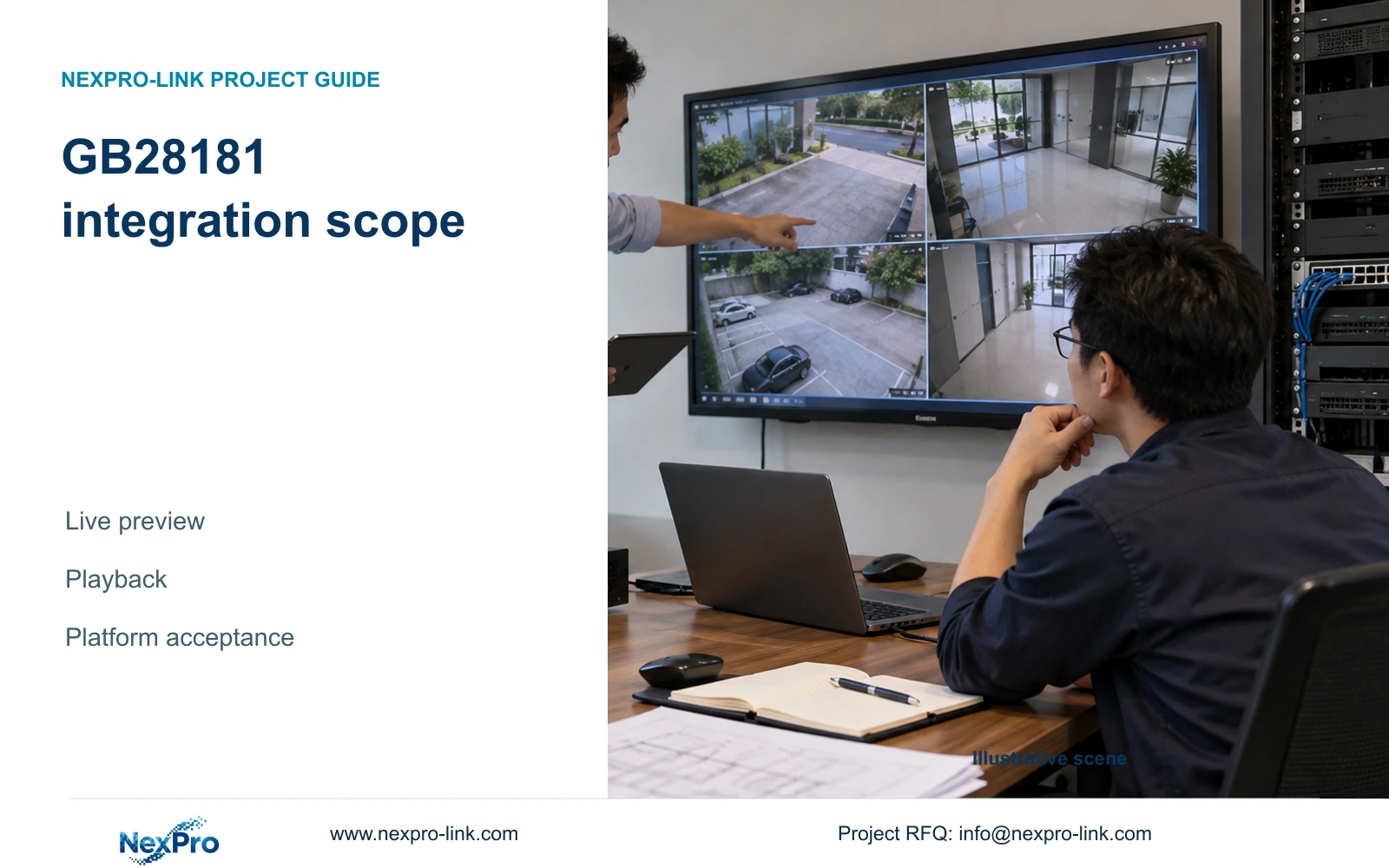
Define GB28181 integration through separate live-preview and recorded-playback tasks, then verify the actual recorder, platform settings and network path.
Section 01
Specify the platform services the owner needs
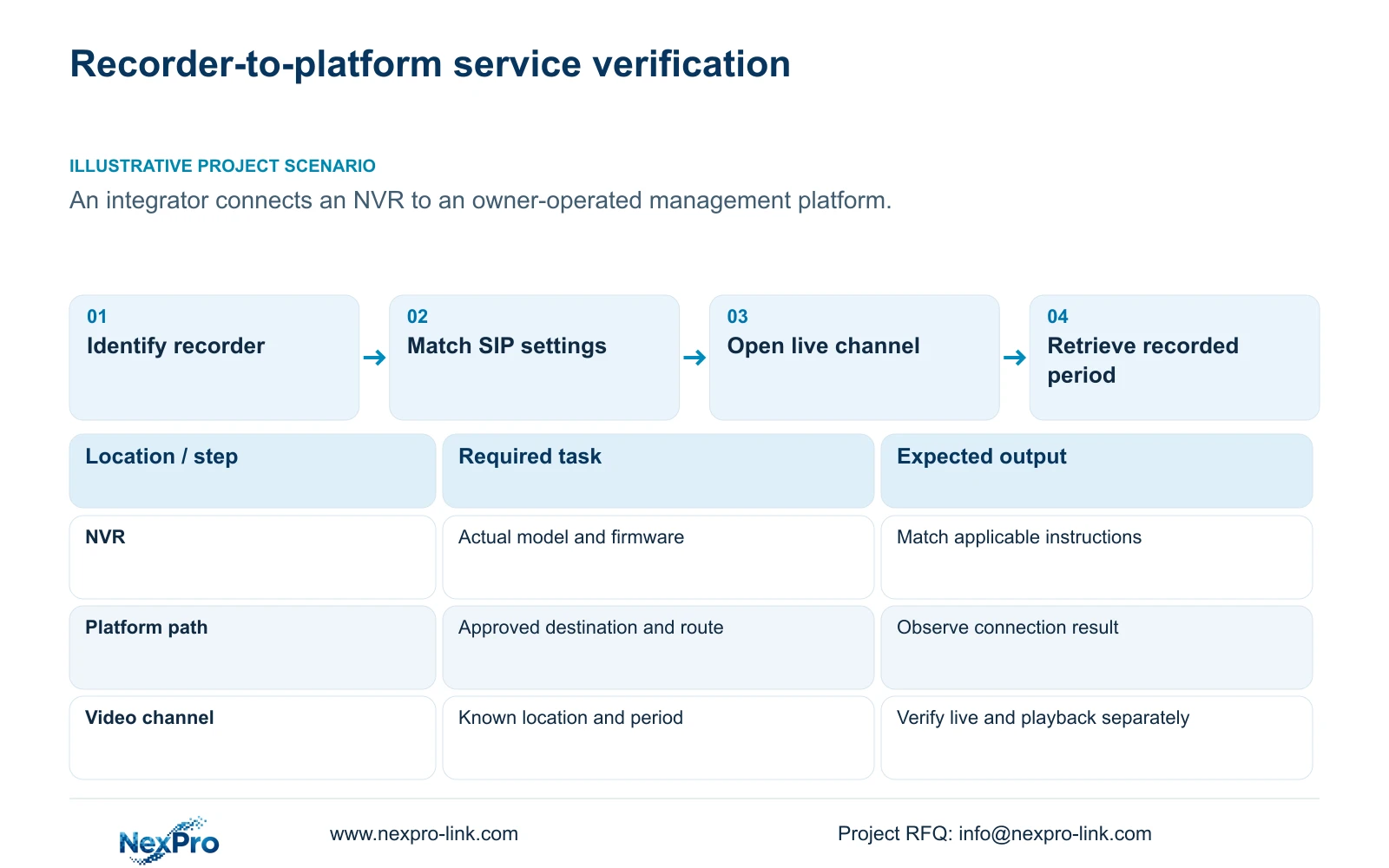
The supplied NVR4.0 manual documents GB28181 platform connection for live preview and playback. An integrator should specify those as separate operating tasks, obtain the receiving platform's approved parameters, and test each task on the actual recorder and firmware. A registration indicator alone cannot establish that operators can open a camera or retrieve recorded footage. Keep additional requirements, such as alarm handling or talk functions, in a separate capability review until their support is established. This approach gives the owner a usable acceptance scope and gives procurement a clear boundary between documented functions, project requirements and functions still awaiting evidence.
Write the live task around an identifiable camera and the intended platform operator. Write the playback task around that camera and a known recorded period. Include the expected location and access path in both descriptions. These details prevent an apparently successful demonstration from using a different channel, account or recording source.
Section 02
Match the instructions to the recorder
The operating source is the private file NVR4.0 user manual CH_V2.4.doc, whose body identifies V2.2. Section 4.12.9 describes GB28181 connection; section 4.12.19 supports device identification. Sections 4.3.3.2 and 4.12.8 cover relevant network checks, while sections 4.4 and 4.10 describe camera-dependent controls. Sections 4.3, 4.11 and 4.12.21 support the recording verification workflow. Section references take priority over page numbers.
Before applying these instructions, collect the product model, hardware version, software version and software date from System Information. Keep this identity beside the platform requirement sheet. If the installed interface differs from the manual, record the difference and obtain instructions for that equipment. The manual's TS model codes have no established mapping to NexPro-Link commercial SKUs.
Section 03
Obtain the receiving platform's parameter set
Ask the platform administrator for the approved SIP server information, authentication fields and channel-identification values. Map each value to the corresponding recorder field before entering it. A server identity, recorder authentication identity and video-channel identity describe different objects, even when the parameter sheet presents them close together.
The manual lists registration validity of 86400 seconds, a heartbeat period of 60 seconds and a maximum timeout count of 5. These are source defaults, not evidence that the receiving platform accepts them. The nominal heartbeat calculation is period × count: 60 seconds × 5 = 300 seconds. It describes a timing scale only. Actual detection and platform response still require observation, and the value does not establish a recovery guarantee.
Resolve conflicting values with the receiving administrator instead of trying unrelated credentials or ports. Retain the approved settings and the applicable equipment identity in the controlled project record.
Section 04
Check the platform route independently of camera viewing
A working local camera picture confirms only the path used for that picture. The recorder's connection to an owner-operated platform can use a different route. Check the selected default route, gateway and DNS, then use the remote-network diagnostic view to examine the recorder's remote-network situation.
Keep the destination and failed task explicit. If local video works while platform access fails, investigate the approved platform path before disturbing the camera network. If network observations appear satisfactory but registration fails, return to the platform parameter mapping and authentication ownership. Change one relevant item at a time and preserve the observation that justified it.
Cloud status, cloud account authorization and GB28181 platform service are separate checks. A successful cloud session does not establish the owner's platform workflow. Blanket public port exposure or indiscriminate firewall changes do not provide a controlled integration test.
Section 05
Separate documented services from camera-dependent requests
A platform requirement can extend beyond what the recorder's GB28181 section establishes. Record each additional function by its actual operating result. For PTZ, for example, the manual explicitly makes operation dependent on the connected camera. Check camera model, firmware, protocol and relevant permissions before interpreting an unavailable control as a fault.
Test the requested operation on a selected camera separately from basic video. If the picture opens but the additional operation remains unsupported, keep the working video scope and investigate that function. Do not create a third-party menu path that the installed device does not expose.
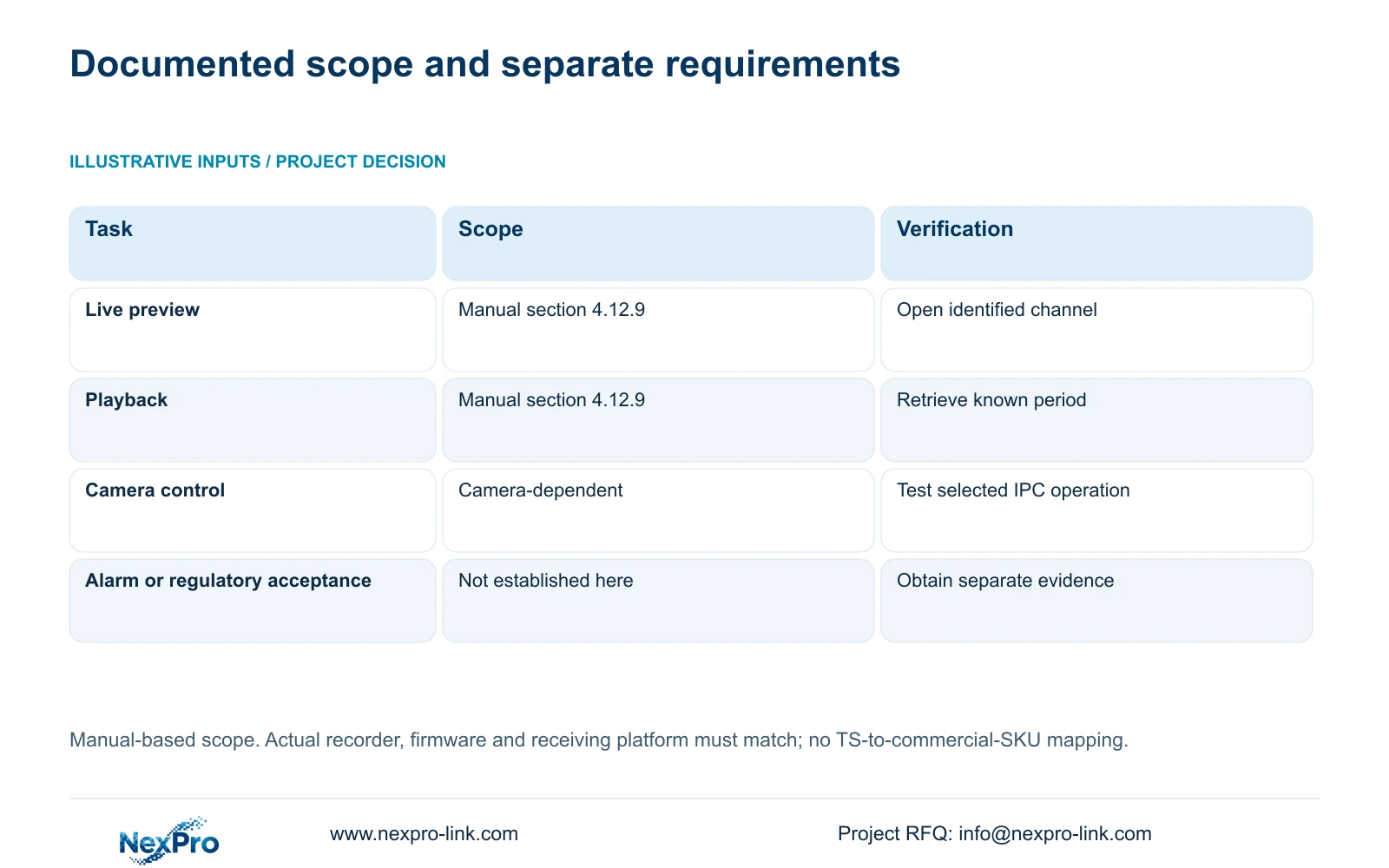
| Requirement | Evidence boundary | Next action |
|---|---|---|
| Live preview | Documented in section 4.12.9 | Open the identified channel from the receiving platform. |
| Recorded playback | Documented separately from live preview | Retrieve a known period from the recorder. |
| PTZ or another camera control | Depends on camera, protocol and permissions | Test the requested operation on the selected camera. |
| Alarm services or regulatory acceptance | Not established by this GB28181 section | Obtain separate evidence and receiving-party criteria. |
Section 06
Demonstrate live video and historical retrieval separately
Begin with the channel identity, selected recording disk and recording policy. Confirm local live video, observe recording status, and allow a clearly recorded test period to complete. Retrieve that period locally before asking the receiving platform to play the same channel and time interval.
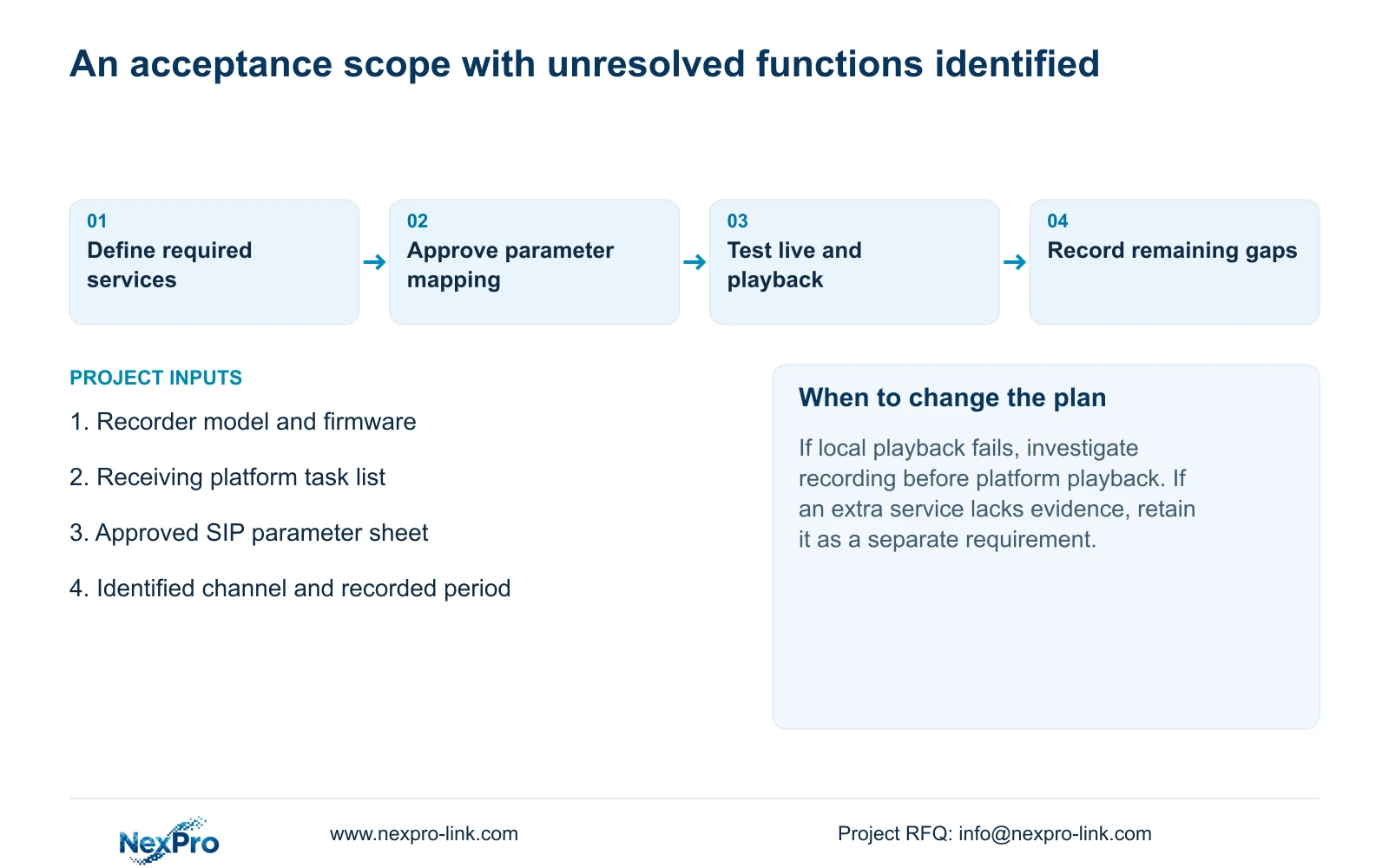
If local playback fails, investigate the recorder's recording task first. If local playback succeeds but platform playback fails, retain that result and concentrate on platform access, mapping and the relevant network path. A successful platform live session cannot close a failed historical-retrieval item.
For the recorder-side acceptance task, export the selected footage through the documented workflow and verify playback on another device. This engineering check establishes usable retrieval without implying that GB28181 itself provides every export function. Record expected and observed results separately.
Section 07
Apply the scope to an owner-operated platform
Illustrative project scenario: A systems integrator needs an NVR to connect to an owner-operated management platform. The owner defines live preview and historical playback as separate requirements. The integrator obtains the receiving parameters, records the installed recorder version and checks the approved route. Any requested alarm or camera-control service remains a separate review item. Acceptance then uses the same identified channel for local recording verification and platform retrieval. This is a proposed workflow, not a delivered project or a compatibility result.
The resulting scope sheet can support equipment matching and technical-document discussion through NexPro-Link's BOQ and tender support service. It should identify unresolved functions instead of describing the complete platform as accepted.
Section 08
Does this establish support for every GB28181 revision?
No. The supplied section establishes its described preview and playback scope. Confirm the required revision and receiving-platform functions for the actual recorder and firmware before treating them as procurement requirements met.
Section 09
Submit the required platform tasks
Send NexPro-Link the receiving platform's required live-preview and playback tasks, with the candidate recorder model and firmware, at info@nexpro-link.com.
Engineering references
These sources support the general planning principles. Always use the selected product's current datasheet and applicable project standards for final design.


