

The manual's heartbeat settings produce a nominal 300-second timing reference. They do not establish platform detection latency or automatic recovery time.
Section 01
Interpret the timer before promising recovery
The manual's 60-second heartbeat period and maximum timeout count of 5 give a nominal reference of 300 seconds. That arithmetic does not guarantee that the platform will report a failure, switch services or restore video within that interval. Registration validity is a separate field, listed as 86400 seconds. An owner who needs an availability commitment must define the event being timed and observe the recorder, network and receiving platform under approved conditions. Record failure reporting and restored live or playback service separately. A displayed setting provides an input to that investigation; it cannot replace a measured service result or an agreed acceptance requirement.
Keep the source defaults beside the actual configured values. If the installation uses different approved values, identify that difference before interpreting a test. Otherwise the team can compare an observation with arithmetic for settings that were never active.
Section 02
Show the supplied values and their units
The private source is NVR4.0 user manual CH_V2.4.doc, whose body identifies V2.2. Section 4.12.9 supplies the registration and heartbeat fields. Sections 4.3.3.2 and 4.12.8 support network checks, section 4.12.17 supports log searches, and sections 4.3, 4.11 and 4.12.21 support service verification. Use sections rather than old page numbers.
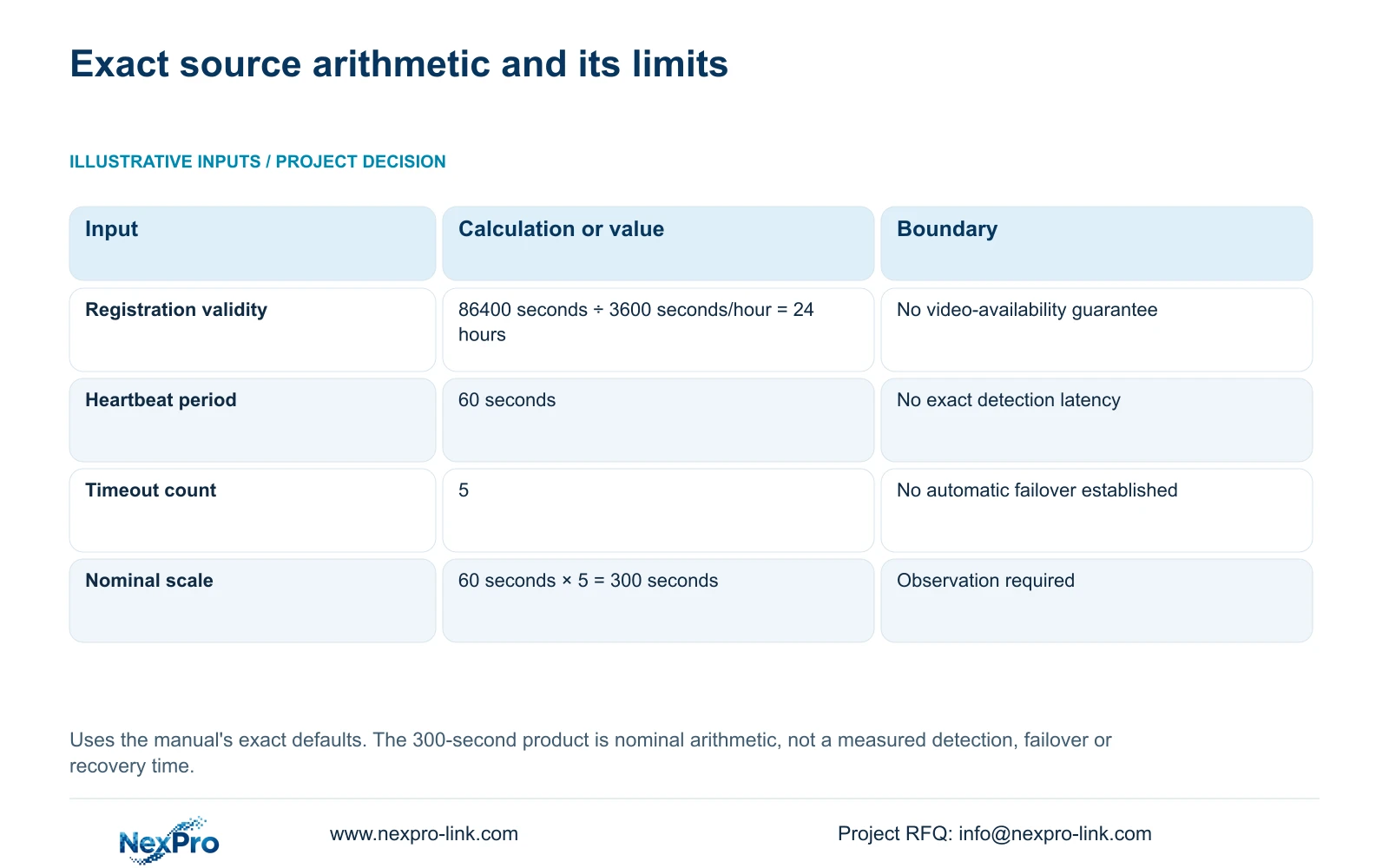
For registration, duration in hours = duration in seconds ÷ seconds per hour. Using the supplied input: 86400 seconds ÷ 3600 seconds/hour = 24 hours. For heartbeat timing, nominal interval = heartbeat period × timeout count. Using the supplied inputs: 60 seconds × 5 = 300 seconds.
The count is dimensionless, so the second result remains in seconds. These calculations preserve the manual's inputs. They establish a registration-duration conversion and a nominal heartbeat scale, with no measured failure or recovery result attached.
| Source field | Manual value | Interpretation |
|---|---|---|
| Registration validity | 86400 seconds | 86400 ÷ 3600 = 24 hours; no continuous-video guarantee. |
| Heartbeat period | 60 seconds | An interval input; no exact detection latency established. |
| Maximum timeout count | 5 | A count input; no automatic failover established. |
| Nominal heartbeat scale | 60 seconds × 5 = 300 seconds | Reference only; actual timing needs deployment observation. |
Section 03
Define which event the owner wants timed
Registration validity describes the registration field's duration. Heartbeat period describes the heartbeat interval, while the timeout count is a separate input. None of these alone defines the owner's complete service requirement. Ask whether the concern is loss of connection, the platform's offline indication, restored live video or access to stored footage.
Section 4.12.9 documents platform live preview and playback. It does not establish a complete automatic-recovery or failover architecture. If the owner requires such a function, retain it as a separate requirement with its own implementation evidence.
Write the test's start and end events before carrying it out. A platform status change and the first usable returned picture are different observations. Combining them into one recovery figure hides which part of the service was actually tested.
Section 04
Separate link loss from receiving-platform response
Local camera traffic can use a different path from the recorder's platform connection. A remote-path interruption therefore needs separate checks for local recording, local viewing and platform access. Do not declare a recording outage solely because the receiving platform reports the recorder offline.
Before interpreting timing, check the configured default route, gateway and DNS against the intended platform path. Keep cloud access and its authorization separate from the owner's GB28181 service. The connection result must be associated with the correct destination.
If local footage remains available while platform viewing fails, investigate the platform access path. If local footage is also missing, include the recording task in the investigation. This branch determines what evidence to collect and prevents a network observation from being used as a storage conclusion.
Section 05
Observe reporting in an approved test window
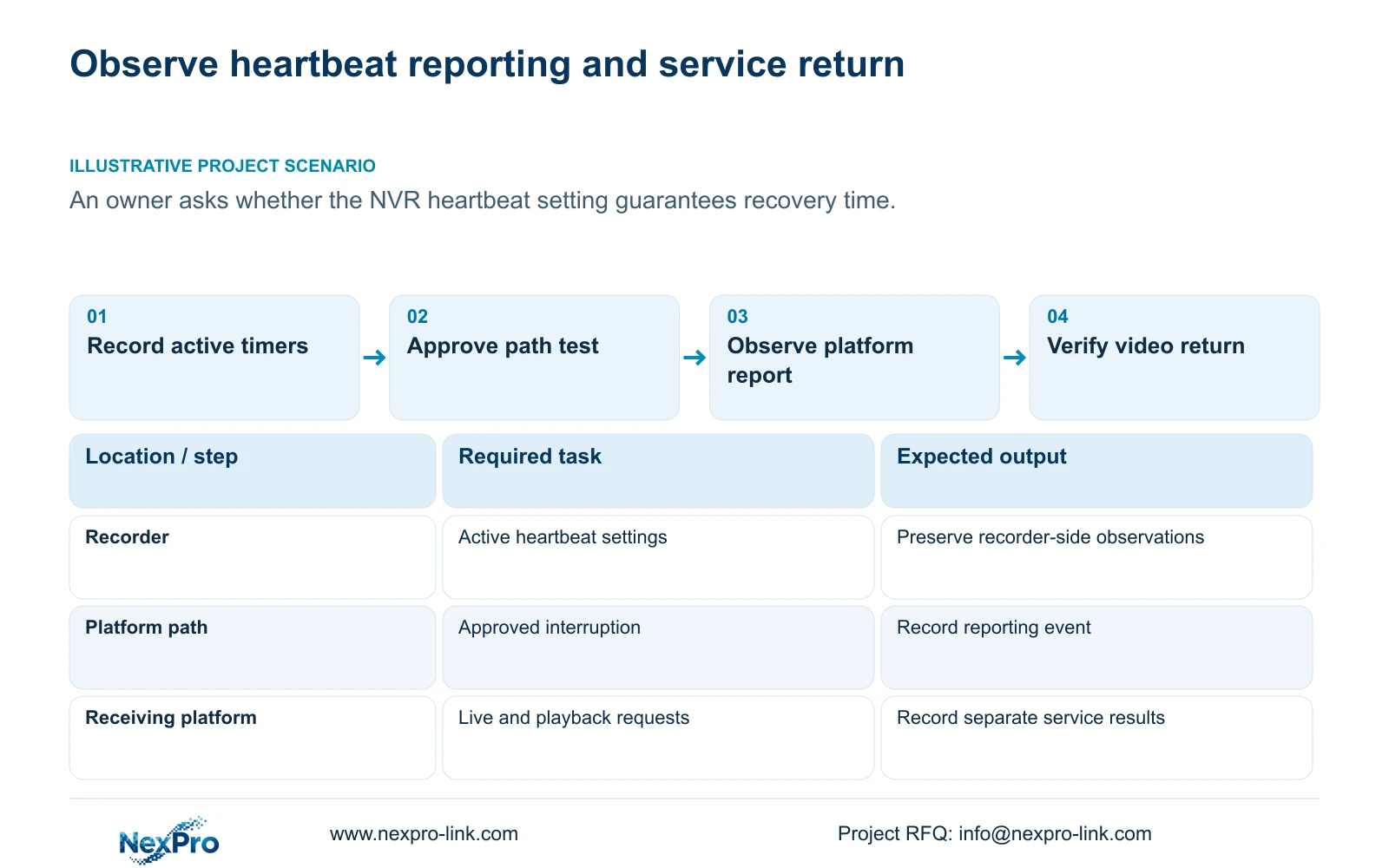
Agree the affected path, operator, test window and restoration action with the owner before introducing an interruption. Prefer a controlled test that isolates the approved platform path while preserving the recording task where the topology permits. Record the actual test condition; do not assume that every installation permits this separation.
Use the remote-network diagnostic view to capture the recorder-side situation and its suggestions. The manual also describes network settings and a packet-loss tool in this workflow. These observations support diagnosis of that path, not certification of every platform or client.
Record when the approved interruption begins, when the platform reports its changed state, and when each required service returns. If a proposed test requires stopping a running recorder, obtain authority, preserve required recordings and configuration, and plan the interruption before proceeding.
Section 06
Correlate recorder and platform records
The recorder's log search defaults to the current day and includes type filtering. Confirm those selections before concluding that an event is absent. Section 4.12.17 describes an all-log query when the date condition is not selected, detail viewing and text export.
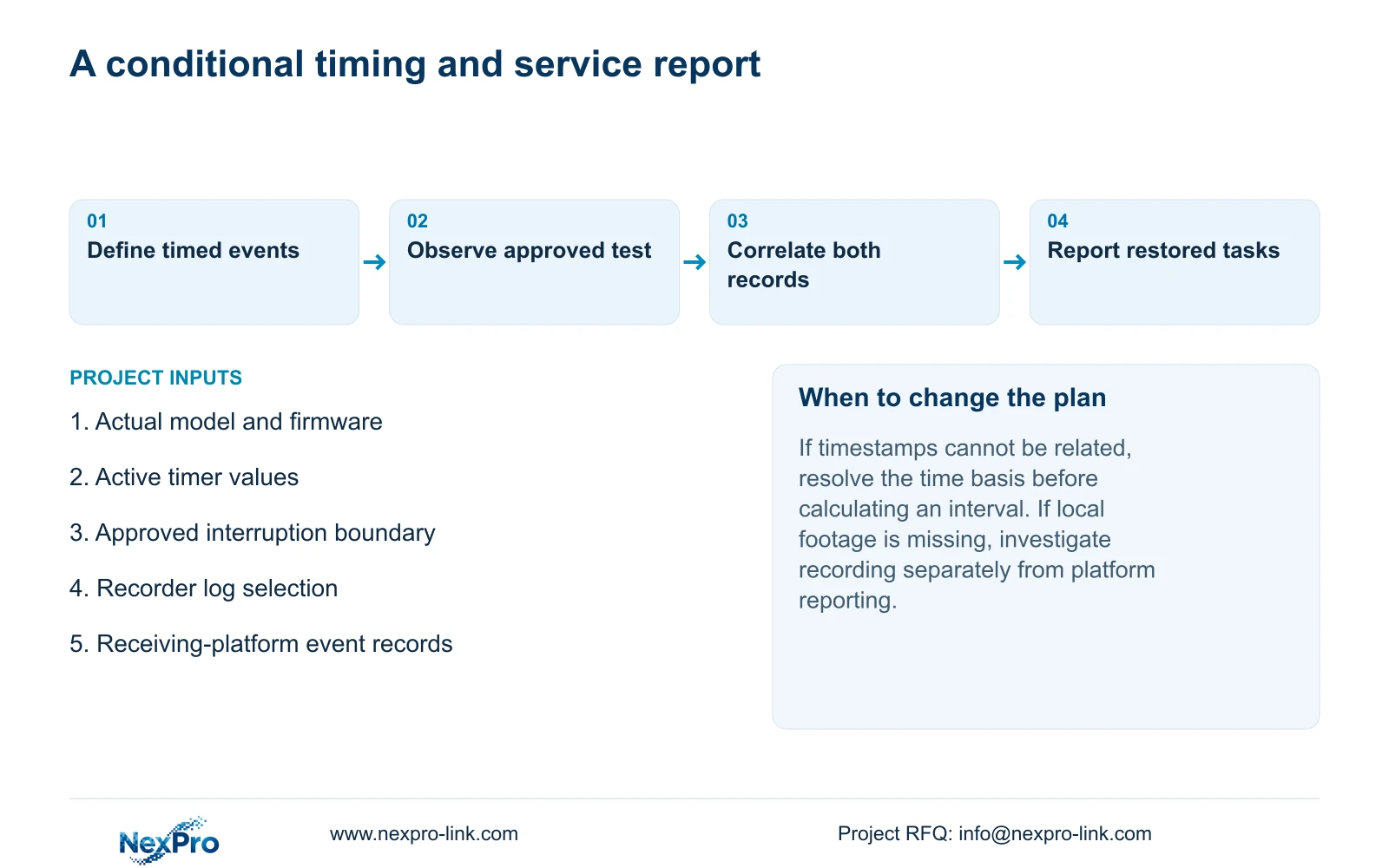
Preserve the relevant recorder entries and ask the receiving-platform administrator for the corresponding records. Note the time basis used by each record and any discrepancy that prevents direct comparison. An apparent interval is unreliable if its start and end timestamps cannot be related.
If one side lacks a usable event record, retain the observed screen result and state the evidence gap. Do not convert missing logs into proof that no interruption occurred. Text export does not establish unlimited retention, tamper-proof auditing or legal evidentiary certification.
Section 07
Report restored tasks alongside the measured interval
After restoring the approved path, open the identified live channel and retrieve a specified recorded period. Check the recorder's disk and recording policy, then verify local playback and a selected export on another device. This helps determine whether the event affected remote access, recorded footage or both.
A test report should state the model and firmware, active timer settings, receiving platform, interrupted path and observed service results. Label the interval as an observation under those conditions. A procurement requirement can be compared with that observation, but the manual's 300-second arithmetic remains a separate nominal reference.
If the owner needs a recovery capability that the configuration has not demonstrated, return that requirement to the platform and equipment scope review. NexPro-Link's BOQ and tender support can provide a route for discussing that equipment and documentation boundary.
Section 08
Answer an automatic-recovery question
Illustrative project scenario: An owner asks whether a displayed heartbeat setting guarantees an automatic recovery time. The engineer explains the supplied 60 seconds × 5 = 300 seconds reference, separates offline reporting from restored video, and proposes an approved observation with records from both ends. The output would be a conditional test report, not a pre-issued SLA. No measured result is supplied in this scenario.
Section 09
Does a 24-hour registration value mean video stays available?
No. The 24-hour result converts the supplied 86400-second registration value. Video availability still depends on the actual recording and platform-access tasks being able to operate.
Section 10
Define the event your timing requirement measures
Send NexPro-Link the required start and end events for the platform timing test, with the recorder model and active timer settings, at info@nexpro-link.com.
Engineering references
These sources support the general planning principles. Always use the selected product's current datasheet and applicable project standards for final design.


