

A site-wide PoE total can conceal an overloaded access node. Build a camera-to-port schedule and qualify each switch's power budget before procurement.
Section 01
Start with the cameras attached to each node
Calculate external PoE requirements separately for every access switch serving the NVR system. A whole-site power total can look adequate while one camera group exceeds its local sourcing budget or needs more power than an assigned port supports. Begin with the physical camera-to-port arrangement, record each device's maximum demand and check the selected supply type. In the teaching example, eight cameras at 12 W each require 96 W at the devices, approximately 106.67 W at the sourcing side with assumed 0.90 delivery efficiency, and approximately 133.33 W of budget when planned loading is limited to 80%. These figures define a requirement, not a qualified switch model.
Group cameras according to actual cable routes and access nodes. Preserve the individual groups even when procurement later combines identical switches into one order line. A camera moved between nodes changes the affected groups' requirements, so the site total alone cannot approve the revision.
The manual's non-PoE diagram connects the recorder and cameras through a switch, with separate camera power. It does not show the recorder LAN socket supplying PoE. For an external PoE design, identify the power-sourcing equipment explicitly and keep its electrical supply distinct from the uplink carrying video.
Section 02
Record peak conditions before summing watts
Use the actual maximum requirement for each camera and identify the operating condition behind it. A group containing different camera types needs separate entries wherever their requirements differ. Do not apply the illustrative 12 W figure to every camera in the project or treat it as a NexPro-Link product specification.
For each group, check device demand, per-port support and aggregate switch budget as separate fields. A switch can have enough physical ports and still fail either power check. Link speed and uplink traffic also require evaluation, but their values do not establish power capability.
Where a camera's maximum requirement is missing, request the exact model data before marking the group qualified. Keep that unresolved entry visible. Averaging it into a site total would conceal the decision that still needs evidence.
Section 03
Connect the power requirement to a named port
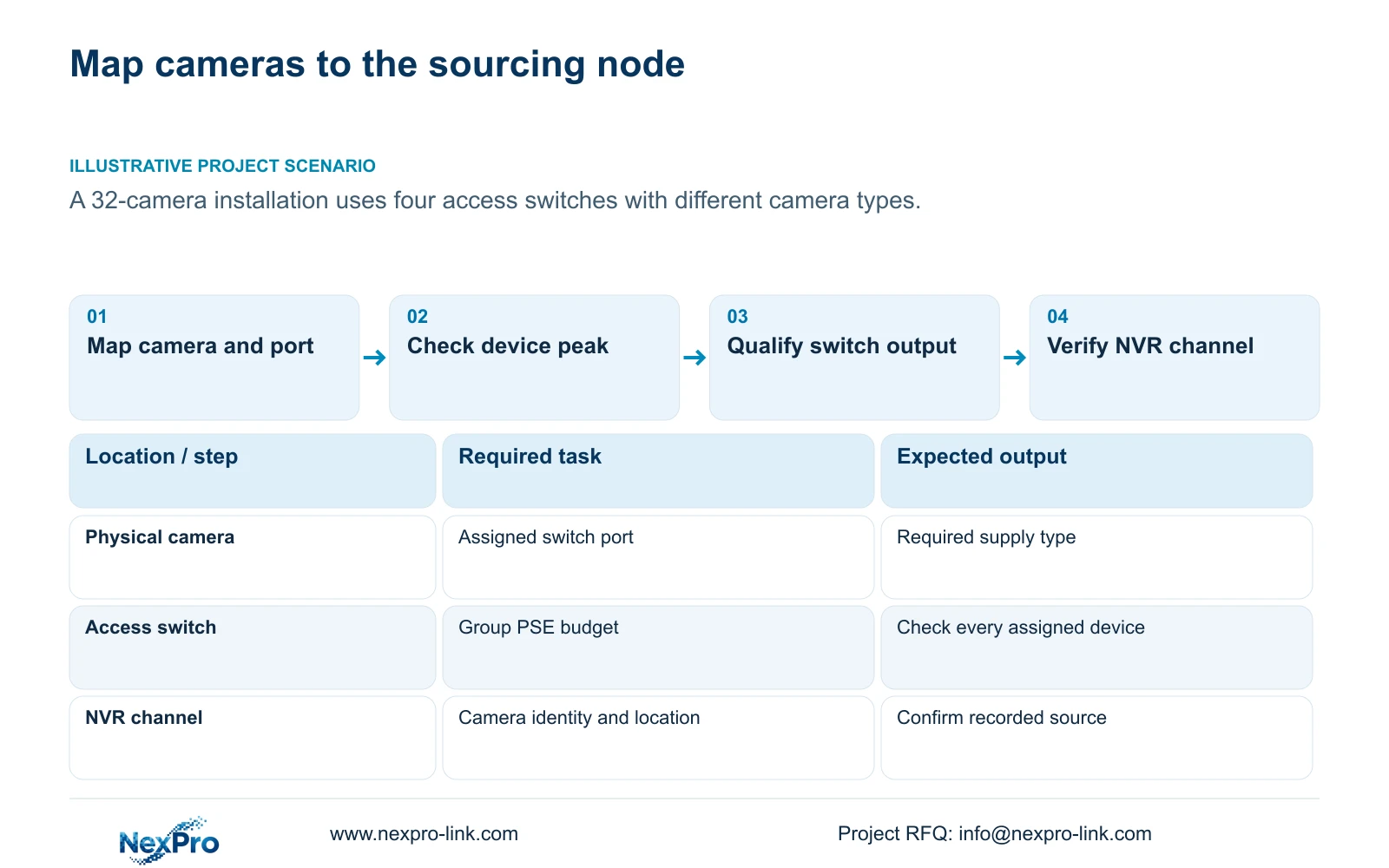
Maintain a schedule that separates drawing location, physical camera identity, IP address, NVR channel and displayed name. Add the assigned switch and port to that project record. The manual provides channel-name and OSD controls, but a display alias does not establish which physical camera a port powers.
Check the required supply type against the actual camera assigned to each port. Aggregate budget approval cannot compensate for an unsuitable individual port. If the port requirement fails, choose a supported port or revise the equipment arrangement before relying on the group total.
After replacement or reordering, update the physical assignment and recorder mapping independently. Changing a familiar channel name can leave the power schedule stale. At verification, confirm the camera identity and location as well as the presence of an image.
Section 04
Calculate sourcing demand and the chosen reserve
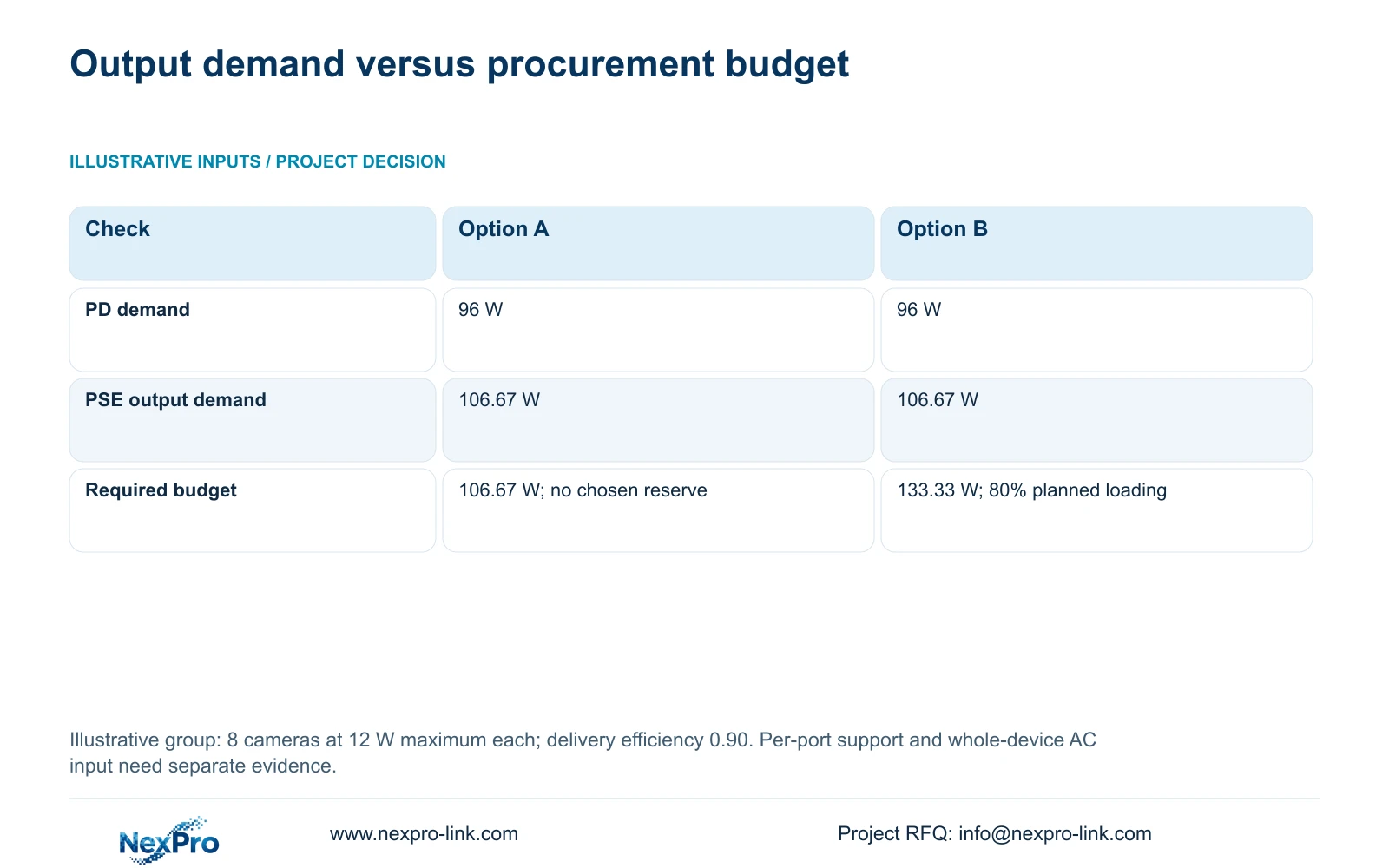
For the illustrative group, inputs are eight cameras, maximum device-end demand of 12 W per camera and assumed cable delivery efficiency of 0.90. PD means the powered devices, while PSE identifies the sourcing equipment. PD demand = 8 × 12 W = 96 W. Required PSE output = 96 W ÷ 0.90 ≈ 106.67 W.
Option A specifies approximately 106.67 W with no selected reserve. Option B limits planned demand to 80% of the rated budget: required budget = 106.67 W ÷ 0.8 ≈ 133.33 W. This leaves 20% of the selected rating outside the planned demand. Simply adding 20% to demand would use a different reserve basis.
The calculation applies only to these assumptions. It does not prove that a particular switch provides the required output or supports each camera's supply type. Record the candidate's documented budget and port capabilities alongside the calculated requirement.
Power-source matching also applies to the recorder. The manual recommends the supplied adapter and operation within the equipment's power range. Connector fit alone does not establish voltage, current capability or polarity. If instability appears with the intended disks or peripherals, record that load condition and check the correct supply.
| Observed condition | Meaning | Action |
|---|---|---|
| Eight illustrative cameras at 12 W | 96 W PD demand | Calculate the sourcing requirement |
| Assumed delivery efficiency 0.90 | Approximately 106.67 W PSE demand | Compare with the documented output budget |
| Planned loading limited to 80% | Approximately 133.33 W budget required | Use this reserve basis in the RFQ |
| One port cannot support its camera | Aggregate budget approval is insufficient | Revise the port or equipment selection |
Section 05
Keep PoE output separate from protected AC input
A sourcing-output calculation is not the switch's complete AC input. For backup-power planning, obtain the whole-device AC demand for the intended camera group or a clearly explained input calculation. The switch itself and the applicable conversion losses belong to that boundary.
When whole-switch AC input already includes the cameras, do not add those same cameras again to the UPS schedule. Protect every required access node, necessary network transport and the NVR if recording must continue during an outage. UPS W capacity, VA capacity and battery runtime remain separate checks.
If only a PoE output budget is available, leave AC demand unresolved instead of copying the output value into the protected-load total. The NVR manual provides no runtime guarantee for this arrangement.
Section 06
Turn each group into a procurement requirement
Illustrative project scenario: A 32-camera project has four access switches serving areas with different camera types. The engineer retains four group schedules and checks each assigned device. The eight-camera calculation explains the method for the stated teaching inputs; it does not establish identical demand across areas with different equipment.
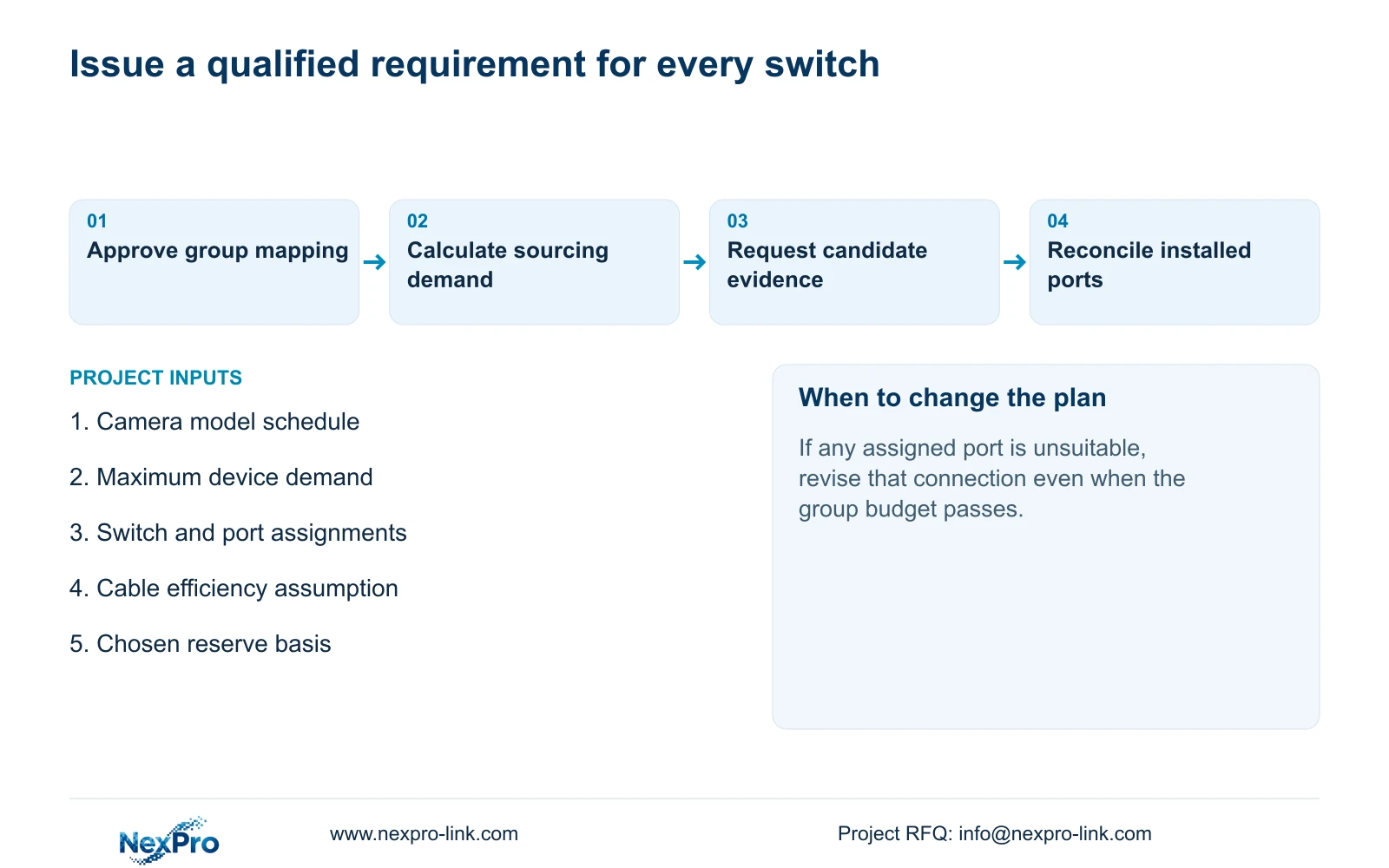
Write each group's required port support and minimum aggregate budget into the enquiry. Identify the reserve basis, cable assumptions and unresolved AC demand. Suppliers can then respond against the same physical arrangement. A proposal with a sufficient site total but an unqualified node needs clarification before selection.
At acceptance, reconcile the installed port assignments with the approved schedule and verify the associated NVR channels. NexPro-Link's BOQ support can assist with the equipment package, while site installation and testing responsibilities remain stated separately.
Section 07
Can an oversized total budget solve a port mismatch?
No. The assigned port must support the camera's required supply type and demand. Additional aggregate capacity elsewhere does not establish that individual connection.
Section 08
Submit the group schedule
Source scope is NVR4.0 user manual CH_V2.4.doc, §3.3.1; channel identity in §§4.3.1, 4.4.4 and 4.12.6; power in §3.1 and §5.3 questions 3 and 4; and protected-path context in §4.12.18. The body identifies V2.2. The PoE arithmetic is a separate engineering example.
Send the camera-to-switch schedule, maximum device requirements and proposed port assignments to NexPro-Link at info@nexpro-link.com for a group-specific equipment discussion.
Engineering references
These sources support the general planning principles. Always use the selected product's current datasheet and applicable project standards for final design.


