Give IT a device and service-path record they can approve and maintain. Separate camera identities, recorder routes, concurrent tasks and support responsibilities.
Section 01
Give IT a device record with a named owner
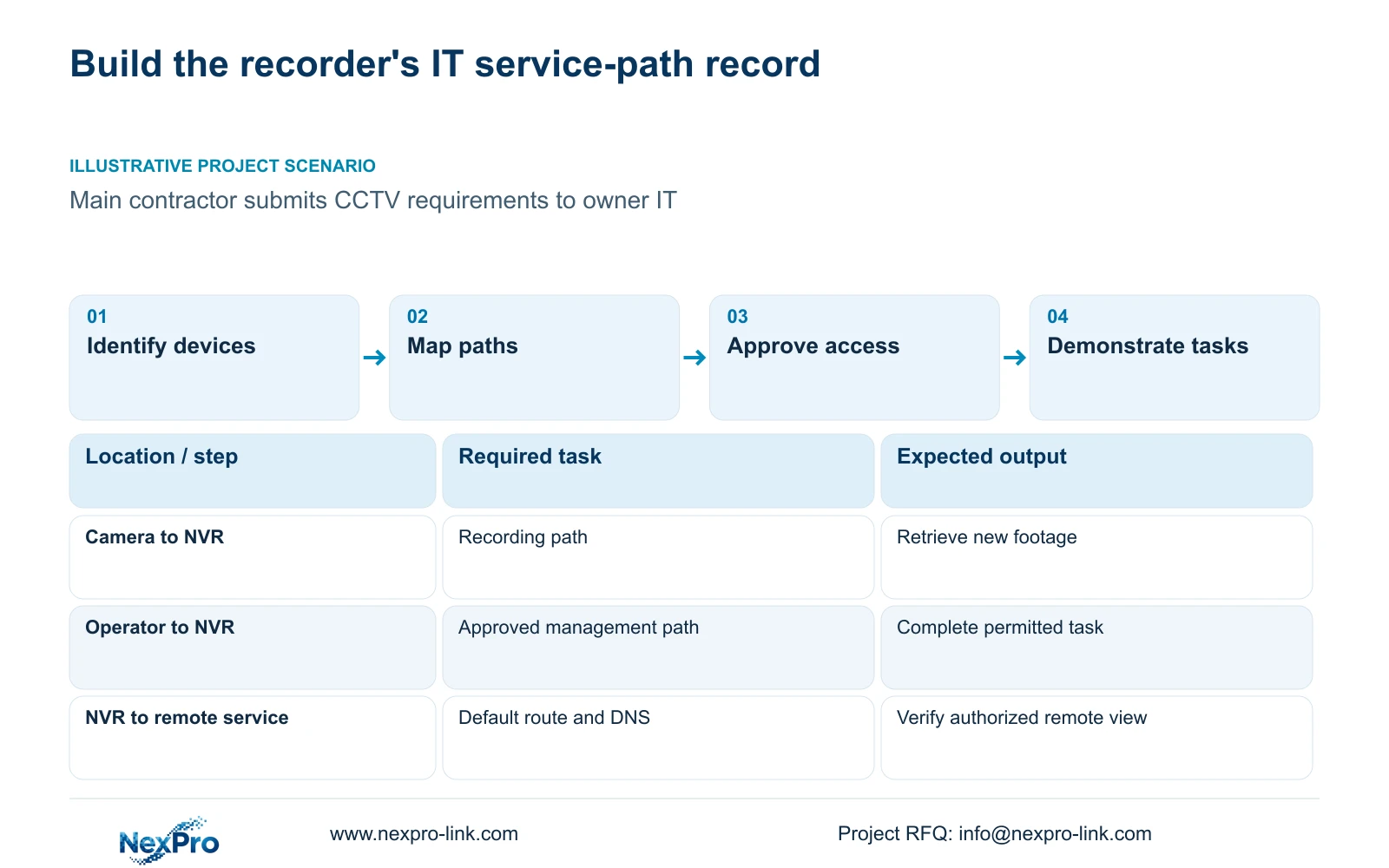
An NVR corporate-network handoff should identify the actual recorder, camera addresses and approved service paths, then describe the concurrent tasks IT must support. Start with model and firmware information and a named owner for configuration changes. Keep camera recording traffic separate from office management and external-service access. Request access only for the defined operation, leaving unsupported ports or service details unresolved until the supplier confirms them. The handoff is complete when IT can trace the paths and the operator can retrieve and export the required footage. A request to open everything cannot provide that scope or demonstrate a working system.
Read the product model, hardware version, software version and software date from System Information. Section 4.12.19 supplies those identity fields. Add the party who owns recorder configuration, the network approver and the local person authorized to perform acceptance checks.
The private supplied NVR4.0 user manual CH_V2.4.doc has V2.2 in its body. Use section references to match the installed firmware rather than relying on old page numbers. A version record helps choose instructions; it does not identify a fault or prove that every required feature works.
Section 02
Keep the camera address register separate from display names
Give IT a camera register with separate fields for drawing location, physical camera identity, IP address, recorder channel and displayed name. Sections 4.3.1, 4.4.4 and 4.12.6 provide the relevant camera and naming controls, while maintaining the project mapping is an engineering task.
A display alias can change without a physical replacement. A camera can also be replaced while a familiar name remains on screen. Record those events separately so maintenance staff can identify the device associated with a network observation or exported recording.
Check the register against a known view and the recorder's channel identity. Do not rely solely on the position of a window in a live layout. Keep sensitive serial or cloud information in the controlled project record and redact public screenshots.
If a planned point lacks a confirmed address or channel, mark that field as awaiting assignment. An explicit unresolved entry is more useful than a plausible address that IT may mistake for an approved value.
Section 03
Describe local and external services as separate paths
Draw camera-to-recorder traffic separately from operator-to-recorder access. Then show the recorder's external-service path through the approved interface, default route, gateway and DNS. Sections 4.3.3.2 and 4.12.8 explain why local camera reception can succeed while remote access fails.
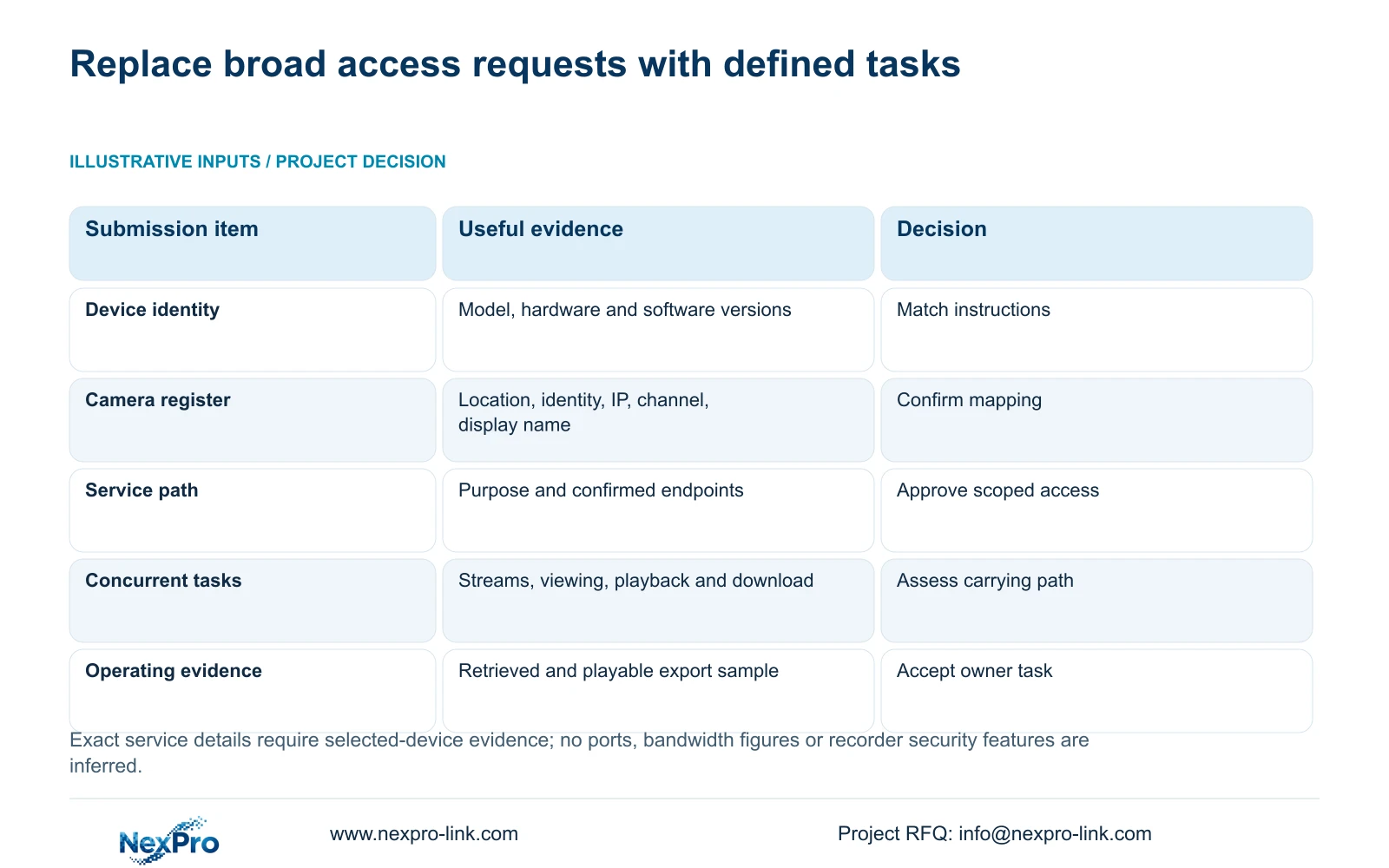
For each path, identify its purpose, endpoints and responsible team. Exact service details should come from the selected model and supported service documentation. Do not insert guessed ports, protocols or destinations into an access request.
Cloud activation and account authorization need their own checks. A routed connection is not proof that the intended user can view footage, and remote access is not evidence that the recording archive resides in cloud storage.
| Required task | Handoff information | Acceptance observation |
|---|---|---|
| Camera recording | Camera register and recorder reception path | New footage from the correct channel |
| Office management | Approved operator endpoint and recorder path | Authorized user completes the required operation |
| Remote viewing | Supported external route, service scope and account | Intended remote session retrieves the selected view |
| Incident export | Approved user and export destination | Exported sample plays and identifies the correct location |
Section 04
Request only the access needed for the agreed service
Turn each service-path entry into a scoped IT request. State the intended operation and the device-specific information that supports it. Leave an undocumented dependency pending rather than asking IT to disable its controls to discover what happens.
The recorder's network menu does not authorize a change to enterprise policy. IT should approve the service path and its enforcement. When troubleshooting is necessary, distinguish local connectivity, external routing, name resolution, activation and authorized account access before requesting a modification.
If an approved IP change is required, preserve relevant configuration and footage, obtain authority and agree the interruption before applying it. Update the camera or recorder register and retest affected tasks afterward. Record which party applied the change so the approved sheet remains usable.
Support coordination needs symptoms and configuration context. Passwords and unrestricted remote access do not belong in a broadly circulated handoff sheet.
Section 05
Describe simultaneous viewing and retrieval tasks
List what users will do at the same time. For each task, record the channels opened, stream type and whether the operation is live viewing, playback or download. Include where the user connects and whether the supported path is direct or forwarded.
Section 1.2 describes multiple remote users without promising unlimited concurrency. Account count alone does not define usable video capacity. IT needs the expected simultaneous workload on each carrying path, together with the selected recorder's actual constraints.
Section 4.3.3.3 provides receive and transmit traffic observations. Use a defined operating interval to compare the requested workload with the approved arrangement. Stream-bitrate sums and interface readings have different scopes because readings can include overhead and other activity.
The supplied scenario provides no bitrate or session quantities, so no completed bandwidth number is justified. Keep the workload schedule ready for those inputs instead of adding a generic capacity estimate.
Section 06
Hand over approved parameters with operating evidence
Illustrative project scenario: A main contractor must submit the CCTV network requirements to the owner's IT department. The proposed submission includes the actual recorder version, camera register and separate local and external paths. IT can then approve specific services and identify unresolved dependencies without reconstructing the equipment scope.
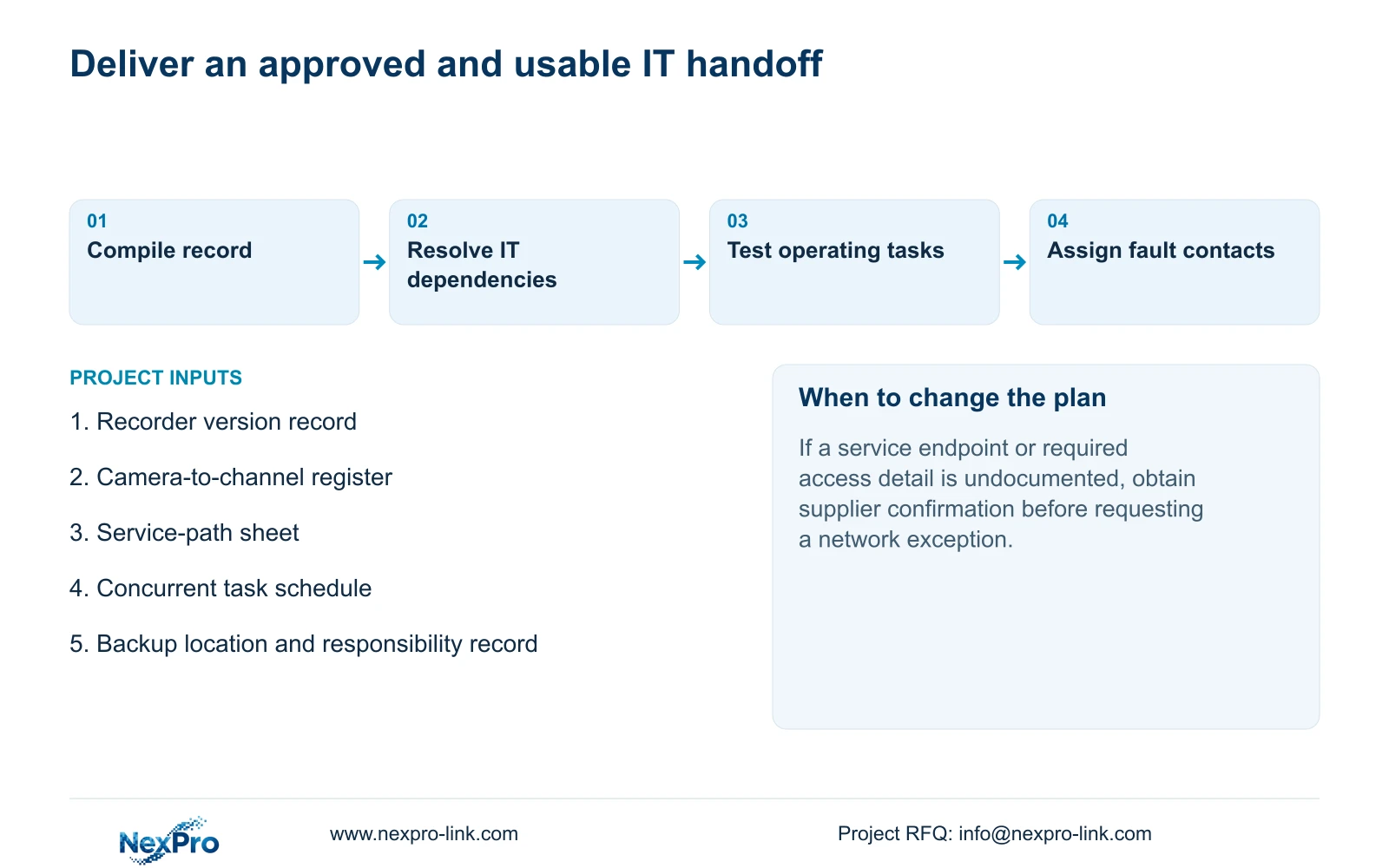
After approval, keep the accepted parameters, configuration-backup location and maintenance responsibilities together. Sections 4.11, 4.12.3 and 4.12.17 through 4.12.19 support the operating and maintenance context. Transfer credentials through the owner's controlled process.
Have the operator identify a channel, retrieve the required period, export a sample and play it. Check that the exported location matches the camera register. File delivery and successful operation are separate acceptance items.
Include fault contacts for recorder configuration and site networking, with the evidence each needs. NexPro-Link BOQ support can coordinate the agreed equipment and technical-document scope; the sheet should state who performs local tests and who approves network policy.
Section 07
Can IT approve the network from channel count alone?
No. Channel count omits addresses, service paths and concurrent viewing or retrieval tasks. Provide the device register and operating workload before requesting access approval.
Section 08
Submit the service-path sheet
Send the proposed recorder identity and redacted service-path sheet to info@nexpro-link.com for discussion of the equipment and technical-document scope.
Engineering references
These sources support the general planning principles. Always use the selected product's current datasheet and applicable project standards for final design.