

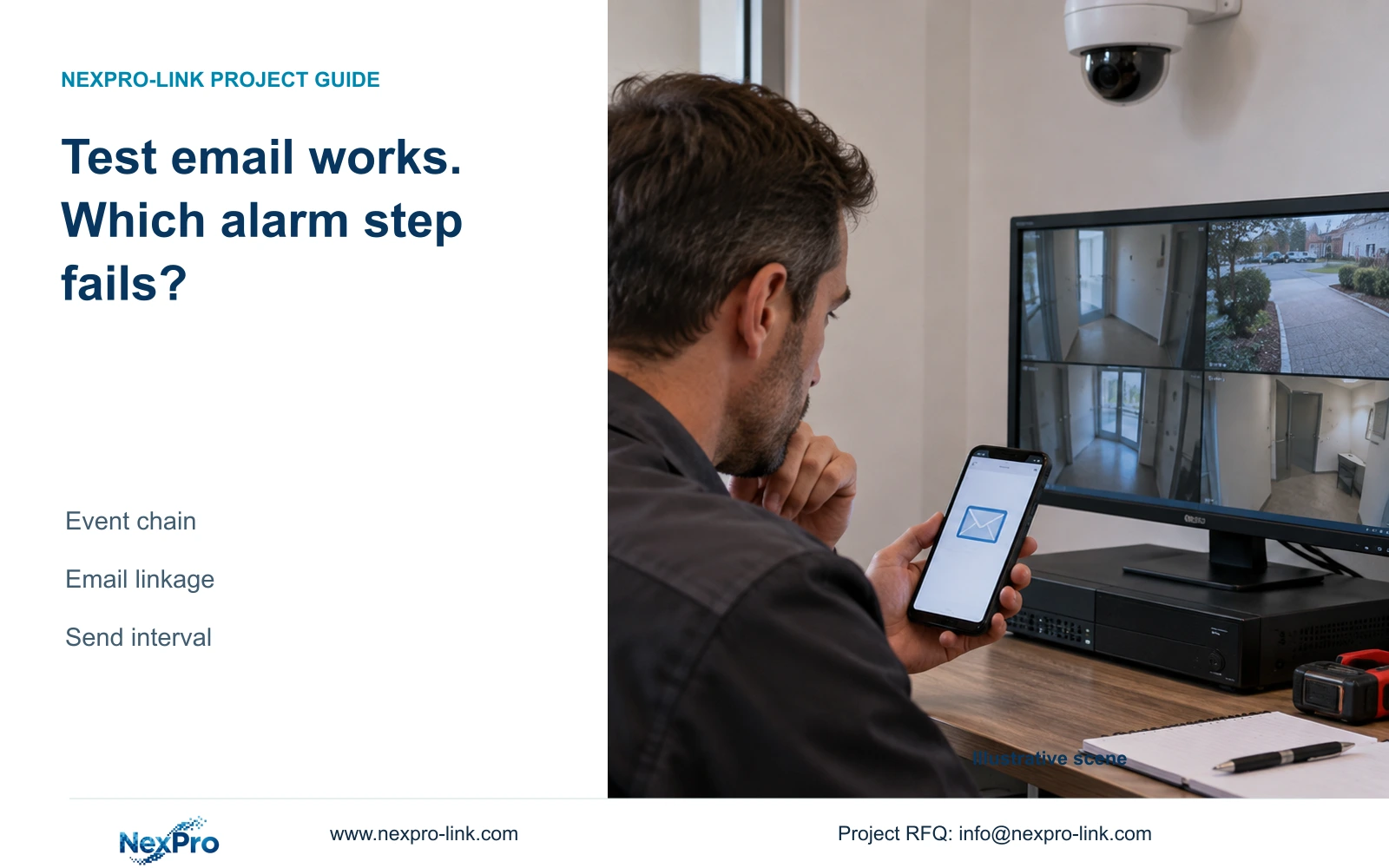
A received test message confirms the configured mail route for that test. Diagnose the event-to-email chain separately before changing a working SMTP account.
Section 01
Keep the working mail test as a diagnostic baseline
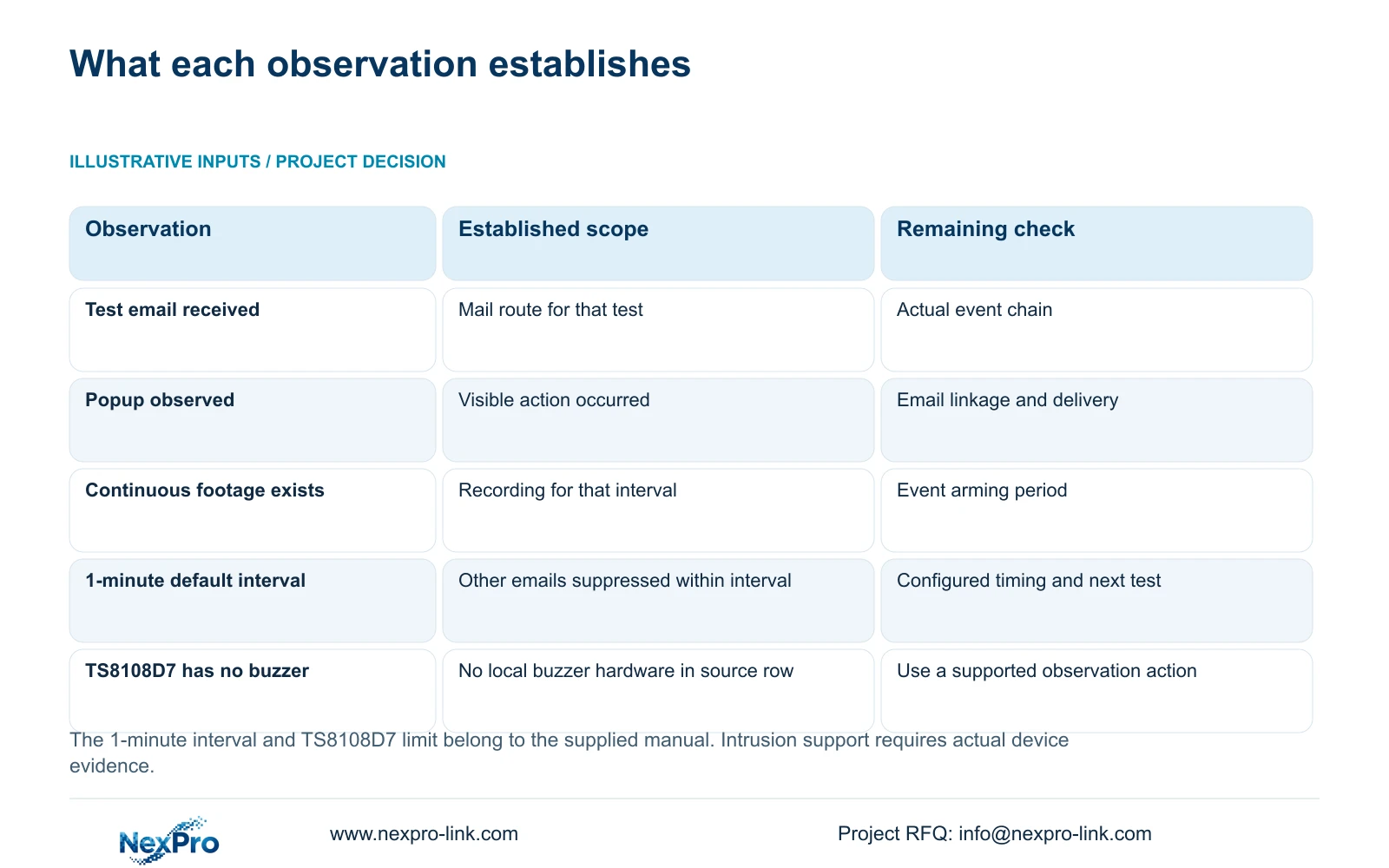
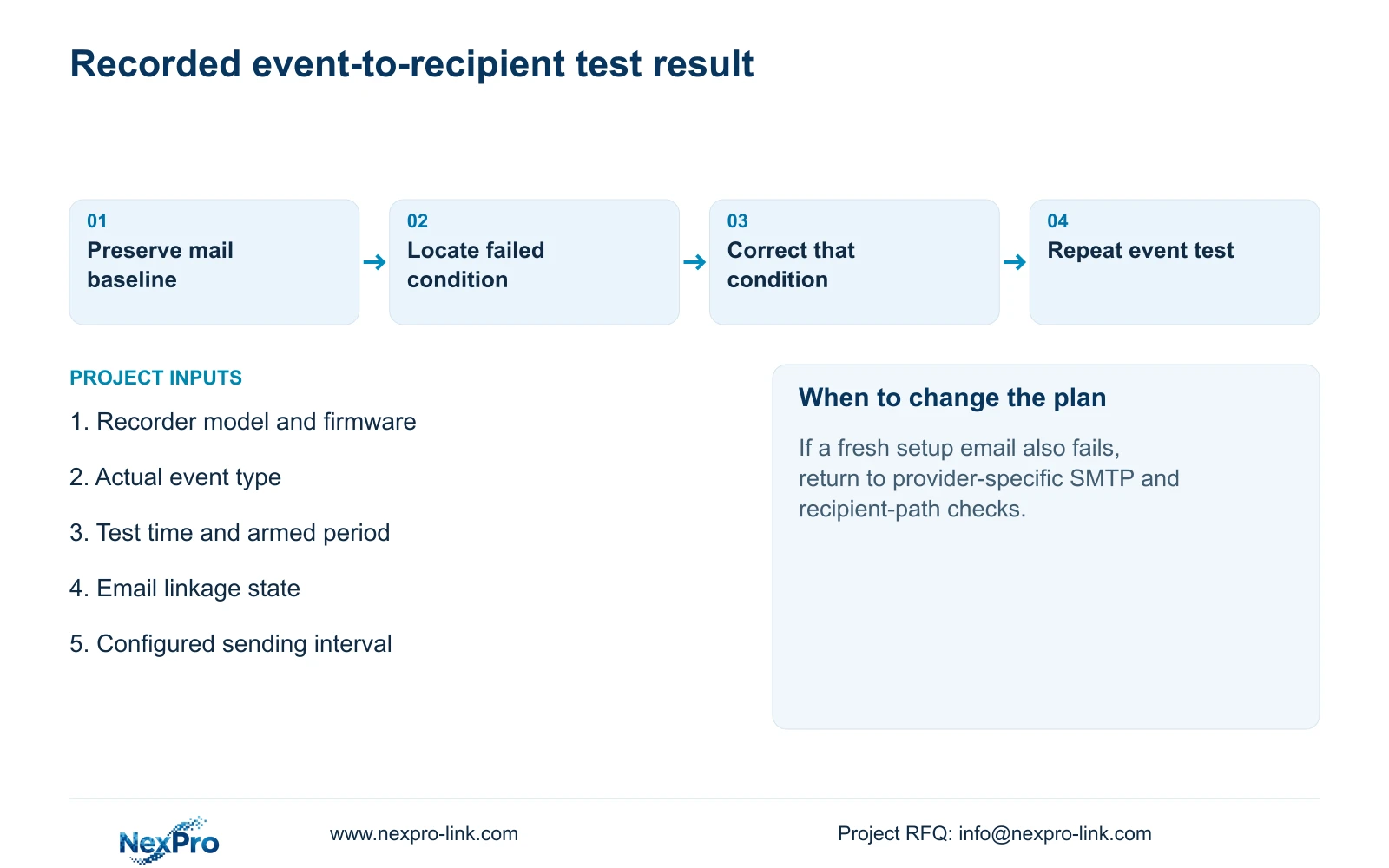
When a test email arrives but an alarm email does not, check the event-to-email chain before changing the SMTP account. The received test message confirms the configured sending and receiving route for that test. An actual alarm also requires the intended event, an applicable armed period, email linkage and permissive global alarm settings. The sending interval can suppress additional messages. Record the test result and investigate those conditions separately, using an approved event test. A working test route narrows the investigation, but it does not prove that every alarm will generate a message or that the mail service will deliver every attempted notification.
Record which configured recipient received the test and when it arrived. Keep the sending configuration unchanged while checking the event branch unless new evidence shows the mail route has failed. Repeated account changes can remove a useful baseline without explaining the missing alarm.
This guide uses the private NVR4.0 user manual CH_V2.4.doc, whose body identifies V2.2. Sections 4.12.10 and 4.12.11 distinguish mail settings and alarm actions. Apply the instructions to the actual device and firmware; Seetong PC settings are a separate operating object.
Section 02
Confirm that the intended event was recognised
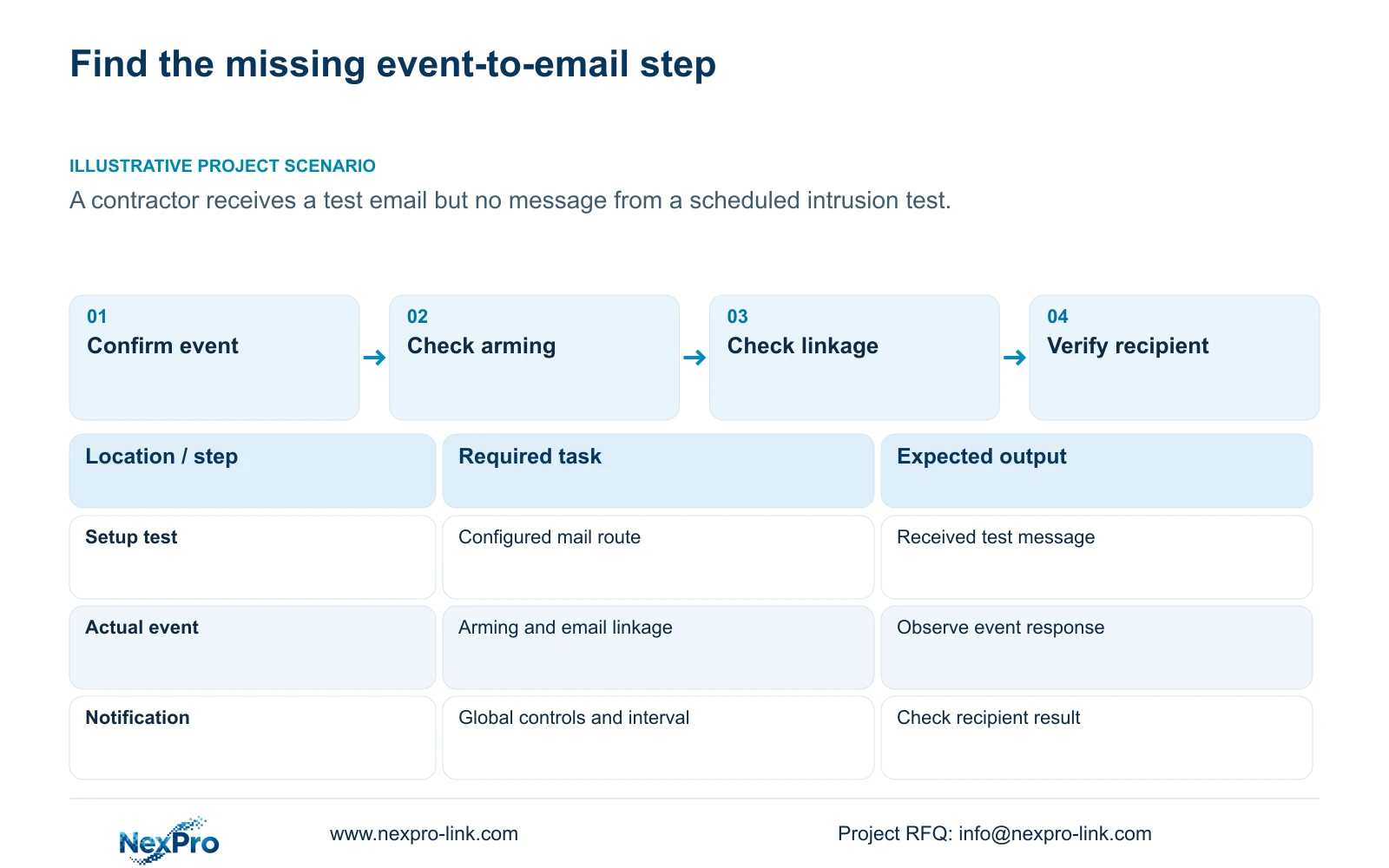
Movement visible in live video does not establish that the configured alarm occurred. Identify the selected camera and event type, then inspect its enablement and applicable detection conditions. For ordinary motion under section 4.12.11, check the detection area as well as the other conditions.
If the planned test is intrusion, confirm the applicable intrusion function on the selected equipment. The motion-alarm instructions cannot establish that an intrusion event is supported or enabled. Keep the event name in the test record so a working motion response is not accepted as proof of another event.
Use an approved, repeatable action that matches the required event. Observe the available event response and record its time. Ordinary motion detection should not be described as human or vehicle classification, and a sensitivity setting does not supply an accuracy percentage.
If event recognition cannot be demonstrated, investigate enablement and detection conditions first. SMTP changes cannot repair an event that never reaches its configured action stage.
Section 03
Compare the test time with the event's armed period
Check the event arming schedule against the actual test time. The camera's recording plan describes recording behavior, while alarm enablement, arming and linkage are configured separately. Continuous footage can exist during a period when the intended notification is not armed.
Sections 4.11.1 and 4.12.11 support this distinction. Compare a test inside the required armed period with an approved test outside it where the operating requirement calls for that difference. Record the conditions and responses separately.
If the failure occurs only near a shift boundary, inspect the relevant period before changing detection or mail settings. One coloured recording schedule cannot establish that the event's email response covers the same hours.
Section 04
Verify email linkage for that event and channel
Inspect the email action selected for the actual event and camera. A received setup test bypasses the question of whether this particular event is configured to request email. Keep that distinction visible in the diagnostic record.
Section 4.12.11 lists popup, flashing border, buzzer, snapshot, screenshot sending, preset call, recording and app push alongside email. Success with one action confirms only that response. A popup can help demonstrate an event response, but it does not establish email delivery or retained footage.
If email linkage is absent, make the authorised event-specific correction and repeat the approved test. If linkage is already selected and another applicable response occurs, retain that observation and proceed to global controls and sending conditions.
| Observed result | Next check | Keep separate |
|---|---|---|
| Test message arrives; event unproven | Event enablement and detection conditions | SMTP route and event recognition |
| Event occurs outside armed period | Applicable event schedule | Recording hours and alarm hours |
| Popup occurs; email action absent | Event email linkage | Visible response and message request |
| Channel configured; all alarms disabled | Global alarm control | Channel settings and system permission |
| Additional events occur within send interval | Documented suppression interval | Event count and email count |
Section 05
Check system-wide controls without using sound as proof
Section 4.12.16 includes global alarm and buzzer controls. Check whether the system-wide setting closes all alarms even though the channel page appears correctly configured. Review the relevant exception settings for the actual symptom rather than treating every system alert as the intended camera event.
Separate no sound, no push notification and no recognised event. Each describes a different missing result. A buzzer setting is not an email-path test, and silence alone cannot establish that event processing failed.
The appendix in section 5.2 lists TS8108D7 without buzzer support. Enabling a menu cannot create that missing hardware. This TS model limit has no established mapping to a NexPro-Link commercial SKU. Use another supported response when observing the event on equipment without local audible indication.
Section 06
Check the sending interval before revisiting SMTP
Section 4.12.10 describes a default sending interval of 1 minute, during which other emails are not sent. Additional events within that interval therefore cannot be counted as guaranteed additional messages. The statement does not establish a queue that later delivers every suppressed event.
Repeat the approved event test with the configured interval taken into account and record the recipient result. Do not infer missing recordings from a smaller email count; inspect footage independently if retention is part of the task.
If a fresh setup test also fails, return to the mail route. The manual describes preset and custom SMTP settings, default port 25, a TLS option and provider examples. Those are source-version fields, not universal recommendations. Obtain the provider's actual endpoint, port, encryption and authentication requirements without publishing credentials or weakening unrelated protection.
Illustrative project scenario: A contractor receives the test message but no notification from a scheduled intrusion test. Confirm the intrusion event and its armed time first, then email linkage and global controls. Check the interval before revisiting the previously working mail configuration.
Section 07
Does each alarm require a separate email?
The supplied manual does not promise that result. Its default 1-minute interval suppresses other emails within the interval. Define the notification requirement and verify the selected configuration against it.
Section 08
Provide the first failed event check
Send NexPro-Link the event type, test time, recorder model and first unproven step in this chain at info@nexpro-link.com for a focused configuration review.
Engineering references
These sources support the general planning principles. Always use the selected product's current datasheet and applicable project standards for final design.


