

A one-minute email suppression window can explain fewer messages than events. Compare exact times, event observations and stored footage before declaring a recording fault.
Section 01
Check whether the events fall inside the sending window
Fewer alarm emails than observed events can be consistent with the sending interval described in the supplied manual. Its default is one minute, during which other emails are not sent. Compare each event time with the first sending time before treating the mailbox count as a detection count. Then inspect the corresponding event observations and recorded footage independently. This explanation applies to the documented recorder email behavior; it does not establish delayed queuing, retry delivery or a rule for every notification service. If footage or event evidence is also missing, investigate that separate failure instead of attributing everything to email suppression.
Start with the actual recorder and its email configuration. The interval belongs to the documented sending function, not to the camera's recording bitrate, footage retention or playback navigation. Confirm the installed value and applicable firmware before using the manual's default to interpret a site result.
The operating source is the private supplied NVR4.0 user manual CH_V2.4.doc, with V2.2 in its body. Sections 4.12.10 and 4.12.11 describe email and alarm actions. Sections 4.12.17, 4.11.3, 4.12.16 and 5.2 support the evidence checks below. Section references take priority over pagination.
Section 02
Compare the supplied event times explicitly
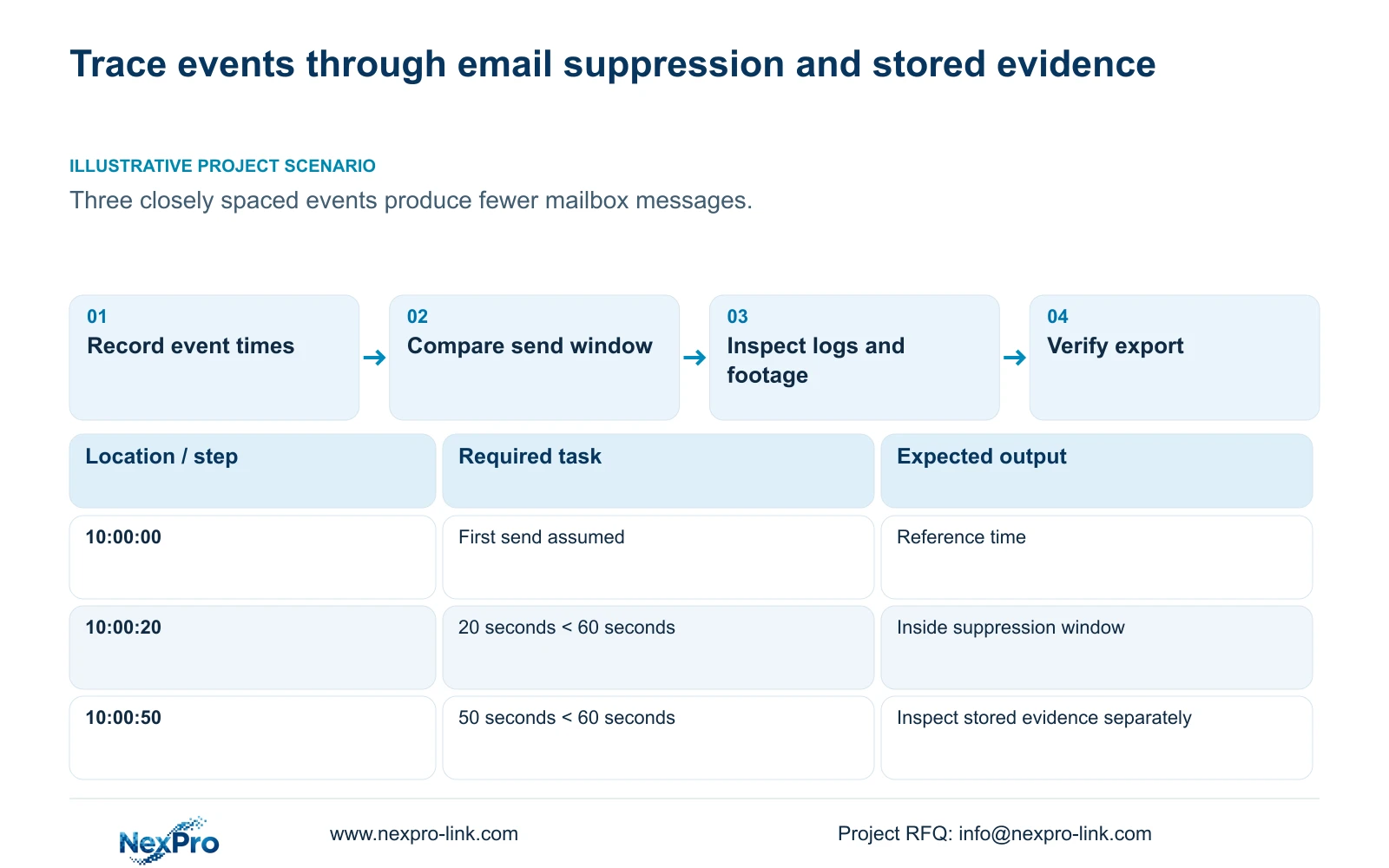
Illustrative project scenario: Three events occur in quick succession while the security mailbox receives fewer messages. The teaching inputs are events at 10:00:00, 10:00:20 and 10:00:50, using the manual's default one-minute interval. Assume the first message is sent at 10:00:00 after the first event.
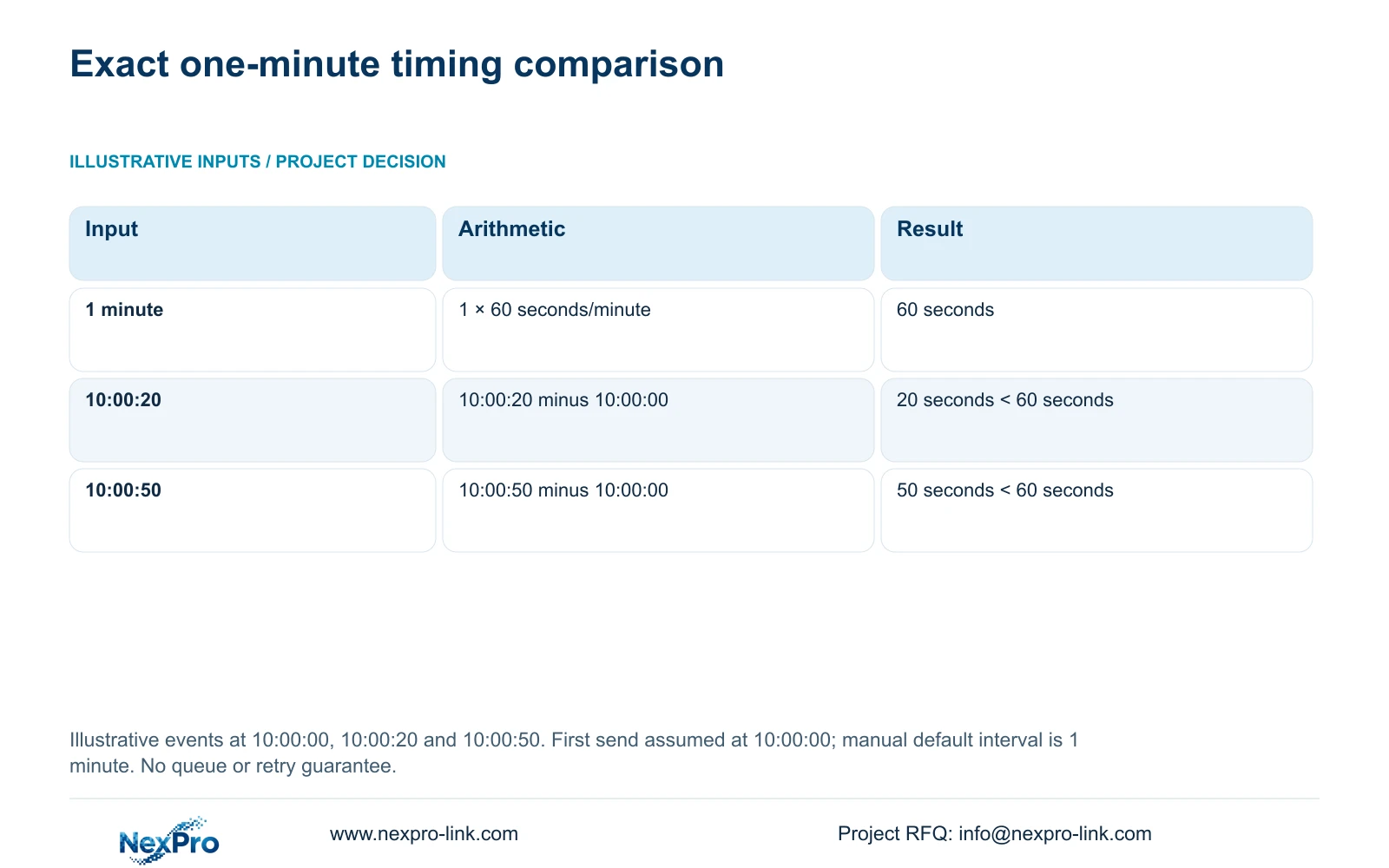
Convert the interval to seconds: 1 minute × 60 seconds/minute = 60 seconds. For each later event, elapsed time = event time minus first sending time. Thus 10:00:20 minus 10:00:00 = 20 seconds, and 10:00:50 minus 10:00:00 = 50 seconds. Both 20 seconds < 60 seconds and 50 seconds < 60 seconds.
Under these stated assumptions, both later events fall inside the suppression window. Separate emails for those events are not guaranteed by the source. The arithmetic explains a possible count difference without establishing how many messages the recipient actually receives, whether later retries occur, or whether every event was recorded.
| Event time | Elapsed from first send | Conditional interpretation |
|---|---|---|
| 10:00:00 | 0 seconds | First sending reference |
| 10:00:20 | 20 seconds < 60 seconds | Inside the documented suppression window |
| 10:00:50 | 50 seconds < 60 seconds | Check event evidence and footage separately |
Section 03
Record each event and its required actions
At the site, capture the actual channel and event time rather than forcing observations into the teaching example. Record which outputs were required and which were observed. A popup, border flash, email, snapshot, recording and app push are separate linkage actions in section 4.12.11.
If a popup appears at an expected event time, that confirms the visible response only. Inspect the recording requirement at its own destination and confirm notifications at their recipients. Keep action duration separate from retention duration.
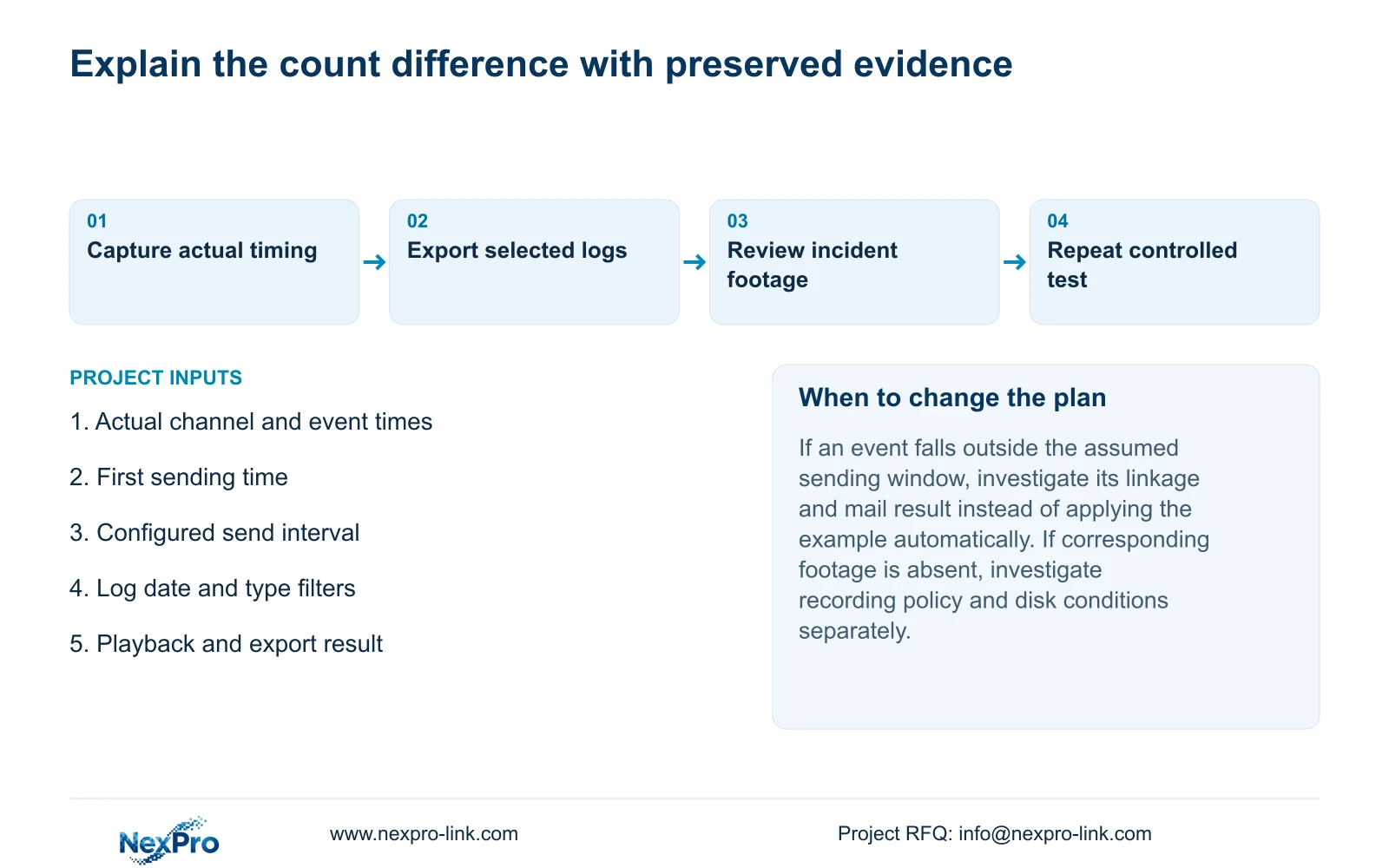
Use the timestamp comparison to decide where to investigate. Evidence of events inside the configured email window supports an interval explanation. An event outside the assumed window, or an unknown first sending time, requires a fresh comparison rather than a fixed conclusion that suppression explains the result.
Section 04
Search and preserve the relevant event records
The log search defaults to the recorder's current day and also uses type filters. Set the relevant date and type before deciding that a record is missing. The manual describes searching all logs when the date condition is not selected, viewing details and exporting text.
Compare the selected entries with the observed channel and event times. Preserve the useful export before changing the configuration so the original observations remain available. A count of returned entries is meaningful only with its search conditions attached.
An empty result after a narrow search is not proof that no event occurred. Expand or correct the applicable filters, then record any remaining gap. The export function does not establish unlimited retention, tamper-proof auditing or certified legal evidence.
Section 05
Inspect the incident period without jumping past it
Use the recorded event times to locate the corresponding channel's footage. Section 4.11.3 provides time positioning, timeline zoom and thirty-second forward or backward jumps. These navigation methods have different purposes; image enlargement changes the view, not the time interval being searched.
A short incident can fall between coarse jumps. In the source's separate twenty-second teaching example, a thirty-second navigation step can cross the whole incident interval. First locate the approximate period, then use a sufficiently fine timeline and inspect the footage continuously around it.
If footage is present, record that result independently of the mailbox count. If it is absent after the correct channel and period have been checked, inspect the recording policy and selected disk conditions. Email suppression alone cannot establish the cause of a recording gap.
Section 06
Confirm alternative notification paths before relying on them
If the owner needs another notification route, specify its recipient and test it independently. A working email path does not prove app push, and a visible popup does not prove an audible warning. Check global alarm controls, buzzer enablement and channel linkage where those outputs are required.
Model scope matters. The appendix lists TS8108D7 without buzzer support. Enabling a control cannot supply missing hardware, so choose an applicable supported action when local audible indication is unavailable.
A project's response requirement may exceed the documented email behavior. Record that requirement for equipment and configuration review through NexPro-Link's BOQ and tender support scope. Do not describe another path as a guaranteed substitute until its actual recipient and failure conditions have been tested.
Section 07
Repeat controlled events and verify the stored result
Repeat an approved test with actual event and sending times recorded. Identify the channel, confirm live view and recording status, wait through the defined observation period, then play back that period. Export a sample and open it on the intended receiving system.
Keep the event observations, log query, mailbox result and playback outcome together. This engineering acceptance workflow uses sections 4.3, 4.11 and 4.12.21; it is not an extra built-in test feature. An unexplained difference should remain a named failed check rather than being hidden by the overall email count.
Section 08
Will suppressed messages arrive after the interval expires?
The supplied description does not establish queuing or retries. Do not promise later delivery for the suppressed events.
Section 09
Do fewer received emails prove lost footage?
No. Check the required channel and period through playback and a verified export. Message receipt and stored footage are separate observations.
Section 10
Submit the timing evidence
Send NexPro-Link a redacted event-and-email timing record with the configured send interval at info@nexpro-link.com.
Engineering references
These sources support the general planning principles. Always use the selected product's current datasheet and applicable project standards for final design.


