

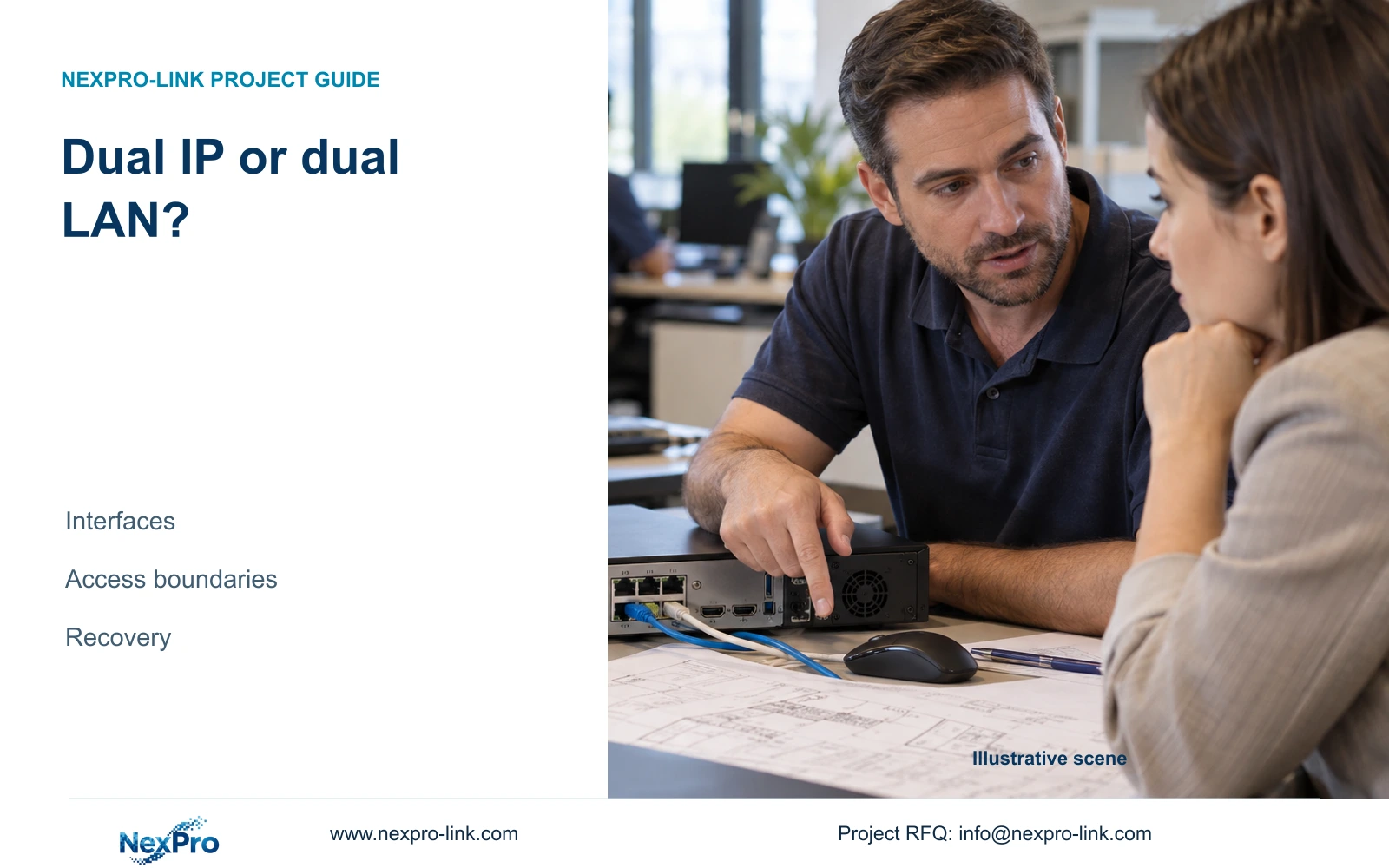
Two addresses and two network ports answer different design questions. Identify the actual camera and management paths before specifying isolation or automatic recovery.
Section 01
Map the interfaces before choosing a network arrangement
A dual-IP option does not establish automatic failover, link aggregation or firewall isolation. The supplied NVR4.0 manual describes multiple addresses and separately mentions dual physical network ports on certain larger-bay models. For a project that separates cameras from office access, first identify the actual recorder interfaces, their addresses and the intended gateway. Then assign the access boundary to a documented device or site network policy. Accept the arrangement only when the required camera, management and remote-service paths work under the approved rules. If automatic recovery is required, keep it as a separate qualification item until the exact recorder and firmware support it.
Start with a drawing of the installed recorder, camera switch and management connection. Label each physical interface separately from each address. Where the recorder has multiple addresses, record which interface carries them according to the applicable configuration. An address entry alone cannot demonstrate an independent cable or upstream switch.
This guide uses the private supplied NVR4.0 user manual CH_V2.4.doc, whose body identifies V2.2. Sections 1.2 and 4.12.8 establish the address and interface scope; section references take priority over page numbers. TS model descriptions are manual examples, with no established mapping to NexPro-Link commercial SKUs.
Section 02
Identify the recorder's default exit
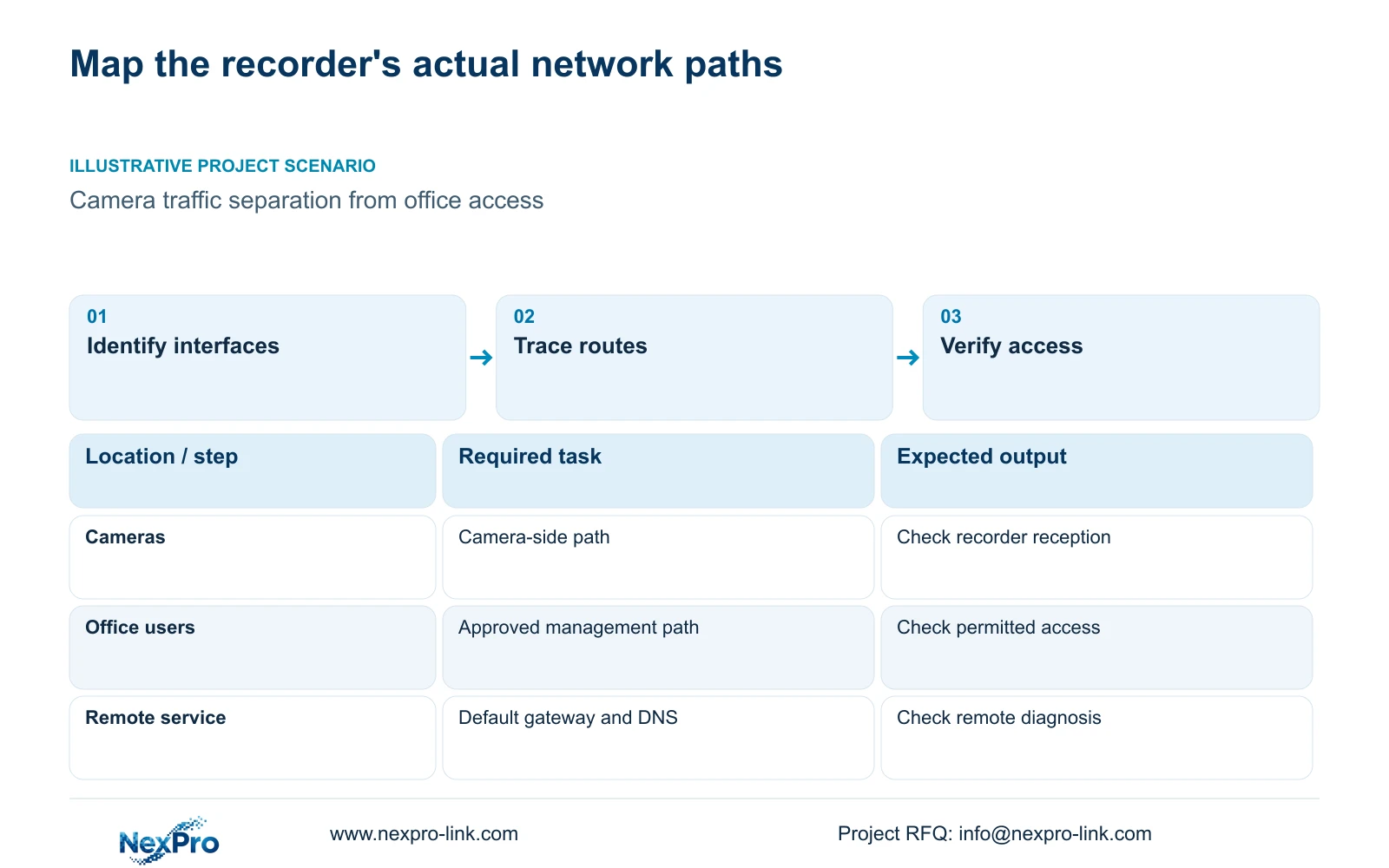
Once the interfaces are mapped, trace camera traffic and the recorder's external connection separately. A camera may remain visible over the local path while cloud access fails through a different route. Check the selected default route, gateway and DNS against the network owner's approved configuration.
Use the remote-network diagnostic described in section 4.3.3.2 to investigate the recorder's external path. Keep cloud activation and account authorization as separate observations. A working local image establishes neither service reachability nor permission to use that service.
If an address change is necessary, obtain authority, preserve the relevant configuration and footage, and arrange the interruption before applying it. Record the changed field and retest both paths. Changing several addresses and gateways together makes it harder to identify which dependency was responsible.
Section 03
Specify where the access boundary is enforced
Write the separation requirement as an operating rule. Identify which management users need recorder access, which camera connections must remain available and which external services are approved. Ask IT to identify the equipment and policy that enforce those rules.
Recorder address settings do not override corporate network policy. If office access must be restricted, a second address is insufficient evidence that the restriction exists. Likewise, separate physical ports do not establish every form of security isolation or bonding.
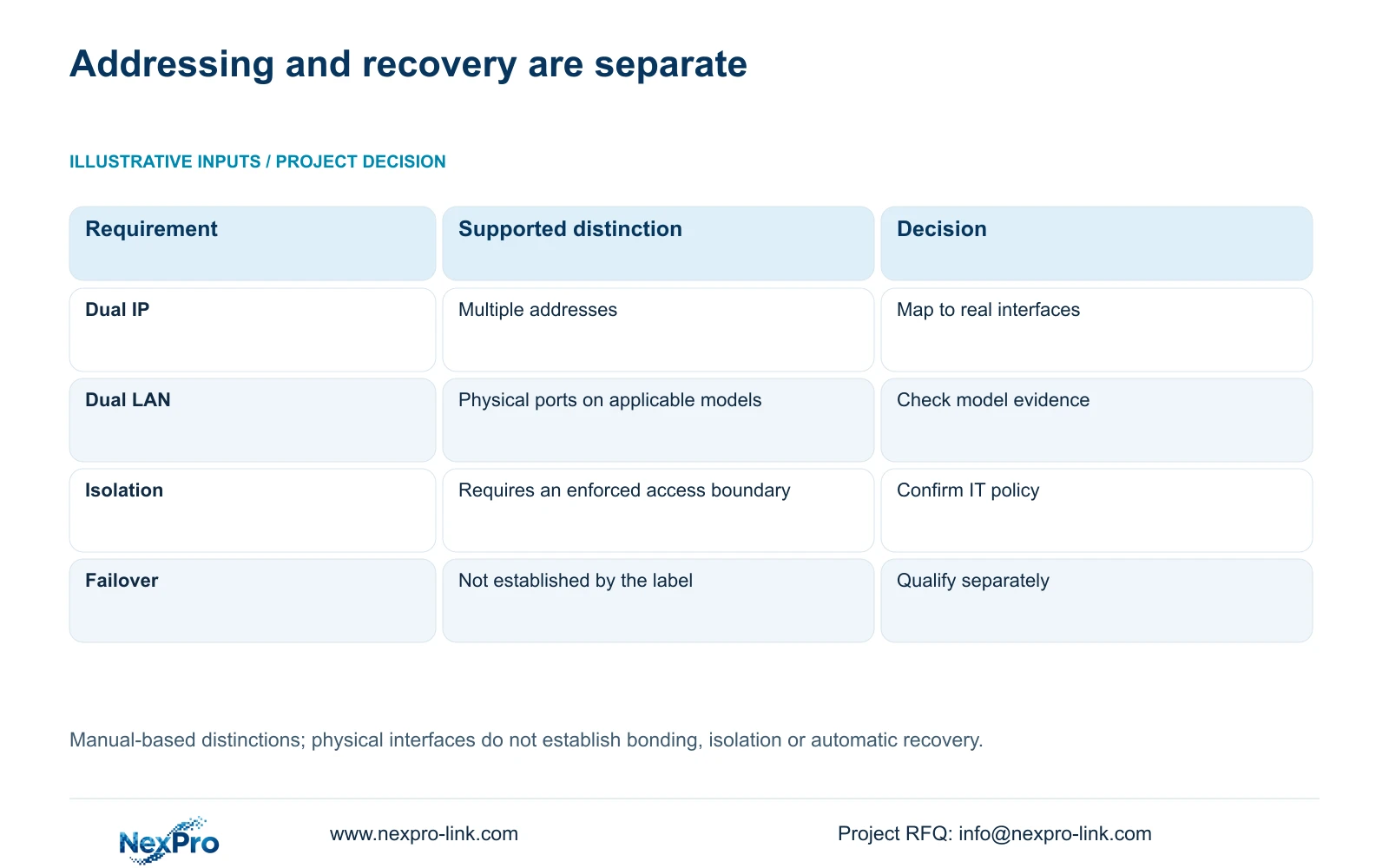
The following decisions prevent an ambiguous dual-LAN line from becoming an unsupported procurement promise.
| Project requirement | Evidence needed | Next decision |
|---|---|---|
| Multiple addresses | Applicable multi-address settings and interface mapping | Use the documented address arrangement |
| Separate physical paths | Actual ports, cables and upstream connections | Check the exact model and topology |
| Restricted office access | Approved access rules and their enforcement point | Coordinate the boundary with IT |
| Automatic recovery | Supported failover behavior for the selected firmware | Leave unproven recovery outside the accepted scope |
Section 04
Observe each path during a defined workload
Section 4.3.3.3 presents interface transmit and receive traffic. Record the interface, observation period and active tasks alongside the readings. Camera recording inputs, remote live views, playback and downloads create different workloads, so incoming and outgoing values need not match.
Begin with the existing recording workload, then observe the approved management task separately. If traffic appears on an unexpected path, compare it with the interface and route drawing before changing the configuration. The observation narrows the investigation; it does not prove a firewall failure or a specific routing cause.
A sum of stream bitrates represents planned video payload. Interface readings may also include protocol overhead and other activity. Compare values with the same scope, and retain separate observations for simultaneous playback or export.
Section 05
Check the selected recorder beyond its port count
Match the network arrangement to channel modes, total incoming bitrate, required playback, usable storage and remote tasks. Sections 5.1 and 5.2 separate those constraints. Passing the physical-interface check does not settle whether the recorder can perform the operating workload.
Preserve alternative playback combinations as alternatives. For example, the manual lists TS8232C4 local playback as 1×4K OR 4×2MP OR 2×5MP. Those modes cannot be added together, and they do not establish the capabilities of a NexPro-Link SKU.
For a current commercial candidate, use its own specifications. The supplied NexPro-NVR4449-4K public source lists dual gigabit interfaces, but that field alone does not establish bonding, automatic failover or firewall isolation. NexPro-Link BOQ support can help frame the exact equipment requirement without treating the manual family as a commercial cross-reference.
Section 06
Keep recovery requirements separate from observations
Illustrative project scenario: A consultant wants camera traffic separated from office access and asks whether a dual-address option is sufficient. The proposed review begins with the actual interfaces and approved gateway, then identifies where office access restrictions are enforced. A dual-address setting remains an addressing choice until that boundary is demonstrated.
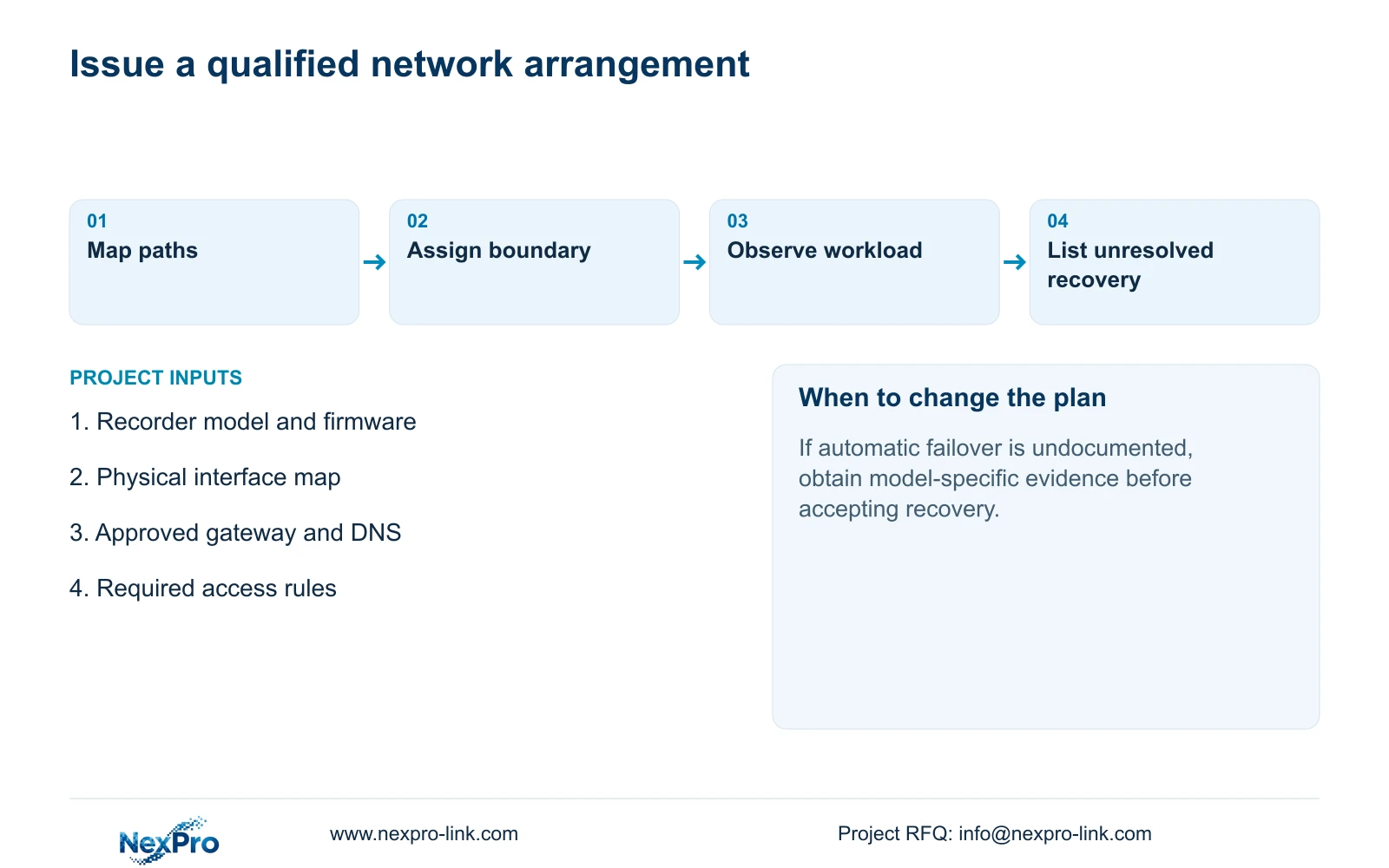
If the consultant also requires service continuity after a link failure, add a separate recovery requirement. Define the task that must remain available and obtain the model-specific mechanism before arranging an authorized test. Do not label a cable diagram as proof of failover.
Record the observation, applicable manual branch and next controlled check. Stop configuration changes when the required behavior is undocumented or the installed firmware differs from the source. The resulting design record should distinguish accepted paths, unresolved requirements and the party responsible for each.
Section 07
Can dual gigabit ports prove failover?
No. They establish the stated physical interfaces. Failover requires separate evidence of supported recovery behavior for the exact model, firmware and network arrangement.
Section 08
Submit the intended network paths
Send NexPro-Link a redacted camera and management path drawing with the proposed recorder model and required separation or recovery behavior at info@nexpro-link.com.
Engineering references
These sources support the general planning principles. Always use the selected product's current datasheet and applicable project standards for final design.


