The NVR4.0 option controls automatic configuration behavior. Evaluate its four documented effects and test intrusion events separately before accepting a managed setup.
Section 01
Translate the option into observable configuration effects
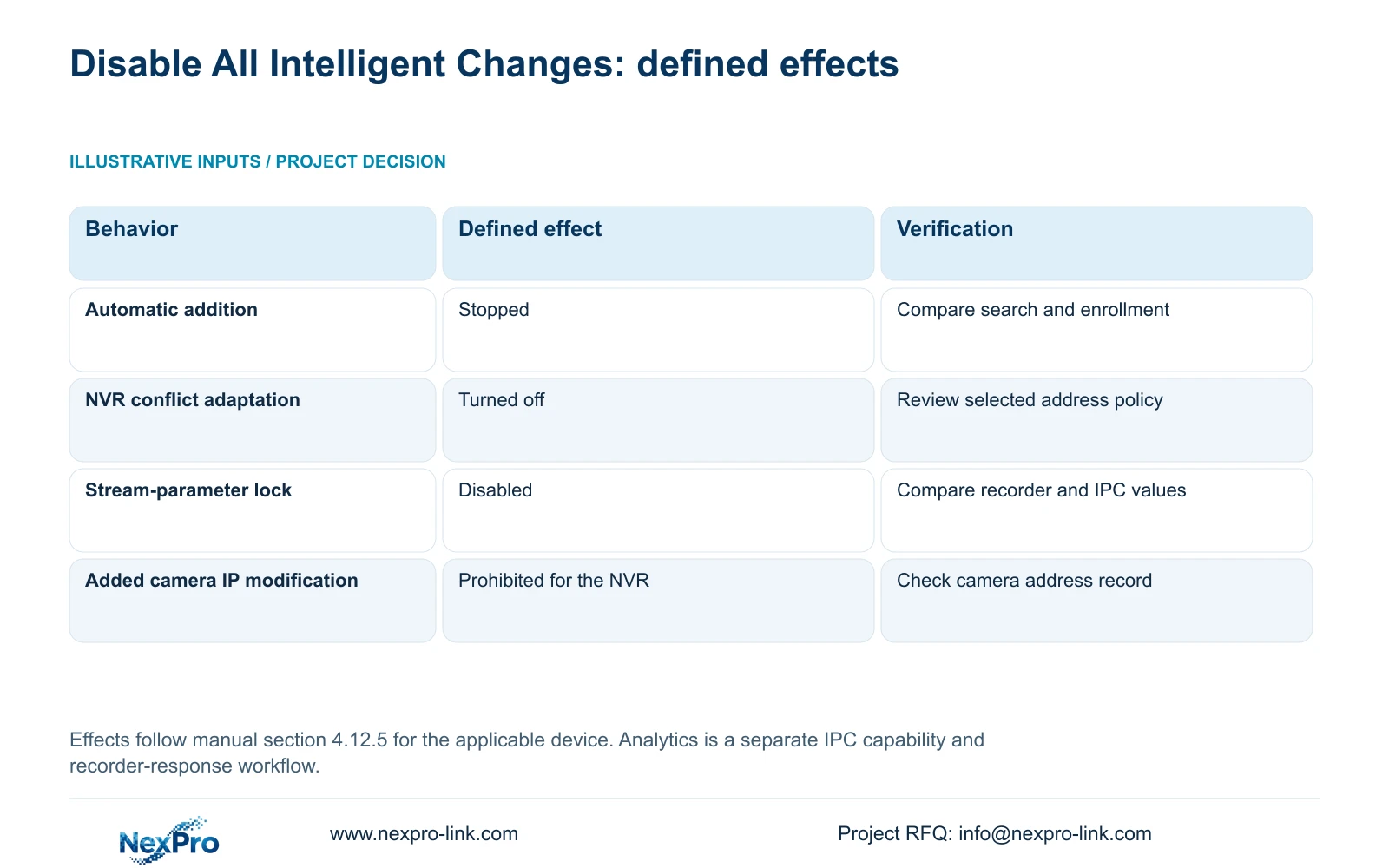
In the supplied NVR4.0 manual, Disable All Intelligent Changes affects automatic configuration, not the whole video analytics system. Its listed effects are stopping video-management automatic addition, turning off IP-conflict adaptation, disabling stream-parameter locking and prohibiting the recorder from changing added camera IP addresses. Evaluate all four before applying the option to a managed installation. A fixed-address project may welcome some effects while still depending on recorder-controlled stream settings. Record the existing state, assign responsibility for addresses and stream profiles, then verify the resulting behavior. Test intrusion or line-crossing events independently through the supported camera and recorder workflow instead of interpreting the option name as an analytics verdict.
This guide uses the private supplied NVR4.0 user manual CH_V2.4.doc, whose body identifies V2.2. Section 4.12.5 defines the option. Sections 4.3.1, 4.12.8, 4.4.5, 4.12.7 and 4.12.15 supply the related operating context. Match the actual model and firmware; section references take priority over page numbers.
Write down the intended outcome for each affected object before changing the combined option. The recorder's own address and an added camera's address are separate objects, even though both appear in this definition.
| Affected behavior | Manual-defined effect | Check after the change |
|---|---|---|
| Video-management automatic addition | Stopped | Observe search results separately from added-channel entries. |
| NVR IP-conflict adaptation | Turned off | Confirm the selected response and approved recorder address. |
| Stream-parameter locking | Disabled | Compare the approved profile at recorder and camera. |
| Recorder modification of added camera IP | Prohibited | Compare enrolled camera addresses with the approved record. |
Section 02
Check automatic addition without confusing it with discovery
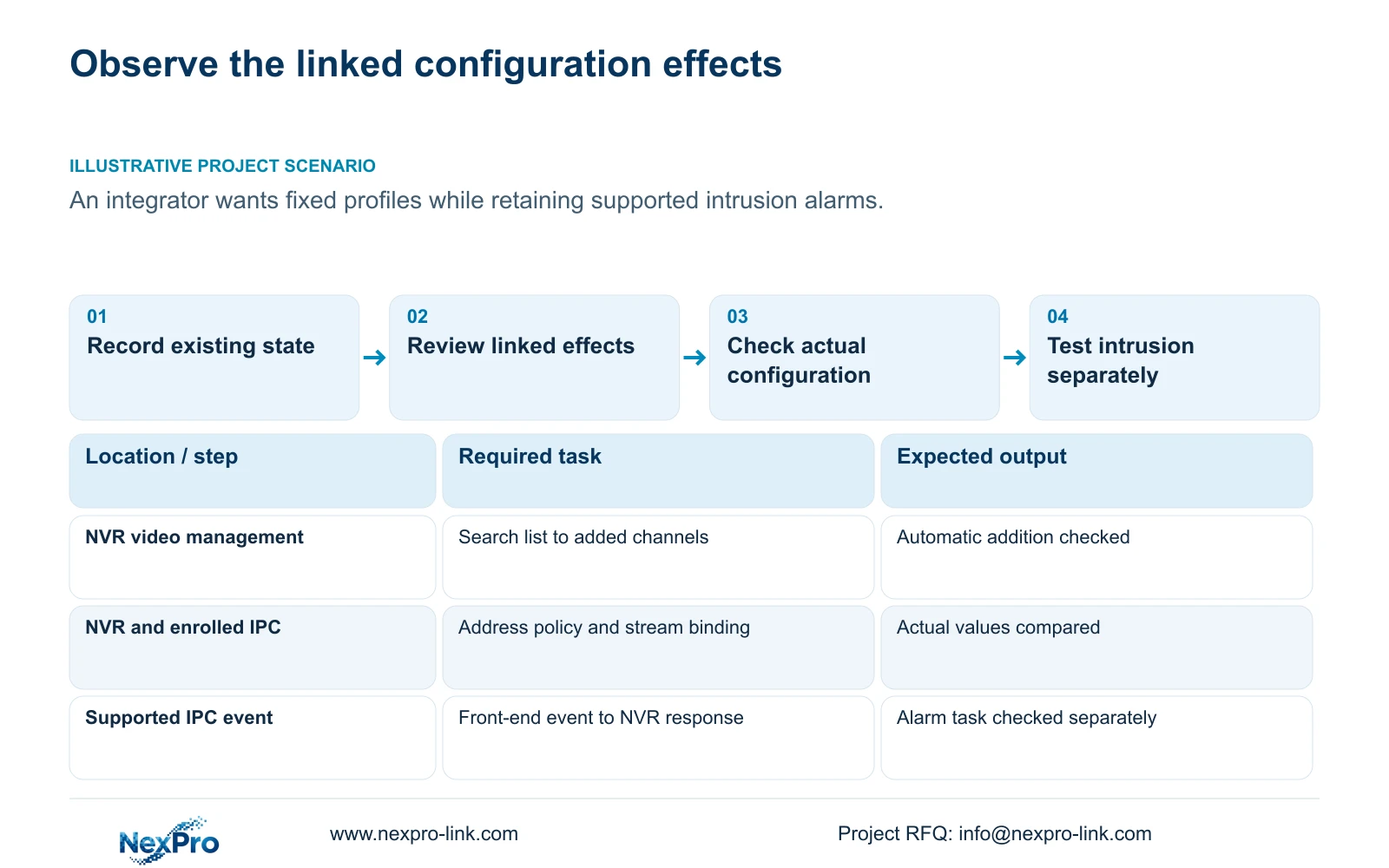
Section 4.3.1 separates searching from adding and diagnosing devices. Compare the search list with the added-device list during an authorized commissioning check. A device being found is a different observation from a new channel appearing automatically. The option's definition concerns automatic addition; it does not establish that every supported search mechanism disappears.
The manual describes private-protocol search and same-subnet ONVIF search. Keep that scope intact when selecting a test camera. Use a known, supported camera-recorder combination and approved credentials. If the device can be discovered but its channel is not usable, investigate protocol, authentication and channel assignment before judging the switch's behavior.
Existing channels also need checking. Confirm live video and newly recorded footage for the relevant group. Do not infer that the option deleted previously enrolled devices or that a search result proves full interoperability.
Section 03
Confirm both address-related effects
Under section 4.12.8, conflict adaptation can change the recorder's own address after a conflict when enabled. Turning it off removes that response. It does not resolve duplicate allocation. Review the recorder's actual address against IT's plan without deliberately creating a conflict on a running production network.
Separately, the combined option prohibits the recorder from modifying the IP addresses of already added cameras. Compare those addresses with the camera register and document who now controls changes. A policy that restrains NVR changes cannot establish that no other authorized tool or network-management process will change an address.
Any planned IP modification still requires authorization, preservation of relevant configuration and footage, and an interruption arrangement. If the installed addresses already match the approved plan, verification may be observational; there is no need to renumber devices just to demonstrate that a setting was selected.
Section 04
Check who owns the stream profile after locking is disabled
Sections 4.4.5 and 4.12.7 explain that parameter locking can bind the recorder's local stream configuration to the camera. Even where local parameters were not explicitly set, local adaptation values may be used. Disabling locking stops that local binding from modifying the camera in the documented way.
Decide whether the approved profile belongs to the recorder interface or the camera-side workflow. Record the accepted values and compare both ends after an authorized reconnection. If camera values still differ, preserve the exact discrepancy and investigate the actual control source instead of repeatedly saving through competing interfaces.
For a recorder-managed project, disabling this behavior may undermine the intended configuration method. For a camera-managed project, it may remove an unwanted writer. The decision depends on ownership and supported operation, not on whether the word intelligent sounds desirable.
Section 05
Validate intrusion events through their own workflow
Section 4.12.15 documents enabling the NVR-side function and then using Front-end Settings for the IPC region or line, direction and sensitivity. The camera generates the supported event; the recorder receives it and performs the configured response. A recorder checkbox cannot give an unsupported camera the required analysis capability.
Retain the agreed detection setup while assessing the automatic-configuration option. Perform an authorized event check on the actual camera-recorder pair and observe both the front-end event and required recorder response. If video works but the response fails, investigate camera capability, connection method and event configuration separately.
Illustrative project scenario: An integrator wants fixed addresses and stream profiles but worries the setting will disable intrusion alarms. The proposed decision is to review all four configuration effects, confirm profile ownership, and run a separate intrusion-event check. The manual's definition does not justify declaring alarms disabled or guaranteed to work solely from the combined option's state.
Section 06
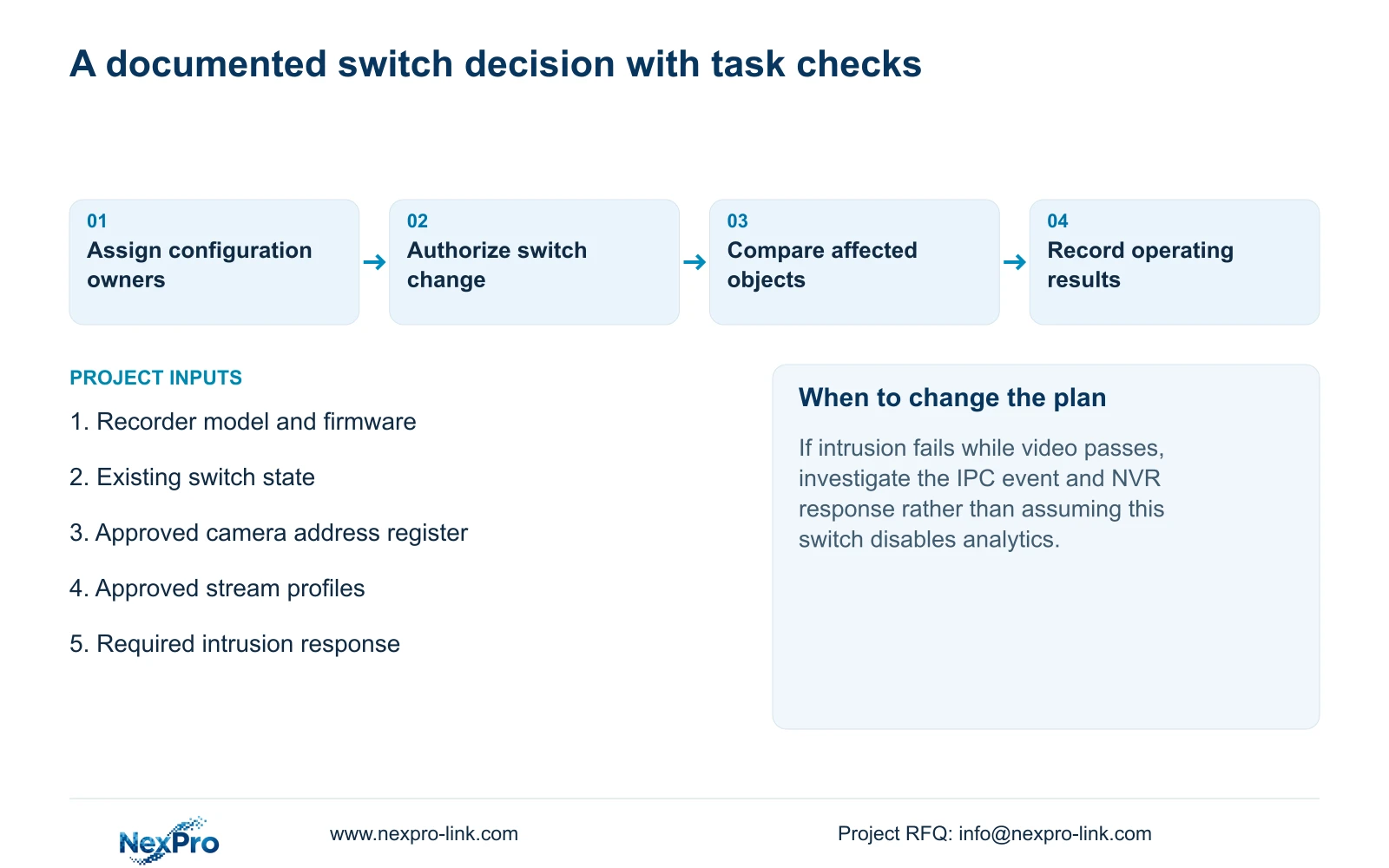
Save the state and the operating results together
Keep a before-and-after record of the combined option, affected camera group, address values and stream ownership. Treat the switch as the changed variable, while recognizing that it has several linked effects. Record any other authorized change separately so later troubleshooting can distinguish them.
Recheck live view, correct time, newly produced footage, relevant historical samples, export, intended accounts and required events. Sections 4.11 and 4.12.17 through 4.12.20 support the operating and maintenance context. An online icon or saved-settings message does not demonstrate those tasks.
If a required task fails, preserve the result and obtain the next supported action for the actual model and firmware. The evidence does not establish automatic rollback on every unit. Accept the change only against the project's stated operating outcomes.
Section 07
Is this an intrusion-analysis master switch?
No. Section 4.12.5 defines automatic configuration effects. Intrusion analysis depends on the supported IPC event setup and NVR response, which require a separate test.
Section 08
Can a camera still appear in search when automatic addition stops?
Discovery and enrollment are separate observations. Compare the search and added-device lists; the option's definition does not establish that search itself is disabled.
Section 09
Define the required configuration ownership
Send NexPro-Link the intended owner of camera addresses and stream profiles, with the recorder model/firmware, at info@nexpro-link.com to review whether the combined option fits that policy.
Engineering references
These sources support the general planning principles. Always use the selected product's current datasheet and applicable project standards for final design.