

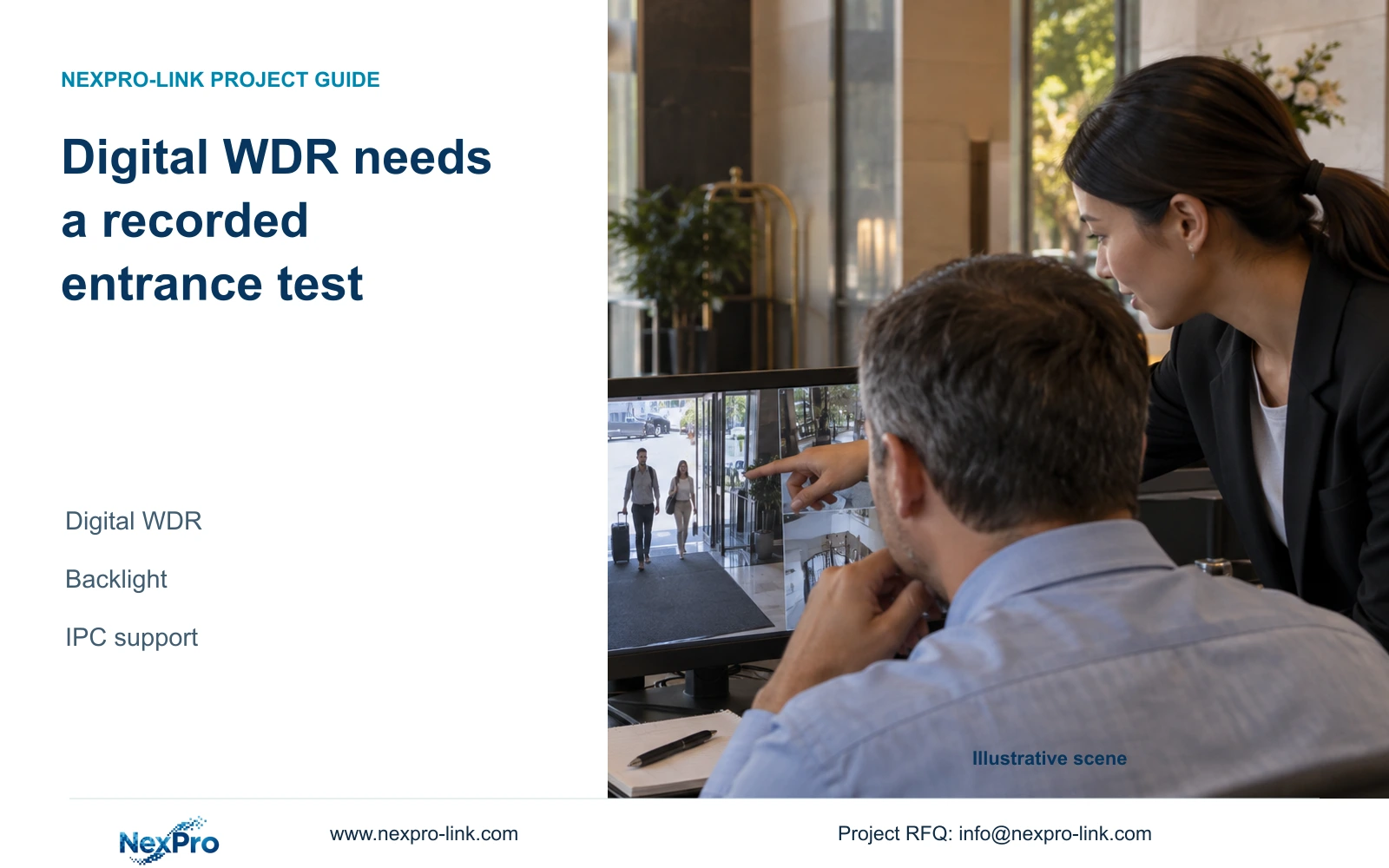
A digital WDR control does not establish a hardware dynamic-range rating. Evaluate the required entrance detail in recorded walking samples before accepting a camera or lighting option.
Section 01
Specify the bright and dark regions that must remain useful
Selecting digital WDR in an NVR's IPC menu does not prove that the camera has multi-exposure WDR or a specified hardware dynamic range. For a backlit entrance, first define the visitor detail and outside area that the recording must show. Confirm that the actual camera supports the available processing control, then compare recorded walking samples under matched encoding and representative lighting. Accept the setting only when those samples meet the agreed observation task. If the target remains unusable, retain a different camera or lighting arrangement as an option. Procurement should compare those workable alternatives without turning a menu label into a hardware specification.
At an entrance, the required regions may compete for attention. The owner should state whether the recording must show visitors at the doorway, activity outside, or both. Mark the relevant part of the view and the operating lighting condition before adjusting the image. An empty doorway can look balanced while the person passing through it remains difficult to review.
Section 4.4.3 explicitly names digital WDR. Other available controls depend on the IPC. Preserve that terminology in the requirement and equipment schedule; do not substitute True WDR or 120dB without model-specific evidence.
Section 02
Change one supported capture parameter
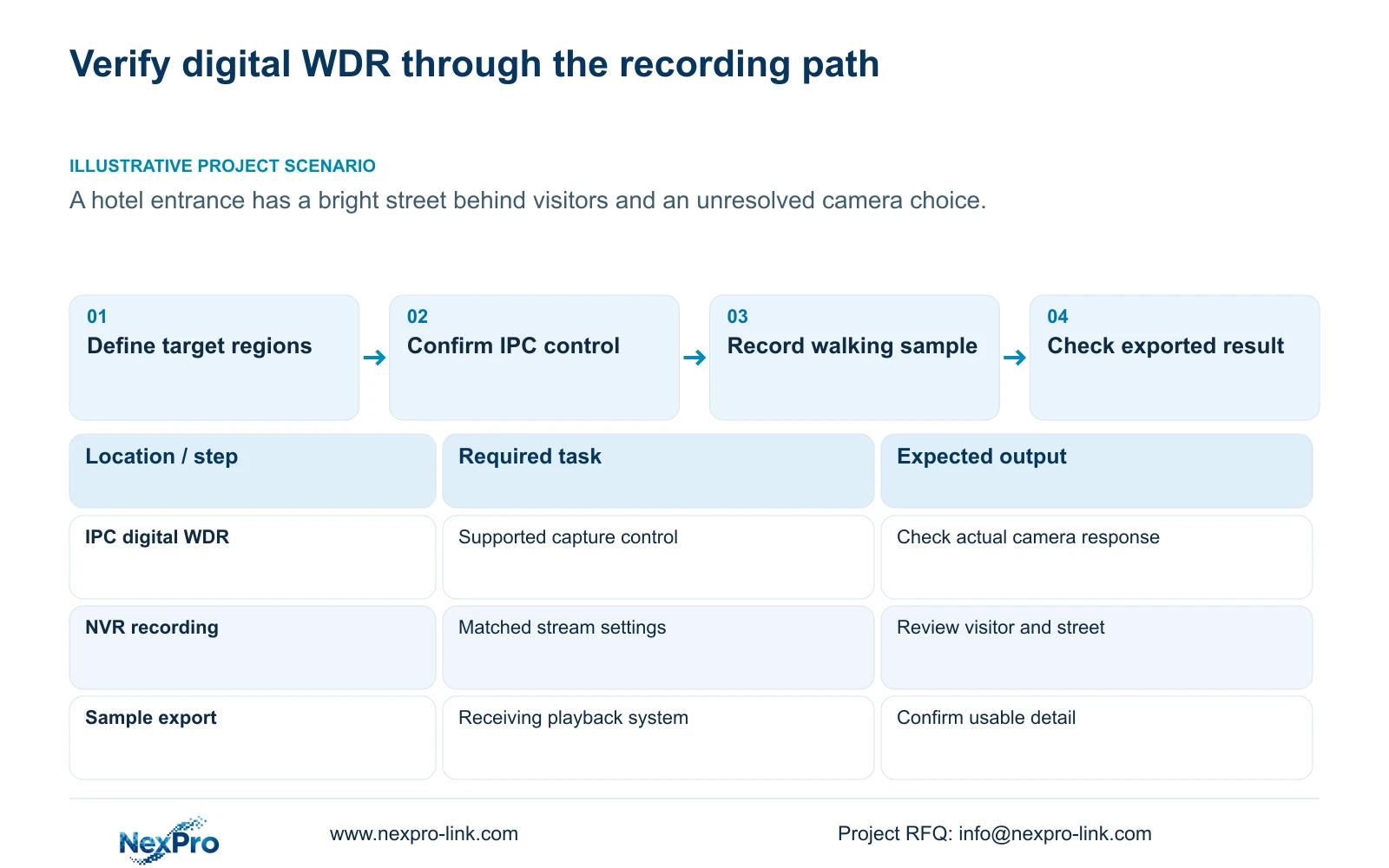
Save a baseline recording and the camera's existing settings before making a comparison. The capture section lists brightness, saturation, sharpness, contrast, image flips, digital WDR, starlight and corridor modes. These are camera-side controls, separate from the recorder's monitor-output adjustment.
Begin with the relevant supported WDR option and keep unrelated settings unchanged. Record another passage through the entrance under comparable backlight. Judge the required bright and dark regions together. A brighter face accompanied by an unacceptable loss of another required area has not completed the specified task.
If a supported adjustment helps only part of the view, document that limitation. Further capture changes can be tested individually, but combining several changes makes it difficult to explain which setting produced the result.
Section 03
Verify that the selected IPC accepts the control
A visible NVR field and a working video connection do not establish that the requested capture operation reaches the camera. Check the IPC identity, firmware, connection method and relevant permissions. Confirm the applicable menu layer and test the operation on that camera before extending the setting to other entrances.
If the field is unavailable or the expected change cannot be confirmed, retain the baseline and request the camera-specific control information. Do not diagnose hardware failure from a grey button. ONVIF profiles provide a framework for checking feature scope, not universal proof that every camera-recorder pair supports the same image commands.
The useful outcome here is a documented supported setting and a corresponding recording. A screenshot showing the selected value alone leaves the image task unresolved.
Section 04
Keep encoding conditions comparable
Record the stream's codec, resolution, frame rate, bitrate setting and CBR or VBR selection for each sample. Keep these conditions unchanged during the initial WDR comparison so that a stream-profile change does not become an unreported second variable.
The entered bitrate describes configuration; measured traffic and stored volume describe operation. If the accepted image profile changes the observed traffic, use representative average measurements for retention planning and the appropriate peak or limit for network review. A quiet entrance sample cannot establish permanent daily storage demand.
Do not declare CBR or VBR inherently more reliable, or assume a fixed storage saving from the selected processing mode. If lighting or visitor activity differs substantially between samples, repeat the comparison before attributing the difference to digital WDR.
Section 05
Inspect walking samples in the recorded deliverable
Use a representative person moving along the required entrance route. Review the detail the owner needs while that person occupies the difficult part of the scene. Compare the recorded result with the baseline at an appropriate display ratio, rather than accepting a static live-view demonstration.
Export a sample and open it on the receiving system. Confirm its channel and period, actual playback and any required audio. Section 4.11.4 mentions players such as VLC but gives no universal platform or codec guarantee. Preserve the original until the comparison copy is usable.
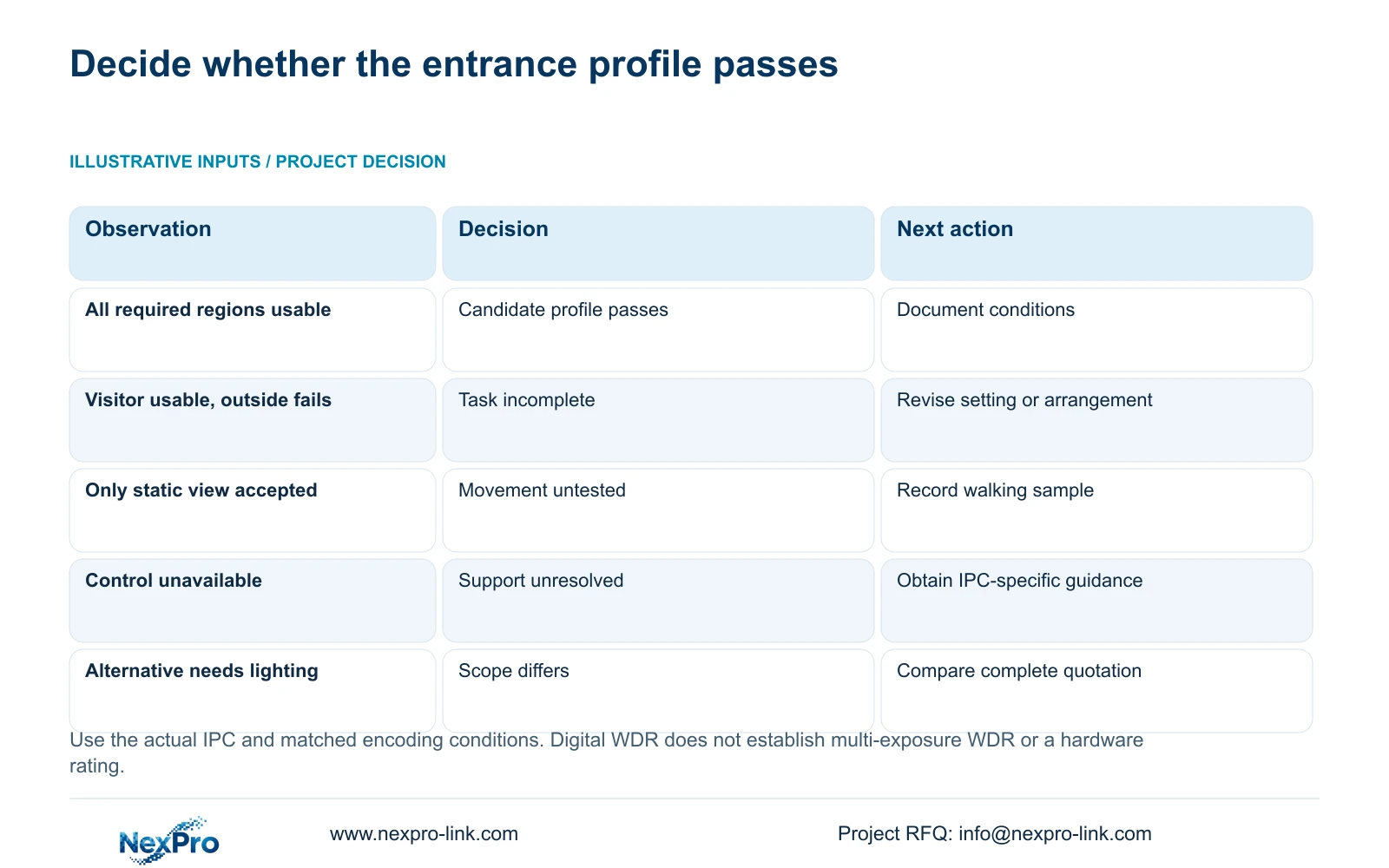
These branches keep the setting decision separate from the equipment decision.
| Recorded observation | Decision | Next action |
|---|---|---|
| Required visitor and outside regions are usable | The supported profile is a candidate baseline | Confirm representative conditions and record settings |
| Visitor improves but another required region fails | The complete task remains unmet | Test another supported setting or revise the arrangement |
| Only the empty doorway looks satisfactory | Movement acceptance is incomplete | Repeat with a walking subject |
| Control support cannot be confirmed | No defensible setting conclusion | Obtain IPC-specific information |
| Export does not play on the receiving system | The comparison deliverable is unusable | Resolve playback before acceptance |
Section 06
Compare camera and lighting options after the task passes
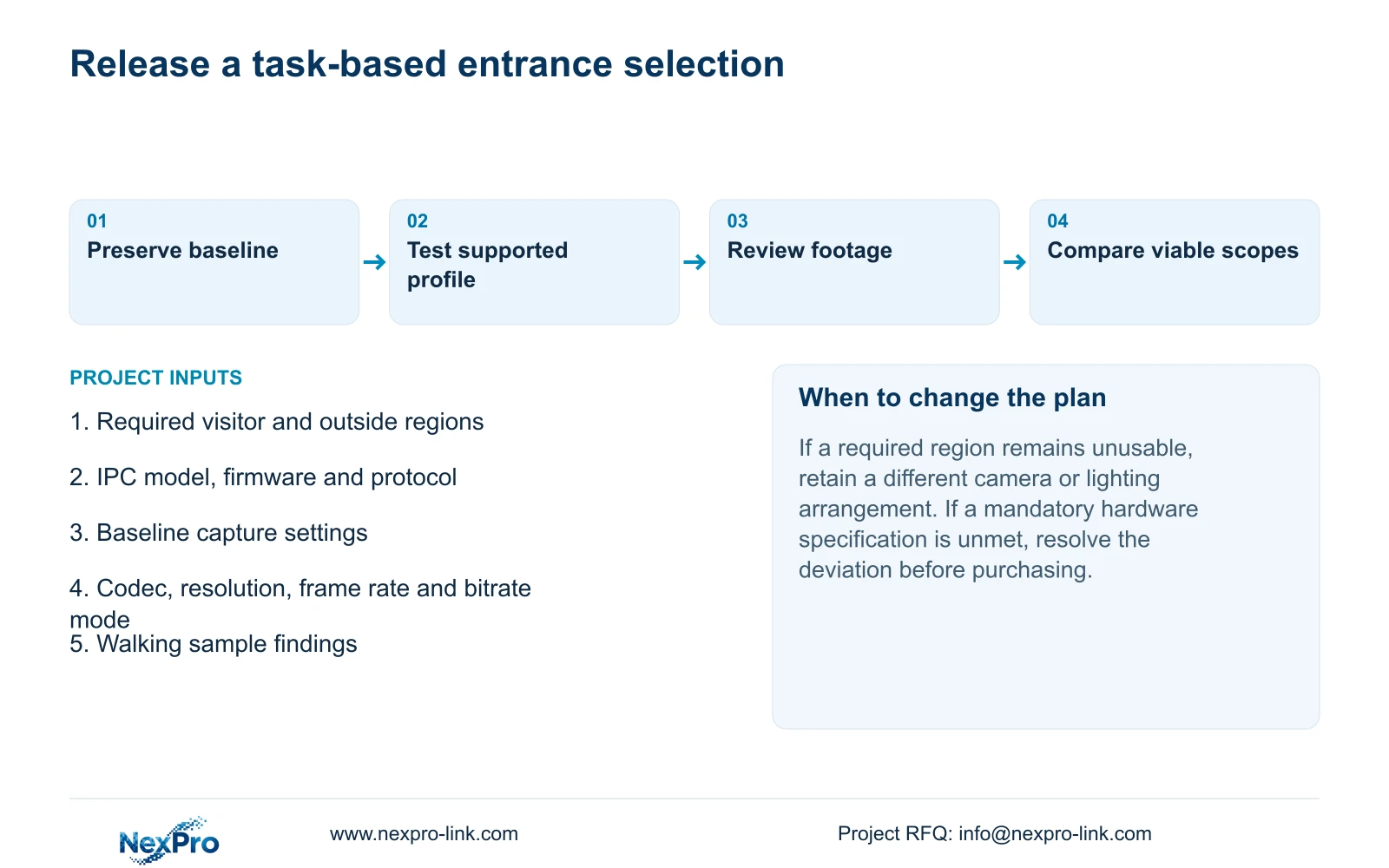
A camera adjustment can be retained when it meets the entrance requirement under the relevant conditions. If it does not, compare a different camera or lighting arrangement against the same target. Keep any mandatory hardware specification separate: a successful sample does not silently replace a contractual requirement.
Normalize the quotation scope before comparing prices. Include camera quantity, accepted operating modes, recording retention, playback requirements, disks, accessories, software and the boundary of site work. Identify whether an alternative adds lighting equipment or requires changes to the installation.
Without matched quotations, use a scope comparison and list unresolved differences. A recorder-only price and an installed entrance solution are different purchasing objects. NexPro-Link's BOQ and tender support can provide a project discussion route without implying a predetermined winning option.
Section 07
Review a hotel entrance before removing an alternative
Illustrative project scenario: A hotel entrance shows a bright street behind visitors and procurement asks whether the NVR setting removes the need for a different camera. Keep that alternative open while the engineer tests the actual IPC's supported digital WDR control. Procurement can remove it only after the recorded entrance task passes and any mandatory specification remains satisfied. No cost saving or delivered outcome is assumed.
Section 08
Can the digital WDR menu justify a 120dB specification?
No. The menu documents a processing option. A hardware dynamic-range figure requires applicable model documentation and cannot be inferred from that label.
Section 09
Can a cheaper camera be retained if the entrance sample passes?
Yes, when it meets the agreed task and mandatory requirements, or the buyer explicitly accepts a disclosed deviation. Compare its complete camera and lighting scope with the alternative.
Section 10
Source and device scope
The supplied NVR4.0 user manual CH_V2.4.doc identifies V2.2 in its body. This guide follows sections 4.4.3, 4.4.8, 4.4.5, 4.3.3.3, 4.10 and 4.11.4. Procurement comparison is an engineering method informed by sections 5.1 and 5.2, not a quoted price result.
Section 11
Provide the entrance test requirement
Send the entrance's required target regions, candidate IPC model and firmware, and recorded comparison findings to info@nexpro-link.com for a camera or lighting scope review.
Engineering references
These sources support the general planning principles. Always use the selected product's current datasheet and applicable project standards for final design.


