

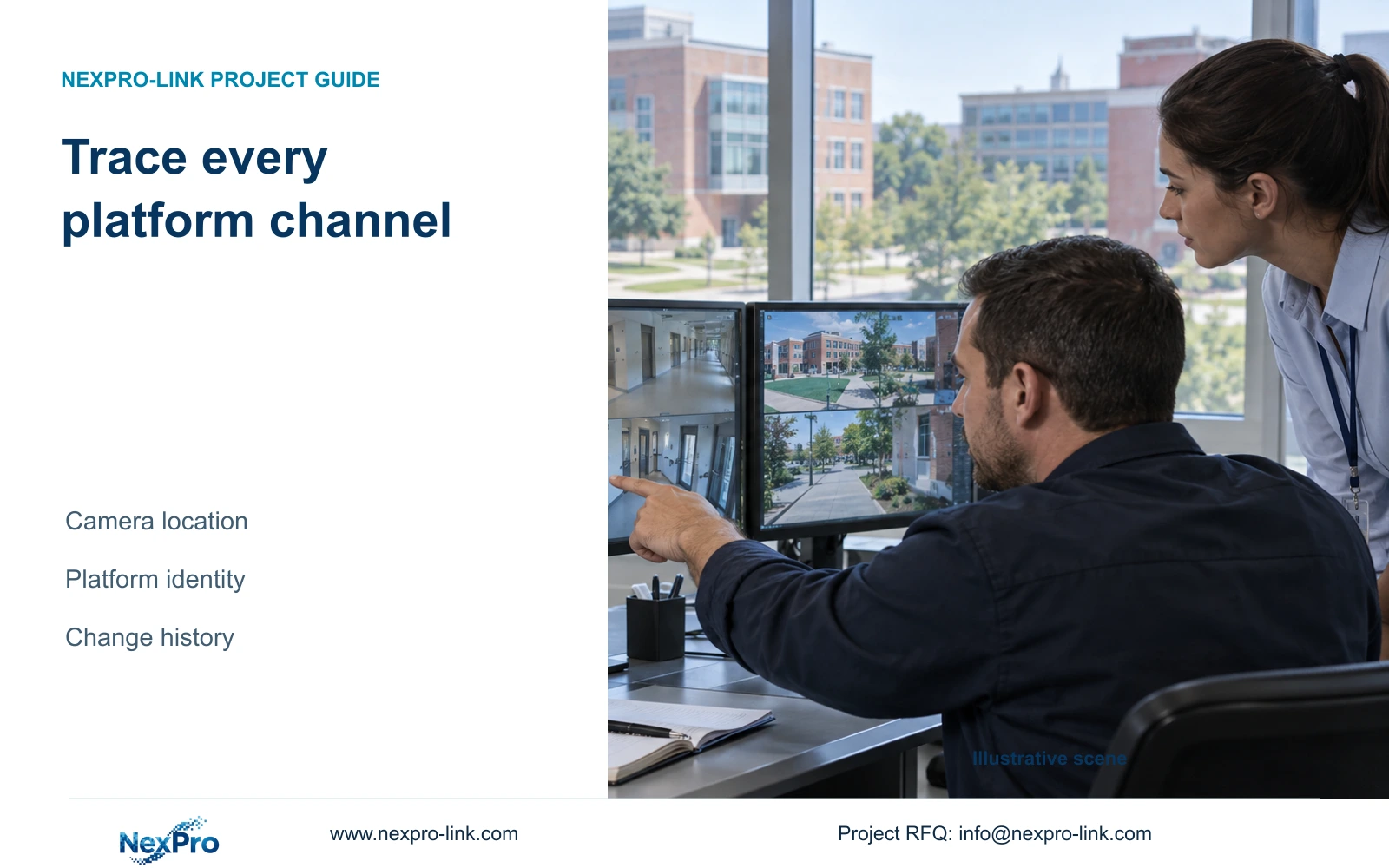
Maintain separate recorder, platform-channel and physical-camera identities so operators can trace a requested view to the correct location and recorded period.
Section 01
Connect platform entries to physical camera locations
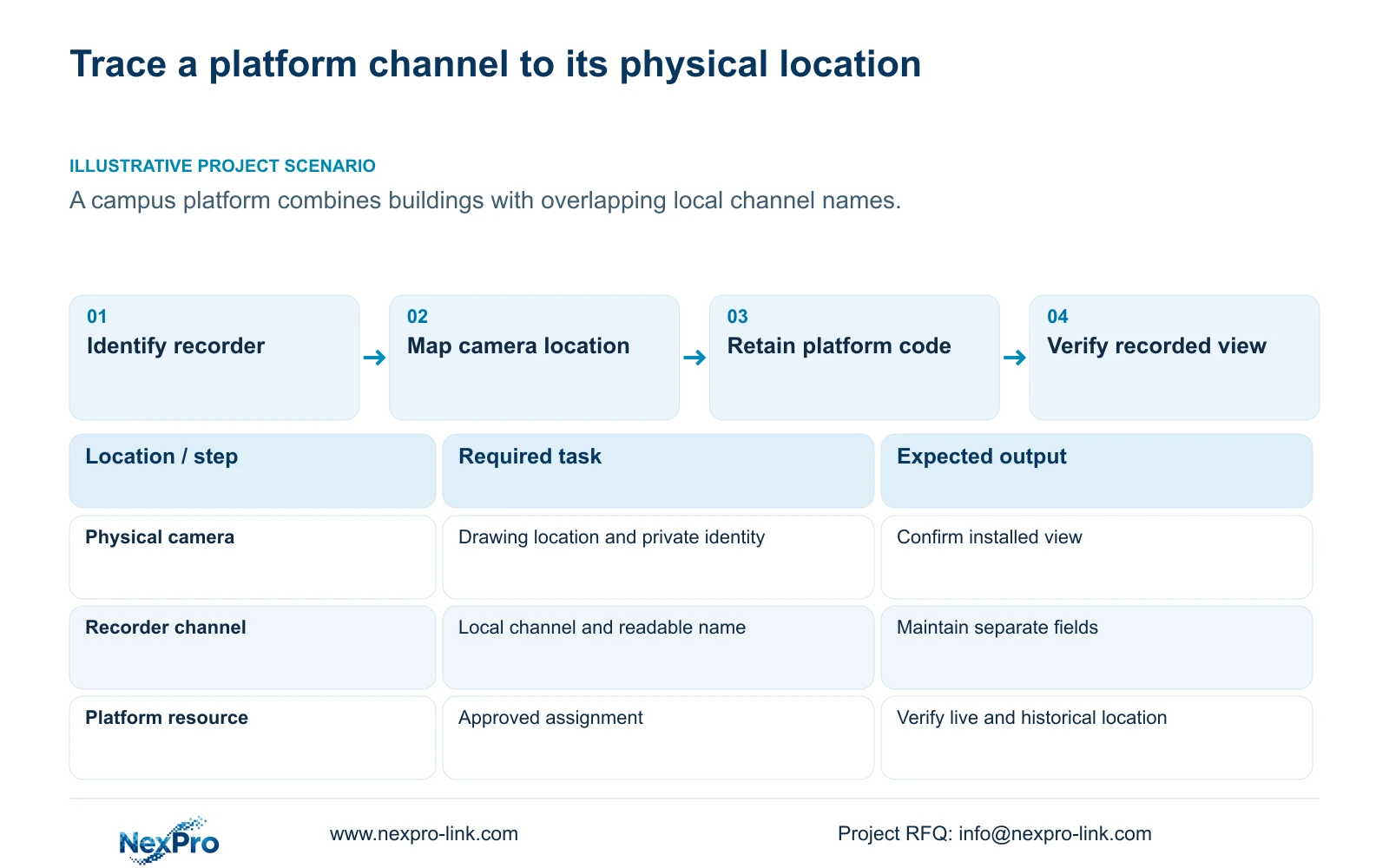
Maintain a register that connects each recorder's management identity and platform channel identity to the physical camera, local recorder channel and drawing location. Keep readable names in separate fields so an alias change does not erase the underlying relationship. This is especially useful when several buildings use similar local channel names. Before handover, verify that the receiving platform opens the expected view and retrieves the correct recorded period. Preserve the previous mapping when equipment is replaced or channels are reordered. The register should help an operator locate footage and help maintenance staff explain changes, rather than leaving either group to interpret unexplained platform numbers.
Start with the receiving platform's approved identity assignments. Check the recorder's assignment against the platform register before adding its channels. Uniqueness is a project administration task; a familiar recorder name or successful registration does not establish that every channel is mapped correctly.
Section 02
Use the manual controls without inventing an identity scheme
The private operating source is NVR4.0 user manual CH_V2.4.doc, whose body identifies V2.2. Section 4.12.9 covers platform connection and identification fields. Sections 4.3.1, 4.4.4 and 4.12.6 support channel and OSD work; section 4.12.19 supports equipment identification. Sections 4.11, 4.12.3 and 4.12.17 through 4.12.19 support the handover workflow.
The register described here is an engineering record built around those controls. It is not a new recorder feature or a supplied universal numbering convention. Obtain the receiving platform's assignment rules instead of inventing identifier lengths or substituting labels. Keep the actual model, hardware and firmware associated with the instructions; TS model codes have no established NexPro-Link commercial mapping.
Section 03
Map each video resource to the camera schedule
Use separate columns for drawing location, physical camera identity, IP address, local NVR channel, platform channel identity and displayed name. This separation allows a changed address or alias to be explained without implying that the camera itself was replaced.
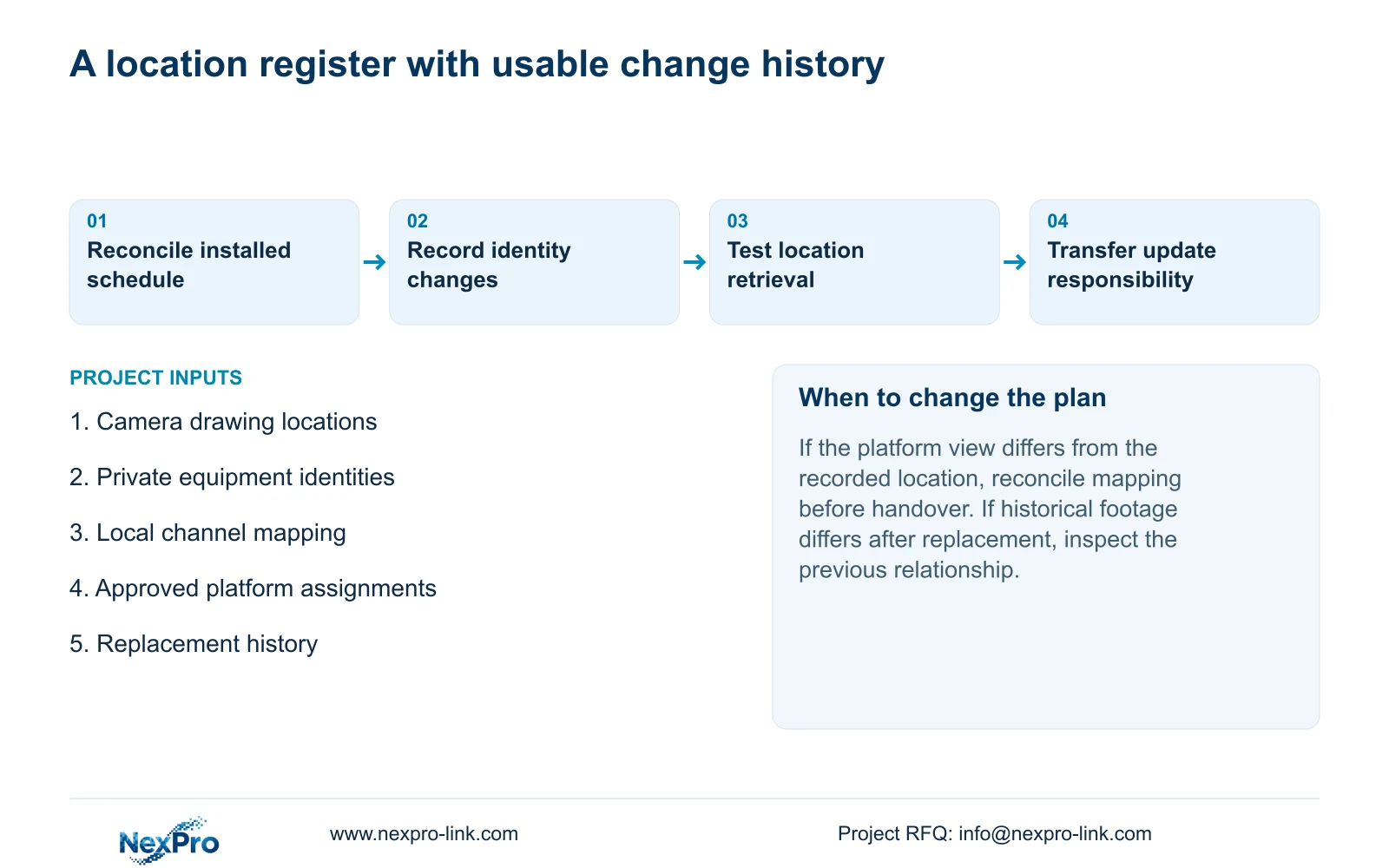
Reconcile the register against the installed equipment and camera schedule. If the drawing location and observed view disagree, keep the discrepancy open until the physical camera or connection mapping is checked. Do not rename the platform entry merely to make the screen look consistent with an unverified assumption.
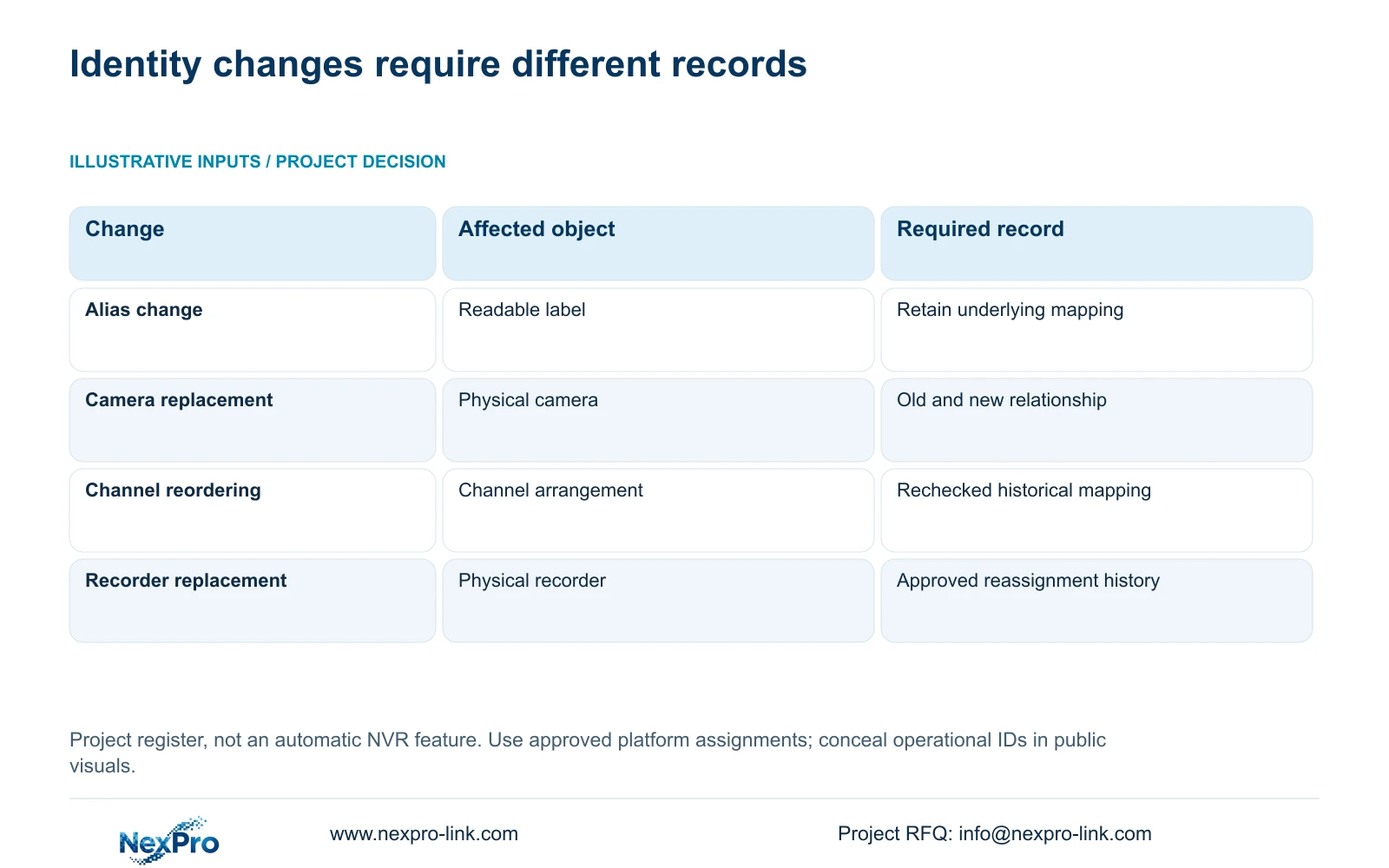
During incident retrieval, use the recording's channel identity and relevant period to confirm the location. A familiar position in a multi-camera layout is insufficient after reordering. The following decisions show when the register needs an update and when it needs a retained historical relationship.
| Observed change | Keep distinct | Register action |
|---|---|---|
| Displayed alias changes | Readable name and underlying channel identity | Update the name and retain the established mapping. |
| Camera is replaced | Old and new physical camera identities | Retain the change date and both equipment relationships. |
| Channels are reordered | Layout position and recorded-channel identity | Recheck platform mapping and historical retrieval. |
| Recorder is replaced | Physical recorder and platform assignment | Confirm the receiving administrator's approved reassignment. |
Section 04
Make labels readable while retaining original codes
Use names that let operators distinguish the building and actual camera location. Keep the original assigned code beside the readable label in the register. Where local names overlap, the location field provides context without requiring a silent change to the platform's identity scheme.
The manual lists OSD enablement, channel name, title and time positions, date format, weekday display and optional resolution or bitrate information. Camera overlays and the recorder desktop clock are different objects. Verify the overlay on the actual image after an authorized setting change.
Check each camera's useful image area before copying text positions. A position suitable for one view can cover important content in another. If a third-party camera does not accept the requested OSD setting, retain the register mapping and investigate device support; the visible menu alone does not prove universal response.
Section 05
Preserve the relationship before and after replacement
Record the installed recorder's product model, hardware version, software version and software date from System Information. Keep serial identity in the appropriate private maintenance record. Remove operational identifiers, QR codes and identifiable site content from any public illustration.
Before a replacement, retain the existing recorder and channel mapping with its applicable time period. After replacement, add the new physical identity and the receiving platform's approved assignment. Do not overwrite the old relationship as though historical footage had always belonged to the replacement equipment.
A configuration backup location belongs in the maintenance record, but the backup does not itself demonstrate that recorded footage has transferred. Verify where earlier recordings remain retrievable and record any unresolved access boundary. If the two systems show different views under a familiar label, investigate the mapping before accepting the replacement.
Section 06
Verify location through live view and recorded playback
Section 4.12.9 describes platform live preview and playback. Use both tasks to verify the identity register. Ask the operator to locate a camera from its site description, open the platform entry and compare the observed view with the known physical location.
Then retrieve a known recorded period for that same location. Confirm which recorder and local channel supplied it. Where equipment or mapping changed, include the relevant historical period so the test does not check only the current arrangement.
If the platform opens a different view, retain the discrepancy and reconcile the platform identity, local channel and physical camera fields. If the current view is correct but earlier footage is misattributed, examine the previous mapping and change history. Successful registration does not close either identity question.
Section 07
Handover a register the owner can use
Deliver the maintained mapping with applicable equipment versions, configuration-backup location and responsibility for future updates. Credentials should travel through the owner's controlled route, outside the general coding table. A screenshot can illustrate a view but cannot replace the register's relationships and change history.
Verify the operator's task separately from document delivery. Ask the intended user to identify a location, retrieve its required period, export footage through the supported workflow and play the file. Retain the responsible support contact beside the equipment record.
For consultant review or equipment scheduling, identify unresolved mappings and the party responsible for resolving them. NexPro-Link's BOQ and tender support provides a project-discussion route for equipment identities and technical documentation; it does not guarantee approval of a coding submission.
Section 08
Resolve repeated names across a campus
Illustrative project scenario: A campus platform merges recordings from several buildings with overlapping local channel names. The register retains each approved platform assignment and adds the building and physical location alongside the local channel name. The verification task checks current views and relevant historical periods. Replacement relationships remain visible so an operator can distinguish earlier footage from the current camera arrangement. This scenario defines an administrative and operating workflow, not a delivered campus installation.
Section 09
Does changing a display name replace the camera identity?
No. A display-name change affects the readable label. Keep the physical camera, local channel and platform identity separately recorded, and update those relationships only when the corresponding object changes.
Section 10
Submit the mapping that needs review
Send NexPro-Link a redacted camera schedule showing location, local channel and platform field roles at info@nexpro-link.com. Exclude operational IDs and credentials.
Engineering references
These sources support the general planning principles. Always use the selected product's current datasheet and applicable project standards for final design.


